⚠️ Affiliate Disclosure: This post contains Amazon affiliate links. If you purchase through our links, we may earn a small commission at no extra cost to you. Every bridge below was checked against its live Amazon listing and the manufacturer’s own Matter bridge documentation. Prices change constantly, so we deliberately don’t print them here. Tap through to see the current price on Amazon before buying.
Ultimate Buying Guide
🌉 Best Matter Bridges for Zigbee and Z-Wave Devices
12 hubs that put your existing Zigbee and Z-Wave gear into Apple Home, Google Home, Alexa and SmartThings over Matter, ranked by a firmware engineer who ships Matter-certified products.
✅ 12 Bridges Reviewed
✅ Verified Amazon Listings
✅ Zigbee & Z-Wave Paths
✅ Honest Pros & Cons
Most smart homes are not starting from zero. There are Zigbee door sensors on the windows, Z-Wave dimmers in the walls and a drawer full of buttons and plugs that still work perfectly. Matter promised one standard for everything, but none of those devices speak it. A Matter bridge fixes that: it keeps talking Zigbee or Z-Wave to your existing devices and presents each one to Apple Home, Google Home, Alexa or SmartThings as a standard Matter accessory, all over your local network.
The catch is that bridges are not interchangeable. Some only bridge their own brand’s Zigbee devices, some accept almost any Zigbee 3.0 product, and only a handful can bridge Z-Wave at all. This guide compares 12 Matter bridges on the things that actually decide whether your devices make it across: which radios they bridge, which brands they accept, how they connect to your network, and what you lose in translation.
💡 Reality check before you buy: A bridge only exposes features that map to a Matter device type, so a Zigbee button may arrive as a generic switch, a fan’s oscillation may disappear, and vendor-specific extras usually stay in the brand app. Several popular hubs (Aqara, THIRDREALITY, Tuya-based gateways) only bridge their own Zigbee devices, not third-party ones. Z-Wave is the hard case: as of this writing, the practical options are Homey Pro and a Home Assistant setup with a Z-Wave radio. Hubitat, for example, states plainly that it is a Matter controller but not a Matter bridge. Finally, a bridge does not replace a Matter controller: you still need a HomePod, Echo, Nest hub or SmartThings hub on the other side.
🌉 Quick Comparison: All 12 Matter Bridges
| Bridge | Bridges to Matter | Zigbee Brands | Network | Best For | Buy |
|---|
| 🥇 Homey Pro (2026) | Zigbee, Z-Wave, IR, Wi-Fi | Broad multi-brand | Wi-Fi (Ethernet adapter optional) | Best Overall | Buy Here → |
| 🏅 Aqara Hub M3 | Zigbee, Thread, IR | Aqara only | PoE Ethernet, Wi-Fi | Best for Aqara Homes | Buy Here → |
| 💡 Philips Hue Bridge Pro | Zigbee (Hue system) | Hue + compatible lights | Ethernet | Best for Hue Lighting | Buy Here → |
| 🔀 SONOFF Bridge Max | Zigbee, BTHome, eWeLink, HA | SONOFF + many third-party | Ethernet, 2.4/5 GHz Wi-Fi | Best Mixed-Brand Zigbee | Buy Here → |
| 🛠️ Home Assistant Green | Anything in HA (add-on) | Almost any (ZHA / Z2M) | Ethernet, USB radios | Best DIY Bridge | Buy Here → |
| 💜 Homey Pro (Early 2023) | Zigbee, Z-Wave, IR, Wi-Fi | Broad multi-brand | Wi-Fi (Ethernet adapter optional) | Best Value Z-Wave | Buy Here → |
| 📦 Homey Pro mini | Zigbee (Z-Wave via Homey Bridge) | Broad multi-brand | Ethernet | Best Compact Homey | Buy Here → |
| 🔌 Aqara Hub M100 | Zigbee, Thread | Aqara only | Wi-Fi 6, USB-A power | Best Budget Aqara | Buy Here → |
| 📱 SONOFF NSPanel Pro 120 | Zigbee, SONOFF Wi-Fi | SONOFF + Zigbee 3.0 | Wi-Fi, in-wall | Best Wall-Panel Bridge | Buy Here → |
| 🧩 Zemismart M1 Pro | Tuya Zigbee, Thread, IR | Tuya only | Ethernet, Wi-Fi | Best for Tuya Zigbee | Buy Here → |
| 🟢 THIRDREALITY MZ1 | Zigbee | THIRDREALITY only | Wi-Fi | Cheapest Single-Brand | Buy Here → |
| 📡 HA Connect ZWA-2 | Z-Wave radio for HA | Z-Wave, Z-Wave LR | USB to HA host | Best Z-Wave Add-On | Buy Here → |
“Zigbee Brands” is what the bridge will accept and pass through to Matter, based on each maker’s own documentation. Prices are left out on purpose because they change daily; tap Buy Here to see the live price on Amazon.
🔍 What to Look for in a Matter Bridge
📻
Which Radios It Bridges
Start with your devices. Zigbee bridges are common; Z-Wave bridges are rare. If you own Z-Wave locks, dimmers or sensors, your shortlist is effectively Homey Pro or Home Assistant with a Z-Wave radio.
🏷️
Brand Lock-In
Aqara, THIRDREALITY and Tuya-based hubs only accept their own Zigbee devices. SONOFF, Homey and Home Assistant accept a wide range of third-party Zigbee 3.0 products. Check the maker’s supported-device list before you buy.
🧭
Device-Type Mapping
A bridge can only expose what Matter defines. Lights, plugs, contact and motion sensors, locks and thermostats map well. Scene buttons, rotary dials and niche sensors often arrive with reduced features or not at all.
🔗
Wired Network Link
The bridge talks Matter over your LAN, so a wired Ethernet or PoE connection removes the most common source of “No Response” tiles. Wi-Fi-only bridges work, but place them close to the router.
🧵
Thread and Controller Extras
Many bridges are also Thread border routers and Matter controllers. That is useful if you are adding new Thread devices, but it is a bonus, not a requirement, for bridging your old Zigbee and Z-Wave gear.
🏆 Detailed Reviews: All 12 Matter Bridges
🥇 BEST OVERALL: ZIGBEE + Z-WAVE

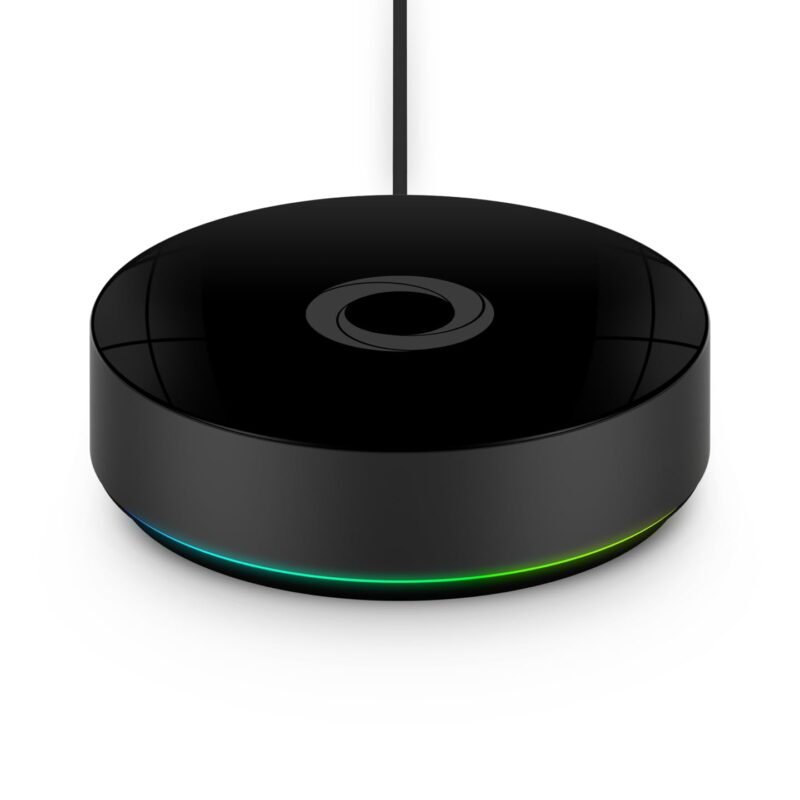
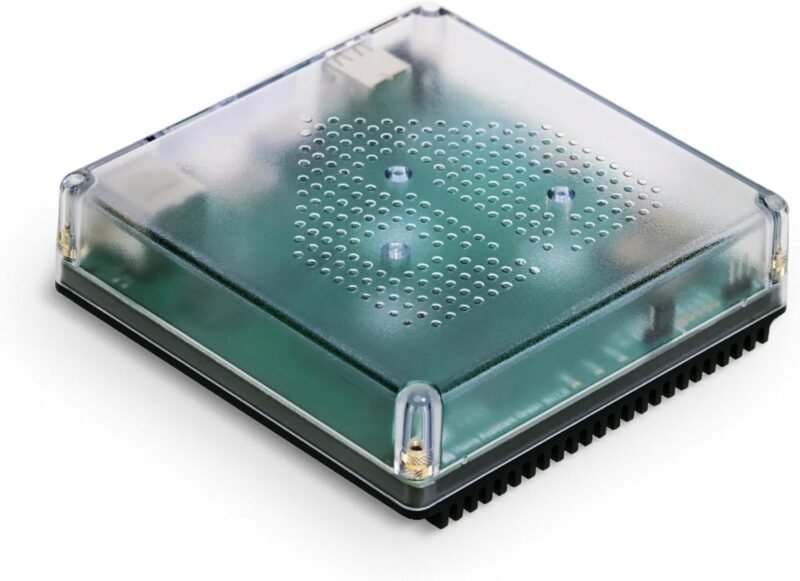
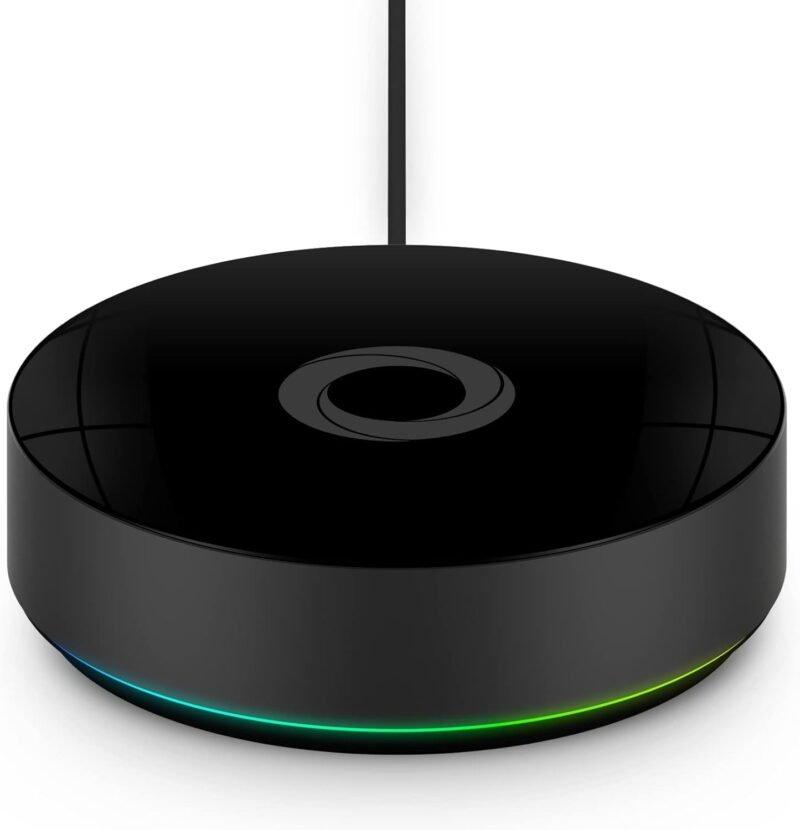
The Homey Pro (2026) is the only hub here that bridges both Zigbee and Z-Wave into Matter from a single box, with Z-Wave Plus, Zigbee, Wi-Fi, Bluetooth LE, infrared and Thread built in. Install Homey’s free, official Matter Bridge app, scan the QR code it generates from Apple Home, Google Home, Alexa, SmartThings or Home Assistant, then tick which devices to share. Homey’s own documentation says Zigbee, Z-Wave, IR, 433 MHz and Wi-Fi devices can all be bridged as long as they map to a supported Matter device type. The 2026 model doubles the RAM of the previous generation, which matters on large installs, and Homey Flow keeps doing the heavy automation locally while your voice assistant of choice gets clean Matter tiles.
✅ Pros- Bridges Z-Wave and Zigbee in one hub
- Accepts thousands of multi-brand devices
- Choose exactly which devices to expose
- Works with every major Matter platform
❌ Cons- Premium hub, priced like one
- Ethernet needs a separate adapter
- Apple Home may warn the bridge is uncertified
🎯 Verdict: If your home mixes Zigbee and Z-Wave, this is the bridge to buy. Nothing else gets both into Matter this cleanly.
👉 Check Price on Amazon →
🏅 BEST FOR AQARA ZIGBEE HOMES

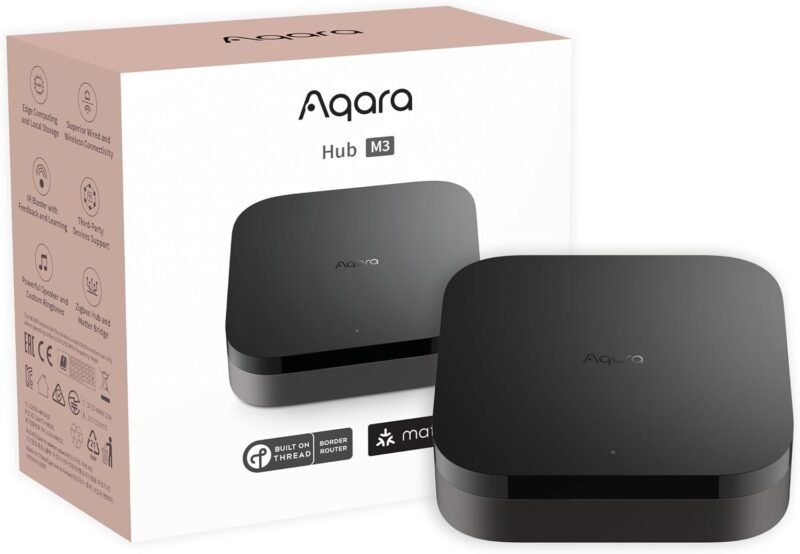
If your Zigbee devices are mostly Aqara sensors, switches and blinds, the Aqara Hub M3 is the cleanest way to get them into any Matter ecosystem. It is a Matter bridge, Matter controller and Thread border router in one, with PoE Ethernet for a rock-solid LAN link and a 360° IR blaster on top. The listing rates it for up to 127 Aqara Zigbee devices and 127 Thread devices (with repeaters), and Aqara’s “advanced Matter bridging” pushes Aqara-specific scenes and signals into platforms like Home Assistant. It also acts as an edge hub, pulling automations from older Aqara hubs onto local execution, and you can migrate Zigbee devices from an older M2 or E1 without re-pairing them one by one.
✅ Pros- PoE Ethernet for a stable bridge link
- Bridge, controller and Thread BR in one
- Large 127-device Zigbee capacity
- Local automations, IR blaster included
❌ Cons- Does not accept third-party Zigbee devices
- No Z-Wave
- Setup runs through the Aqara Home app
🎯 Verdict: The best bridge for an Aqara-heavy home. Wired, local and happy in every Matter ecosystem, as long as your Zigbee devices wear the Aqara badge.
👉 Check Price on Amazon →
💡 BEST FOR HUE LIGHTING · ⭐ 4.6/53. Philips Hue Bridge Pro
Zigbee · 150+ lights · 50+ accessories · 1.7 GHz quad-core · 4 GB RAM · Matter bridge
Buy Here →

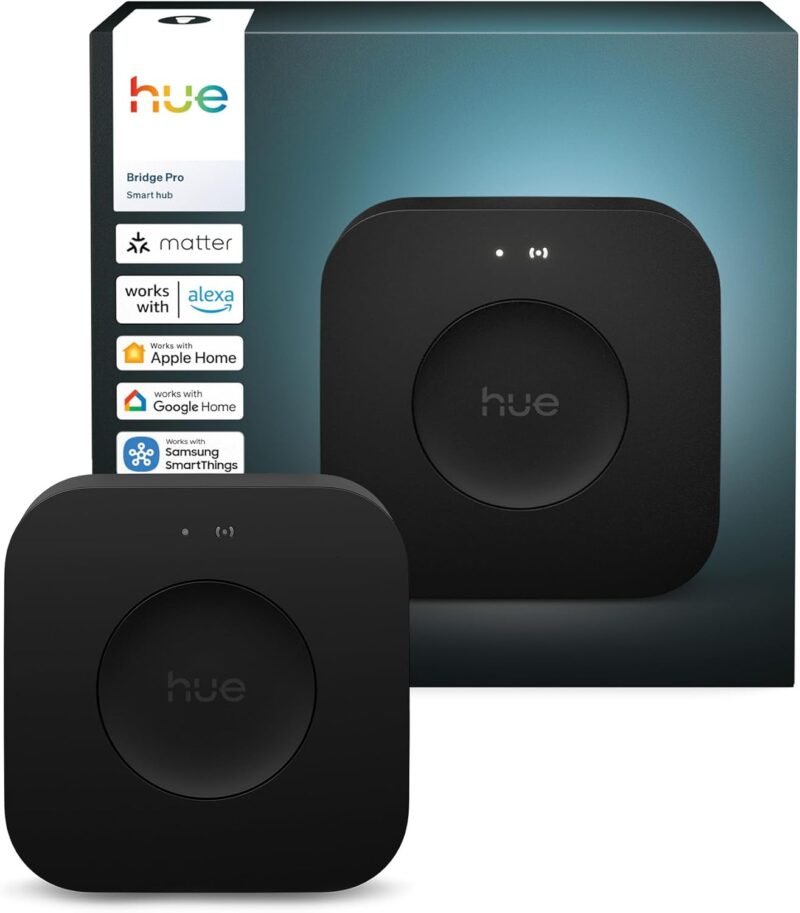
The Hue Bridge is the Matter bridge most people already own without realising it, and the Hue Bridge Pro is the new top model. Philips confirms that every Hue product connected through a Hue Bridge works with Matter, so your Zigbee bulbs, strips and sensors show up natively in Apple Home, Google Home, Alexa and SmartThings. The Pro steps up to a 1.7 GHz quad-core chip and 4 GB of memory, room for 150+ lights and 50+ accessories, up to 500 scenes, and MotionAware, which turns groups of Hue lights into motion sensors. Two caveats: Hue devices paired over Bluetooth only are not bridged, and the Tap dial’s rotary dial does not cross over to Matter.
✅ Pros: Huge lighting capacity; mature, polished app; bridges all Hue Zigbee gear; MotionAware.
❌ Cons: Lighting-focused; not a general Zigbee bridge; no Z-Wave.
🎯 Verdict: The best Matter bridge for a Hue lighting system, and the one to upgrade to if you are outgrowing the original Hue Bridge.
🔀 BEST MIXED-BRAND ZIGBEE · ⭐ 4.5/54. SONOFF Bridge Max (Bridge-M)
Zigbee · BTHome · eWeLink · Ethernet + 2.4/5 GHz Wi-Fi · local web console · Matter 1.4 certified
Buy Here →

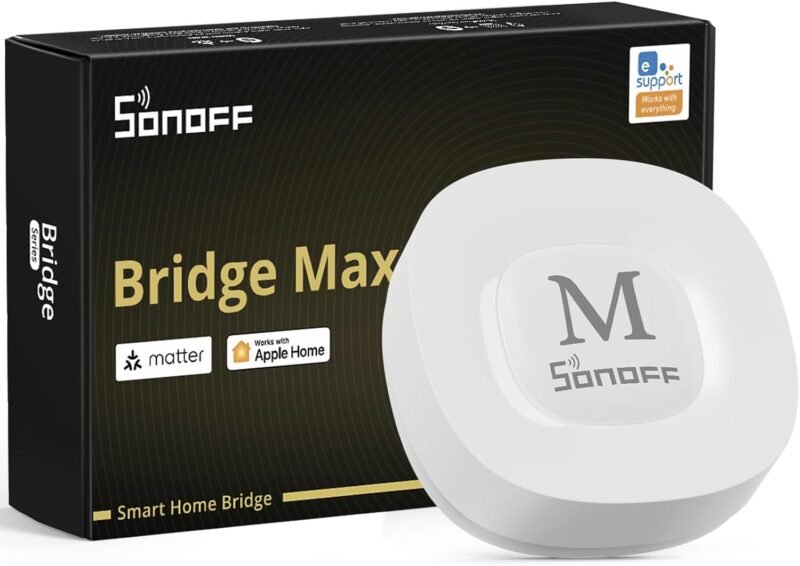
The SONOFF Bridge Max is the bridge for a Zigbee network that has grown from several brands. SONOFF supports its own Zigbee devices fully and lists a wide range of third-party Zigbee devices, and the Max bridges all of them, plus BTHome Bluetooth sensors and eWeLink devices, into Apple Home, Google Home, Alexa and SmartThings. A standout for tinkerers: the Matter bridge is configured from a local web console on your LAN, no app or cloud required. It connects over Ethernet or dual-band Wi-Fi, carries a 90 dB siren for a local security system, syncs Zigbee devices to Home Assistant over MQTT, and can even bridge Home Assistant entities out to other Matter platforms. Existing ZBBridge Pro owners can migrate devices and scenes in one step.
✅ Pros: Accepts many third-party Zigbee brands; local web setup; Ethernet + 5 GHz Wi-Fi; MQTT for HA.
❌ Cons: No Z-Wave; feature support varies by device, so check SONOFF’s function table.
🎯 Verdict: The most open dedicated Zigbee-to-Matter bridge in this list. Buy it when your Zigbee devices come from more than one brand.
🛠️ BEST DIY BRIDGE · ⭐ 4.4/55. Home Assistant Green
Home Assistant preinstalled · Ethernet · USB radios for Zigbee, Z-Wave, Thread · Matter Hub add-on
Buy Here →

Home Assistant Green is the official plug-and-play Home Assistant box: power, Ethernet, done. Add a USB Zigbee or Z-Wave radio and it will run almost any Zigbee device through ZHA or Zigbee2MQTT and any certified Z-Wave device through Z-Wave JS. To bridge all of that into Apple Home, Google Home or Alexa, install the community Home-Assistant-Matter-Hub add-on (the maintained fork after the original was archived in January 2026) or Matterbridge, which publish your HA entities as Matter bridges. This is the most flexible bridge in the guide, and the most hands-on: the bridging layer is community software rather than an official Nabu Casa feature.
✅ Pros: Bridges Zigbee and Z-Wave from almost any brand; fully local; endless automation power.
❌ Cons: Radios sold separately; bridge add-on is community-run; steeper learning curve.
🎯 Verdict: The best bridge for tinkerers who want any Zigbee or Z-Wave device, from any brand, in any Matter ecosystem.
💜 BEST VALUE Z-WAVE BRIDGE · ⭐ 4.4/56. Homey Pro (Early 2023)
Z-Wave Plus · Zigbee · Wi-Fi · BLE · IR · Matter + Thread · Matter Bridge app
Buy Here →

The Homey Pro (Early 2023) has the same radio line-up as the 2026 model, including built-in Z-Wave Plus and Zigbee, and runs the same official Matter Bridge app, which Homey supports on 2023 through 2026 Pro hardware. What you give up is the newer model’s doubled RAM, which mostly matters if you plan to run a very large number of devices and apps. As the older model it is often the cheaper way into Homey, which makes it the value pick for anyone whose main goal is getting existing Z-Wave locks, dimmers and sensors into Apple Home or Google Home.
✅ Pros: Z-Wave and Zigbee bridging; same Matter Bridge app; usually cheaper than the 2026 model.
❌ Cons: Less RAM for big installs; older hardware; Ethernet adapter extra.
🎯 Verdict: The best-value route to bridging Z-Wave into Matter. Compare its live price against the 2026 model before you choose.
📦 BEST COMPACT HOMEY · ⭐ 4.3/57. Homey Pro mini
Zigbee · Ethernet · Matter + Thread · Z-Wave, BLE and IR via Homey Bridge (sold separately)
Buy Here →

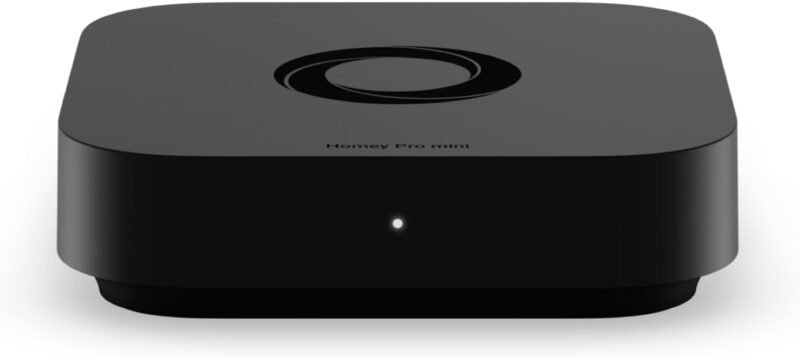
The Homey Pro mini gets the same Matter Bridge app and Homey Flow automations in a smaller, wired box with Zigbee, Matter, Thread and Ethernet out of the box. It is a strong multi-brand Zigbee bridge on its own. The important nuance for this guide: there is no Z-Wave radio inside. Homey says you can add Z-Wave, Bluetooth and infrared by pairing a Homey Bridge, so a mini plus a Homey Bridge is an alternative path for Z-Wave homes, but if Z-Wave is your main reason for buying, the full Homey Pro is simpler.
✅ Pros: Ethernet built in; full Homey Matter Bridge; compact; Thread border router.
❌ Cons: No built-in Z-Wave; extra Homey Bridge needed for Z-Wave and IR.
🎯 Verdict: The best Homey for Zigbee-only homes that want Homey’s open bridging without paying for radios they won’t use.
🔌 BEST BUDGET AQARA · ⭐ 4.3/58. Aqara Hub M100
USB-A stick · Zigbee + Thread · Wi-Fi 6 (WPA3) · up to 20 Zigbee / 40 mixed devices · Matter bridge + controller
Buy Here →

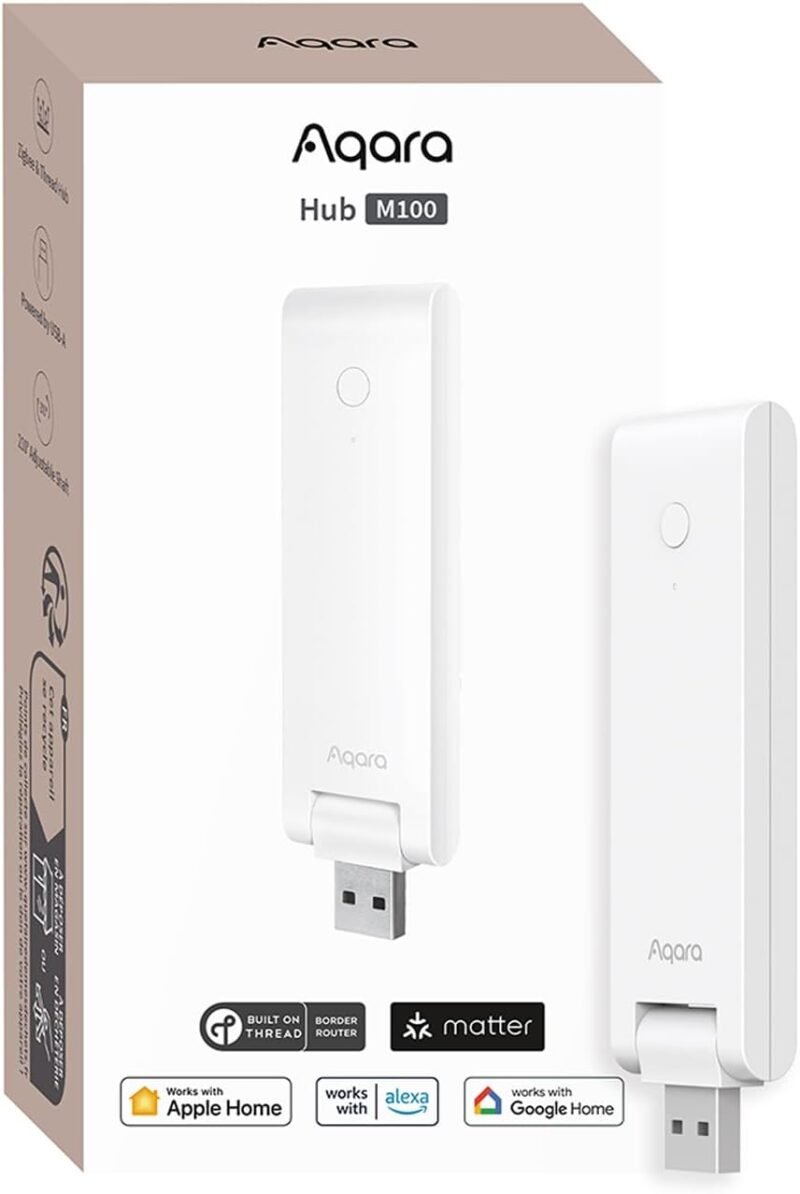
The Aqara Hub M100 packs Aqara’s Matter bridge, Matter controller and Thread border router into a USB-A stick you can power from a router, a charger or even a power bank. It is the cheapest way to get a handful of Aqara Zigbee sensors into Apple Home, Google Home or Alexa, and it runs basic automations locally. The limits are the point of the price: Aqara rates it for up to 20 Zigbee devices (or 40 mixed), it relies on 2.4 GHz Wi-Fi rather than Ethernet, and, like the M3, the Amazon listing is explicit that it does not accept third-party Zigbee devices.
✅ Pros: Very affordable; tiny USB form factor; Thread BR included; local automations.
❌ Cons: Aqara Zigbee only; 20-device Zigbee cap; Wi-Fi only.
🎯 Verdict: The best budget bridge for a small Aqara setup. Step up to the M3 once you pass a couple of dozen devices.
📱 BEST WALL-PANEL BRIDGE · ⭐ 4.2/59. SONOFF NSPanel Pro 120
4.7″ touchscreen · Zigbee gateway · security modes · energy stats · Matter bridge via firmware
Buy Here →

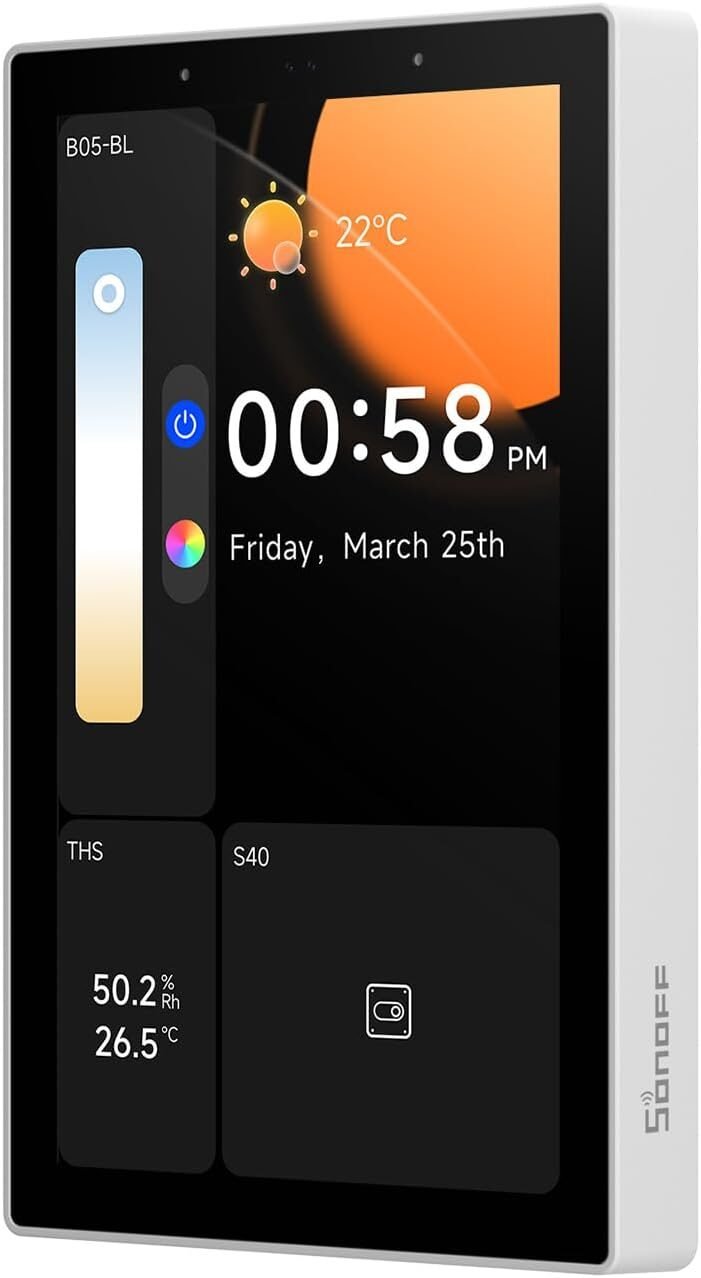
The SONOFF NSPanel Pro 120 is a 4.7-inch in-wall control panel sized for US-style boxes, with a Zigbee gateway inside. A firmware update turned it into a Matter bridge: SONOFF says it can sync SONOFF Zigbee devices, supported third-party Zigbee 3.0 devices and SONOFF Wi-Fi devices into Apple Home, Google Home, Alexa and Home Assistant in one pass, through the Matter Bridge entry in the eWeLink app. That makes it a neat two-in-one if you want a wall dashboard and a bridge without another box on the shelf. Keep the firmware and the eWeLink app current, since bridging depends on both.
✅ Pros: Wall dashboard and bridge in one; accepts Zigbee 3.0 third-party devices; security modes.
❌ Cons: Needs in-wall installation; bridge listing on Amazon is thin; Wi-Fi only.
🎯 Verdict: The best pick if you want a wall-mounted control screen that also bridges your Zigbee devices into Matter.
🧩 BEST FOR TUYA ZIGBEE · ⭐ 4.1/510. Zemismart M1 Pro Matter Hub
Matter-certified bridge · Tuya Zigbee gateway · Thread border router · 38 kHz IR
Buy Here →

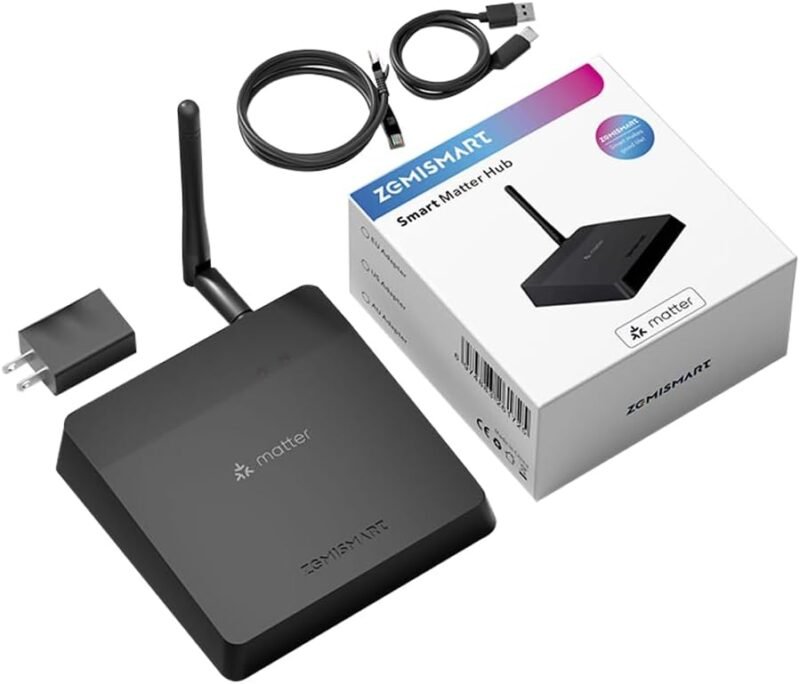
Tuya and Smart Life Zigbee devices are everywhere because they are cheap, and the Zemismart M1 Pro is the bridge that finally gets them out of the Tuya app. It combines a Matter bridge, a Tuya Zigbee gateway, a Thread border router and a 38 kHz IR blaster, and the listing describes it as Matter-certified. The workflow matters: you pair Zigbee sub-devices in Tuya Smart or Smart Life first, then add the hub to Apple Home, Google Home, Alexa or SmartThings. Community testing of Tuya Matter gateways shows Tuya-branded devices bridge reliably while non-Tuya Zigbee devices are hit or miss, so treat it as a Tuya bridge.
✅ Pros: Frees Tuya Zigbee gear into Matter; Thread BR and IR included; inexpensive.
❌ Cons: Tuya devices only in practice; sub-devices added in Tuya app; feature mapping varies.
🎯 Verdict: The right bridge if your Zigbee devices came from Tuya, Moes, Zemismart or Smart Life listings.
🟢 CHEAPEST SINGLE-BRAND BRIDGE · ⭐ 4.0/511. THIRDREALITY Smart Bridge MZ1
Zigbee to Matter · Wi-Fi · 3R-Matter app setup · OTA updates for bridge and devices
Buy Here →

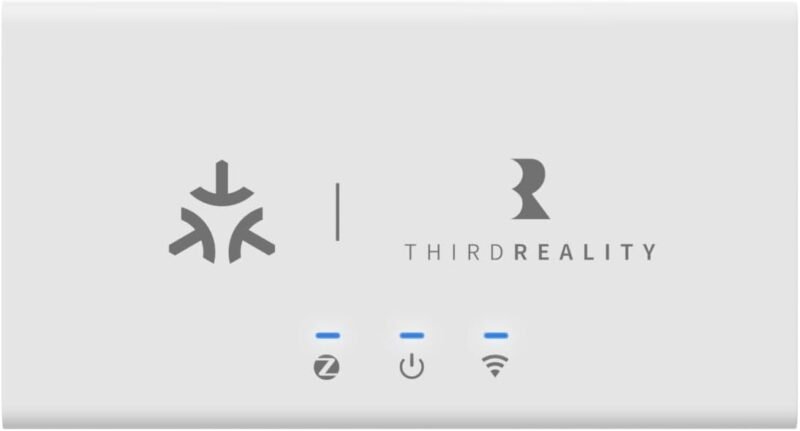
THIRDREALITY’s affordable Zigbee plugs, sensors and night lights are popular with Home Assistant users, and the Smart Bridge MZ1 gives owners a simple path into Matter. THIRDREALITY describes it as linking THIRDREALITY Zigbee end devices to Matter, so it is a single-brand bridge, not a general Zigbee gateway. You set it up with the 3R-Matter app, which also pushes OTA updates to the bridge and your THIRDREALITY devices, and then add it to Apple Home, Google Home, Alexa or SmartThings with the Matter code. If your Zigbee gear is all THIRDREALITY, it is the cheapest bridge here.
✅ Pros: Low cost; simple setup; OTA updates for devices; wide platform support.
❌ Cons: THIRDREALITY devices only; Wi-Fi only; small device capacity.
🎯 Verdict: A no-fuss, low-cost bridge for THIRDREALITY owners. Look elsewhere if you have other Zigbee brands.
📡 BEST Z-WAVE ADD-ON FOR DIY BRIDGES · ⭐ 4.3/512. Home Assistant Connect ZWA-2
Z-Wave + Z-Wave Long Range · latest certified Z-Wave chipset · tuned antenna and base · USB
Buy Here →

The Home Assistant Connect ZWA-2 is not a bridge on its own; it is the Z-Wave half of the DIY bridge in pick #5. Plug it into a Home Assistant Green (or any HA host) and you get the official Nabu Casa Z-Wave radio with the latest certified chipset, Z-Wave Long Range support, and an antenna and base tuned for Z-Wave’s sub-GHz band. Once your Z-Wave locks, dimmers and sensors live in Home Assistant through Z-Wave JS, the Matter Hub add-on can expose them to Apple Home, Google Home or Alexa. Together, the Green and ZWA-2 are the main non-Homey answer to “how do I get Z-Wave into Matter?”
✅ Pros: Official HA hardware; Z-Wave Long Range; works with any certified Z-Wave device.
❌ Cons: Needs an HA host plus the bridge add-on; Z-Wave only, no Zigbee.
🎯 Verdict: Pair it with Home Assistant Green for the most flexible Z-Wave-to-Matter bridge you can build.
🛒 How to Choose the Right Matter Bridge
🔀
Mix of Zigbee and Z-Wave?
Get the Homey Pro (2026), or the Early 2023 model if it is cheaper. Both bridge Z-Wave and Zigbee from one box.
🟦
Mostly Aqara devices?
The Aqara Hub M3 for big, wired setups; the M100 for a handful of sensors on a budget.
💡
A Hue lighting system?
You already have a Matter bridge. Upgrade to the Hue Bridge Pro when you outgrow capacity or want MotionAware.
🧺
Zigbee from many brands?
The SONOFF Bridge Max accepts a wide range of third-party Zigbee and sets up from a local web page.
🛠️
Love to tinker?
Home Assistant Green plus a ZWA-2 and a Zigbee dongle bridges almost anything, from any brand.
🏷️
Cheap Tuya or THIRDREALITY gear?
Use the brand-matched bridge: Zemismart M1 Pro for Tuya, THIRDREALITY MZ1 for THIRDREALITY.
⚙️ Key Specs Compared: Side by Side
| Spec | Homey Pro (2026) | Aqara Hub M3 | Hue Bridge Pro | SONOFF Bridge Max | HA Green + radios |
|---|
| Z-Wave Bridging | Built in ⭐ | No | No | No | With ZWA-2 + add-on |
| Zigbee Brands Accepted | Broad multi-brand | Aqara only | Hue + compatible lights | SONOFF + many third-party | Almost any (ZHA/Z2M) ⭐ |
| Network Link | Wi-Fi, Ethernet via adapter | PoE Ethernet + Wi-Fi ⭐ | Ethernet | Ethernet + 2.4/5 GHz Wi-Fi | Ethernet |
| Extra Radios | IR, BLE, Thread ⭐ | IR, Thread, BLE | None for bridging | BTHome (Bluetooth) | Whatever you plug in |
| Bridge Setup | Official Matter Bridge app | Aqara Home app | Hue app | Local web console ⭐ | Community add-on |
| Skill Level | Easy | Easiest ⭐ | Easiest ⭐ | Moderate | Advanced |
Capabilities are taken from each Amazon listing and the maker’s Matter bridge documentation. Bridge features change with firmware, so confirm details on the live listing before buying.
❓ Frequently Asked Questions
What is the difference between a Matter bridge and a Matter controller?
A Matter controller (HomePod, Echo, Nest hub, SmartThings hub) is what you control devices from. A Matter bridge sits between that controller and devices that do not speak Matter, translating Zigbee or Z-Wave into standard Matter device types. Many hubs here are both, but for bridging you still need a controller from your chosen ecosystem on the other end. The bridge itself joins the controller over Ethernet or Wi-Fi as one Matter node with many bridged endpoints behind it.
Can I bridge Z-Wave devices to Matter?
Yes, but the options are limited. Homey Pro bridges Z-Wave natively through its official Matter Bridge app, and Homey Pro mini can do it with a Homey Bridge added. The DIY route is Home Assistant with a Z-Wave radio such as the Connect ZWA-2, plus a bridge add-on like Home-Assistant-Matter-Hub or Matterbridge. Popular Z-Wave hubs such as Hubitat are Matter controllers but explicitly not Matter bridges, so they will not expose Z-Wave devices over Matter.
Will my third-party Zigbee devices work with any bridge?
No, and this is the most common buying mistake. Aqara hubs, THIRDREALITY’s MZ1 and Tuya-based gateways like the Zemismart M1 Pro are designed around their own brand’s Zigbee devices. SONOFF’s Bridge Max and NSPanel Pro, Homey and Home Assistant accept a much wider range of third-party Zigbee 3.0 devices. Even then, check the maker’s supported-device list for your exact model, because Zigbee implementations vary.
Do I need a Thread border router to use a Matter bridge?
Not for bridging. Bridged Zigbee and Z-Wave devices reach Matter through the bridge’s Ethernet or Wi-Fi connection, so Thread is not involved. You only need a Thread border router for native Matter-over-Thread devices. Several bridges here, including Homey Pro, Aqara M3 and M100 and Zemismart M1 Pro, include one anyway; see our Thread border router guide if you are adding Thread devices too.
Will bridged devices lose features in Apple Home or Google Home?
Sometimes. A bridge can only expose capabilities that exist as Matter device types and clusters, and each ecosystem renders a different subset. Lights, plugs, contact and motion sensors, locks and thermostats usually come across well. Multi-press buttons, rotary dials (for example the Hue Tap dial’s dial), vendor-specific modes and diagnostic data often stay in the brand app. Keep the bridge’s own app for advanced setup, and use Matter for everyday control and cross-brand automations.
🏁 Final Verdict: Best Matter Bridge for Every Home
The right bridge for every mix of Zigbee and Z-Wave devices:
🥇 Best Overall: Homey Pro (2026). Bridges Zigbee and Z-Wave from one hub.
Buy →🏅 Best for Aqara: Aqara Hub M3. PoE, 127 Zigbee devices, Thread BR.
Buy →💡 Best for Hue: Philips Hue Bridge Pro. 150+ lights, all bridged to Matter.
Buy →🔀 Best Mixed-Brand Zigbee: SONOFF Bridge Max. Third-party Zigbee, local web setup.
Buy →🛠️ Best DIY: Home Assistant Green with a ZWA-2 and a Zigbee radio.
Buy →💜 Best Value Z-Wave: Homey Pro (Early 2023). Same radios and bridge app.
Buy →🔌 Best Budget: Aqara Hub M100. A USB stick bridge for small Aqara setups.
Buy →The right Matter bridge depends less on specs and more on what is already in your walls. If you own Z-Wave devices, the Homey Pro is the straightforward answer, with Home Assistant Green and a ZWA-2 as the build-it-yourself alternative. For Zigbee, match the bridge to your devices: Aqara Hub M3 or M100 for Aqara, the Hue Bridge Pro for Hue lighting, the SONOFF Bridge Max for mixed brands, and the Zemismart M1 Pro or THIRDREALITY MZ1 for their own ecosystems. Planning a smart home around Matter? Start with our Thread border router guide and our roundup of Home Assistant hardware kits, then explore more ESP32, Matter, Zigbee and IoT tutorials on microcontrollerslab.com.
💬 Not sure which bridge fits your setup? Tell us which Zigbee and Z-Wave devices you own and which ecosystem you use (Apple Home, Google Home, Alexa or SmartThings) in the comments below, and we’ll point you to the right pick.
All Amazon links above use our affiliate tag (microlab05-20). Purchasing through them supports microcontrollerslab.com at no extra cost to you. Prices and availability change frequently, so always confirm the current price on Amazon before buying.