⚠️ Affiliate Disclosure: This post contains Amazon affiliate links. If you purchase through our links, we may earn a small commission at no extra cost to you. We only recommend products we have thoroughly researched and verified.
Ultimate Buying Guide 2026
🍓 Best Raspberry Pi 5 Starter Kits for Beginners
8 Raspberry Pi 5 kits ranked for first-time makers and power users — from a $50 component bundle to a fully-assembled NVMe desktop — with real specs, what’s actually in the box, honest verdicts, and verified Amazon links.
✅ 8 Kits Reviewed
✅ Verified Amazon ASINs
✅ Updated June 2026
✅ Honest Pros & Cons
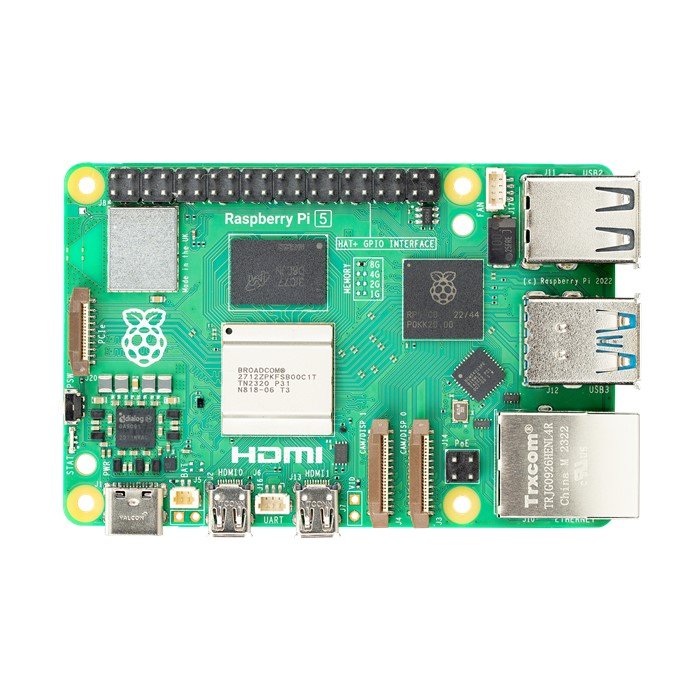
The Raspberry Pi 5 is the fastest, most capable Raspberry Pi yet — a quad-core Arm Cortex-A76 running at 2.4GHz with two to three times the performance of the Pi 4, PCIe for fast NVMe storage, dual 4K display output and up to 16GB of RAM. But the bare board is only half the story. To actually use a Pi 5 you need a compatible 27W USB-C power supply, active cooling (the Pi 5 genuinely needs it), a microSD card or SSD with an operating system, and micro-HDMI cables. Buying those pieces separately is fiddly and often more expensive than a bundled kit.
That is where a starter kit comes in. A good kit packages a known-good power supply, a proper cooling solution, a preloaded SD card and the right cables so you can boot on day one. This guide ranks 8 of the best Raspberry Pi 5 starter kits — complete plug-and-play bundles, budget builds, learning kits packed with sensors, and even a fully-assembled NVMe desktop — so you can match the kit to your budget and what you want to build.
💡 Reality check before you buy: The Raspberry Pi 5 board itself is the biggest cost, and its price swings a lot — it has sold for anywhere from ~$80 to well over $150 depending on stock and RAM. “Complete” kits include the board; component/learning kits (Freenove, SunFounder) do NOT include the Pi, so budget for a board plus a 27W power supply. The Pi 5 runs hot under load, so don’t skip the active cooler. And the official 27W USB-C PSU matters — underpowered chargers cause the dreaded “low voltage” warnings and throttling. Prices below are approximate and move constantly; always confirm the live Amazon price before buying.
🍓 Quick Comparison — All 8 Raspberry Pi 5 Starter Kits
| Raspberry Pi 5 Kit | Pi Included? | RAM | Storage | Best For | Price* | Buy |
|---|
| 🥇 CanaKit Pi 5 Starter Kit PRO | ✅ Yes (8GB) | 8GB | 128GB SD | Best Overall | ~$140 | View → |
| 🏅 Vilros Pi 5 Starter Kit MAX | ✅ Yes (8GB) | 8GB | 128GB SD | Best Premium Plug-and-Play | ~$140 | View → |
| 💵 GeeekPi Pi 5 Starter Kit | ✅ Yes (8GB) | 8GB | 128GB SD | Best Value Complete Kit | ~$130 | View → |
| 🎒 CanaKit Pi 5 Essentials Kit | ✅ Yes (4GB) | 4GB | No SD (add your own) | Best Budget Complete Kit | ~$95 | View → |
| 🔬 SunFounder Raphael Ultimate Kit | ❌ No (+Pi) | — | — | Best for Sensors & Courses | ~$70 +Pi | View → |
| 👩💻 Freenove Ultimate Starter Kit | ❌ No (+Pi) | — | — | Best for Learning to Code | ~$50 +Pi | View → |
| ⚡ CanaKit Pi 5 16GB Starter Kit PRO | ✅ Yes (16GB) | 16GB | 128GB SD | Best for Power Users | ~$185 | View → |
| 🖥️ CanaKit Pi 5 Desktop PC (NVMe SSD) | ✅ Assembled (8GB) | 8GB | 256GB NVMe SSD | Best Desktop Replacement | ~$220 | View → |
*Approximate Amazon prices at time of writing. “+Pi” means a Raspberry Pi 5 board is required but not included. Pi 5 board prices fluctuate significantly — always confirm the current price on Amazon.
🔍 What to Look for in a Raspberry Pi 5 Starter Kit
🧠
RAM (2GB–16GB)
4GB is fine for learning and light desktop use; 8GB is the sweet spot for most people; 16GB suits Docker, AI, many browser tabs and heavy multitasking.
❄️
Cooling
The Pi 5 throttles without active cooling. Look for the official Active Cooler or a case with a PWM fan plus heatsink — not just stick-on heatsinks.
🔌
27W USB-C Power
The Pi 5 wants a 5V/5A (27W) USB-C PSU. An official or properly-rated supply prevents low-voltage warnings and keeps USB peripherals powered.
💾
Storage
A preloaded 128GB microSD gets you booting instantly. For speed, the Pi 5’s PCIe slot supports an NVMe SSD via an M.2 HAT — up to ~10x faster than SD.
📚
Tutorials & Components
If your goal is to learn, a kit with sensors, a breadboard and a big tutorial (Freenove, SunFounder) teaches far more than a plain desktop bundle.
🏆 Detailed Reviews — All 8 Raspberry Pi 5 Starter Kits
🥇 BEST OVERALL
CanaKit Raspberry Pi 5 Starter Kit PRO
⭐⭐⭐⭐⭐ 4.7/5 · Editor’s Choice
Buy on Amazon →

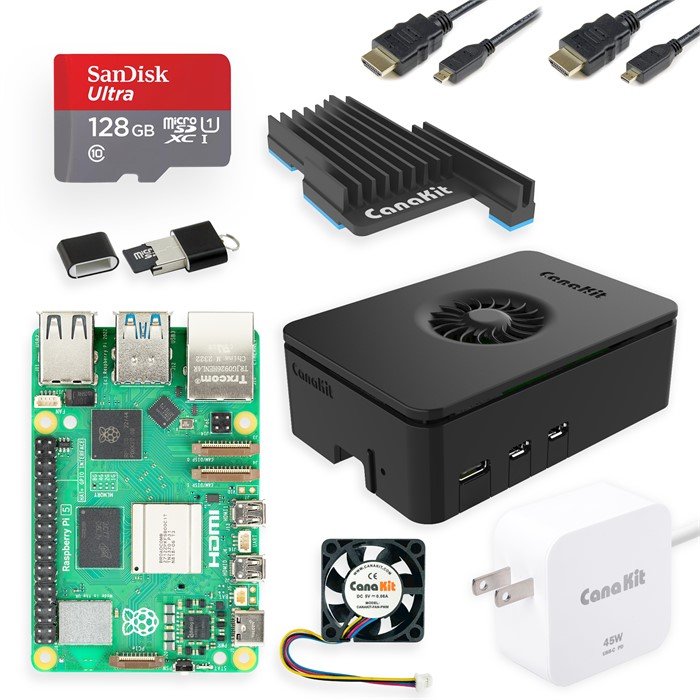
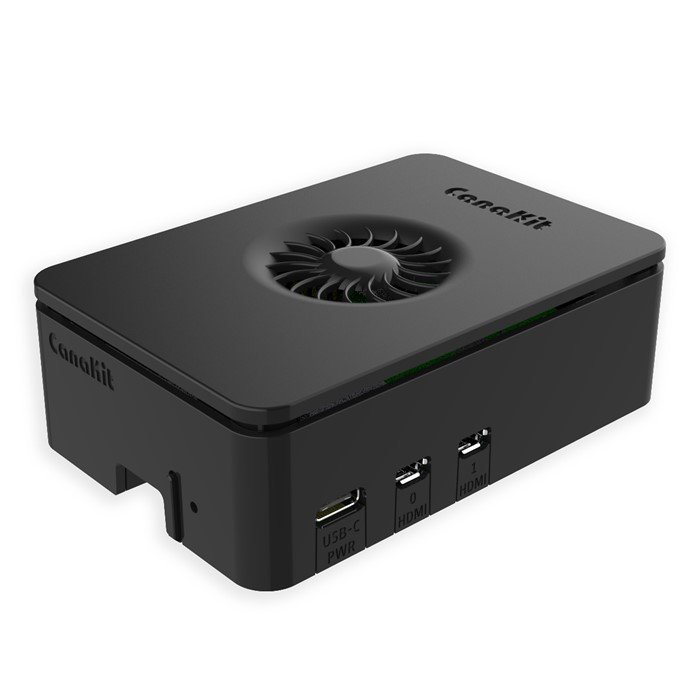
The CanaKit Pi 5 Starter Kit PRO is the kit we recommend to most people. You get a genuine 8GB Raspberry Pi 5, CanaKit’s well-ventilated Turbine case with a low-noise PWM fan and a MEGA heatsink for proper active cooling, a 128GB SanDisk/Samsung microSD preloaded with Raspberry Pi OS, a quality USB-C PD power supply, two 6-foot micro-HDMI cables and a card reader. It boots out of the box and CanaKit’s quality control is consistently excellent.
✅ Pros- Complete, boots on day one
- Real active cooling (fan + heatsink)
- Trusted PSU — no low-voltage warnings
- Excellent build quality & support
❌ Cons- No sensors/components to learn with
- SD card, not NVMe (slower storage)
- Priced at a premium vs bare board
🎯 Verdict: The best all-round Pi 5 kit. Everything you need, properly cooled and powered, from a brand you can trust — the default pick for a first Raspberry Pi 5.
👉 Check Price on Amazon: amazon.com/dp/B0CRSNCJ6Y 🏅 BEST PREMIUM PLUG-AND-PLAY
Vilros Raspberry Pi 5 Starter Kit MAX
⭐⭐⭐⭐½ 4.6/5 · The Polished One
Buy on Amazon →

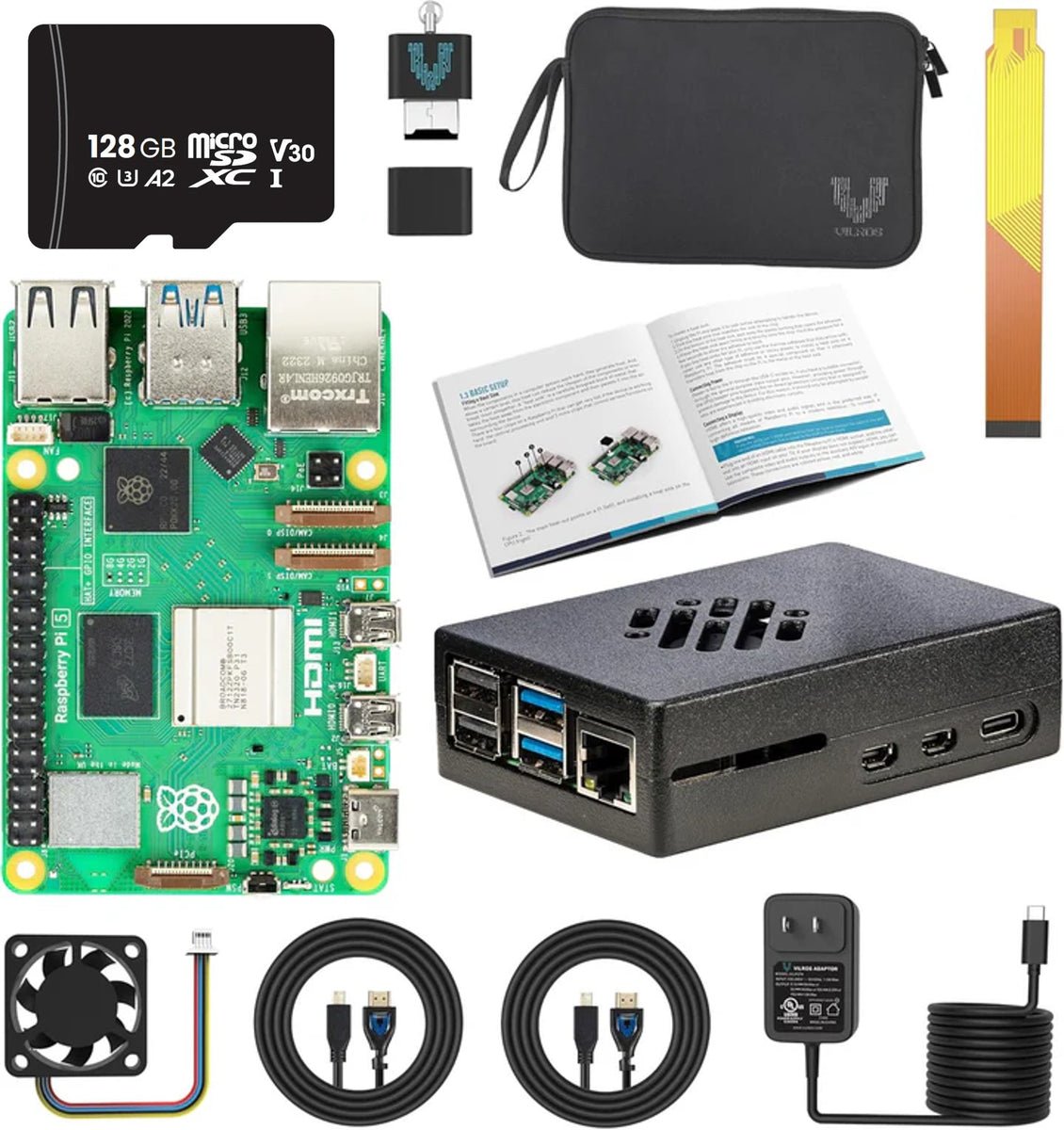
The Vilros Pi 5 Starter Kit MAX pairs an 8GB Pi 5 with a premium CNC-machined aluminum alloy case that provides both passive heat-sinking and an active PWM fan — it looks fantastic and runs cool and quiet. It ships with a 128GB SD card preloaded with 64-bit Raspberry Pi OS, a 27W 5V/5A USB-C power supply, micro-HDMI cables, an SD-to-USB adapter and even an RTC battery connector. Vilros is a US-based seller with strong support, and the whole package is genuinely plug-and-play.
✅ Pros- Premium alloy case, cool & quiet
- True 5A/27W power supply
- Lots of choice (RAM & case styles)
- Helpful US-based support
❌ Cons- Metal case = a bit harder to assemble
- No learning components included
- Price similar to CanaKit, not cheaper
🎯 Verdict: The most polished plug-and-play bundle. If you want a premium metal case and a wide menu of RAM/case options, the Vilros MAX is a superb desktop or home-server Pi.
👉 Check Price on Amazon: amazon.com/dp/B0D232HN74 💵 BEST VALUE COMPLETE KIT · ⭐ 4.5/5
3. GeeekPi Raspberry Pi 5 Starter Kit (8GB)
8GB Pi 5 · Official Active Cooler · case · 128GB card + reader · 27W USB-C · ~$130

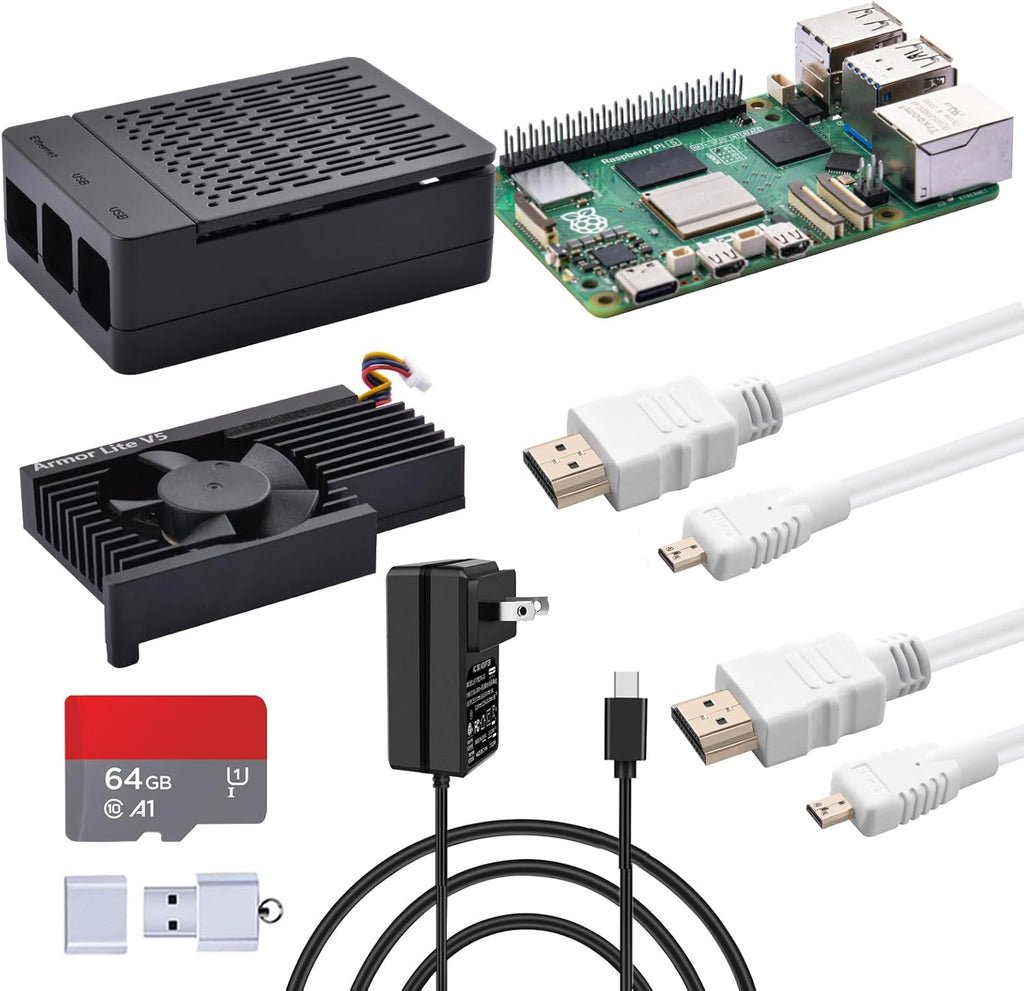
The GeeekPi (52Pi) Pi 5 Starter Kit delivers the same complete-bundle experience as the big brands, usually for a little less. You get the 8GB board, the genuine Raspberry Pi 5 Active Cooler, a protective case, a 128GB card with a USB card reader, micro-HDMI cables and a 27W USB-C supply. GeeekPi also offers M.2 NVMe-ready case variants if you plan to add an SSD later, making this a flexible, upgrade-friendly starting point.
✅ Pros: Often the cheapest complete 8GB kit; official Active Cooler; card reader included; NVMe-ready case options.
❌ Cons: Documentation is sparse; brand less known than CanaKit; stock/variant availability varies.
🎯 Verdict: The best value if you want a full 8GB Pi 5 bundle without paying brand premium — and a clean path to add an NVMe SSD down the road.
🎒 BEST BUDGET COMPLETE KIT · ⭐ 4.6/5
4. CanaKit Raspberry Pi 5 Essentials Kit (4GB)
4GB Pi 5 · case · fan + heatsink · USB-C PD PSU · add your own SD · ~$95
The CanaKit Pi 5 Essentials Kit is the smart budget entry. You get a 4GB Raspberry Pi 5, a case, active cooling and CanaKit’s USB-C power supply — but no microSD card, which keeps the price down and is perfect if you already own a card (or want to boot from a fast NVMe later). 4GB is plenty for learning Linux, light desktop use, retro gaming and home-automation projects like Pi-hole or Home Assistant.
✅ Pros: Lowest-cost way into a genuine Pi 5; quality CanaKit PSU + cooling; reuse an SD card you already have.
❌ Cons: No microSD card or OS included; 4GB limits heavy multitasking; you’ll buy storage separately.
🎯 Verdict: The best budget complete kit. Ideal if you already have a microSD card and want trustworthy power and cooling without paying for extras.
🔬 BEST FOR SENSORS & COURSES · ⭐ 4.6/5
5. SunFounder Raphael Ultimate Starter Kit
337+ components · 161 projects · 70+ video lessons · Python/C/Java · Pi NOT included · ~$70

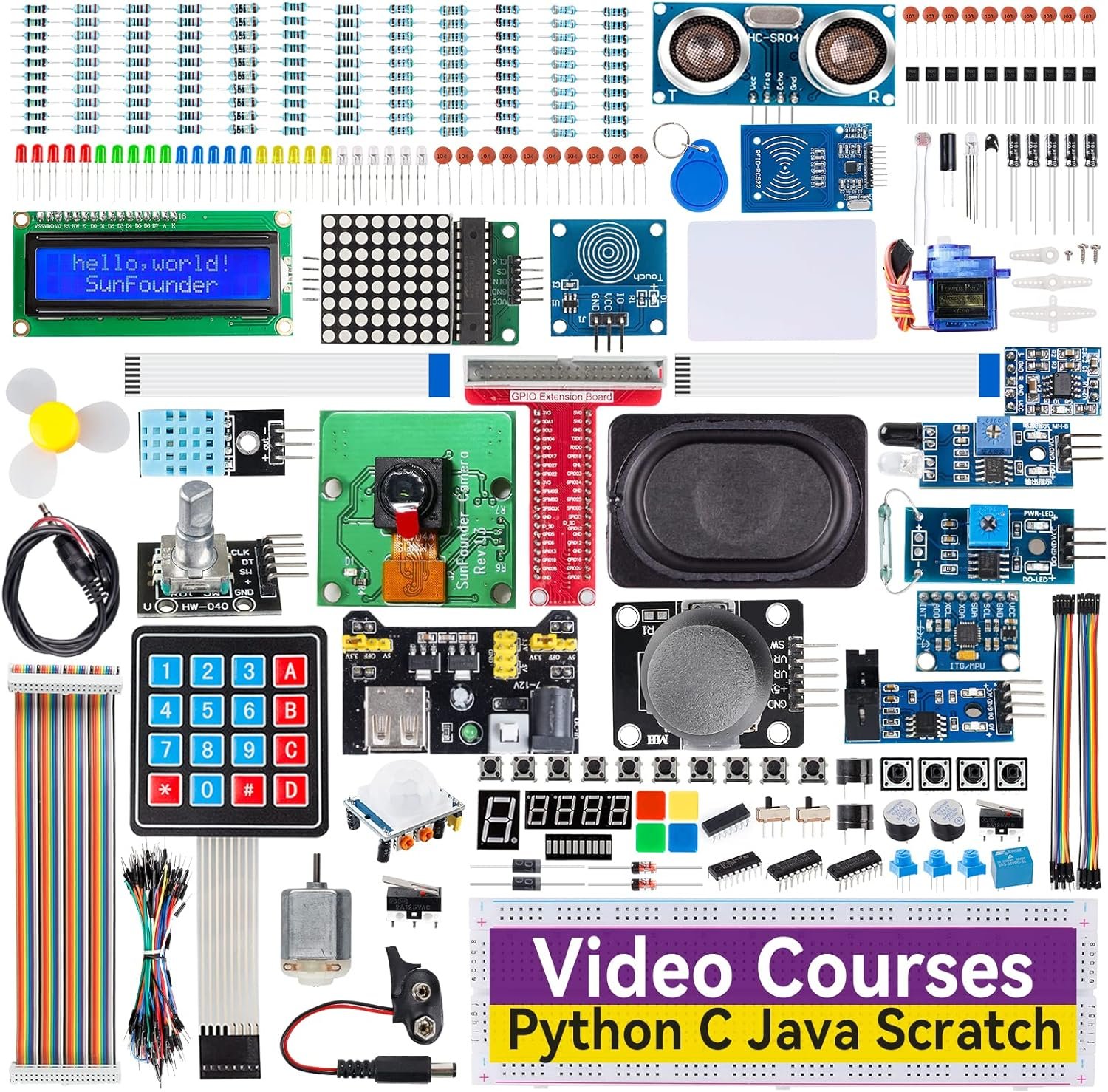
If your goal is to learn electronics and programming — not just run a desktop — the SunFounder Raphael Ultimate Kit is outstanding. It packs 337+ components (sensors, LEDs, LCD, motors, modules), 161 projects and, crucially, 70+ expert-led video lessons plus tutorials in Python, C, Java, Node.js and Scratch. It works with the Pi 5, 4B, 3B+, 400 and Zero 2 W. Remember: the Raspberry Pi board itself is not included, so pair it with one of the boards above.
✅ Pros: Huge component count; excellent video courses; 5 languages; superb for hands-on GPIO learning.
❌ Cons: No Pi board, power supply or SD card; not a desktop bundle; needs a board to do anything.
🎯 Verdict: The best kit for actually learning hardware. Add it to a Pi you own (or buy) and you have a complete electronics-and-coding curriculum on your desk.
👩💻 BEST FOR LEARNING TO CODE · ⭐ 4.7/5
6. Freenove Ultimate Starter Kit
223 items · 128 projects · 962-page tutorial · Python/C/Java/Scratch · Pi NOT included · ~$50

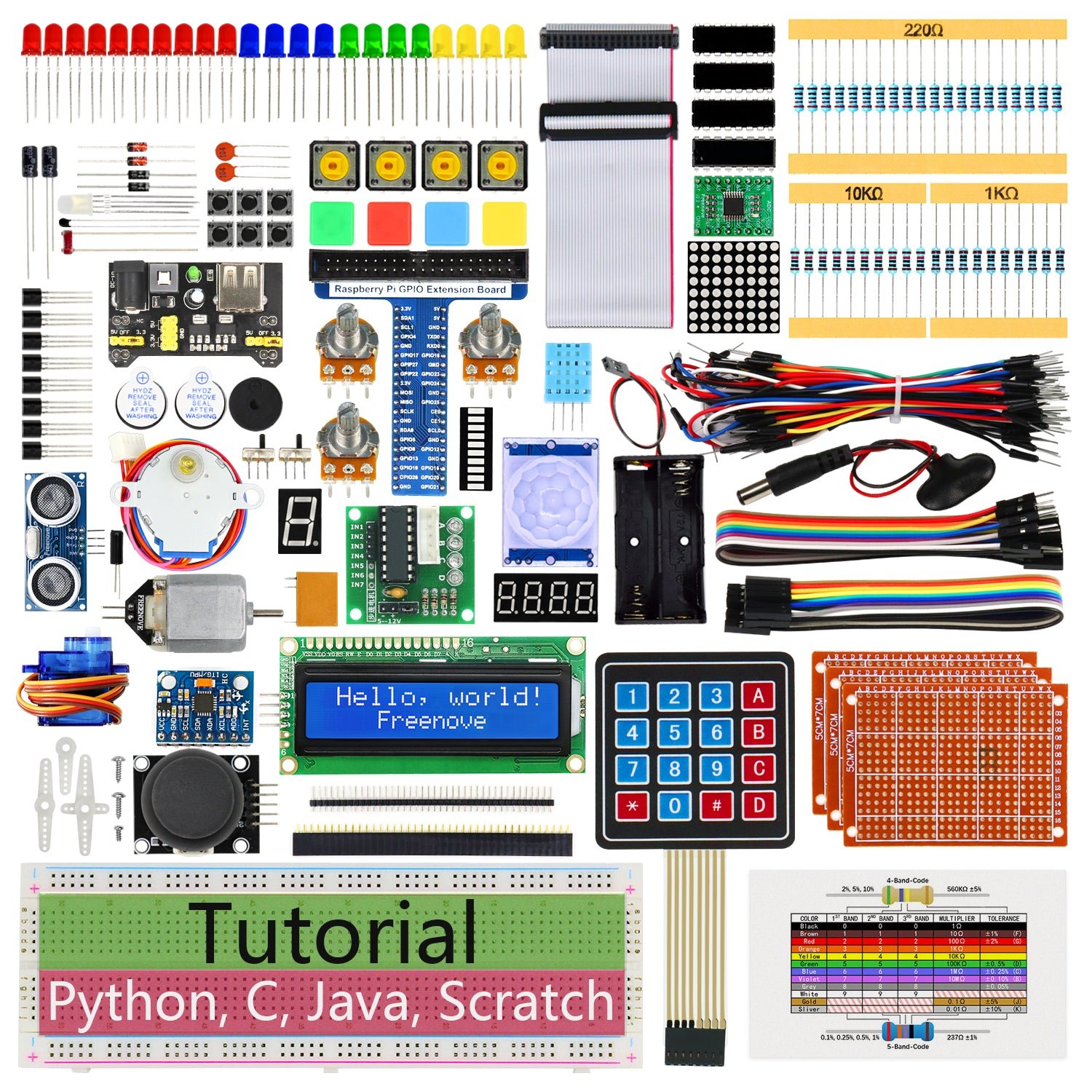
The Freenove Ultimate Starter Kit is the best-value learning kit, period. For around $50 you get 223 components, 128 projects and a genuinely huge 962-page tutorial with code for Python, C, Java, Scratch and Processing. Every project includes schematics, wiring diagrams and explanations — it’s a self-paced electronics course. Like the SunFounder kit, the Pi board is not included, but as an add-on to a Pi 5 (or 4B/Zero 2 W) it’s an incredible amount of learning for the money.
✅ Pros: Unbeatable value; massive 962-page tutorial; 5 languages; free, downloadable docs to preview before buying.
❌ Cons: No Pi board, PSU or SD; digital-only tutorial (no printed book); fewer “advanced” modules than SunFounder.
🎯 Verdict: The best bang-for-buck way to learn coding and electronics on a Pi. Pair it with any Pi 5 kit above and start at Project 1.1 (Blink).
⚡ BEST FOR POWER USERS · ⭐ 4.7/5
7. CanaKit Raspberry Pi 5 16GB Starter Kit PRO
16GB Pi 5 · 128GB SD · Turbine case + PWM fan · MEGA heatsink · 27W USB-C · ~$185
Need maximum headroom? The CanaKit Pi 5 16GB Starter Kit PRO is the same excellent PRO bundle as our top pick but with the flagship 16GB Raspberry Pi 5. That extra RAM is the difference-maker for running multiple Docker containers, local AI/LLM experiments, heavy browser workloads, virtual machines or a busy self-hosted server. You still get the Turbine case, active cooling, preloaded 128GB card, quality PSU and micro-HDMI cables.
✅ Pros: Maximum 16GB RAM; ideal for Docker/AI/servers; complete & cooled; same trusted CanaKit quality.
❌ Cons: Most expensive non-desktop kit; 16GB is overkill for beginners; still SD storage, not NVMe.
🎯 Verdict: The best kit for power users and self-hosters. If you’ll run containers, VMs or AI workloads, the 16GB headroom is well worth the premium.
🖥️ BEST DESKTOP REPLACEMENT · ⭐ 4.6/5
8. CanaKit Raspberry Pi 5 Desktop PC (NVMe SSD)
8GB Pi 5 · 256GB NVMe SSD · official M.2 HAT · assembled · 45W USB-C · ~$220
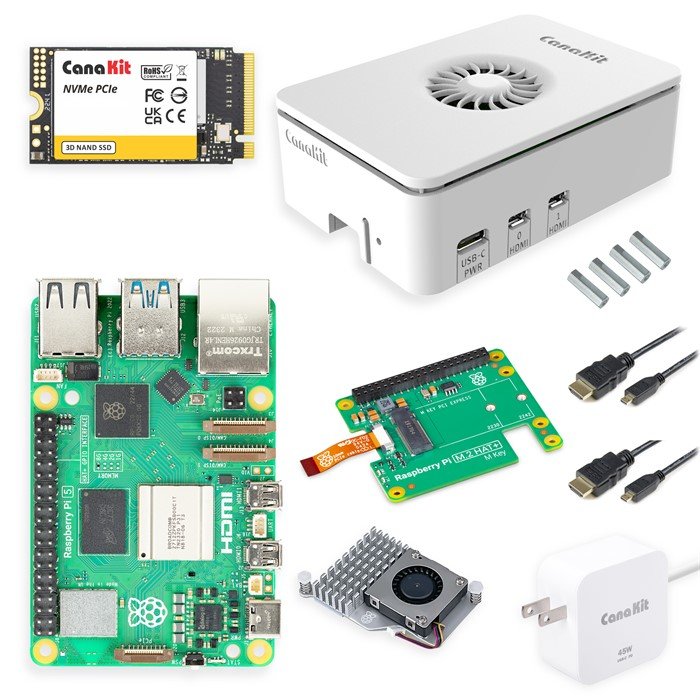
The CanaKit Pi 5 Desktop PC is the most “just works as a computer” option here. It arrives fully assembled with an 8GB Pi 5, a 256GB PCIe NVMe SSD on the official M.2 HAT (preloaded with Raspberry Pi OS), active cooling in the Turbine White case and a 45W USB-C supply. NVMe storage boots and loads apps roughly 10x faster than a microSD card, so this genuinely feels like a snappy little desktop. Note: at ~$220 it sits above a typical “starter kit” budget — you’re paying for the SSD, M.2 HAT and assembly.
✅ Pros: Fast NVMe SSD; fully assembled; official M.2 HAT; feels like a real desktop; no build/setup hassle.
❌ Cons: Above the typical starter-kit price; no learning components; you don’t get the (fun) building experience.
🎯 Verdict: The best choice if you want a fast, assembled Pi desktop out of the box. The NVMe SSD makes it dramatically snappier than any SD-card kit.
🛒 How to Choose the Right Raspberry Pi 5 Kit
🏆
First Raspberry Pi?
Get the CanaKit Pi 5 Starter Kit PRO (8GB). Complete, cooled, preloaded and trustworthy — the no-regrets first Pi at ~$140.
💰
On a tight budget?
The CanaKit Essentials (4GB) gets you a genuine Pi 5 with proper power and cooling — just add an SD card you already own.
👩💻
Want to learn to code?
Add the Freenove (best value) or SunFounder Raphael (most components + video courses) to any Pi 5 board.
⚡
Docker, AI or a server?
Step up to the CanaKit 16GB PRO. The extra RAM is exactly what containers, VMs and AI workloads need.
🖥️
Want a fast desktop?
The CanaKit Desktop PC with a 256GB NVMe SSD boots ~10x faster than SD and arrives fully assembled.
🧩
Want the best value?
The GeeekPi 8GB kit gives you a full complete bundle with the official Active Cooler for less than the big brands.
⚙️ Key Specs Compared — Side by Side
| Spec | CanaKit PRO 8GB | Vilros MAX | GeeekPi | CanaKit Essentials | CanaKit 16GB | CanaKit Desktop |
|---|
| Pi included | 8GB ✅ | 8GB ✅ | 8GB ✅ | 4GB ✅ | 16GB ⭐ | 8GB ✅ |
| Storage | 128GB SD | 128GB SD | 128GB SD | None | 128GB SD | 256GB NVMe ⭐ |
| Cooling | Fan+heatsink | Alloy+fan | Active Cooler | Fan+heatsink | Fan+heatsink | Active Cooler |
| Power supply | 27W USB-C | 27W 5A | 27W USB-C | USB-C PD | 27W USB-C | 45W USB-C |
| Assembly | Easy ⭐ | Medium | Easy | Easy | Easy | Pre-built ⭐ |
| Price* | ~$140 | ~$140 | ~$130 ⭐ | ~$95 ⭐ | ~$185 | ~$220 |
*Approximate — Raspberry Pi 5 board pricing fluctuates; verify on Amazon. Component kits (Freenove, SunFounder) omitted from this board-kit comparison as they don’t include a Pi.
❓ Frequently Asked Questions
How much RAM do I need on a Raspberry Pi 5?
For learning, light desktop use, retro gaming and most home-automation projects (Pi-hole, Home Assistant), 4GB is enough. 8GB is the sweet spot for most people and handles a desktop with many tabs comfortably. Choose 16GB only if you’ll run Docker containers, virtual machines, local AI/LLM models or a busy server. More RAM doesn’t make the CPU faster — it just lets you do more at once.
Do I really need active cooling on the Pi 5?
Yes. The Raspberry Pi 5 runs noticeably hotter than the Pi 4 and will thermally throttle under sustained load without a fan or active cooler. Every complete kit in this guide includes proper active cooling (the official Active Cooler or a case with a PWM fan plus heatsink). Stick-on heatsinks alone are not enough for heavy workloads.
Can I use my old Raspberry Pi 4 power supply or case?
Not ideally. The Pi 5 uses the same USB-C connector but wants a 5V/5A (27W) supply to unlock full power for USB peripherals; a Pi 4’s 15W charger triggers low-voltage warnings and current limits. The Pi 5 also has a different board layout and a dedicated fan header, so Pi 4 cases don’t fit. Budget for a 27W supply and a Pi 5-specific case — which is exactly why these kits are convenient.
SD card or NVMe SSD — which should I choose?
A preloaded 128GB microSD card is the easiest start and fine for learning. But the Pi 5’s PCIe slot lets you add an NVMe SSD via an M.2 HAT, which is roughly 10x faster for booting and loading apps and far more reliable long-term. If snappy desktop performance matters, get the CanaKit Desktop PC (NVMe included) or buy a GeeekPi NVMe-ready case and add an SSD later.
Which kit is best for a complete beginner who wants to learn?
Pair a complete board kit with a learning kit: buy the CanaKit PRO 8GB (so you have a working Pi, power and cooling) plus the Freenove Ultimate or SunFounder Raphael for sensors, breadboard and step-by-step projects. That combination gives you both a usable computer and a guided electronics-and-coding course — the fastest way to actually learn.
🏁 Final Verdict — Our Top Picks
The right Raspberry Pi 5 kit for every budget and goal:
🥇 Best Overall — CanaKit Pi 5 Starter Kit PRO (8GB): complete, cooled, preloaded, trustworthy (~$140)
Buy →🏅 Best Premium — Vilros Pi 5 Starter Kit MAX: gorgeous alloy case, true 5A power (~$140)
Buy →💵 Best Budget — CanaKit Essentials (4GB): genuine Pi 5, power & cooling, add your own SD (~$95)
Buy →👩💻 Best for Learning — Freenove Ultimate: 223 parts, 128 projects, 962-page tutorial (~$50, +Pi)
Buy →⚡ Best for Power Users — CanaKit 16GB PRO: headroom for Docker, AI & servers (~$185)
Buy →🖥️ Best Desktop — CanaKit Pi 5 Desktop PC: assembled, 256GB NVMe, ~10x faster than SD (~$220)
Buy →No single kit is right for everyone, but every pick here will get a Raspberry Pi 5 booting and ready to build with. For most people the CanaKit Raspberry Pi 5 Starter Kit PRO (8GB) is the one to buy — it’s complete, properly cooled and powered, and backed by a brand you can rely on. If you’re on a budget, the CanaKit Essentials or GeeekPi kits get you a genuine Pi 5 for less; if your goal is to learn, add the Freenove or SunFounder Raphael kit to any board; and if you want raw capability, step up to the 16GB PRO or the fully-assembled NVMe Desktop PC. Pair your new Pi 5 with our Raspberry Pi, ESP32 and Arduino tutorials and start building today.
💬 Not sure which Raspberry Pi 5 kit fits your project? Tell us what you want to build — a desktop, a home server, a retro console or a learning lab — in the comments below, and we’ll point you to the right pick.
All Amazon links above use our affiliate tag (microlab05-20). Purchasing through them supports microcontrollerslab.com at no extra cost to you. Prices and availability — especially for Raspberry Pi 5 boards — change frequently, so always confirm the current price on Amazon before buying.
| Raspberry Pi Components | Amazon Links |
|---|
| Raspberry Pi 5 Starter Kit PRO - Turbine Black (128GB Edition) (8GB RAM) | Buy Now |
| Raspberry Pi 5 Starter Kit MAX - Turbine White (256 GB Edition) (16GB RAM) | Buy Now |
| Raspberry Pi 5 8GB | Buy Now |
| Raspberry Pi 5 4GB | Buy Now |
| Raspberry Pi 5 (16GB) | Buy Now |
| CM5 Pi Compute Module 5 Kit | Buy Now |