⚠️ Affiliate Disclosure: This post contains Amazon affiliate links. If you purchase through our links, we may earn a small commission at no extra cost to you. Every product below was checked against its live Amazon listing before publishing. Prices change often, so we don’t list them here. Tap any Buy Here button to see the current price on Amazon.
Ultimate Buying Guide
🔌 Best PoE Splitters and Injectors for Raspberry Pi and IoT
13 ways to run power and data over one Ethernet cable: USB-C and micro USB splitters for Raspberry Pi, 12V splitters for cameras and controllers, PoE+ injectors and PoE HATs.
✅ 13 Picks Reviewed
✅ 802.3af, at and PoE++
✅ USB-C, Micro USB and 12V
✅ Honest Pros and Cons
Power over Ethernet (PoE) sends DC power and network data down the same Cat5e or Cat6 cable, so a Raspberry Pi, IP camera or sensor hub can live in a ceiling, a garage or a weatherproof box with no outlet nearby. A PoE source (a PoE switch or an injector) puts power on the cable, and a splitter or PoE HAT at the far end turns it back into 5V or 12V for devices that have no PoE built in.
This guide opens our Ethernet and PoE for IoT series. If you want PoE built into the microcontroller itself, see our ESP32 Ethernet and PoE boards guide, and for cabinet-mounted Pi builds see the industrial Raspberry Pi accessories guide.
💡 Reality check before you buy: Only use active (802.3af/at/bt) splitters with standards-based PoE switches and injectors. Passive 24V or 48V PoE gear does not negotiate and can damage devices that are not designed for it. Match the output to the device: Raspberry Pi 4 wants USB-C 5V, the Pi 3B+ and older use micro USB, and the Pi 5 wants up to 5V 5A, which a 12W 802.3af splitter cannot deliver, so use a PoE+ HAT for it. Barrel plugs come in 2.1mm and 2.5mm inner sizes. Fast Ethernet (10/100) splitters cap data at 100Mbps. Long or thin cable runs lose voltage, so use solid copper Cat5e or better, not CCA cable.
Table of Contents
- Quick Comparison: All 13 PoE Splitters, Injectors and HATs
- How to Choose a PoE Splitter or Injector
- Detailed Reviews: All 13 Picks
- Which One for Which Job
- PoE Standards Compared
- Frequently Asked Questions
- Final Verdict: Best PoE Splitters and Injectors
📋 Quick Comparison: All 13 PoE Splitters, Injectors and HATs
| Product | Type | Output / Ports | PoE Standard | Best For | Buy |
|---|
| 🥇 UCTRONICS PoE Splitter USB-C 5V | Splitter (active) | USB-C 5V + gigabit RJ45 | 802.3af | Best Overall for Pi 4 | Buy Here → |
| ⚡ TRENDnet TPE-115GI PoE+ Injector | Injector | Gigabit in/out | 802.3at (30W) | Best Injector | Buy Here → |
| 🔷 TP-Link Omada POE160S Injector | Injector | Gigabit in/out | 802.3at (30W) | Best Compact Injector | Buy Here → |
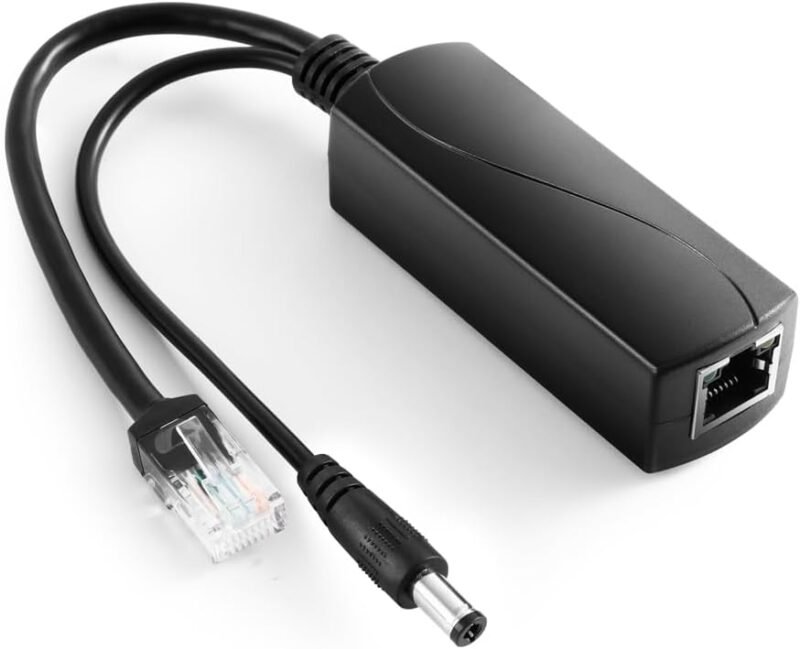
| 🔋 REVOTECH Gigabit PoE Splitter 12V 2A | Splitter (active) | 12V DC 5.5×2.1mm + RJ45 | 802.3af/at | Best 12V Splitter | Buy Here → |
| 🍓 UCTRONICS Gigabit PoE Splitter Micro USB | Splitter (active) | Micro USB 5V + gigabit RJ45 | 802.3af | Best for Pi 3B+ | Buy Here → |
| 📱 UCTRONICS 802.3af Micro USB Splitter | Splitter (active) | Micro USB 5V + RJ45 | 802.3af | Best for Tablets and Dropcams | Buy Here → |
| 🔌 REVOTECH Gigabit Micro USB Splitter 5V | Splitter (active) | Micro USB 5V + gigabit RJ45 | 802.3af | Best Alternative Micro USB | Buy Here → |
| 📦 ANVISION 4-Pack 5V PoE Splitter | Splitter x4 | Micro USB 5V + 10/100 RJ45 | 802.3af | Best Multipack | Buy Here → |
| 📷 Revotech PoE Splitter 12V, 5.5×2.5mm | Splitter (active) | 12V DC 5.5×2.5mm + RJ45 | 802.3af/at | Best for 2.5mm Barrel Gear | Buy Here → |
| 🔥 BV-Tech 60W Gigabit PoE++ Injector | Injector | Gigabit in/out | PoE++ 60W (af/at compatible) | Best High-Power | Buy Here → |
| 📶 Ubiquiti 802.3at PoE+ Injector | Injector | Gigabit in/out | 802.3at (30W) | Best for UniFi APs | Buy Here → |
| 🧩 Waveshare PoE HAT (Pi 4B/3B+) | PoE HAT | GPIO PoE header, 5V USB-A, 12V header | 802.3af/at | Best Pi 4 HAT | Buy Here → |
| 🚀 GeeekPi P33 NVMe PoE+ HAT (Pi 5) | PoE+ HAT + NVMe | Pi 5 PoE header, M.2 M-key | 802.3at | Best for Pi 5 | Buy Here → |
Specs, ratings and review counts are taken from each Amazon listing at the time of writing and can change. Always confirm details on the product page.
🔍 How to Choose a PoE Splitter or Injector
🔀
Splitter, Injector or HAT?
An injector adds PoE to one cable from a non-PoE switch. A splitter converts PoE back to USB or 12V at the device. A PoE HAT does the splitter’s job inside a Raspberry Pi stack.
⚡
Power Budget
802.3af gives about 13W at the device, enough for a Pi 4 at light load or a camera. 802.3at (PoE+) gives about 25W for a Pi 5 or an access point. PoE++ covers bigger loads.
🔌
Output Connector
USB-C for Pi 4 and modern gadgets, micro USB for Pi 3B+ and tablets, 5.5×2.1mm or 5.5×2.5mm barrel for 12V gear. Check the exact plug before ordering.
🚀
Data Speed
Gigabit splitters pass full 1000Mbps; 10/100 models are fine for MQTT and sensors but slow for NAS or camera recording.
🛡️
Protection and Certification
Look for isolation, short-circuit and overvoltage protection and UL marks in the listing, especially for unattended outdoor or attic installs.
🏆 Detailed Reviews: All 13 Picks
🥇 BEST OVERALL
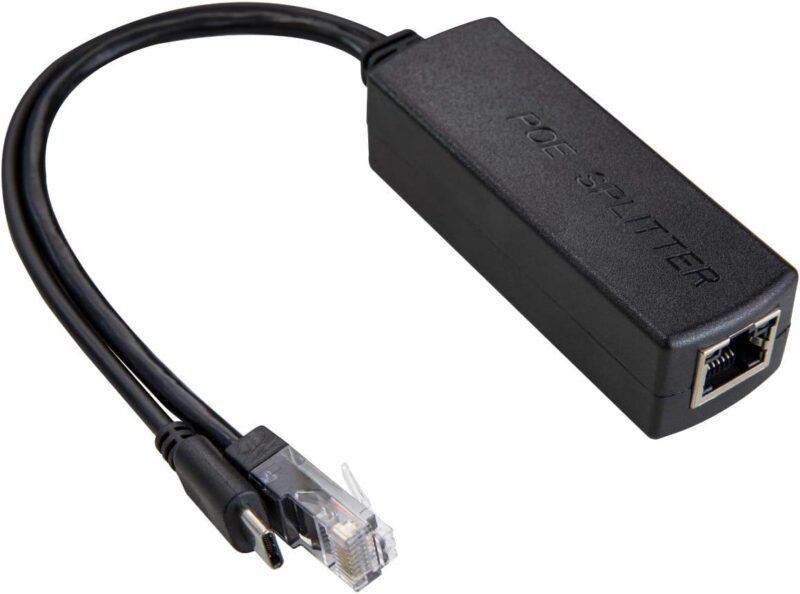
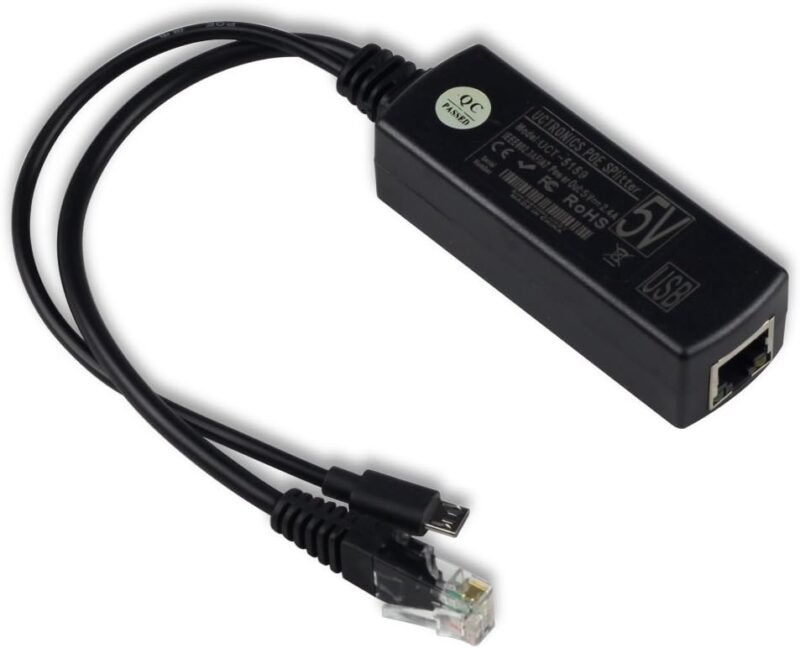
UCTRONICS PoE Splitter USB-C 5V
⭐ 4.6/5 · Active 802.3af splitter for USB-C boards
Buy on Amazon →

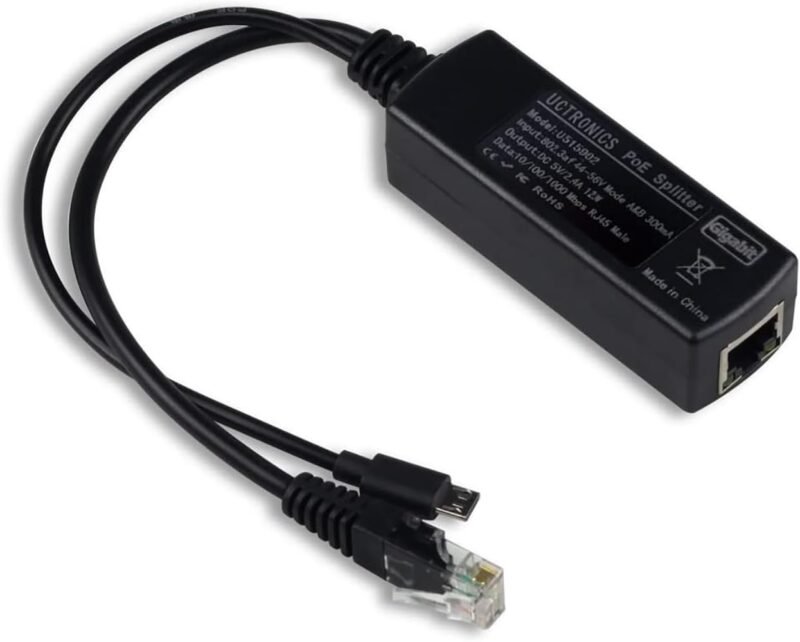
The cleanest way to put a Raspberry Pi 4 (or any USB-C powered gadget) on PoE without touching the GPIO header. The UCTRONICS splitter takes an IEEE 802.3af PoE feed from a switch or injector and splits it into 5V USB-C power plus a gigabit RJ45 data port, so the Pi gets one cable from the network closet. The listing names the Pi 4, Google WiFi and security cameras as targets and mentions UL certification. It holds 4.6 stars from 457 ratings, the best-reviewed USB-C splitter we found.
✅ Pros- No HAT, no GPIO pins used
- Gigabit pass-through
- Works with any 802.3af switch
❌ Cons- Not enough for a Pi 5 under heavy load
- Adds a small box and short cables
🎯 Verdict: The go-to PoE splitter for a Pi 4 or USB-C IoT device.
👉 Check Price on Amazon →
⚡ BEST POE+ INJECTOR
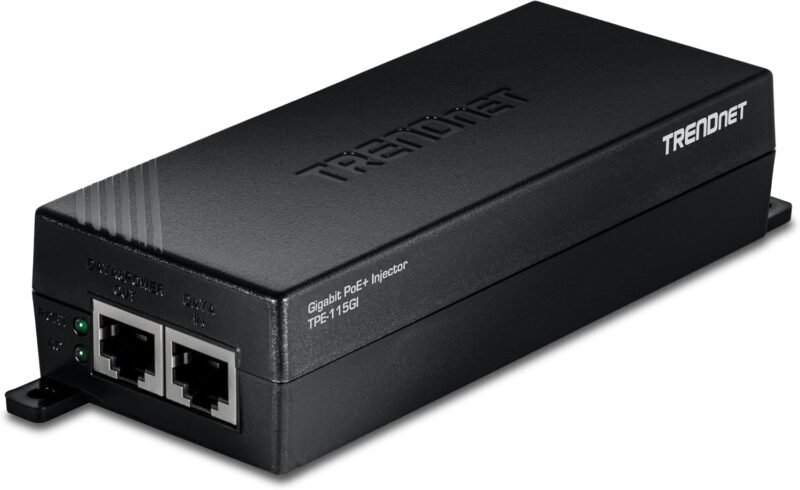
TRENDnet TPE-115GI Gigabit PoE+ Injector
⭐ 4.7/5 · 30W PoE+ for one device
Buy on Amazon →

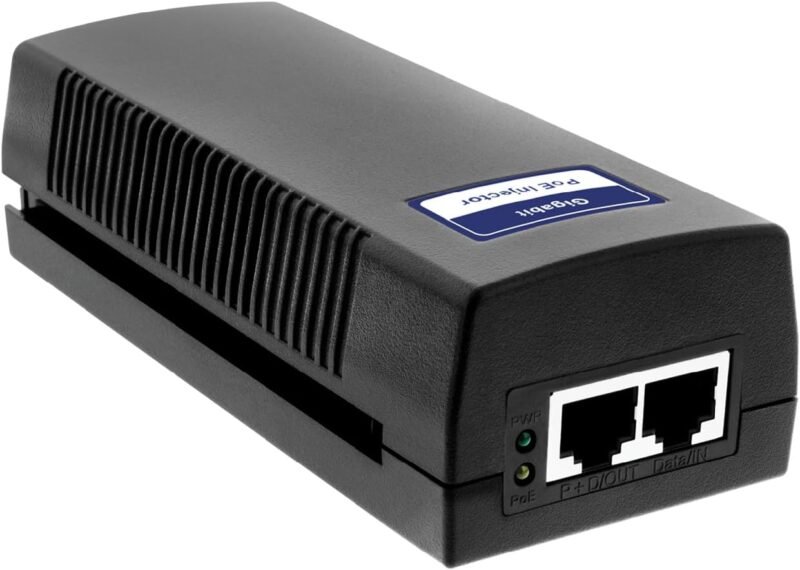
If your router or switch has no PoE, an injector adds it one port at a time. The TRENDnet TPE-115GI sits between a normal gigabit port and your device, delivering up to 30W of 802.3at PoE+ (and 15.4W 802.3af devices are supported) over runs up to 328 ft per the listing. It is wall-mountable and UL listed. With 4.7 stars from 1,318 ratings it is the most proven injector in this guide, and it pairs perfectly with any splitter or PoE HAT below.
✅ Pros- Enough power for PoE+ HATs and APs
- Gigabit data
- Huge review base
❌ Cons- Powers one device only
- Needs its own AC outlet
🎯 Verdict: The reliable way to add PoE+ to a single drop.
👉 Check Price on Amazon →
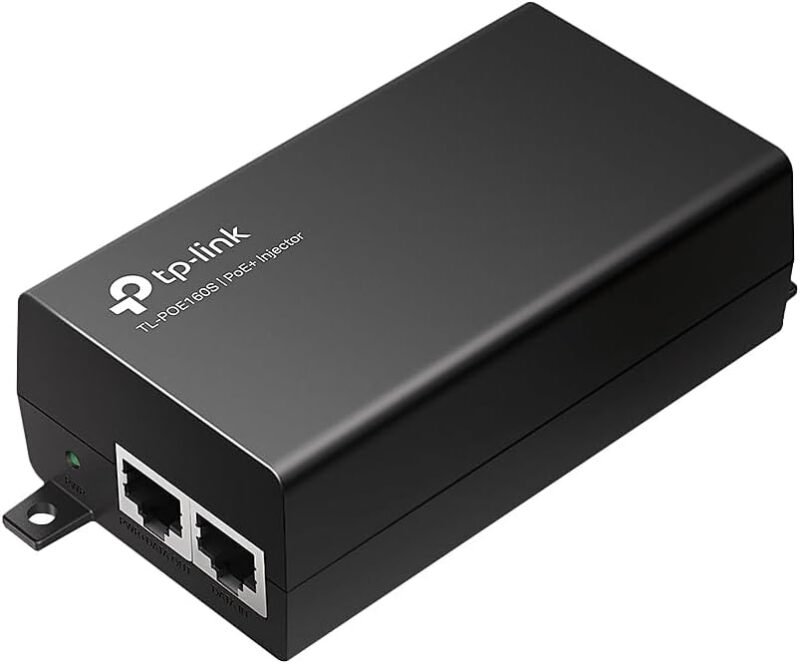
🔷 BEST COMPACT INJECTOR · ⭐ 4.7/53. TP-Link Omada POE160S PoE+ Injector
Up to 30W · Gigabit · UL certified · 698 ratings
Buy Here →

TP-Link’s POE160S is a plug-and-play gigabit injector that delivers up to 30W PoE+ and also feeds 15.4W 802.3af devices, per the listing, with UL certification. It is a natural fit for Omada access points, but it works with any standards-based PoE device, including the splitters and HATs here. 4.7 stars from 698 ratings.
✅ Pros: Compact, gigabit, 30W, trusted brand.
❌ Cons: One port; needs AC power nearby.
🎯 Verdict: A tidy injector for one camera, AP or Pi.
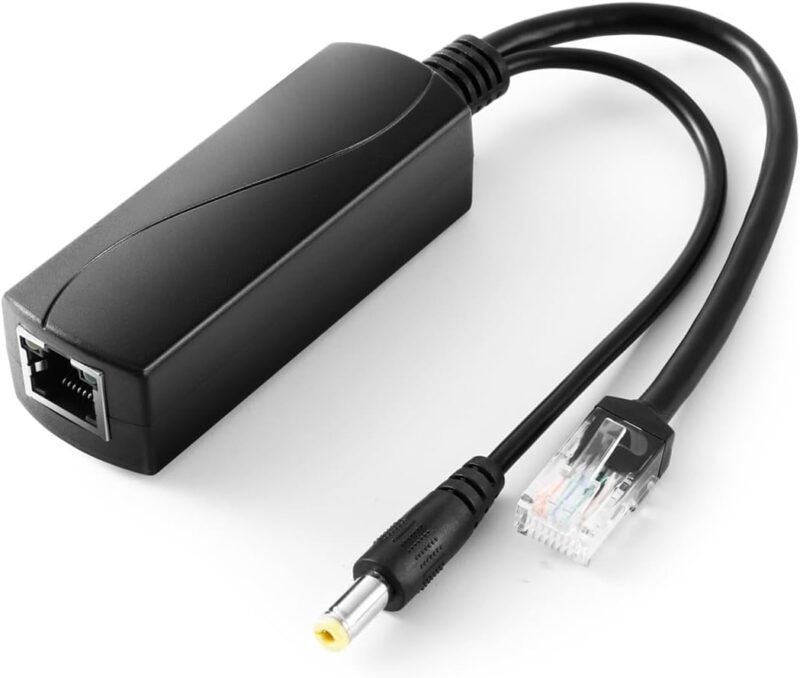
🔋 BEST 12V SPLITTER · ⭐ 4.6/54. REVOTECH Gigabit PoE Splitter 12V 2A
12V 2A (24W) · 5.5×2.1mm DC · Gigabit · 861 ratings
Buy Here →

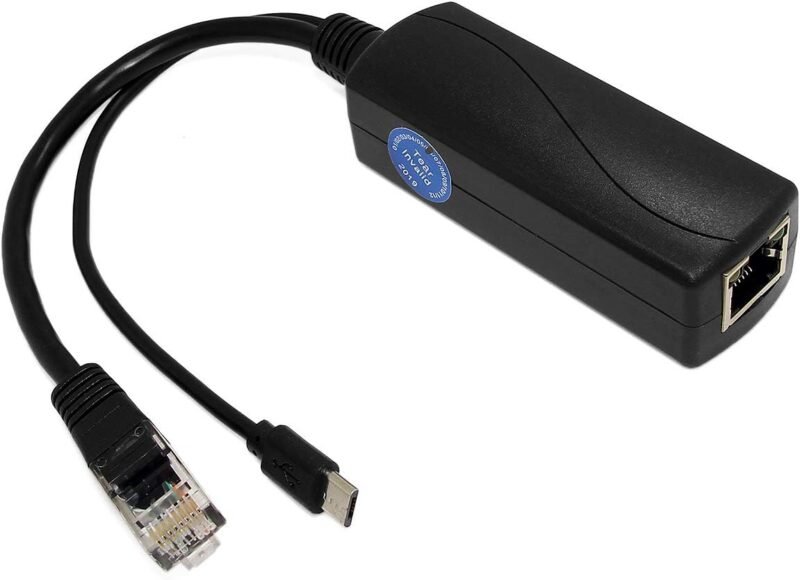
Many IoT gadgets run on 12V: non-PoE IP cameras, LED controllers, small routers and ESP32 relay boards with a 12V input. This REVOTECH splitter turns an 802.3af/at feed into 12V 2A on a 5.5×2.1mm barrel plus gigabit Ethernet. The listing calls out isolation, short-circuit and overvoltage protection and UL certification. It is the highest-rated 12V splitter we checked at 4.6 stars from 861 ratings.
✅ Pros: 12V for cameras and controllers; protections listed.
❌ Cons: Check your barrel size (2.1mm here).
🎯 Verdict: Our pick for 12V IoT gear on PoE.
🍓 BEST FOR PI 3B+ · ⭐ 4.6/55. UCTRONICS Gigabit PoE Splitter, Micro USB 5V
5V 2.4A micro USB · 1000Mbps · up to 400 ft · 342 ratings
Buy Here →

The micro USB version of the top pick, aimed at the Raspberry Pi 3B+ and earlier, Echo Dot and micro USB cameras. UCTRONICS pitches it as a PoE HAT alternative that uses no GPIO pins, so it works with fan cases and add-on screens. It outputs 5V 2.4A with gigabit pass-through. 4.6 stars from 342 ratings.
✅ Pros: Keeps GPIO free; gigabit data.
❌ Cons: Micro USB only; the Pi 3B+ itself caps Ethernet speed.
🎯 Verdict: Best PoE upgrade for older micro USB Pi boards.
📱 BEST FOR TABLETS · ⭐ 4.5/56. UCTRONICS IEEE 802.3af Micro USB Active PoE Splitter
5V 2.4A · 12W · 44-57V input · 590 ratings
Buy Here →

The original UCTRONICS splitter is a 12W 802.3af model with a 5V 2.4A micro USB plug, rated for runs of 328 to 492 ft and 44-57V input with overvoltage protection. The listing itself recommends the gigabit model (pick #5) for gigabit switches, so treat this as the choice for wall-mounted tablets, Dropcams and dashboards where bandwidth is low. 4.5 stars from 590 ratings.
✅ Pros: Long run rating; proven design.
❌ Cons: Use the gigabit model for fast data.
🎯 Verdict: Great for wall tablets and low-bandwidth gear.
🔌 MICRO USB ALTERNATIVE · ⭐ 4.5/57. REVOTECH Gigabit Micro USB PoE Splitter 5V 2.4A
5V 2.4A (12W) · 10/100/1000Mbps · UL · 218 ratings
Buy Here →

REVOTECH’s 5V splitter gives micro USB devices 12W over 802.3af with gigabit data, plus isolation, short-circuit and overvoltage protection and UL certification per the listing. It is a solid alternative to the UCTRONICS micro USB models for Pi 3 boards, tablets and cameras. 4.5 stars from 218 ratings.
✅ Pros: Gigabit; protection features listed.
❌ Cons: Micro USB only; fewer reviews than UCTRONICS.
🎯 Verdict: A well-protected micro USB splitter.
📦 BEST MULTIPACK · ⭐ 4.5/58. ANVISION 4-Pack 5V PoE Splitter (Micro USB)
48V to 5V 2.4A · 10/100Mbps · 4 units · 123 ratings
Buy Here →

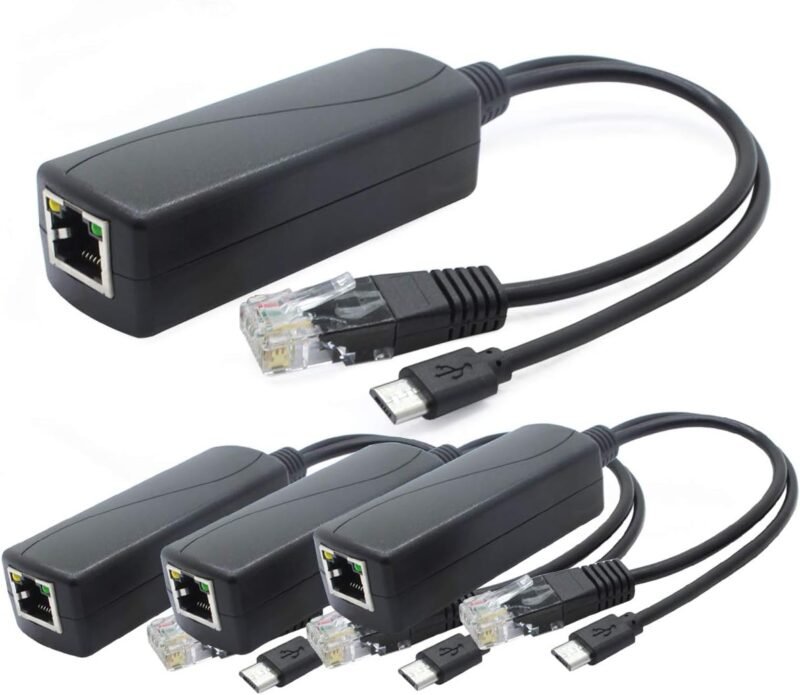
Rolling out several micro USB sensors, cameras or Pi Zero style nodes? ANVISION packs four 802.3af splitters with 5V 2.4A micro USB plugs. Data is 10/100Mbps, which is plenty for MQTT, ESPHome and most IoT telemetry. 4.5 stars from 123 ratings.
✅ Pros: Four units in one box.
❌ Cons: 10/100 only; micro USB plug.
🎯 Verdict: Best value when you need PoE on many small nodes.
📷 BEST 2.5MM BARREL · ⭐ 4.3/59. Revotech Gigabit PoE Splitter 48V to 12V 2A (5.5×2.5mm)
12V 2A (24W) · 5.5×2.5mm DC · Gigabit · 250 ratings
Buy Here →

The same 12V 2A idea as pick #4 but with a 5.5×2.5mm barrel, the size some cameras, VoIP phones and LED drivers use. 802.3af/at input, gigabit data and the same protection list. 4.3 stars from 250 ratings.
✅ Pros: Fits 2.5mm barrel jacks; gigabit.
❌ Cons: Slightly lower rating than the 2.1mm version.
🎯 Verdict: Choose this when your 12V device has a 2.5mm jack.
🔥 BEST HIGH-POWER · ⭐ 4.4/510. BV-Tech 60W Gigabit PoE++ Injector
60W · Gigabit · 802.3af/at devices · 1,536 ratings
Buy Here →

When one device needs more than 30W, such as a PTZ camera, a Wi-Fi 6 access point or a Pi 5 with an NVMe drive on a PoE+ HAT plus headroom, the BV-Tech 60W PoE++ injector has margin to spare. The listing says it is compatible with 802.3af/at devices and NDAA compliant, with gigabit data and wall-mount support. 4.4 stars from 1,536 ratings.
✅ Pros: 60W headroom; huge review base.
❌ Cons: Overkill for a single splitter.
🎯 Verdict: The injector for power-hungry PoE loads.
📶 BEST FOR UNIFI · ⭐ 4.6/511. Ubiquiti PoE+ Injector, 802.3at 30W
30W PoE+ · for U6 Lite, U6 LR, U6 Pro · 443 ratings
Buy Here →

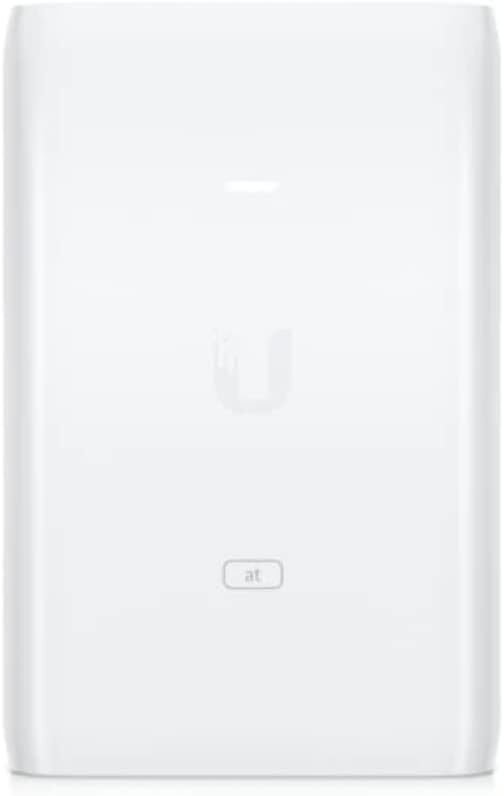
Ubiquiti’s own 802.3at 30W injector is listed for the U6 AP, U6-LR, U6-Lite and U6-Pro. Because it is standards-based 802.3at rather than 24V passive PoE, it can also feed the splitters and HATs in this guide. 4.6 stars from 443 ratings.
✅ Pros: Brand match for UniFi; standard 802.3at.
❌ Cons: Sparse listing details; check seller.
🎯 Verdict: The tidy choice for a UniFi AP or one PoE+ device.
🧩 BEST PI 4 HAT · ⭐ 4.3/512. Waveshare PoE HAT for Raspberry Pi 4B/3B+
802.3af/at · 5V USB-A and 12V header outputs · fan · 296 ratings
Buy Here →

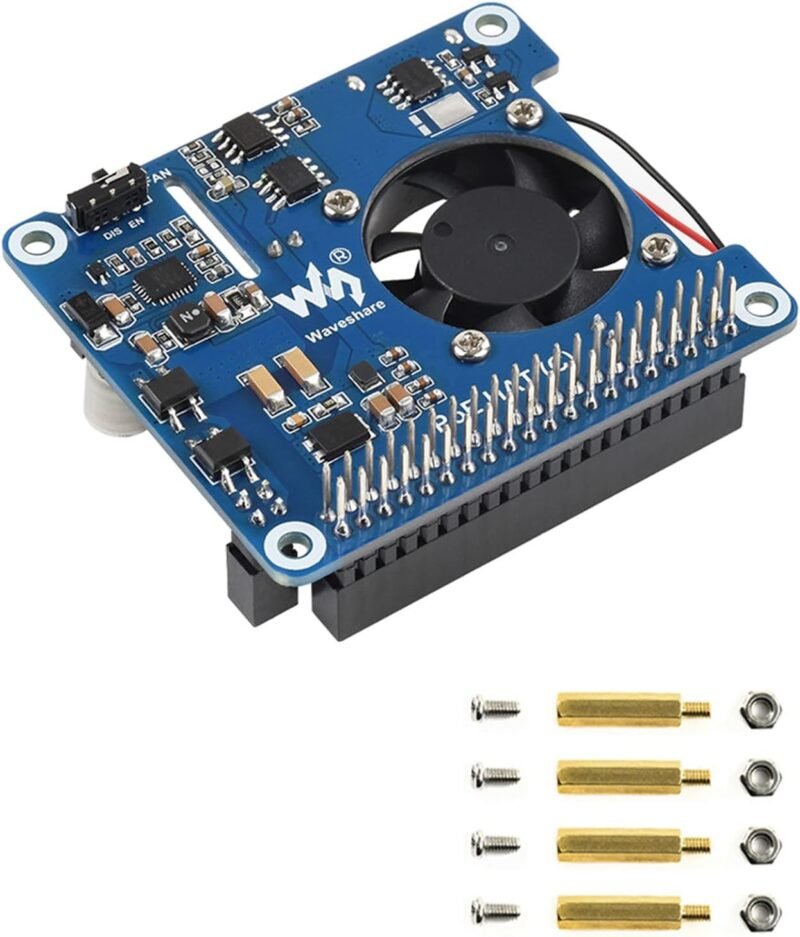
If you would rather skip the splitter box, a PoE HAT powers the Pi straight from its 4-pin PoE header. This Waveshare board supports 802.3af/at, adds a cooling fan and, unusually, provides 5V USB-A and 12V header outputs for powering accessories, per the listing. It fits the Pi 4B and 3B+, not the Pi 5. 4.3 stars from 296 ratings.
✅ Pros: No external box; extra 5V and 12V outputs.
❌ Cons: Pi 4/3B+ only; covers the GPIO header.
🎯 Verdict: The integrated route for a Pi 4 on PoE.
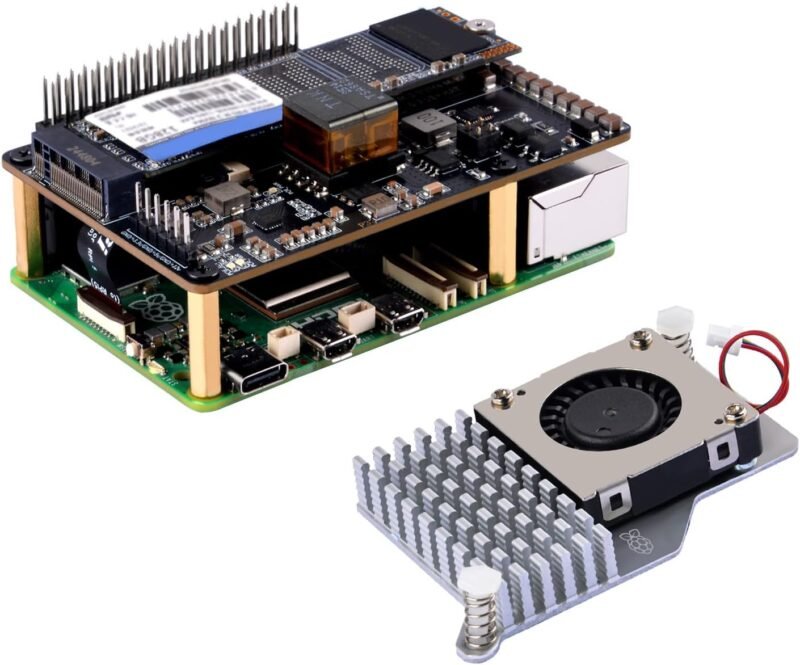
🚀 BEST FOR PI 5 · ⭐ 4.3/513. GeeekPi P33 M.2 NVMe PoE+ HAT for Raspberry Pi 5
802.3at · 5.1V 4.5A · M.2 2230 to 2280 · active cooler included · 181 ratings
Buy Here →

The Raspberry Pi 5 wants 5V at up to 5A, which basic 802.3af splitters cannot supply. GeeekPi’s P33 combines an 802.3at PoE+ supply (5.1V 4.5A per the listing) with an M.2 M-key NVMe slot for 2230 to 2280 SSDs, and it ships with the official Pi 5 Active Cooler. Feed it from a PoE+ switch or a 30W injector such as pick #2. 4.3 stars from 181 ratings.
✅ Pros: PoE+ and NVMe in one board; cooler included.
❌ Cons: Needs an 802.3at source; Pi 5 only.
🎯 Verdict: The cleanest single-cable Pi 5 server build.
🛒 Which One for Which Job
🍓
Raspberry Pi 4 on one cable
UCTRONICS USB-C splitter fed by a PoE switch or the TRENDnet injector.
🚀
Pi 5 NVMe home server
GeeekPi P33 PoE+ HAT plus a 30W PoE+ source such as the TRENDnet injector or a PoE+ switch.
📷
12V camera or LED controller
REVOTECH 12V splitter (2.1mm) or the Revotech 2.5mm version.
📱
Wall-mounted dashboard tablet
UCTRONICS 802.3af micro USB splitter for a clean Home Assistant panel.
🌐
Several ESP32 or Pi Zero nodes
ANVISION 4-pack, or use native PoE boards from our ESP32 PoE guide.
📶
Wi-Fi access point in the ceiling
Ubiquiti or Omada injector; the BV-Tech 60W for Wi-Fi 6 APs and PTZ cameras.
⚙️ PoE Standards Compared
| Standard | Power at Source Port | Power at Device | Pairs Used | Typical IoT Loads |
|---|
| Passive PoE (24V/48V) | Varies, no negotiation | Varies | Usually 2 | Older APs and radios; avoid for Pi gear |
| 802.3af (PoE) | 15.4W | about 12.95W | 2 | Pi 3/4 at light load, cameras, tablets |
| 802.3at (PoE+) | 30W | about 25.5W ⭐ | 2 | Pi 5 with NVMe, Wi-Fi APs, 12V controllers ⭐ |
| 802.3bt Type 3 (PoE++) | 60W | about 51W | 4 | PTZ cameras, Wi-Fi 6/7 APs |
| 802.3bt Type 4 | 90W to 100W | about 71W | 4 | Displays, heaters, multi-radio APs |
❓ Frequently Asked Questions
Can a PoE splitter power a Raspberry Pi 5?
Not well. The Pi 5 asks for 5V at up to 5A and an 802.3af splitter tops out around 12W, so you get USB current warnings under load. Use an 802.3at PoE+ HAT such as the GeeekPi P33 instead.
Do I need a PoE switch if I use an injector?
No. An injector adds PoE to a single cable from any normal router or switch port. If you have four or more PoE devices, a PoE switch is usually tidier and cheaper per port.
Is a PoE HAT better than a splitter?
A HAT is neater and keeps everything inside the case, but it covers the GPIO header and is board specific. A splitter works with any Pi model and leaves GPIO free for sensors and other HATs.
Will an active splitter work with passive PoE?
No. Active 802.3af/at splitters wait for the standard detection handshake, which passive injectors do not perform. Keep passive and active gear separate.
Does PoE work with an ESP32?
Yes. Either use a 5V splitter into the board’s USB port, or pick an ESP32 board with Ethernet and a PoE module built in, as covered in our ESP32 Ethernet and PoE boards guide.
🏁 Final Verdict: Best PoE Splitters and Injectors
Our recommendations by job:
🥇 Best Overall (Pi 4 / USB-C): UCTRONICS PoE Splitter USB-C 5V
Buy Here →⚡ Best PoE+ Injector: TRENDnet TPE-115GI
Buy Here →🔋 Best 12V Splitter: REVOTECH Gigabit PoE Splitter 12V 2A
Buy Here →🚀 Best for Pi 5: GeeekPi P33 NVMe PoE+ HAT
Buy Here →🔥 Best High-Power Injector: BV-Tech 60W PoE++ Injector
Buy Here →📦 Best Multipack: ANVISION 4-Pack 5V Splitter
Buy Here →For most Raspberry Pi and IoT builds, a UCTRONICS USB-C splitter plus a TRENDnet or Omada PoE+ injector is the simplest single-cable setup, while the GeeekPi P33 is the answer for a Pi 5. Next in this Ethernet and PoE series we compare small PoE switches. Related reading: ESP32 Ethernet and PoE boards, industrial Raspberry Pi accessories and RS485 to Ethernet converters and Modbus gateways.
💬 How do you power your remote Pi and ESP32 nodes? Tell us about your PoE setup in the comments below.
All Amazon links above use our affiliate tag (microlab05-20). Purchasing through them supports microcontrollerslab.com at no extra cost to you. Prices and availability change frequently, so always confirm the current price on Amazon before buying.