Best JTAG/SWD Debuggers for Embedded Firmware Developers (2026 Buying Guide)
⚠️ Affiliate Disclosure: This post contains Amazon affiliate links. If you purchase through our links, we may earn a small commission at no extra cost to you. We only recommend tools we have thoroughly researched and verified. Prices change often, so always confirm the current price on Amazon before buying.
Ultimate Buying Guide 2026
🔌 Best JTAG / SWD Debuggers for Embedded Firmware Developers
8 debug probes ranked for STM32, ESP32, nRF, RP2040 and every Arm Cortex-M target — from a pro-grade J-Link to a $12 plug-and-play probe — with real specs, honest verdicts and direct Amazon links.
A good JTAG or SWD debugger is the single biggest upgrade you can make to your embedded workflow. Instead of sprinkling printf statements and re-flashing blindly, a hardware debug probe lets you set breakpoints, single-step through C/C++, inspect registers and memory live, and flash firmware in seconds. The difference between guessing why a peripheral hangs and watching the exact instruction that faults is the difference between an afternoon lost and a bug fixed in five minutes.
The catch is that “debugger” covers everything from a $10 ST-Link clone to a professional probe that drives almost every Arm chip ever made. The right pick depends on which MCUs you target (STM32, ESP32, nRF, RP2040, NXP…), which interface they expose (JTAG, 2-wire SWD, or SWO trace), and whether your work is commercial. This guide ranks 8 debug probes across every budget and use case, with the specs that actually matter so you can match the probe to your silicon.
💡 Reality check before you buy: No single probe is best at everything. Cheap ST-Link and CMSIS-DAP units flash and step code fine, but lack the speed, trace (SWO/SWV) and bullet-proof reliability of a SEGGER J-Link. Vendor tools (ST-Link, ESP-Prog) are fantastic within their ecosystem and useless outside it. And licensing matters: the J-Link EDU models are strictly non-commercial. Decide first whether you need a universal probe or a vendor-specific one — that one choice narrows the list fast.
Prices change frequently, so we’ve left them out — tap Check Price to see the current Amazon cost. “Universal” means broad multi-vendor MCU support; vendor-specific probes are best inside their own ecosystem.
🔍 What to Look for in a Debug Probe
🔗
Interface: JTAG vs SWD vs SWO
Modern Arm Cortex-M chips use 2-wire SWD; older/larger cores use 5-wire JTAG. SWO/SWV adds a trace pin for printf-style output and profiling. Make sure the probe speaks the interface your chip exposes.
🎯
Target / MCU Support
A J-Link drives tens of thousands of devices; an ST-Link only talks to STM32/STM8; ESP-Prog only to ESP chips. If you hop between vendors, buy universal. If you live in one ecosystem, the vendor tool is cheaper and just as good.
⚡
Speed & Throughput
Higher interface clock and download speed mean faster flashing and snappier stepping — it really shows on big firmware images. Pro probes hit 15 MHz+ and 1 MB/s; budget clones are slower but fine for small projects.
💻
Software, IDE & License
Check support for your toolchain — Keil, IAR, STM32CubeIDE, VS Code, Eclipse, OpenOCD or pyOCD. Also read the license: J-Link EDU probes are non-commercial only, while BASE and vendor tools are fine for paid work.
🔌
Voltage & Connectors
Match the probe’s I/O voltage to your board (1.8 V, 3.3 V, 5 V). Watch the header too: 20-pin 0.1″, 10-pin 0.05″ Cortex Debug, or a 3-pin JST — you may need an adapter cable.
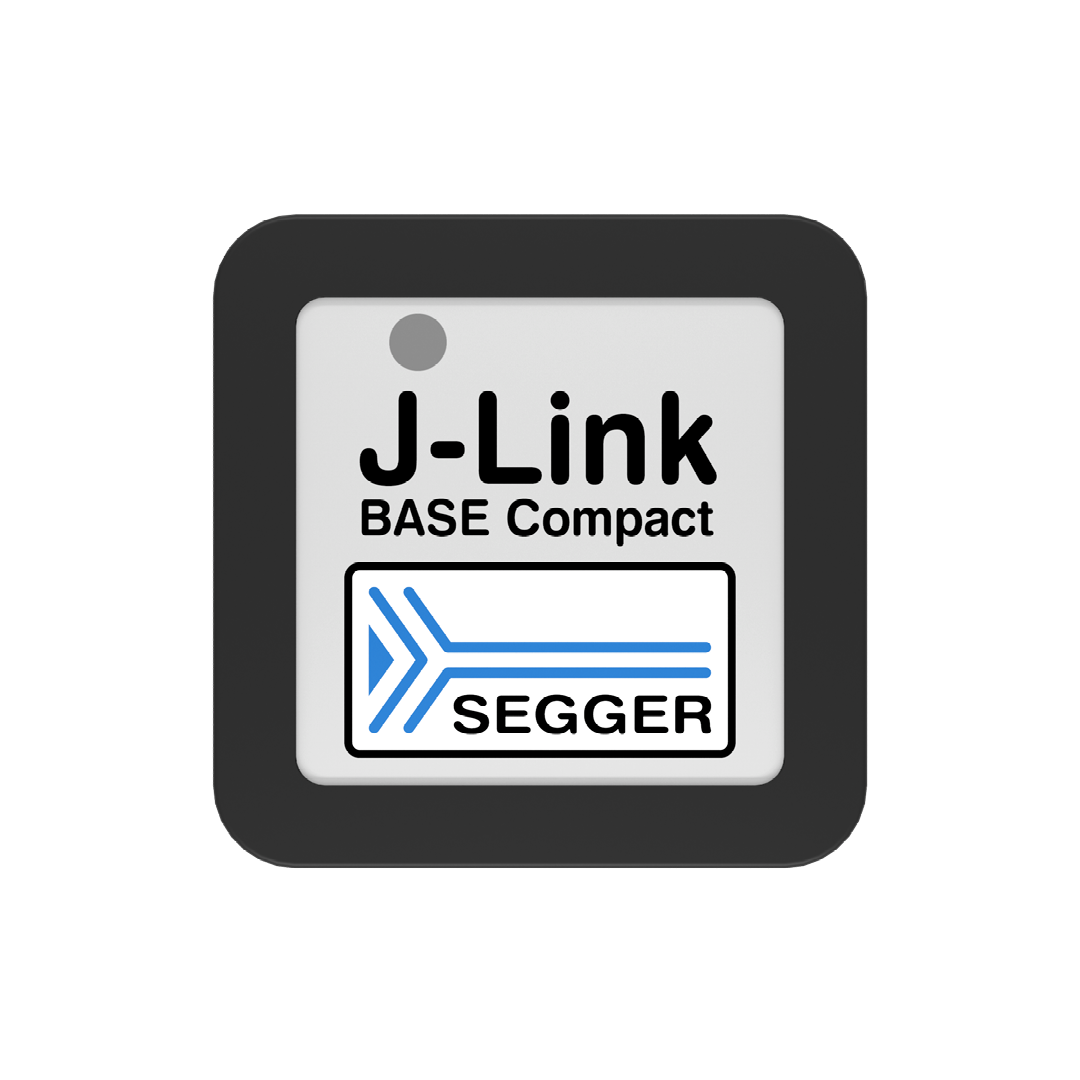
The J-Link BASE is the probe professional firmware teams reach for, and the new USB-C Compact version puts that pedigree in a tiny 46 mm housing. It speaks JTAG, SWD and SWO, drives tens of thousands of Arm Cortex-M/R/A and other devices, and plugs straight into every major IDE — Keil, IAR, STM32CubeIDE, VS Code, Eclipse and SEGGER’s own Ozone. SEGGER’s RTT gives you near-zero-overhead printf debugging, and crucially the BASE license covers commercial development. If you switch silicon vendors often, this one probe replaces a drawer full of others.
✅ Pros
Works with virtually any MCU & IDE
Rock-solid reliability + RTT trace
Commercial-use license included
Tiny USB-C unit, huge ecosystem
❌ Cons
Pricier than clones
Ozone, J-Flash & unlimited flash breakpoints need the PLUS upgrade
🎯 Verdict: The one probe to own if you work across MCU families or write firmware for a living. Unmatched compatibility, speed and reliability.
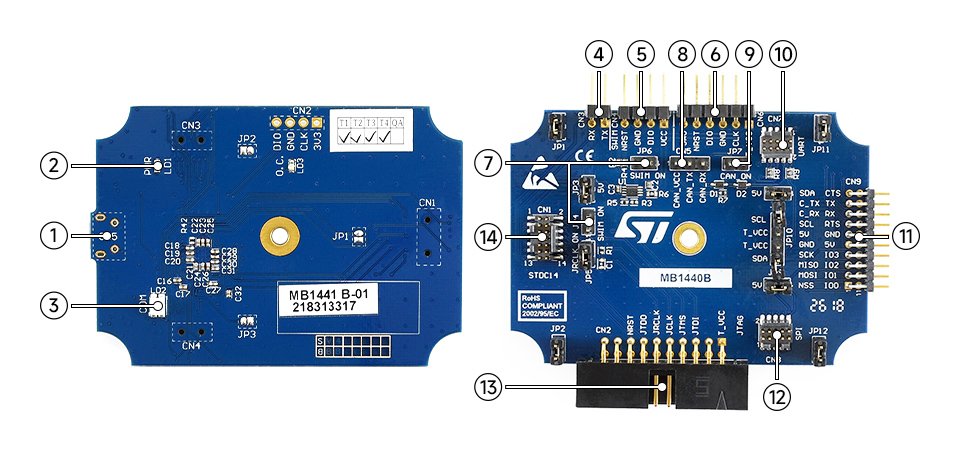
If you live in the STM32 world, ST’s own STLINK-V3SET is the smart buy. It’s a modular, high-speed probe that handles JTAG, SWD, SWV trace and legacy SWIM for STM8, plus a built-in Virtual COM port and bridge interfaces (SPI, I²C, CAN, GPIO) so one box covers debugging, serial logging and bootloader programming. It’s a first-class citizen in STM32CubeIDE and STM32CubeProgrammer, supports drag-and-drop flashing, and costs a fraction of a universal pro probe. The trade-off is simple: it only talks to ST silicon.
✅ Pros
Official ST tool — flawless CubeIDE integration
JTAG/SWD/SWIM + UART + SPI/I²C/CAN bridges
Fast USB hi-speed, drag-and-drop flashing
Modular adapters for any ST connector
❌ Cons
STM32/STM8 only — no other vendors
Micro-USB (not USB-C)
More than you need for casual flashing
🎯 Verdict: The best probe for serious STM32/STM8 work — pro features, official support and a sane price, as long as you stay in ST’s ecosystem.
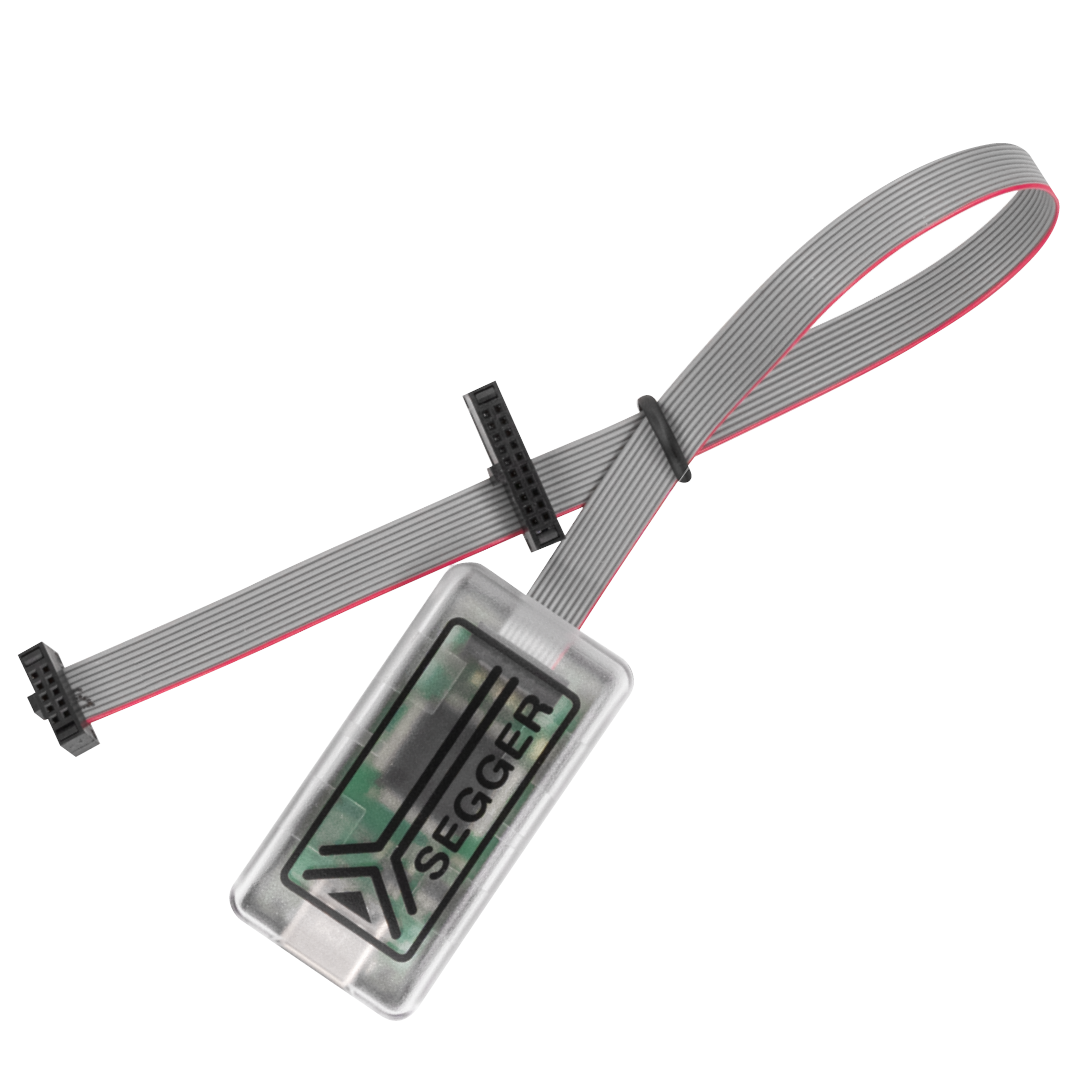
The J-Link EDU Mini is the cheapest way into SEGGER’s superb debug ecosystem. It’s a thumb-sized probe that runs the full J-Link software stack — RTT, the GDB server, and unlimited breakpoints in flash — across a huge range of Arm and RISC-V parts. For learning embedded debugging, working through STM32/nRF tutorials, or hobby projects, it punches far above its tiny price. The one hard rule: the EDU license is strictly non-commercial, so the moment your work earns money you must move to a BASE or PLUS.
✅ Pros: Real J-Link features for very little; RTT + unlimited flash breakpoints; Arm & RISC-V; tiny and portable.
❌ Cons: Non-commercial use only; slower (4 MHz / 200 KB/s); 9-pin 0.05″ Samtec header often needs an adapter.
🎯 Verdict: The best learning probe, full stop — genuine J-Link quality for students and hobbyists, provided you respect the non-commercial license.
🧩 Best Value · ⭐ 4.7/5
4. Raspberry Pi Debug Probe
USB → SWD (CMSIS-DAP) + UART · 3.3 V · case & 3 cables included
The Raspberry Pi Debug Probe is the best value in debugging right now. It’s a finished kit — probe, case, USB cable and three debug cables — that gives you a standard CMSIS-DAP SWD interface and a USB-to-UART bridge over one cable. It’s built for the Pico/RP2040 but works with any Arm Cortex-M chip exposing a 3.3 V SWD port, and it plays nicely with OpenOCD, pyOCD and VS Code. For most hobbyists and a lot of professionals, this little box covers 90% of day-to-day debugging at a fraction of a J-Link’s cost.
✅ Pros: Plug-and-play kit; open CMSIS-DAP standard; SWD + serial in one; superb price; OpenOCD/pyOCD ready.
❌ Cons: SWD only (no JTAG); 3.3 V I/O only; slower than pro probes; no SWO trace decoding.
🎯 Verdict: The best bang-for-buck debugger. If your targets are 3.3 V Arm SWD parts, this is the easiest, cheapest way to get real breakpoints and serial in one neat package.
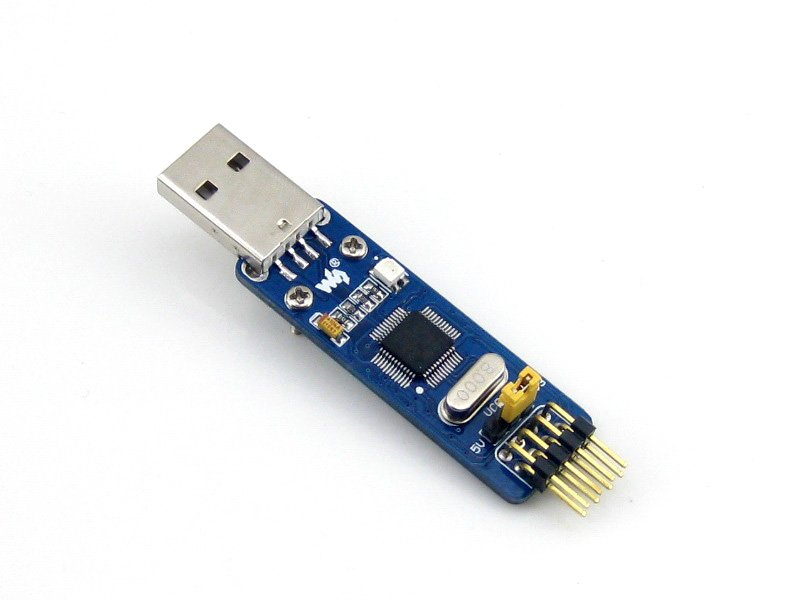
No tool has flashed more STM32 Blue Pill and Nucleo boards than the humble ST-Link V2 Mini. For the price of lunch you get SWD and SWIM programming/debugging for STM32 and STM8, a self-recovering fuse, and selectable 3.3 V/5 V output. It works with STM32CubeProgrammer and OpenOCD, and it’s the perfect throw-in-the-bag spare or classroom multi-pack. These are clone units, so quality varies and firmware sometimes needs an upgrade in CubeProgrammer — but as a no-fuss STM32 flasher it’s unbeatable value.
✅ Pros: Dirt cheap and everywhere; ideal for Blue Pill/Nucleo; SWD + SWIM; works with CubeProg & OpenOCD.
❌ Cons: Clone firmware quirks; STM32/STM8 only; no SWO on most units; build quality varies by seller.
🎯 Verdict: The cheapest way to start debugging STM32. Not glamorous, but every embedded bench should have one (or three) in a drawer.
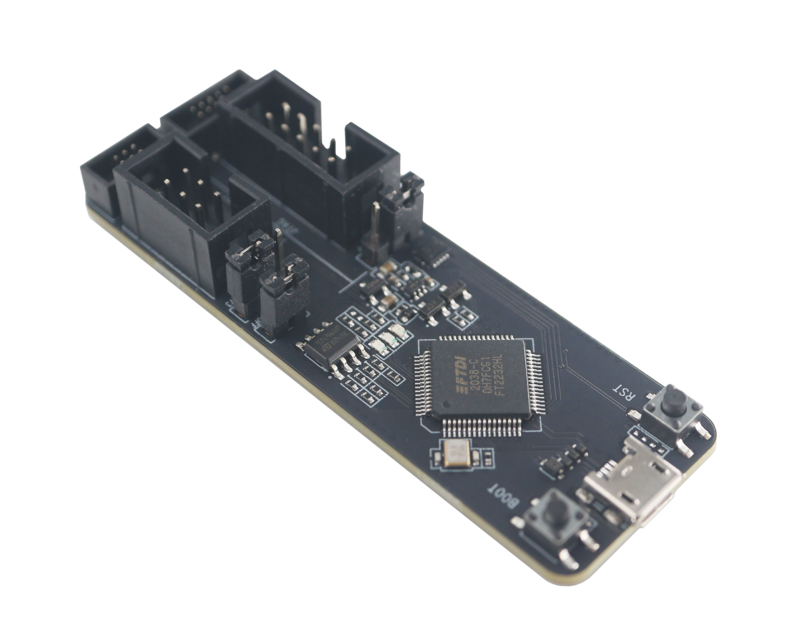
If you build with ESP32, the official ESP-Prog turns a frustrating two-cable workflow into one. The FT2232HL-based board combines an auto-download UART interface (no more holding BOOT and tapping RESET) with a real JTAG debug channel for breakpoints and stepping in ESP-IDF via OpenOCD. JTAG debugging covers ESP32, S2, S3 and C3; auto-flash and serial also cover the ESP8266. Selectable 3.3 V/5 V power and bundled ribbon cables make it the cleanest way to debug Espressif silicon.
✅ Pros: Purpose-built for ESP-IDF + OpenOCD; auto-flash and JTAG in one; selectable voltage; ends BOOT/RESET dance.
❌ Cons: Really only for ESP chips; needs FTDI drivers; tiny ribbon connectors are fiddly; no SWD (ESP uses JTAG).
🎯 Verdict: The must-have companion for serious ESP32 firmware work — proper JTAG debugging plus hands-free flashing in one official board.
🛠️ Best for OpenOCD · ⭐ 4.4/5
7. Olimex ARM-USB-TINY-H
High-speed JTAG · FT2232H · RTCK to 30 MHz · 2.0–5.0 V · open-source
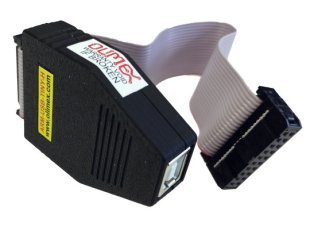
A long-time favorite of the open-source crowd, the Olimex ARM-USB-TINY-H is a fast, rugged FT2232H JTAG adapter with adaptive RTCK clocking up to 30 MHz and a wide 2.0–5.0 V range. It’s a first-class citizen in OpenOCD and works with Eclipse, IAR (via GDB) and Rowley CrossWorks, making it ideal for NXP, Microchip and other Arm targets that still expose a 2×10 JTAG header. Note it’s JTAG-only: to debug SWD-only chips you’ll add Olimex’s small ARM-JTAG-SWD adapter.
✅ Pros: Excellent OpenOCD support; fast adaptive JTAG; rugged, EU-made; broad Arm target coverage.
❌ Cons: JTAG only — SWD needs an extra adapter; legacy 2×10 connector; FTDI-based (no onboard flash loaders).
🎯 Verdict: The pick for open-source toolchains and JTAG-heavy targets. If your world is OpenOCD and 20-pin JTAG, it’s fast, dependable and well supported.
🌐 Best Open Standard · ⭐ 4.3/5
8. CMSIS-DAP / DAPLink Probe
JTAG · SWD · CDC serial · drag-and-drop · Arm Cortex-M
When you want a vendor-neutral probe that any tool understands, an Arm CMSIS-DAP / DAPLink adapter is the open answer. These low-cost boards expose standard JTAG and SWD plus a CDC serial port and drag-and-drop flashing, and they’re recognized out of the box by Keil MDK, pyOCD, OpenOCD and most IDEs — no proprietary drivers, no vendor lock. They’re the spec the Raspberry Pi Probe and countless on-board debuggers implement, so it’s a great universal spare for STM32, nRF, GD32 and other Cortex-M parts. Quality and firmware vary by seller, so buy from a listing with good reviews.
✅ Pros: Open CMSIS-DAP standard; JTAG + SWD + serial; drag-and-drop flashing; works everywhere; very cheap.
❌ Cons: Generic build quality; firmware varies by seller; no SWO trace; slower than dedicated pro probes.
🎯 Verdict: The most flexible budget probe. If you value an open, driver-free standard over raw speed, a CMSIS-DAP adapter belongs in your kit.
🛒 How to Choose the Right Debugger
🏢
Pro / Mixed-Vendor Work
Buy the J-Link BASE Compact. One probe for STM32, nRF, NXP, RISC-V and more, with commercial licensing and the best IDE support anywhere.
🔷
STM32 / STM8 Focus
Get the STLINK-V3SET for full pro features, or the ST-Link V2 Mini if you just need to flash Blue Pill and Nucleo boards cheaply.
🎓
Learning / Hobby
The J-Link EDU Mini (non-commercial) or the Raspberry Pi Debug Probe give you real breakpoints and trace for very little money.
📡
ESP32 / ESP8266
The ESP-Prog is purpose-built — JTAG debugging plus auto-flash UART in one official board for the whole ESP-IDF workflow.
🧰
OpenOCD / Open Source
Choose the Olimex ARM-USB-TINY-H for fast JTAG, or a CMSIS-DAP probe for a driver-free, vendor-neutral standard.
💰
Tightest Budget
The ST-Link V2 Mini or Raspberry Pi Debug Probe deliver genuine debugging for the price of a couple of coffees.
⚙️ Key Specs Compared — Side by Side
Spec
J-Link BASE
STLINK-V3
J-Link EDU Mini
Pi Probe
ESP-Prog
Olimex H
Interfaces
JTAG·SWD·SWO ⭐
JTAG·SWD·SWIM
JTAG·SWD·SWO
SWD·UART
JTAG·UART
JTAG
Target support
Universal ⭐
STM32/STM8
Arm+RISC-V
Arm SWD
ESP only
Arm JTAG
Max speed
15 MHz ⭐
Hi-Speed
4 MHz
~Mid
~Mid
30 MHz RTCK ⭐
SWO / trace
Yes ⭐
Yes (SWV) ⭐
Yes
No
No
No
Commercial use
Yes ⭐
Yes ⭐
No (EDU)
Yes ⭐
Yes ⭐
Yes ⭐
Onboard UART
No
Yes ⭐
No
Yes ⭐
Yes ⭐
No
Best for
Everything
STM32 pros
Students
Value
ESP32
OpenOCD
❓ Frequently Asked Questions
What’s the difference between JTAG and SWD?
JTAG is the older, 4–5 wire standard (TCK, TMS, TDI, TDO, optional TRST) that can also chain multiple chips and do boundary scan. SWD (Serial Wire Debug) is Arm’s 2-wire alternative (SWDIO + SWCLK) that frees up pins while giving the same run-control and memory access on Cortex-M parts. Most modern Arm boards expose SWD; many also add SWO, a single trace pin for printf-style output and basic profiling. Pick a probe that matches what your chip actually brings out to its header.
Do I really need an expensive J-Link, or is a cheap ST-Link enough?
For learning and single-vendor hobby work, a $10 ST-Link V2 or a Raspberry Pi Debug Probe gives you genuine breakpoints, stepping and flashing — that’s 90% of what most people need. You move up to a J-Link when you want maximum speed, rock-solid reliability on big images, SWO/RTT trace, support across many MCU vendors, or a license that’s valid for commercial products. Buy the cheap probe first; upgrade when a real limitation bites.
Will these work with OpenOCD and VS Code?
Yes. The Raspberry Pi Probe and CMSIS-DAP adapters are CMSIS-DAP class devices that OpenOCD, pyOCD and the VS Code Cortex-Debug extension recognize natively. Olimex and ESP-Prog are FTDI-based and fully supported by OpenOCD configs. SEGGER J-Link works through its own GDB server (and OpenOCD), and ST-Link is supported by OpenOCD and STM32CubeIDE. In short, every probe here can drive a modern VS Code + GDB debugging setup.
Which debugger should I get for nRF / RP2040 / NXP?
For nRF52/nRF53 (Nordic), a J-Link is the gold standard — Nordic’s own dev kits embed one. For RP2040 / Pico, the Raspberry Pi Debug Probe is the natural, cheapest fit. For NXP and other JTAG Arm parts, the Olimex ARM-USB-TINY-H or a J-Link both work well. If you touch several of these, a single J-Link BASE saves you owning three different probes.
Is the J-Link EDU legal to use for commercial work?
No. The J-Link EDU and EDU Mini are licensed for non-commercial, educational use only — students, teachers and hobby projects. Using one to develop, debug or manufacture a product you sell (or even inside a for-profit company) violates the license. If your work is or becomes commercial, buy a J-Link BASE/PLUS or use a vendor tool like ST-Link or ESP-Prog, which carry no such restriction.
🏁 Final Verdict — Best Pick for Every Need
The right debug probe for every developer and budget
🥇 Best Overall — SEGGER J-Link BASE Compact: universal, fast, commercial-ready
No single debug probe is perfect for everyone, but every pick on this list turns blind, trial-and-error firmware work into real, observable debugging. For most professional developers the SEGGER J-Link BASE Compact is the one to own — it drives almost any MCU and carries a commercial license. If you live in STM32, the STLINK-V3SET is unbeatable value; for the best price-to-capability ratio the Raspberry Pi Debug Probe is hard to beat; and ESP32 developers should grab the ESP-Prog. Pair your new probe with our STM32, ESP32 and Arduino tutorials and start stepping through your code today.
💬 Not sure which debugger fits your chip? Tell us what you’re targeting — STM32, ESP32, nRF, RP2040 or something else — in the comments below, and we’ll point you to the right probe.
All Amazon links above use our affiliate tag (microlab05-20). Purchasing through them supports microcontrollerslab.com at no extra cost to you. Prices and availability change frequently — always confirm the current price on Amazon before buying.