⚠️ Affiliate Disclosure: This post contains Amazon affiliate links. If you purchase through our links, we may earn a small commission at no extra cost to you. We only recommend platforms we have researched and whose listings we checked live on Amazon. Prices, bundles and controller options change constantly, so we deliberately do not print prices here. Always tap through and confirm the current price and variant before buying.
Ultimate Buying Guide
🤖 Best ROS2-Compatible Robot Platforms for SLAM, Navigation and Research
7 ROS 2 robot platforms ranked, from a $180 micro-ROS chassis that offloads the stack to your laptop, through Raspberry Pi 5 mecanum and Ackermann cars with real TOF lidar and depth cameras, up to a six wheel all metal rover and a dual lidar research robot with a 6-DOF arm, with verified specs, honest verdicts and Amazon listings we checked live.
✅ 7 Platforms Reviewed
✅ ROS 2 Humble Verified
✅ Lidar · SLAM · Nav2
✅ Honest Pros & Cons
Learning ROS 2 in Gazebo is free, and it is also where most people get stuck. Simulation never lies to you the way a real robot does: wheels slip, encoders drift, lidar scans arrive late, the transform tree goes stale for eighty milliseconds and your beautifully tuned Nav2 configuration drives straight into a chair leg. A physical platform is the point at which nodes, topics, TF frames and costmaps stop being vocabulary and start being a debugging problem you can actually see. The question is which platform, because the gap between a toy that mentions ROS in its Amazon title and a robot that genuinely publishes /scan, /odom and a correct base_link → laser transform is enormous.
The honest filter is short. A ROS 2 platform worth buying needs three things: a Linux capable computer on board or a defensible reason not to have one, a real lidar rather than a ring of ultrasonic sensors, and closed loop encoder motors so odometry means something. Everything else, the depth camera, the arm, the voice module, the large language model demo, is a layer you add once the base is trustworthy. This guide ranks 7 ROS2-compatible robot platforms you can buy on Amazon today against exactly that standard, and it tells you which one fits the work you actually plan to do.
💡 Reality check before you buy: None of these are plug and play the way a consumer robot is. Expect a pinned software stack: vendors ship a prepared SD card image or a Docker container built around one specific Ubuntu and ROS 2 Humble release, and stepping outside it, to Jazzy or to your own Ubuntu install, usually means porting drivers yourself. Expect the controller to be sold separately on many listings, so a Raspberry Pi 5, an SD card, a proper supply and often the 18650 cells are extra. Expect vendor specific drivers rather than upstream ones, which means the lidar, the depth camera and the base controller each have their own node and their own quirks. And expect small review counts: this is a low volume category, most listings have single digit ratings, so vendor documentation and public GitHub repositories tell you far more than the star average does.
🐢 What about the TurtleBot 4? The TurtleBot 4 is the official ROS 2 reference platform, built by Clearpath Robotics on an iRobot Create 3 base with a Raspberry Pi 4, a 2D lidar and an OAK-D spatial AI camera, and it is the platform most ROS 2 tutorials and university courses are written against. It is also not sold on Amazon. Clearpath sells it through its own authorised robotics distributors, at a price that assumes a lab or department budget rather than a hobby one. Because every link in this guide has to point at a listing you can actually buy today, we have left it out of the ranking. If you want the closest thing to a TurtleBot 4 experience from an Amazon listing, look at the Waveshare UGV Rover for its open source stack and OAK-D depth camera, or the Hiwonder MentorPi M1 for a complete lidar plus depth camera Nav2 platform out of the box.
Table of Contents
- Quick Comparison: All 7 ROS2-Compatible Robot Platforms
- What to Look for in a ROS 2 Robot Platform
- Detailed Reviews: All 7 ROS 2 Robot Platforms
- How to Choose the Right ROS 2 Platform
- Key Specs Compared: Side by Side
- Frequently Asked Questions
- Final Verdict: Best ROS 2 Platform for Every Budget
| Robot Platform | Chassis | Compute | Perception | Best For | Buy |
|---|
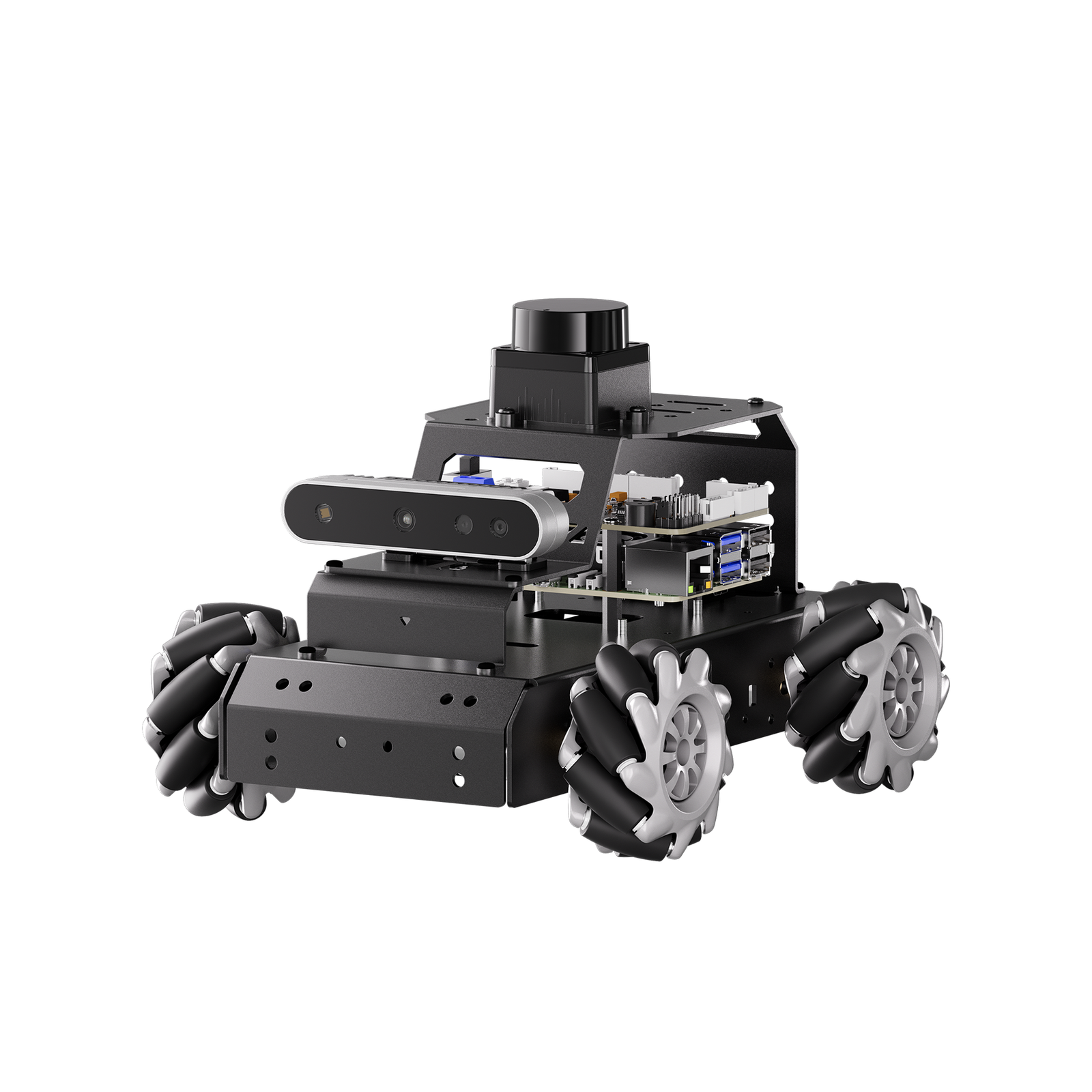
| 🥇 Hiwonder MentorPi M1 | Mecanum, convertible to Ackermann | Raspberry Pi 5, on board | COIN-D6 TOF lidar + 3D depth camera | Best Overall | Buy Here → |
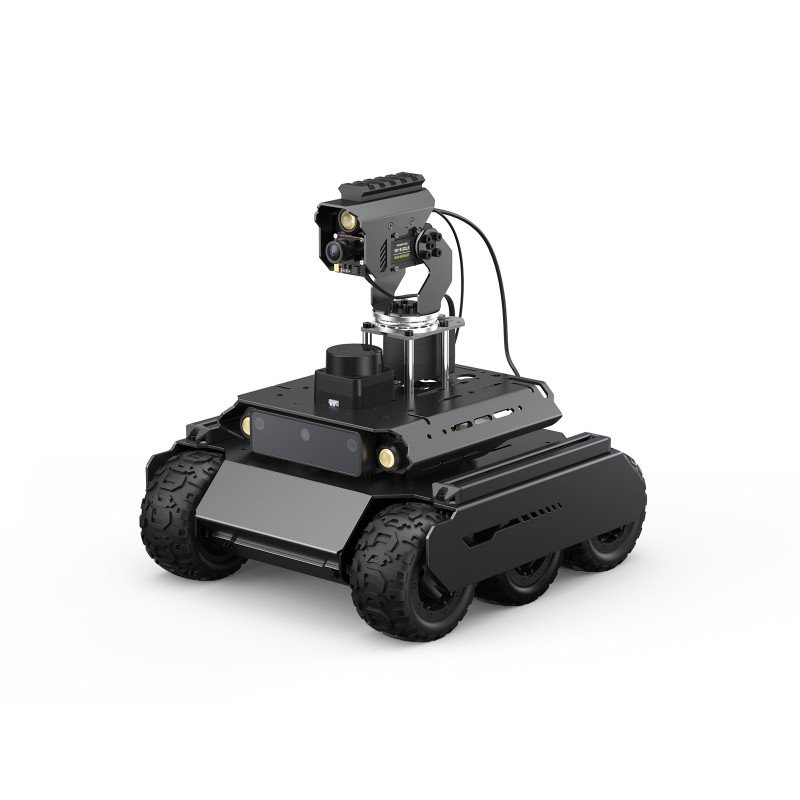
| 🏅 Waveshare UGV Rover | 6 wheels, 4WD, all metal | Raspberry Pi 5 + ESP32 sub-controller | D500 360° lidar, OAK-D Lite, 5MP 160° cam | Best Open Source Value | Buy Here → |
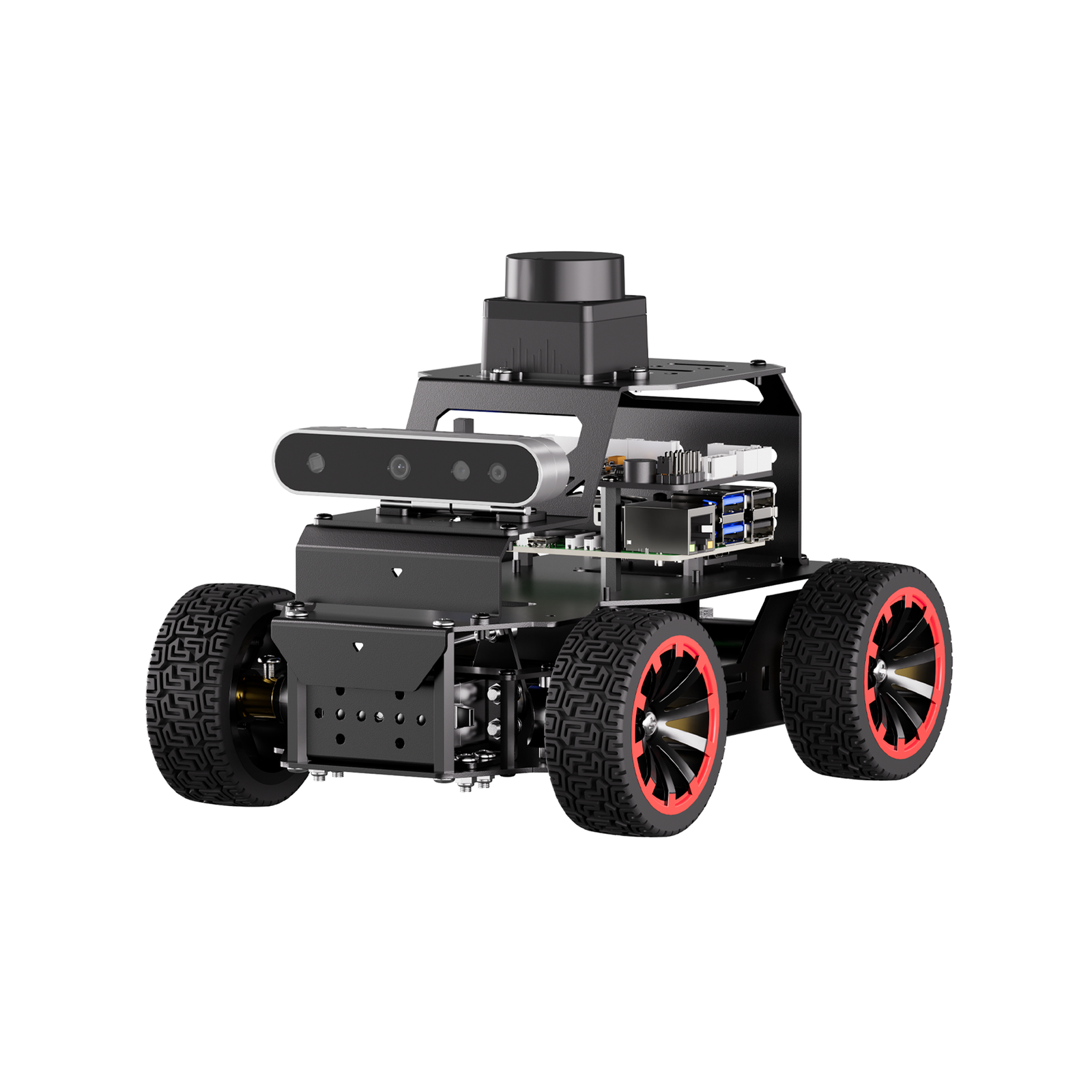
| 🚗 Hiwonder MentorPi A1 | Ackermann, servo steering | Raspberry Pi 5, included on this listing | COIN-D6 lidar + Nuwa-HP60C depth camera | Best for Autonomous Driving | Buy Here → |
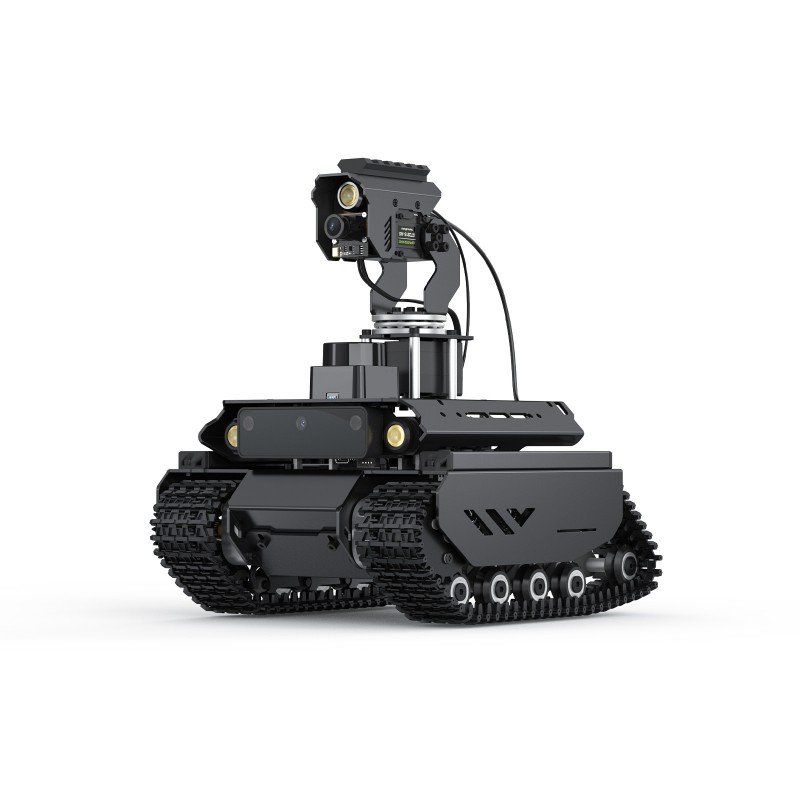
| 🏔️ Waveshare UGV Beast | Tracked, independent suspension | Raspberry Pi 4B + ESP32 sub-controller | D500 lidar, OAK-D Lite, pan-tilt 5MP cam | Best Off-Road | Buy Here → |
| 🎓 Yahboom MicroROS Pi5 Car | 4WD aluminium, 310 encoder motors | Raspberry Pi 5 + ESP32 co-processor | MS200 lidar, 2MP camera on 2-DOF gimbal | Best First ROS 2 Robot | Buy Here → |
| 🦾 Yahboom ROSMASTER M3 Pro | Mecanum + 6-DOF arm, suspension | Raspberry Pi 5 8GB, or Jetson Orin | Dual TOF lidar + structured light depth camera | Best for Manipulation & Research | Buy Here → |
| 🔰 Yahboom MicroROS ESP32 Kit | 4WD aluminium, no SBC on board | ESP32 running micro-ROS, PC VM runs ROS 2 | TOF lidar, optional USB camera | Best Cheapest Way In | Buy Here → |
Specs come from the current Amazon listings and manufacturer documentation. Every one of these platforms sells in several bundles: with or without the Raspberry Pi, with a monocular or a 3D depth camera, and in Hiwonder’s and Yahboom’s case with a Jetson controller instead of a Pi, at very different prices. We deliberately do not publish prices because they move constantly and differ per variant. Tap through and check the live listing and bundle yourself.
📡
A Real Lidar, Not Ultrasonic Sensors
SLAM needs a 360 degree scan published on /scan as a proper LaserScan message. A ring of ultrasonic sensors cannot do that, no matter what the listing claims. Look for a named lidar model, a TOF or triangulation unit such as the D500, MS200 or COIN-D6, and check its stated range and scan rate. A cheap 8 metre triangulation lidar is fine indoors; it will wash out in sunlight, which matters if you intend to drive outside.
🧭
Closed Loop Encoder Motors
Odometry is what makes Nav2 usable, and odometry comes from encoders. Open loop hobby motors give you no /odom worth publishing, so localisation has to lean entirely on the lidar and it falls apart the moment the robot is kidnapped or the room is featureless. Insist on encoder motors with a closed loop controller, and if the platform also ships an IMU you can fuse the two with robot_localization and get a genuinely stable pose.
🧠
Where the Compute Actually Lives
Three architectures exist here and they are not equivalent. A Raspberry Pi 5 on board runs the whole ROS 2 graph locally and is the normal choice. Pi plus an ESP32 sub-controller splits perception from the motor loop, which is how serious robots are built and worth learning. micro-ROS on an ESP32 with ROS 2 on your laptop is much cheaper but makes the robot dependent on a Wi-Fi link. A Jetson Orin only earns its cost if you are running deep learning on board.
📦
Which ROS 2 Distro Is Pinned
Almost every platform in this category is built and tested against ROS 2 Humble on Ubuntu 22.04, usually shipped as a prepared SD image or a Docker container. That is fine, and Humble is supported until 2027, but understand what it means: moving to Jazzy or a newer Ubuntu is a porting job you own. Before buying, open the vendor’s GitHub repository, check the last commit date, and see whether the drivers are readable ROS 2 packages or an opaque binary blob.
🔋
Power Headroom and Run Time
A Pi 5, a spinning lidar, a depth camera and four encoder motors together are a real load, and a Pi 5 alone wants up to 5 V at 5 A under peak. Check that the platform gives the computer a regulated rail separate from the motor supply, because brownouts during a Nav2 run look exactly like a software bug and waste days. Also check whether 18650 cells are included, since several kits ship the UPS module but not the cells.
A note on the scores below: this is a low volume category and most of these listings carry single digit review counts, so an Amazon star average here is statistically meaningless. The ratings we give are our own editorial scores, based on hardware, ROS 2 support quality, documentation and how honestly the listing describes what is in the box. Where a listing’s own rating is worth knowing, we say so in the review.
🥇 BEST OVERALL
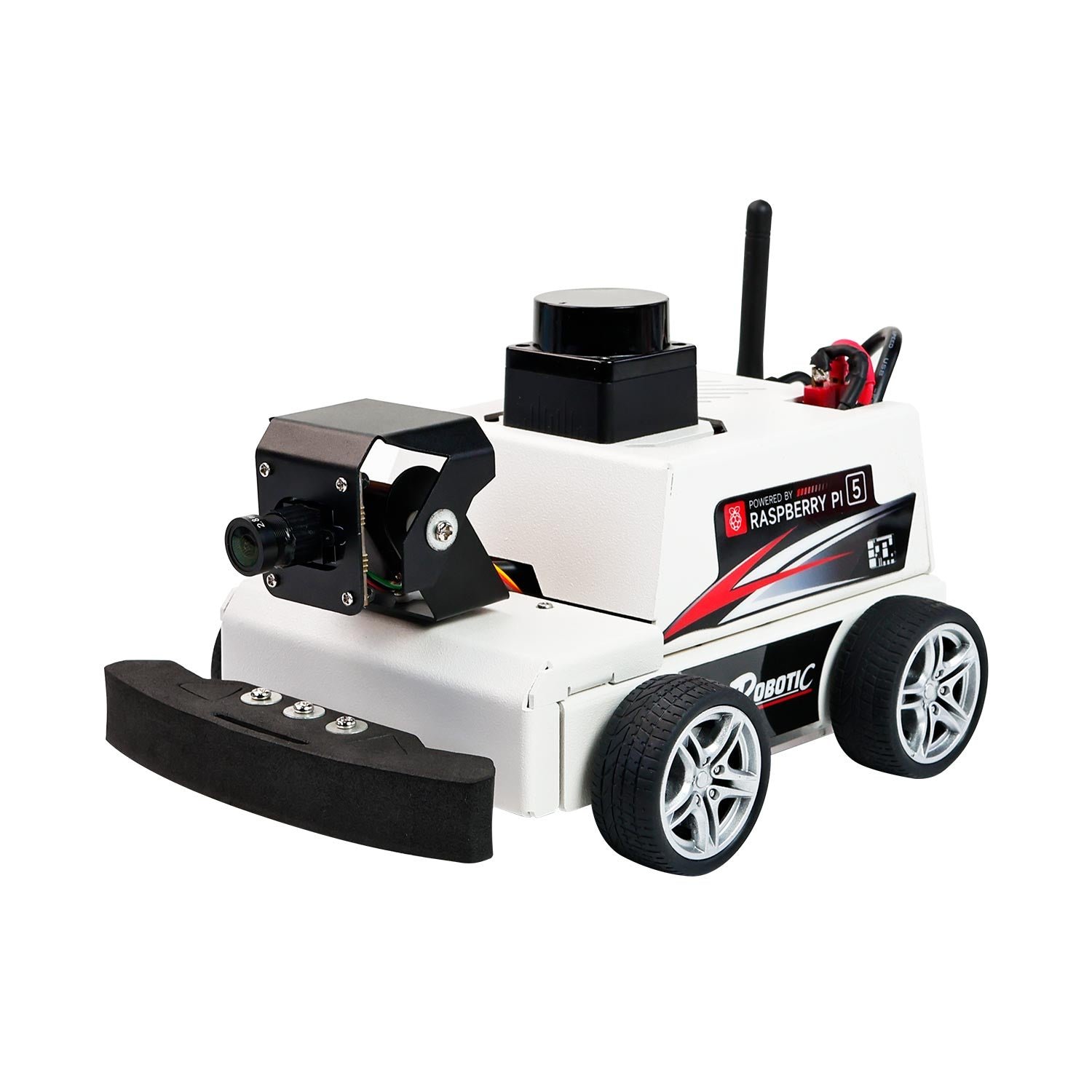
Hiwonder MentorPi M1
⭐ 4.3/5 · The Complete Nav2 Platform
Mecanum
CONVERTIBLE TO ACKERMANN
ROS 2 Humble
RASPBERRY PI 5
Nuwa-HP60C
3D DEPTH CAMERA

The MentorPi M1 is the platform we would hand to someone who wants to learn ROS 2 properly without spending a research budget, because it is the cheapest thing here that arrives with every piece the Nav2 stack expects. A COIN-D6 TOF lidar feeds /scan, closed loop encoder motors feed odometry, a Nuwa-HP60C 3D depth camera adds a point cloud for obstacle layers, and the whole thing runs ROS 2 Humble on a Raspberry Pi 5 that you can SSH into while the robot drives. The chassis ships on mecanum wheels, which means you get to write the omnidirectional inverse kinematics and then discover how badly mecanum odometry drifts on carpet, a lesson worth the price on its own. Hiwonder’s flexible chassis design also lets you rebuild it as an Ackermann car, so one purchase covers two very different kinematic models. On top of the robotics fundamentals sit the demos that sell the listing: YOLOv11 traffic sign and traffic light recognition for an autonomous driving sandbox, and a multimodal large model integration with voice interaction. Treat those as a bonus layer, because the reason to buy this robot is the lidar, the encoders and a working Nav2 configuration.
✅ Pros- Lidar, depth camera and encoder motors all included, nothing essential missing
- Genuine ROS 2 Humble stack, not a Python demo wearing a ROS badge
- Chassis converts between mecanum and Ackermann kinematics
- YOLOv11 autonomous driving material is unusually complete for the price
- Sold in monocular and depth camera versions, so you can control cost
❌ Cons- Raspberry Pi 5 is not included on the standard listing variant
- Very few Amazon reviews, and one early buyer reported poor support
- Stack is pinned to Humble and Hiwonder’s own image, not upstream packages
- Six confusingly named bundles on one listing, easy to order the wrong one
🎯 Verdict: The best value complete ROS 2 platform on Amazon. Buy it if you want to run SLAM and Nav2 on real hardware this month without assembling a sensor suite yourself. Read the bundle name carefully first.
👉 Check Price on Amazon →
🏅 BEST OPEN SOURCE VALUE
Waveshare UGV Rover ROS 2
⭐ 4.2/5 · Dual Controller, All Metal, Fully Open
6 Wheels 4WD
ZERO TURNING RADIUS
Pi 5 + ESP32
DUAL CONTROLLER
D500 + OAK-D
LIDAR AND DEPTH AI CAM

The UGV Rover is the platform for people who intend to read the source. Waveshare publishes the whole stack openly and documents it on a public wiki, and the hardware is built the way a real robot is built: a Raspberry Pi 5 host handles perception, navigation and the ROS 2 graph, while a separate ESP32 sub-controller owns the high frequency motion loop and sensor sampling. Splitting timing critical control away from a Linux scheduler is exactly the architecture you meet in industrial robots, and learning it on a $300 class rover is a genuine head start. The chassis is all metal, six wheels with four driven, 80 mm tyres, a zero turning radius and a default top speed of 1.3 m/s, which is quick enough that a badly tuned controller will embarrass you. Perception is the strongest here for the money: a D500 360 degree lidar, an OAK-D Lite depth AI camera, the same family of camera used on the official TurtleBot 4, and a 5 MP 160 degree wide angle module, with a 2-axis ST3215 pan-tilt rated at 30 kg·cm on the PT variants. It runs ROS 2 Humble LTS on Debian Bookworm, and the frame carries standard 1020 aluminium rails so you can bolt your own payload on.
✅ Pros- Genuinely open source stack with a detailed public wiki
- Pi plus ESP32 split is the right architecture to learn
- OAK-D Lite depth camera is a serious sensor at this price
- All metal body with standard rails for your own payloads
- This listing bundles the Raspberry Pi, so fewer surprises at checkout
❌ Cons- 18650 cells for the 3S UPS module are not included
- Waveshare documentation is thorough but terse, and assumes Linux fluency
- Six wheel skid steer scrubs badly on carpet and hurts odometry
- Amazon listing currently sits at a 3.0 star average from a tiny sample
🎯 Verdict: The best choice if you want to own and modify the whole stack rather than run a vendor’s demos. Buy three 18650 cells at the same time.
👉 Check Price on Amazon →
🚗 BEST FOR AUTONOMOUS DRIVING · ⭐ 4.1/53. Hiwonder MentorPi A1
Ackermann steering chassis · COIN-D6 lidar · Nuwa-HP60C depth camera · closed loop Hall encoder motors · ROS 2 Humble · this listing includes a Raspberry Pi 5
Buy Here →
The MentorPi A1 is the M1’s sibling with the one change that matters if your interest is self driving cars rather than warehouse robots: an Ackermann chassis with servo steering. That single difference rewrites the problem. A car cannot rotate in place, so your planner needs a kinematically feasible path, which is where Nav2’s Smac Hybrid-A* planner and a proper motion model stop being optional reading. It is the closest thing on Amazon to a shrunken F1TENTH style research car with the sensors already fitted. Perception matches the M1: a COIN-D6 lidar, a Nuwa-HP60C depth camera good from 0.2 to 4 metres with sub 2 mm accuracy at a metre, a 170 degree monocular camera, and closed loop Hall encoder motors. Hiwonder’s autonomous driving material is the real draw here, with YOLOv11 training for road signs and traffic lights and a sandbox track you can buy separately. The catch is cost: the variant that includes the Raspberry Pi 5 is meaningfully more expensive than the M1, and steering servo slop on a small Ackermann car will limit how precisely it tracks a path.
✅ Pros: Real Ackermann kinematics, the right model for self driving work; same strong sensor suite as the M1; YOLOv11 traffic sign and light pipeline included; Raspberry Pi 5 bundled on this listing; ROS 2 Humble with Nav2 preconfigured.
❌ Cons: Noticeably pricier than the mecanum M1; cannot rotate in place, so tight indoor testing needs space; steering servo backlash limits path tracking precision; tiny review count on the listing; sandbox track is a separate purchase.
🎯 Verdict: Buy the A1 over the M1 only if car like steering is the point. For general SLAM and Nav2 learning, the mecanum M1 is better value.
🏔️ BEST OFF-ROAD · ⭐ 4.0/54. Waveshare UGV Beast ROS 2
Tracked chassis with stainless steel independent suspension · Raspberry Pi 4B plus ESP32 · D500 lidar · OAK-D Lite · 2-axis pan-tilt · ROS 2 Humble
Buy Here →
The UGV Beast is the UGV Rover’s stack on a chassis that will actually leave the building. It runs tracks on stainless steel independent suspension, 40 mm wide, with a zero turning radius and a deliberately slow default top speed of 0.35 m/s, which is what you want when the terrain is gravel, grass or a doorway threshold rather than a laboratory floor. Everything else carries over: the same Raspberry Pi plus ESP32 dual controller split, the same D500 360 degree lidar and OAK-D Lite depth camera, the same 5 MP 160 degree wide angle module on a 30 kg·cm 2-axis pan-tilt, ROS 2 Humble LTS on Debian Bookworm, a wireless gamepad, a cooling fan and a prepared TF card. It is also the most expandable frame here, with 1020 European aluminium profile rails, boat nuts and M4 hardware supplied specifically so you can bolt on your own sensors. Two honest caveats: this Amazon listing bundles a Raspberry Pi 4B rather than a Pi 5, which is a real compute difference if you plan to run vision on board, and tracked skid steer produces the worst wheel odometry of any drive type in this guide, so plan on fusing an IMU.
✅ Pros: Genuinely handles outdoor terrain, thresholds and carpet; independent suspension keeps tracks loaded; excellent expansion rails and hardware included; same open ROS 2 Humble stack as the Rover; gamepad and prepared SD card in the box.
❌ Cons: This bundle ships a Pi 4B, not a Pi 5; tracked skid steer wrecks wheel odometry, so IMU fusion is mandatory; 18650 cells not included; slow by design at 0.35 m/s; lidar performance drops in direct sunlight.
🎯 Verdict: The one to buy if the robot has to go outside. If it will only ever drive on a flat indoor floor, the Rover gives you more speed and a Pi 5 for less.
🎓 BEST FIRST ROS 2 ROBOT · ⭐ 3.9/55. Yahboom MicroROS Pi5 Robot Car
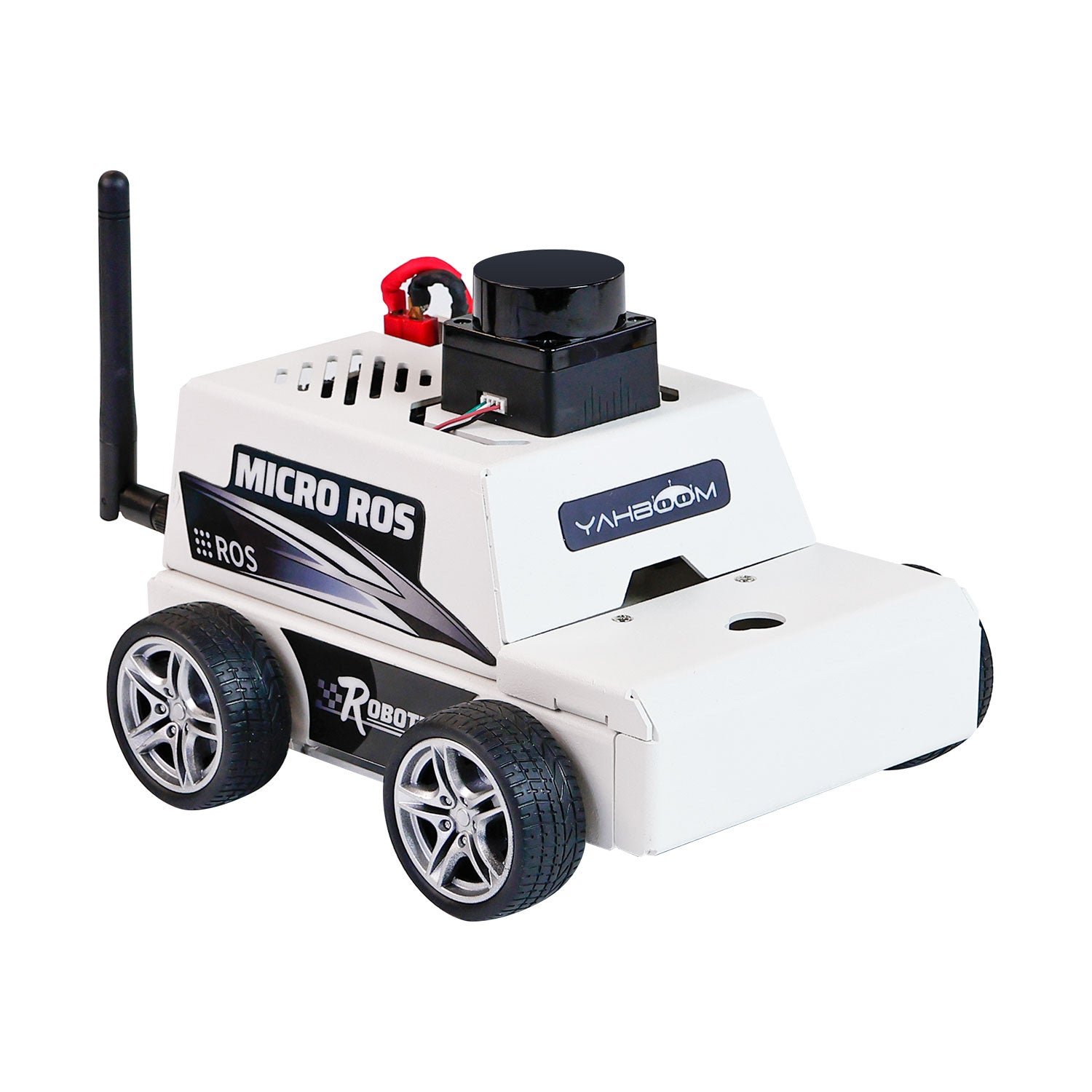
Raspberry Pi 5 plus ESP32 expansion board with 6-axis IMU · MS200 lidar · 2 MP camera on a 2-DOF gimbal · four 310 encoder motors at 450 RPM · ROS 2 Humble
Buy Here →

Yahboom’s MicroROS-Pi5 car is the friendliest complete ROS 2 platform in this guide, and the one we would pick for a student who has never opened a terminal on a robot. It uses the same architecture as the Waveshare rovers, a Raspberry Pi 5 for the ROS 2 graph and an ESP32 based expansion board with a 6-axis IMU for the motion loop, but wraps it in far gentler documentation and a large set of worked Python 3 examples. The hardware is honest: an anodised aluminium alloy frame, four 310 encoder motors rated around 450 RPM, an MS200 lidar, a 2 MP camera on a 2-DOF gimbal, a 7.4 V 2000 mAh pack and, importantly, a 5.1 V 5 A supply so the Pi 5 does not brown out with the motors running. Software covers SLAM mapping and navigation, RViz simulation and multi machine synchronisation, plus OpenCV and MediaPipe demos for gesture and pose work. Two things to watch. The Amazon variant that includes a Raspberry Pi 5 costs a lot more than the bare chassis, and the sibling listing without the Pi currently sits at 3.8 stars from a handful of buyers, with the usual complaints about translated documentation.
✅ Pros: Gentlest on ramp to a real ROS 2 stack; Pi plus ESP32 split with an IMU already on the board; proper 5.1 V 5 A rail for the Pi 5; large library of readable Python examples; RViz and multi robot material included.
❌ Cons: Monocular 2 MP camera only, no depth sensor; MS200 is an entry level lidar; documentation is translated and occasionally rough; the with-Pi bundle is poor value against buying a Pi separately; small battery limits session length.
🎯 Verdict: The best starting point if ROS 2 itself is the new thing you are learning. Compare the with-Pi and without-Pi listings carefully before you order.
🦾 BEST FOR MANIPULATION & RESEARCH · ⭐ 4.0/56. Yahboom ROSMASTER M3 Pro
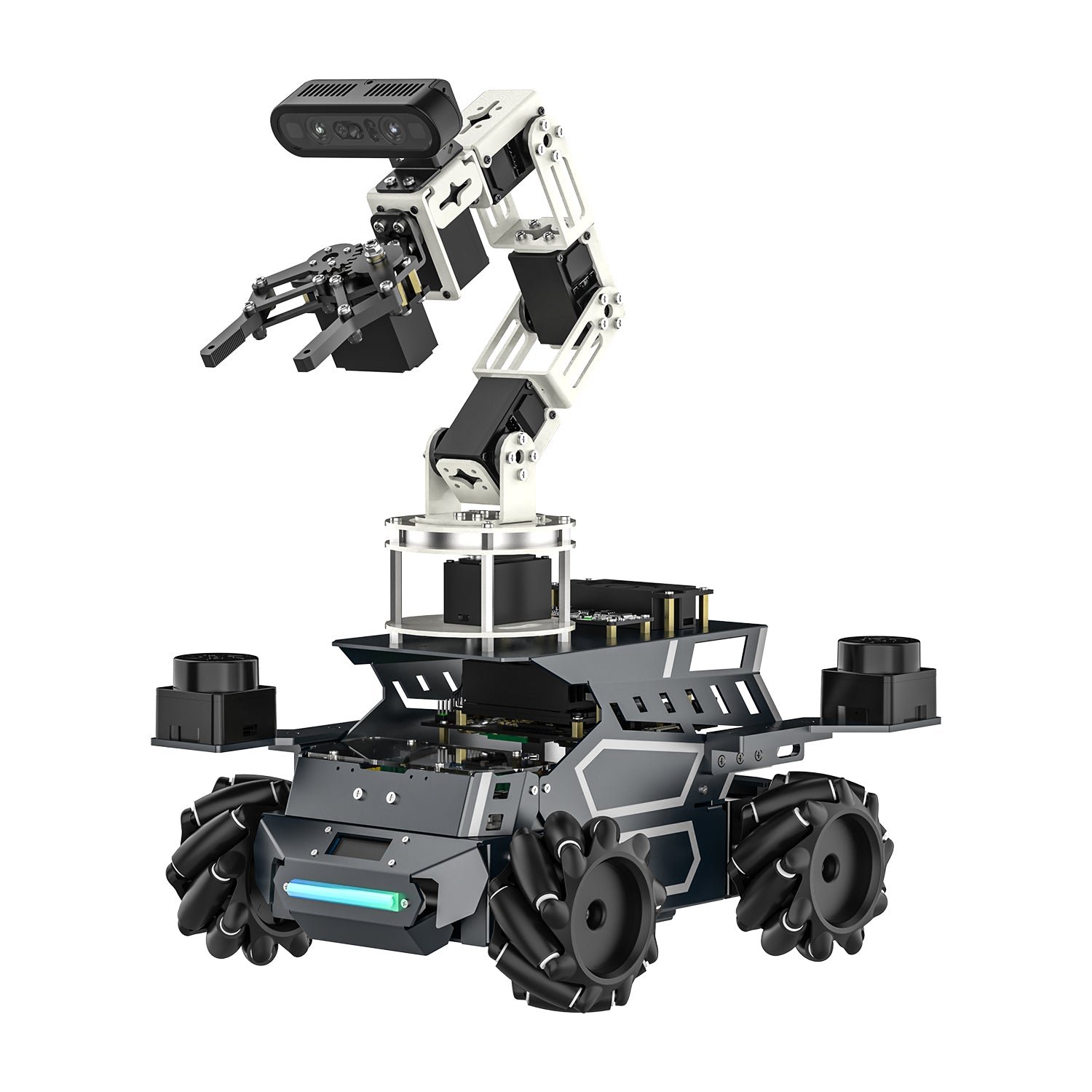
Mecanum chassis with rear pendulum suspension · 6-DOF arm · dual staggered TOF lidar for 360° cover · binocular structured light depth camera · Raspberry Pi 5 8GB or Jetson Orin · ROS 2 Humble
Buy Here →
The ROSMASTER M3 Pro is the only platform here that is a mobile manipulator rather than a mobile base, and it is priced accordingly. This one sits far above any reasonable hobby budget, several times the cost of the MentorPi M1, so buy it only if a department, a lab or a funded project is paying. What that money gets you is genuinely research grade for the class: two TOF lidars mounted diagonally so the robot keeps full 360 degree coverage even with the arm folded over the chassis, a binocular structured light depth camera for 3D grasping, an aluminium chassis with rear pendulum suspension under 80 mm mecanum wheels, and a 6-DOF arm you drive through MoveIt. Because the base publishes proper odometry and the arm has its own kinematic chain, this is a real platform for the mobile manipulation pipeline: navigate to a pose, detect an object in the point cloud, plan a grasp, execute. It runs ROS 2 Humble and the controller is your choice, a Raspberry Pi 5 8GB or 16GB on this listing or a Jetson Orin Nano or Orin NX Super if you need on board deep learning. The multimodal large language model layer is heavily marketed; treat it as a demo, not the reason to buy.
✅ Pros: Complete mobile manipulation platform out of the box; dual lidar keeps 360° coverage with the arm fitted; structured light depth camera suits real grasp planning; MoveIt integration; Raspberry Pi 5 or Jetson Orin controller options.
❌ Cons: Far above a hobby budget, roughly three times the MentorPi M1; heavy and large for a home workspace; the LLM marketing oversells what the demos do; low review volume; arm payload is modest, so treat it as a learning manipulator.
🎯 Verdict: A serious teaching and research platform for mobile manipulation, if someone else is paying. If you only need to navigate, spend a third of this on the MentorPi M1.
🔰 BEST CHEAPEST WAY IN · ⭐ 4.6/57. Yahboom MicroROS ESP32 Robot Kit
ESP32 running micro-ROS over Wi-Fi UDP · ROS 2 Humble runs on your PC virtual machine · TOF lidar · four 310 encoder motors · aluminium alloy body · no SBC on board
Buy Here →
This is the cheapest honest route into ROS 2 on real hardware, and it works by moving the expensive part off the robot. There is no Raspberry Pi and no Jetson on board. Instead an ESP32 runs micro-ROS, publishes over Wi-Fi UDP to a micro-ROS agent, and the full ROS 2 Humble graph, SLAM, Nav2 and RViz all run in a virtual machine on your laptop. For a microcontroller engineer that is a genuinely instructive architecture, because it forces you to see where the DDS boundary sits and what a micro-ROS node actually is, and it is the same pattern used on real embedded robots where the MCU owns the motors. The chassis is not a toy either: aluminium alloy, four 310 encoder motors, a TOF lidar, a 7.4 V pack, gamepad and app control, and mapping plus RViz and multi machine sync in the supplied examples. It also carries the highest review score in this guide, though from only a handful of buyers. The trade offs are real: your laptop must stay on the same Wi-Fi network, latency and dropouts become part of your control loop, the standard edition ships without a camera, and Yahboom’s virtual machine image is Windows and Linux only, with no macOS support.
✅ Pros: By far the lowest cost entry to real ROS 2 hardware; micro-ROS on ESP32 is a genuinely valuable thing to learn; aluminium chassis with encoder motors and a TOF lidar; highest rated listing in this roundup; no SBC to source or configure.
❌ Cons: Robot is useless without your laptop on the same network; Wi-Fi latency and dropouts affect control; no camera on the standard edition; virtual machine image does not support macOS; not a path to on board autonomy.
🎯 Verdict: The right buy if you want to learn ROS 2 and micro-ROS cheaply and already live in a terminal. Not the right buy if the robot must think for itself.
🎯
Want one platform that just works?
The Hiwonder MentorPi M1 arrives with a TOF lidar, a 3D depth camera, encoder motors and a working ROS 2 Humble Nav2 configuration, which is everything the stack needs and nothing you have to source yourself.
📖
Want to read and rewrite the stack?
The Waveshare UGV Rover publishes its whole software stack openly with a detailed wiki, and its Pi plus ESP32 split is the architecture you will meet again on real industrial robots.
🚗
Working on self driving cars?
The Hiwonder MentorPi A1 uses Ackermann steering, so your planner has to respect car kinematics, and its YOLOv11 road sign and traffic light pipeline is already set up.
🏔️
Does it have to go outside?
The Waveshare UGV Beast runs tracks on stainless steel independent suspension and will cross grass, gravel and thresholds that stop every wheeled platform in this guide.
🎓
Brand new to ROS 2 entirely?
The Yahboom MicroROS Pi5 car gives you a full Pi 5 ROS 2 stack with the gentlest documentation and the largest set of readable Python examples of anything here.
🦾
Need the robot to pick things up?
The Yahboom ROSMASTER M3 Pro is the only mobile manipulator here, with a 6-DOF MoveIt arm, dual lidar and a structured light depth camera. Budget accordingly.
💰
Smallest possible budget?
The Yahboom MicroROS ESP32 kit puts micro-ROS on the robot and ROS 2 on your laptop, which cuts the cost roughly in half and teaches you where the DDS boundary really is.
🧾
Buying for a course or a lab?
Check whether your syllabus is written against the TurtleBot 4 before you buy anything else, since course material assumes its exact topic and frame names. Otherwise standardise a class set on one MentorPi or UGV variant so every student debugs the same stack.
⚙️ Key Specs Compared: Side by Side
| Spec | MentorPi M1 | UGV Rover | MentorPi A1 | UGV Beast | MicroROS ESP32 |
|---|
| Drive type | Mecanum, convertible ⭐ | 6-wheel 4WD skid steer | Ackermann steering | Tracked, suspension ⭐ | 4WD skid steer |
| On-board computer | Raspberry Pi 5, sold separately | Pi 5 included + ESP32 ⭐ | Pi 5 included ⭐ | Pi 4B included + ESP32 | None, ESP32 only |
| Lidar | COIN-D6 TOF | D500 360° ⭐ | COIN-D6 TOF | D500 360° ⭐ | TOF lidar |
| Depth camera | Nuwa-HP60C 3D | OAK-D Lite ⭐ | Nuwa-HP60C 3D | OAK-D Lite ⭐ | None on standard kit |
| ROS 2 distro | Humble ⭐ | Humble LTS ⭐ | Humble ⭐ | Humble LTS ⭐ | Humble on PC, micro-ROS on robot |
| Pan-tilt camera | 2-DOF, 170° FOV ⭐ | 2-axis on PT variants | 170° monocular | 2-axis, 30 kg·cm | Optional USB camera |
| Batteries included | Yes ⭐ | No, needs 3× 18650 | Yes ⭐ | No, needs 3× 18650 | Yes, 7.4 V pack ⭐ |
| Best suited to | Most ROS 2 learners ⭐ | Open source tinkerers | Self driving projects | Outdoor and rough terrain | Tight budgets, MCU engineers |
Specs come from current Amazon listings and manufacturer documentation and vary by bundle. ⭐ marks the strongest option in each row for that criterion, not an overall winner. The Yahboom MicroROS Pi5 car and the ROSMASTER M3 Pro are covered in the reviews above and left out of this table to keep it readable. Note that controller inclusion is the single most variable thing across these listings, so always confirm on the live page whether a Raspberry Pi is in the box.
❓ Frequently Asked Questions
What actually makes a robot “ROS 2 compatible”?
Far less than most listings imply. A robot is usefully ROS 2 compatible when it ships driver nodes that publish the standard topics: a sensor_msgs/LaserScan on /scan, a nav_msgs/Odometry on /odom, a correct TF tree linking odom → base_link → laser, and a geometry_msgs/Twist subscriber on /cmd_vel. If those four exist and are honest, SLAM Toolbox and Nav2 will work. Many cheap “ROS robots” ship only a Python SDK and a marketing claim, so check the vendor’s GitHub for actual ROS 2 packages before you buy.
Raspberry Pi 5 or Jetson Orin for a ROS 2 robot?
A Raspberry Pi 5 comfortably runs the ROS 2 graph, a lidar driver, SLAM Toolbox and Nav2, plus modest OpenCV work, and it is the right default for almost everyone. A Jetson Orin earns its very large price premium only when you are running deep learning inference on board, for example real time object detection at a useful frame rate, visual SLAM on a depth camera stream, or a local vision language model. If your perception is a 2D lidar and a bit of OpenCV, the Jetson is money spent on nothing. Also budget power: a Pi 5 can want up to 5 V at 5 A, and a Jetson wants considerably more.
Do I need a depth camera, or is a lidar enough?
For 2D mapping and navigation, a lidar alone is enough, and it is the sensor Nav2 is built around. A depth camera earns its place when you need things a single scan plane cannot see: obstacles below or above the lidar plane such as a low table edge or an overhanging shelf, 3D obstacle layers in the costmap, object pose estimation for grasping, or visual SLAM. If your budget forces a choice, buy the lidar first. If you plan to do manipulation or you want the robot to notice a step, the depth camera stops being optional.
Why is everything still on ROS 2 Humble instead of Jazzy?
Because vendors pin an entire tested stack, not just a distro name. Humble targets Ubuntu 22.04, has a long support window, and by now every driver, tutorial and forum answer in this category assumes it. Newer distros mean a newer Ubuntu, rebuilt vendor drivers and re-validated demos, which is work that only happens when the old release nears end of life. Practically, this means two things when you buy: use the vendor’s supplied image or container rather than fighting it, and if you specifically need a newer distro, budget time to port the lidar, camera and base controller drivers yourself.
Can I build my own ROS 2 robot instead of buying a kit?
You can, and you will learn a lot, but be clear about what you are signing up for. Building means sourcing a chassis with encoder motors, a motor driver, a lidar with a working ROS 2 driver, an IMU, a power system that will not brown out the Pi, and then writing the base controller node, the URDF, the TF publishers and the ros2_control hardware interface yourself. That is a rewarding month or two of work and an excellent portfolio piece. A kit costs more in cash and less in time, and it lets you start on the interesting part, SLAM and navigation, on day two. A reasonable middle path is buying a cheap kit like the MicroROS ESP32 chassis and replacing its software with your own nodes.
The right platform for every level, from a laptop tethered ESP32 chassis to a dual lidar mobile manipulator:
🥇 Best Overall · Hiwonder MentorPi M1: TOF lidar, 3D depth camera, encoder motors and a working ROS 2 Humble Nav2 stack, on a mecanum chassis that converts to Ackermann
Buy Here →🏅 Best Open Source Value · Waveshare UGV Rover: Pi 5 plus ESP32 dual controller, D500 lidar, OAK-D Lite and a fully published software stack
Buy Here →🚗 Best for Autonomous Driving · Hiwonder MentorPi A1: Ackermann steering with a YOLOv11 road sign and traffic light pipeline, Raspberry Pi 5 included
Buy Here →🏔️ Best Off-Road · Waveshare UGV Beast: tracked chassis on stainless steel independent suspension with the same open ROS 2 stack
Buy Here →🎓 Best First ROS 2 Robot · Yahboom MicroROS Pi5 Car: full Pi 5 stack, MS200 lidar, 2-DOF camera gimbal and the gentlest documentation here
Buy Here →🦾 Best for Manipulation · Yahboom ROSMASTER M3 Pro: dual lidar, structured light depth camera and a 6-DOF MoveIt arm, at a lab sized price
Buy Here →🔰 Best Cheapest Way In · Yahboom MicroROS ESP32 Kit: micro-ROS on the robot, ROS 2 Humble on your laptop, encoder motors and a TOF lidar for the lowest price here
Buy Here →There is no single best ROS 2 robot platform, only the one that matches the part of the stack you want to learn. For most people the Hiwonder MentorPi M1 is the right buy, because it is the cheapest platform here that arrives with every sensor Nav2 expects and a chassis that converts between two kinematic models. Take the Waveshare UGV Rover if you would rather read and rewrite the source than run vendor demos, the MentorPi A1 if your interest is self driving cars and Ackermann planning, the UGV Beast if the robot has to leave the building, the Yahboom MicroROS Pi5 car if ROS 2 itself is the new thing, the ROSMASTER M3 Pro if you have a lab budget and a manipulation project, and the MicroROS ESP32 kit if you want the cheapest honest way onto real hardware. Whichever you choose, budget for the controller, the SD card and the cells, then pair the build with our Raspberry Pi, ESP32, STM32 and Arduino tutorials and start writing your own nodes instead of running the example launch files forever.
💬 Not sure which ROS 2 platform fits your project? Tell us what you are building, whether that is a SLAM and Nav2 learning robot, an Ackermann self driving car, a mobile manipulator or a class set, in the comments below, and we will point you to the right platform.
All Amazon links above use our affiliate tag (microlab05-20). Purchasing through them supports microcontrollerslab.com at no extra cost to you. Prices, bundles, controller options and availability change frequently, so always confirm the current listing and variant on Amazon before buying.