⚠️ Affiliate Disclosure: This post contains Amazon affiliate links. If you purchase through our links, we may earn a small commission at no extra cost to you. Every lock below was checked against its live Amazon listing before publishing. Prices change often, so we don’t list them here. Tap any Buy Here button to see the current price on Amazon.
Ultimate Buying Guide
🔐 Best Z-Wave Smart Locks
12 Z-Wave deadbolts and levers ranked for Home Assistant, SmartThings, Hubitat and Ring Alarm users, from Grade 1 classics to new Z-Wave Long Range locks, with real specs, honest verdicts and direct Amazon links.
✅ 12 Locks Reviewed
✅ Verified Amazon ASINs
✅ Long Range Models Included
✅ Honest Pros & Cons
A Z-Wave smart lock is still one of the most dependable ways to automate a front door. Unlike Wi-Fi locks that talk to a vendor cloud, a Z-Wave lock joins your own hub (Home Assistant, Hubitat, SmartThings, Ring Alarm, Alarm.com and more) over a low-power sub-GHz radio. That means local control, months of battery life, and automations that keep working when the internet goes down: unlock when the alarm disarms, lock at sunset, or send an alert if the door is left unlocked.
The catch is that Z-Wave locks differ a lot under the hood. Some run older Z-Wave Plus radios, others ship the newer 700 and 800 series Z-Wave Long Range chips with S2 security and SmartStart. Security grades, entry methods (touchscreen, push buttons, fingerprint), rekeying and door fit vary too. This guide ranks 12 Z-Wave smart locks across every style and budget on the details that actually matter once the lock is on your door and in your hub.
💡 Reality check before you buy: Every lock here needs a Z-Wave hub or alarm panel for remote control; on its own it is just a keypad deadbolt. Locks are battery devices, so they do not repeat mesh traffic: with classic Z-Wave you want a powered Z-Wave device (plug or switch) near the door, while Long Range models need a controller that actually supports Long Range. Pair locks close to the hub with S2 security, expect 6 to 12 months from a set of AA batteries, and remember that features like auto-unlock or the vendor app may need Bluetooth or the vendor cloud rather than Z-Wave. Finally, buy the region that matches your hub: US Z-Wave locks will not talk to an EU controller.
🔐 Quick Comparison: All 12 Z-Wave Smart Locks
| Lock | Z-Wave Radio | Entry Method | Style | Best For | Buy |
|---|
| 🥇 Schlage Connect (Camelot) | Z-Wave Plus | Touchscreen + key | Deadbolt | Best Overall | Buy Here → |
| 🏅 ULTRALOQ Bolt Z-Wave | 800 series · Long Range | Keypad + key | Deadbolt | Best Long Range | Buy Here → |
| 🔔 Kwikset HomeConnect 620 | 700 series · Long Range | Keypad + SmartKey | Deadbolt | Best for Ring Alarm | Buy Here → |
| 📱 Kwikset HomeConnect 918 | 700 series · Long Range | Touchscreen + SmartKey | Deadbolt | Best Long Range Touchscreen | Buy Here → |
| 👆 Yale Assure Lock 2 Touch Z-Wave | Z-Wave module | Fingerprint + keypad + key | Deadbolt | Best Fingerprint | Buy Here → |
| ✨ Yale Assure Lock 2 Touchscreen Z-Wave | Z-Wave module | Touchscreen | Deadbolt | Best Slim Design | Buy Here → |
| 🔢 Yale Assure Lock 2 Keypad Z-Wave | Z-Wave module | Push-button keypad | Deadbolt | Best Physical Keypad | Buy Here → |
| 💵 Kwikset SmartCode 916 Z-Wave | Z-Wave | Touchscreen + SmartKey | Deadbolt | Best Value Touchscreen | Buy Here → |
| 🧰 Kwikset SmartCode 914 | Z-Wave Plus | Push-button keypad + SmartKey | Deadbolt | Best Rekeyable Keypad | Buy Here → |
| 🏠 Kwikset SmartCode 888 | Z-Wave Plus | Touchpad + SmartKey | Deadbolt | Best Classic Touchpad | Buy Here → |
| 🚪 Yale Assure Lever Z-Wave | Z-Wave | Backlit keypad + key | Lever | Best for Doors Without a Deadbolt | Buy Here → |
| 🗝️ Yale Assure SL Z-Wave | Z-Wave | Touchscreen (key-free) | Deadbolt | Best Key-Free | Buy Here → |
All locks require a compatible Z-Wave hub or alarm system for remote control. Finishes and trims are sold as separate listings, so check the variant before ordering. Tap Buy Here to see the live price on Amazon.
🔍 What to Look for in a Z-Wave Smart Lock
📡
Z-Wave Generation & Range
Older Z-Wave Plus locks rely on the mesh, so a powered repeater near the door helps. 700 and 800 series locks with Z-Wave Long Range talk straight to an LR-capable hub, which is ideal for detached garages and big houses.
🛡️
Security Grade
BHMA (ANSI) grades rate physical strength and cycle life. Grade 1 is the toughest residential rating, Grade 2 suits most homes. Rekeyable cylinders like Kwikset SmartKey let you match existing keys in seconds.
🔑
Entry Method
Touchscreens look sleek and are easy to wipe, push buttons work better with gloves, and fingerprint readers skip codes entirely. Decide whether you want a physical key backup or a fully key-free lock.
🔒
S2 Security & SmartStart
S2 encryption protects lock commands from replay and sniffing, and SmartStart lets you add the lock by scanning a QR code. Both are standard on newer 700 and 800 series models.
🏡
Hub Compatibility
Home Assistant (Z-Wave JS), Hubitat, SmartThings, Ring Alarm and Alarm.com panels all support Z-Wave locks, but code management and status reporting vary. Check your hub’s lock support before you buy.
🏆 Detailed Reviews: All 12 Z-Wave Smart Locks
🥇 BEST OVERALL
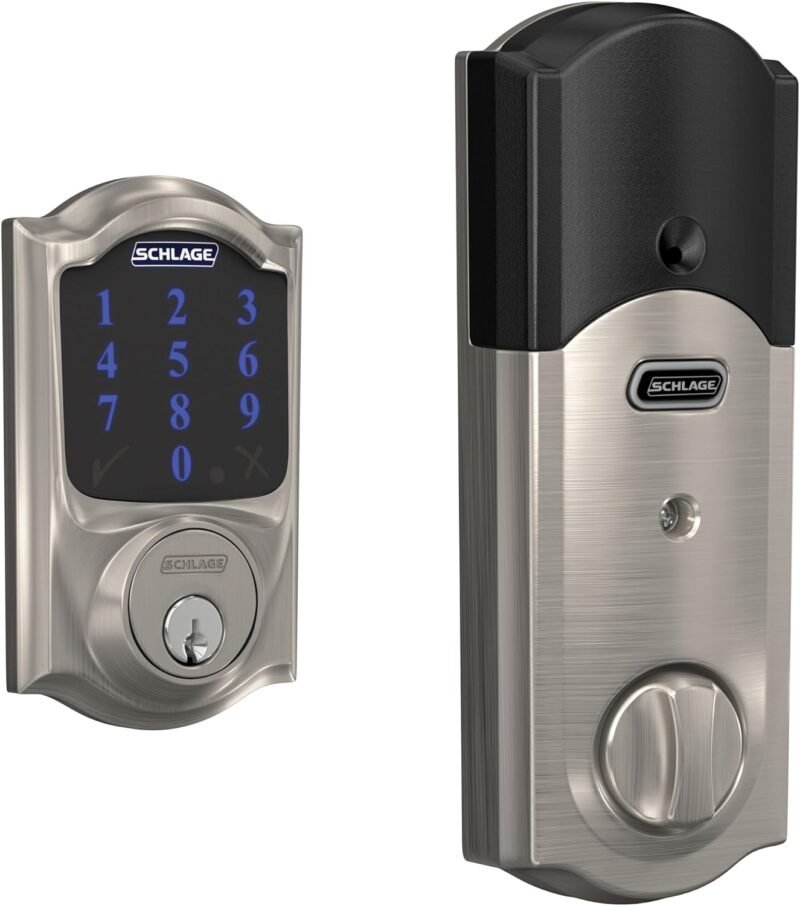
Schlage Connect Smart Deadbolt (Camelot)
⭐ 4.8/5 · The Proven Z-Wave Classic
Buy on Amazon →

The Schlage Connect is the lock most Z-Wave veterans recommend first, and for good reason. It pairs cleanly with Home Assistant, Hubitat, SmartThings and Ring Alarm, reports lock state reliably, and adds something few rivals have: a built-in alarm that can sound on forced entry or tampering. The fingerprint-resistant touchscreen holds 30 access codes, Snap ‘n Stay mounting makes installation a one-person job, and Schlage’s solid deadbolt hardware is rated to the top residential security grade. The radio is older Z-Wave Plus rather than Long Range, so give it a powered Z-Wave repeater nearby, but for overall reliability it is still the benchmark.
✅ Pros- Rock-solid support on every major hub
- Built-in tamper and forced-entry alarm
- Tough top-grade Schlage hardware
- Easy Snap ‘n Stay install
❌ Cons- Older Z-Wave Plus radio, no Long Range
- Only 30 codes
- Chunky exterior escutcheon
🎯 Verdict: The safest Z-Wave lock to buy. Proven compatibility, real security hardware and an alarm built in.
👉 Check Price on Amazon →
🏅 BEST LONG RANGE

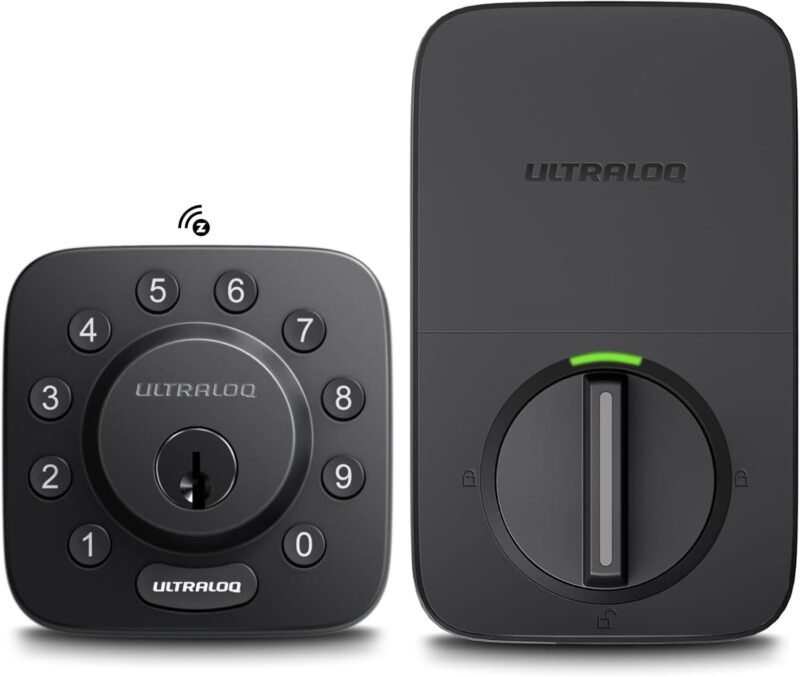
The ULTRALOQ Bolt Z-Wave is the most up-to-date lock in this roundup. It runs a Silicon Labs ZG28 (800 series) radio with Z-Wave Long Range, so it can reach an LR-capable hub directly from a detached garage, guest house or the far end of a large home without leaning on the mesh. ULTRALOQ backs that with BHMA Grade 1 certification, a zinc alloy body, IP65 weather resistance and long battery life from four AA cells. It lists Alarm.com, Home Assistant and SmartThings support, and gives you keypad, auto-lock and auto-unlock in one compact deadbolt. It is a newer model, so firmware maturity on every hub is still building, but on paper nothing here is more future-proof.
✅ Pros- 800 series Z-Wave Long Range
- BHMA Grade 1 and IP65 rated
- Works with Alarm.com and Home Assistant
- Competitive for the feature set
❌ Cons- Long Range needs an LR-capable controller
- Newer model, less community history
- No built-in alarm like Schlage
🎯 Verdict: The best Z-Wave Long Range lock. Pick it if your hub supports LR or your door sits far from the rest of the mesh.
👉 Check Price on Amazon →
🔔 BEST FOR RING ALARM · ⭐ 4.6/53. Kwikset HomeConnect 620 Z-Wave Long Range
Z-Wave 700 LR · S2 · SmartStart · 250 codes · BHMA Grade 2 · SmartKey · 4 × AA
Buy →

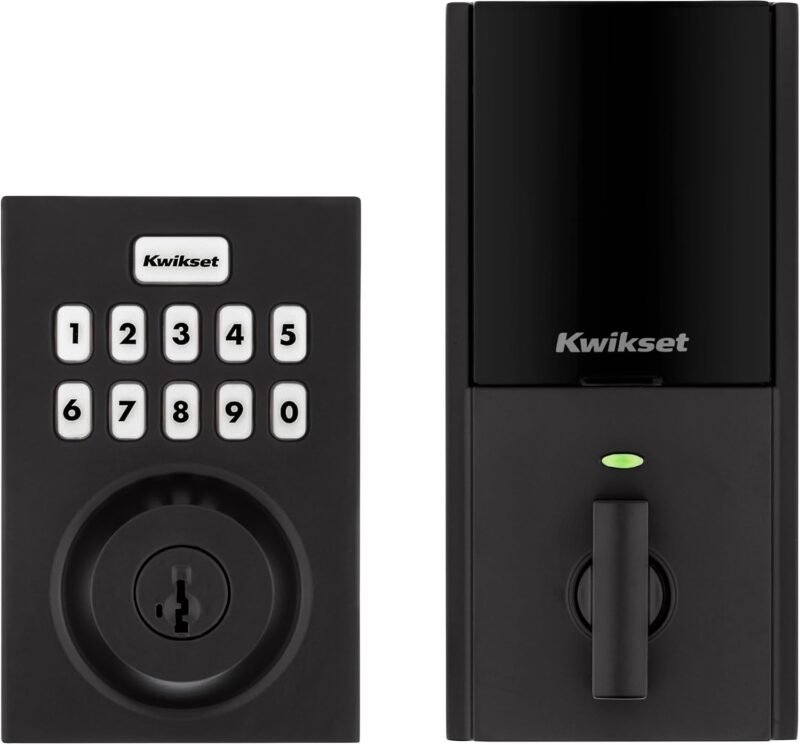
Kwikset’s HomeConnect 620 brings Z-Wave Long Range to a familiar keypad deadbolt. Its 700 series radio supports S2 encryption and SmartStart QR inclusion, it stores up to 250 user codes, and auto-lock can be set from 30 seconds to 10 minutes. Kwikset calls out Ring Alarm compatibility directly, so lock status and control show up in the Ring app. SmartKey rekeying and BHMA Grade 2 hardware round out a lock that feels like a sensible modern upgrade to the older SmartCode line.
✅ Pros: Z-Wave LR with S2 and SmartStart; 250 codes; SmartKey rekey; Ring Alarm ready.
❌ Cons: Grade 2, not Grade 1; LR needs a supporting hub; plain styling.
🎯 Verdict: The easiest modern Z-Wave lock for Ring Alarm homes, with plenty of codes for families and rentals.
📱 BEST LONG RANGE TOUCHSCREEN · ⭐ 4.5/54. Kwikset HomeConnect 918 Z-Wave Long Range
Z-Wave 700 LR · S2 · SmartStart · 250 codes · touchscreen · one-touch lock · auto-lock
Buy →

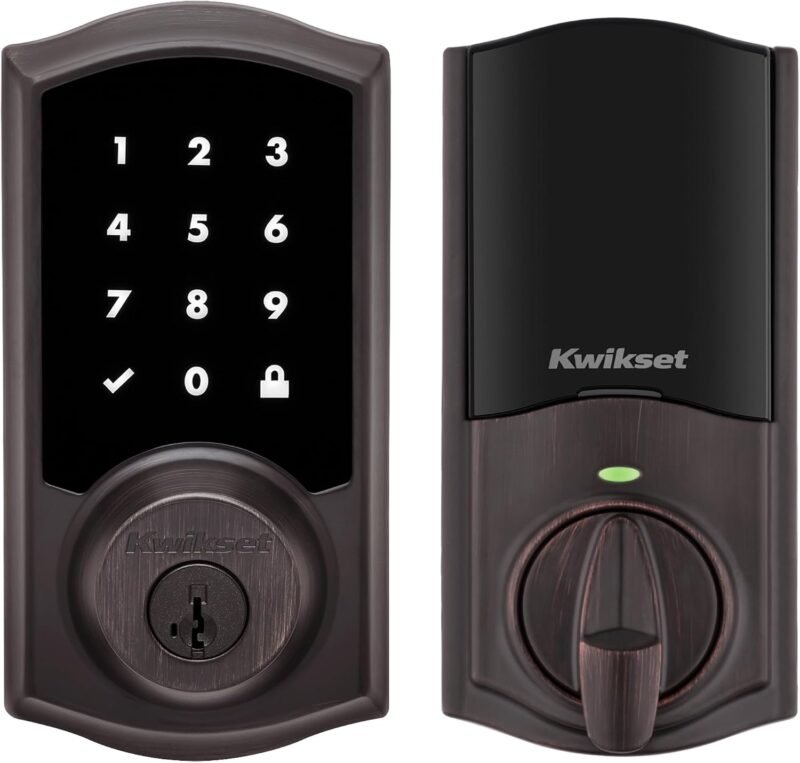
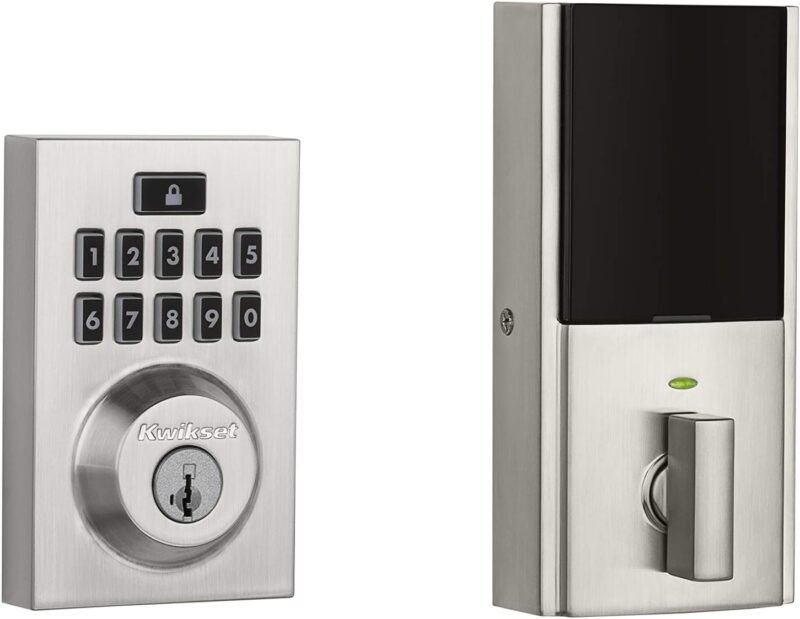
The HomeConnect 918 is the touchscreen sibling of the 620, sharing the same 700 series Z-Wave Long Range radio, S2 security, SmartStart and 250-code memory. The illuminated glass keypad looks far more premium than push buttons, supports one-touch locking on the way out, and wipes clean easily. Like the 620 it is listed as Ring Alarm compatible and also works with SmartThings and other Z-Wave hubs. If you want Long Range but prefer a sleek touchscreen front, this is the one.
✅ Pros: Premium touchscreen; Z-Wave LR; 250 codes; one-touch locking.
❌ Cons: Touchscreens show smudges in sun; costs more than the 620; hub required.
🎯 Verdict: The best-looking Kwikset Z-Wave lock, with Long Range reach and room for 250 codes.
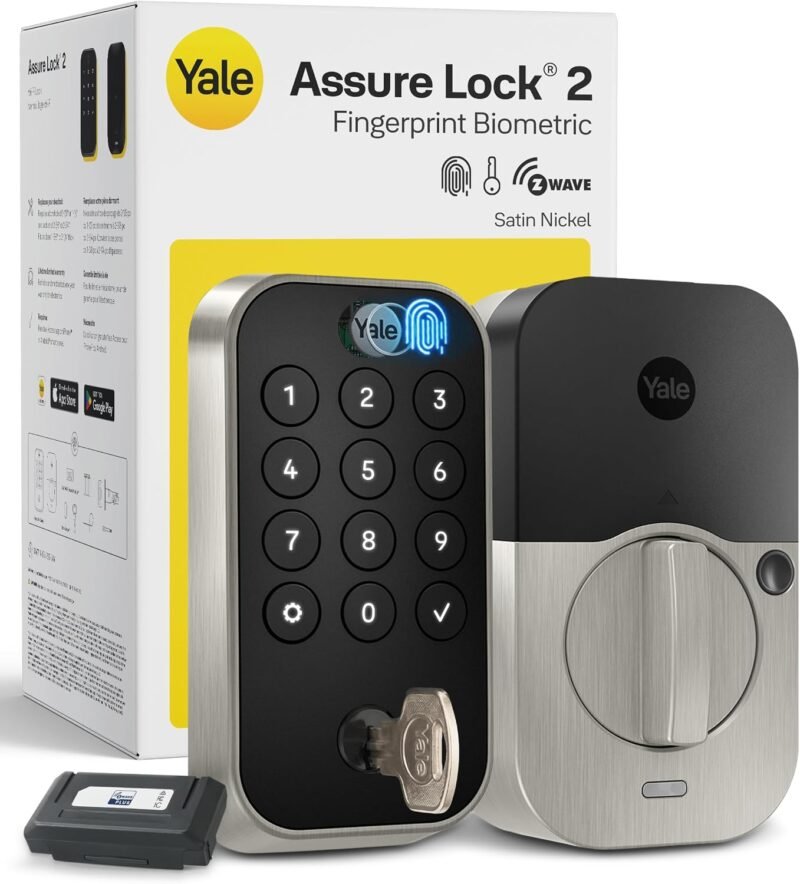
👆 BEST FINGERPRINT · ⭐ 4.6/55. Yale Assure Lock 2 Touch with Z-Wave
Fingerprint + backlit keypad · Z-Wave module included · DoorSense · Auto-Lock · backup key · 4 × AA
Buy →

The Yale Assure Lock 2 Touch is the only lock here with a fingerprint reader, so family members can simply touch and walk in. This version ships with Yale’s Z-Wave module in the box and lists SmartThings and Hubitat support, plus a backlit keypad and a physical backup key. The included DoorSense sensor lets Auto-Lock wait until the door is actually closed. Fingerprint enrollment and some app features run through Yale’s own app, so expect a little setup outside your hub.
✅ Pros: Fingerprint plus keypad; DoorSense smart auto-lock; Z-Wave module included.
❌ Cons: Fingerprints managed in Yale app; US and Canada only; pricier.
🎯 Verdict: The best Z-Wave lock for code-free entry. Your finger becomes the key.
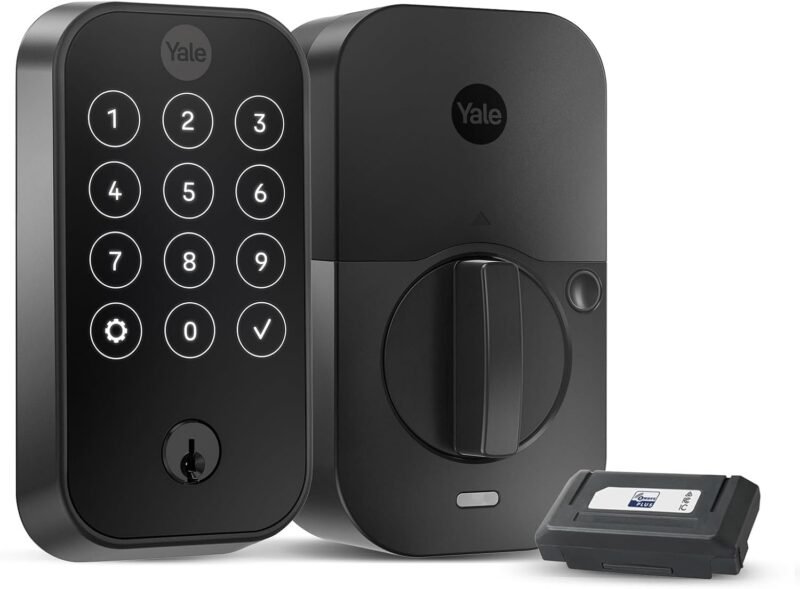
✨ BEST SLIM DESIGN · ⭐ 4.5/56. Yale Assure Lock 2 Touchscreen with Z-Wave
Slim touchscreen · Z-Wave module · DoorSense · Auto-Lock · Apple Watch via Yale app
Buy →

If curb appeal matters, the Yale Assure Lock 2 Touchscreen is the most elegant Z-Wave deadbolt you can buy. Its slim glass touchscreen sits nearly flush with the door, and the Z-Wave version joins your hub or alarm system for remote lock, unlock and status. Yale’s DoorSense and Auto-Lock combo is excellent, and the Yale Access app adds smartphone and Apple Watch control. Note that Yale states this model will not work outside the US or Canada.
✅ Pros: Slimmest, sleekest design here; DoorSense; strong alarm-system support.
❌ Cons: Premium price; US and Canada only; some features need Yale’s app.
🎯 Verdict: The best-looking Z-Wave deadbolt. Choose it when design matters as much as automation.
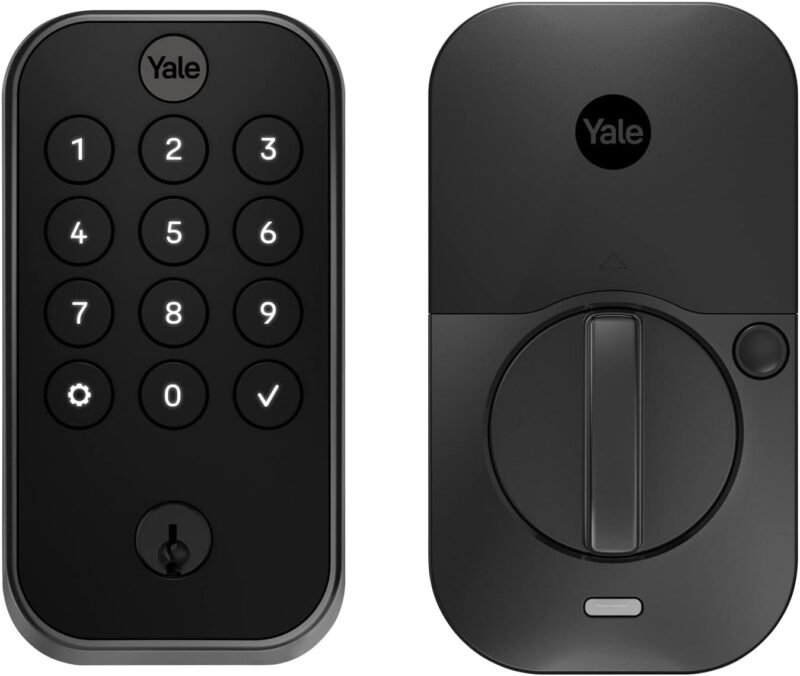
🔢 BEST PHYSICAL KEYPAD · ⭐ 4.4/57. Yale Assure Lock 2 Keypad with Z-Wave
Push-button keypad · Z-Wave module · DoorSense · Auto-Lock · Yale Access app
Buy →

The Assure Lock 2 Keypad gives you the same slim Yale body and Z-Wave module as the touchscreen model, but with physical push buttons. That is the smarter choice for doors that face direct sun, rain or snow, and for anyone who unlocks with gloves on. You still get DoorSense, Auto-Lock and app-based guest access, all in a footprint that looks tidy on modern and traditional doors alike.
✅ Pros: Tactile buttons work with gloves; slim Yale design; DoorSense included.
❌ Cons: Similar price to touchscreen; US and Canada only; no fingerprint.
🎯 Verdict: The best Yale Z-Wave lock for exposed doors and gloved hands.
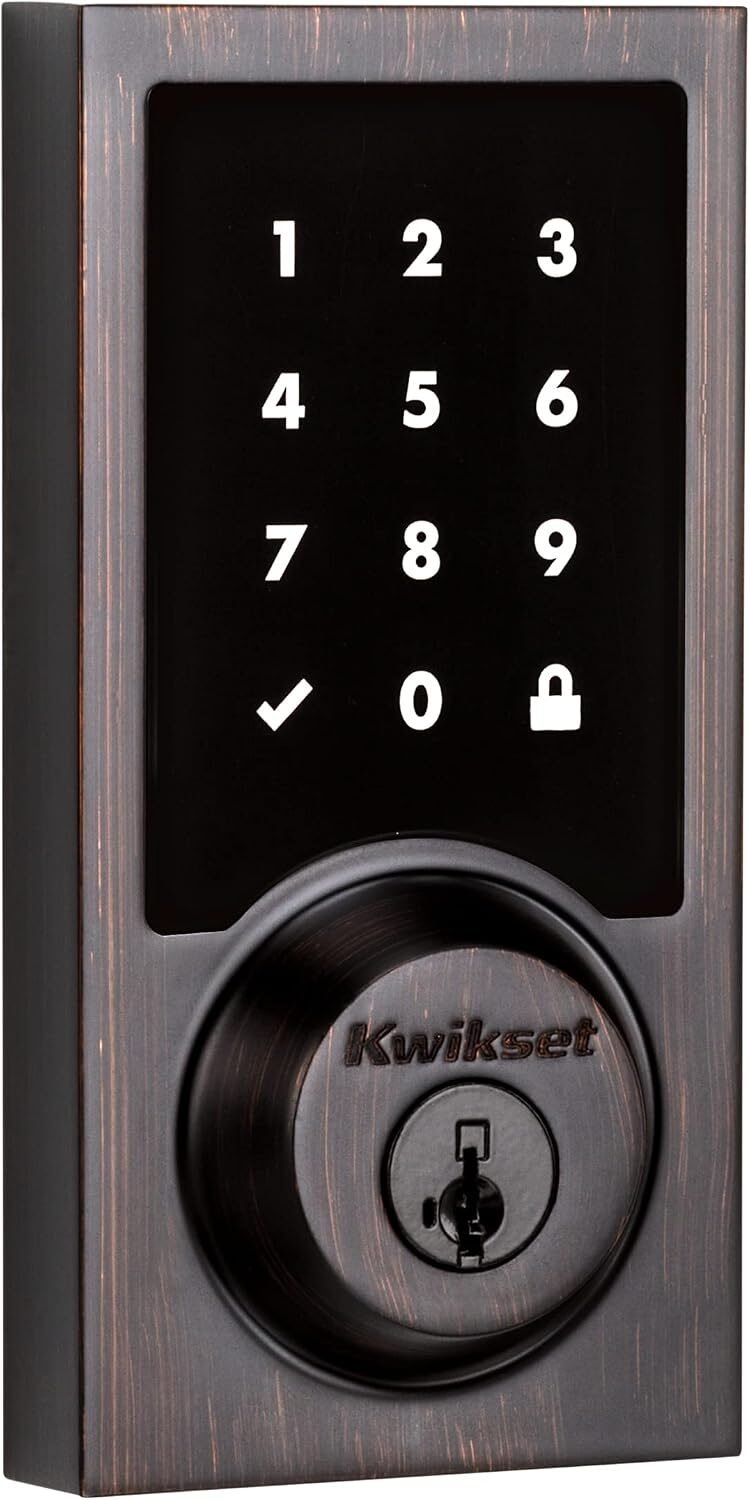
💵 BEST VALUE TOUCHSCREEN · ⭐ 4.4/58. Kwikset SmartCode 916 Z-Wave
Z-Wave · touchscreen · 30 codes · 30-second auto-lock · SmartKey rekey · Ring compatible
Buy →

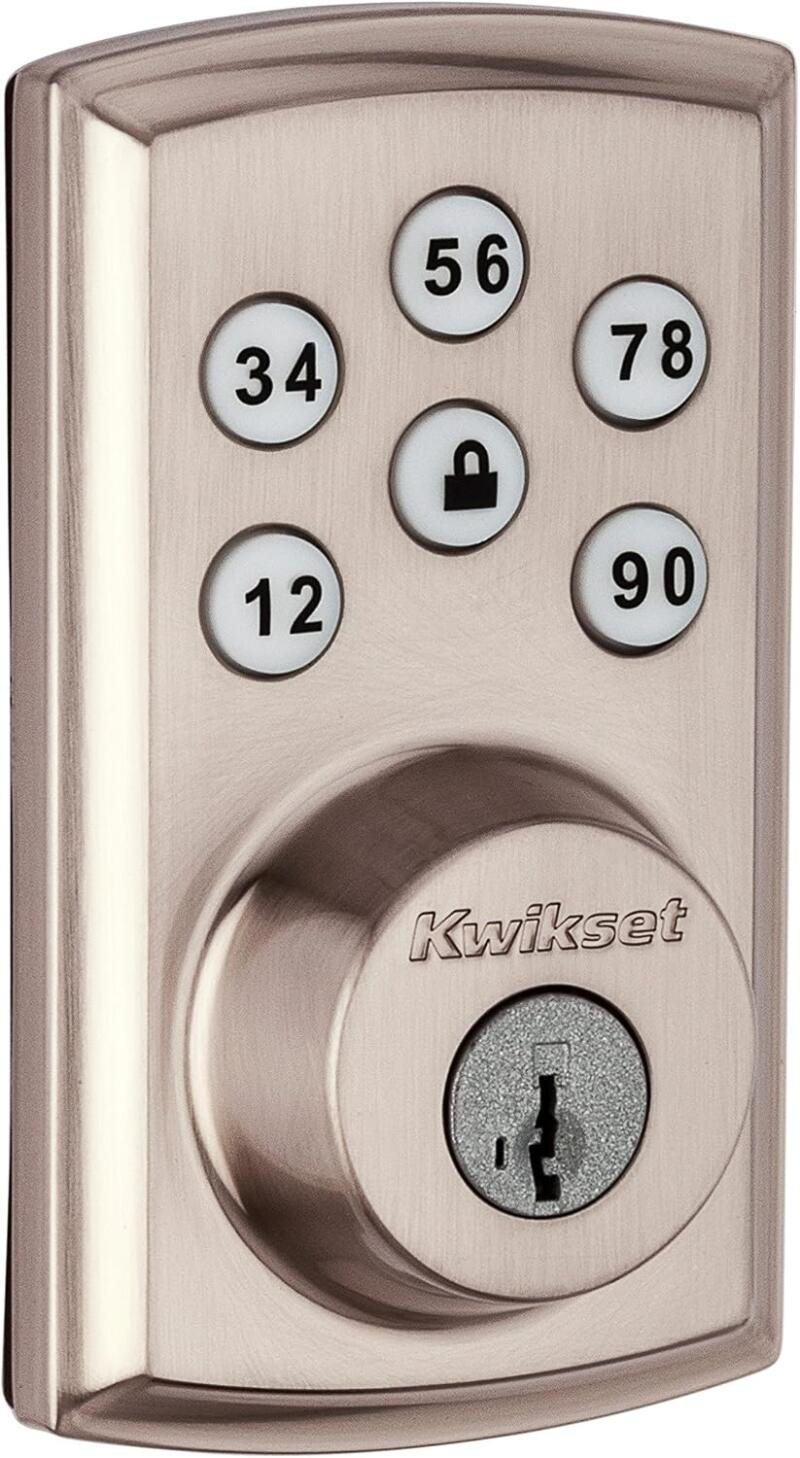
The Kwikset SmartCode 916 has been a staple of Z-Wave installs for years. Its fast, quiet motorized deadbolt sits behind an illuminated touchscreen with 30 user codes, a 30-second auto-lock option and Kwikset’s SmartKey cylinder so you can rekey it to your existing house key in seconds. It is listed as Ring compatible and works with Alexa and Google Assistant through a Z-Wave hub. It lacks Long Range and the 250-code memory of the HomeConnect line, but it is often the easiest touchscreen Z-Wave lock to find at a good price.
✅ Pros: Mature, well-supported lock; SmartKey rekey; quiet motor; good value.
❌ Cons: No Long Range; only 30 codes; older design.
🎯 Verdict: The best-value touchscreen Z-Wave lock, with years of hub support behind it.
🧰 BEST REKEYABLE KEYPAD · ⭐ 4.3/59. Kwikset SmartCode 914 (Z-Wave Plus)
Z-Wave Plus · push-button keypad · 30 codes · SmartKey · Alexa via hub · contemporary trim
Buy →

The SmartCode 914 is Kwikset’s push-button answer to the 916. This Z-Wave Plus version (model 99140-019) stores 30 codes, supports remote lock and unlock through any Z-Wave hub, and keeps Kwikset’s SmartKey rekeyable cylinder. The buttons are easy to feel in the dark and do not suffer from glare like a touchscreen. Be careful when ordering: Kwikset also sells the 914 in a Zigbee version, so stick with the Z-Wave Plus listing linked here.
✅ Pros: Tactile keypad; SmartKey rekey; broad hub support; clean contemporary look.
❌ Cons: Older Z-Wave Plus radio; 30 codes; easy to mix up with the Zigbee variant.
🎯 Verdict: A dependable push-button Z-Wave deadbolt for anyone who wants to keep their existing house key.
🏠 BEST CLASSIC TOUCHPAD · ⭐ 4.2/510. Kwikset SmartCode 888 (Z-Wave Plus)
Z-Wave Plus · touchpad deadbolt · 30 codes · SmartKey · auto-lock · model 98880-004
Buy →

The SmartCode 888 uses a traditional tall touchpad escutcheon that suits classic front doors and replaces older Kwikset keypads cleanly. The Z-Wave Plus version holds 30 codes, offers auto-lock, and keeps SmartKey rekeying. It is not the newest or most elegant option here, but it is a simple, proven lock that integrates with Home Assistant, Hubitat and SmartThings without fuss.
✅ Pros: Traditional look; SmartKey rekey; simple, proven Z-Wave Plus integration.
❌ Cons: Dated, bulky design; 30 codes; no S2 or Long Range advantages.
🎯 Verdict: A no-nonsense Z-Wave touchpad for traditional doors and like-for-like Kwikset swaps.
🚪 BEST FOR DOORS WITHOUT A DEADBOLT · ⭐ 4.3/511. Yale Assure Lever Keypad with Z-Wave
Z-Wave · smart lever · backlit keypad · auto-lock · single-hole doors · black suede
Buy →

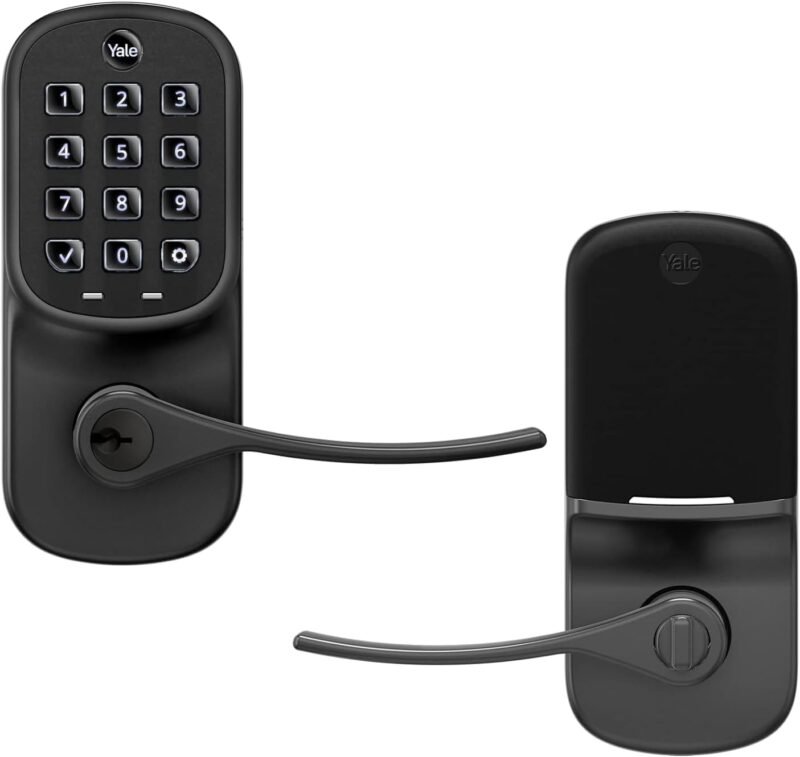
Not every door has a deadbolt. The Yale Assure Lever replaces an existing knob or lever on single-hole doors, which makes it perfect for garage entry doors, side doors, offices and interior rooms you want to secure. Its backlit keypad has numbers that will not wear off, it supports unique entry codes for everyone you trust, and auto-lock relocks the lever after use. Add it to a Z-Wave hub or alarm system for remote control and alerts.
✅ Pros: Fits doors with no deadbolt; durable backlit keypad; auto-lock.
❌ Cons: A lever latch is weaker than a deadbolt; not ideal as a main entry lock.
🎯 Verdict: The best Z-Wave option for garage, side and interior doors that only have a single lever hole.
🗝️ BEST KEY-FREE · ⭐ 4.2/512. Yale Assure SL with Z-Wave
Z-Wave · slim touchscreen · key-free deadbolt · backlit keypad · black suede
Buy →

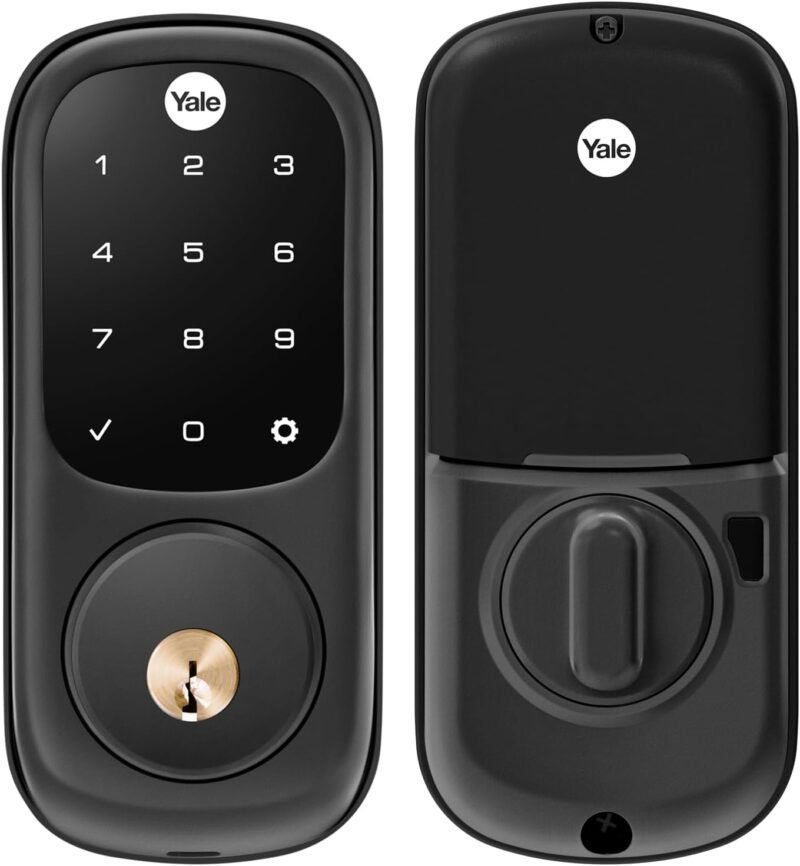
The Yale Assure SL is built for people who are done with keys. With no keyway on the outside, there is nothing to pick or bump, and the slim backlit touchscreen gives the door a clean, modern look. The Z-Wave version connects to SmartThings and other Z-Wave controllers for remote control and works with Alexa through a compatible hub. Because there is no key backup, keep fresh batteries in it and learn the emergency power procedure before you rely on it.
✅ Pros: No keyway to pick; minimalist look; mature Z-Wave support.
❌ Cons: No key backup if batteries die; older generation than Assure Lock 2.
🎯 Verdict: The best fully key-free Z-Wave deadbolt, for homes ready to ditch keys entirely.
🛒 How to Choose the Right Z-Wave Lock
🥇
Want the safest all-round choice?
Get the Schlage Connect: proven on every major hub, with a built-in alarm and tough hardware.
📡
Door far from the hub?
Pick the ULTRALOQ Bolt Z-Wave or a Kwikset HomeConnect lock for Z-Wave Long Range reach.
🔔
Running Ring Alarm?
The Kwikset HomeConnect 620 is listed as Ring Alarm compatible and holds 250 codes.
👆
Hate remembering codes?
The Yale Assure Lock 2 Touch adds a fingerprint reader to a Z-Wave deadbolt.
💵
Want to keep your house key?
Kwikset SmartCode 916 or 914 rekey to your existing key in seconds with SmartKey.
🚪
Door has no deadbolt?
Use the Yale Assure Lever for garage entry, side and interior doors.
⚙️ Key Specs Compared: Side by Side
| Spec | Schlage Connect | ULTRALOQ Bolt Z-Wave | Kwikset HC 620 | Yale Assure 2 Touch | Kwikset 916 |
|---|
| Z-Wave Radio | Z-Wave Plus | 800 series (ZG28) ⭐ | 700 series | Z-Wave module | Z-Wave |
| Long Range | No | Yes ⭐ | Yes ⭐ | No | No |
| Entry Method | Touchscreen | Keypad | Keypad | Fingerprint + keypad ⭐ | Touchscreen |
| User Codes | 30 | See listing | 250 ⭐ | App-managed | 30 |
| Security Rating | Top residential grade ⭐ | BHMA Grade 1 ⭐ | BHMA Grade 2 | See listing | See listing |
| Built-in Alarm | Yes ⭐ | No | No | No | No |
| Rekey / Key Backup | Key backup | Key backup | SmartKey rekey ⭐ | Key backup | SmartKey rekey ⭐ |
| Weather Rating | Not listed | IP65 ⭐ | Not listed | Not listed | Not listed |
Specs are taken from the live Amazon listings and manufacturer information and can change between production runs. Always confirm details on the listing before buying.
❓ Frequently Asked Questions
Do Z-Wave smart locks need a hub?
Yes. A Z-Wave lock has no Wi-Fi, so remote control, alerts and automations come from a Z-Wave controller: Home Assistant with a Z-Wave USB stick, Hubitat, SmartThings, Homey, Ring Alarm or a pro alarm panel such as Alarm.com. Without a hub it still works as a normal keypad deadbolt. Yale models can also use their own app over Bluetooth for some features. If you are still choosing a controller, see our guide to the best Z-Wave hubs and USB sticks.
What is the difference between Z-Wave Plus and Z-Wave Long Range?
Classic Z-Wave and Z-Wave Plus use a mesh: messages hop through powered devices like plugs and switches. Battery locks never act as repeaters, so a lock at the edge of the house depends on a nearby powered node. Z-Wave Long Range (supported by 700 and 800 series chips) uses a star topology where the lock talks straight to the controller over a much longer distance. To use it, your controller and stick must support Long Range; otherwise most LR locks fall back to normal mesh Z-Wave.
Are Z-Wave locks secure against hacking?
Modern Z-Wave locks use encrypted commands. Newer models with S2 security use elliptic-curve key exchange and per-device keys, which defeats replay and sniffing attacks that affected some very old S0 devices. For best results, include the lock with S2 (enter the DSK PIN or scan the SmartStart QR code), keep hub firmware updated, and remember that physical strength (BHMA grade, strike plate, long screws into the frame) matters as much as radio security.
Will a US Z-Wave lock work in Europe or the UK?
No. Z-Wave uses different frequencies by region (around 908 MHz in the US and Canada, around 868 MHz in Europe and the UK), and the lock must match your controller. Every lock in this guide is a US-market product, and Yale explicitly says its Z-Wave Assure models will not work outside the US or Canada. US deadbolts also assume North American door prep (2-1/8 in. bore with 2-3/8 in. or 2-3/4 in. backset).
How long do the batteries last, and what if they die?
Most of these locks run on four AA batteries and last roughly 6 to 12 months depending on traffic, signal quality and features like auto-lock. Your hub will report battery level and most locks warn you at the keypad as it drops. If the batteries die completely, keyed models open with the physical key, while key-free locks rely on an emergency external power method described in the manual. Check the manual before using lithium cells, since some manufacturers recommend them and others advise alkaline.
🏁 Final Verdict: Best Z-Wave Lock for Every Door
The right Z-Wave smart lock for every home and hub:
🥇 Best Overall: Schlage Connect, proven Z-Wave Plus, built-in alarm, top-grade hardware
Buy →🏅 Best Long Range: ULTRALOQ Bolt Z-Wave, 800 series LR, BHMA Grade 1, IP65
Buy →🔔 Best for Ring Alarm: Kwikset HomeConnect 620, Z-Wave LR, 250 codes, SmartKey
Buy →👆 Best Fingerprint: Yale Assure Lock 2 Touch, fingerprint and keypad with Z-Wave module
Buy →💵 Best Value: Kwikset SmartCode 916, touchscreen Z-Wave lock with SmartKey rekey
Buy →🚪 Best Lever: Yale Assure Lever, Z-Wave keypad lever for doors without a deadbolt
Buy →Every lock in this list earns its place, but for most Z-Wave homes the Schlage Connect is the one to buy: it just works on every hub and adds a real alarm. If your door is far from the rest of your mesh or you are building around a newer controller, the ULTRALOQ Bolt Z-Wave and Kwikset’s HomeConnect 620 and 918 bring Long Range and S2 to the front door. Yale’s Assure Lock 2 family wins on design and fingerprint entry, Kwikset’s SmartCode line keeps your existing keys, and the Assure Lever covers doors with no deadbolt. Comparing other protocols? Read our best Matter smart door locks guide, see how to bring Z-Wave devices into Matter with the best Matter bridges for Zigbee and Z-Wave, or build your own controller with our Home Assistant hardware guide. For more hands-on builds, explore our ESP32, Arduino and Raspberry Pi tutorials.
💬 Not sure which Z-Wave lock fits your door? Tell us your hub (Home Assistant, Hubitat, SmartThings or Ring) and your door type in the comments below, and we’ll point you to the right pick.
All Amazon links above use our affiliate tag (microlab05-20). Purchasing through them supports microcontrollerslab.com at no extra cost to you. Prices and availability change frequently, so always confirm the current price on Amazon before buying.