⚠️ Affiliate Disclosure: This post contains Amazon affiliate links. If you purchase through our links, we may earn a small commission at no extra cost to you. Every hub below was checked against its live Amazon listing and the manufacturer’s own specifications. Prices change constantly, so we deliberately don’t print them here. Tap through to see the current price on Amazon before buying.
Ultimate Buying Guide
📡 Best Z-Wave Hubs & USB Sticks
12 Z-Wave hubs, controllers and USB sticks for locks, dimmers and sensors, ranked by a firmware engineer who ships certified smart home products.
✅ 12 Hubs Reviewed
✅ Verified Amazon Listings
✅ 800 Series & Long Range
✅ Honest Pros & Cons
Z-Wave is still the protocol of choice for the devices that matter most in a smart home: deadbolts, in-wall dimmers, garage door controllers, water shut-off valves and battery sensors that need to run for years. It works on a sub-GHz band (908.42 MHz in the US) that stays clear of crowded 2.4 GHz Wi-Fi, punches through walls better, and every certified device interoperates with every certified controller. The catch is that no phone, Wi-Fi router or Echo speaker has a Z-Wave radio. You need a Z-Wave hub.
That hub can be an all-in-one box with its own app, or a small USB stick that turns a Home Assistant server into a controller. Already have a server and only need a radio? Jump to our 12 best Z-Wave USB sticks. This guide compares 12 of the best Z-Wave hubs on the things that decide how your network behaves for the next decade: Z-Wave chip generation, Z-Wave Long Range support, local versus cloud control, the extra radios you get, and how much tinkering the setup needs.
💡 Reality check before you buy: Z-Wave is regional. A US hub runs on 908.42 MHz and only talks to US-frequency devices, so buy the hub and devices for the same region. Z-Wave Long Range is the headline feature of new hardware, but you only benefit if the hub has an 800-series radio and your devices support LR. Moving an existing network to a new hub usually means re-pairing devices, so pick a platform you plan to keep. USB sticks are cheap and powerful, but they are only radios: you still need Home Assistant (or similar software) running on a computer 24/7. Finally, some hubs here depend on the cloud, so check what keeps working when your internet goes down.
Table of Contents
- Quick Comparison: All 12 Z-Wave Hubs
- What to Look for in a Z-Wave Hub
- Detailed Reviews: All 12 Z-Wave Hubs
- How to Choose the Right Z-Wave Hub
- Key Specs Compared: Side by Side
- Frequently Asked Questions
- Final Verdict: Best Z-Wave Hub for Every Setup
- Best Z-Wave USB Sticks: 12 Controllers for Home Assistant, Z-Wave JS & HomeSeer
- Quick Comparison: 12 Z-Wave USB Sticks & Radios
- What to Look for in a Z-Wave USB Stick
- Z-Wave USB Stick Reviews
- Which Z-Wave USB Stick Should You Buy?
- Top Z-Wave Sticks: Specs Side by Side
- Z-Wave USB Stick FAQ
- Final Verdict: Best Z-Wave USB Stick for Every Setup
📡 Quick Comparison: All 12 Z-Wave Hubs
| Hub | Type | Z-Wave | Other Radios | Best For | Buy |
|---|
| 🥇 Hubitat Elevation C-8 Pro | Standalone hub | 800 series + LR | Zigbee 3.0, Matter, BLE | Best Overall | Buy Here → |
| 🏅 Homey Pro (2026) | Standalone hub | Z-Wave Plus | Zigbee, Thread, Matter, BLE, IR | Best Premium All-in-One | Buy Here → |
| 🟦 Aeotec Smart Home Hub | SmartThings hub | Z-Wave Plus, S2 | Zigbee, Matter, Thread | Best for SmartThings | Buy Here → |
| 🛠️ Home Assistant Green | HA host (add a radio) | Via USB radio | Via USB radios | Best DIY Platform | Buy Here → |
| 📶 HA Connect ZWA-2 | USB radio | 800 series + LR | None | Best Radio for Home Assistant | Buy Here → |
| 💲 Zooz ZST39 LR | USB stick | 800 series + LR | None | Best Budget 800 Stick | Buy Here → |
| 🔀 Aeotec Z-Stick 10 Pro | USB stick | 800 series + LR | Zigbee 3.0 | Best Z-Wave + Zigbee Stick | Buy Here → |
| 🌐 SONOFF Dongle Max MZG23 | Network radio | 800 series + LR | None (Ethernet/PoE, Wi-Fi) | Best PoE Z-Wave Adapter | Buy Here → |
| 💜 Homey Pro (Early 2023) | Standalone hub | Z-Wave Plus | Zigbee, Thread, Matter, BLE, IR | Best Value Homey | Buy Here → |
| ⬛ Ezlo Plus | Standalone hub | 700 series, S2 | Zigbee 3.0, Wi-Fi | Best for Vera Upgraders | Buy Here → |
| 🔌 Homey Bridge | Cloud hub / add-on | Z-Wave Plus | Zigbee, BLE, IR, Wi-Fi | Cheapest Way Into Z-Wave | Buy Here → |
| 🧷 Aeotec Z-Stick 7 Plus | USB stick | 700 series, S2 | None | Best for Raspberry Pi Builds | Buy Here → |
“Z-Wave” shows the controller chip generation and Long Range (LR) support from each maker’s specifications. Prices are left out on purpose because they change daily; tap Buy Here to see the live price on Amazon.
🔍 What to Look for in a Z-Wave Hub
🧠
Z-Wave Chip Generation
800-series controllers (Silicon Labs EFR32ZG23) are the current generation, with better range, lower power and native Long Range. 700-series hubs still work well with every certified device, but an 800-series radio is the safer long-term buy.
📶
Z-Wave Long Range
LR devices talk directly to the hub in a star topology over far longer distances than mesh hops, which is ideal for a detached garage, mailbox sensor or well pump. Both the hub and the device must support LR.
🏠
Local vs Cloud Control
Hubitat, Homey Pro, Ezlo and Home Assistant run automations on the hub itself, so locks and lights keep working when the internet drops. Cloud-dependent hubs like Homey Bridge stop running automations until the connection returns.
🧩
Hub or USB Stick?
A standalone hub includes the software and app. A USB stick is just the radio and needs Home Assistant, HomeSeer or similar running on an always-on computer. Sticks are cheaper and more flexible; hubs are simpler.
🔐
S2 Security and SmartStart
S2 encrypts traffic to locks and garage controllers, and SmartStart lets you add devices by scanning a QR code. Every hub in this guide supports S2; make sure your software exposes SmartStart if you plan to add many devices.
🏆 Detailed Reviews: All 12 Z-Wave Hubs
🥇 BEST OVERALL Z-WAVE HUB
1. Hubitat Elevation C-8 Pro
⭐ 4.8/5 · Fast, Local, No Subscription
Buy on Amazon →

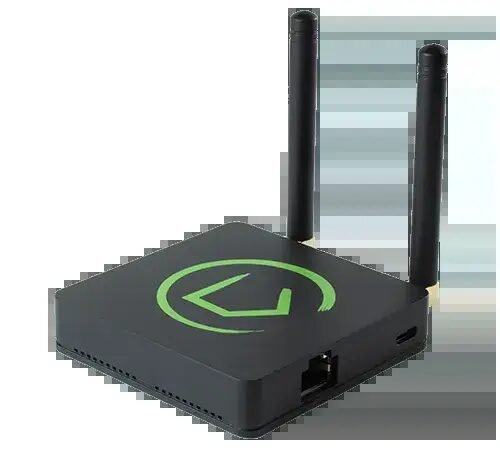
The Hubitat Elevation C-8 Pro is the Z-Wave hub we would buy for our own home. It pairs an 800-series Z-Wave radio with Long Range and a Zigbee 3.0 radio, each on its own external antenna, with a 2.0 GHz processor and 2 GB of RAM, double the standard C-8. Every automation runs locally on the hub, so a lock schedule or a motion-triggered light fires in milliseconds and keeps working when your internet is down. It also acts as a Matter controller, connects over Ethernet or Wi-Fi, and integrates with Apple Home, Alexa and Google Home. Built-in apps like Room Lighting and Rule Machine scale from simple routines to genuinely complex logic, and you can write your own Groovy drivers. There is no required subscription; the optional Hub Protect plan adds cloud backups and an extended warranty.
✅ Pros- 800-series Z-Wave with Long Range
- Fully local, fast automations
- External antennas for big homes
- No mandatory subscription
❌ Cons- Web interface feels utilitarian
- Learning curve for advanced rules
- Not a Matter bridge for Z-Wave devices
🎯 Verdict: The best dedicated Z-Wave hub you can buy: modern radio, local processing and the power to grow with you, without a monthly fee.
👉 Check Price on Amazon →
🏅 BEST PREMIUM ALL-IN-ONE HUB

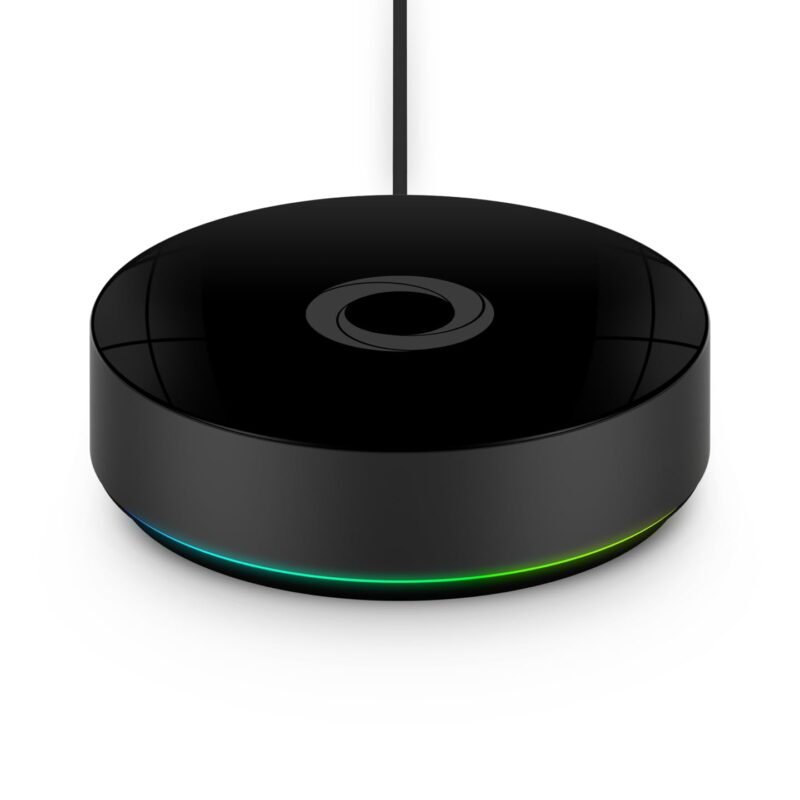
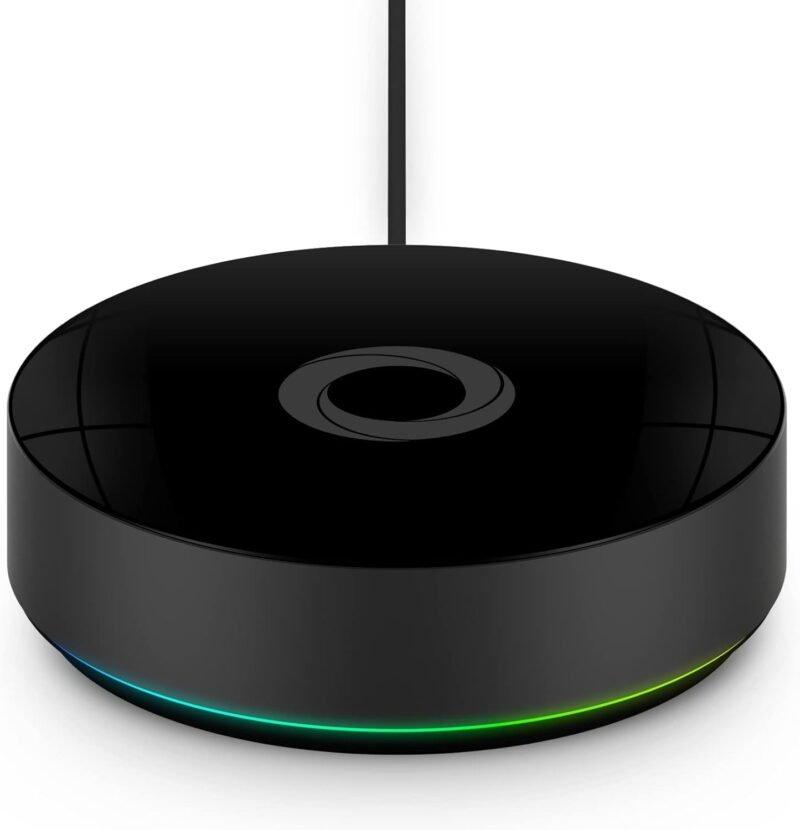
If you want Z-Wave without ever opening a web console, the Homey Pro (2026) is the most polished hub here. It builds Z-Wave Plus, Zigbee, Wi-Fi, Bluetooth LE, infrared, Thread and Matter into one glowing puck, and the Homey app is genuinely friendly: add a Z-Wave lock, drag it into a Flow, done. Automations run locally on the hub, the 2026 model doubles the RAM of the previous generation for large installs, and thousands of brand apps cover cloud and LAN devices too. A standout extra is Homey’s official Matter Bridge app, which can expose your Z-Wave devices to Apple Home, Google Home or Alexa, something Hubitat cannot do. The trade-offs are price, a Wi-Fi-first design (Ethernet needs a separate adapter), and the fact that Homey does not advertise Z-Wave Long Range.
✅ Pros- Seven radios in one hub
- Easiest app in this guide
- Local automations with Homey Flow
- Can bridge Z-Wave devices to Matter
❌ Cons- Most expensive hub here
- Ethernet adapter sold separately
- No advertised Z-Wave Long Range
🎯 Verdict: The best premium choice for a mixed Z-Wave, Zigbee and Matter home where ease of use matters more than tinkering.
👉 Check Price on Amazon →
🟦 BEST FOR SMARTTHINGS · ⭐ 4.5/53. Aeotec Smart Home Hub
SmartThings hub · Z-Wave Plus with S2 · Zigbee · Matter · Thread border router · Wi-Fi or Ethernet
Buy Here →

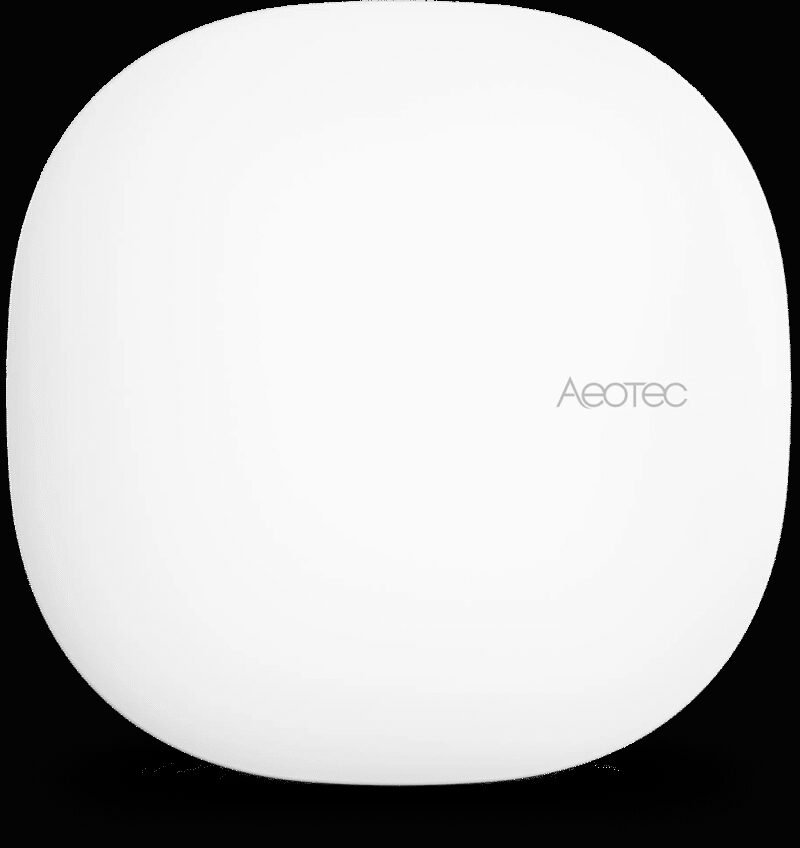
The Aeotec Smart Home Hub is the official successor to Samsung’s own SmartThings hubs, and the simplest way to get Z-Wave into the SmartThings app. Aeotec rates it for up to 100 Z-Wave and 100 Zigbee devices with S2 security, and it doubles as a Matter controller and Thread border router. Setup happens entirely in the SmartThings app on Android or iOS, and many automations now run locally on the hub through SmartThings Edge drivers, with Alexa and Google Home integration out of the box. Owners of a Samsung v2 or v3 hub can transfer devices directly. One important detail from the Amazon listing: Z-Wave Plus support is specific to the V3 model, so confirm the variant before you check out.
✅ Pros: Easiest setup; huge SmartThings device catalog; Matter and Thread included; Ethernet or Wi-Fi.
❌ Cons: Cloud account required; no Z-Wave Long Range; less control than Hubitat or HA.
🎯 Verdict: The right Z-Wave hub if your household already lives in the SmartThings app.
🛠️ BEST DIY PLATFORM · ⭐ 4.5/54. Home Assistant Green
Official HA hardware · Rockchip RK3566 · 4 GB RAM · 32 GB eMMC · Ethernet · 2× USB for radios
Buy Here →

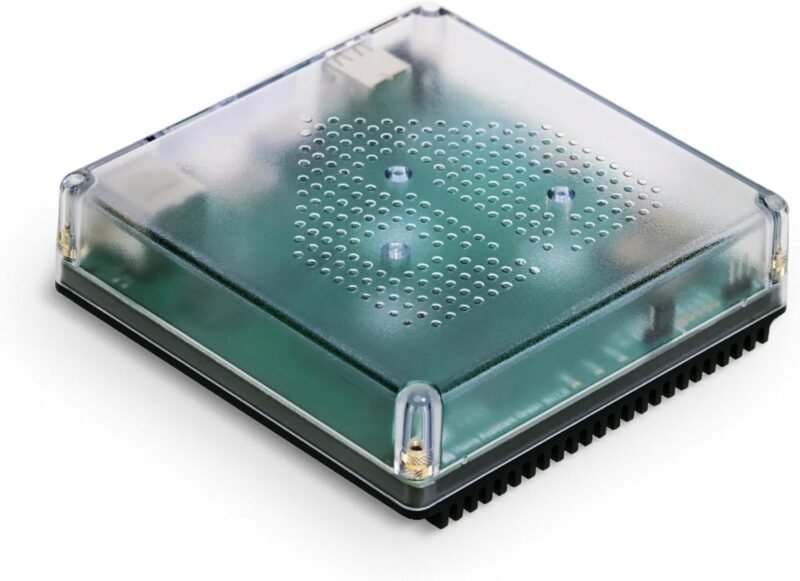
Home Assistant Green is not a Z-Wave hub out of the box; it is the official plug-and-play Home Assistant computer, and it becomes the most capable Z-Wave controller in this guide the moment you plug in a radio such as the ZWA-2 (pick #5) or a Zooz stick (pick #6). Home Assistant’s Z-Wave JS integration is one of the most complete Z-Wave stacks available: SmartStart QR inclusion, S2, OTA firmware updates for devices, network health maps and Long Range support on 800-series radios. Because HA also talks to Zigbee, Matter, ESPHome and thousands of cloud and LAN integrations, a Green plus a Z-Wave stick replaces several hubs at once, entirely locally.
✅ Pros: Best-in-class Z-Wave JS stack; fully local; endless integrations; no subscription.
❌ Cons: Z-Wave radio sold separately; steeper learning curve; no Wi-Fi on the box.
🎯 Verdict: The best foundation for a DIY Z-Wave network. Budget for a USB radio alongside it.
📶 BEST RADIO FOR HOME ASSISTANT · ⭐ 4.5/55. Home Assistant Connect ZWA-2
Certified 800-series Z-Wave · Z-Wave Long Range · tuned antenna and base · USB
Buy Here →

The Connect ZWA-2 is Home Assistant’s own Z-Wave radio, designed by the team behind Home Assistant and Z-Wave JS. Inside is a certified 800-series chipset with Long Range, and instead of a bare USB stick you get an antenna and base precisely tuned to Z-Wave’s sub-GHz wavelength, which lets you place it on a cable away from the USB noise of your server. Setup in Home Assistant is close to automatic, and Nabu Casa says migrating from most other Z-Wave adapters takes a couple of clicks thanks to Z-Wave JS’s network backup and restore. It only works with a Home Assistant system, which is the point: it is the most integrated way to run Z-Wave on HA.
✅ Pros: Official HA hardware; 800 series with LR; tuned antenna; easy migration.
❌ Cons: Needs a Home Assistant host; Z-Wave only; pricier than a basic stick.
🎯 Verdict: The best Z-Wave radio for Home Assistant. Pair it with a Green for the cleanest DIY setup.
💲 BEST BUDGET 800-SERIES STICK · ⭐ 4.4/56. Zooz ZST39 LR 800 Series USB Stick
800-series Z-Wave · Long Range · S2 · OTA firmware · Home Assistant (Z-Wave JS), HomeSeer
Buy Here →
The Zooz ZST39 LR is the go-to 800-series stick for DIY users who want modern Z-Wave without paying for a full hub. It adds Z-Wave Plus and Z-Wave Long Range to Home Assistant (through Z-Wave JS) or HomeSeer, supports OTA updates of its own firmware, and comes from a brand that makes many of the most popular Z-Wave switches and sensors. Zooz is upfront that this stick is for advanced users: you need a dedicated, always-on computer and some comfort with Z-Wave software. Tip from experience: plug it into a short USB extension cable rather than straight into a Raspberry Pi or mini PC, because USB 3.0 ports radiate noise that can hurt range.
✅ Pros: Affordable 800-series radio; Long Range; trusted Z-Wave brand; works with Z-Wave JS.
❌ Cons: Advanced users only; needs a host computer; use an extension cable for best range.
🎯 Verdict: The best-value way to add 800-series Z-Wave with Long Range to an existing Home Assistant server.
🔀 BEST Z-WAVE + ZIGBEE STICK · ⭐ 4.4/57. Aeotec Z-Stick 10 Pro
Z-Wave 800 (EFR32ZG23) with LR · Zigbee 3.0 (EFR32MG21) · slim USB · Z-Wave JS, Zigbee2MQTT, ZHA
Buy Here →

The Aeotec Z-Stick 10 Pro puts two Silicon Labs radios in one slim USB stick: an 800-series EFR32ZG23 for Z-Wave with Long Range and an EFR32MG21 for Zigbee 3.0. For a Home Assistant user starting from scratch, that means one USB port covers both mesh protocols, with Z-Wave JS on one side and ZHA or Zigbee2MQTT on the other. Aeotec quotes more than 70 m indoor range for the US Z-Wave mesh and over 100 m indoors on Long Range, and the slim body leaves neighbouring USB ports free. Buy the US version (ZWA060-A, 908.42 MHz) for North American devices.
✅ Pros: Z-Wave 800 LR and Zigbee in one stick; current Silicon Labs chips; compact.
❌ Cons: Both radios share one spot, so placement is a compromise; needs host software.
🎯 Verdict: The best single stick for a new Home Assistant build that needs both Z-Wave and Zigbee.
🌐 BEST PoE Z-WAVE ADAPTER · ⭐ 4.3/58. SONOFF Z-Wave 800 PoE Dongle Max (MZG23)
EFR32ZG23 + ESP32 · Ethernet (PoE), Wi-Fi or USB · Long Range · dual antennas · local web console
Buy Here →
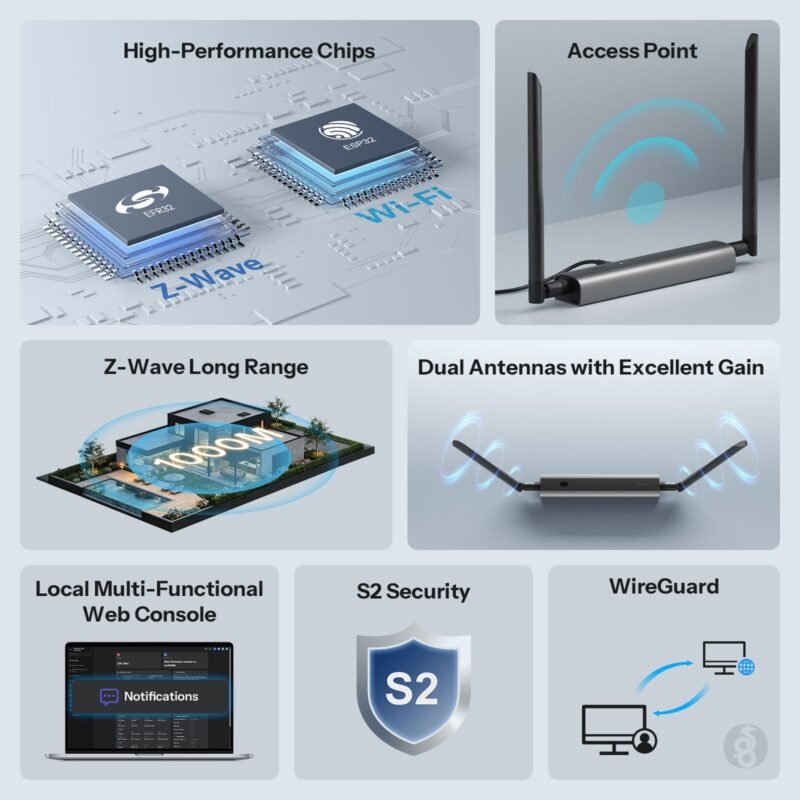
The SONOFF Dongle Max MZG23 solves a real problem: your Home Assistant server lives in a closet or basement, but your Z-Wave devices are spread around the house. This 800-series Z-Wave radio connects over Ethernet with PoE, Wi-Fi or USB, so you can mount it in the middle of the house on a single network cable and point Z-Wave JS at it over the LAN. It supports S2 and Long Range, uses two adjustable external antennas, and runs a local web console for status, settings and firmware updates. SONOFF lists Home Assistant, openHAB and Z-Wave JS as supported platforms, and the aluminium case is built for damp basements. It is newer than the other sticks here, so expect firmware to keep evolving.
✅ Pros: Place the radio anywhere on PoE; 800 series with LR; local web console; tough case.
❌ Cons: Network Z-Wave adds a dependency on your LAN; only SONOFF firmware can be flashed.
🎯 Verdict: The best Z-Wave adapter when your server sits far from your devices. One PoE cable fixes your coverage.
💜 BEST VALUE HOMEY · ⭐ 4.3/59. Homey Pro (Early 2023)
Z-Wave Plus · Zigbee · Wi-Fi · BLE · IR · Matter + Thread · local Homey Flow
Buy Here →

The Homey Pro (Early 2023) has the same radio line-up as the 2026 model, including built-in Z-Wave Plus and Zigbee, and runs the same app, Flow automations and Matter Bridge app. What you give up is the newer model’s doubled RAM, which mostly matters if you plan to run a very large number of devices and Homey apps. As the previous generation it is often the cheaper way into Homey, so compare its live price against the 2026 model before you choose.
✅ Pros: Full Homey experience; same radios; local automations; usually cheaper.
❌ Cons: Less RAM for big installs; older hardware; Ethernet adapter extra.
🎯 Verdict: The value pick for Homey fans who want an easy multi-radio Z-Wave hub.
⬛ BEST FOR VERA UPGRADERS · ⭐ 4.0/510. Ezlo Plus Smart Home Hub
Z-Wave 700 series · Zigbee 3.0 · quad-core ARM · 512 MB RAM · Ethernet + dual-band Wi-Fi · MiOS app
Buy Here →

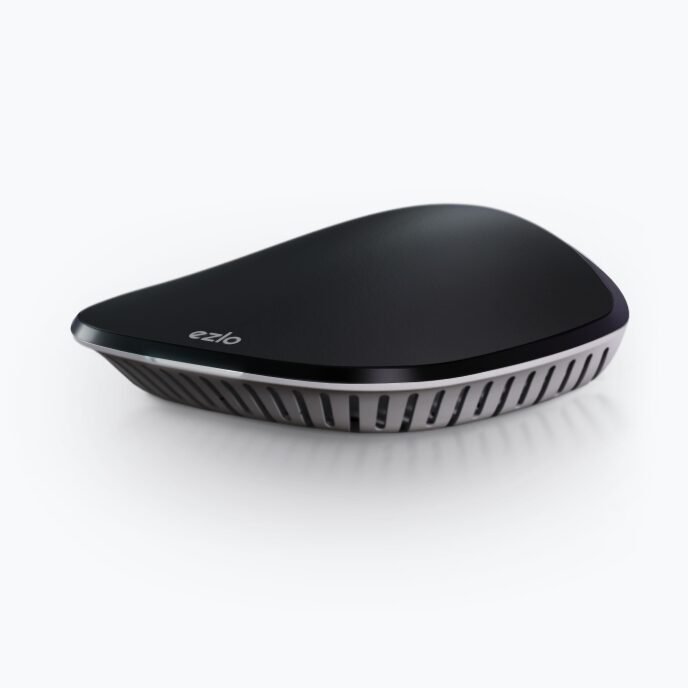
Ezlo is the company that took over the long-running Vera platform, and the Ezlo Plus is its current consumer hub. It has a Z-Wave 700-series radio with S2 and SmartStart, Zigbee 3.0, Ethernet and dual-band Wi-Fi, and runs automations (called MeshBots) locally first, so they keep working offline. The MiOS app handles setup and remote access, and Alexa and Google Assistant integrations are built in, with no monthly fees for core features. It is a sensible upgrade path for former VeraPlus owners. Compared with Hubitat it uses an older Z-Wave generation and has a smaller community, so we rank it lower for new buyers.
✅ Pros: Local MeshBot automations; Z-Wave and Zigbee; Ethernet and 5 GHz Wi-Fi; no fees.
❌ Cons: 700-series Z-Wave; modest 512 MB RAM; smaller community than Hubitat or HA.
🎯 Verdict: A solid local hub, best suited to Vera veterans moving to newer hardware.
🔌 CHEAPEST WAY INTO Z-WAVE · ⭐ 3.9/511. Homey Bridge
Z-Wave Plus · Zigbee · BLE · IR · Wi-Fi · works with Homey Cloud, adds Z-Wave to Homey Pro mini
Buy Here →

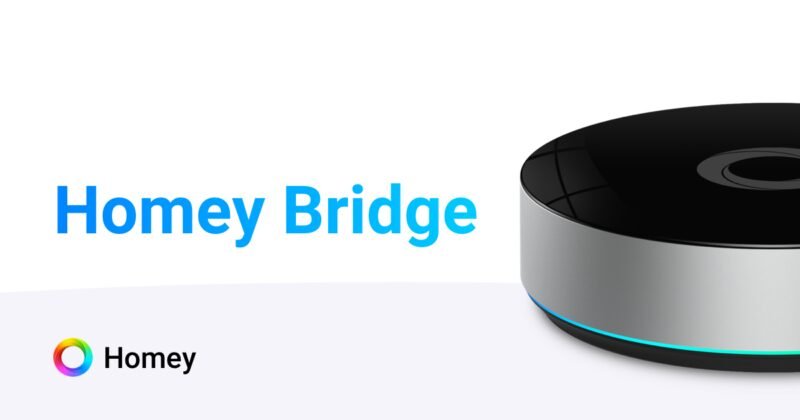
The Homey Bridge is the lowest-cost hub here with a built-in Z-Wave radio, alongside Zigbee, Bluetooth, infrared and Wi-Fi (433 MHz is switched off in the US). Paired with the free Homey Cloud service it gives you the friendly Homey app and Flow automations, with Homey quoting roughly 240 Z-Wave and 50 Zigbee devices. Read the fine print, though: Homey Cloud needs a Homey Premium subscription beyond five devices (three months are included), and because the Bridge depends on the cloud, Flows stop when your internet goes down. Its second job is more interesting for this guide: it adds Z-Wave to a Homey Pro mini, which has no Z-Wave radio of its own.
✅ Pros: Low entry cost; six radios; Homey app; extends Homey Pro and Pro mini.
❌ Cons: Cloud-dependent; subscription past five devices; automations stop offline.
🎯 Verdict: Fine for a handful of devices or as a Homey add-on. For locks and security, buy a local hub instead.
🧷 BEST FOR RASPBERRY PI BUILDS · ⭐ 4.0/512. Aeotec Z-Stick 7 Plus
Gen7 / 700-series Z-Wave · S2 · SmartStart · USB for Raspberry Pi, Windows, Mac, Linux
Buy Here →

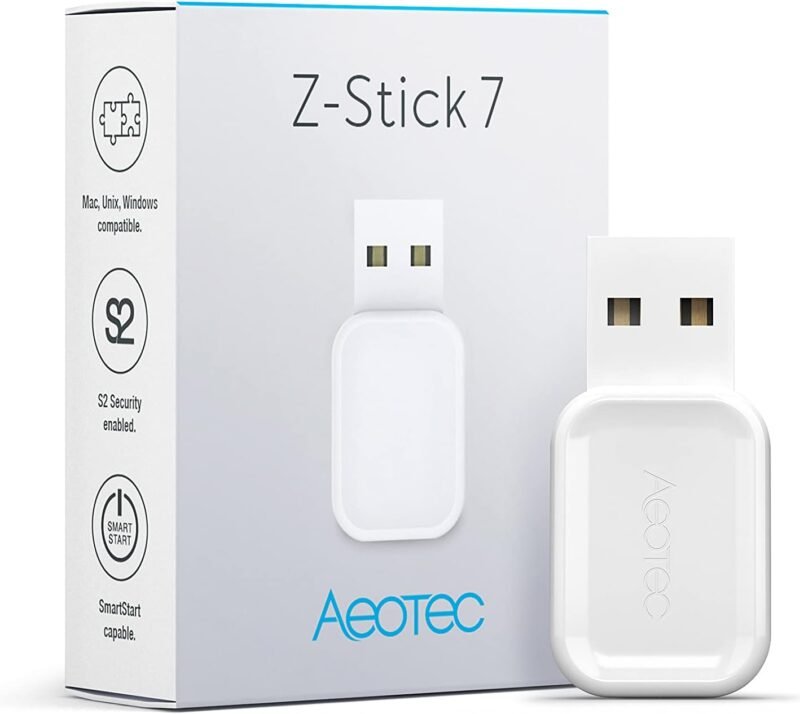
The Aeotec Z-Stick 7 Plus is a proven 700-series USB controller that turns a Raspberry Pi, mini PC or NAS into a Z-Wave hub with Home Assistant, Indigo or other Z-Wave software. It supports S2 security and SmartStart, and Aeotec claims up to 250% more open-air range than its previous Gen5 stick. No software is included, and there is no Long Range or Zigbee, which is why the Zooz ZST39 or Aeotec’s own Z-Stick 10 Pro are better buys for a brand-new network. It still makes sense as a well-documented replacement for an existing 700-series setup.
✅ Pros: Mature, well-supported stick; S2 and SmartStart; works on every OS.
❌ Cons: Previous-generation 700 series; no Long Range; no software included.
🎯 Verdict: A dependable choice for existing 700-series builds. New networks should start with an 800-series stick.
🛒 How to Choose the Right Z-Wave Hub
🏆
Want a reliable, local hub?
Get the Hubitat Elevation C-8 Pro. 800-series Z-Wave with Long Range, local automations and no subscription.
✨
Want the easiest app?
The Homey Pro (2026), or the Early 2023 model if it is cheaper. Every radio, friendliest setup.
📱
Already use SmartThings?
The Aeotec Smart Home Hub is the official SmartThings hardware. Check you are getting the V3 Z-Wave model.
🛠️
Building on Home Assistant?
Home Assistant Green plus a ZWA-2, or a Zooz ZST39 if you already run HA on a mini PC.
🔀
Need Z-Wave and Zigbee on one port?
The Aeotec Z-Stick 10 Pro packs both radios, with 800-series Z-Wave and Long Range.
🌐
Server far from your devices?
Mount a SONOFF Dongle Max MZG23 centrally on one PoE cable and connect Z-Wave JS over the network.
⚙️ Key Specs Compared: Side by Side
| Spec | Hubitat C-8 Pro | Homey Pro (2026) | Aeotec Smart Home Hub | HA Green + ZWA-2 | Zooz ZST39 LR |
|---|
| Z-Wave Generation | 800 series ⭐ | Z-Wave Plus | Z-Wave Plus (V3) | 800 series ⭐ | 800 series ⭐ |
| Z-Wave Long Range | Yes ⭐ | Not advertised | No | Yes ⭐ | Yes ⭐ |
| Other Radios | Zigbee 3.0, BLE, Matter | Zigbee, Thread, BLE, IR, Wi-Fi ⭐ | Zigbee, Thread, Matter | Add more USB radios | None |
| Network Link | Ethernet + Wi-Fi ⭐ | Wi-Fi (Ethernet adapter) | Ethernet + Wi-Fi ⭐ | Ethernet | USB to host |
| Local Automations | Fully local ⭐ | Fully local ⭐ | Partly (Edge drivers) | Fully local ⭐ | Depends on host software |
| Skill Level | Moderate | Easy ⭐ | Easy ⭐ | Advanced | Advanced |
Specifications are taken from each Amazon listing and the maker’s own product pages. Features change with firmware, so confirm details on the live listing before buying.
❓ Frequently Asked Questions
Do I need a hub for Z-Wave devices?
Yes. Z-Wave devices cannot join Wi-Fi directly, and phones, routers and smart speakers like Echo or Nest do not contain a Z-Wave radio. Every Z-Wave network needs exactly one primary controller: a standalone hub such as Hubitat, Homey Pro or a SmartThings hub, or a USB stick running under Home Assistant or similar software. That controller then connects your Z-Wave devices to apps and voice assistants.
What is Z-Wave Long Range, and do I need an 800-series hub?
Z-Wave Long Range (LR) lets devices talk directly to the controller in a star topology over much longer distances than a normal mesh hop, and it raises the device limit far beyond classic Z-Wave’s 232 nodes. It is natively supported by 800-series controllers like the Hubitat C-8 Pro, ZWA-2, Zooz ZST39, Z-Stick 10 Pro and SONOFF MZG23. Your devices also need LR support, so it pays off most for new installs and for outbuildings, gates and garages at the edge of your property.
Can I use a US Z-Wave hub with European devices?
No. Z-Wave frequencies are regional: the US uses 908.42 MHz, Europe 868.42 MHz, and Australia and New Zealand 921.42 MHz, among others. A controller and its devices must be on the same frequency. Some hubs and sticks let you choose the region in software (Hubitat and SONOFF document this), but antennas are tuned per region, so buy the hub and every device for the country you live in.
Can I move my Z-Wave network to a new hub without re-pairing?
Sometimes. Within Home Assistant, Z-Wave JS can back up a Silicon Labs controller’s network memory and restore it to another stick, which is how the ZWA-2 offers near one-click migration. Hubitat offers hub-to-hub migration through its optional Hub Protect plan. Moving between different platforms, for example SmartThings to Hubitat, almost always means excluding and re-pairing each device, so plan a weekend and start with locks and dimmers.
Will my Z-Wave devices work with Alexa, Google Home and Apple Home?
Through the hub, yes. Hubitat includes Alexa, Google Home and Apple HomeKit integrations; SmartThings links to Alexa and Google; Home Assistant offers HomeKit Bridge plus Alexa and Google options; and Homey Pro can expose Z-Wave devices to all major platforms via its Matter Bridge app. The voice assistant only sees what the hub shares, so advanced settings like lock user codes or dimmer ramp rates stay in the hub’s own app. If Matter is your main goal, see our Matter bridge guide.
🏁 Final Verdict: Best Z-Wave Hub for Every Setup
The right Z-Wave controller for every kind of smart home:
🥇 Best Overall: Hubitat Elevation C-8 Pro. 800-series Z-Wave LR, fully local.
Buy →🏅 Best Premium: Homey Pro (2026). Every radio and the easiest app.
Buy →🟦 Best for SmartThings: Aeotec Smart Home Hub. Official SmartThings hardware.
Buy →🛠️ Best DIY: Home Assistant Green with a Connect ZWA-2 radio.
Buy →💲 Best Budget Stick: Zooz ZST39 LR. 800 series and Long Range for less.
Buy →🔀 Best Combo Stick: Aeotec Z-Stick 10 Pro. Z-Wave 800 LR plus Zigbee 3.0.
Buy →🌐 Best Network Radio: SONOFF Dongle Max MZG23. Z-Wave anywhere on one PoE cable.
Buy →USB Stick Deep Dive
🔌 Best Z-Wave USB Sticks: 12 Controllers for Home Assistant, Z-Wave JS & HomeSeer
Already running a server? A Z-Wave USB stick is the cheapest way to turn it into a full Z-Wave controller. Here are 12 sticks, Pi-friendly radios and network adapters ranked by chip, range and placement.
✅ 12 Sticks Ranked
✅ Checked Live on Amazon
✅ 800 Series & Long Range
✅ Migration Tips
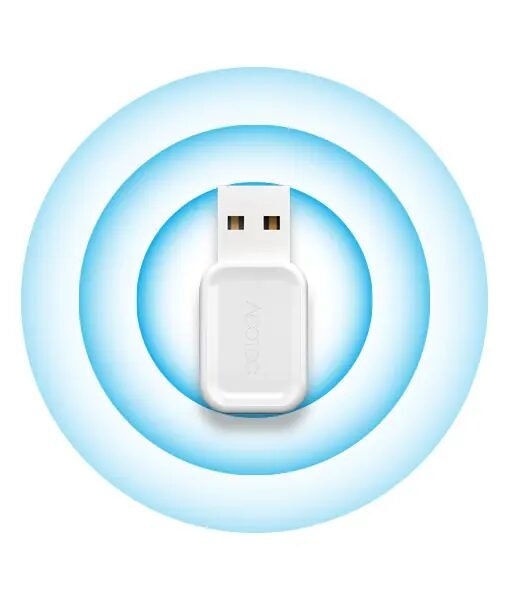
A Z-Wave USB stick is a controller radio with no app of its own. Plug it into a Home Assistant box, a mini PC, a NAS or a Raspberry Pi, point Z-Wave JS, HomeSeer or openHAB at the serial port, and that machine becomes the primary controller of your Z-Wave network. Because the software does the heavy lifting, a stick costs a fraction of a standalone hub and you keep full local control, SmartStart, S2 security and OTA firmware updates for your devices.
The hard part is that sticks look identical on a product page. The differences that matter live inside: the Silicon Labs chip generation (500, 700 or 800 series), whether it supports Z-Wave Long Range, how good its antenna is, whether you can move it away from a noisy USB 3.0 port, and how easily you can migrate an existing network onto it. This section ranks 12 options we confirmed on Amazon on exactly those points.
💡 Reality check for stick buyers: A stick is only a radio, so you need an always-on host and a few minutes in the Z-Wave JS UI before anything works. USB 3.0 ports, SSDs and the Raspberry Pi itself radiate noise that can quietly cut Z-Wave range, so plan on a short USB 2.0 extension cable for any stick that does not include one. Buy the regional version that matches your devices (908.42 MHz in the US). Finally, the network lives in the stick’s memory: take a Z-Wave JS backup before you ever unplug or swap it, and follow the new stick’s migration guide rather than assuming any backup will restore onto any chip generation.
🔌 Quick Comparison: 12 Z-Wave USB Sticks & Radios
| # | Stick / Radio | Form Factor | Z-Wave Chip | Long Range | Best For | Buy |
|---|
| 🥇 1 | Home Assistant Connect ZWA-2 | USB radio + tuned antenna base | 800 series | Yes | Best for Home Assistant | Buy Here → |
| 2 | Zooz ZST39 LR | USB stick | 800 series | Yes | Best Budget All-Rounder | Buy Here → |
| 3 | SONOFF Dongle Plus PZG23 | USB stick + 2 dBi antenna | 800 (EFR32ZG23) | Yes | Best External-Antenna Stick | Buy Here → |
| 4 | Aeotec Z-Stick 10 Pro | Slim USB stick | 800 + Zigbee 3.0 | Yes | Best Z-Wave + Zigbee Stick | Buy Here → |
| 5 | HomeSeer SmartStick G8 | USB stick | 800 series | Yes | Best for HomeSeer & Migrations | Buy Here → |
| 6 | SONOFF Dongle Max MZG23 | PoE / Wi-Fi / USB | 800 (EFR32ZG23) | Yes | Best PoE Z-Wave Radio | Buy Here → |
| 7 | HomeSeer Z-NET PRO | Ethernet / Wi-Fi interface | 800 + Zigbee 3.0 | Yes | Best Network Z-Wave + Zigbee | Buy Here → |
| 8 | DEWENWILS 800 Z-Wave Dongle | USB stick | 800 series | Yes | Newcomer 800 Alternative | Buy Here → |
| 9 | Aeotec Z-Stick 7 Plus | USB stick | 700 series | No | Best 700-Series Replacement | Buy Here → |
| 10 | Aeotec Z-Stick 7 (ZWA010) | USB stick | 700 series | No | Matching Existing Z-Stick 7 Builds | Buy Here → |
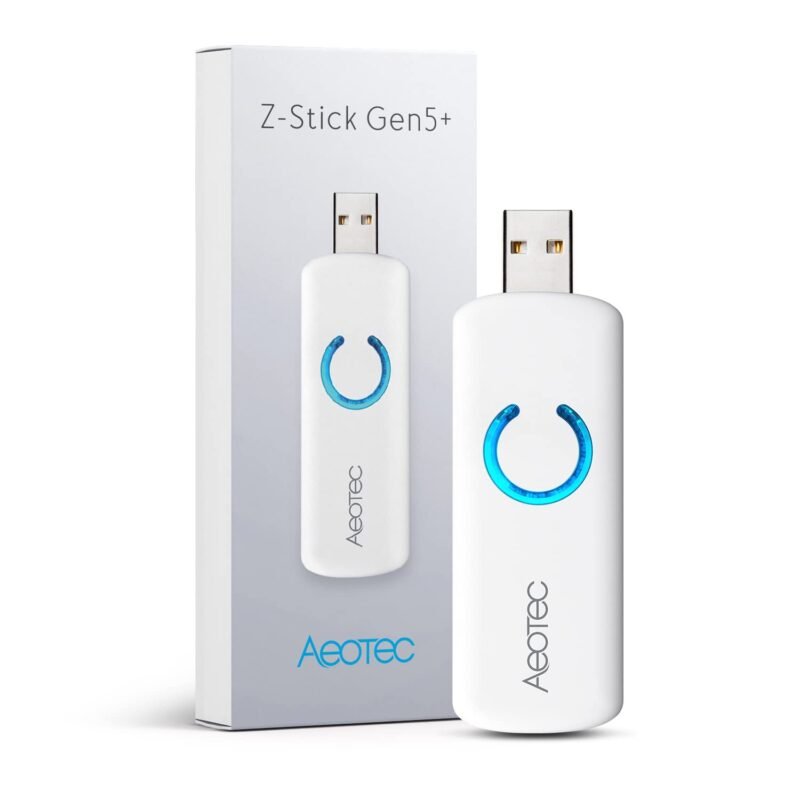
| 11 | Aeotec Z-Stick Gen5+ (ZW090-C) | USB stick + backup battery | 500 series (Gen5) | No | Legacy Gen5 Networks Only | Buy Here → |
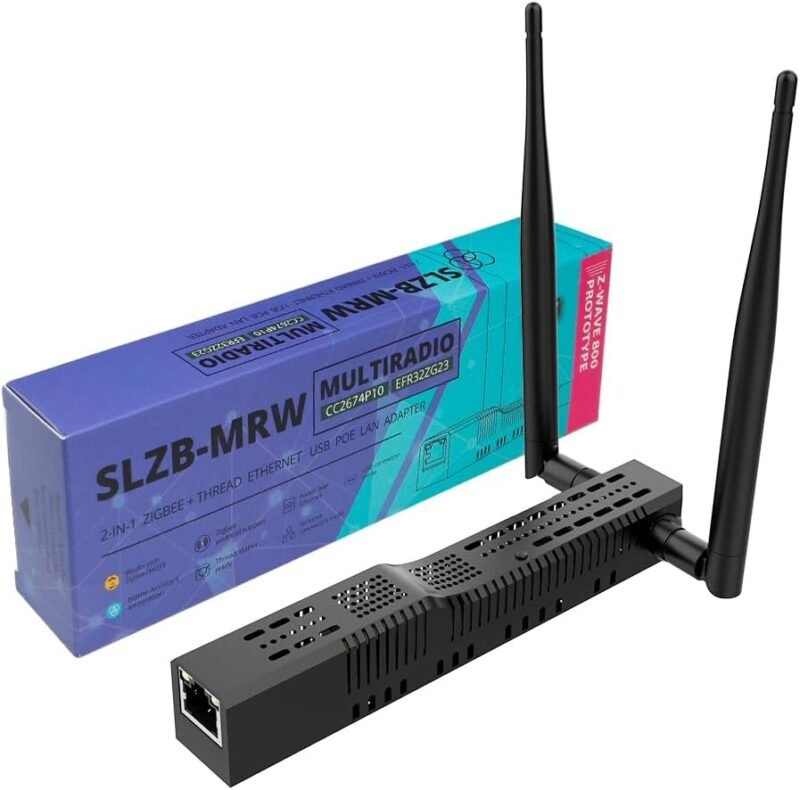
| 12 | SMLIGHT SLZB-MRW10 | PoE multiradio adapter | EFR32ZG23 + Zigbee/Thread | Evaluation only | Best for Tinkerers | Buy Here → |
Every listing above was opened live on Amazon before publishing. Prices are left out on purpose because they change daily; tap Buy Here to see the current price and stock.
🔍 What to Look for in a Z-Wave USB Stick
🧠
Chip Generation
Buy 800 series (EFR32ZG23) for any new network. 700-series sticks are fine replacements for existing builds, and 500-series Gen5 sticks only make sense if you are keeping an old network alive.
📶
Long Range Support
Z-Wave LR needs an 800-series controller, LR-capable devices and software that enables it (Z-Wave JS and HomeSeer both do). Mesh and LR devices can share the same stick.
📡
Antenna & Placement
The biggest real-world range gain is getting the radio away from the host. Sticks with an external antenna, an included extension cable, or a network (PoE/Wi-Fi) connection make that easy.
🔄
Migration Path
Replacing a stick should not mean re-pairing 60 devices. Check that the new stick documents a migration from your current controller through Z-Wave JS UI or HomeSeer’s plugin.
🧩
Software & Extra Radios
Every stick here speaks the standard Silicon Labs Serial API, so Home Assistant, HomeSeer and openHAB all work. Decide whether you also want Zigbee on the same device or prefer separate radios.
🏆 Z-Wave USB Stick Reviews
Already reviewed in the hub rankings above: five of the top sticks have full reviews earlier in this guide, so here is the short version before we get to the seven new picks.
🥇 #1 Home Assistant Connect ZWA-2 · ⭐ 4.5/5 · 800 series with LR on a tuned antenna base. The best stick if Home Assistant is your platform.
Buy Here →#2 Zooz ZST39 LR · ⭐ 4.4/5 · Affordable 800-series LR stick from a major Z-Wave brand, works with Z-Wave JS and HomeSeer.
Buy Here →#4 Aeotec Z-Stick 10 Pro · ⭐ 4.4/5 · Z-Wave 800 LR and Zigbee 3.0 in one slim stick for a single-port Home Assistant build.
Buy Here →#6 SONOFF Dongle Max MZG23 · ⭐ 4.3/5 · 800-series radio over PoE, Wi-Fi or USB, so it can sit in the middle of the house on one cable.
Buy Here →#9 Aeotec Z-Stick 7 Plus · ⭐ 4.0/5 · Proven 700-series stick with S2 and SmartStart, best as a like-for-like replacement.
Buy Here →📶 STICK PICK #3 · BEST EXTERNAL-ANTENNA Z-WAVE STICK
SONOFF Z-Wave 800 Dongle Plus (PZG23)
⭐ 4.5/5 · Antenna, Extension Cable, 800 LR
Buy on Amazon →

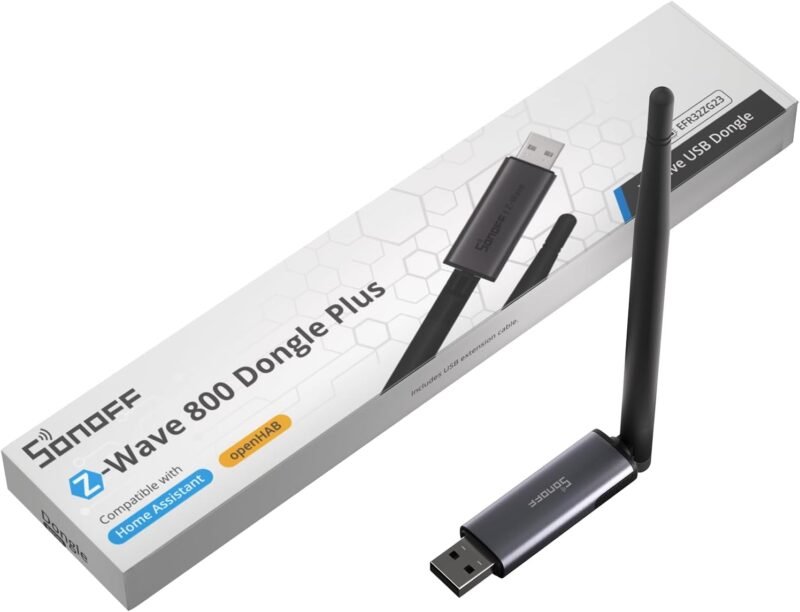
The SONOFF Dongle Plus PZG23 fixes the two things that hurt most bare sticks: a tiny PCB antenna and a radio jammed against a noisy server. It pairs a Silicon Labs EFR32ZG23 800-series chip (S2 and Z-Wave Long Range) with a 2 dBi external antenna you can angle, and SONOFF ships a USB extension cable in the box so you can move it clear of USB 3.0 ports from day one. It is plug and play with Home Assistant (Z-Wave JS) and openHAB, and SONOFF says it supports most worldwide Z-Wave frequencies. If you already use SONOFF’s Zigbee dongles, the form factor will be familiar, and on Amazon it is one of the best-selling Z-Wave sticks right now.
✅ Pros- 800-series chip with Long Range
- External, adjustable antenna
- Extension cable included
- Works with Z-Wave JS and openHAB
❌ Cons- Newer than the Zooz and Aeotec sticks
- Bigger than a slim stick
- Needs host software, like every stick
🎯 Verdict: The best value if you want a real antenna and easy placement without stepping up to the ZWA-2.
👉 Check Price on Amazon →
🏠 STICK PICK #5 · BEST FOR HOMESEER & NETWORK MIGRATIONS
HomeSeer SmartStick G8
⭐ 4.4/5 · Mesh + LR, Multi-Region
Mesh + LR
AT THE SAME TIME

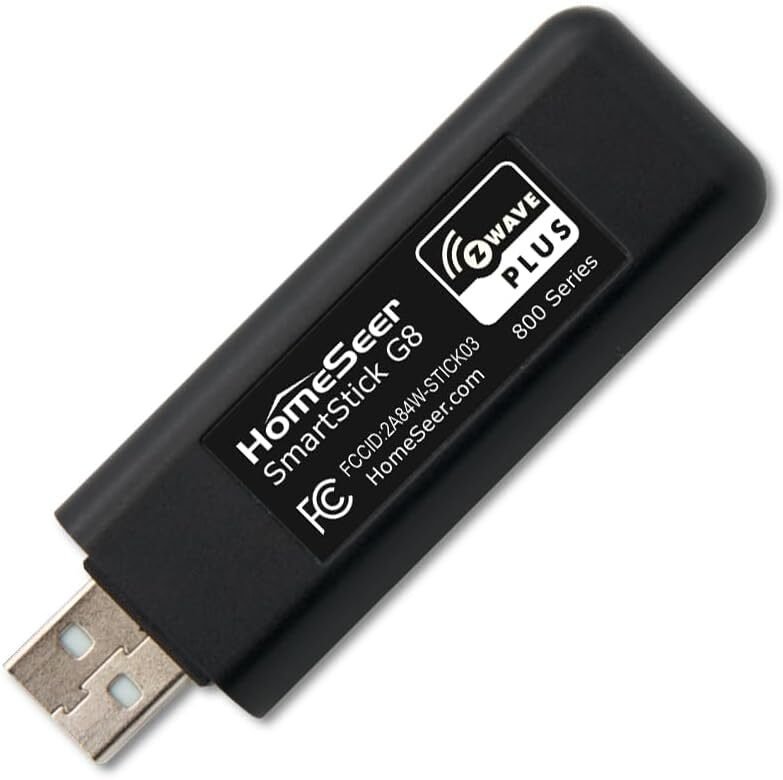
HomeSeer has been building Z-Wave controllers for a long time, and the SmartStick G8 is its current 800-series USB interface. It runs standard mesh and Long Range devices side by side, supports S2 and SmartStart, and works with HomeSeer HS4, Home Assistant and openHAB. Its standout feature is a documented upgrade path: HomeSeer says you can migrate from any 500- or 700-series controller running ZDK 6.61 or later using its Z-Wave Plus plugin or Z-Wave JS UI 9.9.0 or newer, which is exactly what you want when retiring an aging Gen5 stick. HomeSeer also lists support for multiple Z-Wave regions when used with its own software or Home Assistant, field-upgradable firmware from a Windows PC, and compatibility with its Z-NET interfaces for multi-network installs. The listing is clear that it is not a standalone hub, so you still need host software.
✅ Pros- Documented 500/700 to 800 migration
- Mesh and LR on one stick
- First-class HomeSeer support
- Multi-region with HomeSeer or HA
❌ Cons- Internal antenna only
- Firmware updates need a Windows PC
- Stock on Amazon can run low
🎯 Verdict: The stick to buy if you run HomeSeer or need a well-documented path off an old 500 or 700 controller.
👉 Check Price on Amazon →
🛰️ STICK PICK #7 · BEST NETWORK Z-WAVE + ZIGBEE · ⭐ 4.3/5HomeSeer Z-NET PRO
Z-Wave Plus V2 800 series + Zigbee 3.0 · Ethernet or Wi-Fi · S2, SmartStart · web console · HS4, Home Assistant, openHAB
Buy Here →

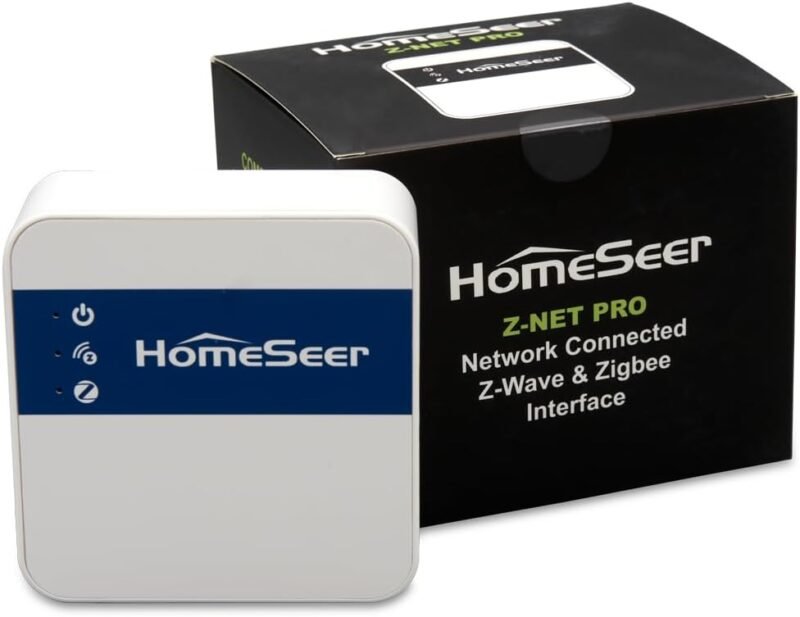
The Z-NET PRO is not a stick, but it solves the same job for people whose server is in the wrong place. It runs an 800-series Z-Wave network and a Zigbee 3.0 network from one box that joins your LAN over Ethernet or Wi-Fi, so you can mount it centrally while HomeSeer HS4, Home Assistant or openHAB runs elsewhere. HomeSeer highlights S2, SmartStart and network-wide inclusion, plus a built-in web interface and status LEDs for setup and troubleshooting. Compared with the SONOFF MZG23 you gain Zigbee in the same enclosure; the trade-off is a noticeably higher price than any USB stick here.
✅ Pros: Z-Wave 800 and Zigbee in one network box; central placement; web console; no fragile USB.
❌ Cons: Most expensive radio in this section; adds a LAN dependency; overkill for small homes.
🎯 Verdict: The cleanest way to put both Z-Wave and Zigbee in the middle of a large house.
🆕 STICK PICK #8 · NEWCOMER 800 ALTERNATIVE · ⭐ 4.0/5DEWENWILS 800 Z-Wave Dongle
800-series LR module · mesh + Long Range together · S2 · plug-and-play USB · Home Assistant and other hubs
Buy Here →

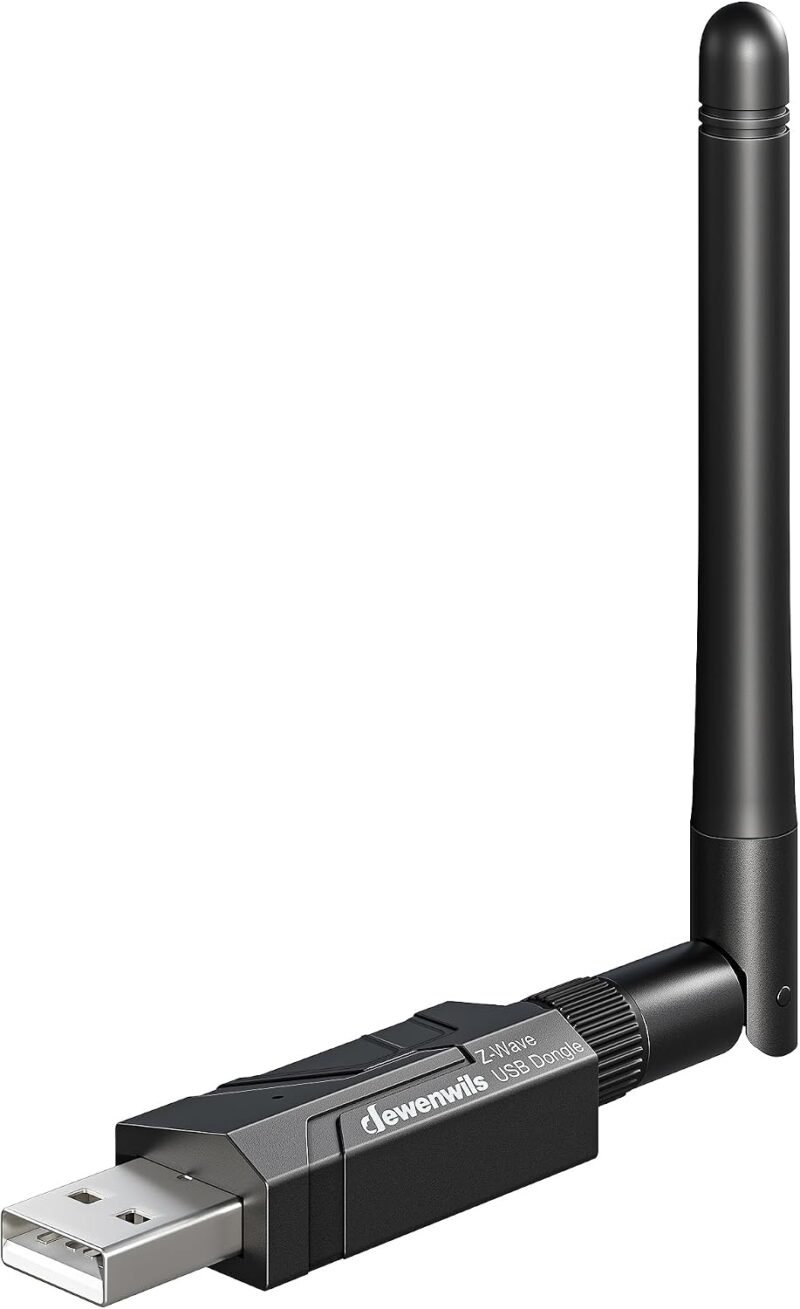
DEWENWILS is better known for smart plugs and outdoor timers, and its 800 Z-Wave Dongle is a straightforward 800-series LR stick. The listing promises standard mesh devices and Long Range devices on one controller, S2 encryption, plug-and-play setup with Home Assistant and other hubs, and a migration route from older controllers. On paper it matches the Zooz ZST39 feature for feature. The honest caveat is track record: it has only a small number of Amazon reviews so far, and the Zooz and HomeSeer sticks have years of community firmware experience behind them. Buy it if it is the best deal on the day and you are comfortable being an early adopter.
✅ Pros: 800 series with LR; S2; simple USB form factor; often priced below the big names.
❌ Cons: Few reviews yet; less community documentation; no external antenna.
🎯 Verdict: A capable 800 LR stick on paper. Choose the Zooz first unless the DEWENWILS is clearly cheaper.
🧩 STICK PICK #10 · MATCHING EXISTING Z-STICK 7 BUILDS · ⭐ 3.9/5Aeotec Z-Stick 7 (ZWA010)
Gen7 / 700 series · S2 · SmartStart · Raspberry Pi, Windows, Mac, Linux · Home Assistant, Indigo
Buy Here →

The original Aeotec Z-Stick 7 (ZWA010) is the first-generation 700-series Aeotec stick. Aeotec’s listing quotes up to 250% more open-air range and an 18% faster CPU than its previous generation, with S2 security and SmartStart, and it works with Home Assistant, Indigo and other Z-Wave software on Raspberry Pi, Windows, Mac and Linux. No software is included. It is a solid, well-reviewed stick, but with the Z-Stick 7 Plus also on sale and 800-series sticks offering Long Range, the only strong reason to choose it today is to match an existing Z-Stick 7 install or a documented project that specifies this exact model. Compare its live price with the Plus before buying.
✅ Pros: Mature 700-series stick; S2 and SmartStart; broad OS and software support.
❌ Cons: No Long Range; superseded by the Plus and 800-series sticks; no software included.
🎯 Verdict: Buy it to replace a Z-Stick 7 like for like. For anything new, pick an 800-series stick.
🔋 STICK PICK #11 · LEGACY GEN5 NETWORKS ONLY · ⭐ 3.6/5Aeotec Z-Stick Gen5+ (ZW090-C)
500-series Gen5 Z-Wave Plus · S2 · SmartStart · built-in backup battery · up to 232 devices · US version
Buy Here →
For years the Z-Stick Gen5 was the default way to build a DIY Z-Wave hub, and the Gen5+ (ZW090-C) is its updated “Plus” edition with S2 security, SmartStart and Raspberry Pi 4 compatibility that the original lacked. It also keeps the Gen5’s unusual party trick: a built-in rechargeable battery that lets you unplug it and include or exclude devices by pressing its button, away from the computer. The catch is the chip. It is a 500-series Gen5 radio with no Long Range and older performance, and the Amazon listing showed very limited stock when we checked. Only buy it to replace a failing Gen5 stick in a network you are not ready to migrate.
✅ Pros: Battery for portable inclusion; S2 and SmartStart; huge existing user base.
❌ Cons: 500-series chip; no Long Range; limited stock; superseded twice over.
🎯 Verdict: A spare part for old Gen5 networks, not a starting point. Migrate to an 800 stick when you can.
🧪 STICK PICK #12 · BEST FOR TINKERERS · ⭐ 3.5/5SMLIGHT SLZB-MRW10 Multiradio PoE Adapter
TI CC2674P10 (Zigbee/Thread) + Silicon Labs EFR32ZG23 (Z-Wave) · PoE or USB-C · dual SMA antennas
Buy Here →

SMLIGHT’s network coordinators are popular with Zigbee2MQTT users, and the SLZB-MRW10 adds a second radio: a Texas Instruments CC2674P10 for Zigbee 3.0 and Thread, plus a Silicon Labs EFR32ZG23 800-series chip for Z-Wave, each with its own SMA antenna (2.4 GHz and 900 MHz). It runs from PoE or USB-C and draws very little power. Read the listing carefully, though: SMLIGHT describes the Z-Wave side as for evaluation only, while Zigbee works with Zigbee2MQTT and ZHA today. That makes it a fun multiradio box for makers and firmware tinkerers, but not the radio we would trust with door locks yet.
✅ Pros: Zigbee, Thread and Z-Wave silicon in one PoE box; dual external antennas; low power.
❌ Cons: Z-Wave labelled evaluation only; Zigbee-first product; pricier than a stick.
🎯 Verdict: Great for experimenting with multiradio setups. For a production Z-Wave network, pick any 800 stick above.
🛒 Which Z-Wave USB Stick Should You Buy?
🏠
Running Home Assistant?
Get the Connect ZWA-2. Official hardware, tuned antenna and one-click migration in Z-Wave JS.
💲
Want the safe budget pick?
The Zooz ZST39 LR, on a short USB 2.0 extension cable. Or the SONOFF PZG23 if you want an antenna in the box.
🔀
Need Zigbee too?
Aeotec Z-Stick 10 Pro for one USB port, or HomeSeer Z-NET PRO to put both radios on the network.
🔄
Retiring an old 500/700 stick?
The HomeSeer SmartStick G8 documents the migration, and HomeSeer users get native support.
🌐
Server in the basement?
Mount a SONOFF Dongle Max MZG23 on one PoE cable in the middle of the house.
🧷
Just replacing a dead stick?
Match it: Z-Stick 7 Plus or Z-Stick 7 for 700 networks, Gen5+ only for Gen5. Then plan an 800 upgrade.
⚙️ Top Z-Wave Sticks: Specs Side by Side
| Spec | ZWA-2 | Zooz ZST39 LR | SONOFF PZG23 | Z-Stick 10 Pro | SmartStick G8 |
|---|
| Z-Wave Chip | 800 series ⭐ | 800 series ⭐ | EFR32ZG23 (800) ⭐ | EFR32ZG23 (800) ⭐ | 800 series ⭐ |
| Long Range | Yes | Yes | Yes | Yes | Yes, mesh + LR together |
| Antenna | Tuned external on a base ⭐ | Internal | 2 dBi external, adjustable | Internal | Internal |
| Placement Help | Cable to base ⭐ | Add your own extension | Extension included ⭐ | Add your own extension | Add your own extension |
| Extra Radio | None | None | None | Zigbee 3.0 ⭐ | None |
| Best Software Fit | Home Assistant only | Z-Wave JS, HomeSeer | Z-Wave JS, openHAB | Z-Wave JS + ZHA/Z2M | HomeSeer, Z-Wave JS, openHAB ⭐ |
Specs come from each Amazon listing and the maker’s own product pages. Firmware changes features over time, so confirm details on the live listing before buying.
❓ Z-Wave USB Stick FAQ
Do I really need a USB extension cable for my Z-Wave stick?
In most setups, yes. USB 3.0 ports, SSDs and the host’s own electronics produce interference, and a stick plugged straight into the back of a mini PC or Raspberry Pi often loses a surprising amount of range. A short USB 2.0 extension of half a metre to a metre that lets the stick sit away from the case and other radios is the cheapest range upgrade you can make. The ZWA-2 and SONOFF PZG23 build this in.
Can I move my network from an old stick to an 800-series stick?
Often, yes. Z-Wave JS UI can back up a controller’s network memory and restore it to a new Silicon Labs stick, and HomeSeer documents migrations from 500- and 700-series controllers to its SmartStick G8. Always take a fresh backup first, update the old stick’s firmware if the guide asks for it, and follow the new stick maker’s migration guide exactly. Your devices keep their node IDs, but they will not gain Long Range until you re-include LR-capable devices in LR mode.
Can one stick run Z-Wave and Zigbee at the same time?
Only if it has two radios, like the Aeotec Z-Stick 10 Pro or the HomeSeer Z-NET PRO. Each radio appears to the host separately, so Home Assistant uses Z-Wave JS for one and ZHA or Zigbee2MQTT for the other. Separate sticks give you more freedom to place each radio well, which matters because Zigbee shares the 2.4 GHz band with Wi-Fi while Z-Wave does not.
Is a network adapter better than a USB stick?
It is better when your server sits far from your devices or in a metal rack. Adapters like the SONOFF MZG23 and HomeSeer Z-NET PRO let you place the radio centrally on Ethernet or PoE. The trade-off is a dependency on your LAN: if a switch reboots, Z-Wave pauses until the connection returns. For a server already near the middle of the home, a stick on an extension cable is simpler.
🏁 Final Verdict: Best Z-Wave USB Stick for Every Setup
If you already have a server, these are the radios to plug into it:
🥇 Best Overall Stick: Home Assistant Connect ZWA-2. 800 LR on a tuned antenna.
Buy →💲 Best Budget: Zooz ZST39 LR. Proven 800 LR stick for less.
Buy →📶 Best Antenna Stick: SONOFF Dongle Plus PZG23. External antenna and extension cable included.
Buy →🔀 Best Combo: Aeotec Z-Stick 10 Pro. Z-Wave 800 LR plus Zigbee 3.0.
Buy →🏠 Best for HomeSeer & Migrations: HomeSeer SmartStick G8.
Buy →🌐 Best Network Radio: SONOFF Dongle Max MZG23, or HomeSeer Z-NET PRO if you also want Zigbee.
Buy →The best Z-Wave hub is the one you will still be happy with when your network has 60 devices on it. For most people that is the Hubitat Elevation C-8 Pro, with the Homey Pro as the friendlier premium alternative and the Aeotec Smart Home Hub for SmartThings households. If you enjoy building your own system, Home Assistant Green with a ZWA-2, Zooz ZST39, Z-Stick 10 Pro or SONOFF MZG23 gives you the most capable Z-Wave stack available. New to the protocol? Read our guide to smart home protocols, compare Home Assistant hardware kits, see our Matter bridges for Zigbee and Z-Wave, then explore more ESP32, Matter, Zigbee and IoT tutorials on microcontrollerslab.com.
💬 Not sure which hub fits your setup? Tell us which Z-Wave devices you own, roughly how many, and which app or voice assistant you use in the comments below, and we’ll point you to the right pick.
All Amazon links above use our affiliate tag (microlab05-20). Purchasing through them supports microcontrollerslab.com at no extra cost to you. Prices and availability change frequently, so always confirm the current price on Amazon before buying.