⚠️ Affiliate Disclosure: This post contains Amazon affiliate links. If you purchase through our links, we may earn a small commission at no extra cost to you. Every product below was checked against its live Amazon listing before publishing. Prices change often, so we don’t list them here. Tap any Buy Here button to see the current price on Amazon.
Ultimate Buying Guide
⚡ Best USB-C Power Meters and PD Trigger Boards
14 inline USB testers, PD protocol analyzers, cable testers and PD trigger boards for measuring and harnessing USB-C power in your projects.
✅ 14 Picks Reviewed
✅ Meters & Triggers
✅ PD 3.0, PD 3.1 & PPS
✅ Honest Pros & Cons
USB-C Power Delivery turned the humble phone charger into a programmable bench supply: a 65 W or 100 W charger can deliver 5, 9, 12, 15 or 20 V, and PD 3.1 bricks go up to 48 V. Two small tools unlock that power for makers. A USB-C power meter sits inline and shows voltage, current, energy and the negotiated protocol, so you can see what your ESP32 board, power bank or laptop is really drawing. A PD trigger board (often called a decoy) asks the charger for a fixed voltage and hands it to your project on two wires.
This guide compares 14 of these tools on Amazon: nine meters and cable testers, and five trigger boards and cables. If you are building the rest of the power chain, see our guides to step-down voltage regulator modules and bench power supplies.
💡 Reality check before you buy: A trigger board only asks for a voltage; the charger decides whether to supply it. If your charger does not offer 20 V (many phone chargers stop at 9 V), you will get a lower voltage. Above 3 A you need an
e-marked 5 A cable. Trigger boards have no current limiting of their own, so a short on the output can draw the charger’s full rating: add a fuse for anything unattended, and never feed 20 V into a 5 V board. Cheap meters are fine for trends but are not calibrated instruments, so cross-check with a
proper multimeter when accuracy matters.
⚡ Quick Comparison: All 14 USB-C Meters and PD Triggers
| Product | Type | Key Spec (from listing) | Amazon Rating | Best For | Buy |
|---|
| 🥇 FNIRSI FNB58 | Meter + trigger | 28 V, 7 A, USB-A/C/Micro | 4.3 (547) | Best Overall | Buy Here → |
| 🔬 POWER-Z KM003C | PD analyzer | 50 V, 6 A, PD 3.2, PC software | 4.5 (253) | Best PD Analyzer | Buy Here → |
| 🔋 POWER-Z C240 | Meter | 240 W, bidirectional, metal | 4.4 (194) | Best Pocket 240 W Meter | Buy Here → |
| 💻 Plugable 240 W | Meter | 4.5 to 50 V, data pass-through | 4.5 (408) | Best for Laptops and Docks | Buy Here → |
| 🧰 Klein Tools ET920 | Meter | 3 to 20 V, USB-A and C | 4.4 (1,230) | Best Pro Brand | Buy Here → |
| 🌈 KJ-KayJI 2-in-1 | Meter | IPS screen, USB clip cable | 4.5 (2,177) | Most Popular Budget Meter | Buy Here → |
| 📈 YEREADW KWS-2303C | Meter | 4 to 30 V, 0 to 12 A, curves | 4.6 (834) | Best Curve Logging | Buy Here → |
| 🔀 DROK Dual Output | Meter | 3.2 to 30 V, 0 to 5 A, 2 outputs | 4.4 (467) | Best for Solar and Power Banks | Buy Here → |
| 🧵 Treedix Cable Tester | Cable tester | E-marker read, resistance | 4.6 (750) | Best Cable Checker | Buy Here → |
| 🖲️ Treedix PD Trigger LCD | Trigger board | 5 to 20 V, 5 A, 0.96 in LCD | 4.3 (32) | Best Trigger With Display | Buy Here → |
| 🎚️ Seloky DIP Trigger (4 pcs) | Trigger board | DIP switch 5 to 20 V, 100 W | 4.4 (67) | Best Multi-Pack | Buy Here → |
| 🔒 MELIFE 12 V (6 pcs) | Trigger board | Fixed 12 V, up to 5 A | 4.1 (61) | Best Fixed 12 V | Buy Here → |
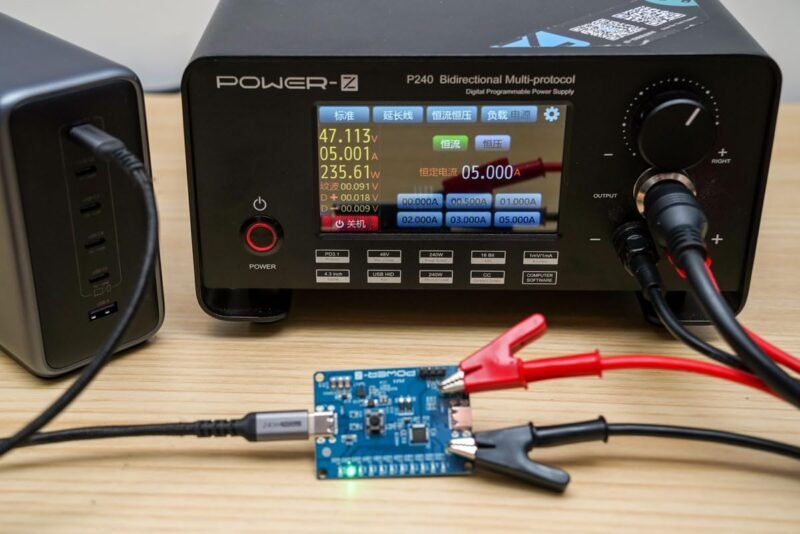
| 🚀 POWER-Z SINK240 | Trigger board | PD 3.1 up to 48 V, PPS | 4.2 (10) | Best PD 3.1 / 48 V | Buy Here → |
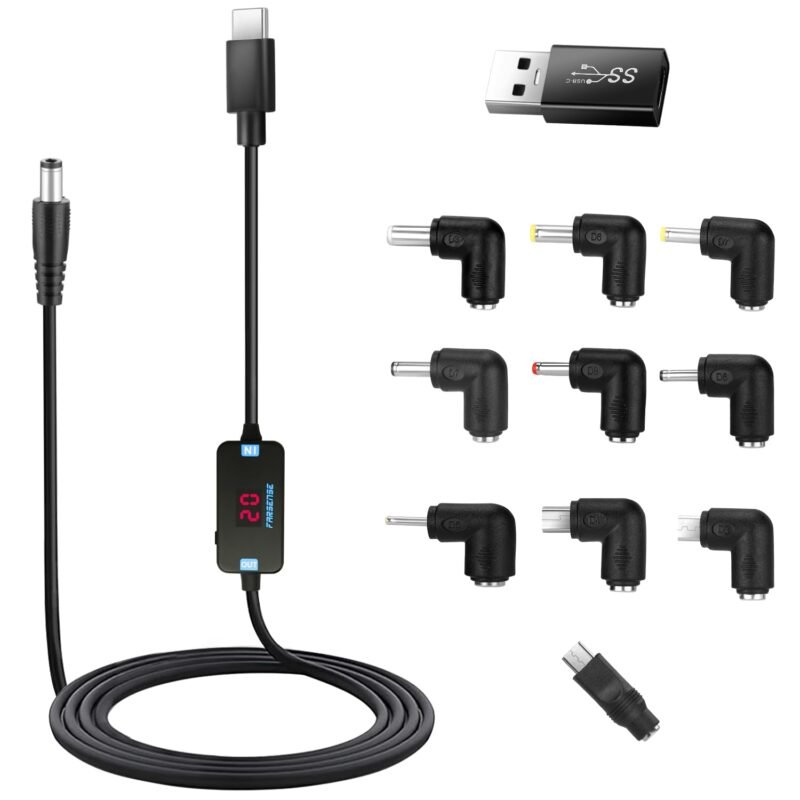
| 🔌 FARSENSE Trigger Cable | Trigger cable | 5 to 20 V, 65 W, 10 tips | 4.2 (494) | Best Ready-Made Cable | Buy Here → |
Specs and ratings are taken from each Amazon listing at the time of writing. Tap Buy Here to see the live price.
🔍 How to Choose a USB-C Meter or Trigger Board
📏
Voltage and Current Range
For 100 W PD you need at least 20 V and 5 A. For PD 3.1 EPR laptops and chargers (up to 240 W), choose a meter rated to 48 or 50 V.
🧠
Protocol Features
Basic meters only show V, A and mAh. Analyzer-class tools read the charger’s PDO list, decode PD messages, read e-markers and can trigger voltages themselves.
💾
Logging and Software
PC or phone software lets you log a power bank discharge or an ESP32 deep-sleep profile over hours instead of watching a tiny screen.
🎚️
Trigger Voltage Selection
Fixed-voltage boards are set-and-forget. DIP-switch, button or LCD boards let you change voltage, which is handy on the bench but riskier in a finished product.
🔌
Ports and Pass-Through
Check whether a meter passes USB data or only power. A USB-A port helps with older chargers, while full data pass-through matters for docks and SSDs.
🏆 Detailed Reviews: All 14 Tools
🥇 BEST OVERALL
1. FNIRSI FNB58 USB Tester
⭐ 4.6/5 · Meter, Trigger and E-Marker Reader
28 V / 7 A
MEASUREMENT RANGE

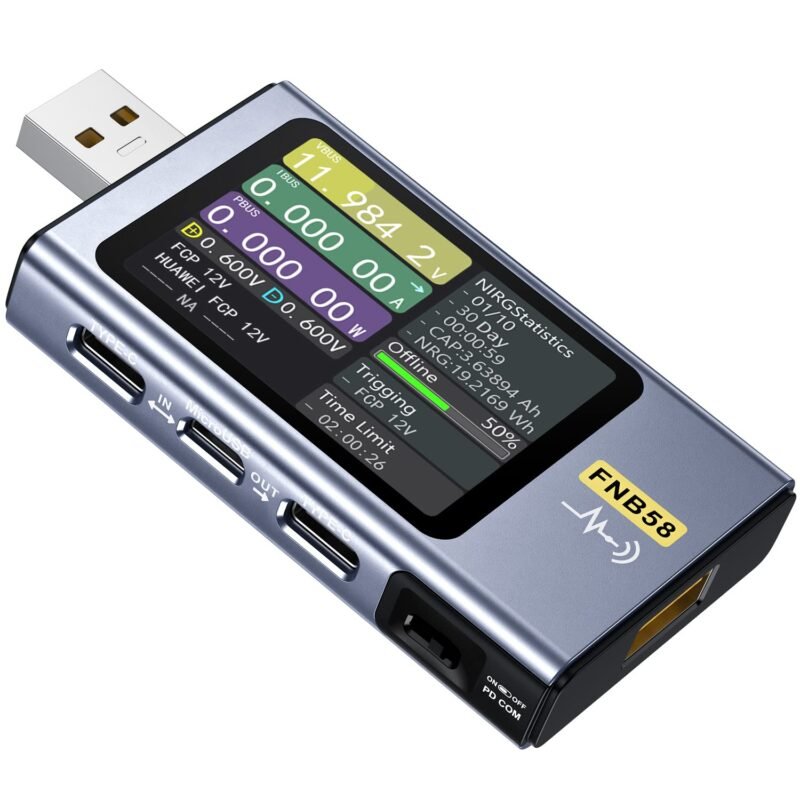
The FNIRSI FNB58 is the maker favorite because it does almost everything a hobbyist needs in one stick. It has a 2.0-inch color screen, USB-A, Micro-USB and USB-C inputs, a 16-bit external ADC and a dedicated PD chip. It can trigger PD 2.0/3.0, QC 2.0/3.0, FCP/SCP, AFC and VOOC voltages, read cable e-markers, measure cable resistance, draw slow waveforms at 2 to 100 sps and plot ripple, and it connects to PC and phone apps. It holds 4.3 stars from 547 ratings. Note that no printed manual is included; the listing points to a QR code.
✅ Pros- Built-in protocol trigger
- E-marker and cable resistance
- PC and app logging
❌ Cons- 28 V tops out below PD 3.1 EPR
- Manual is online only
🎯 Verdict: The one USB tester to buy if you can only buy one.
👉 Check Price on Amazon →
🥈 BEST PD ANALYZER
2. POWER-Z KM003C USB-C Tester
⭐ 4.6/5 · PD 3.2 Protocol Analyzer
Buy on Amazon →
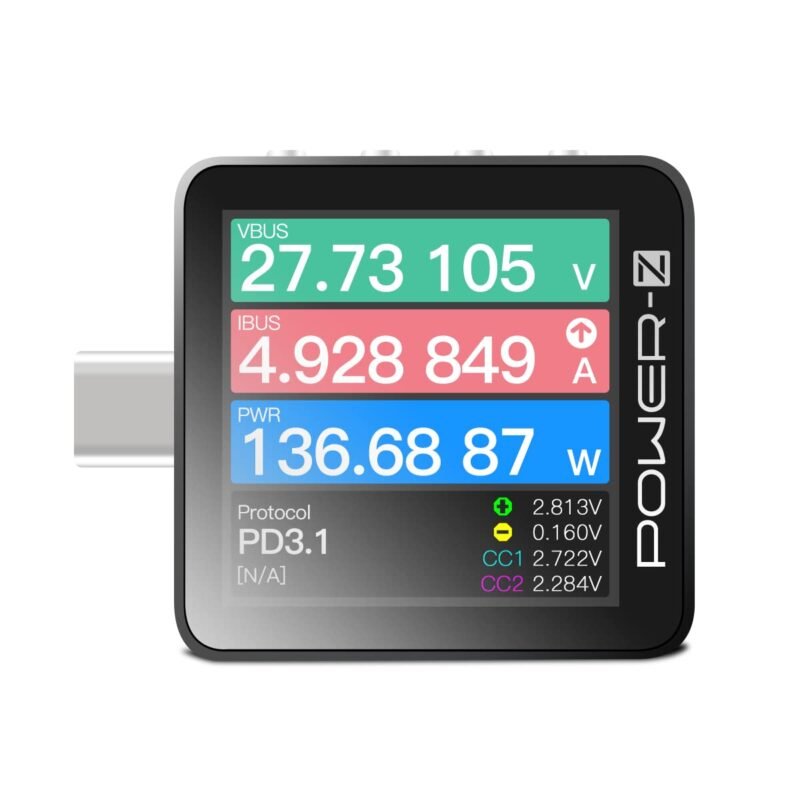
When you are designing a USB-C sink or debugging why a board won’t negotiate 20 V, you want ChargerLAB’s POWER-Z KM003C. It pairs an ARM Cortex-M4 with a 20-bit ADC, supports up to 50 V and 6 A (240 W in PD), and works as a USB PD protocol analyzer with PC software that can capture 10 million data points at a time. Two USB-C ports carry the power under test and a separate USB-C HID port connects to a PC. It runs PDO, protocol, e-marker and capacity tests. 4.5 stars from 253 ratings.
✅ Pros- Covers PD 3.1 EPR voltages
- Real PD message capture
- High-resolution ADC
❌ Cons- USB-C only, no USB-A input
- Overkill for basic checks
🎯 Verdict: The engineer’s choice for USB-C hardware design and debugging.
👉 Check Price on Amazon →
🔋 BEST POCKET 240 W METER · ⭐ 4.5/53. POWER-Z C240 USB-C Tester
Up to 240 W · PD 3.1 · bidirectional · metal shell · 194 ratings
Buy Here →
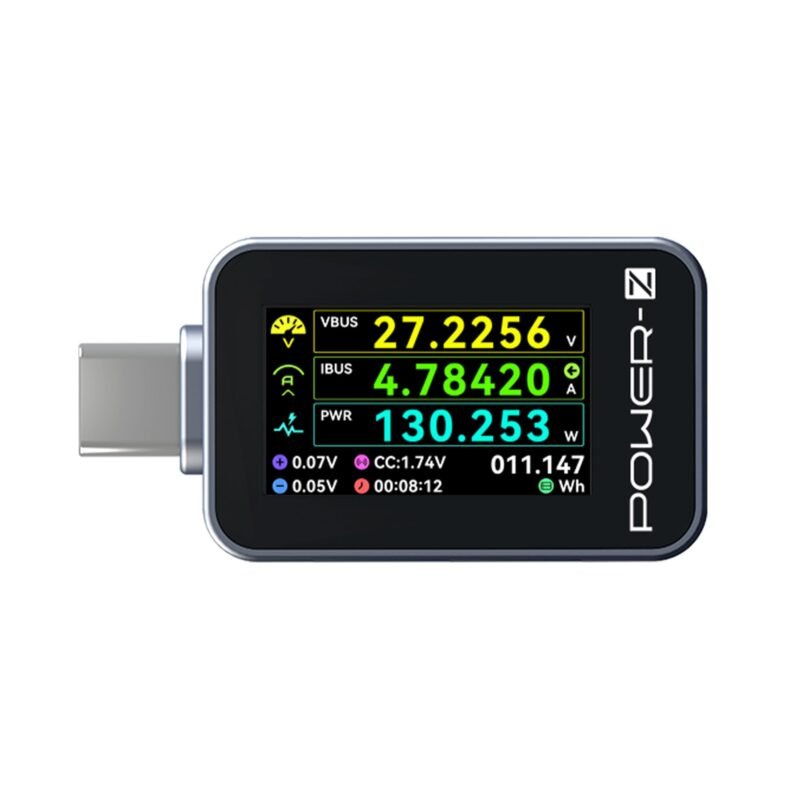
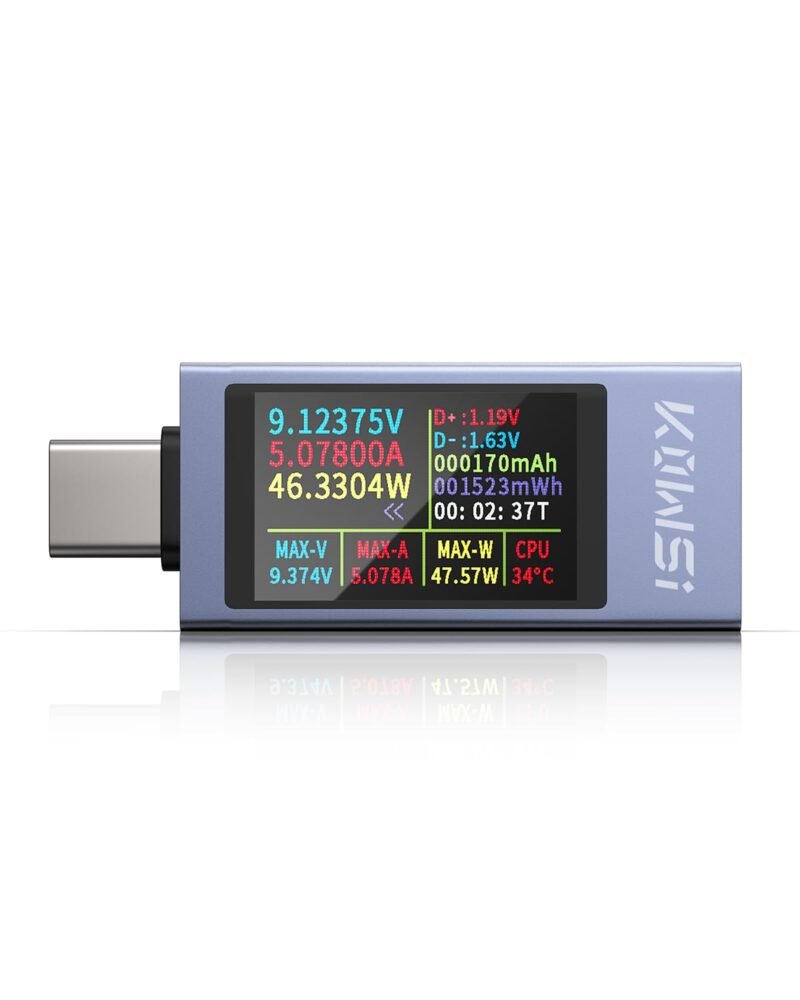
The little brother of the KM003C, the C240 is a metal-shelled inline meter with a 1.14-inch color display showing voltage, current, power, current direction, energy, time, D+, D- and CC. It supports up to 240 W, so it suits PD 3.1 laptop chargers, and its bidirectional measurement shows whether a power bank is charging or discharging. ChargerLAB itself recommends the KM003C for professional accuracy. 4.4 stars from 194 ratings.
✅ Pros: 240 W range; tough metal case.
❌ Cons: USB 2.0 data only; no analyzer features.
🎯 Verdict: A rugged everyday meter for high-power chargers.
💻 BEST FOR LAPTOPS AND DOCKS · ⭐ 4.5/54. Plugable USB-C Power Meter (240 W)
4.5 to 50 V · 50 mA to 6.5 A · OLED · data and video pass-through · 408 ratings
Buy Here →
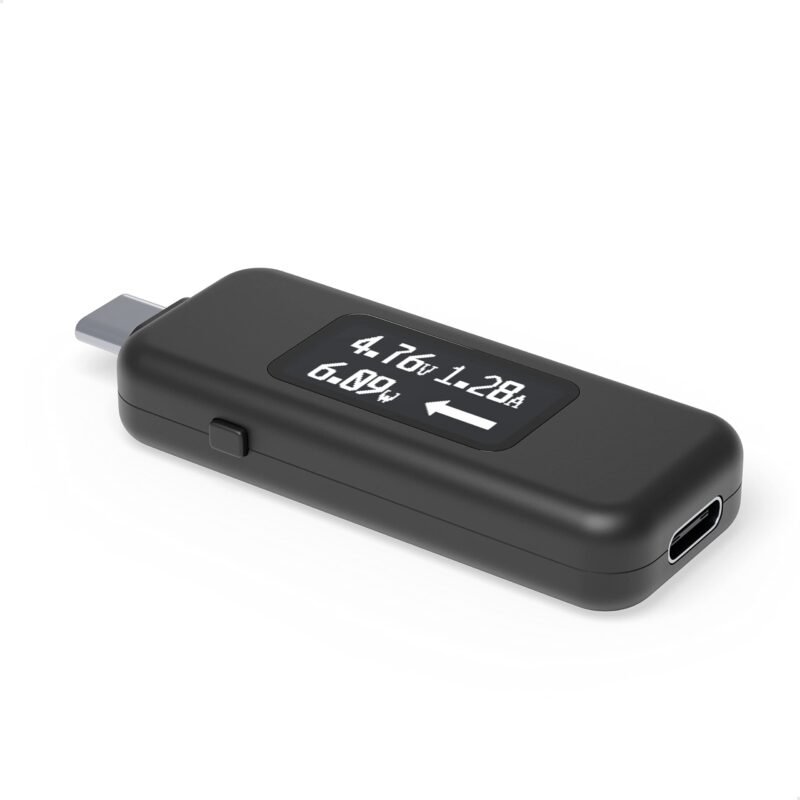
Plugable’s meter is unusual in that it passes USB data and USB-C Alt Mode video as well as power, so you can leave it between a laptop and a dock. It covers EPR voltages from 5 to 48 V (4.5 to 50 V operating, 50 mA to 6.5 A), shows the direction of current flow on an OLED, and works in either orientation. The listing notes it is not compatible with Thunderbolt 3 devices. 4.5 stars from 408 ratings.
✅ Pros: Data and video pass-through; 48 V EPR.
❌ Cons: No logging or protocol details.
🎯 Verdict: The meter to leave inline on a laptop or dock setup.
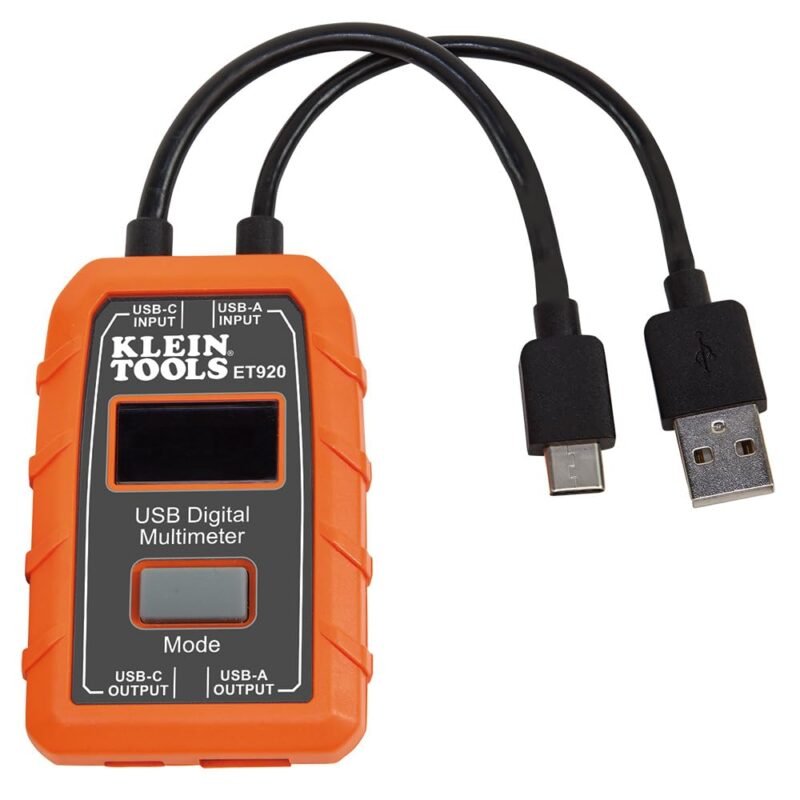
🧰 BEST PRO BRAND · ⭐ 4.4/55. Klein Tools ET920 USB Power Meter
3 to 20 V · up to 3 A (A) / 5 A (C) · 1000 h monitoring · 1,230 ratings
Buy Here →
From a trusted electrician’s tool brand, the ET920 measures 3 to 20 V DC and 0.05 to 3 A on USB-A or 0.05 to 5 A on USB-C. It continuously monitors voltage, current, capacity, energy and calculated resistance for up to 1000 hours, stores 10 readings and flags overloads on a high-resolution LCD. It is simple, but solid. 4.4 stars from 1,230 ratings.
✅ Pros: Trusted brand; USB-A and C.
❌ Cons: 20 V max; no protocol info.
🎯 Verdict: A dependable basic meter for a technician’s bag.
🌈 MOST POPULAR BUDGET METER · ⭐ 4.3/56. KJ-KayJI 2-in-1 USB-C Tester
9 IPS display pages · PD 2.0/3.0, QC 2.0/3.0 detection · clip cable · 2,177 ratings
Buy Here →
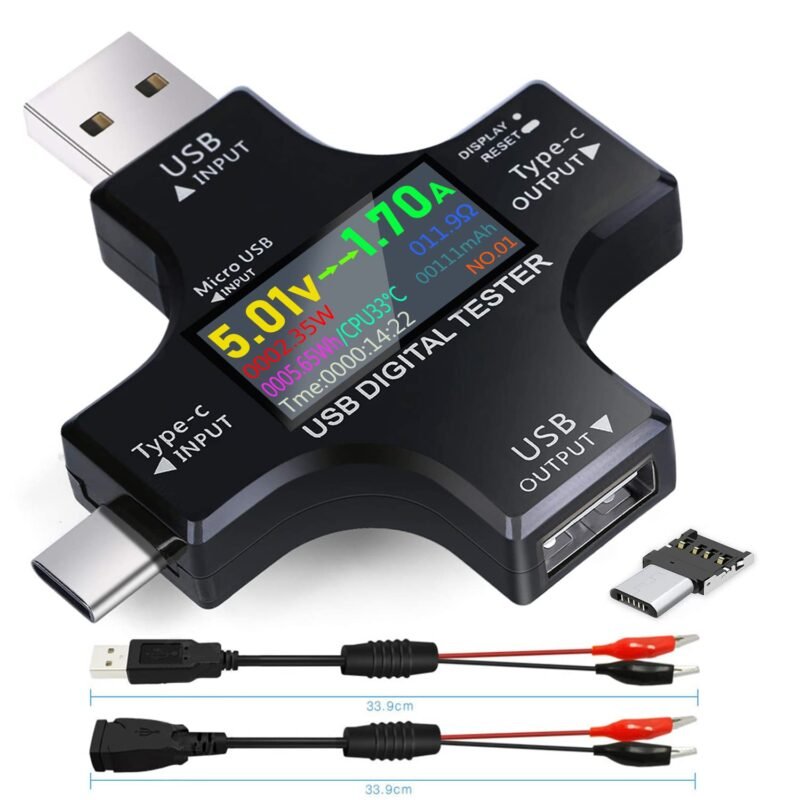
With 2,177 ratings at 4.5 stars, the KJ-KayJI tester is the most reviewed pick here. It shows voltage, current, power, resistance, energy, temperature, capacity and time across nine IPS screen pages, detects PD 2.0/3.0, QC 2.0/3.0 and BC1.2 fast charging, and includes a USB clip cable for testing cables and power bank capacity. Fine for everyday checks; it does not trigger voltages itself.
✅ Pros: Huge review base; USB-A and C.
❌ Cons: No trigger, no PC logging.
🎯 Verdict: The safe low-cost meter for charger and cable checks.
📈 BEST CURVE LOGGING · ⭐ 4.4/57. YEREADW KWS-2303C USB-C Tester
4 to 30 V · 0 to 12 A terminal · ±(1%+5) · curve page · 834 ratings
Buy Here →

The KWS-2303C (sold by YEREADW) lists ±(1%+5) accuracy, 4 to 30 V and a 0 to 12 A terminal, and detects PD 2.0/3.0, QC, FCP, SCP, AFC, PE and VOOC protocols. Its standout is an on-screen curve page that records voltage and current over 5, 15 or 60 minutes or 2 hours, great for watching a charge cycle. 4.6 stars from 834 ratings.
✅ Pros: On-device curves; high rating.
❌ Cons: Small 1.06 in screen.
🎯 Verdict: Best value if you want to see charge curves without a PC.
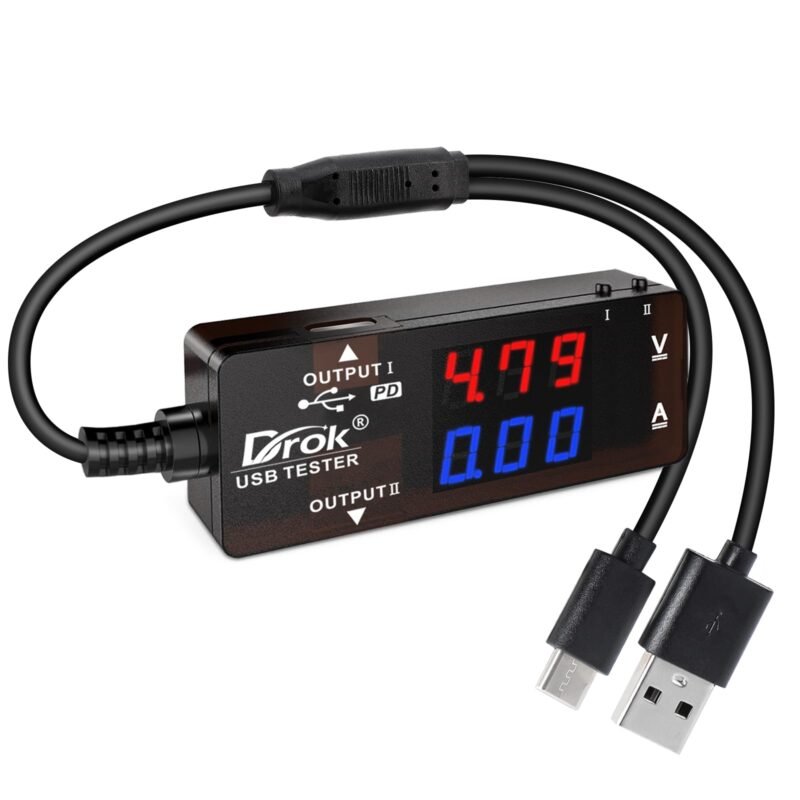
🔀 BEST FOR SOLAR AND POWER BANKS · ⭐ 4.2/58. DROK USB-A/USB-C Dual Output Tester
3.2 to 30 V · 0 to 5 A · 7 display modes · 2 outputs · 467 ratings
Buy Here →
DROK’s tester takes USB-A or USB-C input and splits it to two USB 2.0 outputs that support PD and QC 3.0. Seven display modes combine voltage, current, power and capacity, with over/under voltage, over-current and short-circuit alarms. The listing suggests it for 5 to 30 V solar panels, power banks and chargers within 3.2 to 30 V and 0 to 5 A. 4.4 stars from 467 ratings.
✅ Pros: Two outputs; alarms.
❌ Cons: Bulkier than stick meters.
🎯 Verdict: Handy for monitoring solar USB panels and power banks.
🧵 BEST CABLE CHECKER · ⭐ 4.5/59. Treedix USB Cable Tester (2.4 in Screen)
Continuity · e-marker read · resistance · PD 3.0/3.1 detection · 750 ratings
Buy Here →
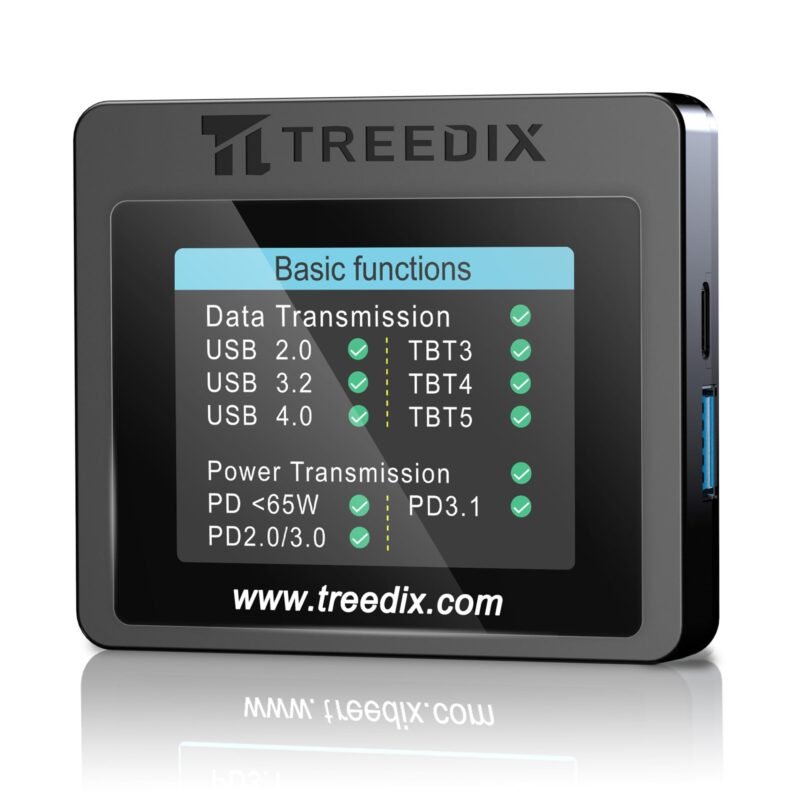
Not a power meter but a perfect companion: the Treedix cable tester checks USB cable continuity and wiring, measures internal resistance, verifies the shield-to-ground connection, identifies USB 2.0 versus 3.2 cables and reads Type-C e-marker chips to show rated voltage, current and data speed. It runs on AAA batteries or 5 V USB-C. Bad cables are the number one cause of PD trouble, so this pays for itself. 4.6 stars from 750 ratings.
✅ Pros: Finds bad or fake 5 A cables.
❌ Cons: Does not measure live power.
🎯 Verdict: The fastest way to sort a drawer of mystery USB-C cables.
🖲️ BEST TRIGGER WITH DISPLAY · ⭐ 4.3/510. Treedix USB-C PD Trigger Board With LCD
5/9/12/15/20 V · 5 A · 100 W · 0.96 in LCD · lock function · 32 ratings
Buy Here →
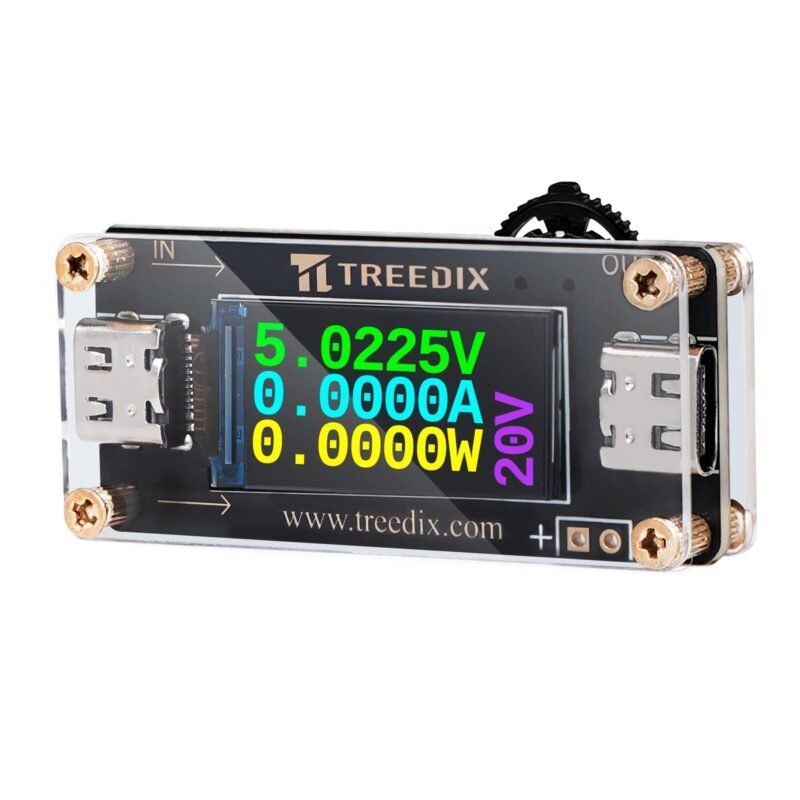
This Treedix trigger board requests 5, 9, 12, 15 or 20 V over PD 2.0/3.0, QC 2.0/3.0 or BC1.2, outputs up to 20 V at 5 A (100 W), and shows the live voltage, current and power on a 0.96-inch LCD. A 3-second long press locks the setting so you don’t accidentally send 20 V into a 12 V load. Only 32 ratings (4.3 stars), so it is newer and less proven.
✅ Pros: Built-in readout; voltage lock.
❌ Cons: Few reviews.
🎯 Verdict: A mini bench supply from any PD charger.
🎚️ BEST MULTI-PACK · ⭐ 4.2/511. Seloky USB-C PD Trigger Board, DIP Switch (4 pcs)
5 to 20 V via DIP switch · 100 W max · PD 3.0/2.0, BC1.2 · 67 ratings
Buy Here →
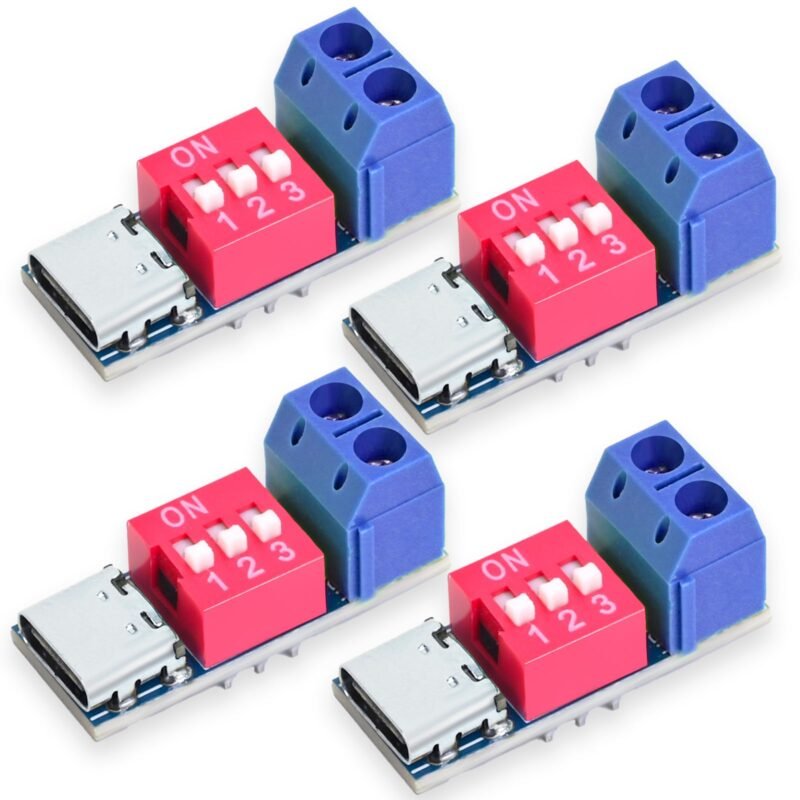
A four-pack of small trigger boards with a DIP switch for setting the output from 5 to 20 V, rated up to 100 W, with over-temperature and over-voltage protection listed. A DIP switch is easy to set once and hard to bump accidentally, which suits building PD input into projects such as LED strips, 12 V fans or a soldering iron. 4.4 stars from 67 ratings.
✅ Pros: Four boards; settable voltage.
❌ Cons: Bare boards need an enclosure.
🎯 Verdict: The flexible stock-up pack for project builds.
🔒 BEST FIXED 12 V · ⭐ 4.0/512. MELIFE USB-C PD 12 V Trigger Module (6 pcs)
Fixed 12 V · up to 5 A · USB-C female input · 61 ratings
Buy Here →
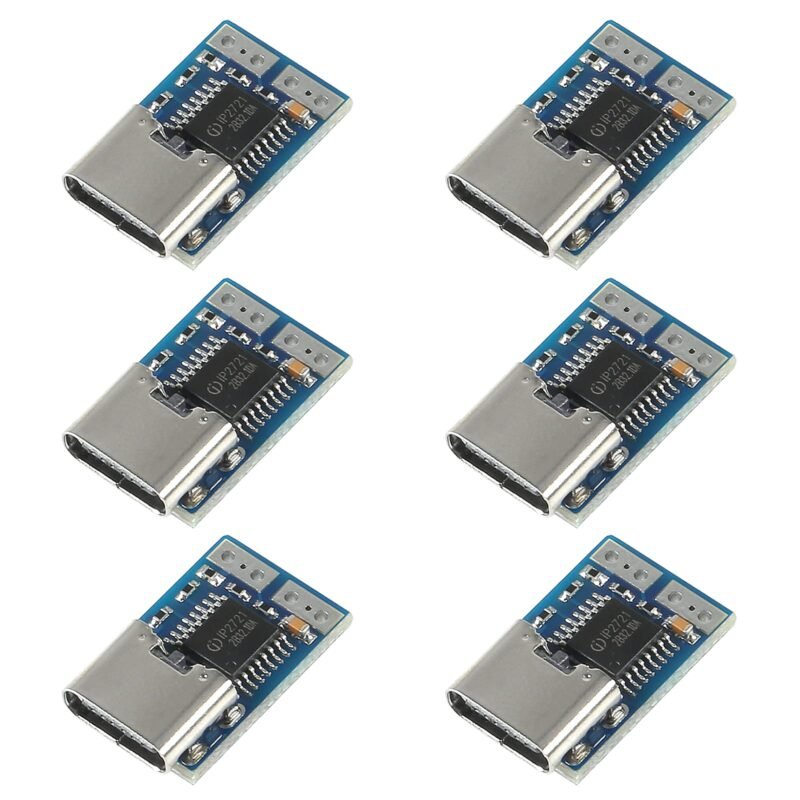
For a finished 12 V product, a fixed-voltage board is the safest choice because it cannot be switched to 20 V by mistake. MELIFE’s six-pack negotiates 12 V and passes up to 5 A. The listing is honest about the limits: it needs a real PD source (not QC-only), drops to the next lower voltage if 12 V isn’t offered, and needs an e-marked cable above 3 A. 4.1 stars from 61 ratings.
✅ Pros: Can’t be mis-set; six boards.
❌ Cons: 12 V only; middling rating.
🎯 Verdict: Ideal for converting 12 V gadgets to USB-C power.
🚀 BEST PD 3.1 / 48 V · ⭐ 4.0/513. POWER-Z SINK240 PD 3.1 Trigger Board
Up to 240 W / 48 V · SPR, EPR, PPS 3.3 to 21 V · 11 status LEDs · 10 ratings
Buy Here →

ChargerLAB’s SINK240 triggers every PD 3.1 profile up to 240 W at 48 V, including EPR modes, and negotiates PPS from 3.3 to 21 V. It is built on the UM3506 controller, measures 54 x 38 mm, and has USB-C in and out plus screw terminals, with 11 LEDs showing PDO, PPS and EPR status. It is aimed at charger testing, but also unlocks 28, 36 or 48 V for motor and LED projects. Only 10 ratings (4.2 stars), so it is a specialist pick.
✅ Pros: 48 V EPR and PPS support.
❌ Cons: Very few reviews; needs EPR charger and cable.
🎯 Verdict: The only trigger here that unlocks PD 3.1 high voltages.
🔌 BEST READY-MADE CABLE · ⭐ 4.1/514. FARSENSE USB-C to DC PD Trigger Cable
5 to 20 V by button · max 65 W · LED voltage display · 10 tips · 494 ratings
Buy Here →
No soldering required: this FARSENSE cable has a PD chip built in, cycles 5, 9, 12, 15 and 20 V with a long press, shows the voltage on an LED display, and ships with 10 barrel and USB tips (including 5.5 x 2.5 mm). It is rated to 65 W and carries power only, no data. Great for running routers, LED controllers or a dev board’s barrel jack from a laptop charger. 4.2 stars from 494 ratings.
✅ Pros: Plug and play; 10 tips; memory mode.
❌ Cons: 65 W cap; easy to select wrong voltage.
🎯 Verdict: The quickest way to power barrel-jack gear from USB-C.
🧰 Which One for Which Job
🌙
ESP32 battery and sleep current
FNIRSI FNB58 with PC logging to see wake-up spikes and average draw.
🛠️
Designing a USB-C PD sink
POWER-Z KM003C to capture PD messages and PDO lists.
💡
12 V LED strip from a charger
MELIFE 12 V fixed trigger, plus a fuse and an e-marked cable above 3 A.
🧪
Portable bench supply
Treedix PD trigger with LCD feeding a buck converter for lower voltages.
🧵
Sorting cables
Treedix cable tester to find which cables really carry 5 A and USB 3 data.
💻
Laptop and dock monitoring
Plugable 240 W meter, since it passes data and video.
⚙️ USB-C Power Modes Explained
| Mode | Voltages | Max Power | Cable Needed | Good For |
|---|
| USB default / Type-C current | 5 V | Up to 15 W (5 V, 3 A) | Any | Dev boards, sensors |
| PD fixed (SPR) | 5, 9, 15, 20 V (12 V optional) ⭐ | 60 W at 3 A, 100 W at 5 A | 5 A e-marked above 3 A | Most maker projects |
| PD PPS | 3.3 to 21 V in fine steps | Depends on charger | Rated cable | Battery charging experiments |
| PD 3.1 EPR | 28, 36, 48 V | Up to 240 W ⭐ | 240 W EPR cable | Motors, high-power LEDs |
| Qualcomm QC 2.0/3.0 | 5, 9, 12 V (QC3 in steps) | About 18 W typical | USB-A usually | Older chargers |
General USB-C power overview. Your charger, cable and trigger board each must support a mode for it to work.
❓ Frequently Asked Questions
What is a PD trigger board?
It is a tiny board with a USB-C port and a PD controller chip that negotiates a higher voltage (such as 12 or 20 V) from a Power Delivery charger, then outputs it on two pads or terminals. It turns a laptop or phone charger into a fixed DC supply for projects.
Why does my trigger board only give 5 V?
Usually the charger is not a USB PD charger (QC-only or plain 5 V), the cable is USB-A to C, or the charger doesn’t offer the requested voltage. A meter like the FNIRSI FNB58 shows which voltages your charger actually advertises.
Can I power an ESP32 or Arduino from a PD trigger?
Most boards are happy on plain 5 V USB, so you don’t need a trigger. Use a trigger at 9 or 12 V only when you also run motors or LED strips, and feed the microcontroller through a step-down regulator or the board’s VIN pin within its rated range.
Are cheap USB meters accurate enough?
For comparing chargers, cables and battery capacity, yes. They struggle with very small currents such as microcontroller deep sleep in the microamp range; for that use a dedicated current profiler or a multimeter on its µA range.
Do I need an e-marked cable?
Only above 3 A. A charger will cap current at 3 A unless the cable’s e-marker chip says it is rated for 5 A, so 20 V at 5 A (100 W) or any PD 3.1 EPR voltage needs an e-marked cable. A cable tester reads this chip for you.
🏁 Final Verdict: Best USB-C Power Meters and PD Triggers
Our top picks by use case:
🥇 Best Overall: FNIRSI FNB58 USB Tester
Buy Here →🌈 Best Budget Meter: KJ-KayJI 2-in-1 Tester
Buy Here →🧵 Best Cable Tester: Treedix USB Cable Tester
Buy Here →🖲️ Best Adjustable Trigger: Treedix PD Trigger With LCD
Buy Here →🔒 Best Fixed 12 V Trigger: MELIFE 12 V (6 pcs)
Buy Here →Start with the FNIRSI FNB58: it measures, triggers and logs, and tells you exactly what your charger and cable can do. Add the POWER-Z KM003C if you design USB-C hardware, a Treedix cable tester to weed out bad cables, and a pack of trigger boards to power 9, 12 or 20 V projects from any PD charger. To finish the power chain, see our guides to step-down regulator modules, boost converter modules, 18650 batteries and holders and multimeters for microcontroller projects.
💬 What are you powering from USB-C? Share your trigger board builds and meter readings in the comments below.
All Amazon links above use our affiliate tag (microlab05-20). Purchasing through them supports microcontrollerslab.com at no extra cost to you. Prices and availability change frequently, so always confirm the current price on Amazon before buying.