⚠️ Affiliate Disclosure: This post contains Amazon affiliate links. If you purchase through our links, we may earn a small commission at no extra cost to you. Every product below was checked against its live Amazon listing before publishing. Prices change often, so we don’t list them here. Tap any Buy Here button to see the current price on Amazon.
Ultimate Buying Guide
🌡️ Best Thermal Cameras for Electronics
12 handheld and smartphone thermal imagers for spotting overheating regulators, shorted capacitors and hot MOSFETs on your boards.
✅ 12 Picks Reviewed
✅ Handheld & Phone Add-Ons
✅ Resolution Explained
✅ Honest Pros & Cons
A thermal camera is one of the fastest debugging tools on an electronics bench. Power a misbehaving board and the fault often glows: a shorted decoupling capacitor, a linear regulator burning off too much voltage, a reversed diode, a motor driver without a heatsink or an ESP32 that never sleeps. Instead of probing every rail, you see the problem in seconds.
This guide compares 12 thermal imagers available on Amazon, from standalone pistol-grip cameras to smartphone add-ons and a thermal multimeter with a macro lens. If you want a thermal sensor inside your own project instead, see our guide to thermal camera modules for embedded devices.
💡 Reality check before you buy: Most of these cameras were designed for HVAC, electrical panels and home inspection, so their fixed-focus lenses are sharpest at roughly arm’s length or beyond, and a tiny 0402 part is smaller than one thermal pixel at close range. For close PCB work, higher resolution or a macro lens helps a lot. Shiny metal and bare solder reflect heat, so readings on them can be wrong; set emissivity or put a dot of Kapton tape on the spot you measure. Phone add-ons are tied to a connector: several picks below are Lightning-only for iPhone 14 and older. Keep fingers off live mains circuits while imaging, and never open a powered mains enclosure to get a better view.
🌡️ Quick Comparison: All 12 Thermal Cameras
| Product | Type | IR Resolution (listing) | Amazon Rating | Best For | Buy |
|---|
| 🥇 Klein Tools TI250 | Handheld | Over 19,200 pixels | 4.4 (938) | Best Overall | Buy Here → |
| 📱 FLIR ONE Pro (iOS) | Phone add-on | 160 x 120 native | 4.4 (2,344) | Best Phone Camera | Buy Here → |
| 🔎 Klein Tools TI290 | Handheld | Over 76,800 pixels | 4.4 (61) | Best High Resolution | Buy Here → |
| 🧳 Fluke PTi120 | Pocket | Not stated in bullets | 4.4 (31) | Best Rugged Pocket Imager | Buy Here → |
| 💡 FLIR ONE (iOS) | Phone add-on | 80 x 60 native | 4.3 (3,029) | Best Budget Phone Option | Buy Here → |
| 🎯 Seek CompactPRO (iOS) | Phone add-on | 320 x 240 | 3.8 (302) | Most Pixels on a Phone | Buy Here → |
| 🎞️ Seek Nano 200 (iOS) | Phone add-on | 200 x 150, 25 Hz | 3.8 (40) | Smoothest Phone Video | Buy Here → |
| 🖼️ PerfectPrime IR0019 | Handheld | 76,800 pixels | 3.9 (39) | High Res Standalone Value | Buy Here → |
| 👆 PerfectPrime IR281 | Handheld | 206 x 156 | 3.9 (15) | Best Radiometric Reports | Buy Here → |
| 💲 PerfectPrime IR0002 | Handheld | 60 x 60 | 4.0 (177) | Entry-Level Standalone | Buy Here → |
| 🔧 Bosch GTC600C | Handheld | Not stated in bullets | 4.5 (14) | Best Wide Temperature Range | Buy Here → |
| 🔬 BSIDE SH7 | Thermal multimeter | 320 x 320 + macro lens | 4.3 (8) | Best for Close-Up PCB Work | Buy Here → |
Resolution and ratings are taken from each Amazon listing at the time of writing. Tap Buy Here to see the live price.
🔍 How to Choose a Thermal Camera for Electronics
🧮
Native Resolution
Look at native IR pixels, not upscaled “super resolution”. 160 x 120 (19,200 pixels) is a practical minimum for boards; 256 x 192 to 320 x 240 shows individual chips far better.
🔍
Close Focus or Macro
PCB debugging happens at 5 to 20 cm. A focusable lens or macro attachment makes small parts readable instead of blurry blobs.
🎞️
Frame Rate
Units under 9 Hz feel laggy when you sweep across a board. 25 Hz models make it much easier to catch a part heating up the moment you apply power.
📱
Phone or Standalone
Phone add-ons are small and use your phone’s big screen, but depend on the connector and app. Standalone cameras just work and are easier to hold over a bench.
🎚️
Emissivity and Markers
Adjustable emissivity and automatic hot-spot tracking help you read real temperatures on black ICs versus reflective metal.
🏆 Detailed Reviews: All 12 Thermal Cameras
🥇 BEST OVERALL
1. Klein Tools TI250 Thermal Imaging Camera
⭐ 4.6/5 · Standalone Rechargeable Imager
Buy on Amazon →

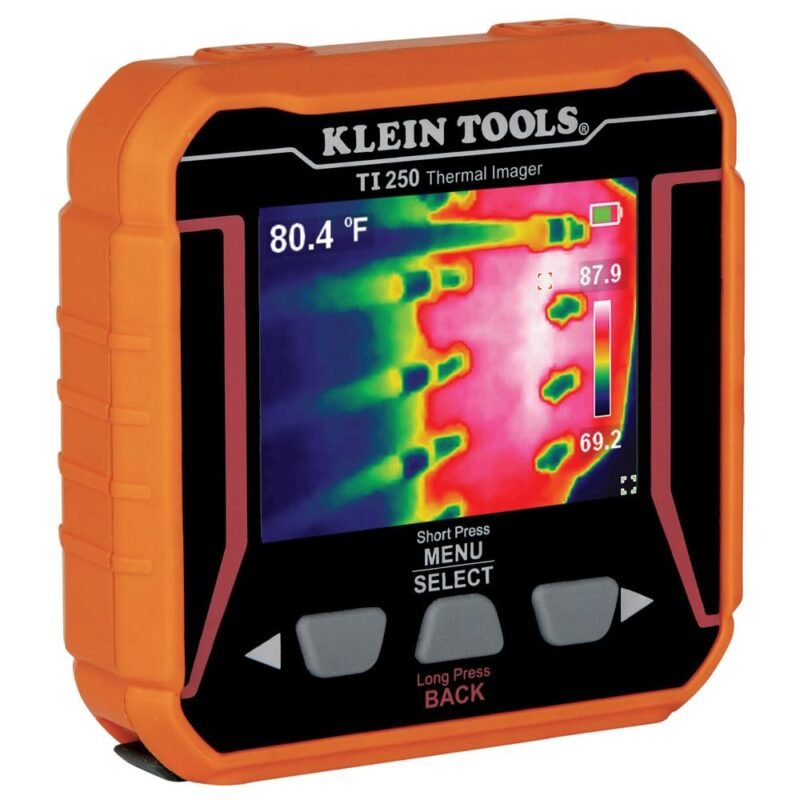
The Klein Tools TI250 is the sweet spot for an electronics bench: a self-contained camera with over 19,200 thermal pixels (the class of a 160 x 120 sensor), so it works with any phone or none at all. It marks the hottest and coldest points, lets you set emissivity from 0.01 to 0.99 for accurate readings on different surfaces, offers high and low temperature alarms from -4 to 752°F and three color palettes, and saves images over USB-C. The battery is built in and rechargeable. It holds 4.4 stars from 938 ratings.
✅ Pros- No phone or app needed
- Adjustable emissivity
- Hot and cold spot markers
❌ Cons- Not a macro camera
- Non-removable battery
🎯 Verdict: The most practical all-round thermal camera for hobby and pro benches.
👉 Check Price on Amazon →
🥈 BEST PHONE CAMERA
2. FLIR ONE Pro for iOS (Lightning)
⭐ 4.5/5 · Smartphone Thermal Camera
480 x 360
VIVID IR UPSCALE
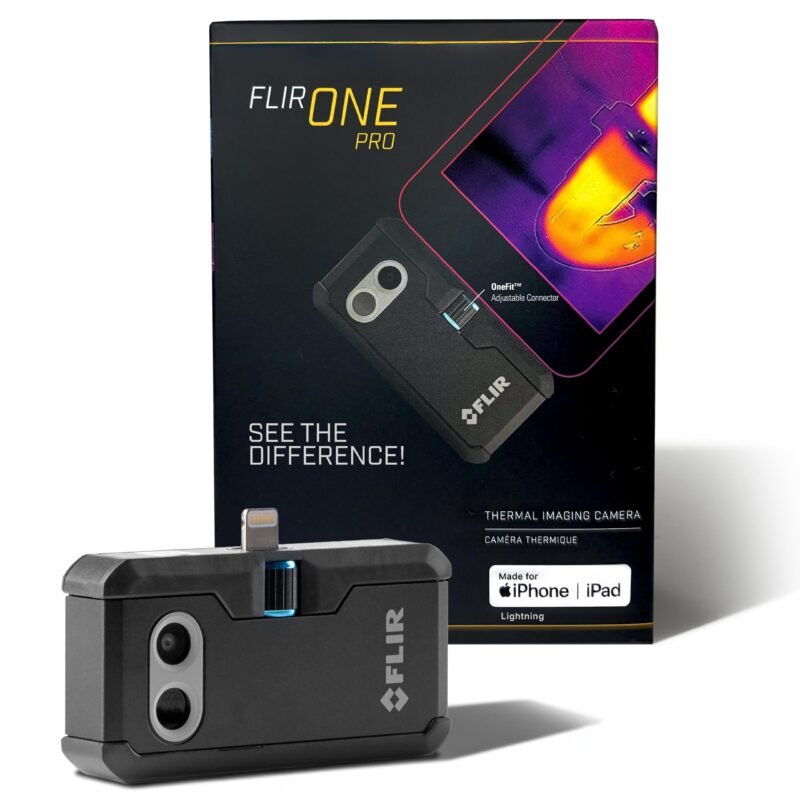
The FLIR ONE Pro plugs into an iPhone’s Lightning port and turns it into a 160 x 120 thermal camera. FLIR’s VividIR processing upscales the image to 480 x 360, and MSX overlays edges from the visible camera, which makes it much easier to tell which component is hot on a busy board. The listing states accuracy of ±3°C or ±5% within its specified conditions and a 1.5 m drop rating. With 2,344 ratings at 4.4 stars it is the most proven phone imager here. Important: this version only fits iPhones with Lightning (iPhone 14 and older).
✅ Pros- MSX makes parts recognizable
- Uses your phone’s big screen
- Huge review base
❌ Cons- Lightning iPhones only
- Relies on the FLIR app
🎯 Verdict: The best phone-based option if you own a Lightning iPhone.
👉 Check Price on Amazon →
🔎 BEST HIGH RESOLUTION · ⭐ 4.5/53. Klein Tools TI290 PRO Thermal Camera
Over 76,800 pixels · Wi-Fi app transfer · -40 to 752°F alarms · 61 ratings
Buy Here →
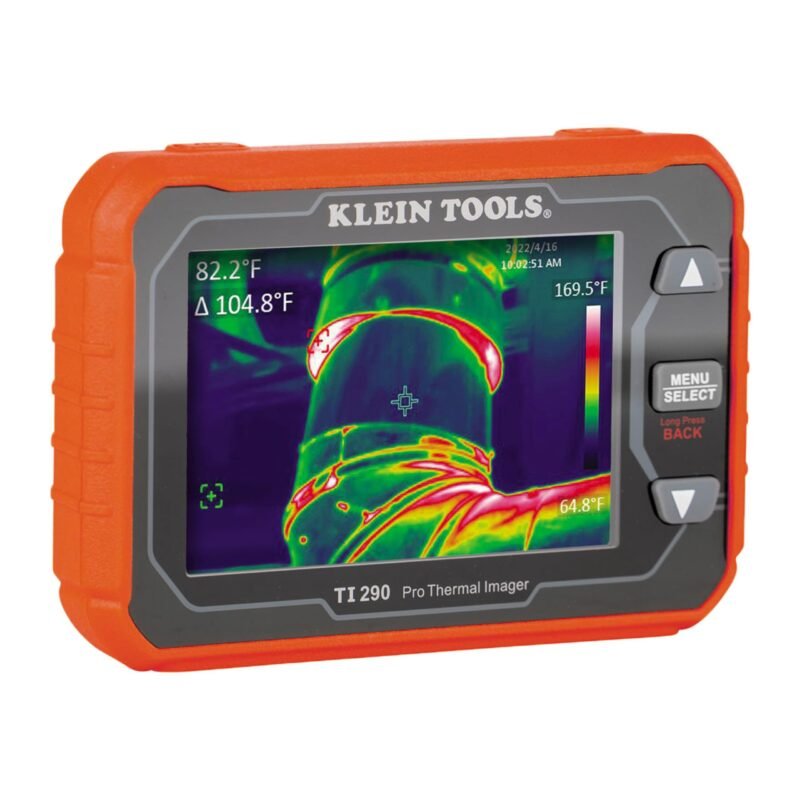
The TI290 quadruples the TI250’s pixel count to over 76,800 (the class of a 320 x 240 sensor), which makes a big difference on dense boards. It adds Wi-Fi transfer to Klein’s app, user-set alarms from -40 to 752°F, adjustable emissivity, three palettes and USB-C charging. 4.4 stars from 61 ratings.
✅ Pros: High resolution; Wi-Fi sharing.
❌ Cons: Fewer reviews; premium tier.
🎯 Verdict: The upgrade pick when you need to resolve individual small parts.
🧳 BEST RUGGED POCKET IMAGER · ⭐ 4.4/54. Fluke PTi120 Pocket Thermal Imager
3.5 in touchscreen · IR-Fusion · 1 m drop · Fluke Connect · 31 ratings
Buy Here →

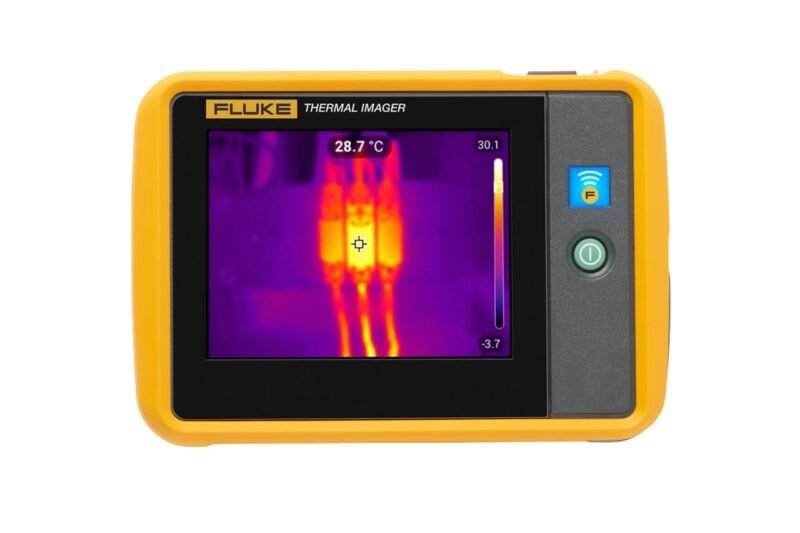
Fluke’s PTi120 is a pocket-sized imager with a 3.5-inch touchscreen and IR-Fusion, which blends a visible image with the thermal one so you can slide between them with a finger. It resists dirt and water, survives a 1 m drop, and uses Fluke Connect asset tagging to organize images. The Amazon bullets don’t state its sensor resolution, so check Fluke’s spec sheet. 4.4 stars from 31 ratings.
✅ Pros: Rugged; touchscreen; IR-Fusion.
❌ Cons: Few reviews; resolution not in listing.
🎯 Verdict: A tough everyday-carry imager from a trusted test brand.
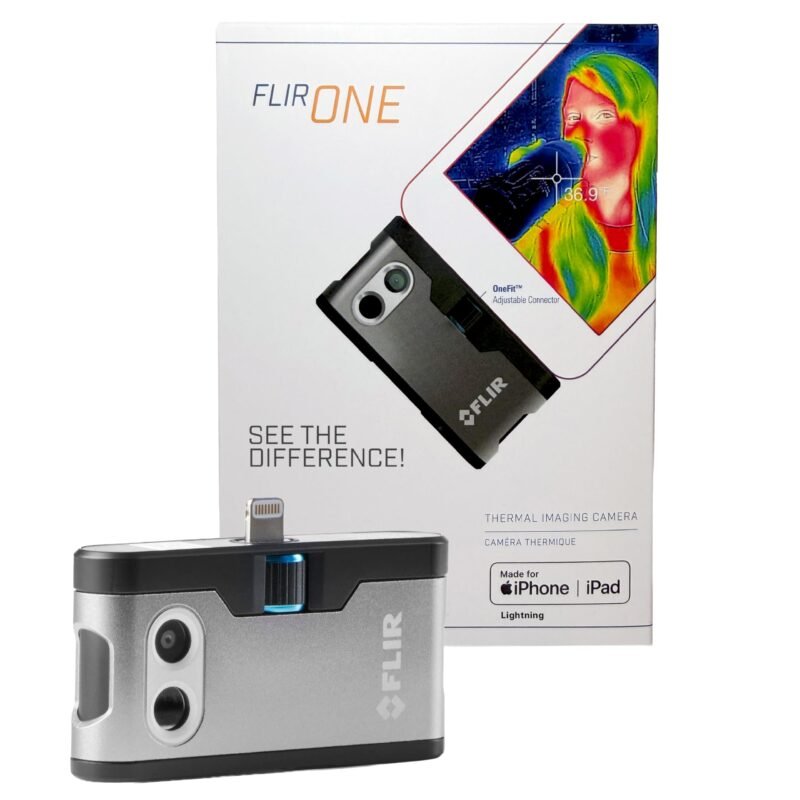
💡 BEST BUDGET PHONE OPTION · ⭐ 4.1/55. FLIR ONE for iOS (Lightning)
80 x 60 native · 240 x 180 upscaled · MSX · 3,029 ratings
Buy Here →
The standard FLIR ONE has the most ratings of any pick (3,029 at 4.3 stars) and the same MSX edge overlay as the Pro, but its native sensor is only 80 x 60, upscaled to 240 x 180. That is enough to find which regulator or motor driver is cooking, but not to resolve small chips. Lightning iPhones (14 and older) only.
✅ Pros: Proven; MSX overlay.
❌ Cons: Low native resolution; Lightning only.
🎯 Verdict: Fine for finding the hot part, not for fine detail.
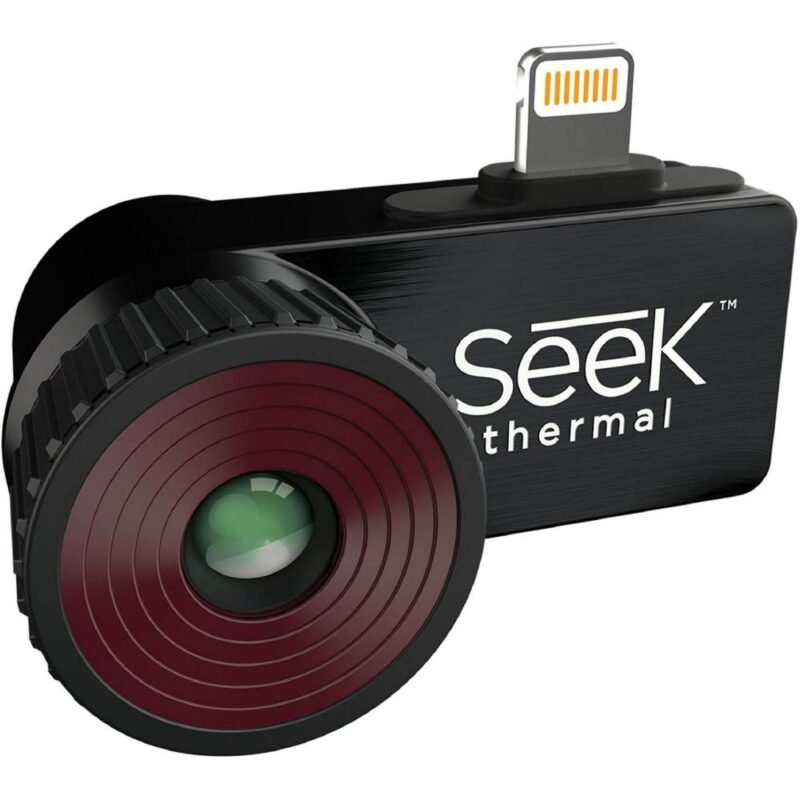
🎯 MOST PIXELS ON A PHONE · ⭐ 4.0/56. Seek Thermal CompactPRO for iOS
320 x 240 · focusable lens · under 9 Hz · -40 to 626°F · 302 ratings
Buy Here →
The CompactPRO packs a 320 x 240 sensor, the highest phone-add-on resolution here, plus a focusable lens, which matters a lot for close PCB work. It needs no batteries, includes a waterproof case and offers spot, high/low and threshold modes with nine palettes. The frame rate is under 9 Hz and ratings are mixed at 3.8 stars from 302 reviews; check connector compatibility with your iPhone before buying.
✅ Pros: 320 x 240; focusable.
❌ Cons: Slow frame rate; mixed reviews.
🎯 Verdict: The detail pick among phone add-ons, if you accept the lag.
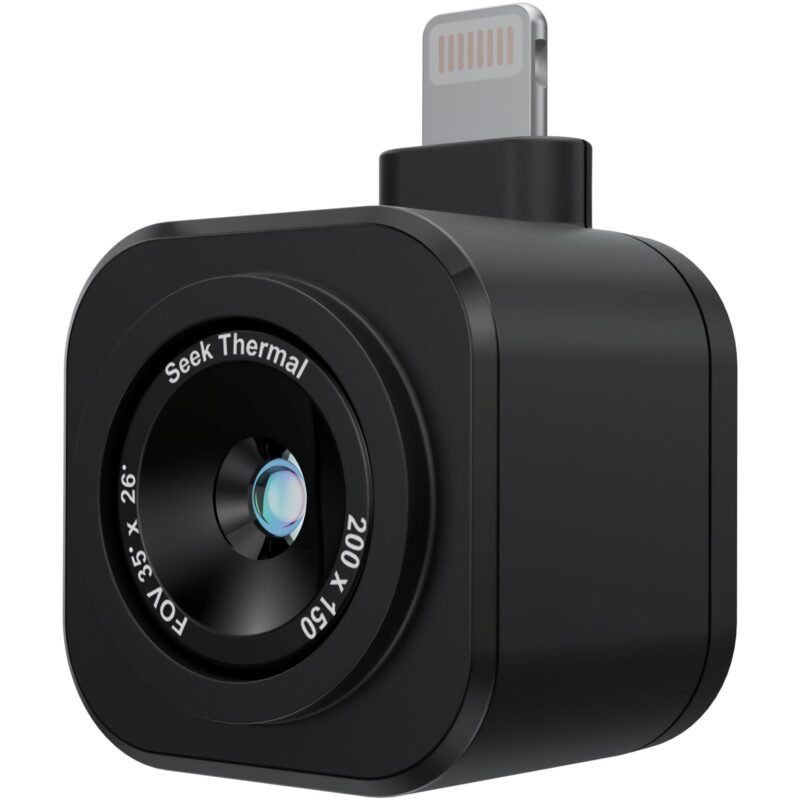
🎞️ SMOOTHEST PHONE VIDEO · ⭐ 3.9/57. Seek Thermal Nano 200 for iOS
200 x 150 · over 25 Hz · under 35 mK · -4 to 626°F · 40 ratings
Buy Here →
Seek’s newer Nano 200 trades some resolution (200 x 150) for a frame rate over 25 Hz and sensitivity under 35 mK, so the live view is smooth while you scan a board. It shows center, hottest and coldest spot temperatures with ±5% stated accuracy, records photos and video, and is designed and assembled in the USA. Lightning iPhones (14 and earlier) only. 3.8 stars from 40 ratings.
✅ Pros: Smooth 25 Hz; good sensitivity.
❌ Cons: Lightning only; modest rating.
🎯 Verdict: Good for watching parts heat up in real time.
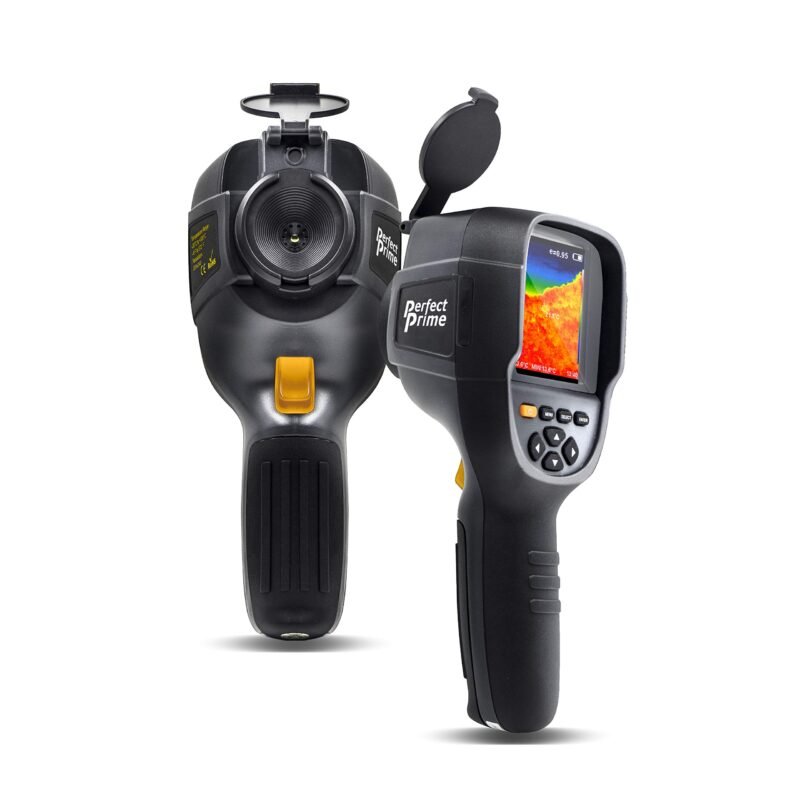
🖼️ HIGH RES STANDALONE VALUE · ⭐ 4.0/58. PerfectPrime IR0019 Thermal Imager
76,800 pixels · 3.2 in screen · 9 Hz · ±2.5°C · 4 GB SD · 39 ratings
Buy Here →
The IR0019 offers a 76,800-pixel thermal image on a 3.2-inch color screen, a visible-light view, a 9 Hz refresh rate, ±2.5% or ±2.5°C stated accuracy and a 4 GB SD card for JPG images. PerfectPrime lists a 24-month warranty plus 12 more months after registration. 3.9 stars from 39 ratings.
✅ Pros: High pixel count; long warranty.
❌ Cons: 9 Hz; middling rating.
🎯 Verdict: A detailed standalone imager without a premium brand name.
👆 BEST RADIOMETRIC REPORTS · ⭐ 3.9/59. PerfectPrime IR281 Touchscreen Thermal Imager
206 x 156 · 0.065°C sensitivity · CSV radiometry · video · 15 ratings
Buy Here →
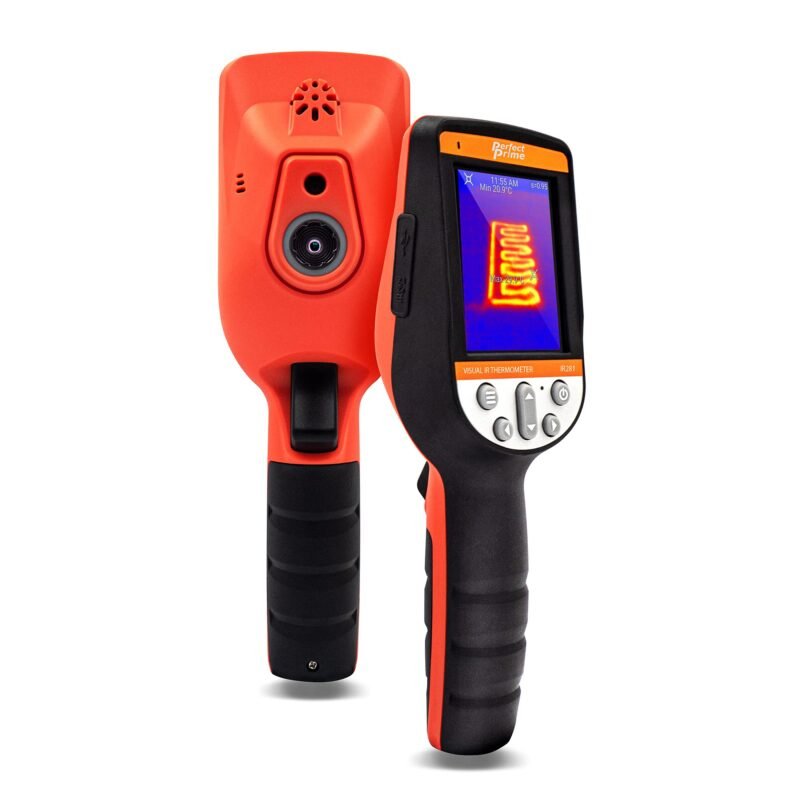
The IR281 has a 206 x 156 sensor (32,136 pixels), 0.065°C thermal sensitivity, ±2% or ±2°C accuracy and a 9 Hz refresh rate. Its touchscreen gives a live temperature at any pixel, it records video, and it saves full radiometric data as CSV for analysis in thermal software, useful for documenting heat tests on a product. Only 15 ratings (3.9 stars).
✅ Pros: Radiometric CSV; touch any pixel.
❌ Cons: Very few reviews.
🎯 Verdict: For engineers who need measurement data, not just pictures.
💲 ENTRY-LEVEL STANDALONE · ⭐ 3.7/510. PerfectPrime IR0002 Thermal Imager
60 x 60 (3,600 pixels) · 6 Hz · 2.4 in screen · 4 x AA · 177 ratings
Buy Here →
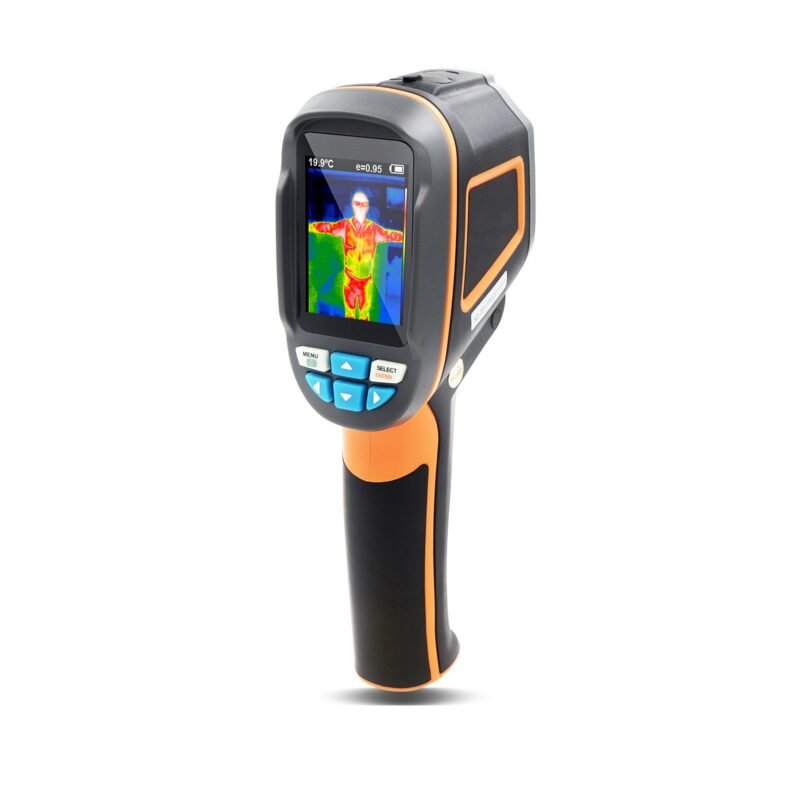
The IR0002 is a basic standalone imager with a 60 x 60 sensor, 0.15°C sensitivity, -4 to 572°F range, a 6 Hz refresh rate and a 0.3 MP visible camera, saving to a micro SD card. It runs on four AA alkaline cells (the listing warns against 1.2 V rechargeables) and its best viewing distance is listed as 1.6 to 16 ft, so it is not suited to close-up board work. 4.0 stars from 177 ratings.
✅ Pros: No phone needed; simple.
❌ Cons: Very low resolution; AA batteries.
🎯 Verdict: Only for spotting obviously hot modules from a distance.
🔧 BEST WIDE TEMPERATURE RANGE · ⭐ 4.2/511. Bosch PRO GTC600C Connected Thermal Camera
-4 to 1112°F · Wi-Fi app · voice notes · 12 V Max battery platform · 14 ratings
Buy Here →
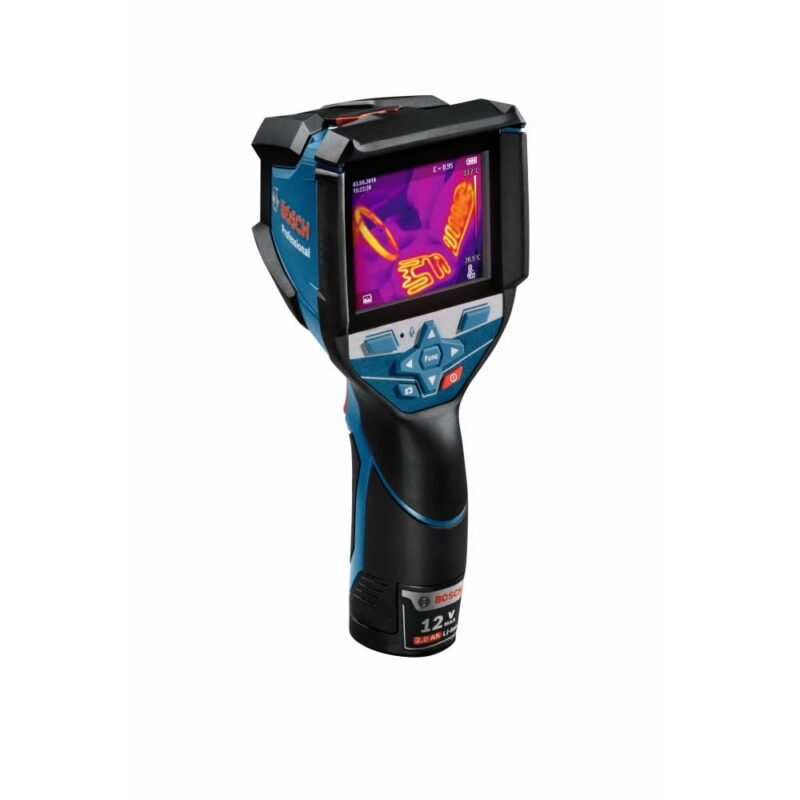
Bosch’s GTC600C measures from -4 to 1112°F, the widest range here, stores up to 500 images and 350 voice notes, and connects over Wi-Fi to the Bosch ThermalOn app for reports, with categorized emissivity values built in. It is part of Bosch’s 12 V Max tool platform. The bullets don’t state the sensor resolution. Only 14 ratings (4.5 stars).
✅ Pros: Wide range; strong documentation tools.
❌ Cons: Few reviews; resolution not listed.
🎯 Verdict: A pro tool for power electronics and panel work, especially if you own Bosch 12 V packs.
🔬 BEST FOR CLOSE-UP PCB WORK · ⭐ 4.1/512. BSIDE SH7 Thermal Imaging Multimeter With Macro Lens
320 x 320 · 25 Hz · macro lens at 35 mm · 20000-count DMM · 8 ratings
Buy Here →
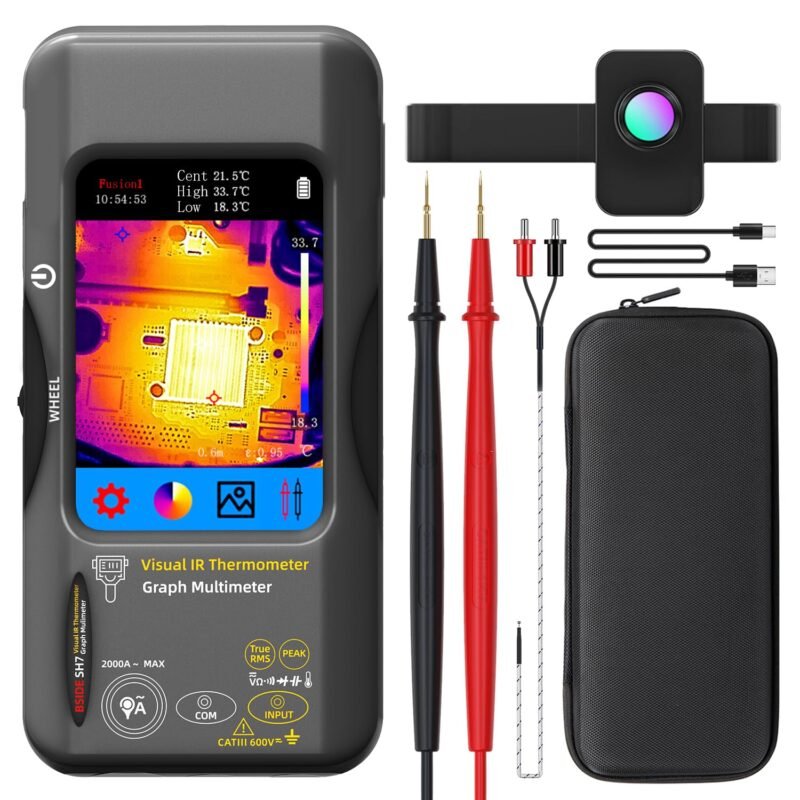
The BSIDE SH7 is the only pick built with electronics in mind: a 320 x 320 thermal camera at 25 Hz with a macro lens (35 mm working distance, 0.3x) explicitly for PCB hot spots and small components, combined with a 20000-count multimeter that measures AC/DC voltage, resistance, capacitance, diode, temperature and AC current via a flexible clamp. It has a 3.98-inch touch screen and 15 palettes. The catch: only 8 ratings (4.3 stars), so it is the least proven pick here.
✅ Pros: Macro lens; high resolution; meter built in.
❌ Cons: Very few reviews; lesser-known brand.
🎯 Verdict: The most PCB-focused imager on paper; a calculated risk.
🧰 Which One for Which Job
⚡
Finding a short on a dev board
Klein TI250: current-limit the rail on a bench supply and look for the part that warms first.
🔬
Dense boards and tiny parts
Klein TI290 or BSIDE SH7 with its macro lens.
📱
Already own a Lightning iPhone
FLIR ONE Pro for MSX detail, or Seek CompactPRO for more pixels.
🔥
Motor drivers, MOSFETs and heatsinks
Bosch GTC600C or Fluke PTi120 to check thermal design under load.
📊
Product heat testing with reports
PerfectPrime IR281 for radiometric CSV export.
⚙️ Thermal Resolution Explained
| Native Resolution | Pixels | What You Can See on a PCB | Examples in This Guide |
|---|
| 60 x 60 to 80 x 60 | 3,600 to 4,800 | Which module or region is hot | PerfectPrime IR0002, FLIR ONE |
| 160 x 120 | 19,200 | Individual regulators, MOSFETs and ICs ⭐ | Klein TI250, FLIR ONE Pro |
| 200 x 150 to 206 x 156 | 30,000 to 32,136 | Larger SMD parts at close range | Seek Nano 200, PerfectPrime IR281 |
| 320 x 240 and up | 76,800+ ⭐ | Small passives, especially with macro | Klein TI290, Seek CompactPRO, PerfectPrime IR0019, BSIDE SH7 |
Pixel counts from listings; where a listing gives only a pixel count, the matching sensor class is shown. Upscaled “super resolution” figures are not native.
❓ Frequently Asked Questions
How do I find a short circuit with a thermal camera?
Power the shorted rail from a bench supply with the current limit set low (for example 1 A) and the voltage at or below the rail’s normal value. Watch the board through the camera; the shorted capacitor or chip usually warms first within seconds. Increase current gradually if nothing shows.
Why do shiny parts read cold?
Bare metal and solder have low emissivity, so they reflect the room instead of emitting their own heat. Measure the black package of a nearby IC, set emissivity, or stick a small piece of Kapton or matte tape on the spot.
Is a phone thermal camera good enough?
Yes for most hobby debugging, provided it fits your phone. Check the connector carefully: the FLIR ONE models and Seek Nano 200 listed here are Lightning-only. A standalone camera avoids app and connector issues and is easier to hold over a bench.
Can I build my own thermal camera with an ESP32?
Yes, with sensors like the MLX90640 (32 x 24) or AMG8833 (8 x 8). They are fun for projects but far lower resolution than these cameras. See our thermal camera modules guide.
What is MSX or IR-Fusion?
Both blend information from a normal visible camera into the thermal image so outlines, labels and component edges show up. On a crowded PCB this makes it much easier to know exactly which part is hot.
🏁 Final Verdict: Best Thermal Cameras for Electronics
Our top picks by use case:
📱 Best Phone Camera: FLIR ONE Pro (iOS)
Buy Here →🔎 Best High Resolution: Klein Tools TI290
Buy Here →🎯 Most Pixels on a Phone: Seek CompactPRO
Buy Here →🔬 Best Close-Up PCB: BSIDE SH7 With Macro Lens
Buy Here →For most electronics benches the Klein Tools TI250 is the easy pick: standalone, proven and sharp enough to pinpoint hot components. Step up to the TI290 for dense boards, or choose the FLIR ONE Pro if you have a Lightning iPhone. Round out your debugging bench with our guides to multimeters, bench power supplies, hot air rework stations, soldering stations and thermal camera modules.
💬 What is the strangest fault you have found with a thermal camera? Share it in the comments below.
All Amazon links above use our affiliate tag (microlab05-20). Purchasing through them supports microcontrollerslab.com at no extra cost to you. Prices and availability change frequently, so always confirm the current price on Amazon before buying.