⚠️ Affiliate Disclosure: This post contains Amazon affiliate links. If you purchase through our links, we may earn a small commission at no extra cost to you. We only recommend products we have thoroughly researched and verified.
Ultimate Buying Guide 2026
🔥 Best Soldering Irons & Stations for DIY Electronics
8 soldering irons and stations ranked for Arduino, ESP32, STM32 and PCB repair — from a $25 starter kit to a pro-grade Weller — with real specs, honest verdicts, and direct Amazon links.
✅ 8 Picks Reviewed
✅ Verified Amazon ASINs
✅ Updated June 2026
✅ Honest Pros & Cons
A good soldering iron is the tool that turns a pile of components into a working project. Whether you’re tacking header pins onto an ESP32, fixing a cold joint on an Arduino shield, building a custom PCB, or repairing a battery tab, the quality of your iron decides whether soldering feels effortless or maddening. A stable, fast-recovering tip wets a joint in a second; a weak, temperature-drifting one leaves you pressing and waiting while pads lift and plastic melts.
The good news: you don’t need a $300 rework station to solder electronics well. A solid temperature-controlled station for around $60 will outperform a no-name 30 W pencil in every way, and even a $25 starter kit can get a beginner soldering cleanly. This guide ranks 8 soldering irons and stations across every budget — temperature-controlled stations, USB-C smart irons, and complete starter kits — with the specs that actually matter for microcontroller work, so you can match the right iron to your bench without overspending.
💡 Reality check before you buy: The single most important feature for electronics is closed-loop temperature control — a station that senses tip temperature and corrects it instantly, so the tip doesn’t sag when it touches a big ground plane. Cheap fixed-watt irons can’t do this. Also budget for consumables: tips wear out, you’ll want flux and a brass-wool cleaner, and a good iron is only as good as its tip. USB-C smart irons (TS101, Pinecil) are brilliant but need a real 65 W+ USB-C PD supply to hit full power. Match the iron to your bench, not to a wattage number on the box.
🔥 Quick Comparison — All 8 Soldering Tools
| Soldering Tool | Type | Power | Temp Control | Best For | Price | Buy |
|---|
| 🥇 Hakko FX888D-23BY | Digital Station | 70 W | Closed-loop ±1°C | Best Overall | ~$130 | View → |
| 🏅 Weller WE1010NA | Digital Station | 70 W | Closed-loop ±6°C | Best Professional | ~$155 | View → |
| ⚡ Miniware TS101 | USB-C Smart Iron | 65 W | Digital PID | Best Smart Iron | ~$70 | View → |
| 🎒 Pinecil V2 | USB-C Smart Iron | ~60 W | Digital PID | Best Portable Value | ~$40 | View → |
| 🛠️ X-Tronic 3020-XTS | Station + Kit | 75 W | PID ±2°C | Best Value Kit | ~$60 | View → |
| 💵 YIHUA 939D+ | Digital Station | 75 W | Digital PID | Best Budget Station | ~$45 | View → |
| 📟 Weller WLC100 | Analog Station | 5–40 W | Variable dial | Best Brand Beginner | ~$60 | View → |
| 👶 Plusivo 60W Kit | Starter Kit | 60 W | Dial (no closed loop) | Best Ultra-Budget | ~$25 | View → |
🔍 What to Look for in a Soldering Iron for Electronics
🌡️
Temperature Control
Closed-loop (PID) control senses the tip and corrects instantly. It’s the #1 feature that separates a real station from a cheap pencil.
⚡
Power & Thermal Recovery
60–75 W with fast recovery lets you solder ground planes and battery tabs without the tip stalling. Recovery matters more than raw watts.
🔧
Tip Selection
Cheap, widely-available tips (Hakko T18, Weller ET, TS-series) mean you can swap shapes and replace worn tips for years to come.
⏱️
Heat-up Speed
A fast iron is one you actually use. The best units reach soldering temperature in 6–30 seconds, so there’s no waiting around.
🛡️
ESD Safety & Stand
An ESD-safe, grounded tip protects sensitive MCUs, and a sturdy stand with sleep/standby keeps you (and your bench) safe.
🏆 Detailed Reviews — All 8 Picks
🥇 BEST OVERALL · ⭐ 4.8/5 · Editor’s Choice

The Hakko FX888D-23BY is the bench standard for hobbyists and pros alike. Its closed-loop digital control holds the tip within about ±1°C, and the FX-8801 iron with T18 tips recovers heat so fast you can move from a fine 0402 joint to a thick ground pour without missing a beat. You get five temperature presets, a password lock, and Hakko’s enormous, cheap tip catalogue. It isn’t the prettiest or the cheapest, but it simply works, year after year — which is exactly why you see it on so many electronics benches.
✅ Pros- Rock-stable closed-loop temp control
- Superb thermal recovery
- Huge, inexpensive T18 tip range
- Built to last for years
❌ Cons- Fiddly two-button menu
- No sleep/auto-off
- ~$130 — not cheap
🎯 Verdict: The best all-round iron for makers. If you want one station to buy and stop thinking about, this is it.
👉 Check Price on Amazon: amazon.com/dp/B00ANZRT4M
🏅 BEST PROFESSIONAL · ⭐ 4.8/5 · The Workhorse

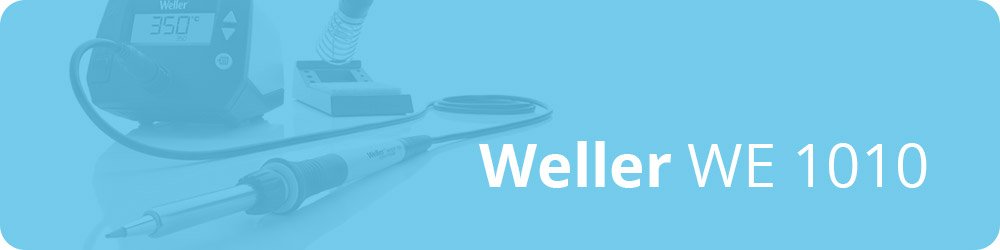
The Weller WE1010NA is the iron you’ll find in countless labs, classrooms and repair shops. The 70 W WEP70 pencil heats from cold to 350°C in about 28 seconds, holds temperature within ±6°C, and changes tips tool-free by hand. Standby/auto-setback protects the tip when you put it down, the safety rest is reinforced, and the whole chain — station, iron and silicone cable — is ESD safe. It’s a touch pricier than the Hakko and uses the slightly less universal ET tip family, but for a do-it-all professional bench it’s hard to beat.
✅ Pros- Fast heat-up & recovery
- Tool-free tip change
- Standby/auto-setback
- Trusted, long-lived brand
❌ Cons- ~$155 — premium price
- ET tips cost more than T18
- Fewer temp presets
🎯 Verdict: The professional’s pick. If you solder often and want a fuss-free, safety-first station that lasts, the WE1010 is money well spent.
👉 Check Price on Amazon: amazon.com/dp/B077JDGY1J
⚡ BEST SMART IRON · ⭐ 4.6/5
3. Miniware TS101
65 W · USB-C PD + DC · 50–400°C · OLED · programmable · ~$70

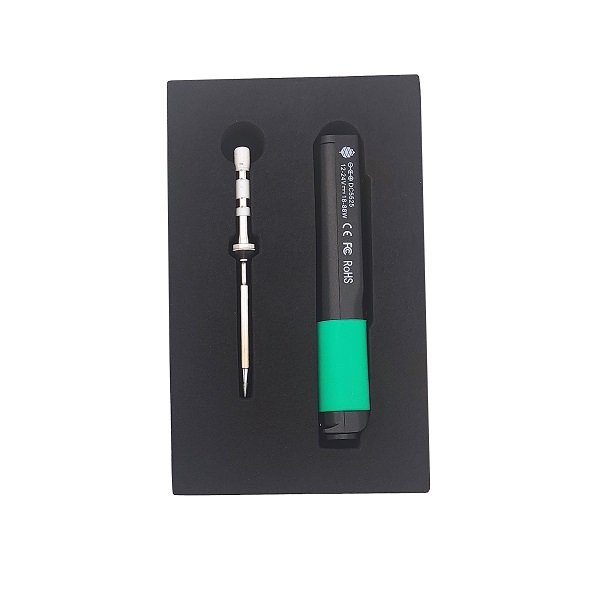
The Miniware TS101 is the smart iron that finally feels like a “real” iron. It runs on USB-C PD or a DC barrel jack, hits 65 W, has a crisp OLED screen, and its programmable firmware lets you set temperatures, sleep timers and motion wake. The slim aluminium body and quick TS-series tips make it a joy for repairs and field work — power it from a laptop charger or a power bank and you’re soldering anywhere.
✅ Pros: 65 W via USB-C PD or DC; bright OLED; programmable; quick tips; truly portable.
❌ Cons: Needs a 65 W PD supply for full power; small for big jobs; tip range narrower than Hakko.
🎯 Verdict: The best smart iron for makers who fix things on the move. A genuine main-iron contender, not just a toy.
👉 amazon.com/dp/B0BF63H4ZC
🎒 BEST PORTABLE VALUE · ⭐ 4.7/5
4. Pine64 Pinecil V2
RISC-V · IronOS · USB-C PD/QC + DC · 6 s heat-up · ~$40

The Pinecil V2 is the hacker’s favourite for good reason: a 32-bit RISC-V iron running fully open-source IronOS, it reaches soldering temperature in about 6 seconds, weighs almost nothing, and takes both USB-C PD/QC and a DC5525 barrel jack. At around $40 it’s the cheapest way into the smart-iron world, and it accepts the same hugely popular short tips as the TS-series. Pair it with a 65 W GaN charger and it punches far above its price.
✅ Pros: Open-source IronOS; 6 s heat-up; dual power input; tiny & cheap; popular tip range.
❌ Cons: Power supply not included; full power needs a good PD source; tiny for heavy jobs.
🎯 Verdict: The best value smart iron. An incredible portable second iron — or a brilliant first one for tinkerers.
👉 amazon.com/dp/B096X6SG13
🛠️ BEST VALUE KIT · ⭐ 4.6/5
5. X-Tronic 3020-XTS
75 W · 200–480°C · PID ±2°C · helping hands + solder + mat · ~$60

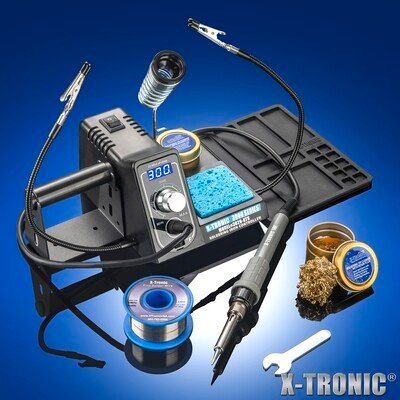
The X-Tronic 3020-XTS is the best way to set up a complete bench for around $60. You get a 75 W PID-controlled station (±2°C), a blue LED readout, a 10-minute sleep timer, C/F toggle — plus a genuinely useful bundle: two helping hands, a silicone work mat, a brass-wool tip cleaner with flux, and a roll of solder. It’s not a Hakko in build quality, but for a beginner who wants everything in one box and real temperature control, the value is excellent.
✅ Pros: Real PID control; complete kit; helping hands + mat + solder; sleep timer; 3-yr warranty.
❌ Cons: Generic tips wear faster; build less refined than name brands; iron a bit bulky.
🎯 Verdict: The best value complete kit. The easiest “buy one box, start soldering” option with proper temperature control.
👉 amazon.com/dp/B01DGZFSNE
💵 BEST BUDGET STATION · ⭐ 4.4/5
6. YIHUA 939D+
75 W · 200–480°C · digital LCD · 3 memories · sleep mode · ~$45

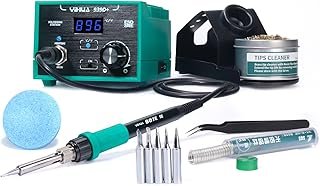
The YIHUA 939D+ is the cheapest “proper” digital station worth recommending. For around $45 you get a 75 W-equivalent station with a digital LCD, smart temperature control, three memory presets, a sleep mode, a brushed-aluminium burn-resistant panel and a detachable 907-style iron — plus spare tips and a little lead-free solder in the box. It won’t match a Hakko’s recovery or tip quality, but it’s a big step up from a fixed-watt pencil for the price of one.
✅ Pros: Digital control under $50; 3 memories; sleep mode; spare tips + solder included; metal panel.
❌ Cons: Average tip life; slower recovery on big joints; sold in several variants/colours.
🎯 Verdict: The best budget station. If you want digital temperature control for the least money, start here.
👉 amazon.com/dp/B08BRBWT3P
📟 BEST BRAND BEGINNER · ⭐ 4.6/5
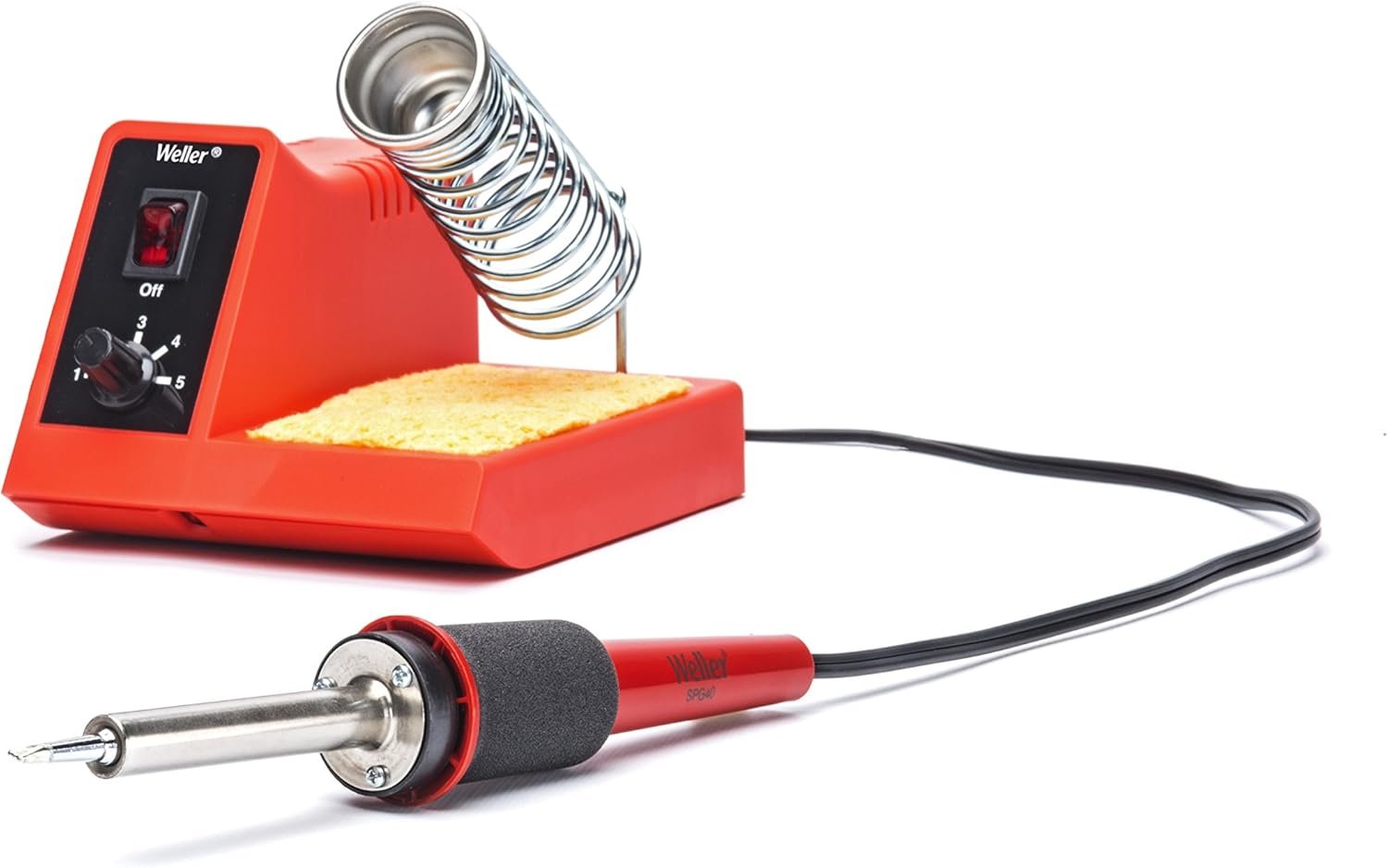
7. Weller WLC100
5–40 W variable dial · up to 900°F · SPG40 pencil · ~$60

The Weller WLC100 is the classic first soldering station, and it’s still a sensible buy. It’s an analog unit — a dial sets power from 5 to 40 W rather than a precise temperature — but it brings Weller build quality, a comfortable SPG40 pencil with ST tips, and a built-in stand and sponge. It lacks the closed-loop precision of a digital station, so it’s a step below the Hakko or X-Tronic for fine PCB work, but for learning the craft on a trusted brand it’s a dependable, no-drama choice.
✅ Pros: Trusted Weller quality; comfy pencil; variable power; widely available ST tips; simple.
❌ Cons: Analog (no true temperature readout); slower recovery; price has crept up to ~$60.
🎯 Verdict: The best name-brand starter station. Pick it if you value Weller reliability over digital precision.
👉 amazon.com/dp/B000AS28UC
👶 BEST ULTRA-BUDGET · ⭐ 4.5/5
8. Plusivo 60W Soldering Kit
60 W adjustable iron · stand, pump, tweezers, solder, bag · ~$25

If you just need to start soldering today for as little as possible, the Plusivo 60W Kit is the one. For around $25 you get an adjustable-temperature 60 W iron plus everything a beginner needs around it: a stand, desoldering pump, tweezers, solder wire, extra tips, a mini PCB to practise on and a carry bag. It’s a simple dial iron with no closed-loop control, so it won’t rival a real station — but as a low-risk way to learn (or a grab-bag for field repairs) it’s superb value.
✅ Pros: Complete kit ~$25; adjustable temp; pump, tweezers, solder & bag; great for learning.
❌ Cons: No closed-loop control; basic tips; includes leaded solder (Prop 65); you’ll outgrow it.
🎯 Verdict: The best risk-free starter. Perfect first kit — buy a digital station once you’re hooked.
👉 amazon.com/dp/B07GTGGLXN
🛒 How to Choose the Right Soldering Iron
🏆
Want the Best All-Rounder?
Get the Hakko FX888D-23BY. Closed-loop control, superb recovery and cheap T18 tips — the complete maker station at ~$130.
💎
Soldering Every Day?
The Weller WE1010NA is the professional’s bench station — fast, safe and built to last for years.
🎒
Repairs On the Go?
The Pinecil V2 (~$40) or TS101 (~$70) run off USB-C PD and go anywhere your laptop charger does.
📦
Want Everything in One Box?
The X-Tronic 3020-XTS (~$60) bundles a PID station with helping hands, mat and solder — set up and go.
💵
On a Tight Budget?
The YIHUA 939D+ (~$45) gives you real digital temperature control for the least money.
🎓
Just Starting Out?
The Plusivo 60W Kit (~$25) or Weller WLC100 make a low-stress, low-cost first iron.
⚡ Key Specs Compared — Side by Side
| Spec | Hakko FX888D | Weller WE1010 | TS101 | Pinecil V2 | X-Tronic 3020 | Plusivo Kit |
|---|
| Type | Station | Station | Smart iron | Smart iron | Station+kit | Starter kit |
| Power | 70 W | 70 W | 65 W | ~60 W | 75 W ⭐ | 60 W |
| Temp control | Closed-loop ±1°C ⭐ | ±6°C | Digital PID | Digital PID | PID ±2°C | Dial only |
| Heat-up | ~30 s | ~28 s | ~15 s | ~6 s ⭐ | ~30 s | ~40 s |
| Tips | T18 (huge range) ⭐ | ET family | TS-series | TS-series | Generic | Generic |
| Best for | All-round bench | Pro / daily use | Portable pro | Portable value | Complete starter | First iron |
| Price | ~$130 | ~$155 | ~$70 | ~$40 | ~$60 | ~$25 ⭐ |
❓ Frequently Asked Questions
Soldering iron or soldering station — which do I need for electronics?
For anything beyond occasional repairs, get a temperature-controlled station (or a smart iron like the TS101/Pinecil). A plain fixed-watt iron has no way to hold the tip at a set temperature, so it overheats small joints and stalls on big ones. A station’s closed-loop control gives consistent, repeatable results — which is exactly what delicate microcontroller boards need.
What wattage do I need for Arduino and PCB work?
For typical through-hole and SMD electronics, 60–75 W with good thermal recovery is ideal. Wattage alone isn’t the whole story — a 70 W station with closed-loop control will out-solder a “100 W” no-name iron because it recovers heat instantly when the tip touches a large ground plane. Only big jobs like battery tabs or thick wires really benefit from more power.
Are USB-C smart irons (TS101, Pinecil) good enough as a main iron?
Yes — with the right power supply. Paired with a quality 65 W+ USB-C PD charger, the TS101 and Pinecil V2 deliver fast heat-up and solid temperature control that handles the vast majority of hobby soldering. The caveat is the supply: a weak charger limits them to a fraction of their rated power. For very heavy joints a full-size 70 W+ station still has the edge in recovery.
Lead or lead-free solder — which should I use?
For hobby electronics, leaded 60/40 or 63/37 rosin-core solder is the easiest to work with: it melts lower, flows beautifully and is very forgiving for beginners. Lead-free is required for commercial products and is less toxic, but needs higher temperatures and more flux. Whichever you choose, work in a ventilated area, use a fume extractor or fan, and wash your hands afterward.
What temperature should I set for soldering electronics?
A good starting point is 320–350°C (about 600–660°F) for leaded solder and 350–380°C for lead-free. Hotter isn’t better — excessive heat lifts pads and damages components. If joints aren’t flowing, add flux and use a bigger tip with more contact area before you crank the temperature. Keep the tip tinned and clean for the best heat transfer.
🏁 Final Verdict — Our Top Picks
🎯 The best soldering tool for every budget:
🥇 Best Overall — Hakko FX888D-23BY: closed-loop control, superb recovery, ~$130
Buy →
🏅 Best Professional — Weller WE1010NA: fast, safe, built to last
Buy →
🎒 Best Portable — Pinecil V2: open-source USB-C smart iron for ~$40
Buy →
🛠️ Best Value Kit — X-Tronic 3020-XTS: PID station + accessories, ~$60
Buy →
💵 Best Budget Station — YIHUA 939D+: digital control for ~$45
Buy →
👶 Best Ultra-Budget — Plusivo 60W Kit: a complete first kit for ~$25
Buy → No single iron is perfect for everyone, but every pick on this list will make your soldering cleaner, faster and less frustrating. For most makers the Hakko FX888D-23BY is the station to buy — its closed-loop control and endless cheap tips make it a buy-once, use-for-years tool. If money is tight, start with the Plusivo 60W Kit or the YIHUA 939D+ and you’ll still learn the craft properly, then upgrade when you’re ready. And if you fix things away from the bench, a Pinecil V2 in your bag is a game-changer.
Pair your new iron with our embedded and electronics tutorials and put it to work right away — from your first header pins to your first custom PCB.
💬 Not sure which iron fits your projects? Tell us what you’re building in the comments below — we read and reply to every question.
All Amazon links above use our affiliate tag (microlab05-20). Purchasing through them supports microcontrollerslab.com at no extra cost to you. Prices and availability change frequently — always confirm the current price on Amazon before buying.
| Arduino Components | Amazon Links |
|---|
| Arduino Starter Kit | Buy Now |
| Arduino Development Kit | Buy Now |
| Arduino Smart Robot Car Kit V4 | Buy Now |
| Arduino Sensors Kit | Buy Now |