⚠️ Affiliate Disclosure: This post contains Amazon affiliate links. If you purchase through our links, we may earn a small commission at no extra cost to you. We only recommend products we have thoroughly researched and verified. Prices and availability change often — always confirm the current price on Amazon before buying.
Ultimate Buying Guide 2026
🍓 Best Raspberry Pi Zero 2 W Kits for Tiny, Powerful Projects
8 Raspberry Pi Zero 2 W kits ranked — from all-in-one starter bundles to camera, display and learning kits — with real specs, honest pros & cons, and direct Amazon links.
✅ 8 Kits Reviewed
✅ Verified Amazon ASINs
✅ Updated June 2026
✅ Honest Pros & Cons
The Raspberry Pi Zero 2 W packs a quad-core 64-bit processor and built-in Wi-Fi & Bluetooth onto a board barely bigger than a stick of gum. It runs roughly five times faster than the original Pi Zero while sipping power, which makes it the perfect brain for tiny, always-on projects: a pocket security camera, a retro handheld, a smart sensor, a Pi-hole ad blocker, or a wearable. But the bare board is only half the story — to actually build something you need a case, power, storage, headers and often a camera or display, and that is exactly what a good kit pulls together.
The catch is that “kit” means very different things across brands. Some bundles include the Pi Zero 2 W board itself; many — especially component and accessory kits — do not, and assume you already own one. This guide ranks 8 Raspberry Pi Zero 2 W kits across every use case and skill level, clearly flagging which ones include the board, so you can match the kit to the project you actually want to build.
💡 Reality check before you buy: The single most important thing to check is whether the Pi Zero 2 W board is included. Many accessory, camera and component kits are sold “compatible with” the board but ship without it — budget for the board separately when comparing. Also note that the Zero 2 W usually ships with unsoldered GPIO headers, so several kits include a loose header you’ll need to solder yourself. The mini-HDMI and micro-USB OTG ports mean you’ll rely on the bundled dongles for a keyboard or monitor. And because the board is so small and dense, a case with real cooling (aluminium or a heatsink) genuinely helps for 24/7 projects. Match the kit to your project — a camera kit, a display kit and a learning kit are very different animals.
🍓 Quick Comparison — All 8 Raspberry Pi Zero 2 W Kits
| Kit | Board Included? | Best For | Highlights | Buy |
|---|
| 🥇 CanaKit Starter MAX (64GB) | ✅ Yes | Best Overall | Board + premium case + 64GB preloaded OS | View → |
| 🏅 Freenove Ultimate Starter Kit | ❌ No (board separate) | Best for Learning | 223 parts · 128 projects · 962-page guide | View → |
| ❄️ GeeekPi Aluminum Case Kit | ❌ No (board separate) | Best for Cooling / Headless | Aluminium heatsink case · 64GB · QC3.0 PSU | View → |
| 💵 Vilros Basic Starter Kit | ✅ Yes | Best Value Bundle | Board + multi-use case + camera ribbon | View → |
| 📷 Waveshare Package C (Camera) | ❌ No (board separate) | Best for Camera Projects | 5MP mini camera + PSU + 16GB + adapters | View → |
| 📦 CanaKit Kit (Official Case) | ✅ Yes | Best Official-Case Kit | Board + genuine red/white case + PSU | View → |
| 🖥️ Waveshare Package G (Display) | ❌ No (board separate) | Best for Portable/Display | USB HAT + 1.3″ IPS screen + accessories | View → |
| 🧩 Waveshare Package B (Complete) | ❌ No (board separate) | Best Budget Accessory Bundle | Case + PSU + 16GB + adapters + header | View → |
“Board Included?” tells you whether the Raspberry Pi Zero 2 W itself ships in the box. Kits marked “No” are accessory/component bundles — buy a board separately. We omit prices because they change often; tap any View → to see the current Amazon price.
🔍 What to Look for in a Raspberry Pi Zero 2 W Kit
🧩
Is the Board Included?
The biggest gotcha. CanaKit and Vilros kits include the Pi Zero 2 W; most Waveshare, Freenove and GeeekPi kits do not. Check before you buy.
🔌
Power & Storage
A clean 5V/2.5–3A supply prevents brown-outs. A preloaded MicroSD (32–64GB) saves you flashing an OS on day one.
📐
Headers & Soldering
The Zero 2 W ships without GPIO pins. Look for a pre-soldered header, or a loose 2×20 header you can solder for HATs and wiring.
❄️
Cooling & Case
For always-on builds, an aluminium case or heatsink keeps the quad-core from throttling. Camera/display kits need a case with the right cutouts.
🛠️
Project Add-ons
A camera, a small IPS display, or a learning component set turns a bare board into a finished project. Pick the add-on that matches your goal.
🏆 Detailed Reviews — All 8 Raspberry Pi Zero 2 W Kits
🥇 Best Overall
CanaKit Pi Zero 2 W Starter MAX Kit (64GB)
⭐⭐⭐⭐⭐ 4.8/5 · Editor’s Choice
Buy on Amazon →

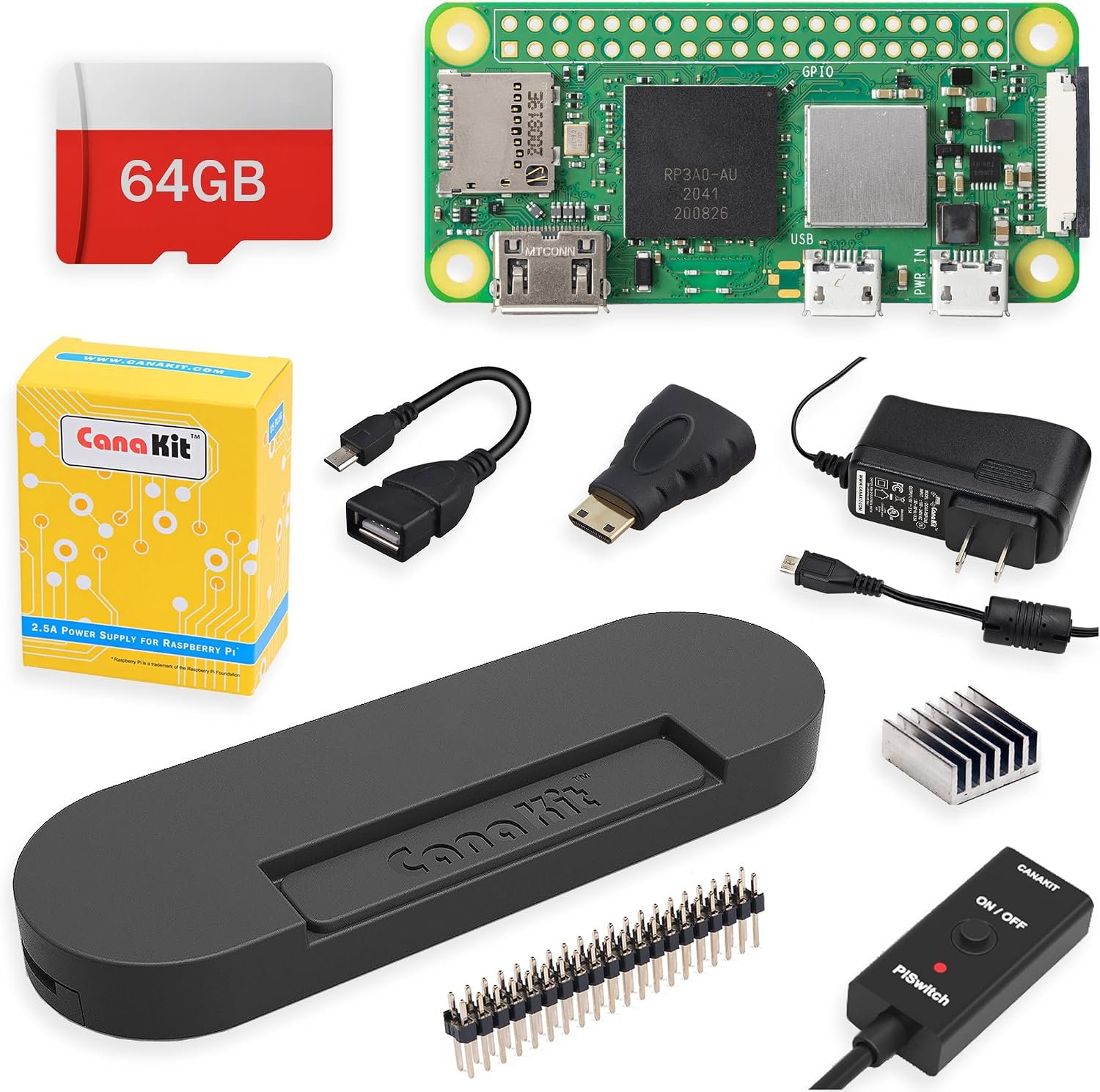
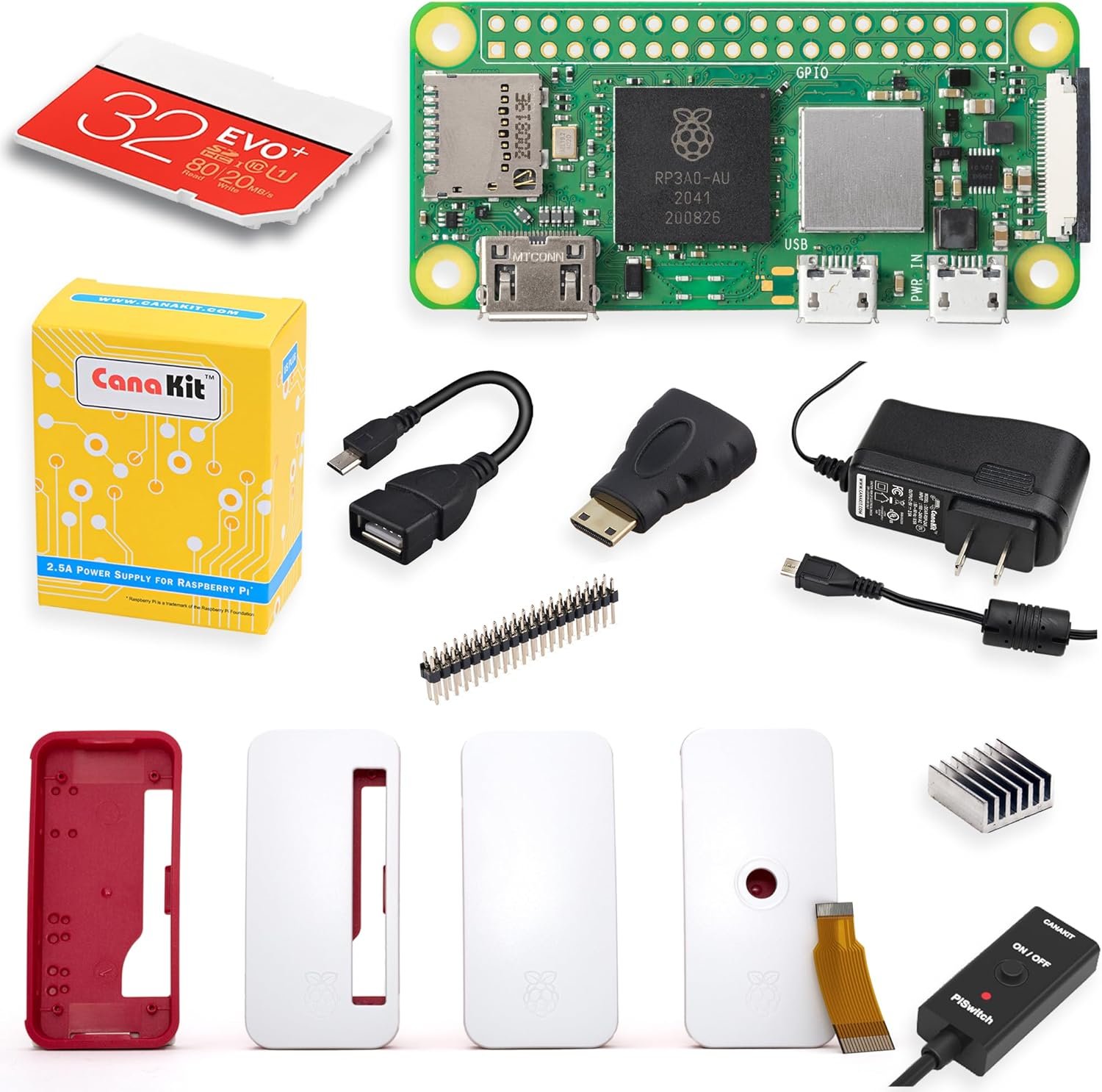
The CanaKit Starter MAX is the kit we recommend to almost everyone, because it’s the rare bundle that includes the Pi Zero 2 W board itself plus everything needed to boot in minutes: a premium case, a 64GB MicroSD preloaded with the OS, a quality 2.5A power supply, and the OTG/mini-HDMI adapters and GPIO header you’ll otherwise hunt for separately. CanaKit’s packaging and support are first-rate, which is exactly what a first-time Zero builder wants.
✅ Pros- Board and all accessories included
- 64GB MicroSD preloaded with OS
- Premium case + 2.5A supply
- Trusted CanaKit support
❌ Cons- Costs more than a bare board
- GPIO header is loose (solder it)
- No camera in the box
🎯 Verdict: The fastest, most foolproof way to get a Zero 2 W running. If you just want one box that works, buy this.
👉 Check Price on Amazon: amazon.com/dp/B0CT1NWTHY 🏅 Best for Learning Electronics
Freenove Ultimate Starter Kit
⭐⭐⭐⭐⭐ 4.7/5 · The Learning Powerhouse
LANGUAGES
Python · C · Java

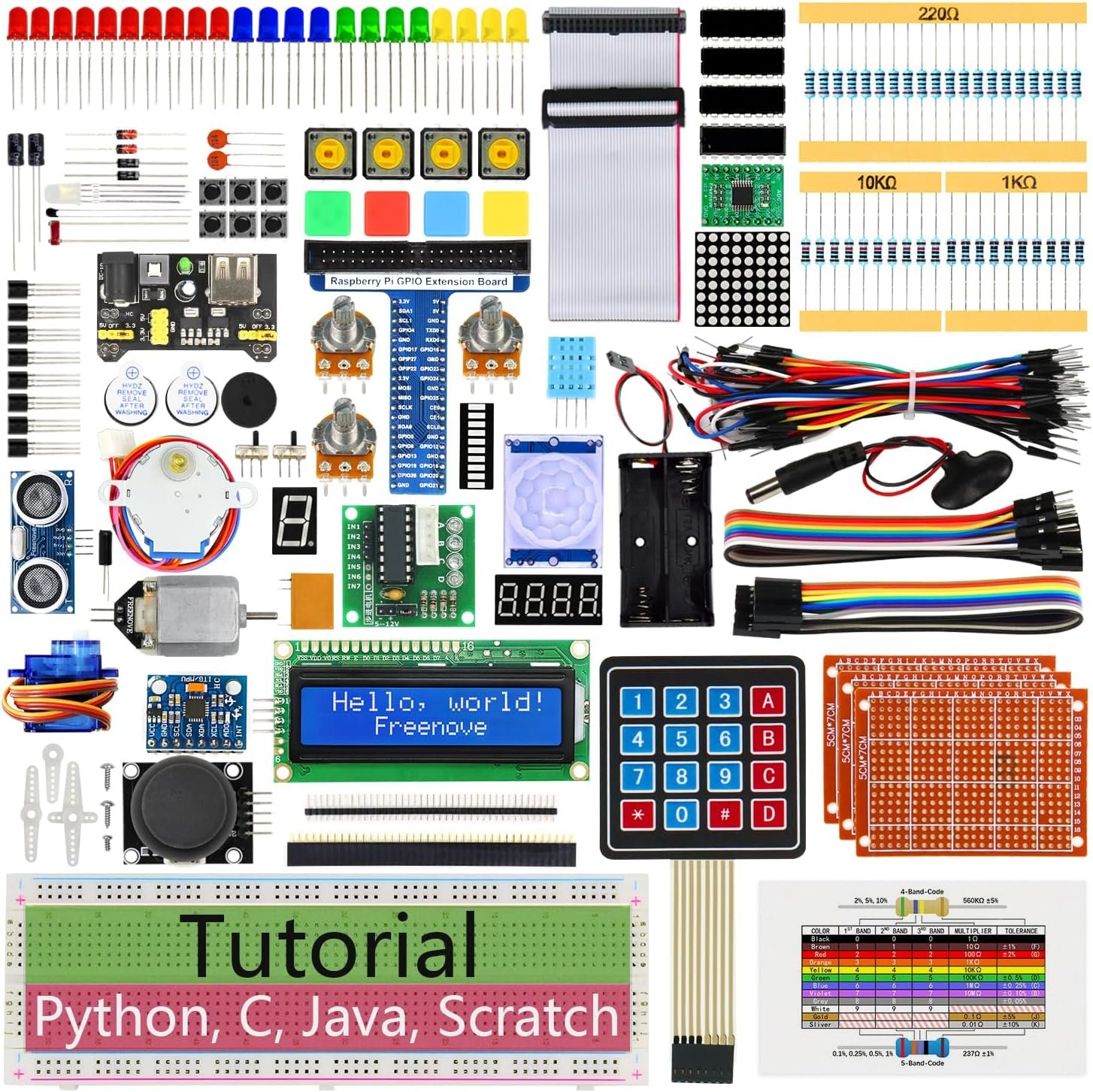
If your real goal is to learn electronics and Python, not just boot a board, the Freenove Ultimate Starter Kit is unbeatable value. You get 223 components — LEDs, sensors, motors, an LCD, breadboard and jumpers — plus a genuinely excellent 962-page tutorial with 128 projects in Python, C, Java and Scratch. It works across the whole Pi family including the Zero 2 W. Just remember: the Pi board is not included, so pair it with one of the board-inclusive kits above or a bare Zero 2 W.
✅ Pros- Huge 223-part component set
- 962-page, multi-language tutorial
- 128 hands-on projects
- Outstanding learning value
❌ Cons- Pi board not included
- No case or power supply
- A lot to absorb for total novices
🎯 Verdict: The best kit for actually learning. Add a board and you have months of guided projects ahead of you.
👉 Check Price on Amazon: amazon.com/dp/B06W54L7B5 ❄️ BEST FOR COOLING / HEADLESS · ⭐ 4.6/53. GeeekPi Aluminum Case Starter Kit
Aluminium heatsink case · 64GB preloaded · QC3.0 PSU · board not included
Buy →

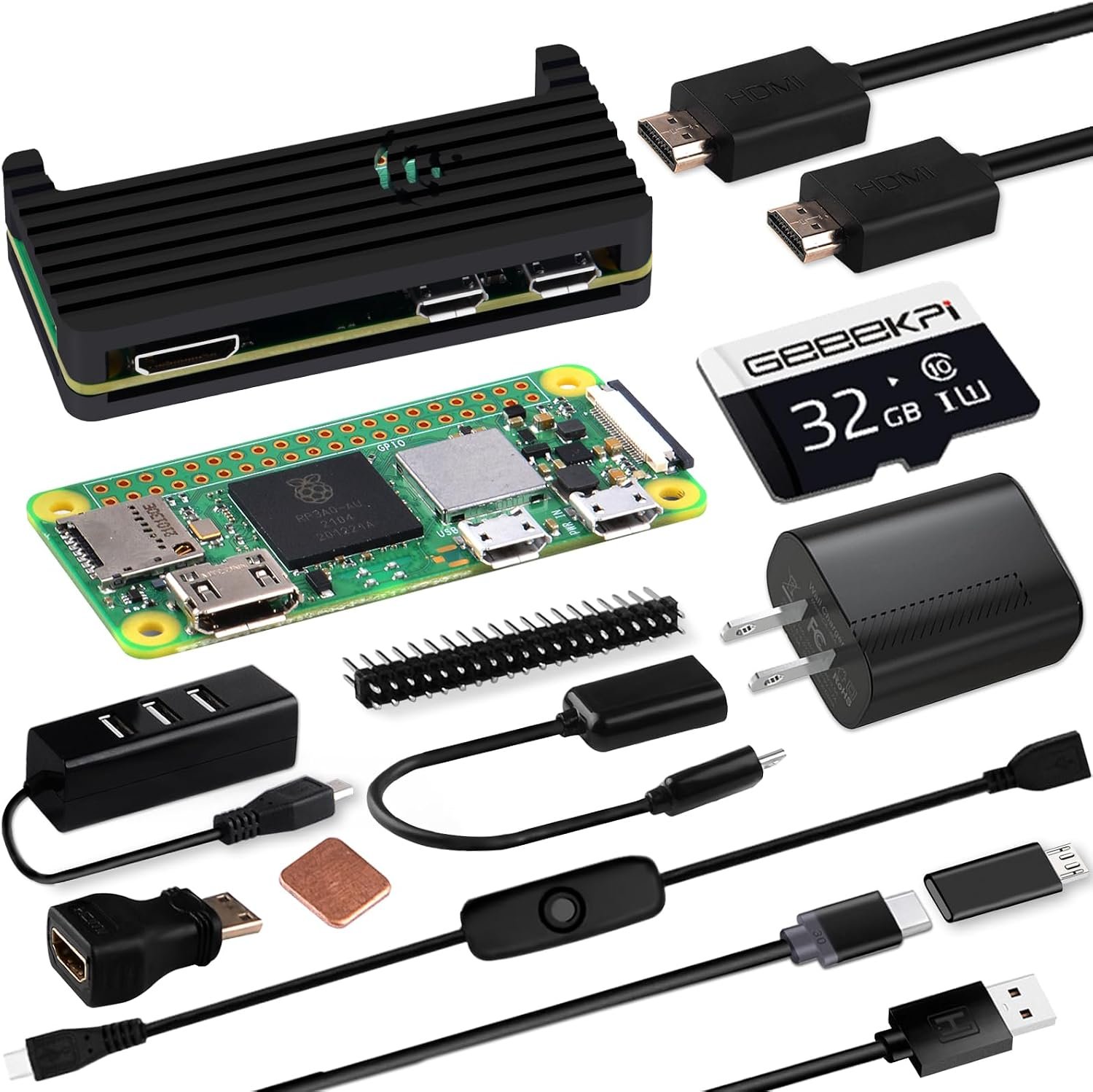
When your Zero 2 W will run 24/7 and headless — a Pi-hole, a sensor hub, a small server — heat management matters. The GeeekPi kit wraps the board in a CNC aluminium case that doubles as a giant heatsink, and adds a 64GB card preloaded with the OS, a QC3.0 power supply, a 20-pin header, OTG adapter, HDMI cable and an inline switch cable. The board isn’t included, but everything around it is built for cool, reliable, always-on operation.
✅ Pros: Aluminium passive cooling; 64GB preloaded; QC3.0 PSU; handy switch cable.
❌ Cons: Board not included; metal case limits GPIO/HAT access; no camera.
🎯 Verdict: The best pick for cool, quiet, always-on builds where the aluminium case keeps the quad-core from throttling.
💵 BEST VALUE BUNDLE · ⭐ 4.5/54. Vilros Pi Zero 2 W Basic Starter Kit
Board included · multi-use case · camera ribbon · adapters
Buy →

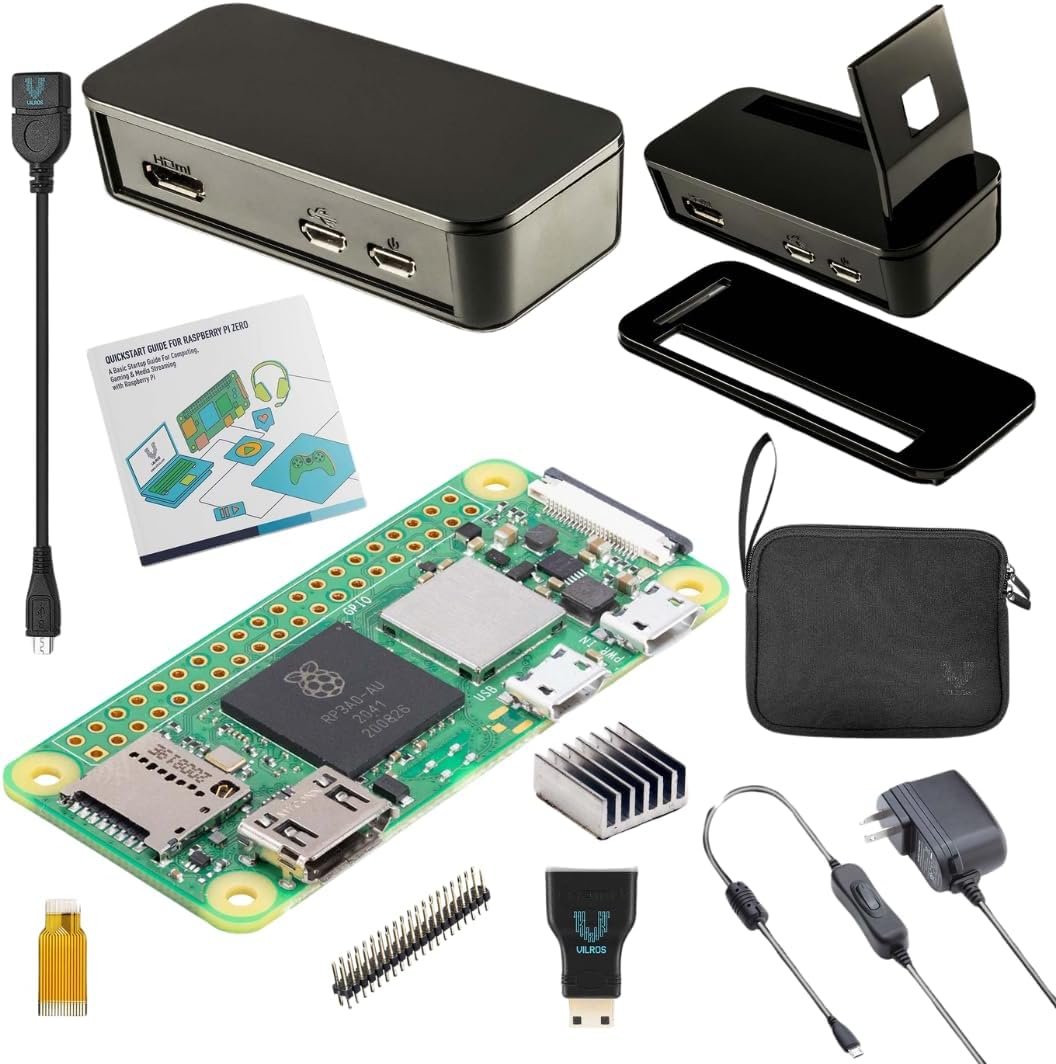
The Vilros Basic Starter Kit is a no-frills bundle that, importantly, includes the Pi Zero 2 W board. You get a versatile multi-use case, a power supply, the micro-USB-to-USB OTG and HDMI-to-mini-HDMI adapters, a 40-pin header, and — unusually for a budget kit — a camera adapter ribbon cable plus a storage bag and quickstart guide. It’s a tidy, affordable way to get a complete, camera-ready board without paying for extras you don’t need.
✅ Pros: Board included; camera ribbon adapter; multi-use case; great value.
❌ Cons: No preloaded SD card; header needs soldering; basic accessories.
🎯 Verdict: The best value if you want the board plus the essentials — including a camera cable — without a premium price.
📷 BEST FOR CAMERA PROJECTS · ⭐ 4.5/55. Waveshare Package C (Camera Bundle)
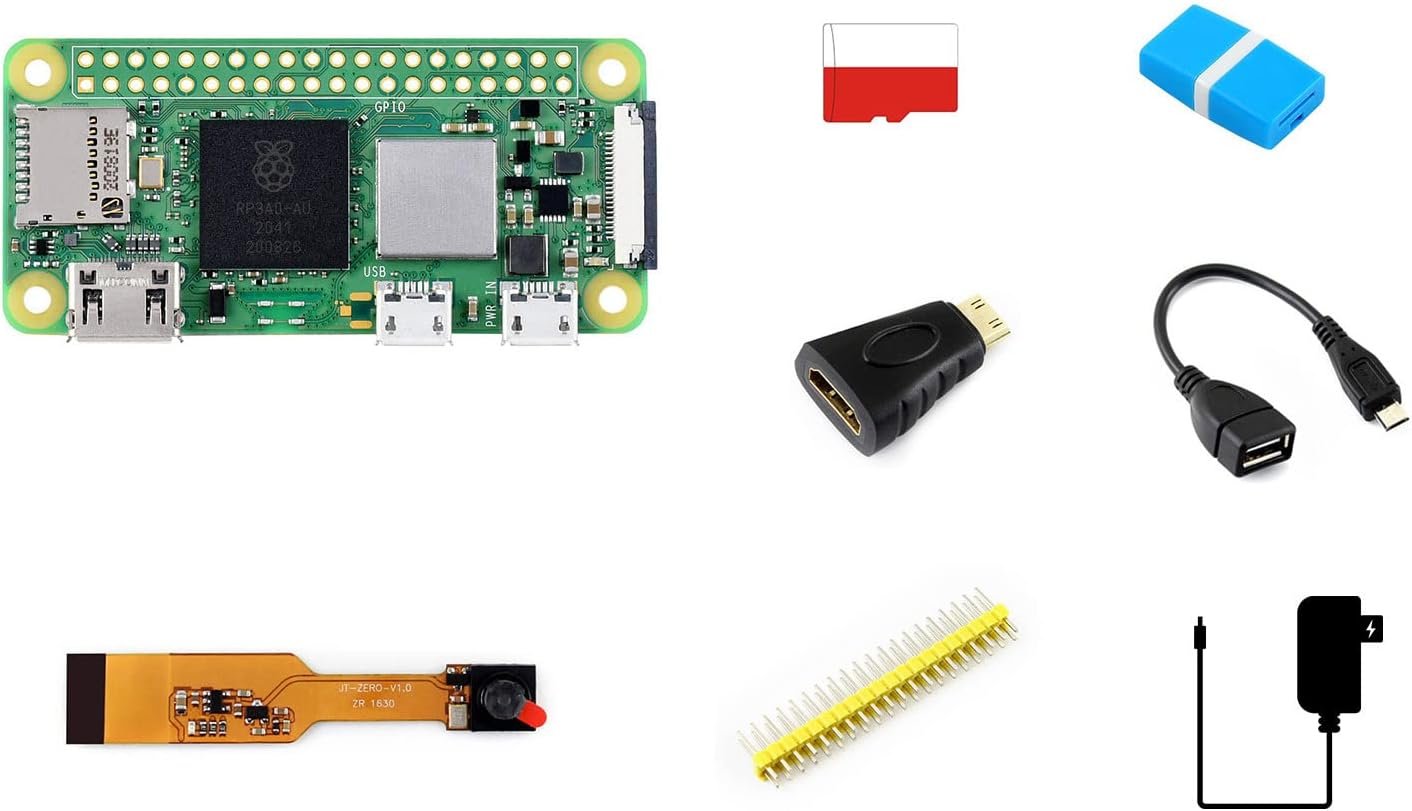
5MP mini camera · 5V/3A PSU · 16GB card · board not included
Buy →

The Zero 2 W is a brilliant brain for a tiny camera — a nest cam, time-lapse rig, security cam or webcam — and Waveshare Package C bundles exactly the right parts: a Pi-Zero-specific 5MP mini camera, a 5V/3A power supply, a 16GB MicroSD card, a card reader and the necessary adapters (8 items total). The board isn’t included, so pair it with a Zero 2 W, but everything else needed for a working camera build is in the box.
✅ Pros: Includes a Zero-format mini camera; complete accessory set; great for vision/time-lapse.
❌ Cons: Board not included; 5MP is modest; camera setup takes some config.
🎯 Verdict: The best ready-made camera bundle — the quickest path to a Pi Zero 2 W camera project.
📦 BEST OFFICIAL-CASE KIT · ⭐ 4.6/56. CanaKit Starter Kit with Official Case
Board included · genuine red/white case · PSU · adapters
Buy →

Prefer the iconic look? This CanaKit Starter Kit pairs an included Pi Zero 2 W board with the genuine Raspberry Pi red & white official case, a power supply, MicroSD, the OTG/mini-HDMI adapters and a GPIO header. It’s the same dependable CanaKit experience as our top pick, just with the official enclosure instead of the premium black case — ideal if you want the classic, recognizable Pi aesthetic on a desk or shelf.
✅ Pros: Board included; genuine official case; complete adapter set; CanaKit reliability.
❌ Cons: Official case offers little cooling; header is loose; smaller card than the MAX kit.
🎯 Verdict: The best choice if you want the board plus the classic official case in one trusted bundle.
🖥️ BEST FOR PORTABLE / DISPLAY · ⭐ 4.4/57. Waveshare Package G (USB HAT + IPS Display)
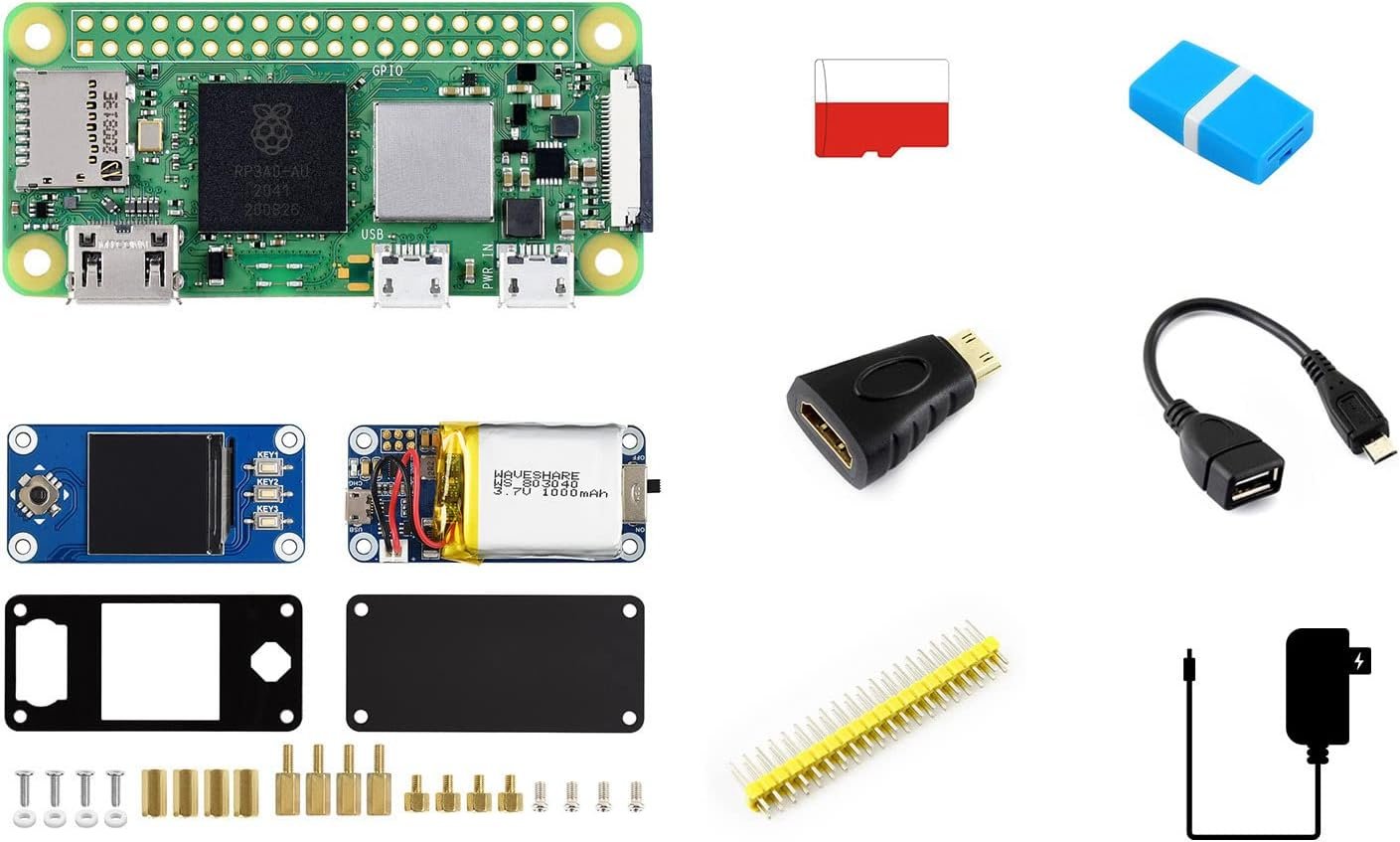
USB HAT · 1.3″ IPS screen · PSU · 16GB · board not included
Buy →

For handheld and dashboard-style builds, Waveshare Package G adds the two things a headless Zero usually lacks: a USB HAT that breaks out full-size USB ports, and a small 1.3-inch IPS display for status readouts, menus or a mini UI. Combined with the bundled 5V/3A supply, 16GB card, reader and adapters (8 items), it’s a neat foundation for a pocket gadget, a network monitor screen or a tiny information display. The board is sold separately.
✅ Pros: Adds a screen + real USB ports; great for portable/HUD projects; complete accessories.
❌ Cons: Board not included; the 1.3″ screen is small; needs driver setup.
🎯 Verdict: The best starting point for portable, display-driven Zero 2 W gadgets.
🧩 BEST BUDGET ACCESSORY BUNDLE · ⭐ 4.3/58. Waveshare Package B (Complete Accessories)
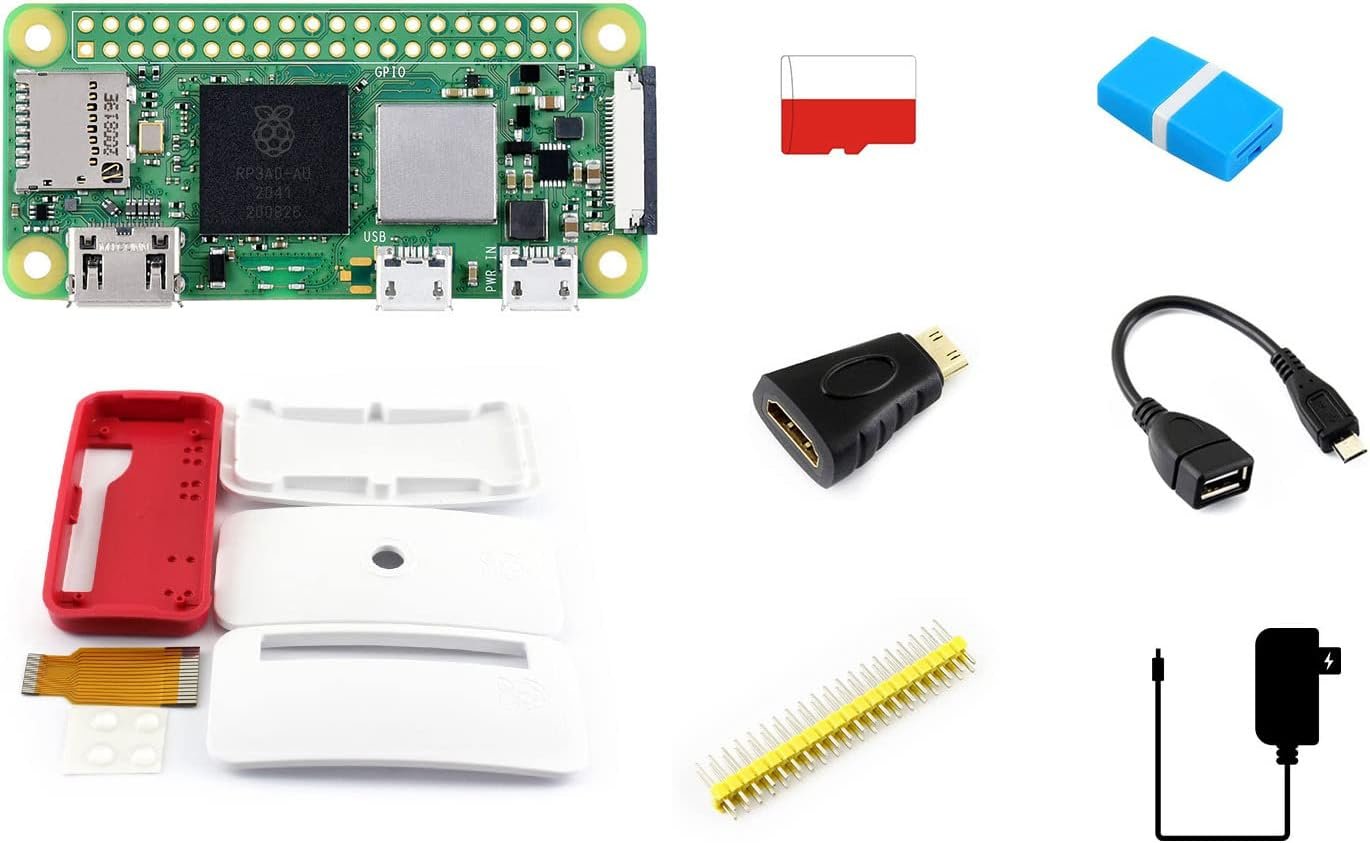
Case · PSU · 16GB · adapters · 2×20 header · board not included
Buy →

Already own a Zero 2 W and just need the bits around it? Waveshare Package B is a clean, affordable accessory bundle: a Pi Zero case, a 5V/3A power supply, a 16GB MicroSD, a card reader, the mini-HDMI and USB OTG adapters, and a 2×20 GPIO header (8 items). There’s no board and no camera — it’s purely the supporting cast — which makes it the budget way to finish off a bare board you bought on its own.
✅ Pros: Affordable complete accessory set; case + PSU + card + header all included.
❌ Cons: No board; only 16GB; header needs soldering; no OS preloaded.
🎯 Verdict: The best budget way to kit out a board you already own with everything but the Pi.
🛒 How to Choose the Right Pi Zero 2 W Kit
🥇
Just Want It to Work?
Get the CanaKit Starter MAX — board, case, 64GB preloaded card and power, all in one box.
🎓
Learning Electronics?
The Freenove Ultimate Kit gives you 223 parts and 128 guided projects. Pair it with a board.
📷
Building a Camera?
Grab Waveshare Package C for a Zero-format 5MP camera plus all the accessories.
❄️
Always-On / Headless?
The GeeekPi aluminium case kit keeps a 24/7 Pi cool and quiet.
🖥️
Portable Gadget?
The Waveshare Package G adds a 1.3″ IPS screen and USB ports for handheld builds.
🧩
Already Own a Board?
The Vilros kit (board included) or Waveshare Package B (accessories only) finish the job.
⚙️ Key Specs Compared — Side by Side
| Spec | CanaKit MAX | Freenove | GeeekPi | Vilros | Waveshare C | Waveshare G |
|---|
| Board Included | Yes ⭐ | No | No | Yes ⭐ | No | No |
| Storage | 64GB ⭐ | — | 64GB ⭐ | None | 16GB | 16GB |
| Case | Premium | None | Aluminium ⭐ | Multi-use | Optional | Display |
| Camera | No | No | No | Cable only | 5MP ⭐ | No |
| Display | No | LCD module | No | No | No | 1.3″ IPS ⭐ |
| Best For | All-in-one | Learning ⭐ | Cooling | Value | Camera | Portable |
❓ Frequently Asked Questions
Does a Raspberry Pi Zero 2 W kit include the board?
Not always — and this is the #1 thing to check. CanaKit’s Starter MAX, CanaKit’s official-case kit and the Vilros kit include the Pi Zero 2 W board. Most Waveshare “packages,” the GeeekPi case kit and the Freenove component kits are sold “compatible with” the board and ship without it, so you’ll buy the Zero 2 W separately. Always read whether the board itself is in the box.
Do I need to solder the GPIO header myself?
Usually yes. The standard Zero 2 W ships without pins, and most kits include a loose 2×20 header you solder on if you need GPIO for HATs or wiring. If you’d rather avoid soldering, look specifically for a “WH” (pre-soldered header) board, or a kit that advertises a pre-soldered header. For purely software projects (a server, Pi-hole, camera over CSI), you may not need the header at all.
What can you actually build with a Pi Zero 2 W?
Loads. Its small size, low power draw and built-in Wi-Fi make it ideal for a Pi-hole network ad blocker, a security or time-lapse camera, a retro game handheld, a smart-home sensor node, a portable Pico-style gadget with a small screen, AirPlay/print servers, and wearables. For heavy desktop use or demanding AI you’ll want a Pi 4 or Pi 5, but for tiny always-on projects the Zero 2 W is the sweet spot.
How is the Zero 2 W different from the original Pi Zero W?
The Zero 2 W swaps the single-core chip of the original for a quad-core 64-bit Cortex-A53, making it roughly five times faster while keeping the same tiny footprint, 512MB RAM, GPIO layout and connectors. It’s a drop-in upgrade for most Zero projects. Note that many older “Zero” cases, cameras and HATs still fit, but always confirm compatibility before reusing accessories.
Does the Pi Zero 2 W need active cooling?
For light or intermittent tasks, no — it runs fine bare. But under sustained load (video encoding, a busy server, a camera stream), the quad-core can throttle. A heatsink or an aluminium case like the GeeekPi kit’s provides enough passive cooling for most always-on builds; a small fan is rarely necessary. If your project runs 24/7, prioritise a case with good thermal contact.
🏁 Final Verdict — Our Top Picks
The right Raspberry Pi Zero 2 W kit depends entirely on what you’re building. Here are our picks for every kind of project:
🥇 Best Overall — CanaKit Starter MAX: board + premium case + 64GB preloaded OS, ready in minutes
Buy →🏅 Best for Learning — Freenove Ultimate Kit: 223 parts & 128 projects (add a board)
Buy →❄️ Best for Headless / Cooling — GeeekPi aluminium case kit (board separate)
Buy →💵 Best Value (board included) — Vilros Basic Starter Kit with camera ribbon
Buy →📷 Best for Camera Projects — Waveshare Package C with 5MP mini camera (board separate)
Buy →No single kit is right for everyone — the trick is matching the box to the build. For most people the CanaKit Starter MAX is the easiest, most complete way in, because it includes the board itself and boots straight from a preloaded card. If you want to truly learn, add the Freenove Ultimate Kit to a board and work through its projects. Building a camera, a portable screen gadget or an always-on server? Reach for the Waveshare camera or display package, or the GeeekPi aluminium kit. Whatever you choose, pair your new Zero 2 W with our Raspberry Pi, ESP32 and Arduino tutorials and start building today.
💬 Not sure which Pi Zero 2 W kit fits your project? Tell us what you’re building — a camera, a Pi-hole, a handheld, or a learning setup — in the comments below, and we’ll point you to the right pick.
All Amazon links above use our affiliate tag (microlab05-20). Purchasing through them supports microcontrollerslab.com at no extra cost to you. Prices and availability change frequently — always confirm the current price and that the board is included on Amazon before buying.
| Raspberry Pi Components | Amazon Links |
|---|
| Raspberry Pi 5 Starter Kit PRO - Turbine Black (128GB Edition) (8GB RAM) | Buy Now |
| Raspberry Pi 5 Starter Kit MAX - Turbine White (256 GB Edition) (16GB RAM) | Buy Now |
| Raspberry Pi 5 8GB | Buy Now |
| Raspberry Pi 5 4GB | Buy Now |
| Raspberry Pi 5 (16GB) | Buy Now |
| CM5 Pi Compute Module 5 Kit | Buy Now |