⚠️ Affiliate Disclosure: This post contains Amazon affiliate links. If you purchase through our links, we may earn a small commission at no extra cost to you. We only recommend products we have thoroughly researched and verified. Prices change frequently — always confirm the current price on Amazon before buying.
Ultimate Buying Guide 2026
📶 Best nRF52840 Development Boards for Bluetooth LE, Thread & Matter
8 nRF52840 dev boards ranked for low-power wireless — from a $10 thumbnail-sized BLE board to a full evaluation kit — with real specs, honest verdicts and direct Amazon links.
✅ 8 Boards Reviewed
✅ Verified Amazon ASINs
✅ Updated June 2026
✅ Honest Pros & Cons
The Nordic nRF52840 has quietly become the default chip for serious low-power wireless projects. It pairs a 64 MHz ARM Cortex-M4F with 1 MB of flash and 256 KB of RAM, and its radio speaks Bluetooth 5 (LE), Bluetooth mesh, Thread, Zigbee, 802.15.4, ANT and Nordic’s own 2.4 GHz protocol — which makes it a first-class platform for Matter-over-Thread, wearables, sensor nodes, beacons and battery-powered IoT. On top of that it has native USB, on-chip NFC and an Arm CryptoCell security block, so a single board can do BLE, act as a USB device and run encrypted firmware.
The catch is that “nRF52840 board” covers everything from a thumbnail-sized module to a full evaluation kit with Arduino and Raspberry Pi headers. The right pick depends on how much wiring you want, whether you need an onboard debugger, and which language you plan to use — Arduino C/C++, CircuitPython, MicroPython or Zephyr. This guide ranks 8 nRF52840 development boards across every use case and budget, with the specs that actually matter so you can match the board to your project.
💡 Reality check before you buy: The nRF52840 has no Wi-Fi — if your project needs to talk to a home router directly, an ESP32 is the better tool. Most low-cost boards (XIAO, ItsyBitsy, Pro Mini) ship with a UF2 / serial bootloader but no onboard debugger; flashing is drag-and-drop, but step-debugging needs a separate J-Link or CMSIS-DAP. Pin headers are often not pre-soldered. And while the SoC supports Thread/Matter, that path lives in Nordic’s nRF Connect SDK / Zephyr, which is a steeper learning curve than Arduino. Match the board’s form factor and debugging story to your project before you assume the cheapest one is “best.”
📶 Quick Comparison — All 8 nRF52840 Boards
| Board | Size | Onboard Extras | Best For | Buy |
|---|
| 🥇 Seeed XIAO nRF52840 Sense | 21×17.5 mm | 6-axis IMU + PDM mic, NFC | Best Overall / TinyML | View → |
| 🏅 Adafruit ItsyBitsy nRF52840 | 36×17.6 mm | 21 GPIO, 2MB QSPI, DotStar | Best for CircuitPython | View → |
| 💵 Seeed XIAO nRF52840 | 21×17.5 mm | LiPo charge, NFC, 2MB QSPI | Best Budget / Smallest | View → |
| 🔋 SparkFun Pro nRF52840 Mini | 53×21 mm | Qwiic, LiPo charge, ext. flash | Best for Battery + Qwiic | View → |
| 🧰 Waveshare nRF52840 Eval Kit | Full board | Arduino + Pi headers, CP2102 | Best Full Dev Kit | View → |
| 🛰️ Makerdiary nRF52840-MDK | 50×23 mm | Onboard DAPLink debugger, USB-C | Best Onboard Debugger | View → |
| 🧩 SparkFun MicroMod nRF52840 | M.2 module | MicroMod connector, PDM | Best Modular Form Factor | View → |
| 🔌 Waveshare Core52840 Module | 18×13.5 mm | Castellated, onboard antenna | Best Embeddable Module | View → |
Prices on these boards move around a lot, so we’ve left them out of the table on purpose — tap View → to see the current Amazon price for each board.
🔍 What to Look For in an nRF52840 Board
📐
Form Factor & Size
A 21 mm XIAO is perfect for wearables; an ItsyBitsy or Pro Mini gives more GPIO and a breadboard-friendly layout; an eval kit gives you headers for shields and HATs.
🔌
GPIO, Qwiic & Flash
Count usable GPIO, and check for a Qwiic/STEMMA I2C connector and extra QSPI flash — handy for CircuitPython code, data logging and plug-and-play sensors.
🐞
Bootloader & Debugger
UF2 drag-and-drop is great for beginners. For Zephyr/SDK work and breakpoints you want an onboard debugger (MDK) or an external J-Link / CMSIS-DAP.
🔋
Power & Battery
The nRF52840 shines on coin cells and LiPos. Look for an onboard charge circuit and low deep-sleep current if your project runs untethered.
💻
Software Support
Adafruit & Seeed boards have polished Arduino + CircuitPython support. For Thread/Matter you’ll move to Nordic’s nRF Connect SDK (Zephyr) — pick a board it officially supports.
🏆 Detailed Reviews — All 8 nRF52840 Boards
🥇 BEST OVERALL · ⭐ 4.8/5 · Editor’s Choice

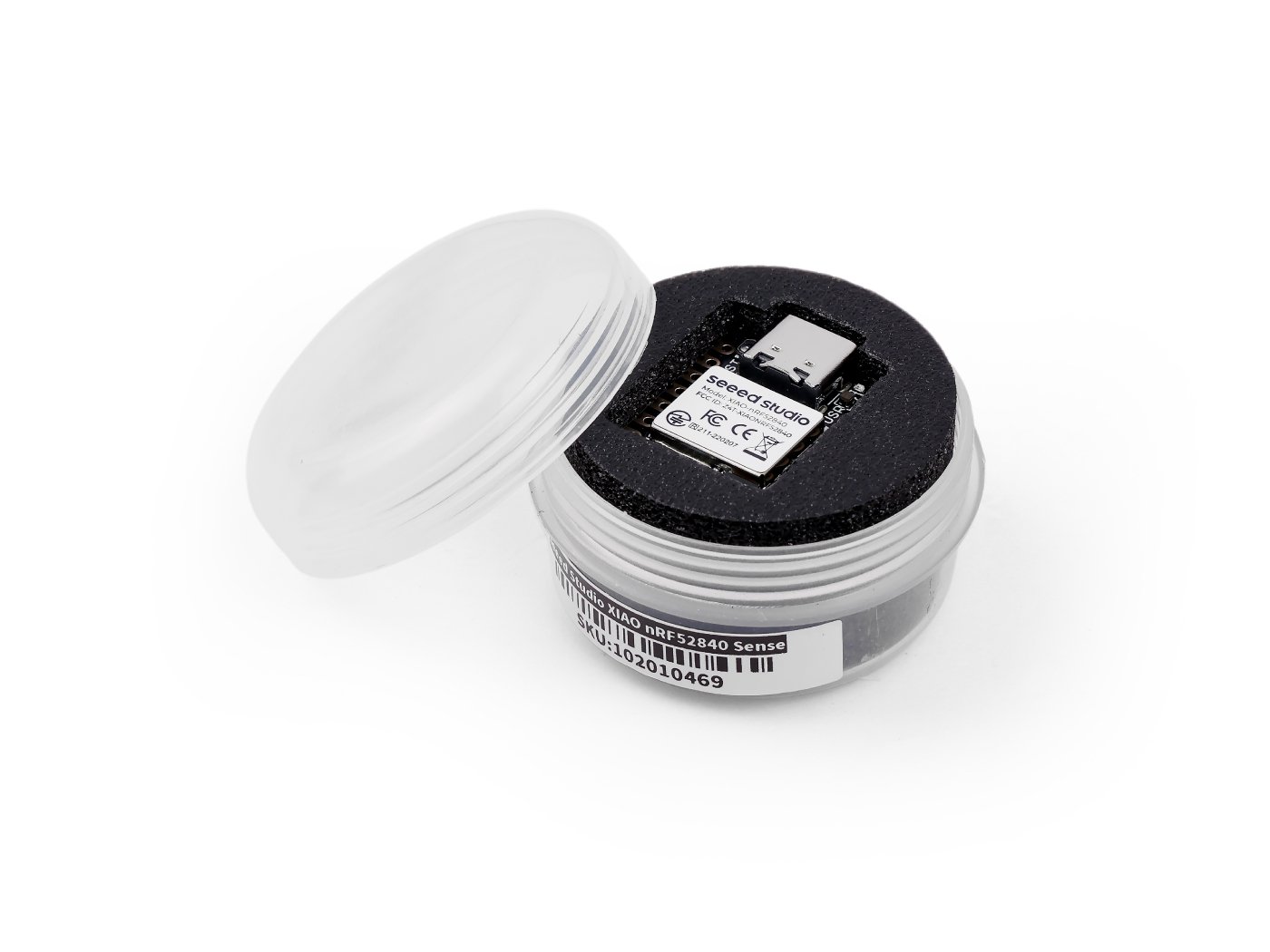
The XIAO nRF52840 Sense packs an astonishing amount into a thumbnail. On a 21 × 17.5 mm board you get the full nRF52840, an onboard 6-axis IMU, a PDM microphone, 2 MB of QSPI flash, NFC and a LiPo charge circuit. That combination makes it the go-to board for TinyML — gesture, motion and audio models run with Edge Impulse out of the box — as well as tiny wearables and BLE sensor nodes. Seeed’s Arduino, CircuitPython and MicroPython support is excellent and the community is huge.
✅ Pros- IMU + mic = TinyML ready
- Incredibly small & low power
- Great Arduino/Py docs
❌ Cons- Only 11 GPIO exposed
- No onboard debugger
- Tiny pads need careful soldering
🎯 Verdict: The best all-round nRF52840 board. Unmatched size-to-features ratio, and the only pick here with sensors built in — ideal first board for BLE and TinyML.
👉 Check Price on Amazon: amazon.com/dp/B09T94SZ8K 🏅 BEST FOR CIRCUITPYTHON · ⭐ 4.7/5

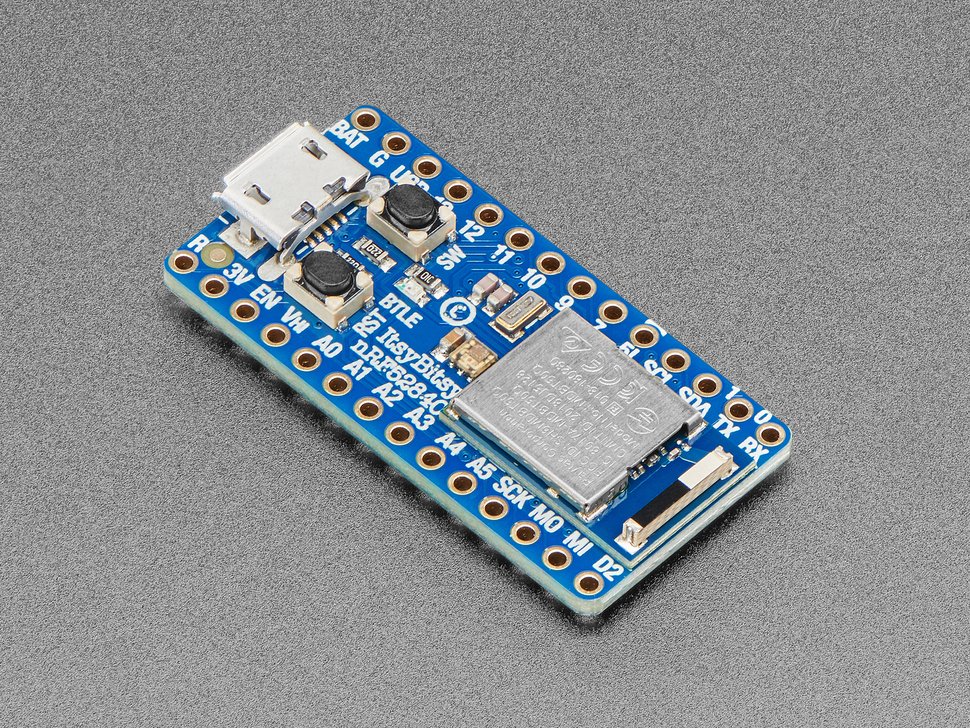
If you want the friendliest path into wireless Python, the ItsyBitsy nRF52840 Express is it. Adafruit ships it with the UF2 bootloader, so installing CircuitPython is a drag-and-drop and your code lives on a tiny USB drive — no IDE required. Despite being barely bigger than a stick of gum it exposes 21 GPIO (6 analog), has 2 MB of QSPI flash, a DotStar RGB LED and a special level-shifted 5 V output for NeoPixels and servos. Adafruit’s learn guides and BLE libraries are the best documented in the category.
✅ Pros- Best CircuitPython experience
- 21 GPIO + 2MB QSPI
- Excellent Adafruit guides
❌ Cons- No onboard sensors
- Micro-USB, not USB-C
- Frequently out of stock
🎯 Verdict: The best board for CircuitPython and breadboard prototyping — lots of GPIO, painless flashing and documentation that makes BLE approachable.
👉 Check Price on Amazon: amazon.com/dp/B09H25NXPV 💵 3. Seeed XIAO nRF52840 21×17.5 mm · BLE 5.4 · LiPo charge · ⭐ 4.7/5
Buy →
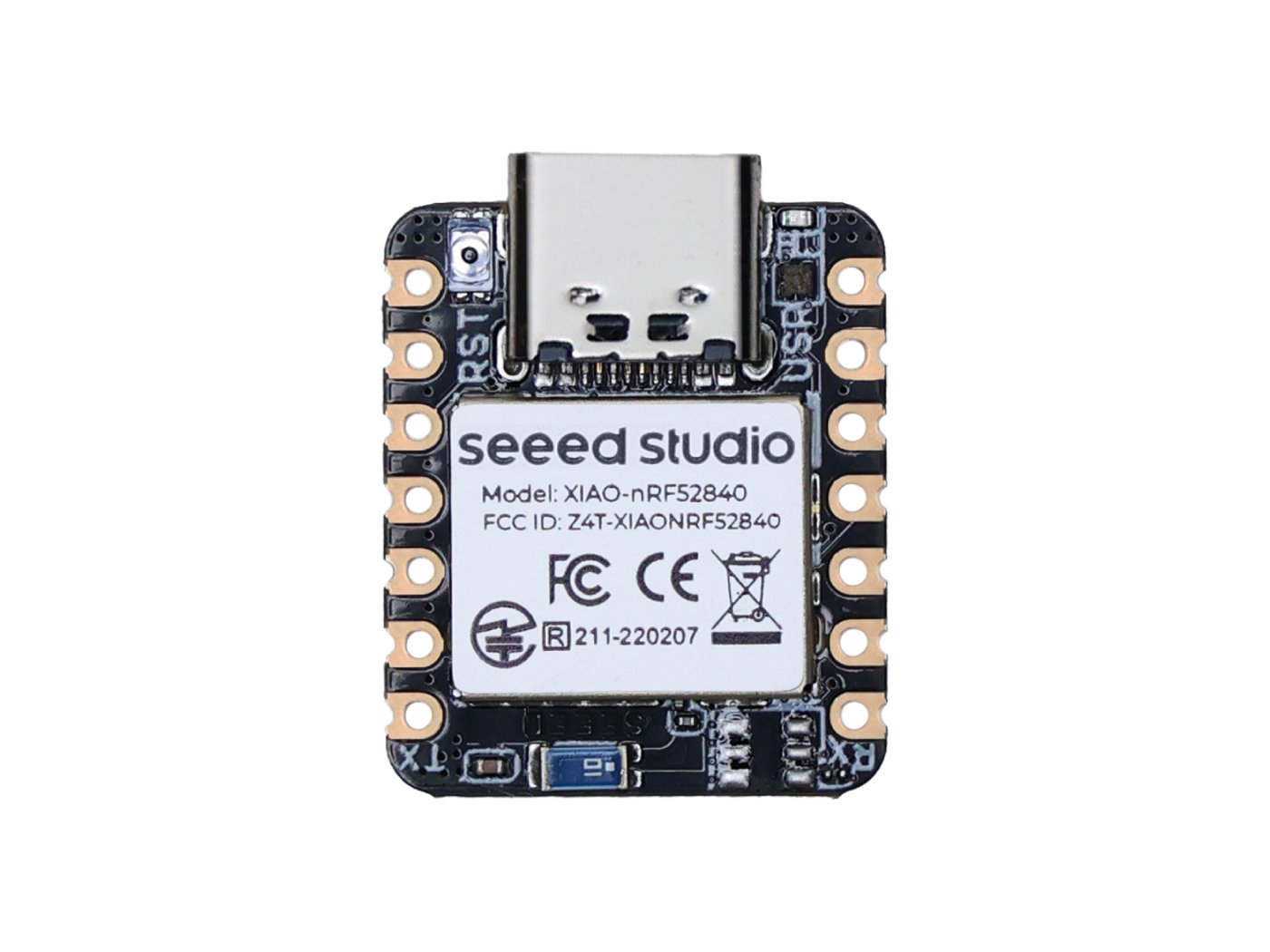
The plain XIAO nRF52840 is the Sense’s little sibling: same tiny footprint, same BLE 5.4 radio, NFC, 2 MB QSPI flash and LiPo charging — just without the IMU and microphone. That trade makes it the cheapest credible way onto the nRF52840, and it’s a favorite for Meshtastic nodes, ZMK/QMK wireless keyboards and battery-powered BLE sensors where you don’t need motion sensing.
✅ Pros: Lowest-cost nRF52840; ultra-small & low power; NFC + LiPo charging; Meshtastic/ZMK favorite.
❌ Cons: No sensors; only 11 GPIO; no onboard debugger.
🎯 Verdict: The best budget pick — the most BLE board you can get for the least money, perfect for mesh and keyboard builds.
🔋 4. SparkFun Pro nRF52840 Mini Qwiic · LiPo charge · ext. flash · ⭐ 4.5/5
Buy →

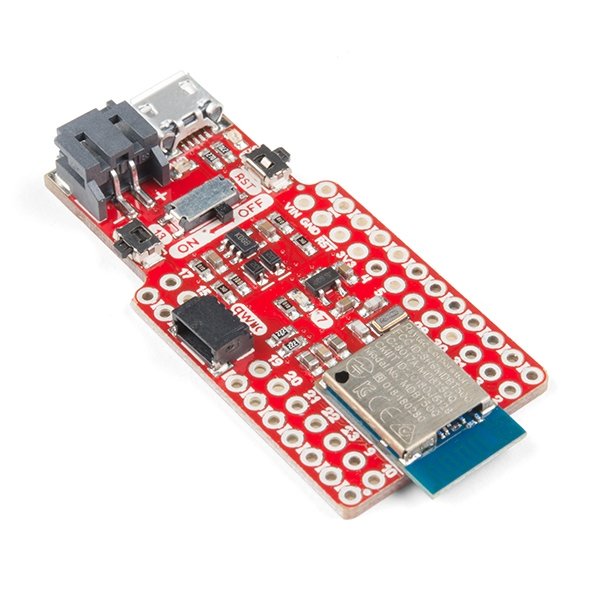
The SparkFun Pro nRF52840 Mini is built around the FCC-certified Raytac MDBT50Q-P1M module and is aimed at battery-powered, sensor-rich projects. It adds a Qwiic connector for solder-free I2C sensors, a LiPo charge circuit and external flash for data logging or CircuitPython. It’s breadboard-friendly with castellated edges and works in Arduino or CircuitPython.
✅ Pros: Qwiic for plug-in sensors; LiPo charging; external flash; FCC-certified module.
❌ Cons: Pricier than a XIAO; micro-USB; no onboard debugger.
🎯 Verdict: The best pick for battery + Qwiic sensor builds — grab-and-go I2C expansion and proper LiPo power in one board.
🧰 5. Waveshare nRF52840 Eval Kit Arduino + Pi headers · CP2102 · ⭐ 4.3/5
Buy →

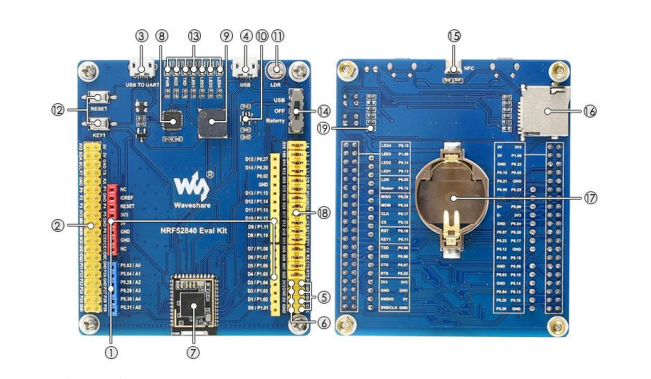
When you want a real bench-style platform rather than a stamp, the Waveshare nRF52840 Eval Kit delivers. It exposes both Arduino-shield and Raspberry-Pi-HAT headers at once, includes a CP2102 USB-to-UART for easy serial debugging, and brings out the SoC’s peripherals on labeled headers. It’s the most beginner-legible layout here for wiring up displays, sensors and shields while you learn the chip.
✅ Pros: Arduino + Pi headers; CP2102 serial onboard; lots of broken-out I/O; great for prototyping.
❌ Cons: Big and not portable; documentation is functional; needs an external debugger for SWD.
🎯 Verdict: The best full dev kit — if you want headers, shields and HAT compatibility on the bench, this is the closest Amazon-available stand-in for the official Nordic DK.
🛰️ 6. Makerdiary nRF52840-MDK DAPLink debugger · USB-C · 64 Mb flash · ⭐ 4.5/5
Buy →

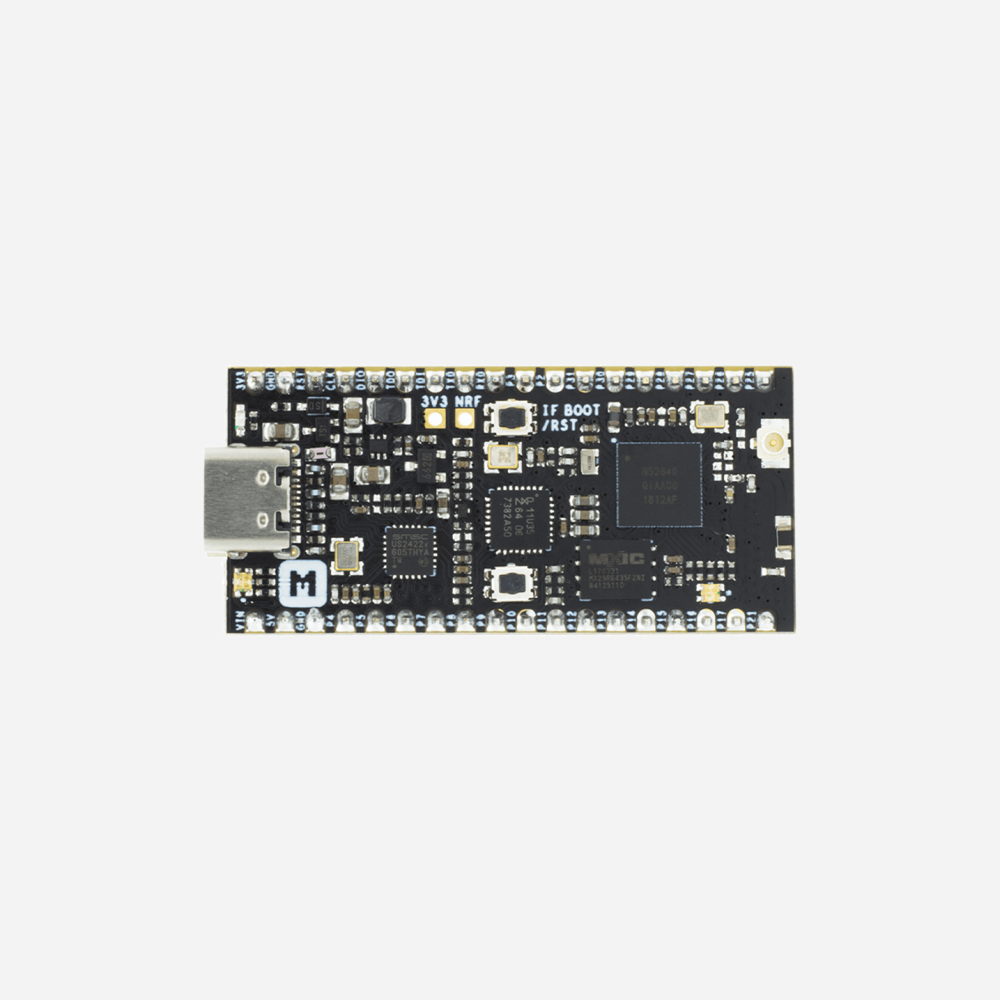
The nRF52840-MDK is the pick for anyone moving past Arduino into Nordic’s SDK, Zephyr, OpenThread or Zigbee. Its headline feature is a fully integrated DAPLink debugger — drag-and-drop flashing, a virtual COM port and a CMSIS-DAP debug channel, no external probe needed. Add USB-C, 64 Mb of QSPI flash, an RGB LED, a user button, up to 24 GPIO and a U.FL antenna option, and it’s a proper IoT development platform in a breadboard-friendly stick.
✅ Pros: Onboard DAPLink debugger; USB-C; 24 GPIO + 64 Mb flash; ideal for Thread/Zigbee/Mesh.
❌ Cons: Aimed at intermediate users; can sell out; Arduino support less polished than Adafruit/Seeed.
🎯 Verdict: The best board with a debugger built in — the one to buy if you’re serious about Zephyr, the nRF Connect SDK and real step-debugging.
🧩 7. SparkFun MicroMod nRF52840 Processor M.2 MicroMod · swappable carriers · ⭐ 4.3/5
Buy →
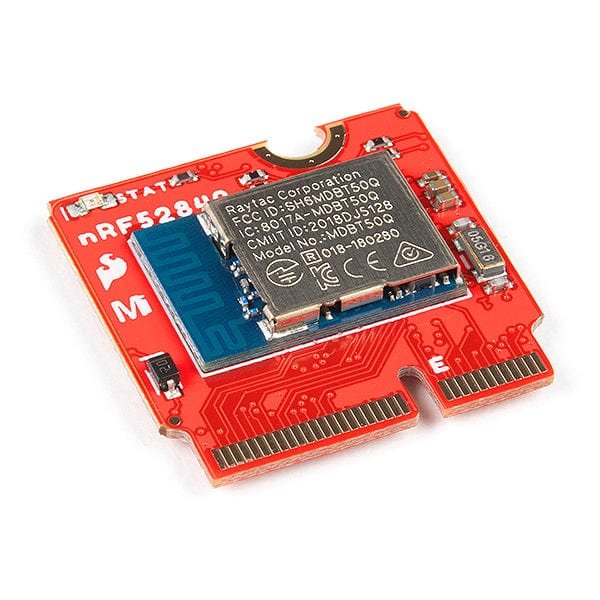
The MicroMod nRF52840 Processor is a different idea: the nRF52840 on an M.2 “MicroMod” card that snaps into any MicroMod carrier board — ATP, Qwiic, machine-learning, data-logging and more. Swap the processor without rewiring the project, or reuse one carrier across nRF52840, ESP32 and RP2040 brains. It carries the same Raytac module as the Pro Mini and breaks out two I2C buses, two SPI, multiple UARTs, PDM and 11 GPIO through the connector.
✅ Pros: Hot-swappable M.2 form factor; reuse carriers across MCUs; rich peripheral break-out.
❌ Cons: Needs a separate carrier board to do anything; overkill for a single fixed project.
🎯 Verdict: The best modular choice — perfect if you’re invested in the MicroMod ecosystem and want to swap brains without redesigning your hardware.
🔌 8. Waveshare Core52840 Module 18×13.5 mm · castellated · onboard antenna · ⭐ 4.2/5
Buy →

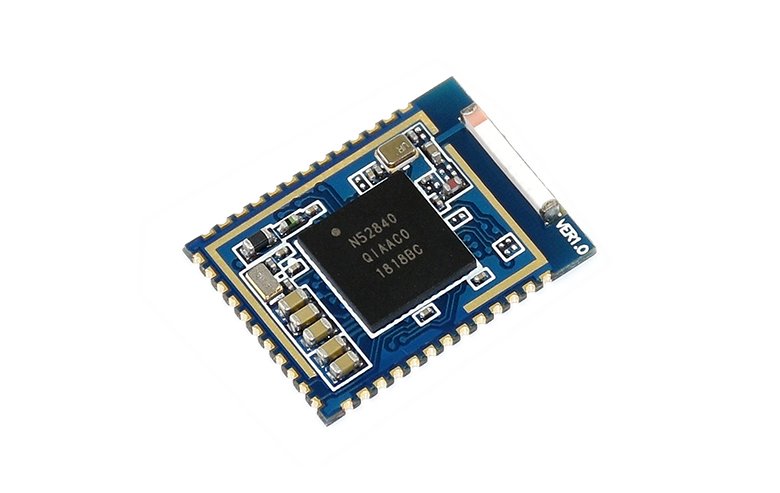
The Core52840 isn’t a hobby board at all — it’s an 18 × 13.5 mm castellated module with an onboard antenna, meant to be reflow-soldered straight onto your own PCB. If you’ve prototyped on a XIAO or Feather and now want to design a finished product, this is how you put a certified-style nRF52840 into your own hardware without laying out the RF front-end yourself.
✅ Pros: Tiny embeddable module; onboard antenna; brings out most GPIO; cheap in volume.
❌ Cons: Not breadboard-friendly; you supply USB, power & programming; for PCB designers only.
🎯 Verdict: The best embeddable module — the right pick when you’ve outgrown dev boards and want the nRF52840 inside your own product.
🛒 How to Choose the Right nRF52840 Board
🤖
Doing TinyML / wearables?
Get the XIAO nRF52840 Sense — the only pick with an IMU and mic built in, ideal for Edge Impulse models.
🐍
Coding in Python?
The Adafruit ItsyBitsy nRF52840 has the best CircuitPython support, plenty of GPIO and great docs.
💸
On a tight budget?
The plain XIAO nRF52840 is the cheapest way onto the chip — perfect for Meshtastic and wireless keyboards.
🐞
Using Zephyr / nRF SDK?
The nRF52840-MDK has an onboard debugger so you can flash and step-debug Thread/Matter firmware out of the box.
🧰
Want headers & shields?
The Waveshare Eval Kit takes Arduino shields and Pi HATs — the bench platform for learning the chip.
🏭
Building a product?
Prototype on a XIAO, then design in the Core52840 module — or stay modular with MicroMod.
⚙️ Key Specs Compared — Side by Side
| Spec | XIAO Sense | ItsyBitsy | XIAO | Pro Mini | MDK | Eval Kit |
|---|
| SoC | nRF52840 — Cortex-M4F @64 MHz, 1 MB flash, 256 KB RAM, BLE 5 / Thread / Zigbee (all boards) |
| Sensors | IMU+Mic ⭐ | None | None | None | None | None |
| Usable GPIO | 11 | 21 | 11 | ~18 | 24 ⭐ | Headers |
| Onboard debugger | No | No | No | No | Yes ⭐ | No |
| USB | USB-C | Micro | USB-C | Micro | USB-C | Micro |
| LiPo charging | Yes | No | Yes | Yes | No | No |
| Best at | TinyML ⭐ | Python | Budget | Qwiic | Debug | Headers |
❓ Frequently Asked Questions
What is the nRF52840 and why is it so popular?
The nRF52840 is a wireless system-on-chip from Nordic Semiconductor built around a 64 MHz ARM Cortex-M4F with 1 MB of flash and 256 KB of RAM. Its 2.4 GHz radio supports Bluetooth 5 LE, Bluetooth mesh, Thread, Zigbee, 802.15.4, ANT and Nordic’s proprietary protocol, and the chip adds native USB, on-chip NFC and an Arm CryptoCell security block. That mix of low-power wireless, generous memory and strong security is why it has become the default choice for BLE peripherals, Matter-over-Thread devices, wearables and battery-powered sensor nodes.
Which nRF52840 board is best for a beginner?
For most beginners the Seeed XIAO nRF52840 (or the Sense version) and the Adafruit ItsyBitsy nRF52840 are the easiest starting points. All three use a UF2 bootloader, so loading firmware is as simple as dragging a file onto a USB drive, and they have excellent Arduino and CircuitPython support with beginner-friendly guides. If you specifically want to learn Nordic’s SDK or Zephyr, step up to the nRF52840-MDK for its onboard debugger.
Can I program these boards with Arduino, CircuitPython or MicroPython?
Yes. The Adafruit and Seeed boards have first-class Arduino (via the Adafruit nRF52 core) and CircuitPython support, and the XIAO and many others also run MicroPython. For production-grade Bluetooth, Thread and Matter work, most developers move to Nordic’s nRF Connect SDK, which is based on Zephyr RTOS — more powerful, but a steeper learning curve than Arduino.
nRF52840 vs ESP32 — which should I choose?
Choose the nRF52840 when you need ultra-low-power Bluetooth LE, Thread, Zigbee or Matter and long battery life — it is far more power-efficient for BLE and is a leading Matter-over-Thread platform. Choose an ESP32 when you need built-in Wi-Fi, since the nRF52840 has no Wi-Fi radio. Many makers keep both: an ESP32 for Wi-Fi/IoT gateways and an nRF52840 for the low-power battery devices that talk to them. You can compare options in our ESP32 tutorials and projects.
Do nRF52840 boards support Matter and Thread?
Yes — the nRF52840 is one of the most widely used chips for Thread and Matter-over-Thread. You build that firmware with Nordic’s nRF Connect SDK (Zephyr), which ships Thread and Matter samples. Any board here can run it, but for a smooth experience use one with an onboard or external debugger, such as the nRF52840-MDK, since SDK development benefits greatly from real step-debugging.
🏁 Final Verdict — Our Top Picks
The right nRF52840 board for every project and budget:
🥇 Best Overall — Seeed XIAO nRF52840 Sense: tiny, IMU + mic, TinyML-ready
Buy →
🏅 Best for CircuitPython — Adafruit ItsyBitsy nRF52840: 21 GPIO, painless Python
Buy →
💵 Best Budget — Seeed XIAO nRF52840: the cheapest way onto the chip
Buy →
🛰️ Best for Zephyr / SDK — Makerdiary nRF52840-MDK: onboard debugger, USB-C
Buy →
🧰 Best Full Dev Kit — Waveshare nRF52840 Eval Kit: Arduino + Pi headers
Buy → No single nRF52840 board is perfect for everyone, but every pick here will get you onto Nordic’s excellent low-power wireless platform. For most makers the Seeed XIAO nRF52840 Sense is the one to buy — it crams a full nRF52840 plus an IMU and microphone into a thumbnail, making it ideal for BLE projects and TinyML alike. If Python is your language, grab the Adafruit ItsyBitsy; if you’re heading into Zephyr, Thread or Matter, the nRF52840-MDK’s onboard debugger will save you hours; and if you want a proper bench setup with shields and HATs, the Waveshare Eval Kit is the closest Amazon-available stand-in for Nordic’s official DK. Pair your new board with our Arduino, ESP32 and Raspberry Pi tutorials and start building today.
💬 Not sure which nRF52840 board fits your project? Tell us what you’re building — a wearable, a Meshtastic node, a Matter device or a wireless keyboard — in the comments below, and we’ll point you to the right pick.
All Amazon links above use our affiliate tag (microlab05-20). Purchasing through them supports microcontrollerslab.com at no extra cost to you. Prices and availability change frequently — always confirm the current price on Amazon before buying.