⚠️ Affiliate Disclosure: This post contains Amazon affiliate links. If you purchase through our links, we may earn a small commission at no extra cost to you. We only recommend products we have thoroughly researched and verified. Prices change frequently, so we don’t list them here — always tap through and confirm the live price on Amazon before buying.
Ultimate Buying Guide 2026
🌈 Best Color Sensors for Embedded Devices
8 color sensors ranked for makers, students and engineers — from the classic TCS3200 and the accurate TCS34725 to 11-channel AS7341 spectral sensors and gesture-capable APDS-9960 breakouts — with real specs, honest verdicts, and direct Amazon links.
✅ 8 Sensors Reviewed
✅ Verified Amazon ASINs
✅ Updated July 2026
✅ Honest Pros & Cons
A color sensor lets your Arduino, ESP32, Raspberry Pi Pico or PIC “see” color — measuring the red, green and blue content of light reflected off an object and turning it into numbers your code can act on. They power line-following and color-sorting robots, colorimeters, ambient-light and display-calibration systems, plant and skin analysis, paint and print matching, and touchless gesture interfaces. Adding one is a natural next step after you’ve mastered basic digital and analog sensors.
The tricky part is that “color sensor” covers several very different chips. Some output a simple RGB + clear reading over I2C (TCS34725), some output a frequency you time in software (TCS3200), some are full multi-channel spectral sensors that resolve 8–11 wavelength bands (AS7341), and some bundle gesture and proximity sensing alongside color (APDS-9960). This guide ranks 8 color sensors across every budget and use-case — from a two-dollar module to a lab-grade spectral breakout — on the specs that actually matter for embedded work.
💡 Reality check before you buy: A color sensor is only as good as its lighting. Readings shift with ambient light, viewing distance and the object’s surface, so almost every accurate setup uses the sensor’s own white LED and a shroud to control stray light. Raw values are relative — you must run a quick white/black calibration before numbers mean anything. Remember a color sensor is not a camera: it reports the average color in its field of view, not an image. And the cheap TCS3200 outputs a frequency, not ready-made RGB values, so you’ll write a little more code than with an I2C part like the TCS34725.
🌈 Quick Comparison — All 8 Color Sensors
| Color Sensor | Chip / Type | Output | Interface | Best For | Buy |
|---|
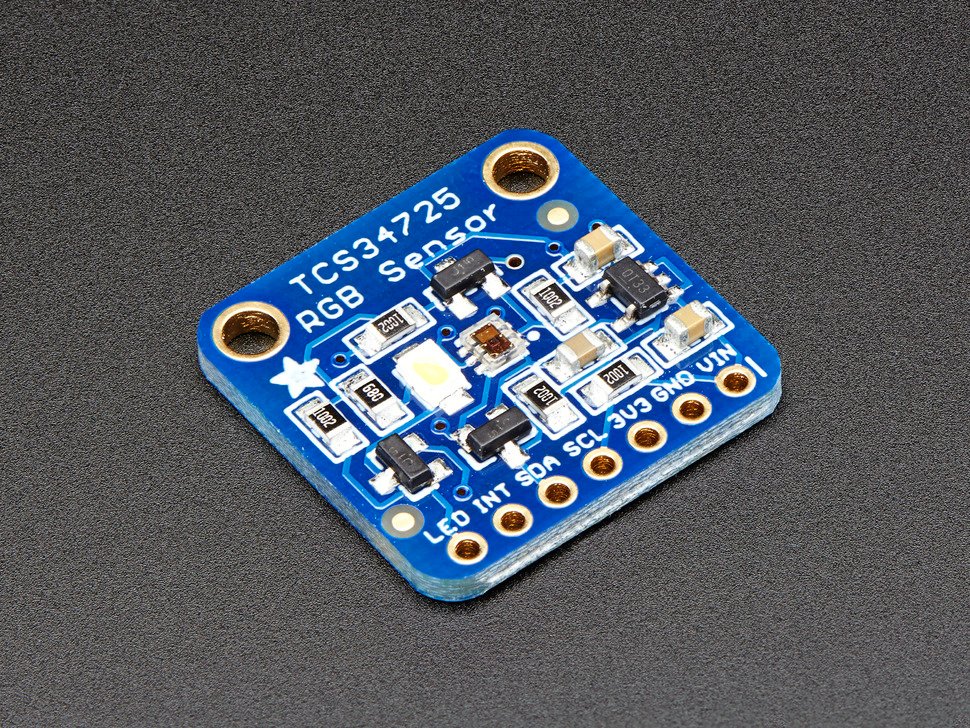
| 🥇 Adafruit TCS34725 | RGB + IR filter | RGBC digital | I2C | Best Overall | Buy → |
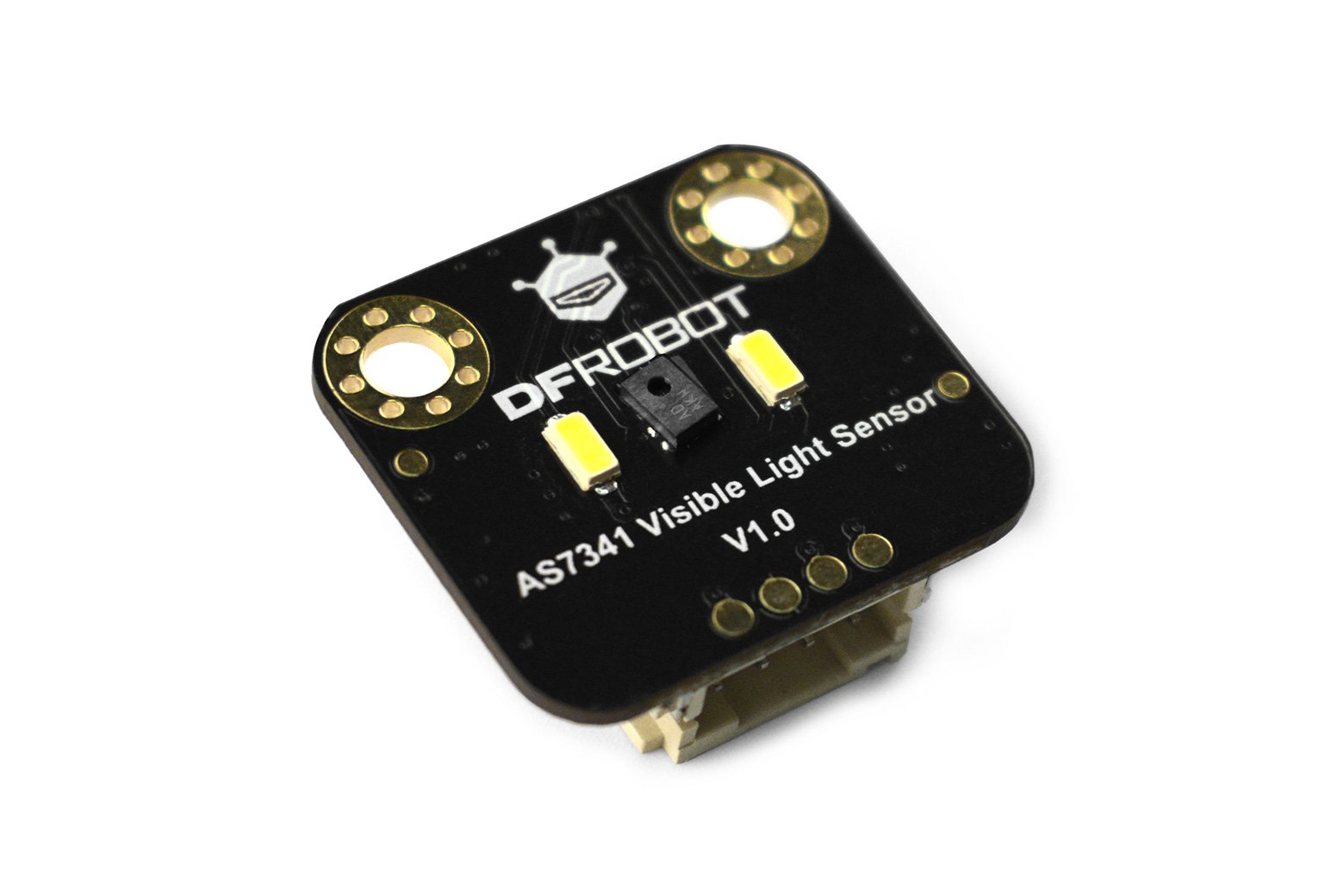
| 🔬 DFRobot AS7341 | 11-ch spectral | 8 visible + NIR | I2C | Best Spectral | Buy → |
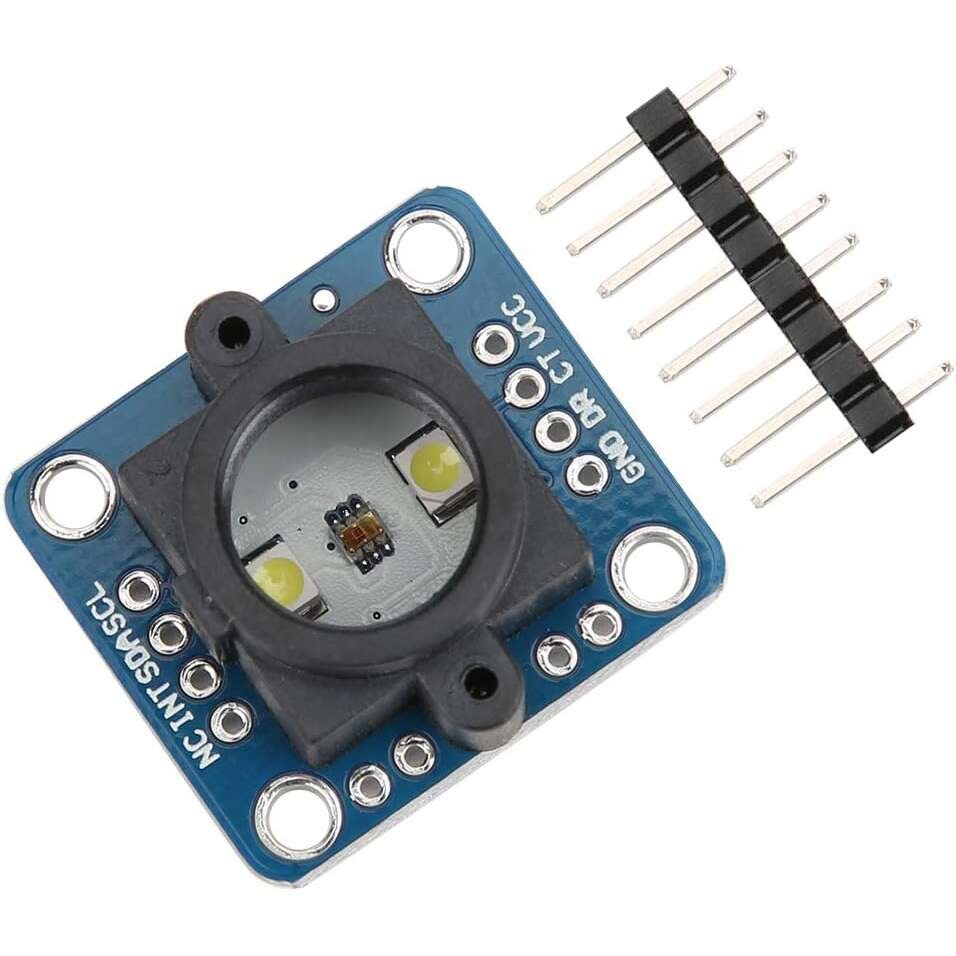
| 💲 HiLetgo TCS34725 | RGB module | RGBC digital | I2C | Best Value | Buy → |
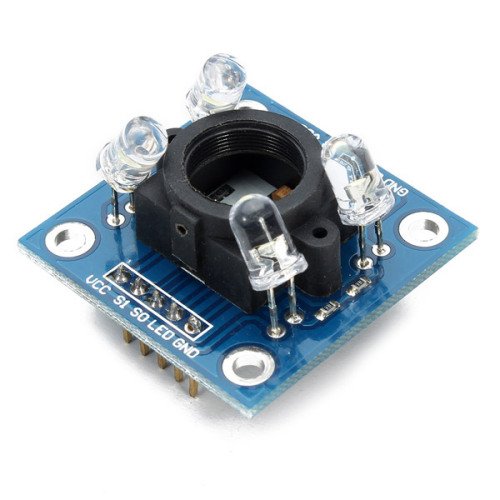
| 🔰 TCS3200 / TCS230 (GY-31) | Freq-output | Square wave | Digital pins | Best for Beginners | Buy → |
| 🖐️ Adafruit APDS-9960 | RGB + gesture | RGBC + prox | I2C | Best Multi-Function | Buy → |
| 🔋 SparkFun ISL29125 | Low-power RGB | RGB digital | I2C | Best Low-Power | Buy → |
| 👋 SparkFun APDS-9960 | RGB + gesture | RGBC + prox | I2C / Qwiic | Best for Gesture | Buy → |
| 🧵 Adafruit Flora TCS34725 | Sewable RGB | RGBC digital | I2C | Best for Wearables | Buy → |
Specs are approximate and vary by seller, board revision and clone. Some parts ship in multi-packs — check the listing. Always confirm the live price and exact variant on Amazon before buying.
🔍 What to Look for in a Color Sensor
🎨
Output Type
RGB-plus-clear chips (TCS34725, ISL29125) give ready-to-use color values. Spectral sensors (AS7341) resolve many wavelength bands for real analysis. The TCS3200 instead outputs a frequency you measure in code.
🔌
Interface
Most modern sensors use I2C — two wires, a fixed address, and a ready-made library. Frequency-output parts like the TCS3200 tie up several digital pins and need timing code, but work on any board without I2C.
💡
Illumination (White LED)
An onboard, controllable white LED gives consistent lighting so readings don’t drift with the room. Most TCS34725 and TCS3200 boards include one; being able to switch it off matters for ambient-light sensing.
🛡️
IR Filter & Accuracy
An on-chip IR-blocking filter (TCS34725, ISL29125) strips infrared so colors read “true” the way a human eye sees them. Without it, warm light and sunlight skew results toward red.
⚡
Voltage & Logic Level
Many sensor ICs are 3.3V parts. Breakouts with an onboard regulator and level shifting (Adafruit, HiLetgo) run happily on 3–5V; bare 3.3V boards like the ISL29125 need a logic-level converter with a 5V Arduino.
🏆 Detailed Reviews — All 8 Color Sensors
🥇 BEST OVERALL

The Adafruit TCS34725 is the color sensor we hand to anyone who needs readings they can trust. It combines red, green, blue and clear channels with an on-chip IR-blocking filter — so colors read the way your eye sees them, not skewed by infrared — plus a neutral 4150K white LED with a MOSFET driver to light the target consistently. An onboard 3.3V regulator and I2C level shifting let it run on 3–5V, and Adafruit’s well-documented library gets you four-channel readings in minutes. For color-sorting robots, colorimeters and display calibration, it’s the sweet spot of accuracy, ease and price.
✅ Pros- On-chip IR filter for true color
- Neutral white LED, switchable
- 3–5V ready, great library
- Huge tutorial base
❌ Cons- Still needs white-balance calibration
- Single-point (not a camera)
- Pricier than bare clones
🎯 Verdict: The best all-round color sensor. Accurate, well-supported RGB sensing without stepping up to spectral prices.
👉 Check Price on Amazon →
🔬 BEST SPECTRAL
DFRobot Gravity AS7341
⭐ 4.7/5 · True Multi-Channel Spectrometer
11 Channels
8 VIS + NIR + CLR

When simple RGB isn’t enough, the DFRobot Gravity AS7341 steps up to a genuine spectral sensor. It splits incoming light into 8 visible bands (around 415–680nm) plus near-IR and a clear channel, read through six independent 16-bit ADCs, and adds two bright onboard LEDs to illuminate low-light targets. That level of detail lets you tell apart colors an RGB chip would confuse, estimate light source and even do basic material and plant analysis. The Gravity connector and DFRobot/Arduino libraries make it far friendlier than raw spectral modules. It costs more and needs a bit more code, but nothing else here resolves color this finely.
✅ Pros- 8 visible bands + NIR — real spectral data
- Six 16-bit ADCs, plug-and-play Gravity
- Two onboard illumination LEDs
- Great for science/analysis projects
❌ Cons- Most expensive pick here
- Overkill for simple color detection
- More data to process
🎯 Verdict: The best spectral color sensor. If you need to analyze color, not just detect it, start here.
👉 Check Price on Amazon →
💲 BEST VALUE · ⭐ 4.5/53. HiLetgo TCS34725 Module
RGBC · IR filter · white LED · I2C · 3–5V
Buy →

The HiLetgo TCS34725 module packs the same trusted TCS34725 chip — IR filter, white LED and I2C — onto a low-cost board for a fraction of the branded price. Software is identical, so every TCS34725 tutorial and Arduino library works as-is. Build quality and the LED are a small step below Adafruit’s, but for color sorting, learning and stocking a parts bin, it delivers almost all the capability for a lot less money. Buy one to prototype, or several for a class set.
✅ Pros: Real TCS34725 chip; same library; cheap; 3–5V ready.
❌ Cons: Clone build quality varies; weaker LED; no support.
🎯 Verdict: The best value color sensor. TCS34725 accuracy on a budget — ideal for learning and prototyping.
🔰 BEST FOR BEGINNERS · ⭐ 4.3/54. TCS3200 / TCS230 (GY-31)
Frequency output · 4 LED illum · no I2C needed · 2.7–5.5V
Buy →

The TCS3200 (GY-31) is the color sensor almost every beginner tutorial uses. Instead of I2C, it outputs a square-wave frequency proportional to the light of the color filter you select — you count pulses on a digital pin and map them to R, G and B. Four onboard white LEDs light the target, and it works on any board without an I2C bus. It’s the cheapest way to learn how color sensing works and to build a color-sorting machine, though calibration and a light shroud matter more here than on filtered I2C parts.
✅ Pros: Dirt cheap; works without I2C; 4 built-in LEDs; endless tutorials.
❌ Cons: No IR filter; frequency code + calibration; uses several pins.
🎯 Verdict: The best first color sensor. Cheapest path to a working color-sorter and to understanding the basics.
🖐️ BEST MULTI-FUNCTION · ⭐ 4.6/55. Adafruit APDS-9960
RGB + gesture + proximity + ambient · I2C · STEMMA QT · 3–5V
Buy →
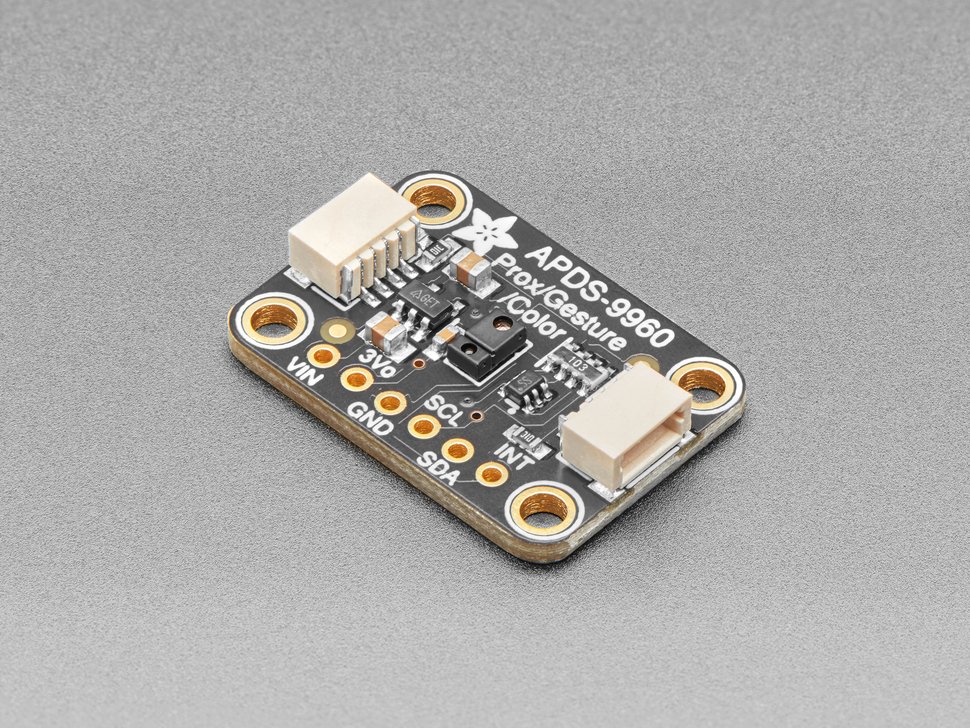
The Adafruit APDS-9960 is four sensors in one: RGB color, gesture (swipe up/down/left/right), proximity and ambient light — the same chip once used in the Samsung Galaxy S5. Over a single I2C bus you can read color and add touchless controls to a project, making it perfect for interactive builds where color is only part of the story. The STEMMA QT / Qwiic connectors mean no soldering to get started. Its color accuracy trails the dedicated TCS34725, but nothing else here does this much from one tiny board.
✅ Pros: Color + gesture + proximity; STEMMA QT no-solder; 3–5V.
❌ Cons: Color less accurate than TCS34725; short prox range.
🎯 Verdict: The best multi-function pick. Reach for it when you want color plus gesture and proximity in one part.
🔋 BEST LOW-POWER · ⭐ 4.3/56. SparkFun ISL29125
RGB · IR reject · ~56µA · 16-bit · I2C · 3.3V
Buy →

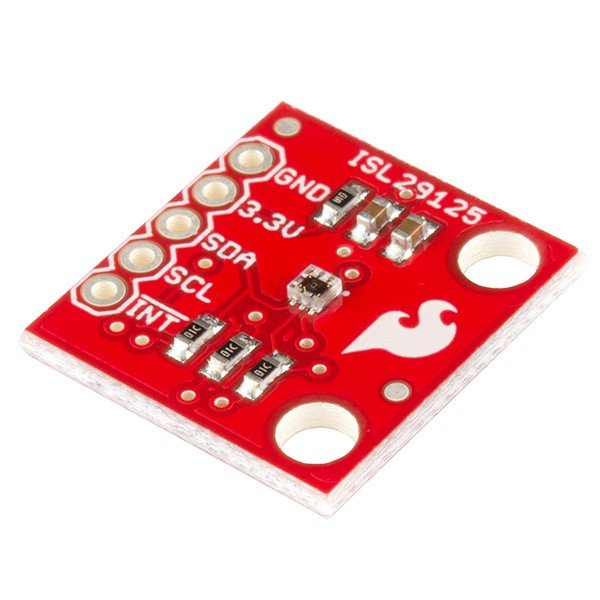
The SparkFun ISL29125 is a compact, seriously frugal RGB light sensor that draws only about 56µA in operation — ideal for battery and always-on designs where every microamp counts. It measures red, green and blue with 16-bit resolution while rejecting IR for cleaner readings, all over I2C. There’s no onboard illumination LED and it’s a strict 3.3V part (add a level shifter with a 5V Arduino), so it’s aimed at ambient color/light logging rather than lit color-sorting. For low-power embedded and IoT color sensing, it’s hard to beat.
✅ Pros: Ultra-low ~56µA draw; 16-bit RGB; IR reject; tiny.
❌ Cons: No onboard LED; 3.3V only; needs controlled light.
🎯 Verdict: The best low-power color sensor. The pick for battery-powered and always-on ambient color logging.
👋 BEST FOR GESTURE · ⭐ 4.4/57. SparkFun APDS-9960
RGB + gesture + proximity · I2C / Qwiic · 3.3V
Buy →
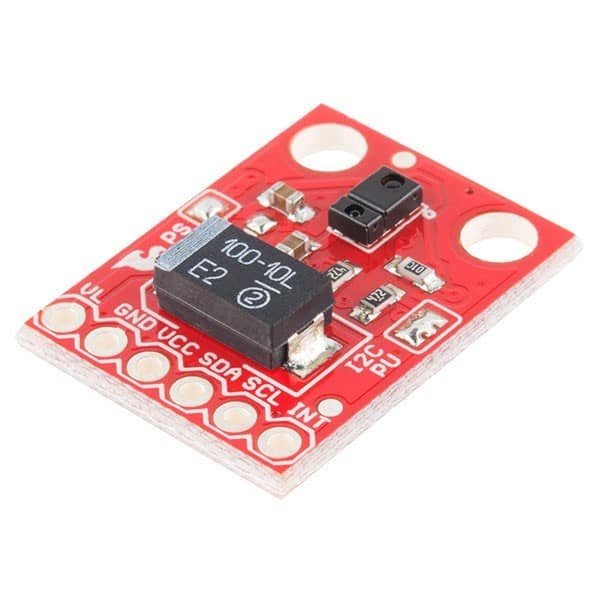
The SparkFun APDS-9960 uses the same capable APDS-9960 chip but drops it into SparkFun’s ecosystem, with a broken-out INT pin and Qwiic-friendly wiring. It’s the go-to when gesture control is the headline feature — swipe detection at 4–8in plus RGB and proximity — and you’re already building around SparkFun boards and their well-loved hookup guide and library. Like all APDS-9960 boards it’s a 3.3V part, so mind logic levels on a 5V Arduino. Choose it over the Adafruit version mainly for the SparkFun/Qwiic workflow.
✅ Pros: Great gesture sensing; RGB + proximity; SparkFun library.
❌ Cons: 3.3V only; color trails TCS34725; short range.
🎯 Verdict: The best gesture-first pick. Ideal for touchless interfaces built in the SparkFun/Qwiic ecosystem.
🧵 BEST FOR WEARABLES · ⭐ 4.4/58. Adafruit Flora TCS34725
Sewable RGBC · IR filter · white LED · I2C · 3V
Buy →
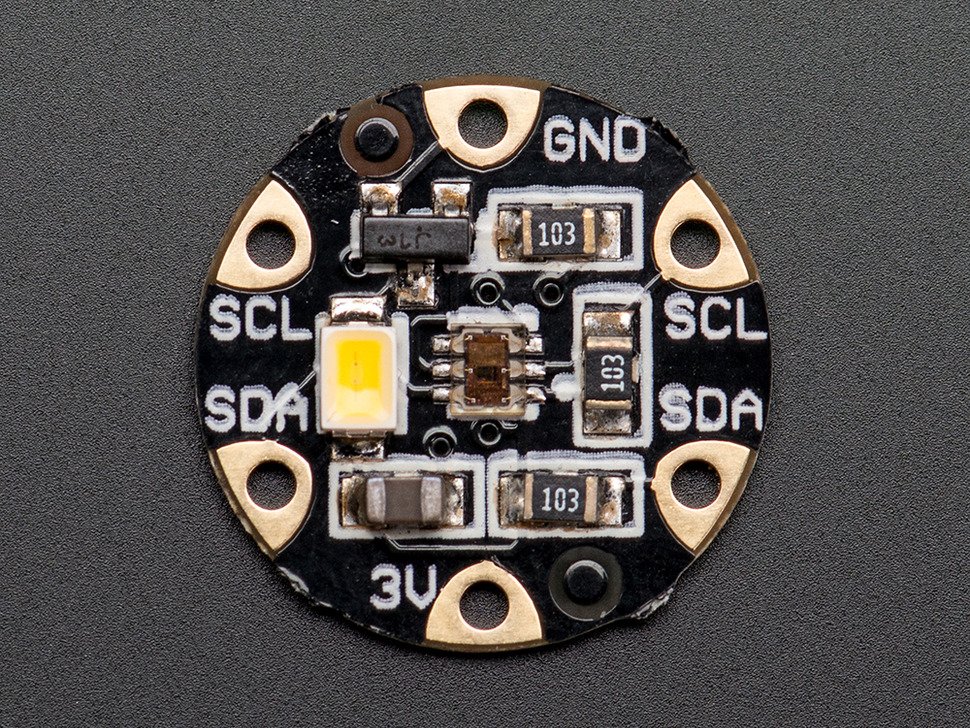
The Adafruit Flora Color Sensor is the same excellent TCS34725 — IR filter, white LED, I2C — but on a round, sewable board with large pads for conductive thread. It’s built for e-textiles and wearables: think a scarf or bag that changes its NeoPixels to match whatever you hold up to it. It pairs naturally with the Flora and Gemma platforms and other I2C sensors in a chain. For rigid breadboard builds the standard breakout is easier, but for anything you wear or sew, this is the color sensor to reach for.
✅ Pros: Accurate TCS34725; sewable pads; perfect for e-textiles.
❌ Cons: 3V wearable focus; not ideal for breadboards.
🎯 Verdict: The best wearable color sensor. TCS34725 accuracy in a sewable form for color-reactive fashion tech.
🛒 How to Choose the Right Color Sensor
🎨
Need accurate RGB detection?
Get the Adafruit TCS34725 — IR filter, white LED and a great library for true, repeatable color.
🔬
Analyzing spectra or materials?
The DFRobot AS7341 resolves 8 visible bands plus NIR — real spectral data, not just RGB.
🔰
Just learning or on a budget?
Start with the cheap TCS3200 (GY-31) or a HiLetgo TCS34725 module and learn the fundamentals.
🖐️
Want gesture + proximity too?
The APDS-9960 (Adafruit or SparkFun) adds swipe gestures and proximity to color sensing.
🔋
Battery-powered or always-on?
The SparkFun ISL29125 sips ~56µA — the low-power choice for IoT and wearable logging.
🧵
Building wearable tech?
The Flora TCS34725 is sewable with conductive thread — TCS34725 accuracy for e-textiles.
⚙️ Key Specs Compared — Side by Side
| Spec | TCS34725 | AS7341 | APDS-9960 | TCS3200 | ISL29125 |
|---|
| Output | RGB + Clear | 11-ch spectral ⭐ | RGBC + gesture | Frequency | RGB |
| Interface | I2C | I2C | I2C | Digital pins | I2C |
| Onboard LED | White | 2× white ⭐ | IR only | 4× white | None |
| IR Filter | Yes ⭐ | Per-channel | Yes | No | Yes ⭐ |
| Voltage | 3–5V | 3.3–5V | 3–5V | 2.7–5.5V ⭐ | 3.3V |
| Standout | Accuracy | Spectral detail ⭐ | Gesture + prox ⭐ | Cheapest ⭐ | ~56µA power ⭐ |
Specs are approximate and vary with board revision and seller/clone. Always confirm details on the live Amazon listing.
❓ Frequently Asked Questions
What’s the difference between an RGB color sensor and a spectral sensor?
An RGB color sensor (TCS34725, ISL29125) reports three broad channels — red, green, blue — plus usually a clear channel, which is plenty to detect and sort obvious colors. A spectral sensor like the AS7341 splits light into many narrow bands (8 visible plus near-IR here), so it can distinguish colors that look identical in RGB, estimate a light source, or analyze materials and plants. Think of RGB as “what color roughly is this?” and spectral as “what is the actual spectrum?” Spectral costs more and needs more processing, so only reach for it when three channels genuinely aren’t enough.
Do I need the onboard white LED?
For reflected-color sensing — reading the color of an object right in front of the sensor — yes, almost always. A controlled white LED means the object is lit the same way every time, so your readings don’t swing with room lighting. That’s why boards like the TCS34725 and TCS3200 include one. If instead you’re measuring ambient light or the color of a light source, you turn the LED off (or pick a no-LED part like the ISL29125). Either way, add a small shroud to block stray light for the most stable results.
Can a color sensor match an exact paint or Pantone color?
Not out of the box. Hobby color sensors give relative readings that depend on lighting, distance and calibration, so they’re excellent at telling red from green from blue and repeating a known sample — but not at naming an exact professional color code. With careful white/black calibration, a fixed distance, a light shroud and the onboard LED, an accurate part like the TCS34725 can get impressively close for consistent samples. For true reference-grade matching you’d step up to a spectral sensor like the AS7341 and a calibrated reference set, or a dedicated colorimeter.
TCS3200 or TCS34725 — which should I use with Arduino?
Both are popular, but they work differently. The TCS3200 outputs a frequency: you select a color filter with two pins and time the pulses on another, then map to RGB — cheapest, no I2C needed, and great for learning, but no IR filter and more calibration. The TCS34725 talks I2C and returns ready red/green/blue/clear values through a library, with an on-chip IR filter for truer color. If you want the simplest accurate result, choose the TCS34725; if you want the cheapest way to learn the concept or you have no free I2C bus, the TCS3200 is fine.
How do I get accurate, repeatable readings?
Control the light and calibrate. Fix the sensor a constant distance from the target, add a shroud to block outside light, and use the onboard white LED so illumination never changes. Then run a quick calibration: capture a white reference and a black (or dark) reference and scale your live readings between them, so the same object always maps to the same values. Set a sensible integration time and gain for your lighting, and average a few samples to cut noise. With a filtered I2C part like the TCS34725, these steps get you consistent, trustworthy color.
🏁 Final Verdict — Best Color Sensor for Every Project
The right color sensor for every use-case and budget:
🥇 Best Overall — Adafruit TCS34725: accurate RGB + clear, IR filter, white LED, I2C
Buy →🔬 Best Spectral — DFRobot AS7341: 8 visible bands + NIR, six 16-bit ADCs
Buy →💲 Best Value — HiLetgo TCS34725: same chip & library, budget price
Buy →🔰 Best for Beginners — TCS3200 (GY-31): cheapest, works without I2C
Buy →🖐️ Best Multi-Function — Adafruit APDS-9960: color + gesture + proximity
Buy →🔋 Best Low-Power — SparkFun ISL29125: ~56µA RGB for battery designs
Buy →No single color sensor is right for every project, but every pick here earns its place. For most embedded color work the Adafruit TCS34725 is the one to buy — accurate, IR-filtered RGB with a white LED and a great library you won’t outgrow. If you need real spectral detail, the DFRobot AS7341 is in a class of its own; budget builders and students should start with a HiLetgo TCS34725 module or the frequency-output TCS3200; interactive projects want the gesture-capable APDS-9960; battery designs love the frugal ISL29125; and wearables belong to the sewable Flora TCS34725. Pair your sensor with our Arduino, ESP32, STM32 and Raspberry Pi tutorials and start building today.
💬 Not sure which color sensor fits your project? Tell us what you’re building — a color-sorting robot, a colorimeter, a gesture interface or a wearable — in the comments below, and we’ll point you to the right pick.
All Amazon links above use our affiliate tag (microlab05-20). Purchasing through them supports microcontrollerslab.com at no extra cost to you. Prices and availability change frequently — always confirm the current price on Amazon before buying.
| Arduino Components | Amazon Links |
|---|
| Arduino Starter Kit | Buy Now |
| Arduino Development Kit | Buy Now |
| Arduino Smart Robot Car Kit V4 | Buy Now |
| Arduino Sensors Kit | Buy Now |