⚠️ Affiliate Disclosure: This post contains Amazon affiliate links. If you purchase through our links, we may earn a small commission at no extra cost to you. Every product below was checked against its live Amazon listing before publishing. Prices change often, so we don’t list them here. Tap any Buy Here button to see the current price on Amazon.
Ultimate Buying Guide
🚀 Best ESP32-S3 Development Boards
11 ESP32-S3 boards for Wi-Fi IoT, USB gadgets, cameras, displays and edge AI, from thumb-sized XIAO modules to 7-inch touch panels.
✅ 11 Picks Reviewed
✅ Native USB and PSRAM
✅ Camera, Display and Mini Boards
✅ Honest Pros & Cons
The ESP32-S3 is Espressif’s most capable mainstream Wi-Fi microcontroller: a dual-core Xtensa LX7 running at up to 240 MHz, 2.4 GHz Wi-Fi and Bluetooth 5 (LE), native USB that can act as a keyboard, mouse or serial port, vector instructions for TinyML, and support for large external PSRAM. That combination makes it the default choice for camera nodes, touch dashboards, voice assistants and any IoT project that has outgrown the classic ESP32.
This guide compares 11 ESP32-S3 boards that are live on Amazon, from official Arduino and Seeed boards to low-cost N16R8 DevKitC-style clones, a camera kit, display boards and M5Stack modules. If you need wired networking, see our ESP32 Ethernet and PoE boards, and for Thread or Zigbee look at the ESP32-C6 and H2 picks in our Matter and Thread development boards guide.
💡 Reality check before you buy: Not every “ESP32-S3” board is the same. Check the flash and PSRAM size (N16R8 means 16 MB flash and 8 MB PSRAM) and select the matching PSRAM mode in Arduino IDE or ESP-IDF, or camera and display code will fail. On N16R8 boards with octal PSRAM, a few GPIOs are reserved for the memory, so check the pinout before wiring. Boards with two USB-C ports have one for native USB and one for a USB-UART chip, and you may need to hold BOOT while plugging in for the first upload. The ESP32-S3 is a 3.3 V part and is not 5 V tolerant, so level-shift 5 V sensors. The S3 has no Thread, Zigbee or Wi-Fi 6 radio; pick an ESP32-C6 for those.
Table of Contents
- Quick Comparison: All 11 ESP32-S3 Boards
- How to Choose an ESP32-S3 Board
- Detailed Reviews: All 11 Picks
- Which One for Which Job
- ESP32-S3 vs ESP32 vs ESP32-C3 vs ESP32-C6
- Frequently Asked Questions
- Final Verdict: Best ESP32-S3 Development Boards
🚀 Quick Comparison: All 11 ESP32-S3 Boards
| Product | Form Factor | Memory (listing) | Extras | Best For | Buy |
|---|
| 🥇 Arduino Nano ESP32 | Nano | See listing | USB-C, HID, MicroPython | Best Overall |
Buy Here → |
| 📷 Seeed XIAO ESP32S3 Sense | XIAO thumb-size | 8 MB flash, 8 MB PSRAM | OV3660 camera, mic, SD slot | Best for TinyML Vision |
Buy Here → |
| 🤏 Seeed XIAO ESP32S3 | 21 x 17.5 mm | See listing | LiPo charging, 4 power modes | Best Tiny Board |
Buy Here → |
| 📦 Hosyond ESP32-S3 N16R8 (3 pack) | DevKitC-style | 16 MB flash, 8 MB PSRAM | Dual USB-C | Best Multi-Pack |
Buy Here → |
| 📶 Lonely Binary N16R8 Gold | DevKitC-style | 16 MB flash, 8 MB PSRAM | IPEX external antenna | Best Wi-Fi Range |
Buy Here → |
| 🎓 Freenove ESP32-S3 Camera Kit | WROOM board + camera | 8 MB flash, 8 MB PSRAM | Tutorial, C and MicroPython code | Best for Learning |
Buy Here → |
| 🖥️ LILYGO T-Display-S3 | Board with LCD | 16 MB flash, 8 MB PSRAM | Built-in color display | Best Display Board |
Buy Here → |
| 🔩 Waveshare ESP32-S3 Mini (3 pcs) | Castellated mini | 4 MB flash, 2 MB PSRAM | Solder to carrier PCB | Best for Custom PCBs |
Buy Here → |
| ⚛️ M5Stack ATOMS3 Lite | 24 x 24 mm module | 8 MB flash | IR LED, RGB LED, Grove port | Best for ESPHome Nodes |
Buy Here → |
| 🧱 M5Stack CoreS3 | Enclosed IoT kit | See listing | Camera interface, modular stack | Best All-in-One Kit |
Buy Here → |
| 📺 Waveshare ESP32-S3 7″ Touch LCD | HMI panel | See listing | 800×480, 5-point touch | Best Touch HMI |
Buy Here → |
Specs are taken from each Amazon listing; “See listing” means the memory size was not stated in the bullets we checked. Tap Buy Here to see the live price.
🔍 How to Choose an ESP32-S3 Board
🧠
Flash and PSRAM
Cameras, LVGL touch screens and TinyML models need PSRAM. N16R8 (16 MB flash, 8 MB PSRAM) is the safe default; 2 MB PSRAM boards are fine for sensors and relays.
📐
Form factor
DevKitC-style boards fit breadboards and expose the most pins. Nano and XIAO boards save space, castellated minis solder onto your own PCB, and M5Stack modules come in finished cases.
🔌
USB ports
Native USB enables HID keyboards and fast uploads. Boards with a second USB-UART port keep a serial console alive during resets and deep sleep, which helps debugging.
📶
Antenna
PCB and ceramic antennas are fine indoors. For a sensor in a metal box, garage or garden, choose a board with an IPEX connector and an external antenna.
🔋
Battery power
For portable or solar nodes, a built-in LiPo charger (XIAO ESP32S3) saves a separate charger board. Big displays and cameras draw too much for long battery life.
🏆 Detailed Reviews: All 11 Picks
🥇 BEST OVERALL
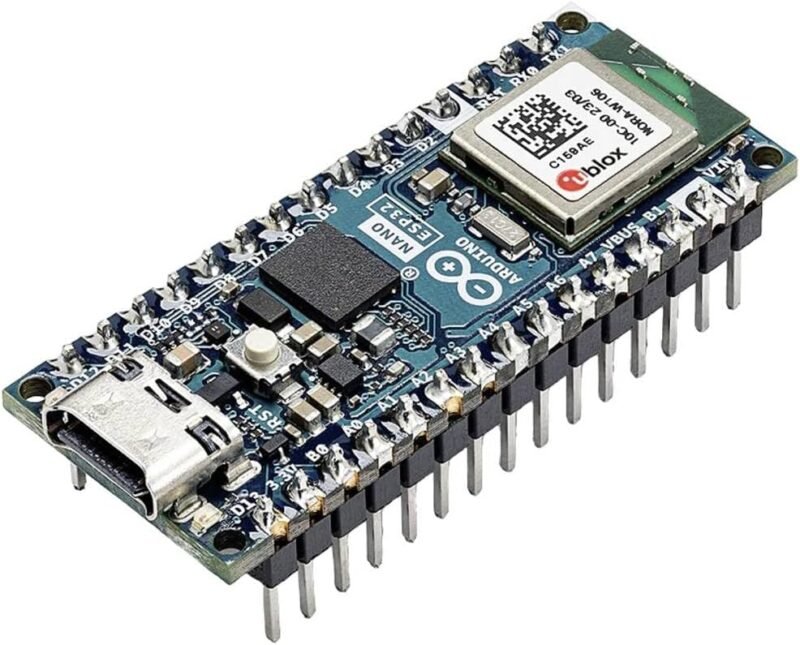
1. Arduino Nano ESP32 (ABX00083, with Headers)
⭐ 4.6/5 · The official Arduino way into the ESP32-S3
Buy on Amazon →

The Arduino Nano ESP32 puts the dual-core ESP32-S3 in the classic Nano footprint with Wi-Fi and Bluetooth 5.0, a USB-C port for power and programming, and support for HID profiles so it can act as a keyboard or mouse, per the listing. The title also confirms MicroPython compatibility. You get Arduino’s board package, documentation and Arduino Cloud support out of the box, and the headers are pre-soldered on this version. It is the most-reviewed board here, averaging 4.6 stars from 618 ratings.
✅ Pros- Official Arduino support
- Nano shields and footprint
- Headers already soldered
❌ Cons- 3.3 V logic, unlike 5 V Nanos
- Fewer pins than a DevKitC
🎯 Verdict: The safest first ESP32-S3 for Arduino users.
👉 Check Price on Amazon →
📷 BEST FOR TINYML AND VISION
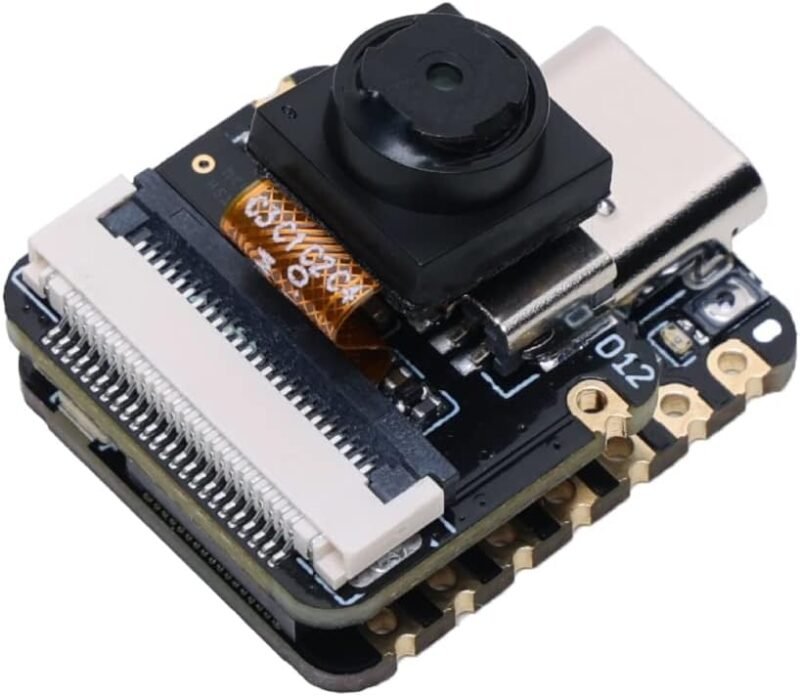
2. Seeed Studio XIAO ESP32S3 Sense
⭐ 4.4/5 · Camera, microphone and SD slot on a thumb-sized board
Buy on Amazon →

The XIAO ESP32S3 Sense adds an expansion board with a detachable OV3660 camera (2048 x 1536, and OV5640 compatible per the listing), a digital microphone and a microSD slot for up to 32 GB FAT cards, on top of a 240 MHz ESP32-S3 with 8 MB PSRAM and 8 MB flash. Seeed’s tutorials cover Edge Impulse image and audio models, which makes it the easiest route to on-device TinyML. It averages 4.4 stars from 383 ratings. See our TinyML and edge AI kits guide for alternatives.
✅ Pros- Camera, mic and SD included
- Generous 8 MB PSRAM
- Tiny footprint
❌ Cons- Runs warm when streaming video
- Few free GPIOs with the camera fitted
🎯 Verdict: The best tiny board for camera and voice AI.
👉 Check Price on Amazon →
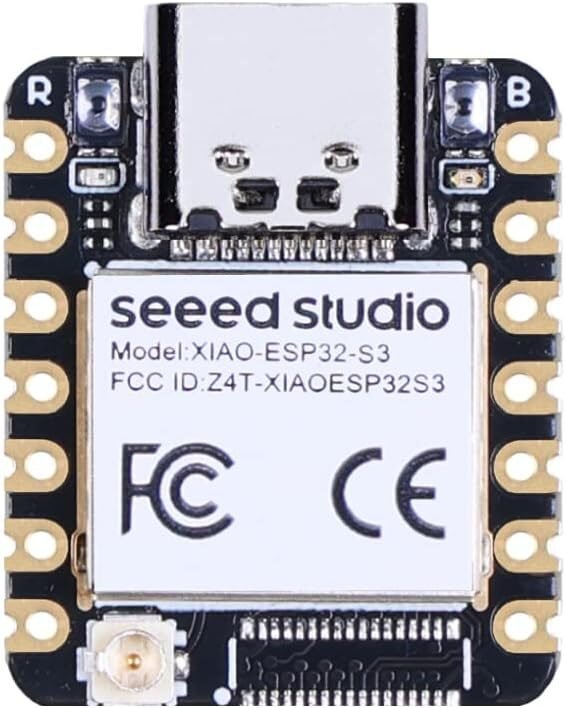
🤏 BEST TINY BOARD · ⭐ 4.6/53. Seeed Studio XIAO ESP32S3
21 x 17.5 mm · LiPo charge management · Wi-Fi + BLE 5.0 · 174 ratings
Buy Here →

The plain XIAO ESP32S3 packs a 240 MHz dual-core ESP32-S3 into a 21 x 17.5 mm board with Wi-Fi, BLE 5.0, lithium battery charge management and four power consumption modes, per the listing. It is perfect for wearables, battery sensors and anything that has to fit inside a small enclosure. It averages 4.6 stars from 174 ratings.
✅ Pros: Tiny; built-in battery charging.
❌ Cons: Limited pin count; headers not fitted.
🎯 Verdict: The best ESP32-S3 for wearables and battery nodes.
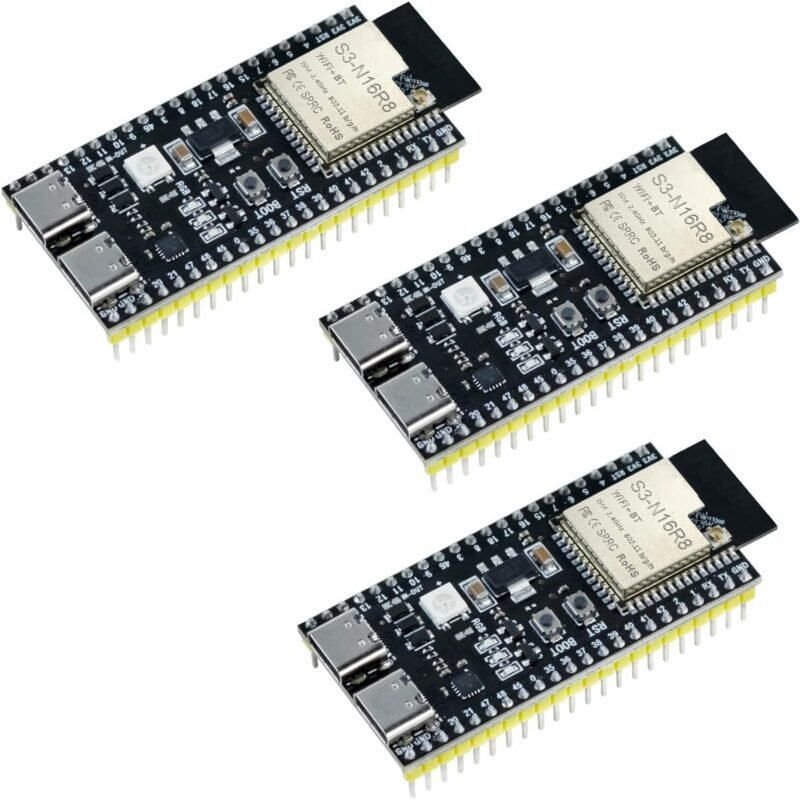
📦 BEST MULTI-PACK · ⭐ 4.4/54. Hosyond ESP32-S3 N16R8 DevKit (3 Pack)
ESP32-S3-WROOM-1 · N16R8 · dual USB-C (USB + UART) · 149 ratings
Buy Here →

Three DevKitC-style boards built on the ESP32-S3-WROOM-1 N16R8 module, so each has 16 MB flash and 8 MB PSRAM. The listing highlights dual USB-C ports that support both native USB and USB-to-serial downloads, plus Wi-Fi and Bluetooth 5.0 (LE). It averages 4.4 stars from 149 ratings. A three-pack covers a prototype, a spare and a test bench.
✅ Pros: Max memory; three boards; two USB ports.
❌ Cons: Wide board covers breadboard rows.
🎯 Verdict: The best general-purpose S3 bundle.
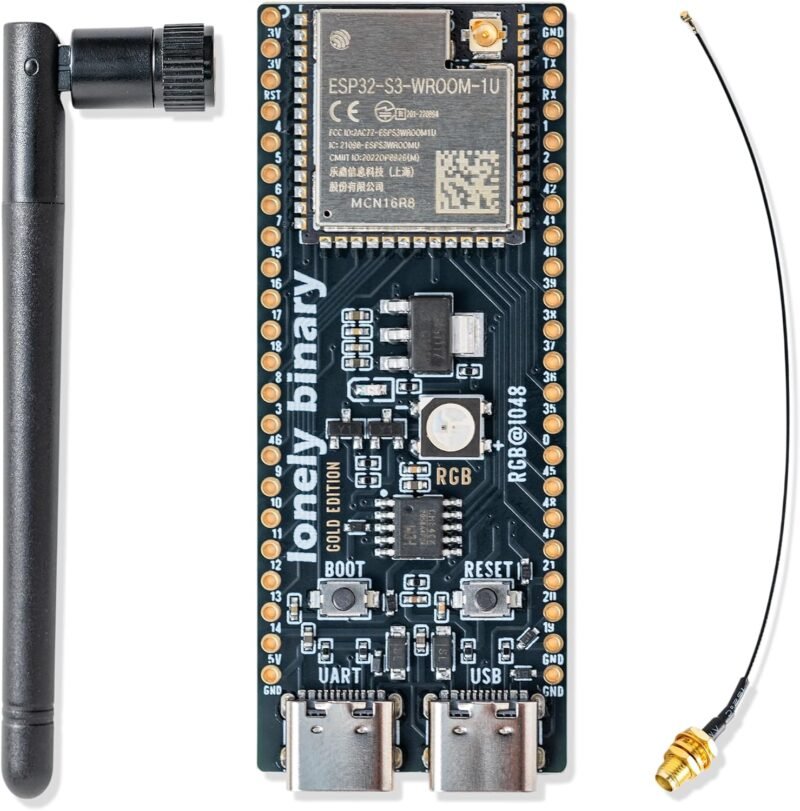
📶 BEST WI-FI RANGE · ⭐ 4.5/55. Lonely Binary ESP32-S3 N16R8 Gold Edition
16 MB flash + 8 MB PSRAM · IPEX external antenna · dual USB-C · 146 ratings
Buy Here →

This N16R8 board stands out for its external IPEX antenna, which you can position for better Wi-Fi and Bluetooth coverage, per the listing. It also has a black immersion-gold PCB, 16 MB flash with 8 MB PSRAM for OTA updates and large programs, and separate USB-C ports for power and data. It averages 4.5 stars from 146 ratings. Pick it for a sensor in a garage, shed or metal enclosure.
✅ Pros: External antenna; max memory.
❌ Cons: Antenna lead adds bulk.
🎯 Verdict: The S3 for weak Wi-Fi spots.
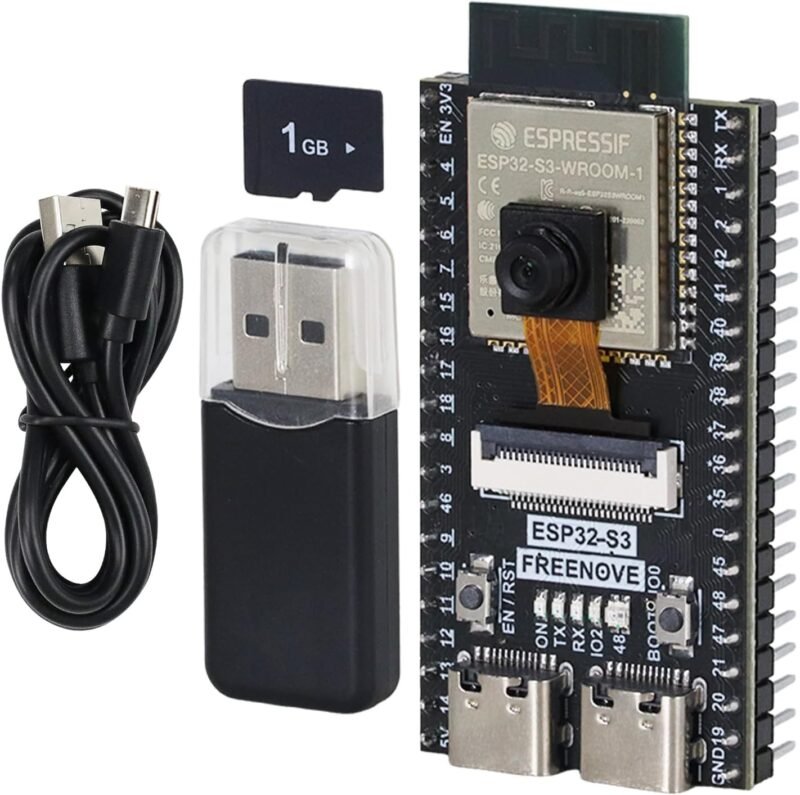
🎓 BEST FOR LEARNING · ⭐ 4.3/56. Freenove ESP32-S3 Camera Board Kit
8 MB flash · 8 MB PSRAM · C and MicroPython tutorials · 415 ratings
Buy Here →

Freenove’s kit pairs an ESP32-S3 board (8 MB flash, 8 MB PSRAM, 2.4 GHz Wi-Fi) with a camera and a detailed English tutorial with step-by-step example projects in both C and MicroPython, per the listing. It is the most-reviewed camera-capable S3 option here at 4.3 stars from 415 ratings. Compare it with the classic boards in our ESP32-CAM kits guide.
✅ Pros: Excellent tutorials; camera included.
❌ Cons: Larger than XIAO Sense.
🎯 Verdict: The best ESP32-S3 camera kit for students.
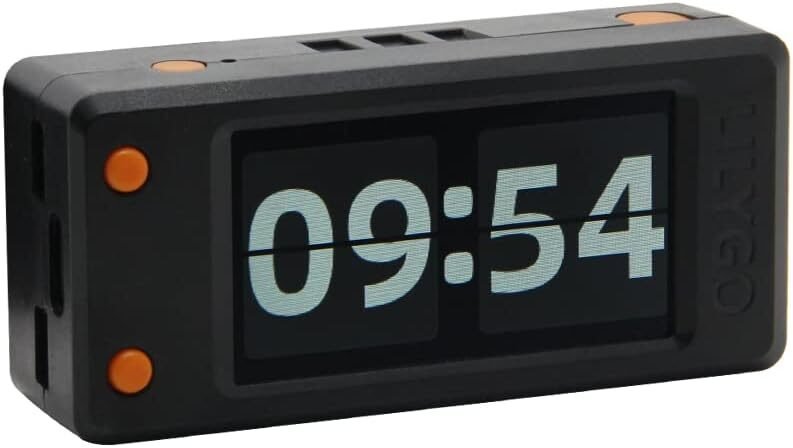
🖥️ BEST DISPLAY BOARD · ⭐ 4.4/57. LILYGO T-Display-S3
ESP32-S3R8 · 16 MB flash · 8 MB PSRAM · Arduino IDE and MicroPython · 247 ratings
Buy Here →

The T-Display-S3 is a favourite for status screens, crypto tickers and Home Assistant mini dashboards because the color LCD is already on the board. The listing gives an ESP32-S3R8 dual-core LX7 with 16 MB flash and 8 MB PSRAM, Arduino IDE and MicroPython support, and links to LILYGO’s GitHub with examples. It averages 4.4 stars from 247 ratings.
✅ Pros: Screen built in; plenty of memory.
❌ Cons: Display uses many GPIOs.
🎯 Verdict: The quickest way to a pocket dashboard.
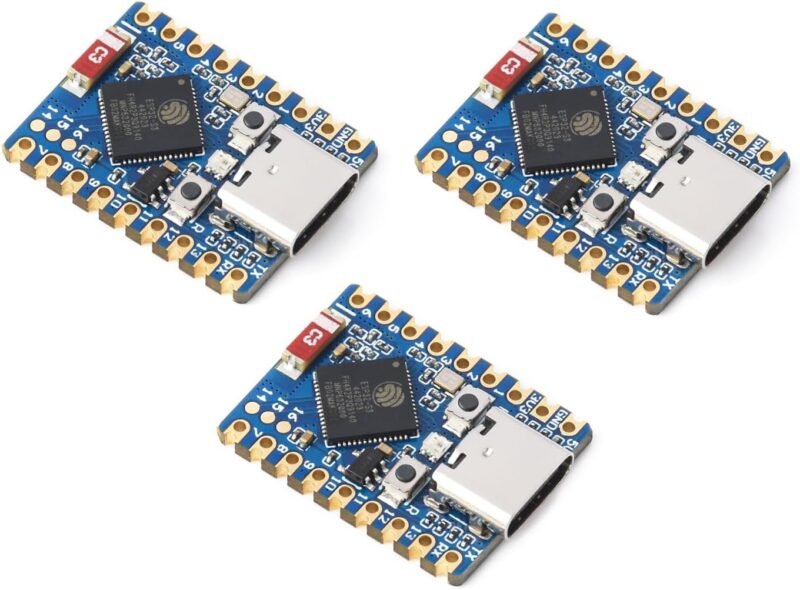
🔩 BEST FOR CUSTOM PCBS · ⭐ 4.4/58. Waveshare ESP32-S3 Mini (3 Pack)
4 MB flash · 2 MB PSRAM · castellated edges · ceramic antenna · 76 ratings
Buy Here →

Waveshare’s ESP32-S3 Mini is a small board with castellated edges and an onboard ceramic antenna, so you can solder it straight onto your own carrier PCB, per the listing. It runs the 240 MHz LX7 with 512 KB SRAM, 4 MB flash and 2 MB PSRAM, plus Wi-Fi and Bluetooth 5 (LE). It averages 4.4 stars from 76 ratings. Enough memory for ESPHome, sensors and relays, but not for cameras.
✅ Pros: Solderable module; three per pack.
❌ Cons: Only 2 MB PSRAM.
🎯 Verdict: The pick for your own PCB designs.
⚛️ BEST FOR ESPHOME NODES · ⭐ 4.8/59. M5Stack ATOMS3 Lite
ESP32-S3FN8 · 24 x 24 x 9.5 mm · IR transmitter · RGB LED · 32 ratings
Buy Here →
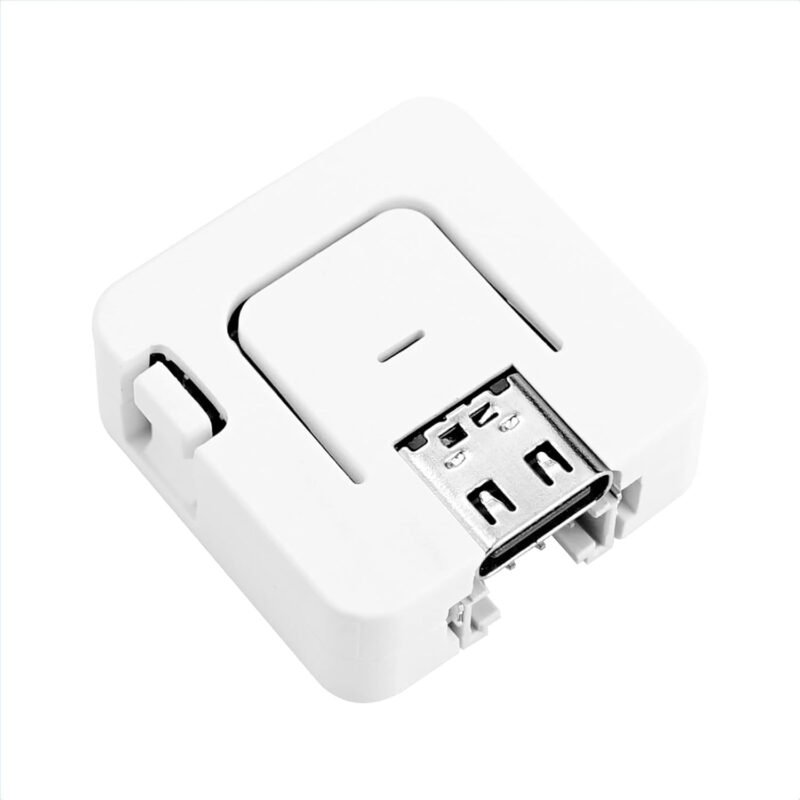
The ATOMS3 Lite is a finished 24 x 24 x 9.5 mm cube with an ESP32-S3FN8 (8 MB flash), a 3D antenna, an IR transmitter LED, a WS2812C RGB LED, a HY2.0-4P (Grove-style) port and six GPIO headers, plus an M2 screw hole, per the listing. That makes it an ideal ESPHome Bluetooth proxy, IR remote or sensor hub. It averages 4.8 stars from 32 ratings.
✅ Pros: Enclosed; IR and RGB built in.
❌ Cons: No PSRAM listed; few GPIOs.
🎯 Verdict: The neatest plug-in node for Home Assistant.
🧱 BEST ALL-IN-ONE KIT · ⭐ 4.9/510. M5Stack CoreS3 IoT Development Kit
ESP32-S3 · camera interface · modular M5Stack stack · only 15 ratings
Buy Here →

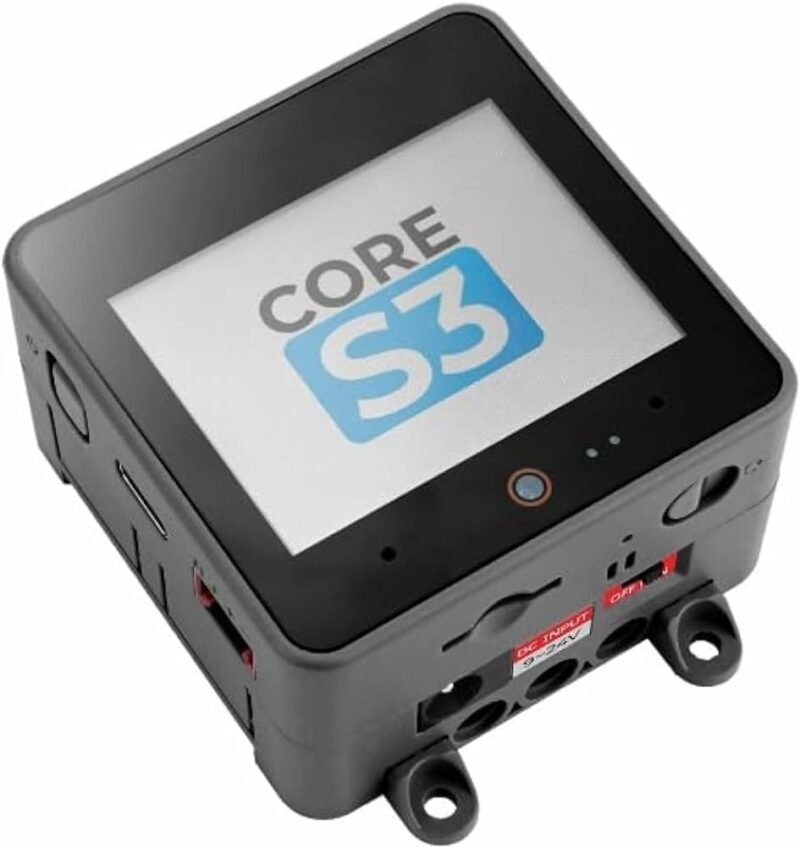
The CoreS3 is M5Stack’s enclosed ESP32-S3 controller with built-in Wi-Fi and Bluetooth, an integrated camera interface and the modular design that lets you stack M5Stack bases and units, per the listing. It supports the Arduino ecosystem as well as M5Stack’s own tools. It scores 4.9 stars but from only 15 ratings, so the sample is small. Choose it when you want a finished, cased device rather than a bare board.
✅ Pros: Cased; huge module ecosystem.
❌ Cons: Few reviews; locked into M5 form factor.
🎯 Verdict: The most polished S3 kit for demos and prototypes.
📺 BEST TOUCH HMI · ⭐ 3.9/511. Waveshare ESP32-S3 7inch Capacitive Touch LCD
7″ 800 x 480 · 5-point touch · 240 MHz · Wi-Fi + BT5 · 187 ratings
Buy Here →

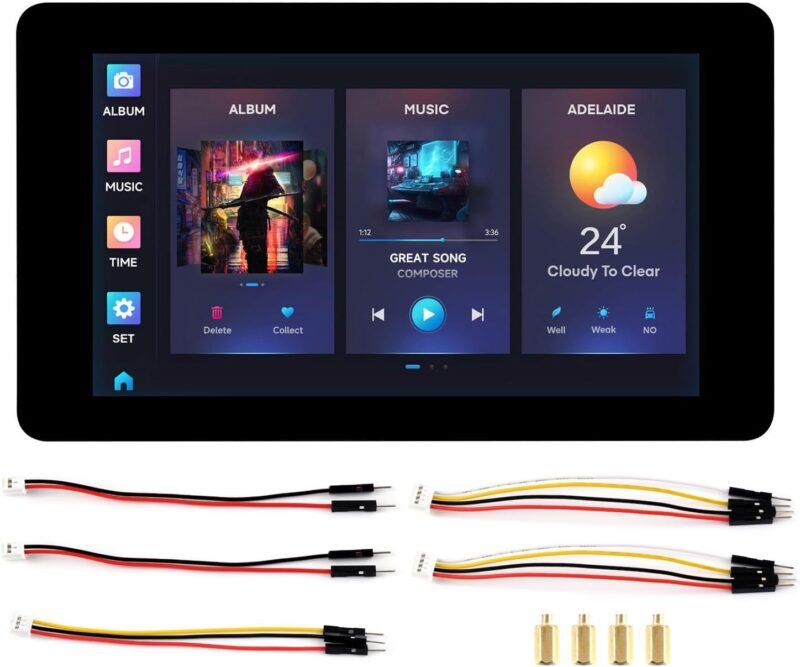
For a wall panel or machine HMI, Waveshare builds an ESP32-S3 straight into a 7-inch 800 x 480 capacitive touch display with 5-point touch and 65K colours, an onboard antenna and a range of peripheral interfaces, per the listing. It is a strong base for LVGL or ESPHome touch dashboards. Its 3.9-star average from 187 ratings is the lowest here, so expect some setup effort with display drivers and examples.
✅ Pros: Big touch screen; one board.
❌ Cons: Mixed reviews; steeper learning curve.
🎯 Verdict: The pick for a DIY smart home wall panel.
🛒 Which One for Which Job
🏠
ESPHome sensor or BLE proxy
M5Stack ATOMS3 Lite, or a Hosyond N16R8 board on a breadboard.
📷
Camera and TinyML vision
XIAO ESP32S3 Sense for size, Freenove camera kit for tutorials.
⌨️
USB keyboard, macro pad or MIDI
Arduino Nano ESP32 with its HID support and Arduino libraries.
📊
Desk dashboard or wall panel
LILYGO T-Display-S3 for small screens, Waveshare 7″ touch for a wall panel.
🔋
Battery wearable or solar node
XIAO ESP32S3 with its built-in LiPo charging.
🛠️
Custom product PCB
Waveshare ESP32-S3 Mini soldered onto your carrier board.
⚙️ ESP32-S3 vs ESP32 vs ESP32-C3 vs ESP32-C6
| Aspect | ESP32-S3 | ESP32 (classic) | ESP32-C3 | ESP32-C6 |
|---|
| CPU | Dual-core LX7, 240 MHz ⭐ | Dual-core LX6, 240 MHz | Single RISC-V, 160 MHz | RISC-V, 160 MHz |
| Wireless | Wi-Fi 4, BLE 5 | Wi-Fi 4, BT Classic + BLE | Wi-Fi 4, BLE 5 | Wi-Fi 6, BLE 5, Thread/Zigbee ⭐ |
| Native USB | USB OTG (HID, MSC) ⭐ | No | USB serial/JTAG | USB serial/JTAG |
| AI and camera | Vector instructions, camera and LCD interfaces ⭐ | Camera via ESP32-CAM | Not suited | Not suited |
| Best role | Cameras, displays, USB, AI | Legacy projects, BT audio | Cheap simple Wi-Fi nodes | Matter over Thread, Zigbee |
Highlighted cells mark the strongest chip for each row. For Matter over Thread, see our ESP32-C6 and H2 picks in the Matter dev board guide linked above.
❓ Frequently Asked Questions
What does N16R8 mean on an ESP32-S3 board?
It is the module memory code: N16 is 16 MB of flash and R8 is 8 MB of PSRAM. In Arduino IDE choose “ESP32S3 Dev Module”, set Flash Size to 16 MB and PSRAM to OPI PSRAM, or the extra memory will not be used.
Why won’t my ESP32-S3 board upload code?
Try the other USB-C port, use a data cable rather than a charge-only cable, and hold BOOT while pressing RESET to enter download mode. If you use the native USB port, enable “USB CDC On Boot” so Serial output appears on that port.
Is the ESP32-S3 good for ESPHome and Home Assistant?
Yes. ESPHome supports the S3 for sensors, relays, Bluetooth proxies, displays and voice satellites. Add a mmWave presence sensor or a ToF distance sensor to build room and level sensors.
ESP32-S3 or Raspberry Pi Pico 2 W?
The S3 has more RAM options, faster Wi-Fi throughput, a camera interface and a mature IoT ecosystem. The Pico 2 W shines for precise PIO timing and very low cost. See our Raspberry Pi Pico kits guide to compare.
Can an ESP32-S3 run Matter?
Yes, Matter over Wi-Fi works on the S3 with Espressif’s ESP-Matter SDK. It cannot act as a Thread device because it has no 802.15.4 radio, so for Thread choose an ESP32-C6 or H2 from our Matter and Thread boards guide.
🏁 Final Verdict: Best ESP32-S3 Development Boards
Our top picks by use case:
📷 Best for TinyML Vision: Seeed XIAO ESP32S3 Sense
Buy Here →📦 Best Multi-Pack: Hosyond ESP32-S3 N16R8 (3 pack)
Buy Here →🖥️ Best Display Board: LILYGO T-Display-S3
Buy Here →⚛️ Best for ESPHome: M5Stack ATOMS3 Lite
Buy Here →For most makers the Arduino Nano ESP32 is the easiest ESP32-S3 to start with, while an N16R8 DevKit pack gives the most memory and pins for everyday prototyping. Pick the XIAO ESP32S3 Sense or Freenove kit for camera and AI work, the T-Display-S3 for a built-in screen, and the ATOMS3 Lite for tidy Home Assistant nodes. For other boards, see our guides to ESP32 Ethernet and PoE boards, LoRa development boards, ESP32 cellular boards, STM32 development boards and e-paper displays.
💬 Which ESP32-S3 board is on your bench right now? Share your favourite in the comments below.
All Amazon links above use our affiliate tag (microlab05-20). Purchasing through them supports microcontrollerslab.com at no extra cost to you. Prices and availability change frequently, so always confirm the current price on Amazon before buying.