⚠️ Affiliate Disclosure: This post contains Amazon affiliate links. If you purchase through our links, we may earn a small commission at no extra cost to you. We only recommend products we have thoroughly researched and verified.
Ultimate Buying Guide 2026
📷 Best ESP32-CAM Kits & Bundles for Camera, Wi-Fi & AI Projects
8 ESP32-CAM kits and bundles ranked — from a $15 all-in-one USB-C board to a full ESP32-S3 vision starter kit — with real specs, honest verdicts, and direct Amazon links.
✅ 8 Kits Reviewed
✅ Verified Amazon ASINs
✅ Updated June 2026
✅ Honest Pros & Cons
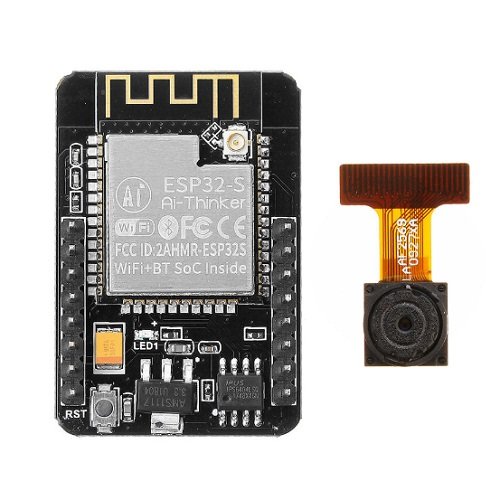
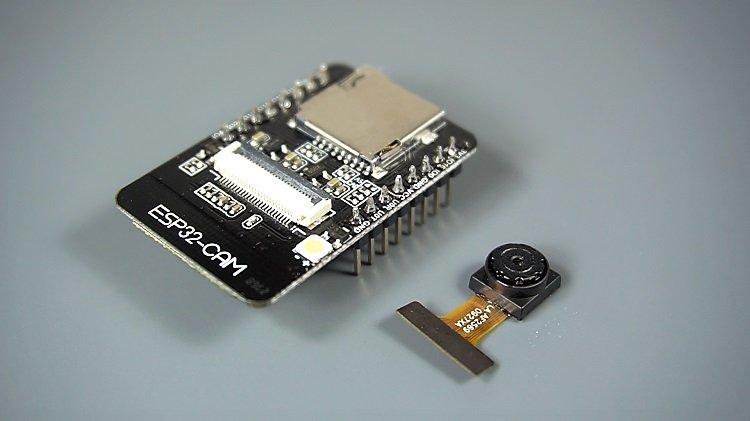
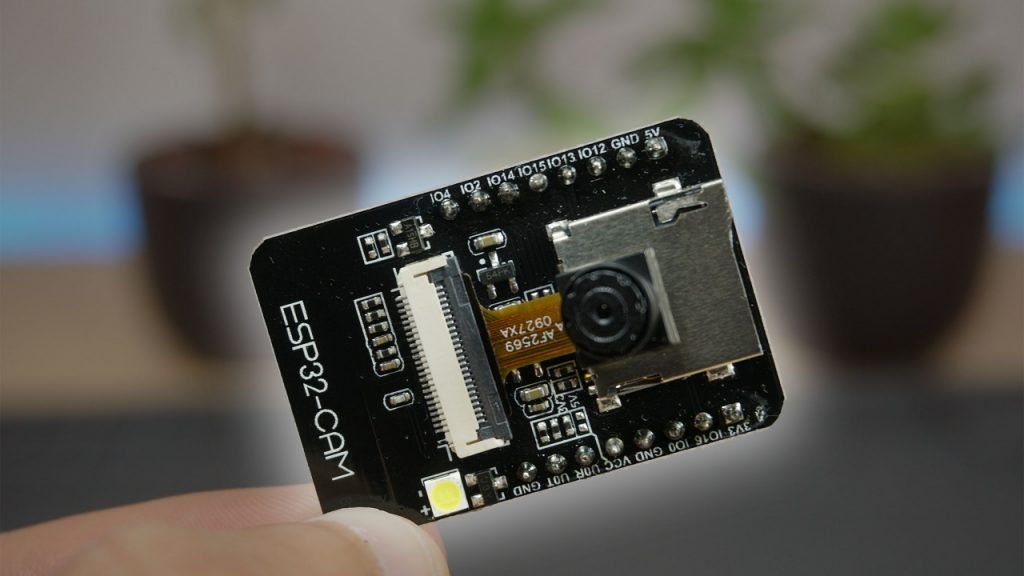
The ESP32-CAM is the cheapest way to put a real camera, Wi-Fi and Bluetooth on your bench. For the price of a fancy coffee you get a dual-core ESP32 with an OV2640 camera, a microSD slot and enough GPIOs to build a video-streaming web server, a motion-triggered security cam, a QR scanner, or a face-detection demo. It is the board behind thousands of DIY surveillance, doorbell and time-lapse projects — and it pairs perfectly with the Arduino IDE, MicroPython and ESP-IDF.
The catch is that “ESP32-CAM” is not one product. Some listings are a bare board with no easy way to flash it; others bundle a USB programmer, an external antenna, or a full kit of sensors and a 400-page tutorial. This guide ranks 8 ESP32-CAM kits and bundles — from single boards to complete learning kits and the newer ESP32-S3 vision boards — so you can match the bundle to your project and skip the accessory-hunting that trips up most first-time buyers.
💡 Reality check before you buy: The classic AI-Thinker ESP32-CAM has no USB port — to upload code you need an FTDI/CH340 programmer or the ESP32-CAM-MB base, so buy a bundle that includes one (or a board with a built-in USB-C programmer) unless you already own an adapter. The OV2640 is only 2 MP and struggles in low light, GPIO is limited once the camera and SD card are wired, and the board is famously power-hungry — use a solid 5V supply or you will hit “brownout” resets. None of this is a deal-breaker; it is just what separates a smooth first project from an afternoon of frustration.
📷 Quick Comparison — All 8 ESP32-CAM Kits
| ESP32-CAM Kit | Chip / Camera | Programmer | Best For | Price* | Buy |
|---|
| 🥇 Freenove Basic Starter Kit | ESP32-WROVER · OV2640 | On-board USB | Best Overall Kit | ~$40 | View → |
| 🧠 Freenove ESP32-S3 Ultimate Kit | ESP32-S3 · OV2640 | USB-C on-board | Best for AI / Edge ML | ~$70 | View → |
| 🔰 Freenove ESP32-CAM Dev Board | ESP32-WROVER · OV2640 | On-board USB | Best Plug-and-Play Board | ~$20 | View → |
| ⚡ ESP32-CAM USB-C Programmer Board | ESP32-D0WD · OV2640 | Built-in USB-C | Best All-in-One Single Board | ~$15 | View → |
| 🔌 HiLetgo 2× ESP32-CAM + CH340 | ESP32-S · OV2640 | CH340C included | Best Bundle with Programmer | ~$20 | View → |
| 💵 AITRIP 3× ESP32-CAM | ESP32-S · OV2640 | Not included | Best Budget Multipack | ~$25 | View → |
| 📶 FORIOT ESP32-CAM + Antenna | ESP32-S · OV2640 | USB-C tester incl. | Best Wi-Fi Range | ~$14 | View → |
| 📷 ESP32-CAM OV5640 5MP Board | ESP32 · OV5640 5MP | USB-C / CH340X | Best Camera Resolution | ~$18 | View → |
*Approximate Amazon prices at time of writing. Multipack prices are for the whole pack. Always confirm the current price on Amazon.
🔍 What to Look for in an ESP32-CAM Kit
🔌
A Way to Flash It
The classic ESP32-CAM has no USB. Get a bundle with an ESP32-CAM-MB / CH340 programmer or a board with a built-in USB-C port, or you can’t upload code.
📷
Camera Sensor
Most boards ship the 2 MP OV2640 — fine for streaming. Step up to OV5640 (5 MP) for sharper stills, or OV3660 for a small quality bump.
📡
Antenna Option
The PCB antenna is fine up close. For a camera mounted far from the router, choose a board with a u.FL/IPEX connector and an external antenna — and set the antenna jumper.
🧠
PSRAM & Chip
You need PSRAM for higher camera resolutions. The newer ESP32-S3 adds vector instructions that accelerate TinyML / edge-AI workloads over the original ESP32.
📚
Tutorials & Support
A bare $8 board gives you nothing but the PCB. Kits from Freenove ship hundreds of pages of step-by-step projects in C and MicroPython — worth it for beginners.
🏆 Detailed Reviews — All 8 ESP32-CAM Kits
🥇 BEST OVERALL KIT
Freenove Basic Starter Kit for ESP32-CAM
⭐⭐⭐⭐⭐ 4.7/5 · Editor’s Choice
Buy on Amazon →

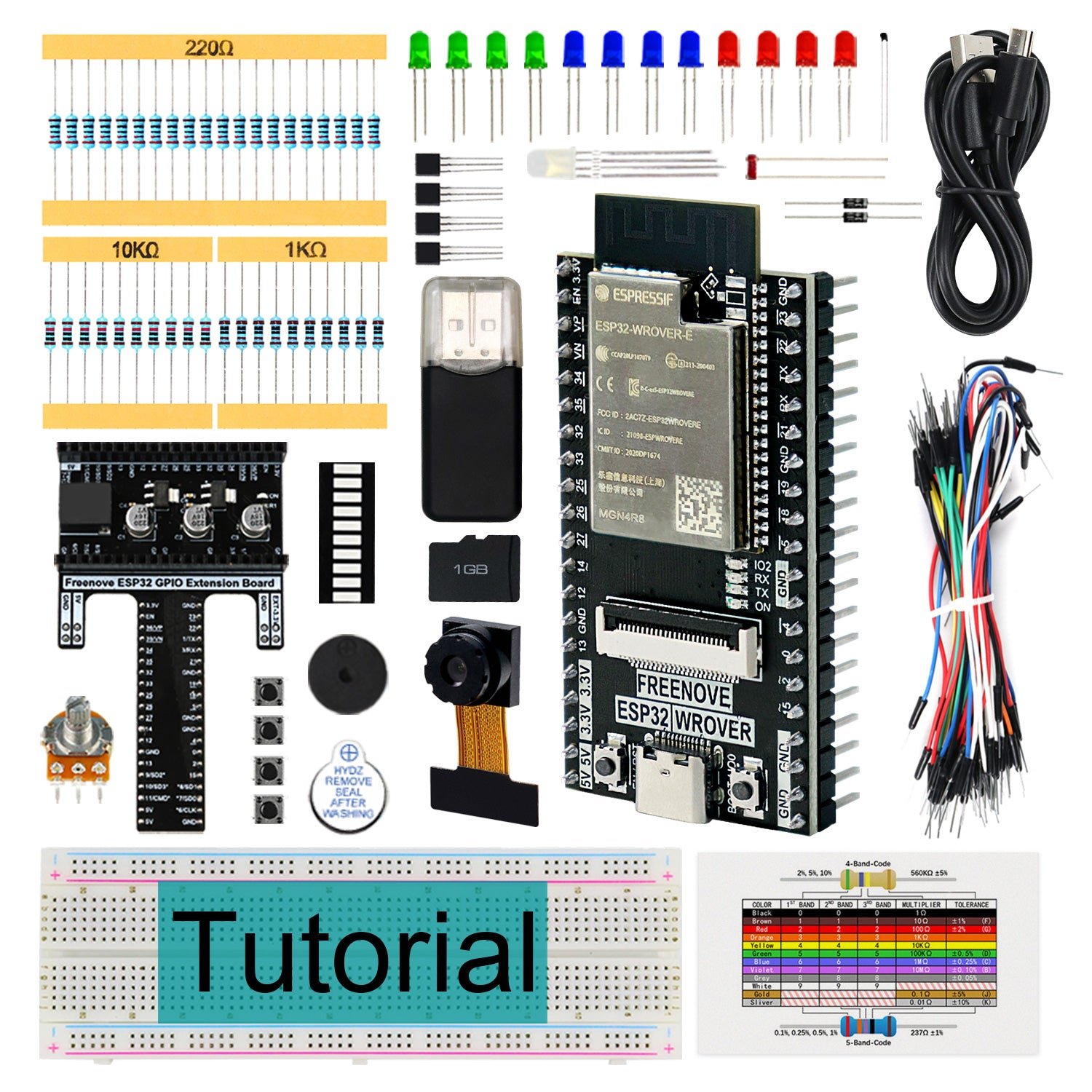
If you want to actually learn the ESP32-CAM rather than just flash someone else’s sketch, the Freenove Basic Starter Kit is the one to buy. It pairs a USB-equipped ESP32-WROVER camera board (8 MB PSRAM, OV2640, microSD with a 1 GB card included) with 141 components and a genuinely excellent 400-page tutorial covering 58 projects in both C and MicroPython. Because the board has its own USB connector, there’s no FTDI adapter to hunt for — plug in, install the driver, and you’re streaming video in minutes. It’s the most complete on-ramp to ESP32-CAM projects on Amazon.
✅ Pros- On-board USB — no programmer needed
- 141 parts + 58 guided projects
- 400-page C & MicroPython tutorial
- 1 GB microSD card included
❌ Cons- Pricier than a bare board
- Tutorial is download-only (no print)
- Breadboard work needs patience
🎯 Verdict: The best all-round ESP32-CAM purchase. A USB camera board, a kit of parts and a first-class tutorial in one box — ideal for beginners and classrooms.
👉 Check Price on Amazon: amazon.com/dp/B0CJJKSN4F 🧠 BEST FOR AI & EDGE ML
Freenove Ultimate Starter Kit for ESP32-S3 CAM
⭐⭐⭐⭐⭐ 4.7/5 · Future-Proof Pick
Buy on Amazon →
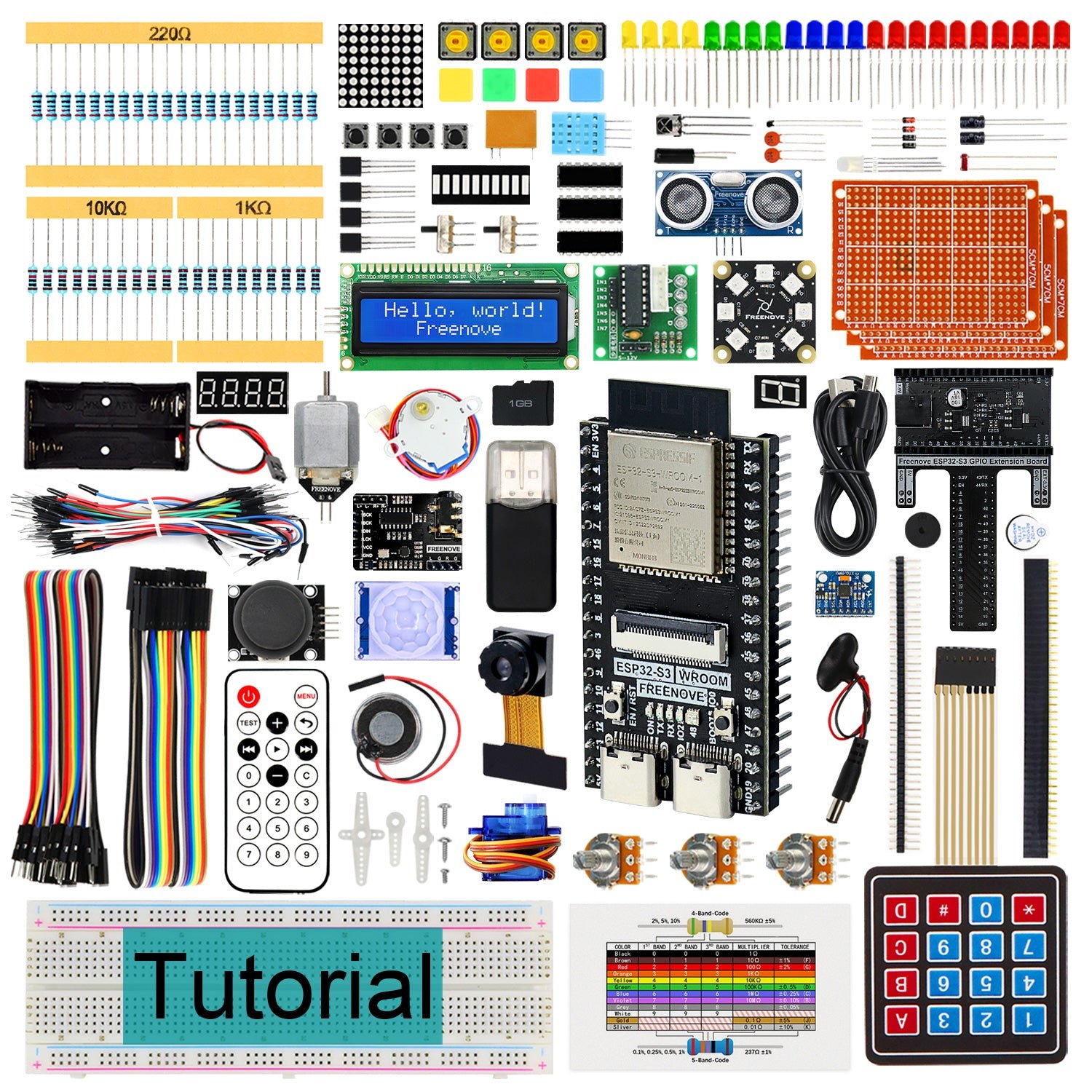
When your camera project starts leaning on on-device AI — person detection, image classification, wake-word audio — the ESP32-S3 is the chip to be on. Its vector-processing instructions accelerate TinyML and edge-ML workloads that crawl on the original ESP32. Freenove’s Ultimate Kit wraps a USB-C ESP32-S3 camera board in 243 components and a 783-page tutorial spanning 116 projects in C, Python and Java. It costs more than a single board, but you get the whole sandbox — sensors, displays, motors and the documentation to drive them.
✅ Pros- ESP32-S3 accelerates edge AI / TinyML
- 243 parts + 116 projects
- 783-page C / Python / Java tutorial
- USB-C, no adapter required
❌ Cons- Most expensive pick here
- Overkill for a simple stream-only cam
- S3 pinout differs from classic ESP32-CAM
🎯 Verdict: The best kit if you want headroom for AI and vision. Buy it when your goal is learning the ESP32-S3 platform deeply, not just streaming video.
👉 Check Price on Amazon: amazon.com/dp/B0BMQ2CPQN 🔰 BEST PLUG-AND-PLAY BOARD · ⭐ 4.6/53. Freenove ESP32-CAM Dev Board (WROVER)
ESP32-WROVER · OV2640 · on-board USB · 1GB card · ~$20
Buy →
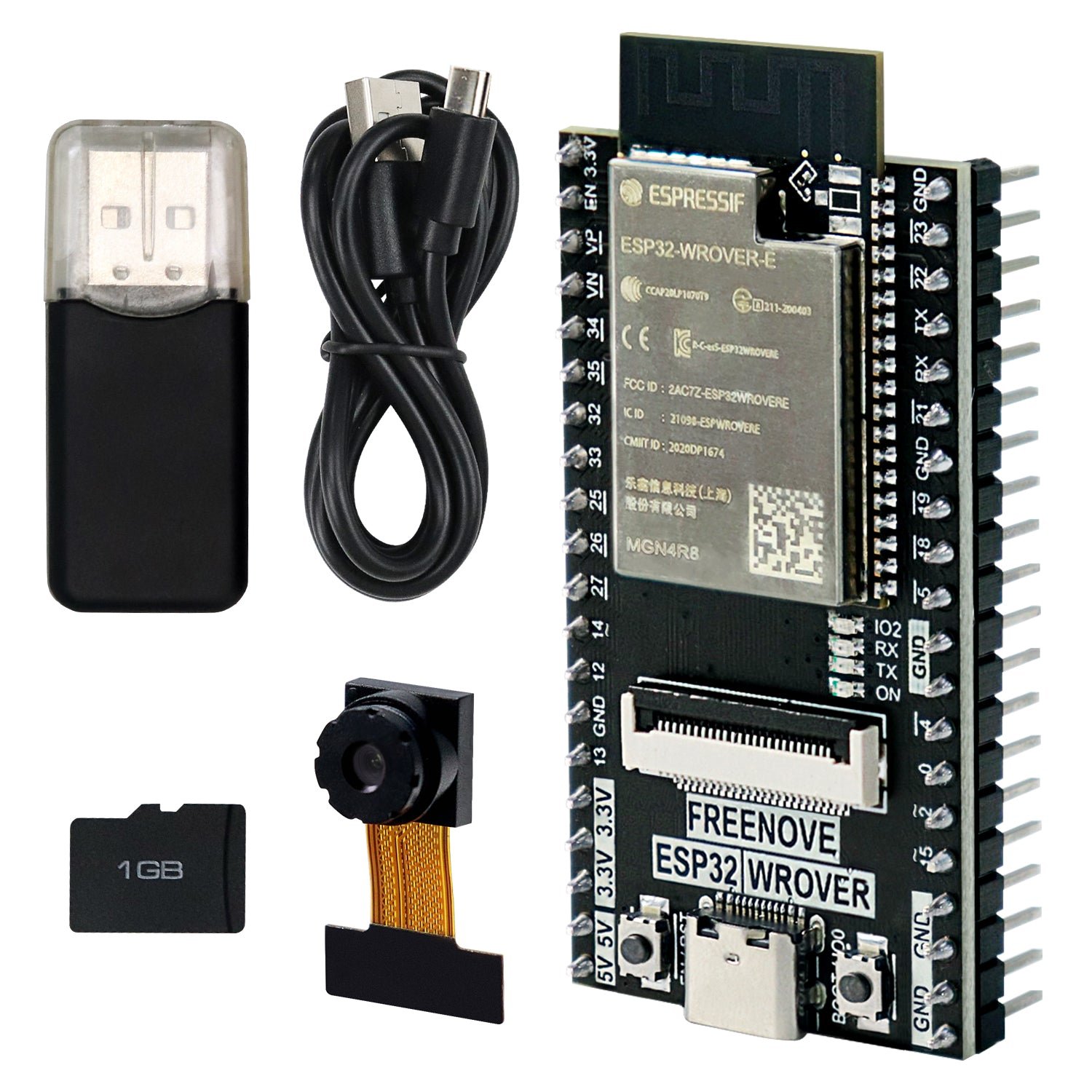
Want the Freenove experience without the box of parts? The Freenove ESP32-CAM dev board is just the camera board — but it solves the ESP32-CAM’s biggest headache by putting a USB connector right on the board, so there’s no FTDI adapter and no fiddly boot-button dance to flash it. You get the ESP32-WROVER (8 MB PSRAM), an OV2640, a microSD slot with a 1 GB card, and a free download tutorial with C and MicroPython camera-server examples. It’s the friendliest single ESP32-CAM board for beginners.
✅ Pros: Built-in USB — flash with one cable; WROVER 8 MB PSRAM; 1 GB card + free tutorial; beginner-friendly.
❌ Cons: Costs more than a bare AI-Thinker board; no components; PCB antenna only.
🎯 Verdict: The easiest ESP32-CAM board to live with. Pick it if you want a single, hassle-free camera board with no programmer to buy.
⚡ BEST ALL-IN-ONE SINGLE BOARD · ⭐ 4.5/54. ESP32-CAM with Built-in USB-C Programmer
ESP32-D0WD-V3 · 4MB flash + 2MB PSRAM · OV2640 · ~$15
Buy →

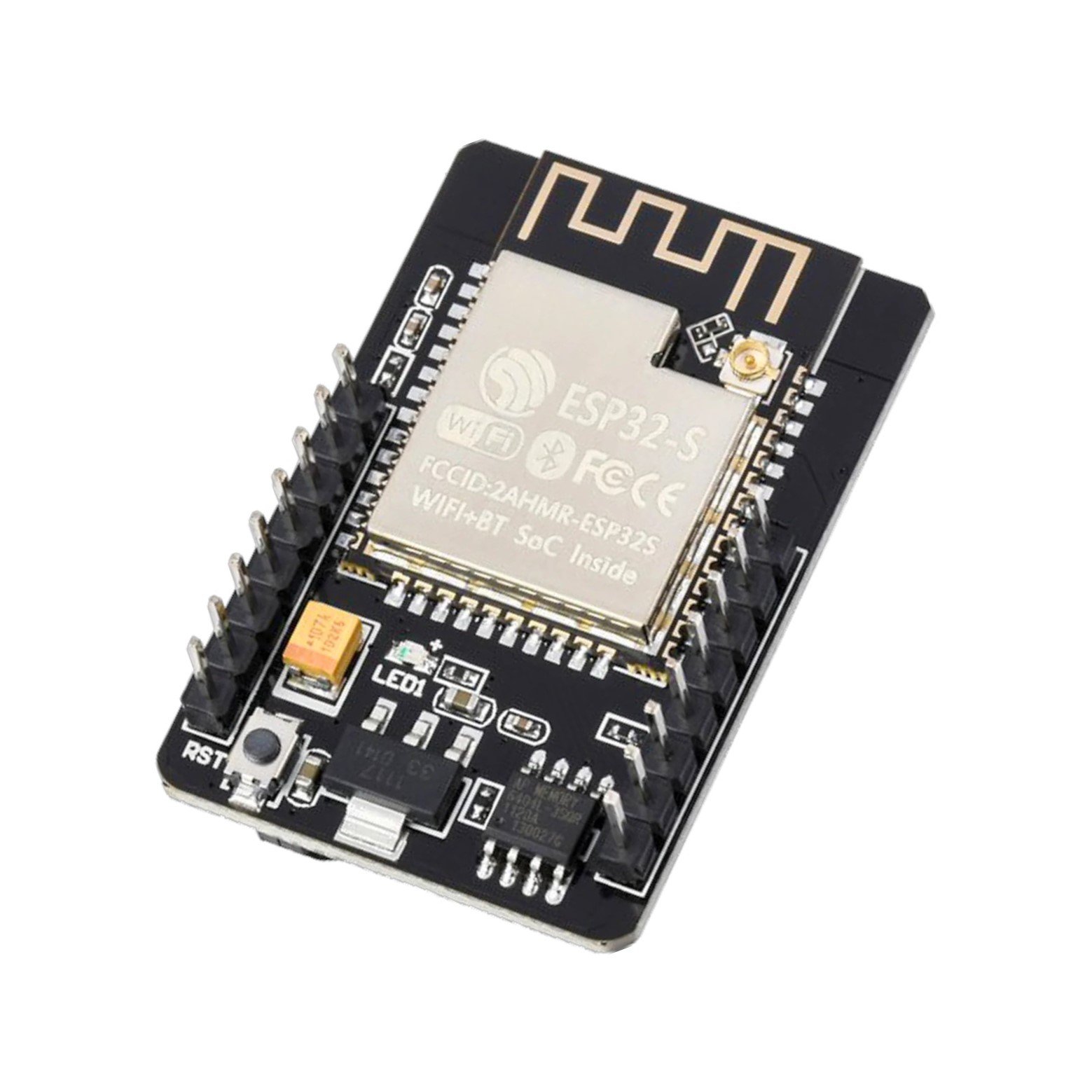
This board takes the classic ESP32-CAM design and welds a USB-C TTL programmer onto it, so you flash directly over USB-C with no separate ESP32-CAM-MB base. Built on the ESP32-D0WD-V3 with 4 MB flash, 2 MB PSRAM, an OV2640 and a detachable camera, it keeps the familiar AI-Thinker footprint and pinout while removing the single most annoying part of the workflow. There’s also an IPEX connector for an external antenna (antenna sold separately).
✅ Pros: Built-in USB-C flashing; classic ESP32-CAM pinout; IPEX antenna option; cheap.
❌ Cons: Only 2 MB PSRAM; external antenna not included; single board, no extras.
🎯 Verdict: The smartest cheap single board in 2026. If you want the classic ESP32-CAM but hate the FTDI dance, this USB-C version is the one to grab.
🔌 BEST BUNDLE WITH PROGRAMMER · ⭐ 4.5/55. HiLetgo 2× ESP32-CAM + CH340 Programmer
2 boards · 2 OV2640 · 2 CH340C USB adapters · ~$20
Buy →

HiLetgo is one of the more consistent ESP32-CAM brands, and this bundle nails the practical problem: it includes two camera boards, two OV2640 modules and two CH340C USB-to-serial adapters, so you can flash both boards out of the box and keep a spare. With a TF card slot and the standard AI-Thinker layout, every ESP32-CAM tutorial online applies directly. Buying boards and a programmer together usually costs less than sourcing them separately — and you get redundancy for when a project goes permanent.
✅ Pros: Programmer included; two boards for redundancy; reliable HiLetgo quality; standard pinout.
❌ Cons: CH340 adapter still needs jumper wiring; PCB antenna only; no documentation.
🎯 Verdict: The best “everything to flash it” bundle. Two boards plus the programmer you actually need — the safest pick if you don’t own an FTDI adapter.
💵 BEST BUDGET MULTIPACK · ⭐ 4.4/56. AITRIP 3× ESP32-CAM Boards
3 boards · 3 OV2640 · Arduino-compatible · ~$25
Buy →

If you’re deploying multiple cameras — a few rooms, a fleet of doorbells, a classroom set — the AITRIP 3-pack drives the per-board cost down to roughly $8 each. You get three standard ESP32-CAM boards with OV2640 modules, fully compatible with the Arduino IDE and every AI-Thinker tutorial. There’s no programmer in the box, so this is the pick for people who already own an FTDI/CH340 adapter or are buying it alongside one. Quality is typical budget-clone level: great value, occasional variation between units.
✅ Pros: Lowest cost per board; three units for multi-camera builds; standard pinout; Arduino-ready.
❌ Cons: No programmer included; budget-clone consistency; PCB antenna only.
🎯 Verdict: The best value for multi-camera projects. Grab it if you already have a programmer and just need cheap, plentiful boards.
📶 BEST WI-FI RANGE · ⭐ 4.4/57. FORIOT ESP32-CAM + 8dBi External Antenna
OV2640 · IPEX antenna interface · 8dBi antenna + pigtail · ~$14
Buy →

A camera is only useful if it stays connected, and the ESP32-CAM’s tiny PCB antenna fades fast through walls. The FORIOT bundle fixes that with a board that has an IPEX/u.FL antenna connector plus an 8 dBi dual-band antenna and a 20 cm RP-SMA pigtail in the box — exactly what you want for a garage, mailbox or far-corner camera. It also throws in a USB-C tester board to help with flashing. Remember to move the on-board jumper resistor to the external-antenna position, or you won’t see the benefit.
✅ Pros: External 8 dBi antenna + pigtail included; much better range; USB-C tester thrown in; cheap.
❌ Cons: Must move antenna jumper manually; bigger footprint with antenna; 2 MP OV2640 only.
🎯 Verdict: The best pick for distant or through-wall cameras. The bundled external antenna is the upgrade most ESP32-CAM streaming projects actually need.
📷 BEST CAMERA RESOLUTION · ⭐ 4.3/58. ESP32-CAM with OV5640 5MP Camera
ESP32 · OV5640 5MP · 4MB flash + 8MB PSRAM · Type-C / CH340X · ~$18
Buy →
When 2 MP isn’t enough, this board swaps the OV2640 for a 5 MP OV5640 on a modern Type-C ESP32-CAM with 4 MB flash and a full 8 MB PSRAM — the extra PSRAM is essential for buffering larger frames. You get noticeably sharper stills for QR scanning, document capture and detail shots, plus a built-in CH340X so you flash over USB-C. It’s a niche pick — the OV5640 needs more processing and the ESP32’s encode speed limits high-res frame rates — but for crisp photo capture it’s the sharpest board on this list.
✅ Pros: 5 MP OV5640 for sharp stills; full 8 MB PSRAM; Type-C + CH340X on board; good for QR/docs.
❌ Cons: Low frame rate at full resolution; pricier than OV2640 boards; some libraries need tweaks for OV5640.
🎯 Verdict: The best ESP32-CAM for image quality. Choose it when sharp stills matter more than smooth high-res video.
🛒 How to Choose the Right ESP32-CAM Kit
🏆
New to ESP32-CAM?
Get the Freenove Basic Starter Kit — a USB camera board, a box of parts and a 400-page tutorial, so nothing blocks your first project.
🧠
Doing AI / Vision?
The Freenove ESP32-S3 Ultimate Kit adds vector instructions for TinyML and edge-AI workloads the original ESP32 can’t keep up with.
🔌
No Programmer Yet?
Pick the HiLetgo 2-pack (CH340 included) or the USB-C programmer board so you can flash code straight out of the box.
💵
Building Several Cameras?
The AITRIP 3-pack drops the per-board price to about $8 — ideal once you already own a programmer.
📶
Camera Far From Router?
The FORIOT external-antenna bundle ships an 8 dBi antenna and pigtail for reliable streaming through walls and across the yard.
📷
Need Sharp Stills?
The OV5640 5MP board captures far more detail than the 2 MP OV2640 — best for QR scanning and document capture.
⚙️ Key Specs Compared — Side by Side
| Spec | Freenove Basic | Freenove S3 | Freenove Board | USB-C Board | HiLetgo 2× | OV5640 |
|---|
| Chip | ESP32-WROVER | ESP32-S3 ⭐ | ESP32-WROVER | ESP32-D0WD | ESP32-S | ESP32 |
| Camera | OV2640 2MP | OV2640 2MP | OV2640 2MP | OV2640 2MP | OV2640 2MP | OV5640 5MP ⭐ |
| PSRAM | 8MB ⭐ | 8MB ⭐ | 8MB ⭐ | 2MB | 4MB | 8MB ⭐ |
| Programmer | On-board ⭐ | USB-C ⭐ | On-board ⭐ | USB-C ⭐ | CH340 incl. | USB-C |
| Extras | 141 parts ⭐ | 243 parts ⭐ | 1GB card | IPEX port | 2 boards | — |
| Tutorial | 400-pg ⭐ | 783-pg ⭐ | Yes | No | No | No |
| Price | ~$40 | ~$70 | ~$20 | ~$15 ⭐ | ~$20 | ~$18 |
❓ Frequently Asked Questions
Do I need a separate programmer for the ESP32-CAM?
For the classic AI-Thinker ESP32-CAM, yes — it has no USB port, so you need an FTDI/CH340 USB-to-serial adapter or the ESP32-CAM-MB base board to upload code. That’s why bundles like the HiLetgo 2-pack (which includes a CH340 adapter) or boards with a built-in USB-C programmer are so much easier for beginners. The Freenove boards sidestep the issue entirely with an on-board USB connector.
Why does my ESP32-CAM keep resetting or showing “brownout”?
The camera draws a lot of current, and a weak USB port or thin cable can’t keep up, triggering a brownout reset. Use a quality 5V supply capable of at least 500 mA (ideally more), a short/thick cable, and power the board through the 5V pin for demanding projects. This single issue causes the majority of “my ESP32-CAM won’t work” complaints.
Can I program the ESP32-CAM with the Arduino IDE or MicroPython?
Both. Most people use the Arduino IDE with the ESP32 board package and the built-in CameraWebServer example for video streaming and face detection. MicroPython also runs on the ESP32-CAM, and Freenove’s kits ship example code in both C and MicroPython. For the newer ESP32-S3 boards you can additionally explore ESP-DL and TinyML frameworks for on-device AI.
Is the ESP32-CAM good enough for a real security camera?
It’s excellent for hobby and learning projects — motion-triggered snapshots, a low-frame-rate stream, or feeding frames into Home Assistant. It is not a replacement for a dedicated security camera: the 2 MP OV2640 is weak in low light, frame rates are modest, and there’s no built-in night vision. For sharper stills choose the OV5640 5MP board; for reliable Wi-Fi at distance choose a board with an external antenna.
What’s the difference between the ESP32-CAM and the ESP32-S3 camera boards?
The original ESP32-CAM uses the dual-core ESP32 and is perfect for streaming and simple projects. The newer ESP32-S3 adds vector/SIMD instructions that dramatically speed up machine-learning and image-processing tasks, plus native USB. If you only need a video stream, the classic board is cheaper and well-documented; if you’re heading toward on-device AI, the ESP32-S3 is the better long-term platform.
🏁 Final Verdict — Our Top Picks
The right ESP32-CAM kit for every project and budget:
🥇 Best Overall Kit — Freenove Basic Starter Kit: USB camera board + 141 parts + 400-page tutorial (~$40)
Buy →🧠 Best for AI / Edge ML — Freenove ESP32-S3 Ultimate Kit: vector AI + 243 parts + 783-page tutorial (~$70)
Buy →🔰 Best Plug-and-Play Board — Freenove ESP32-CAM Dev Board: built-in USB, no adapter (~$20)
Buy →⚡ Best All-in-One Single Board — ESP32-CAM with built-in USB-C programmer (~$15)
Buy →🔌 Best Bundle with Programmer — HiLetgo 2× ESP32-CAM + CH340 adapter (~$20)
Buy →📷 Best Camera Resolution — ESP32-CAM with OV5640 5MP camera (~$18)
Buy →No single ESP32-CAM is right for everyone, but every pick on this list will get a camera, Wi-Fi and your own code working together for the price of a takeout meal. For most people the Freenove Basic Starter Kit is the smartest buy — a USB camera board, a box of components and a tutorial that actually teaches you the platform. If you’re aiming at on-device AI, step up to the Freenove ESP32-S3 Ultimate Kit; if you just want the cheapest hassle-free single board, grab the USB-C programmer board; and if your camera lives far from the router, the FORIOT external-antenna bundle is the upgrade that keeps it online. Pair your new board with our ESP32, Arduino and IoT tutorials and start building today.
💬 Not sure which ESP32-CAM kit fits your project? Tell us what you’re building — a streaming cam, a security snapshot system, a QR scanner, or an AI vision demo — in the comments below, and we’ll point you to the right pick.
All Amazon links above use our affiliate tag. Purchasing through them supports microcontrollerslab.com at no extra cost to you. Prices and availability change frequently — always confirm the current price on Amazon before buying.