⚠️ Affiliate Disclosure: This post contains Amazon affiliate links. If you purchase through our links, we may earn a small commission at no extra cost to you. We only recommend products we have thoroughly researched and verified.
Ultimate Buying Guide 2026
🖨️ Best 3D Printers for Electronics Enclosures & Prototyping
8 printers ranked for custom project boxes, panel mounts and prototype housings — from a sub-$200 starter to enclosed ABS/ASA workhorses and a 9K resin detail machine, with real specs and honest verdicts.
✅ 8 Printers Reviewed
✅ FDM + Resin
✅ Updated June 2026
✅ Enclosure-Ready Picks
A 3D printer is one of the most useful tools you can add to an electronics bench. Instead of hunting for an off-the-shelf box that is always slightly the wrong size, you can print a custom enclosure, project box, panel mount, standoff, or prototype housing that fits your PCB exactly — with cut-outs for your USB port, OLED, buttons, and connectors in precisely the right places. For Arduino, ESP32, Raspberry Pi, and sensor projects, that turns a tangle of breadboards into something that looks and feels finished.
But “best 3D printer for electronics enclosures” is a narrower question than “best 3D printer overall.” Durable enclosures usually mean PETG, ABS, or ASA — and the moment you print ABS or ASA, you really want an enclosed, draft-free build chamber to stop parts warping and cracking as they cool. This guide ranks 8 machines from a $199 open-frame starter to a ~$1,000 large-format enclosed workhorse, with honest notes on which ones are genuinely enclosure-ready and which are better kept for PLA and PETG prototypes.
🔥 Reality check before you buy: Heat-resistant, warp-prone enclosure materials (ABS, ASA, PC) need an enclosed chamber. Open-frame “bed-slinger” printers like the Ender 3 and Bambu A1 are superb value and print beautiful PLA and PETG — but they are not the right tool for ABS enclosures that must survive heat, sunlight, or mechanical stress. If you only need PLA/PETG prototype boxes, an open frame is fine and saves money. If you need durable, heat-tolerant, outdoor-ready housings, buy an enclosed printer (P1S, QIDI Q1 Pro, K1C, or K2 Plus) from the start.
🖨️ Quick Comparison Table — All 8 Printers
| 3D Printer | Type | Build Volume | Enclosed | Max Hotend | Price | Buy |
|---|
| 🥇 Bambu Lab P1S | Enclosed CoreXY | 256³ mm | ✅ | 300 °C | ~$399 | View → |
| 🏭 QIDI Q1 Pro | Enclosed CoreXY | 245×245×240 | ✅ + heated | 350 °C | ~$449 | View → |
| 🧬 Creality K1C | Enclosed CoreXY | 220×220×250 | ✅ | 300 °C | ~$369 | View → |
| 🎯 Bambu Lab A1 | Open-frame | 256³ mm | ❌ | 300 °C | ~$299 | View → |
| 💸 Bambu Lab A1 Mini | Open-frame | 180³ mm | ❌ | 300 °C | ~$199 | View → |
| 🔬 Elegoo Mars 5 Ultra | Resin (MSLA) | 153×77×165 | ✅ (vat) | 9K LCD | ~$269 | View → |
| 🔰 Creality Ender 3 V3 SE | Open-frame | 220×220×250 | ❌ | ~260 °C | ~$199 | View → |
| 📦 Creality K2 Plus | Enclosed CoreXY | 350³ mm | ✅ + heated | 350 °C | ~$999 | View → |
🔍 What to Look for in a 3D Printer for Enclosures
🔥
Enclosed Chamber
Required for ABS/ASA —
stops warping & cracking
🌡️
Hotend Temp
300 °C unlocks ASA/PC;
350 °C adds CF & nylon
📐
Dimensional Accuracy
Tight tolerances = clean
PCB & snap-fit parts
📦
Build Volume
Fit your largest box
in a single piece
🧪
Material Support
PETG/ABS/ASA/CF
for durable housings
🏆 Detailed Reviews — All 8 3D Printers
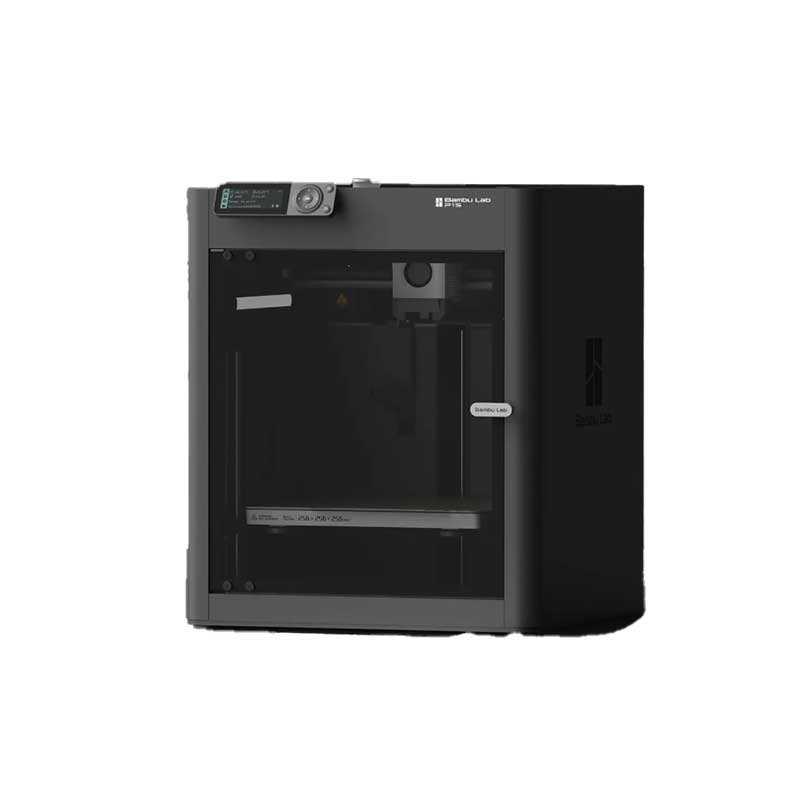
1. Bambu Lab P1S — Best Overall for Enclosures
⭐⭐⭐⭐⭐ Rating: 4.8/5 | 🏅 Editor’s Choice — Best Enclosed Printer for Project Boxes 2026

The Bambu Lab P1S is the printer most electronics hobbyists should buy for enclosures. It is a fully enclosed CoreXY machine with a 256 × 256 × 256 mm build volume, a 300 °C all-metal hotend, and an activated-carbon filter — exactly the recipe for printing ABS, ASA, and PC project boxes that come out flat and crack-free instead of warping off the bed.
It runs at up to 500 mm/s with 20,000 mm/s² acceleration, calibrates itself (auto bed leveling, vibration compensation, flow), and works essentially out of the box. Add the optional AMS for up to 16-color/multi-material printing — handy for two-tone enclosures or printing the box and a contrasting label plate in one job. A built-in camera handles remote monitoring and timelapses.
✅ Pros
- Fully enclosed — great for ABS/ASA/PC
- CoreXY, 500 mm/s, near plug-and-play
- Activated-carbon fume filter
- Optional AMS multi-color
- Huge community & model ecosystem
❌ Cons
- Cloud-leaning software workflow
- AMS multi-color costs extra
- No active chamber heater (passive)
🎯 Verdict: The best all-rounder for electronics enclosures. Enclosed, fast, reliable, and beginner-friendly — it prints durable ABS/ASA boxes and tidy PLA prototypes equally well.
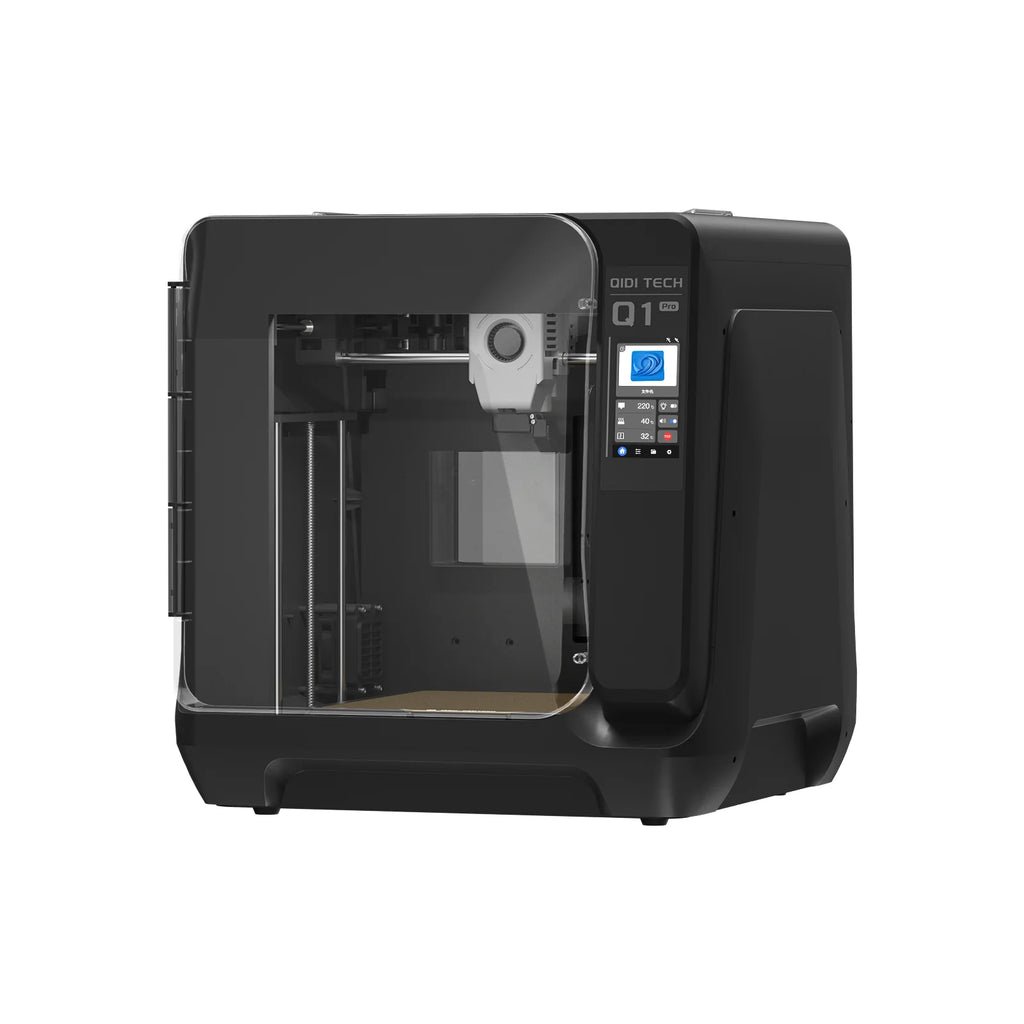
2. QIDI Q1 Pro — Best Value Enclosed (Heated Chamber)
⭐⭐⭐⭐½ Rating: 4.6/5 | 🏅 Best Active-Heated Chamber Under $500

The QIDI Q1 Pro is the value pick for serious enclosure work because it has something most sub-$500 printers don’t: an active heated build chamber up to 60 °C. Combined with a 350 °C tri-metal hotend and a 120 °C bed, that lets it print warp-prone and high-temp materials — ABS, ASA, PA (nylon), PC, and carbon/glass-fiber blends — with far better layer bonding than a passively enclosed printer.
It is a fully enclosed CoreXY machine with independent dual Z motors, up to 600 mm/s speed, dual-sensor auto bed leveling, a 1080p camera, and Wi-Fi. The 245 × 245 × 240 mm volume swallows most project boxes, and the Klipper-based firmware is fast and tunable for makers who like to tinker.
✅ Pros
- Active 60 °C heated chamber — rare here
- 350 °C hotend for CF, PA, PC, ASA
- Enclosed CoreXY, up to 600 mm/s
- Klipper firmware, auto leveling
- Excellent price for the capability
❌ Cons
- Smaller 245 mm build than P1S
- No built-in multi-color system
- QIDI slicer rougher than Bambu’s
🎯 Verdict: The best value for tough, heat-resistant enclosures. The active heated chamber and 350 °C hotend punch well above the price — ideal if your boxes must survive real-world heat and stress.
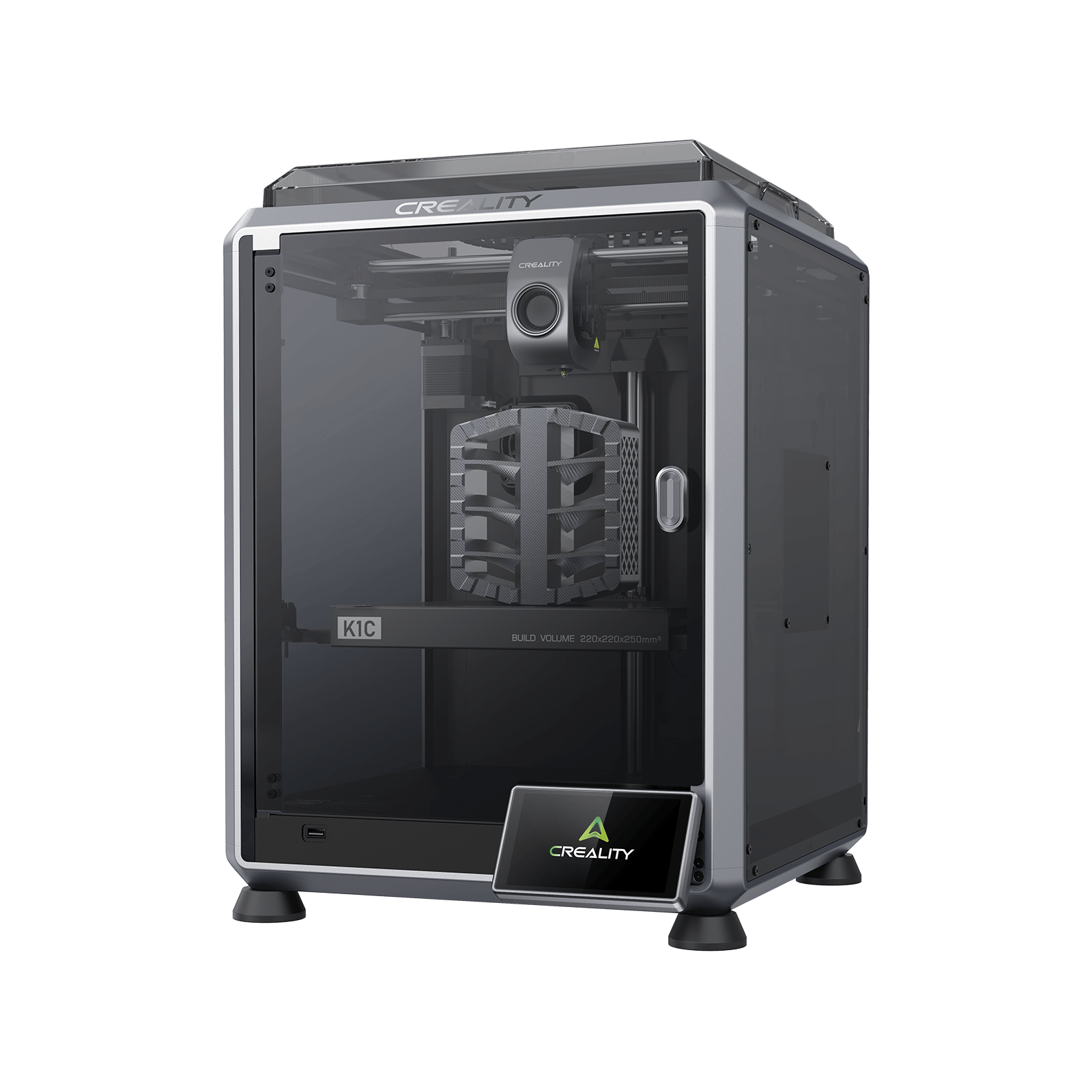
3. Creality K1C — Best for Carbon-Fiber Enclosures
CREALITY · CARBON-FIBER PICK
K1C Enclosed CoreXY
220×220×250 mm · 300 °C hardened hotend · 600 mm/s · AI camera
300°C
Hardened
CF/PA
Ready
Buy →

The Creality K1C pairs an enclosed CoreXY body with a hardened steel nozzle and 300 °C clog-free direct extruder built specifically for abrasive carbon-fiber and glass-fiber filaments (PLA-CF, PA-CF, PET-CF) as well as ASA. That makes it the pick when you need stiff, dimensionally stable enclosures — brackets, mounts, and housings that won’t flex. It runs to 600 mm/s, includes an AI camera and an activated-carbon filter, and is largely pre-assembled.
✅ Pros: Enclosed + hardened CF-ready hotend, 600 mm/s, AI camera, carbon-air filter, clog-free direct drive.
❌ Cons: Passive enclosure (no active chamber heat), 220 mm bed, Creality OS quirks, fans can be loud.
🎯 Verdict: Best for carbon-fiber enclosures and brackets. If you want stiff, durable housings in reinforced materials without spending big, the K1C is the value champion.
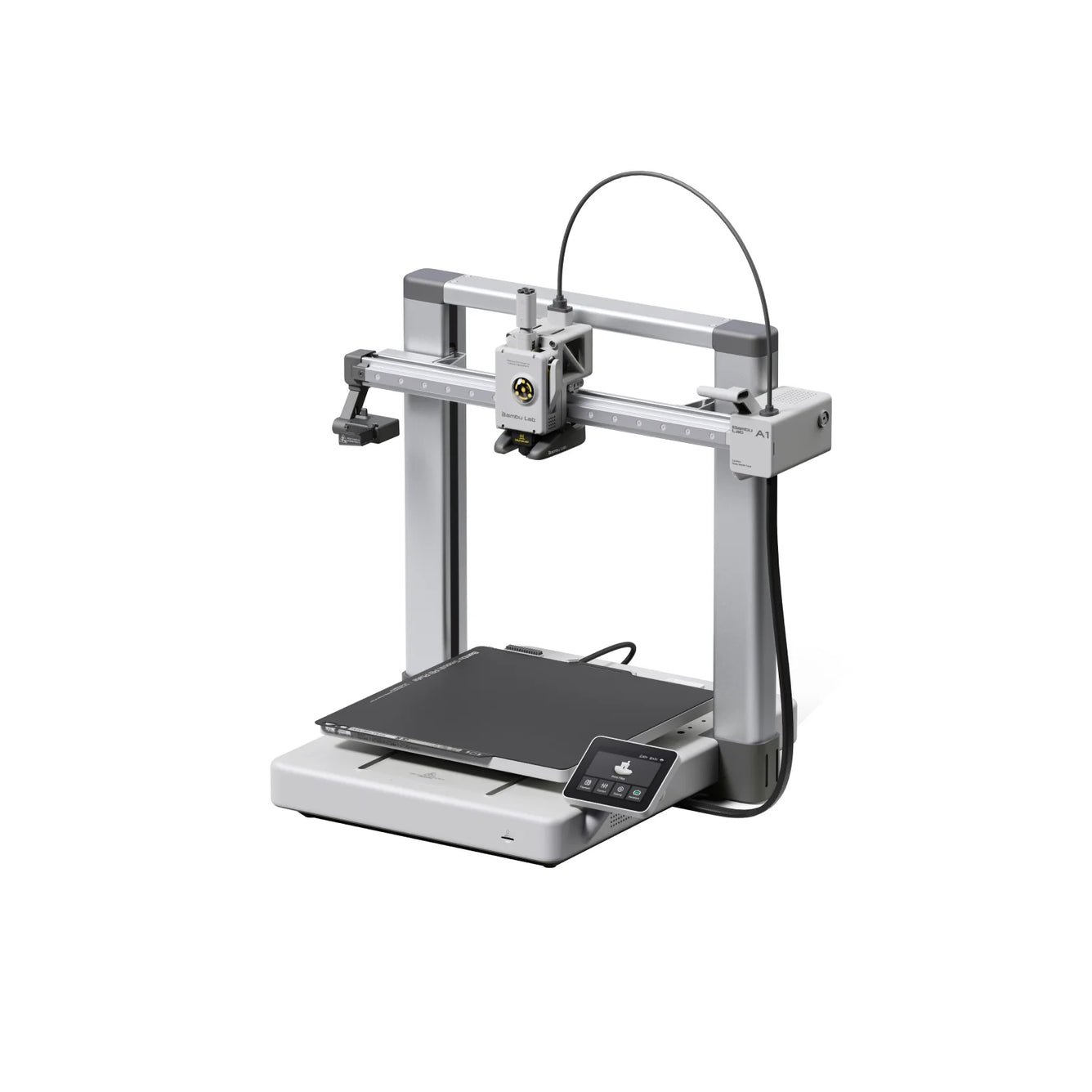
4. Bambu Lab A1 — Best Open-Frame All-Rounder
BAMBU LAB · BEST QUALITY-PER-DOLLAR
A1 Open-Frame
256³ mm · 500 mm/s · Full auto-cal · ≤48 dB quiet · AMS lite
256³
mm Build
~$299
Price
Buy →

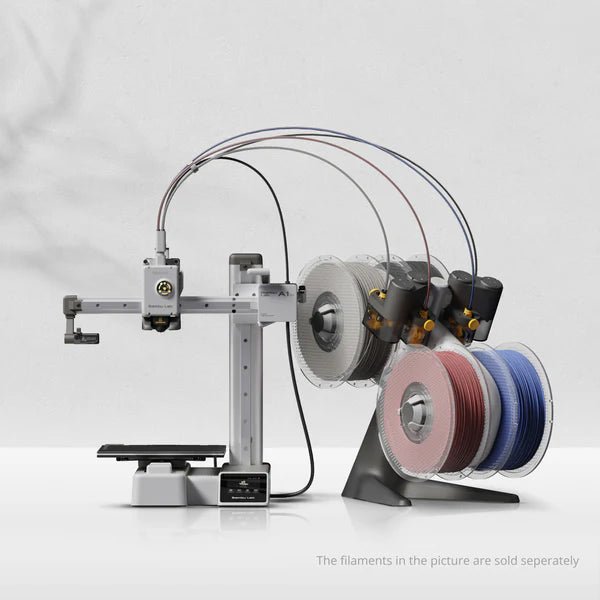
The Bambu Lab A1 delivers the best print quality per dollar on this list. It is an open-frame “bed-slinger” with a generous 256 × 256 × 256 mm bed, 500 mm/s speed, full auto-calibration, active flow-rate compensation, and near-silent ≤48 dB operation. For PLA and PETG prototype enclosures, panels, and jigs it is superb — and the optional AMS lite adds multi-color. The catch: with no enclosure, it is not the machine for ABS/ASA boxes that must resist heat.
✅ Pros: Outstanding quality, quiet, full auto-cal, big 256 mm bed, optional multi-color, beginner-friendly.
❌ Cons: Open frame — poor for ABS/ASA, bed-slinger motion, best kept to PLA/PETG/TPU.
🎯 Verdict: Best open-frame all-rounder. If most of your enclosures are PLA/PETG prototypes and you want flawless prints cheaply, the A1 is hard to beat.
5. Bambu Lab A1 Mini — Best Budget Pick
BAMBU LAB · BUDGET PICK
A1 Mini
180³ mm · 500 mm/s · ≤48 dB quiet · AMS lite · ~$199
~$199
Price
180³
mm Build
Buy →

The Bambu Lab A1 Mini is the cheapest way to get genuinely great prints. At around $199 it offers the same auto-calibration smarts and near-silent operation as the A1 in a compact 180 × 180 × 180 mm package. That build area still fits the majority of Arduino, ESP32, and Raspberry Pi project boxes, and the optional AMS lite adds multi-color. Like the A1 it is open-frame, so keep it to PLA, PETG, and TPU rather than ABS enclosures.
✅ Pros: Cheapest quality printer, near-silent, full auto-cal, optional multi-color, tiny footprint.
❌ Cons: Small 180 mm bed, open frame (PLA/PETG focus), not for ABS/ASA housings.
🎯 Verdict: The best budget entry. If your boxes are small PLA/PETG prototypes and money is tight, this is the most printer you can get for ~$199.
6. Elegoo Mars 5 Ultra — Best Resin for Fine Detail
ELEGOO · RESIN DETAIL PICK
Mars 5 Ultra 9K
7″ 9K LCD · 153×77×165 mm · 150 mm/h · AI camera
9K
Resolution
~$269
Price
Buy →
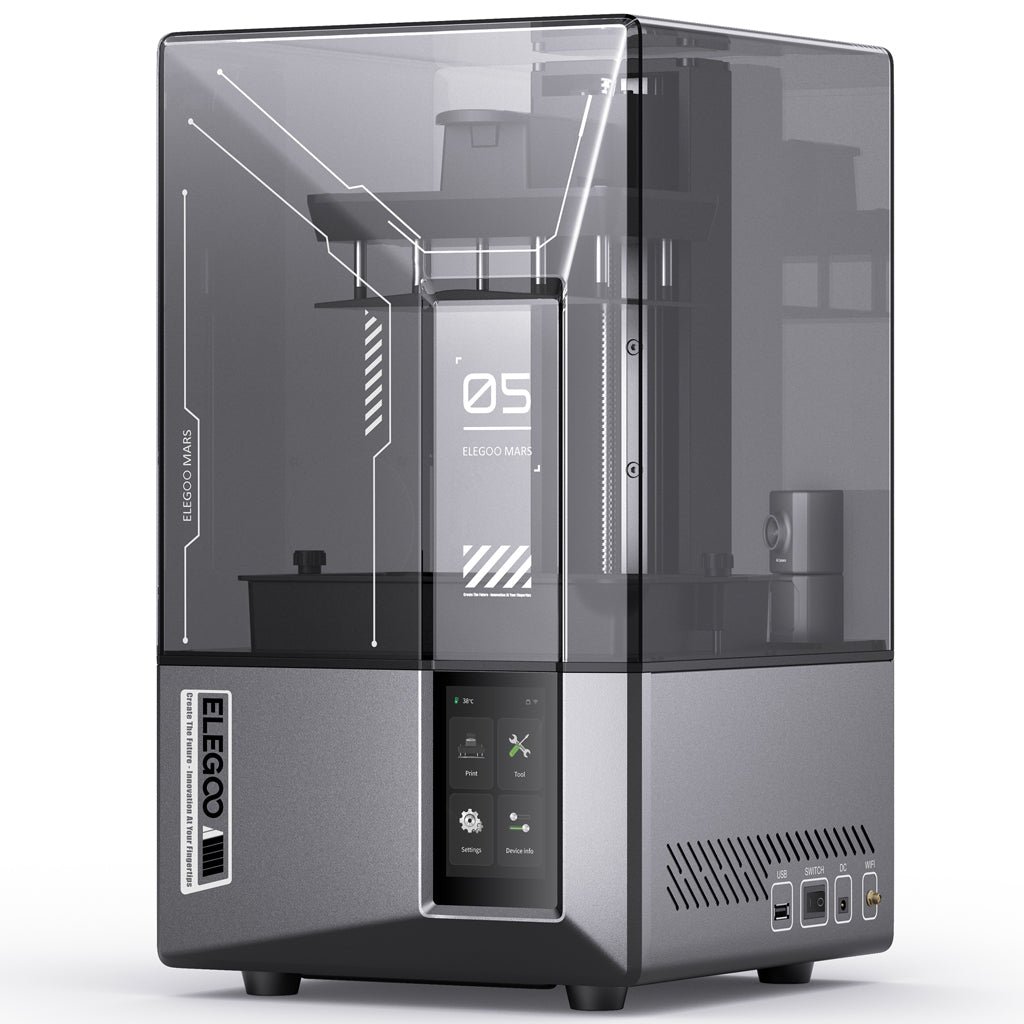
When an enclosure needs ultra-fine detail — tiny press-fit clips, precise connector shrouds, knobs, gaskets, or a perfectly crisp logo plate — resin beats FDM. The Elegoo Mars 5 Ultra uses a 7-inch 9K mono LCD (8520 × 4320) for roughly 18-micron XY detail, prints up to 150 mm/h with tilt-release, and adds an AI camera and auto-leveling. It is not for large functional boxes, but for small, precise parts it is in a different league.
✅ Pros: 9K detail for tiny precise parts, fast tilt-release, AI camera, auto-leveling, great value resin.
❌ Cons: Messy/odorous resin (gloves, IPA, UV cure), small build, brittle vs FDM, post-processing needed.
🎯 Verdict: Best resin pick for fine detail. Pair it with an FDM printer: print the box on FDM, the tiny precision parts on the Mars 5 Ultra.
7. Creality Ender 3 V3 SE — Best Ultra-Budget Starter
CREALITY · ULTRA-BUDGET PICK
Ender 3 V3 SE
220×220×250 mm · Sprite direct drive · CR Touch auto-level · ~$199
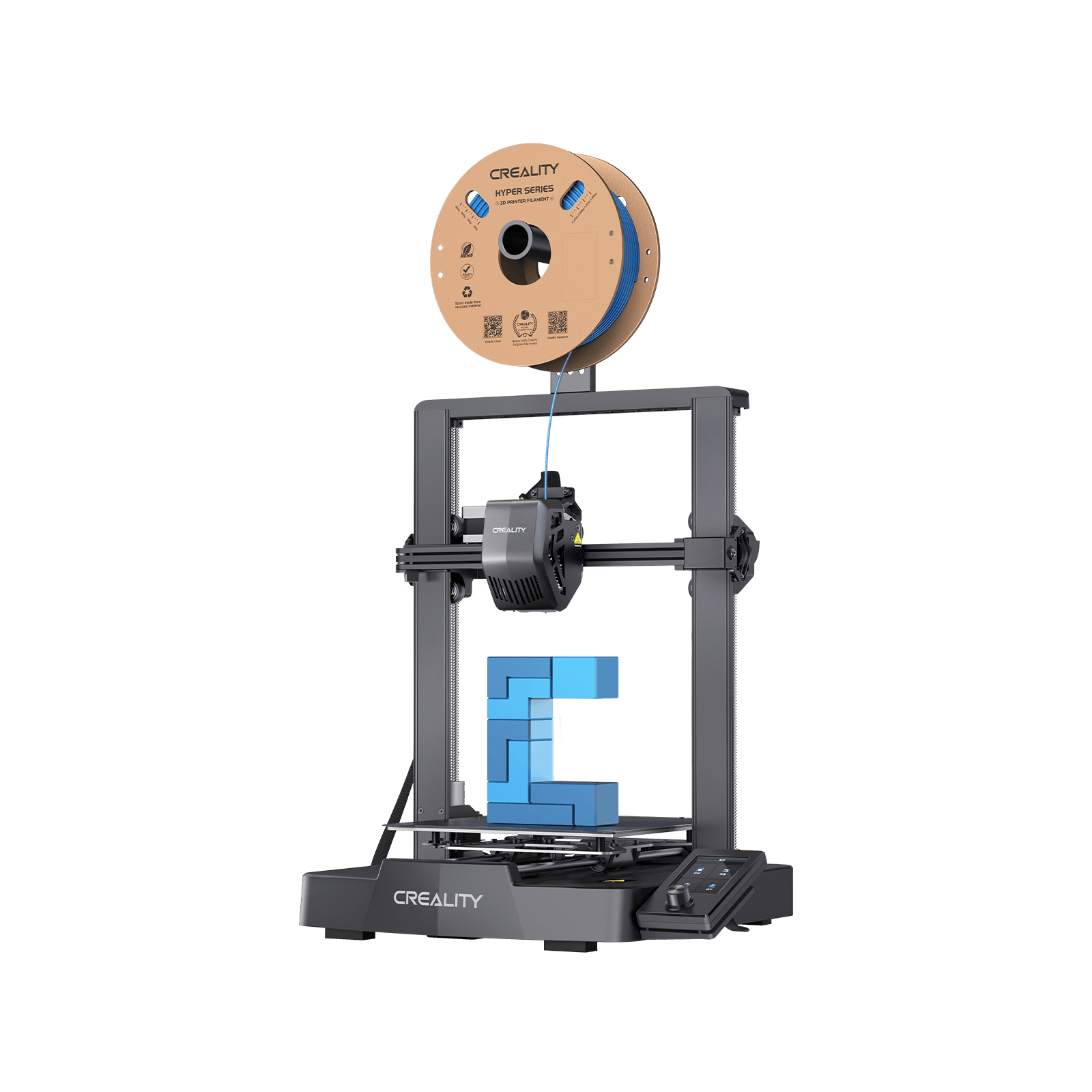
The Creality Ender 3 V3 SE is the cheapest “real” FDM printer worth owning. For around $199 you get a Sprite direct-drive extruder, CR Touch automatic bed leveling, dual Z-axis, and a 220 × 220 × 250 mm bed — a genuinely capable starter for PLA and PETG prototype boxes and a fantastic platform to learn on. It is open-frame and tops out near 260 °C, so it is not for ABS enclosures, but the upgrade community is enormous.
✅ Pros: Cheapest real FDM, direct-drive extruder, auto-leveling, dual Z, massive community & upgrades.
❌ Cons: Open frame (PLA/PETG only), slower ~250 mm/s, more manual setup, no enclosure.
🎯 Verdict: Best ultra-budget starter. The lowest-cost way to start printing PLA/PETG enclosures and learn the craft before upgrading.
8. Creality K2 Plus — Best Large-Format & Premium
CREALITY · PREMIUM / LARGE-FORMAT PICK
K2 Plus Enclosed
350³ mm · 350 °C · active heated chamber · 600 mm/s · dual AI cams
350³
mm Build
~$999
Price
Buy →
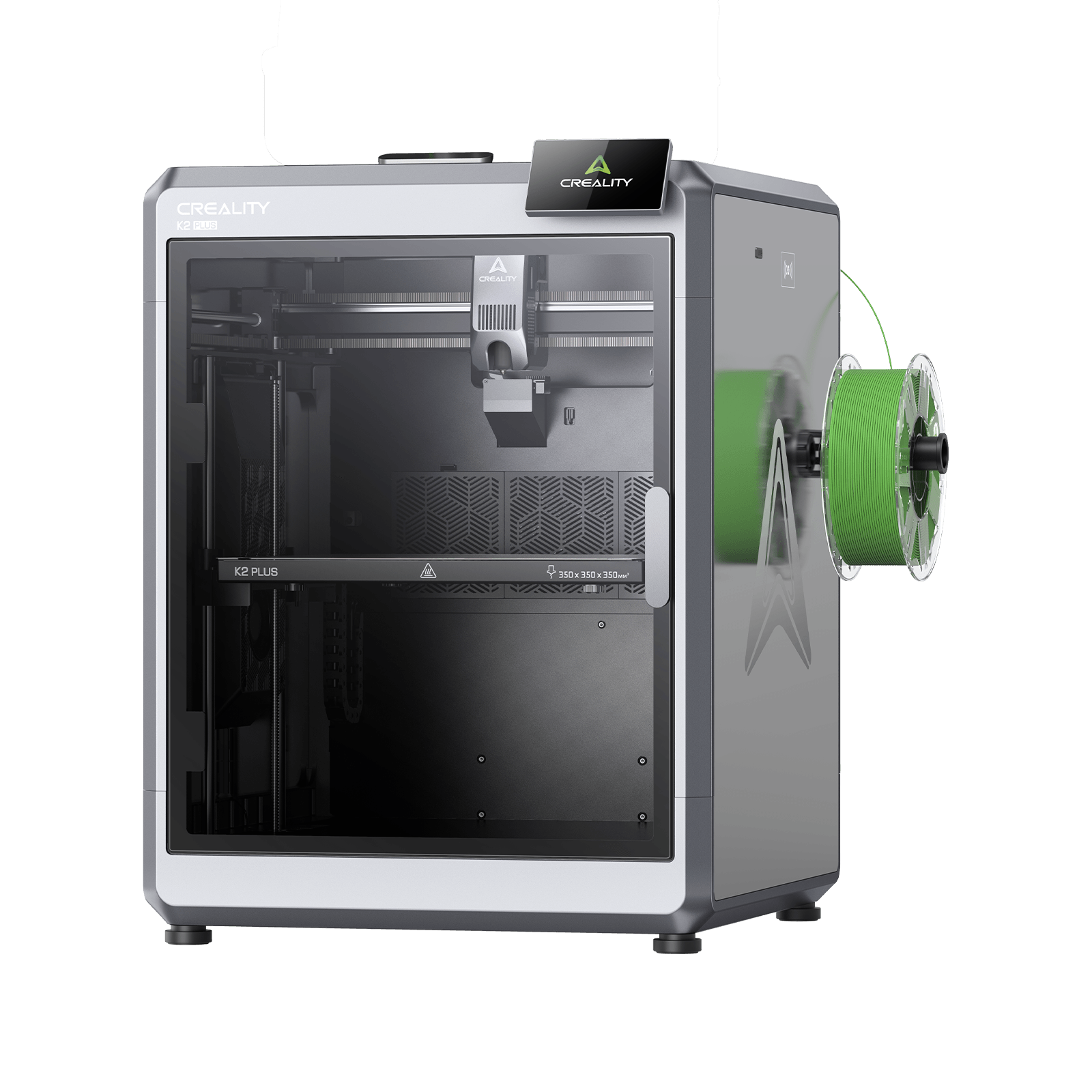
The Creality K2 Plus is the machine for big enclosures and batch prototyping. Its 350 × 350 × 350 mm enclosed chamber with active heating, 350 °C hotend, 600 mm/s speed, dual AI cameras, and optional CFS multi-material system let you print large ABS/ASA housings, fixtures, and racks in one piece. Note honestly: at roughly $999 (and ~$1,299 for the CFS combo) it sits well above a typical hobby budget — it is a buy-once workhorse, not an impulse purchase.
✅ Pros: Huge 350³ enclosed build, active heated chamber, 350 °C, multi-color via CFS, fast and accurate.
❌ Cons: Well above hobby budget, large footprint, CFS sold separately, overkill for small boxes.
🎯 Verdict: Best large-format and premium pick. If you print big enclosures or batches in engineering materials and budget isn’t the limit, the K2 Plus is the workhorse.
🛒 How to Choose the Right Printer for Your Enclosures
🔥
Need ABS/ASA Enclosures?
Get the Bambu Lab P1S or QIDI Q1 Pro. Both are enclosed; the QIDI adds an active heated chamber for the toughest, most warp-prone parts.
🧬
Want Stiff Carbon-Fiber Parts?
Choose the Creality K1C (or K2 Plus). Hardened nozzles and 300–350 °C hotends handle abrasive PA-CF and PET-CF for rigid housings.
🔬
Tiny, Ultra-Precise Parts?
The Elegoo Mars 5 Ultra resin printer nails fine clips, connector shrouds, and crisp logo plates that FDM can’t match.
🎯
Best Quality on a Budget?
The Bambu Lab A1 prints beautiful PLA/PETG boxes for ~$299. Perfect if you don’t need a heated enclosure.
💸
First Printer / Tight Budget?
Start with the A1 Mini (~$199) or Ender 3 V3 SE (~$199). Both print great PLA/PETG project boxes to learn on.
📦
Large Boxes or Batches?
The Creality K2 Plus offers a 350³ heated enclosure for big one-piece housings and production runs.
⚡ Key Specs Compared — Side by Side
| Spec | P1S | Q1 Pro | K1C | A1 | Mars 5U | K2 Plus |
|---|
| Build Volume | 256³ | 245³⁻ | 220³⁻ | 256³ | 153×77 | 350³ ⭐ |
| Enclosed | ✅ | ✅ heated ⭐ | ✅ | ❌ | ✅ vat | ✅ heated |
| Max Hotend | 300 °C | 350 °C ⭐ | 300 °C | 300 °C | n/a | 350 °C ⭐ |
| Technology | FDM | FDM | FDM | FDM | Resin 9K ⭐ | FDM |
| Best Material | ABS/ASA | CF/PA/PC | PA-CF | PLA/PETG | Resin | ABS/ASA |
| Price | ~$399 | ~$449 | ~$369 | ~$299 | ~$269 ⭐ | ~$999 |
❓ Frequently Asked Questions
Do I really need an enclosed printer for electronics enclosures?
Only if you print ABS, ASA, PC, or fiber-reinforced filaments — those shrink and warp as they cool, and an enclosed (ideally heated) chamber keeps the ambient temperature stable so parts come out flat and crack-free. If your enclosures are PLA or PETG, an open-frame printer like the Bambu A1 or Ender 3 V3 SE is perfectly fine and saves money. Buy an enclosed machine (P1S, QIDI Q1 Pro, K1C, K2 Plus) only when you genuinely need heat- and stress-resistant boxes.
Which filament is best for project boxes and enclosures?
PETG is the sweet spot for most hobbyists: tougher and more heat-resistant than PLA, far easier to print than ABS, and it works on open-frame printers. ABS/ASA are the choice for boxes that face real heat, sunlight (ASA is UV-stable), or mechanical stress — but they need an enclosure. PLA is fine for quick prototypes and indoor, low-heat boxes, but it softens in a hot car or near warm electronics, so avoid it for anything that gets warm.
Should I choose FDM or resin for enclosures?
FDM (the filament printers here) is the right choice for functional enclosures — it is cheaper, stronger in larger parts, and far less messy. Resin (the Elegoo Mars 5 Ultra) wins only for small, ultra-detailed parts: precise connector shrouds, tiny clips, gaskets, or crisp logo plates. Many makers own both and print the box on FDM while reserving resin for the fiddly precision pieces.
What build volume do I need for typical enclosures?
Most Arduino, ESP32, and Raspberry Pi project boxes fit comfortably within a 180–220 mm bed, so even the A1 Mini or Ender 3 V3 SE will handle them. A 256 mm machine like the P1S gives breathing room for larger multi-board housings, battery packs, or instrument cases. Only reach for the 350 mm K2 Plus if you print large one-piece enclosures, racks, or batches — otherwise it is more printer than you need.
Can these printers make snap-fits, standoffs, and PCB mounts?
Yes — that is exactly what they excel at. With a standard 0.4 mm nozzle you can print PCB standoffs, screw bosses, snap-fit lids, light-pipe holes, and panel cut-outs. The key is dimensional accuracy and tolerances: design clearances of about 0.2–0.3 mm for press-fits and slots, calibrate flow so holes print true to size, and choose PETG or ABS for clips that need to flex without snapping. Well-calibrated CoreXY machines like the P1S and QIDI Q1 Pro hold tolerances especially well.
🏁 Final Verdict — Our Top Picks
🎯 Best Pick for Every Need
🥇 Best OverallBambu Lab P1S — enclosed CoreXY, ABS/ASA-ready, near plug-and-play
Buy →🏭 Best Value EnclosedQIDI Q1 Pro — active 60 °C heated chamber, 350 °C hotend
Buy →🧬 Best for Carbon FiberCreality K1C — hardened hotend for stiff PA-CF/PET-CF housings
Buy →🎯 Best Quality / BudgetBambu Lab A1 — flawless PLA/PETG boxes for ~$299
Buy →💸 Best BudgetBambu Lab A1 Mini — best ~$199 printer for small project boxes
Buy →🔬 Best Resin DetailElegoo Mars 5 Ultra — 9K detail for tiny precise parts (~$269)
Buy →📦 Best Large / PremiumCreality K2 Plus — 350³ heated enclosure for big housings & batches
Buy →No single printer is “best” for every electronics project — it depends on your materials. For durable, heat-resistant ABS/ASA enclosures, an enclosed machine like the Bambu Lab P1S or QIDI Q1 Pro will transform your builds; for clean PLA/PETG prototypes on a budget, the A1 and Ender 3 V3 SE are unbeatable value; and for tiny precision parts, add the Elegoo Mars 5 Ultra. Whichever you pick, pair it with our Arduino, ESP32, and embedded electronics tutorials to design and build projects worth housing.
💬 Not sure which printer fits your enclosures? Tell us your material (PLA, PETG, ABS) and your largest box size in the comments below — we read and reply to every question.
All Amazon links above use our affiliate tag (microlab05-20). Purchasing through them supports microcontrollerslab.com at no extra cost to you. Prices and availability change frequently — always confirm the current price on Amazon before buying.