⚠️ Affiliate Disclosure: This post contains Amazon affiliate links. If you purchase through our links, we may earn a small commission at no extra cost to you. We only recommend boards we have thoroughly researched and verified against live Amazon listings.
Ultimate Buying Guide 2026
⚡ Best STM32 Development Boards to Buy
8 STM32 boards ranked for learning ARM Cortex-M — from the $8 Blue Pill to a Cortex-M7 Nucleo — with real specs, verified Amazon listings, and honest verdicts.
✅ 8 Boards Reviewed
✅ Verified Amazon Listings
✅ Prices Checked June 2026
✅ Honest Pros & Cons
The STM32 family from STMicroelectronics is the most popular way to step up from 8-bit Arduino into serious 32-bit ARM Cortex-M development. With hardware floating-point, fast ADCs, rich timers, USB, CAN and clock speeds from 72 MHz all the way to 480 MHz, an STM32 board lets you learn real embedded engineering — registers, DMA, RTOS, and bare-metal peripherals — on hardware that also ships inside drones, 3D printers, motor controllers and industrial products.
But “STM32” spans hundreds of chips and dozens of boards, and the right one depends entirely on how you want to learn. A bare Blue Pill teaches you registers and toolchains the hard (and cheap) way; an official Nucleo gives you a built-in debugger and Arduino headers so you can start in minutes; a Discovery kit adds sensors and audio hardware; and a Nucleo-144 is a Cortex-M7 powerhouse for DSP and heavy projects. This guide ranks 8 STM32 boards across every budget and skill level, with the specs that actually matter so you can match the board to your goals.
💡 Reality check before you buy: Cheap “Blue Pill” clones vary in quality — some ship with the wrong USB pull-up resistor or a relabeled MCU, and most need an external ST-Link to flash reliably (one is only about $9). Bare boards like the Blue Pill and Black Pill have no on-board debugger, while every official Nucleo and Discovery has ST-LINK built in — which is why they’re the easier (if pricier) place to start. STM32’s learning curve is steeper than Arduino’s, so budget time for STM32CubeIDE. One more thing: many STM32 boards are sold by rotating third-party sellers, so stock and pricing on Amazon move around — always confirm before you buy.
⚡ Quick Comparison — All 8 STM32 Boards
| STM32 Board | Core / Clock | Flash / RAM | Best For | Price* | Buy |
|---|
| 🥇 Nucleo-F401RE | M4 · 84 MHz | 512KB / 96KB | Best Overall / Beginner | ~$25 | View → |
| 🏅 Blue Pill (F103C8T6) | M3 · 72 MHz | 64KB / 20KB | Best Budget / Most Popular | ~$8 | View → |
| 🚀 Black Pill (F411CEU6) | M4F · 100 MHz | 512KB / 128KB | Best Blue Pill Upgrade | ~$15 | View → |
| ⚖️ Nucleo-F411RE | M4F · 100 MHz | 512KB / 128KB | Best Balanced Nucleo | ~$25 | View → |
| 🏎️ Nucleo-F446RE | M4F · 180 MHz | 512KB / 128KB | Best High-Speed Mainstream | ~$27 | View → |
| 🎛️ STM32F4 Discovery | M4F · 168 MHz | 1MB / 192KB | Best for Peripherals & Audio | ~$50 | View → |
| 🔋 Nucleo-L476RG | M4F · 80 MHz (ULP) | 1MB / 128KB | Best for Low-Power / Battery | ~$30 | View → |
| 💪 Nucleo-H743ZI2 | M7 · 480 MHz | 2MB / 1MB | Best High-Performance | Stock varies | View → |
*Approximate Amazon prices checked June 2026 (USD). STM32 boards are often sold by third-party sellers, so prices and stock change frequently — the Nucleo-H743ZI2 in particular goes in and out of stock on Amazon. Always confirm the current price and seller before buying.
🔍 What to Look for in an STM32 Board
🧠
Core & Clock
Cortex-M3 (Blue Pill) is integer-only at 72 MHz; Cortex-M4F adds a floating-point unit and DSP at 80–180 MHz; Cortex-M7 (H7) hits 480 MHz for serious number-crunching.
🐞
On-Board Debugger
Nucleo and Discovery boards include ST-LINK, so you just plug in USB and flash/debug. Bare Pills need an external ST-Link — factor that into the price.
📌
Headers & Shields
Nucleo boards expose Arduino Uno V3 + ST Morpho headers, so Arduino shields drop right on. Pills use breadboard-friendly 0.1″ rows.
💾
Flash & RAM
20KB RAM (Blue Pill) is tight for RTOS or graphics; 128KB–1MB (F4/L4/H7) gives room for FreeRTOS, buffers, USB stacks and file systems.
🧰
Toolchain & Docs
All STM32 boards work with free STM32CubeIDE/CubeMX; most also support Arduino (STM32duino), MicroPython and PlatformIO. Official ST boards have the best documentation.
🏆 Detailed Reviews — All 8 STM32 Boards
🥇 Best Overall · Editor’s Choice

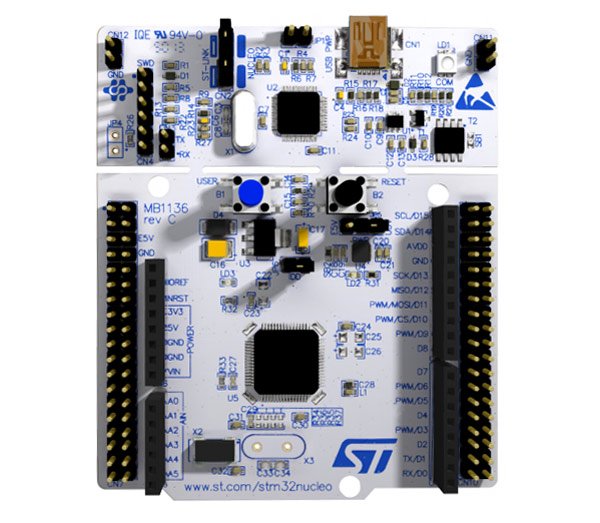
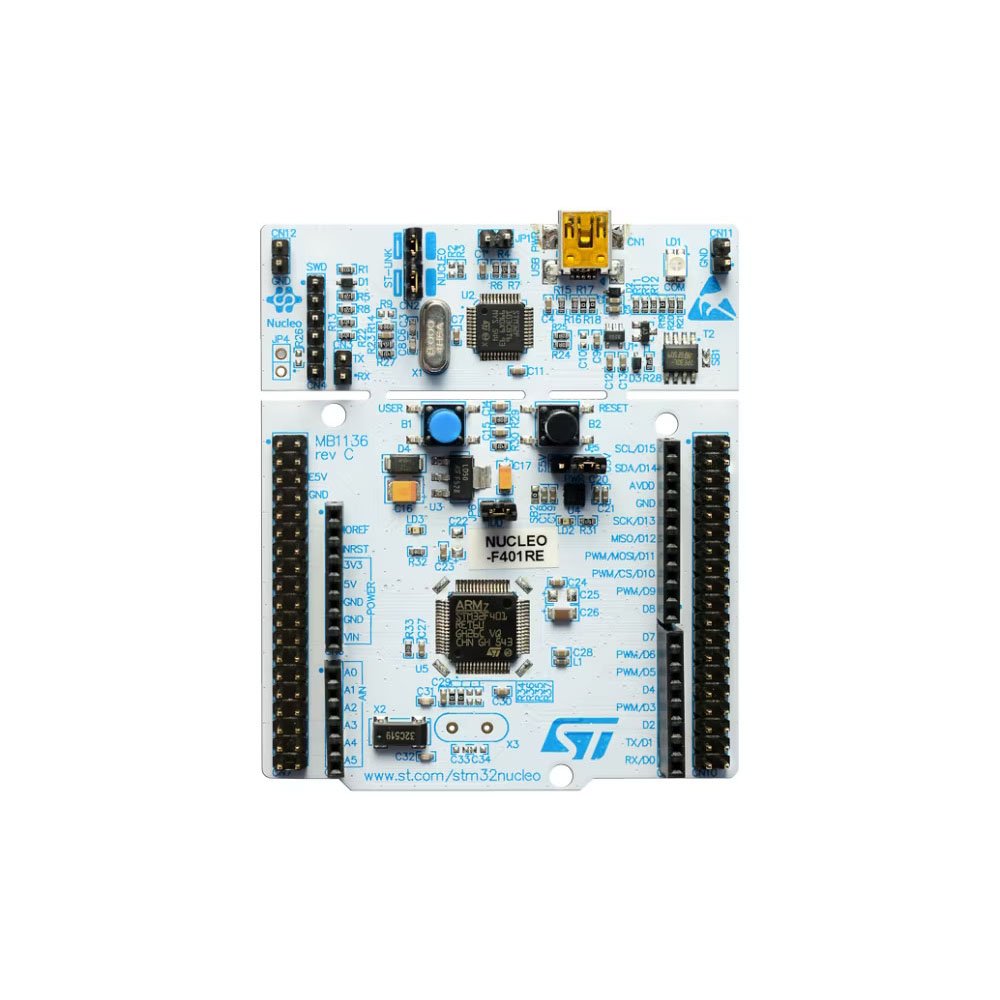
The Nucleo-F401RE is the board we hand to almost everyone starting with STM32. It’s an official STMicroelectronics board with an on-board ST-LINK/V2-1 debugger, so you plug in one USB cable and you’re flashing and single-stepping code — no extra programmer to buy or wire. Arduino Uno V3 headers mean existing shields fit, while ST Morpho rows break out every pin. With a Cortex-M4, 512KB flash and first-class STM32CubeIDE and mbed support, it removes almost every “getting started” headache.
✅ Pros- Genuine ST board with on-board ST-LINK
- Arduino-shield compatible headers
- Best-in-class docs, CubeIDE & mbed
- Affordable entry to a real debugger
❌ Cons- 84 MHz is modest vs F4 peers
- No on-board sensors
- Uses an older mini-USB cable
🎯 Verdict: The best all-round first STM32. A built-in debugger and unbeatable documentation make it the lowest-friction way to learn ARM Cortex-M properly.
👉 Check Price on Amazon: amazon.com/dp/B07JYBPWN4
🏅 Best Budget · Most Popular
STM32 “Blue Pill” (F103C8T6)
⭐⭐⭐⭐½ 4.5/5
PROGRAMMER
Add ST-Link ~$9

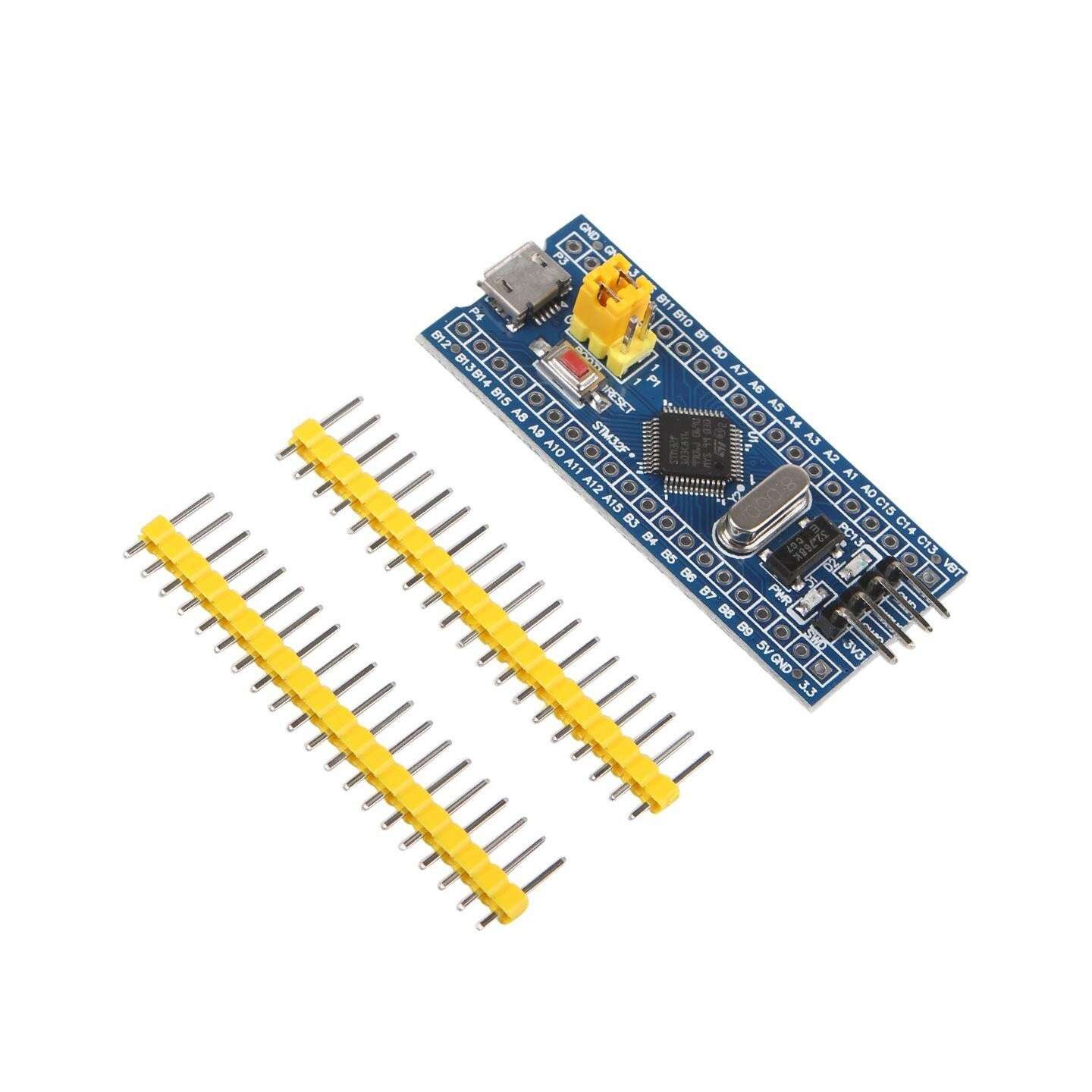
The legendary Blue Pill is how a generation discovered 32-bit ARM. For under ten dollars you get a Cortex-M3 at 72 MHz with USB, multiple timers, ADCs and serial ports — a massive leap over an 8-bit Arduino. It’s the best board for learning the toolchain and registers from the ground up. This HiLetgo board is a popular, in-stock pick; just add a cheap ST-Link V2 (about $9) to flash it reliably, and be aware that clone chips and quirky USB resistors are common at this price.
✅ Pros- Cheapest path into 32-bit ARM (~$8)
- Huge community & tutorials
- Arduino IDE via STM32duino
- Great for learning registers
❌ Cons- Needs a separate ST-Link (~$9)
- Clone chips & USB resistor vary
- Only 20KB RAM, no FPU
🎯 Verdict: Unbeatable value for tinkerers who want to learn STM32 the hands-on way. Add an ST-Link, expect to debug clone quirks, and enjoy the cheapest ARM education around.
👉 Check Price on Amazon: amazon.com/dp/B01DLIJOAO
🚀 Best Blue Pill Upgrade · ⭐ 4.6/53. STM32 “Black Pill” (WeAct F411CEU6)
Cortex-M4F · 100 MHz · 512KB/128KB · USB-C · pre-soldered · ~$15
Buy →

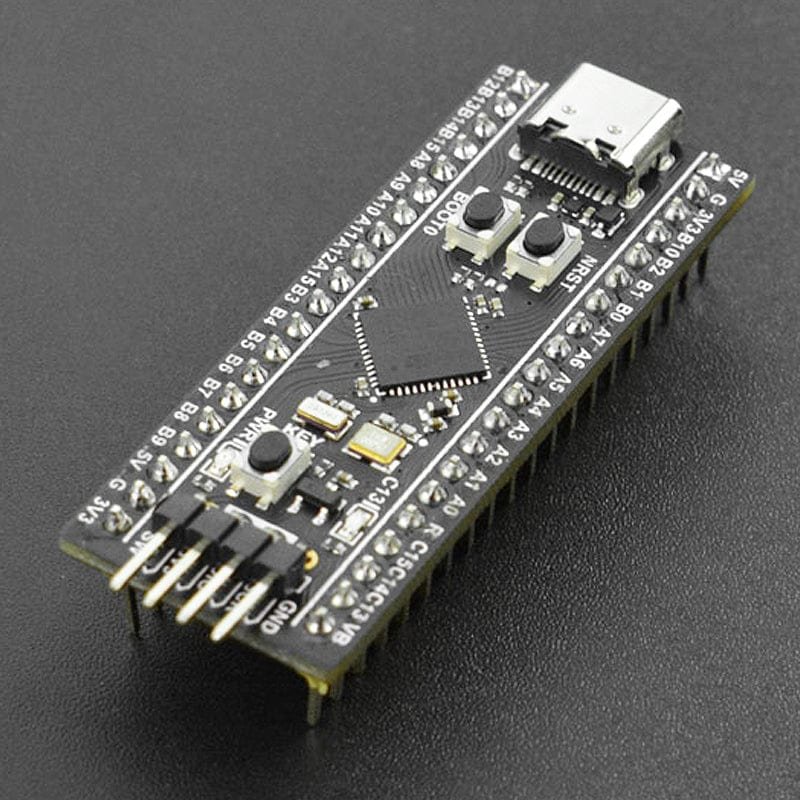
The Black Pill is everything the Blue Pill should have grown into: a Cortex-M4F with a floating-point unit at 100 MHz, a full 512KB flash / 128KB RAM, a modern USB-C connector, and both high- and low-speed crystals on board. This pre-soldered WeAct-style board is ready to use out of the bag and can be flashed straight over USB-C (DFU) — no separate programmer required. It runs Arduino, MicroPython and CircuitPython, making it a brilliant, breadboard-friendly board for anyone who outgrew the Blue Pill.
✅ Pros: M4 + FPU at 100 MHz; USB-C DFU flashing (no ST-Link needed); lots of flash/RAM; pre-soldered; ~$15.
❌ Cons: No on-board debugger; minimal onboard peripherals; ships with little documentation.
🎯 Verdict: The best cheap upgrade from a Blue Pill — an M4F powerhouse in a breadboard form factor, ideal for MicroPython and FPU projects.
⚖️ Best Balanced Nucleo · ⭐ 4.6/54. STM32 Nucleo-F411RE
Cortex-M4F · 100 MHz · 512KB/128KB · on-board ST-LINK · ~$25
Buy →

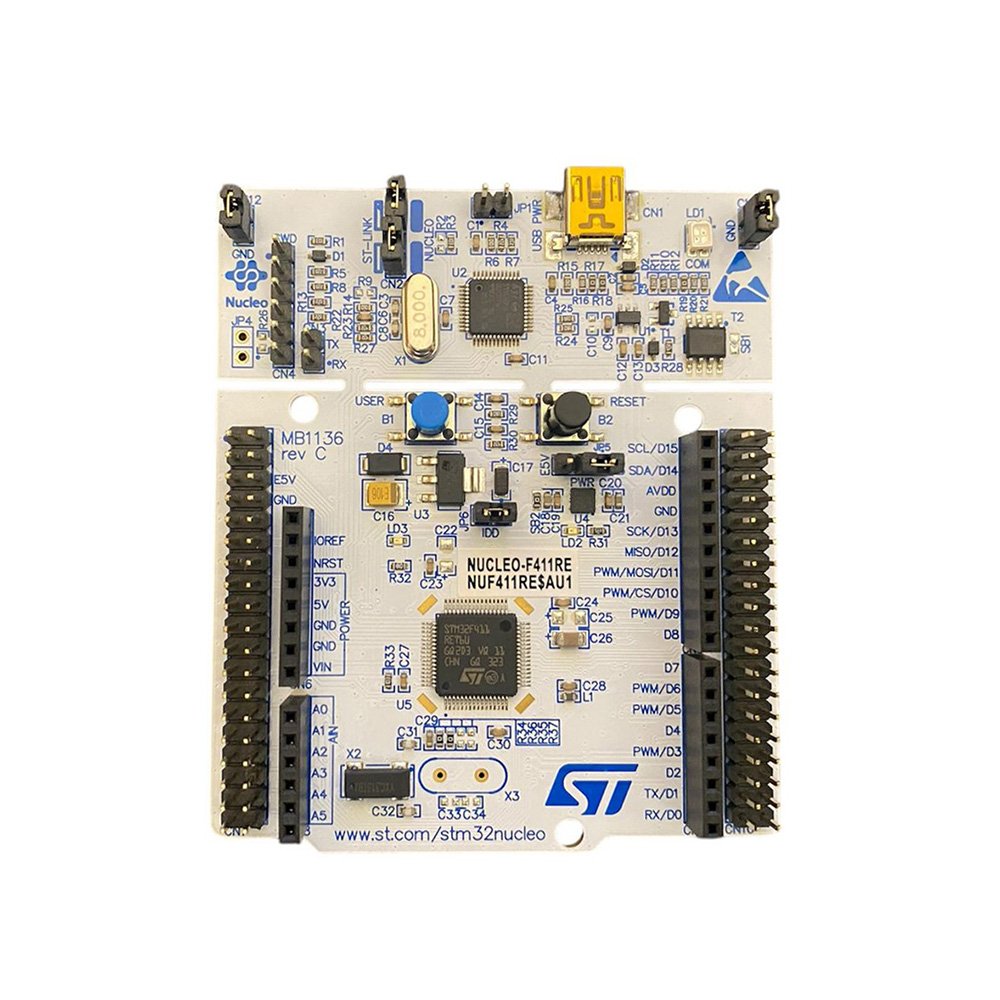
The Nucleo-F411RE hits the sweet spot of the official Nucleo line. You get the Black Pill’s Cortex-M4F at 100 MHz and 512KB/128KB of memory, but wrapped in the plug-and-play Nucleo experience: on-board ST-LINK, Arduino + Morpho headers, and rock-solid ST documentation. If you want FPU performance with zero wiring fuss and the ability to drop on Arduino shields, this is the board.
✅ Pros: M4F at 100 MHz; on-board ST-LINK; Arduino-shield ready; excellent CubeIDE support.
❌ Cons: Pricier than a Black Pill; no on-board sensors; mini-USB.
🎯 Verdict: The most balanced Nucleo — M4F power, built-in debugger and shield compatibility. A great step up from the F401RE when you want more speed.
🏎️ Best High-Speed Mainstream · ⭐ 4.7/55. STM32 Nucleo-F446RE
Cortex-M4F · 180 MHz · 512KB/128KB · on-board ST-LINK · ~$27
Buy →
When 100 MHz isn’t enough, the Nucleo-F446RE pushes the same Cortex-M4F to 180 MHz — the fastest of ST’s mainstream F4 Nucleo-64 boards. It adds richer peripherals too (more timers, dual CAN, advanced ADC/DAC and audio-friendly SAI), making it a favourite for motor control, DSP and real-time projects that still want the friendly Nucleo footprint and on-board debugger.
✅ Pros: Fast 180 MHz M4F; rich timers & dual CAN; on-board ST-LINK; great for motor/DSP work.
❌ Cons: Overkill for blink-LED beginners; no sensors; mini-USB.
🎯 Verdict: The fastest mainstream F4 Nucleo and the pick for motor control, control loops and DSP that still want a plug-and-play board.
🎛️ Best for Peripherals & Audio · ⭐ 4.7/56. STM32F4 Discovery (F407G-DISC1)
Cortex-M4F · 168 MHz · 1MB/192KB · accelerometer · mic · audio DAC · ~$50
Buy →

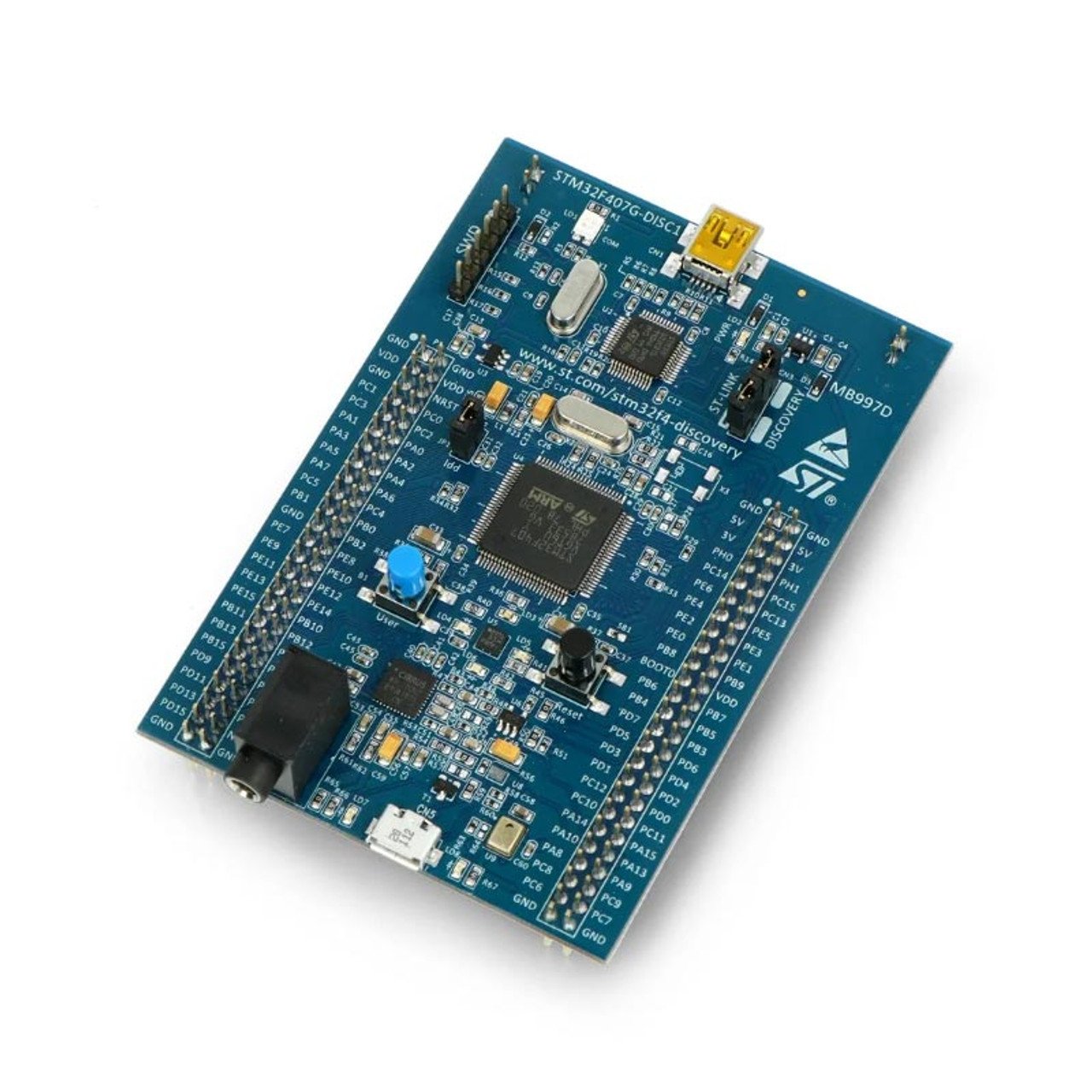
The STM32F4 Discovery is the best board for actually using peripherals. Beyond a 168 MHz Cortex-M4F with 1MB flash, it ships with real hardware to play with: a MEMS accelerometer, a digital microphone, an audio DAC with class-D amplifier, USB OTG and four user LEDs — all with an on-board ST-LINK/V2-A. It’s the classic platform for learning DSP, audio and sensor projects without wiring up a single external module. (This Waveshare version is the genuine board; it sits above the price of a plain Nucleo because of all that extra hardware.)
✅ Pros: Built-in accelerometer, mic & audio DAC; 1MB flash; on-board ST-LINK; superb for DSP/audio learning.
❌ Cons: No Arduino-shield headers; priciest board here (~$50); genuine stock is limited.
🎯 Verdict: The best board for hands-on peripheral, sensor and audio/DSP projects — a learning lab on a single PCB.
🔋 Best for Low-Power / Battery · ⭐ 4.5/57. STM32 Nucleo-L476RG
Cortex-M4F · 80 MHz ultra-low-power · 1MB/128KB · on-board ST-LINK · ~$30
Buy →
For anything that runs on a battery, the Nucleo-L476RG is the board to study. Its STM32L4 ultra-low-power Cortex-M4 sips current — down to roughly 130 nA in standby — while still offering an FPU, 1MB flash and 128KB RAM at 80 MHz. With the same on-board ST-LINK and Arduino/Morpho headers as other Nucleos, it’s the easiest way to learn STM32 low-power modes, RTC wake-ups and energy-aware design.
✅ Pros: Ultra-low-power L4 core; 1MB flash; on-board ST-LINK; ideal for battery/IoT learning.
❌ Cons: 80 MHz, not a speed champ; low-power tuning has a learning curve.
🎯 Verdict: The best board for low-power and battery-powered design — learn STM32L4 energy modes on an official, debugger-equipped platform.
💪 Best High-Performance · ⭐ 4.7/58. STM32 Nucleo-H743ZI2
Cortex-M7 · 480 MHz · 2MB/1MB · Ethernet · ST-LINK/V3 · stock varies
Buy →

The Nucleo-H743ZI2 is the muscle of this list. Its Cortex-M7 runs at up to 480 MHz with 2MB flash and 1MB RAM, plus on-board Ethernet, an ST-LINK/V3 debugger and the larger Nucleo-144 layout with Zio + Morpho headers. It’s built for heavy DSP, audio, machine-learning inference and networking projects. Heads-up: this board sells out regularly on Amazon and is often easier to get from ST, Mouser or DigiKey — the in-stock Nucleo-144 alternative on Amazon is usually the Nucleo-F767ZI (Cortex-M7, 216 MHz, Ethernet, ~$60).
✅ Pros: Blazing 480 MHz M7; 2MB/1MB memory; on-board Ethernet & ST-LINK/V3; superb for DSP/ML/networking.
❌ Cons: Frequently out of stock on Amazon; overkill for beginners; complex clock/cache setup to master.
🎯 Verdict: The high-performance pick. If your project needs serious compute, Ethernet or DSP headroom, the H743ZI2 is the most powerful board here — just grab it when it’s in stock.
🛒 How to Choose the Right STM32 Board
🏆
New to STM32?
Get the Nucleo-F401RE. Built-in debugger, Arduino headers and the best docs make it the lowest-friction first board (~$25).
💰
On a Tight Budget?
The Blue Pill (~$8, plus a ~$9 ST-Link) is the cheapest way into ARM. Or step up to the Black Pill for an M4F and USB-C at ~$15.
🎛️
Want Sensors & Audio?
The STM32F4 Discovery bundles an accelerometer, mic and audio DAC — perfect for DSP and sensor experiments out of the box.
🔋
Battery / IoT Project?
The Nucleo-L476RG ultra-low-power L4 is built for learning sleep modes, RTC wake-ups and energy-aware design.
🏎️
Need Raw Speed?
The Nucleo-F446RE (180 MHz) handles motor control and DSP; the H743ZI2 (480 MHz M7) is the no-compromise powerhouse when you can get one.
🐍
Prefer MicroPython?
The Black Pill (F411) has plenty of flash/RAM and first-class MicroPython/CircuitPython support in a tiny board.
⚙️ Key Specs Compared — Side by Side
| Spec | F401RE | Blue Pill | Black Pill | F411RE | F446RE | F4 Disco | L476RG | H743ZI2 |
|---|
| Core | M4 | M3 | M4F | M4F | M4F | M4F | M4F | M7 ⭐ |
| Clock (MHz) | 84 | 72 | 100 | 100 | 180 | 168 | 80 | 480 ⭐ |
| Flash | 512K | 64K | 512K | 512K | 512K | 1M | 1M | 2M ⭐ |
| RAM | 96K | 20K | 128K | 128K | 128K | 192K | 128K | 1M ⭐ |
| On-board debugger | Yes ⭐ | No | No | Yes | Yes | Yes | Yes | Yes |
| Arduino headers | Yes | No | No | Yes | Yes | No | Yes | Yes |
| Standout | Beginner | Price ⭐ | USB-C | Balance | Speed | Sensors | Low-power | Power |
| Price | ~$25 | ~$8 ⭐ | ~$15 | ~$25 | ~$27 | ~$50 | ~$30 | varies |
❓ Frequently Asked Questions
Should I start with a Blue Pill or a Nucleo board?
For most beginners, a Nucleo (F401RE) is the better first board because it has a built-in ST-LINK debugger and Arduino headers — you plug in one USB cable and start coding in STM32CubeIDE. The Blue Pill is cheaper and superb for learning the toolchain from scratch, but it has no on-board debugger and you’ll usually need an external ST-Link plus some clone-quirk troubleshooting. If you value a smooth start, choose Nucleo; if you value the lowest cost and don’t mind tinkering, choose the Blue Pill.
Do I need a separate ST-Link programmer?
Only for the bare boards. Every Nucleo and Discovery on this list has an ST-LINK debugger built in, so no extra hardware is needed. The Blue Pill needs an external ST-Link (an ST-Link V2 clone is only about $9), while the Black Pill can be flashed over USB-C DFU with no programmer at all. An ST-Link is a handy thing to own regardless, since it can flash and debug any STM32.
Can I program STM32 boards with the Arduino IDE?
Yes. The STM32duino core adds STM32 support to the Arduino IDE, and all the boards here are supported. That said, you’ll get the most out of STM32 hardware with the free STM32CubeIDE and CubeMX, which expose every peripheral, clock and DMA channel. MicroPython and PlatformIO are also great options, especially on the F411 Black Pill and the higher-RAM F4/H7 boards.
Why are there cheap STM32 clones, and are they safe to buy?
Boards like the Blue Pill are made by many third-party manufacturers, so quality varies — some use a wrong USB pull-up resistor, and a few ship relabeled or clone MCUs (e.g. CKS/CS32 instead of genuine ST). They’re fine for learning and hobby projects, but check reviews, expect minor quirks, and for anything important buy an official ST Nucleo/Discovery or a reputable seller. We’ve linked the listings we found most credible, but always confirm the current seller and reviews on Amazon.
Which STM32 board is best for DSP, audio or machine learning?
For learning DSP and audio hands-on, the STM32F4 Discovery is ideal because it includes a microphone, accelerometer and audio DAC. For heavier compute — real-time DSP, audio pipelines or TinyML inference — step up to a Cortex-M7 Nucleo-144 such as the Nucleo-H743ZI2 (480 MHz) or the readily-stocked Nucleo-F767ZI (216 MHz), whose double-precision FPU and large RAM have the headroom those workloads need.
🏁 Final Verdict — Best STM32 Board for Every Need
The right STM32 board depends on your goals and budget — here are our picks:
🥇 Best Overall — Nucleo-F401RE: official board, built-in debugger, best docs (~$25)
Buy →💰 Best Budget — Blue Pill (F103C8T6): the cheapest way into 32-bit ARM (~$8 + a ~$9 ST-Link)
Buy →🚀 Best Pill Upgrade — Black Pill (F411): M4F + USB-C, MicroPython-ready (~$15)
Buy →🎛️ Best for Sensors/Audio — STM32F4 Discovery: accelerometer, mic & audio DAC (~$50)
Buy →💪 Best Performance — Nucleo-H743ZI2: 480 MHz Cortex-M7 powerhouse (stock varies)
Buy →No single STM32 board is right for everyone, but every pick here will take you from blinking an LED to mastering real embedded engineering. For most learners the Nucleo-F401RE is the one to buy — a genuine ST board with a built-in debugger and the best documentation in the ecosystem. Want the cheapest start? Grab a Blue Pill with an ST-Link. Chasing performance, sensors or low power? The F446RE, F4 Discovery, L476RG and H743ZI2 each have a clear job to do. Pair your new board with our STM32, Arduino and ESP32 tutorials and start building today.
💬 Not sure which STM32 board fits your project? Tell us what you want to build — bare-metal learning, low-power IoT, DSP or motor control — in the comments below, and we’ll point you to the right pick.
All Amazon links above use our affiliate tag (microlab05-20). Purchasing through them supports microcontrollerslab.com at no extra cost to you. Prices, sellers and availability for third-party STM32 listings change frequently — always confirm the current details on Amazon before buying.