⚠️ Affiliate Disclosure: This post contains Amazon affiliate links. If you purchase through our links, we may earn a small commission at no extra cost to you. We only recommend boards we have researched and whose listings we checked live on Amazon. Prices, RAM and eMMC variants and bundle contents change constantly, so we deliberately do not print prices here. Always tap through and confirm the current price and variant before buying.
Ultimate Buying Guide
🍌 Best Banana Pi Boards: BPI-M7, BPI-M5, BPI-R4 and More Compared
8 Banana Pi single board computers ranked, from the Pi Zero sized BPI-M4 Zero and the budget BPI-M4 Berry, through the classic BPI-M5 and the RK3576 powered BPI-M5 Pro, up to the RK3588 BPI-M7 and the 10GbE BPI-R4 router board, with verified specs, honest verdicts and Amazon listings we checked live.
✅ 8 Boards Reviewed
✅ Specs Verified
✅ RK3588 · RK3576 · H618
✅ Honest Pros & Cons
Banana Pi has been building open hardware single board computers for more than a decade, and its current lineup covers far more ground than the Raspberry Pi does. You can buy a Rockchip RK3588 board with a 6 TOPS NPU and a PCIe 3.0 x4 slot, a MediaTek Filogic 880 router board with two 10GbE SFP cages, a Raspberry Pi 4 shaped Allwinner H618 board for media and IoT work, and a Pi Zero sized board that fits most Zero W accessories. Many of them copy the Raspberry Pi 40-pin header and, in several cases, the board outline, so your HATs and cases often carry straight over.
The trade-off is software. Banana Pi hardware is frequently better specified than the Raspberry Pi equivalent, but its images, kernels and documentation are thinner, and long term support varies a lot from board to board. That is why choosing the right model matters more here than it does with a Pi. This guide ranks the 8 best Banana Pi boards you can buy on Amazon today, explains what each one is actually good at, and flags the compromises before you find them on your desk.
💡 Reality check before you buy: A Banana Pi is not a Raspberry Pi with a different logo. Expect vendor Linux images built on a board support package kernel rather than a polished, single official OS, and expect to lean on community projects such as Armbian for the best experience on the older boards. Expect newer SoCs like the RK3576 to have maturing mainline support, so GPU acceleration, NPU tooling and video decode may depend on the vendor kernel. Expect bundles to vary: RAM, eMMC, Wi-Fi module and whether a power supply or case is included differ between Amazon listings for the same board. And expect small review counts, because these listings sell in low volume, so the official Banana Pi documentation tells you far more than a star average does.
🍌 Quick Comparison: All 8 Banana Pi Boards
| Board | SoC / CPU | Memory | Key I/O | Best For | Buy |
|---|
| 🥇 Banana Pi BPI-M7 | Rockchip RK3588, 8 cores | 16GB LPDDR4x (listing variant) | 2x 2.5GbE, Wi-Fi 6, M.2 PCIe 3.0 x4 | Best Overall | Buy Here → |
| 🏅 Banana Pi BPI-M5 Pro | Rockchip RK3576, 8 cores | 8GB LPDDR4x | 2x GbE, Wi-Fi 6, M.2 PCIe 2.0 | Best Value AI Board | Buy Here → |
| 📶 Banana Pi BPI-R4 | MediaTek MT7988A, 4x A73 | 4GB DDR4 + 8GB eMMC | 2x 10GbE SFP, 4x GbE, Wi-Fi 7 ready | Best Router Board | Buy Here → |
| 🎬 Banana Pi BPI-M5 | Amlogic S905X3, 4x A55 | 4GB LPDDR4 + 16GB eMMC | GbE, 4x USB 3.0, HDMI 4K | Best Pi 4 Alternative | Buy Here → |
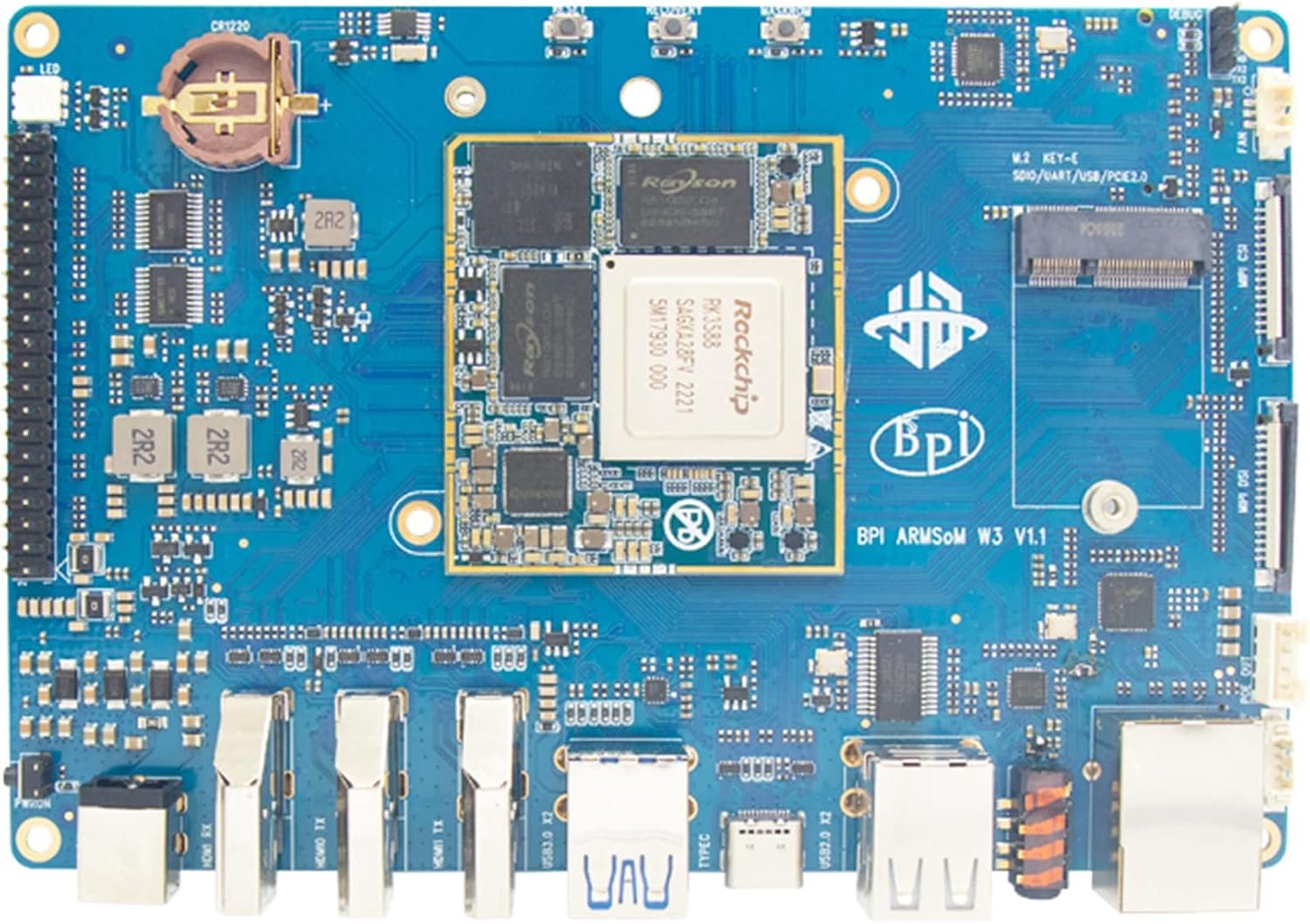
| 🧩 Banana Pi BPI-W3 | Rockchip RK3588, 8 cores | 8GB + 32GB eMMC | 2.5GbE, PCIe 3.0 x4, HDMI in | Best for Expansion | Buy Here → |
| 💰 Banana Pi BPI-M4 Berry | Allwinner H618, 4x A53 | 2GB LPDDR4 + 8GB eMMC | GbE, dual band Wi-Fi, BT 4.2, 4x USB | Best Budget Board | Buy Here → |
| 🔌 Banana Pi BPI-M2S | Amlogic A311D, 6 cores | 4GB LPDDR4 + 16GB eMMC | 2x GbE, 5 TOPS NPU, metal case | Best Compact Dual GbE | Buy Here → |
| 🤏 Banana Pi BPI-M4 Zero | Allwinner H618, 4x A53 | 2GB + 8GB eMMC (basic kit) | Wi-Fi, mini HDMI, Pi Zero size | Smallest Board | Buy Here → |
Specs come from the current Amazon listings and the official Banana Pi documentation. Most of these boards sell in several RAM, eMMC and bundle options, sometimes with a case, fan or power supply and sometimes as a bare board. We deliberately do not publish prices because they move constantly and differ per variant. Tap through and check the live listing yourself.
🔍 What to Look for in a Banana Pi Board
🧠
Match the SoC to the Job
An RK3588 (BPI-M7, BPI-W3) is desktop class and handles 8K decode, multiple displays and on-device AI. An RK3576 (BPI-M5 Pro) gives you most of that at lower cost and power. Allwinner H618 and Amlogic S905X3 boards are Cortex-A53/A55 class: fine for media, IoT gateways, Home Assistant and learning Linux, but not for heavy compiling or AI. The MT7988A on the BPI-R4 is a network processor, not a general purpose desktop chip.
🐧
Software Support Matters Most
Before buying, open the board’s page on docs.banana-pi.org and check which images exist and how recent they are, then check whether Armbian lists the board. Older boards with a large community, such as the BPI-M5, often run better today than brand new ones. RK3576 and RK3588 boards usually rely on Rockchip’s vendor kernel for NPU and hardware video acceleration.
💾
eMMC, NVMe and Real Storage
Every board here has onboard eMMC, which is faster and far more reliable than a microSD card. For serious work look for an M.2 Key M slot: the BPI-M7 and BPI-W3 offer PCIe 3.0 x4, the BPI-M5 Pro PCIe 2.0 x1 and the BPI-R4 PCIe 3.0 x1. An NVMe SSD turns a board into a usable NAS, build server or desktop.
🌐
Networking and Wireless
If the board sits in a network rack, count ports: the BPI-M7 has two 2.5GbE, the BPI-M5 Pro and BPI-M2S have two GbE, and the BPI-R4 has two 10GbE SFP cages plus four GbE. Also check wireless, because the BPI-M5 has no onboard Wi-Fi at all and the BPI-R4 needs a separate Wi-Fi 7 card.
🔋
Power Input and Cooling
The BPI-M7 and BPI-M5 Pro want a USB-C PD supply at 9V, 12V or 15V, and a cheap 5V phone charger will not boot them properly. The BPI-R4 needs a 12V or 19V barrel supply. RK3588 boards throttle without a heatsink and preferably a fan, so budget for cooling if the bundle does not include it.
🏆 Detailed Reviews: The 8 Best Banana Pi Boards
A note on the scores below: most Banana Pi listings on Amazon carry only a handful of reviews, and several have none, so the star average is not a reliable signal. The ratings we give are our own editorial scores, based on hardware, software support, documentation and how clearly the listing describes what is in the box.
🥇 BEST OVERALL
Banana Pi BPI-M7
⭐ 4.6/5 · RK3588 Power in a Pi Sized Board
PCIe 3.0 x4
M.2 KEY M NVMe

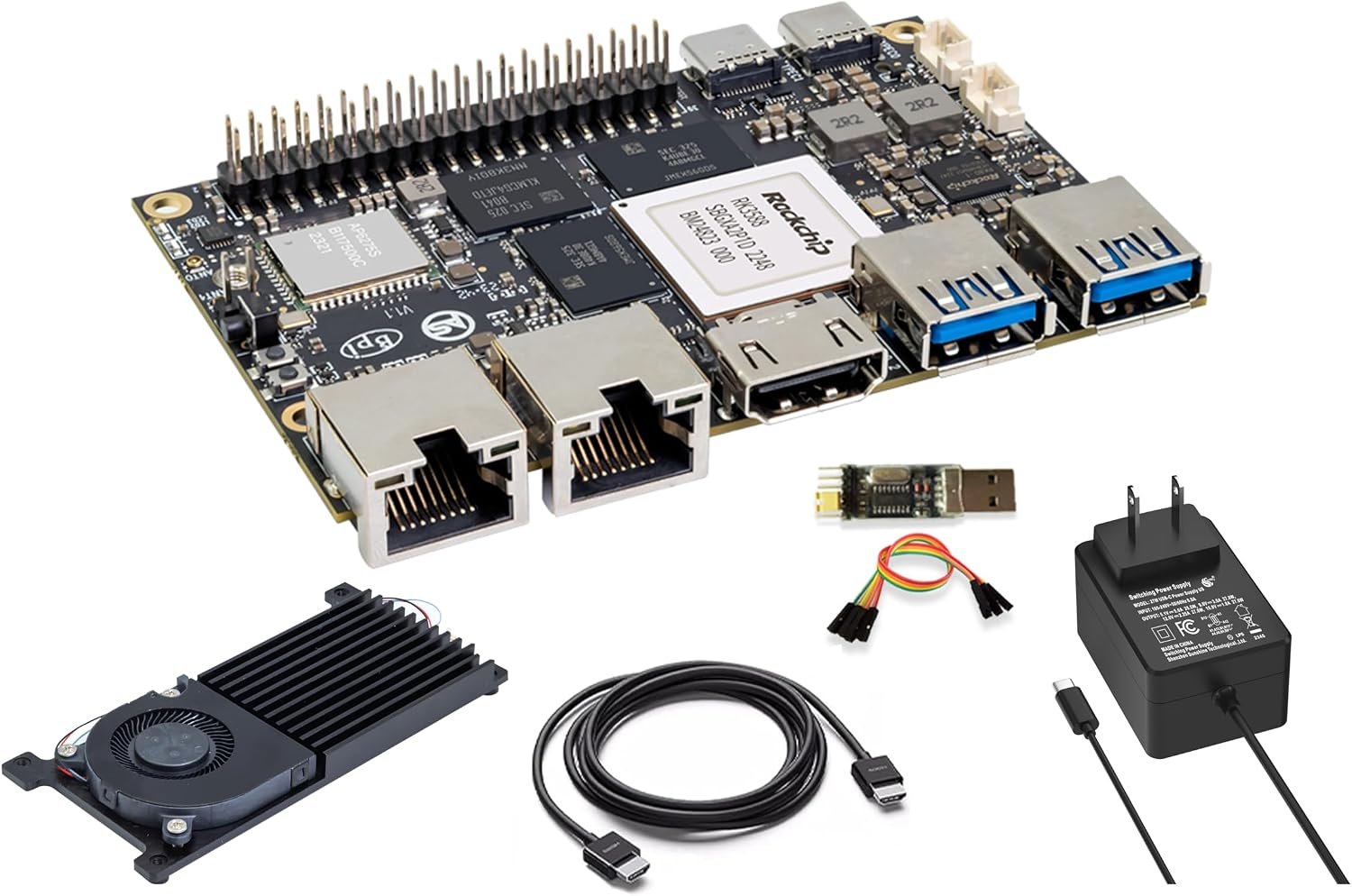
The BPI-M7 is the most capable Banana Pi you can put in a small enclosure. It packs the Rockchip RK3588, with four Cortex-A76 cores at 2.4GHz and four Cortex-A55 cores, a Mali-G610 MP4 GPU and a 6 TOPS NPU, onto a 92 x 62 mm board. The listing we link is the 16GB LPDDR4x variant, and the family also comes with 8GB or 32GB RAM and 64GB or 128GB eMMC. What sets it apart from cheaper RK3588 boards is the I/O: two 2.5GbE ports, onboard Wi-Fi 6 and Bluetooth 5, and an M.2 Key M slot wired as PCIe 3.0 x4, so an NVMe SSD runs at full speed. Display options include HDMI 2.1 up to 8K@60, DisplayPort 1.4 over USB-C and MIPI DSI, plus two 4-lane MIPI CSI camera inputs, and the 40-pin header follows the Raspberry Pi layout. That combination makes it a genuinely good fit for an ARM desktop, a quiet home server, a multi-camera NVR or on-device AI with RKNN. Power comes in over USB-C PD at 9V, 12V or 15V, so plan on a proper PD adapter and active cooling.
✅ Pros- Flagship RK3588 performance with a 6 TOPS NPU
- Dual 2.5GbE plus Wi-Fi 6 on a compact board
- Full speed PCIe 3.0 x4 NVMe slot
- 8K HDMI 2.1, DP 1.4 and MIPI DSI for multiple displays
- Raspberry Pi style 40-pin header
❌ Cons- The most expensive board in this guide
- Needs a USB-C PD supply and a fan under load
- Best NPU and video acceleration depend on the Rockchip vendor kernel
- Very few Amazon reviews on the listing
🎯 Verdict: The best all round Banana Pi board. Buy it if you want Raspberry Pi form factor convenience with RK3588 performance, fast networking and real NVMe storage.
👉 Check Price on Amazon →
🏅 BEST VALUE AI BOARD
Banana Pi BPI-M5 Pro
⭐ 4.4/5 · RK3576 with 6 TOPS NPU and Dual GbE
Buy on Amazon →

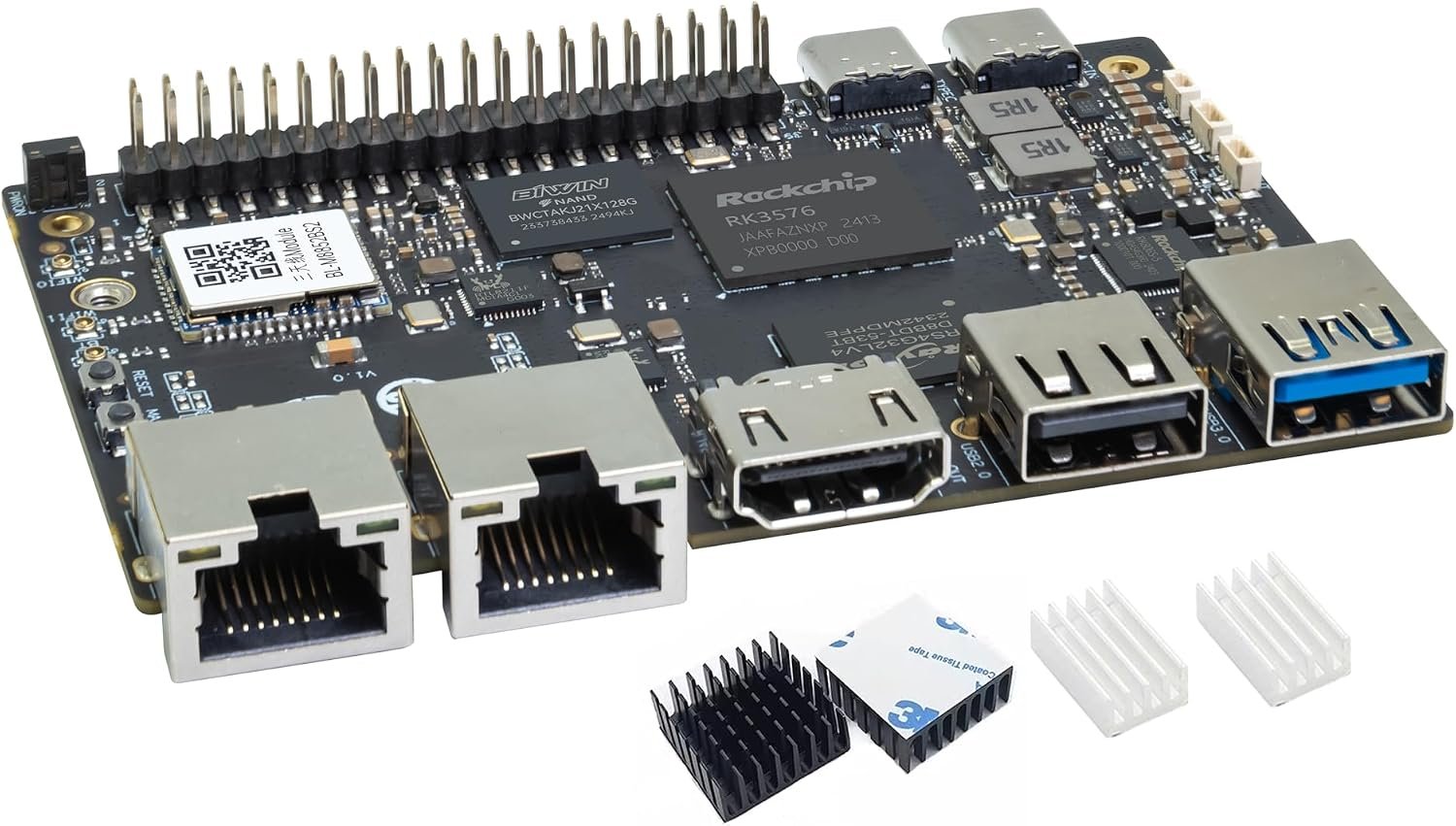
Despite the name, the BPI-M5 Pro is a completely different board from the original BPI-M5. It is built around the newer Rockchip RK3576, an 8nm chip with four Cortex-A72 cores at 2.2GHz, four Cortex-A53 cores, a Mali-G52 MC3 GPU and the same 6 TOPS NPU headline figure as the RK3588. The listing we link ships the 8GB LPDDR4x version, and the board shares the BPI-M7’s 92 x 62 mm footprint. You get two gigabit Ethernet ports, Wi-Fi 6 and Bluetooth 5, HDMI 2.1 output at up to 4K@120, DisplayPort 1.4 over USB-C, MIPI DSI and two 4-lane MIPI CSI camera connectors. Storage expansion is an M.2 Key M slot at PCIe 2.0 x1, which is slower than the M7’s x4 link but still much faster than microSD. In practice the M5 Pro is the sweet spot for edge AI with a camera or two, a compact media or signage player, or a dual NIC gateway, when an RK3588 would be overkill. The one real caveat is maturity: the RK3576 is younger, so check the current images on the official docs before you commit.
✅ Pros- RK3576 with a 6 TOPS NPU for much less than RK3588 boards
- Dual GbE, Wi-Fi 6 and Bluetooth 5 onboard
- Two 4-lane MIPI CSI inputs for camera projects
- 4K@120 HDMI 2.1 plus DisplayPort 1.4
- Same compact footprint as the BPI-M7
❌ Cons- M.2 slot is only PCIe 2.0 x1
- RK3576 software support is still maturing
- Needs a USB-C PD supply
- Several near identical listings, so check the RAM and eMMC variant
🎯 Verdict: The best value Banana Pi for AI and camera work. Choose it over the M7 unless you need 2.5GbE, PCIe 3.0 x4 or RK3588 level CPU performance.
👉 Check Price on Amazon →
📶 BEST ROUTER BOARD · ⭐ 4.5/53. Banana Pi BPI-R4
MediaTek MT7988A (Filogic 880) · quad-core Cortex-A73 · 4GB DDR4 · 8GB eMMC · 2x 10GbE SFP · 4x GbE · OpenWrt · Wi-Fi 7 via add-on card
Buy Here →

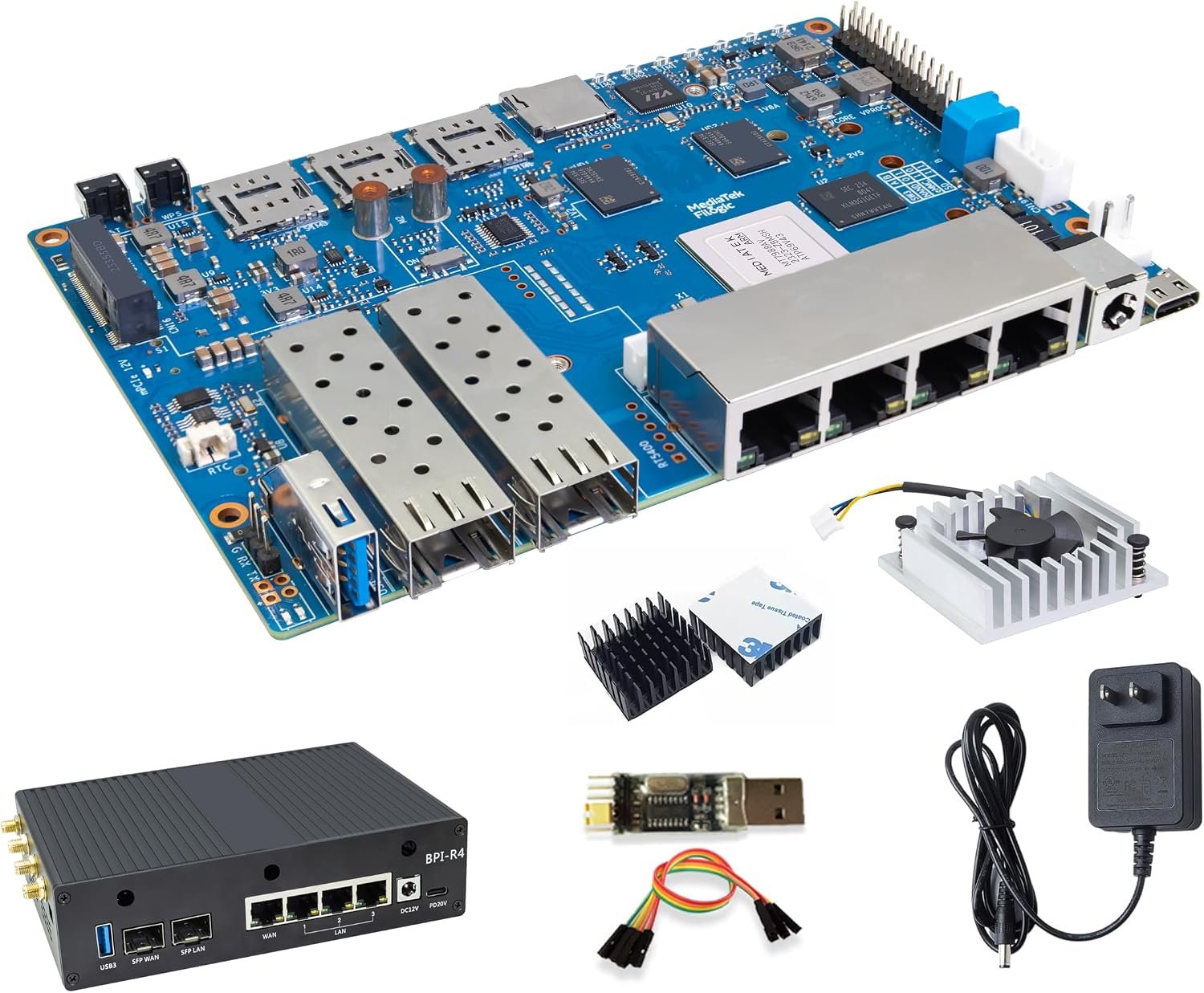
The BPI-R4 is not a desktop board at all. It is an open source router platform built on the MediaTek MT7988A (Filogic 880) network processor, with a quad-core Cortex-A73 CPU, 4GB DDR4 on this listing, 8GB eMMC and 128MB SPI-NAND. The port count is the reason to buy it: two 10GbE SFP cages and four gigabit Ethernet ports, plus two mini PCIe slots for Wi-Fi 7 NICs, an M.2 Key B slot for a 5G modem and an M.2 Key M slot for NVMe storage. It runs OpenWrt, which makes it a strong base for a custom multi-gigabit router, firewall, VPN gateway or small NAS. Be clear about two things. First, Wi-Fi comes from an add-on card, so read the bundle description carefully to see whether the Wi-Fi 7 module, case and power supply are included. Second, it needs a 12V or 19V barrel supply rather than USB-C.
✅ Pros: Two 10GbE SFP cages plus four GbE ports; Filogic 880 network processor with hardware offload; Wi-Fi 7 ready through mini PCIe; NVMe and 5G modem slots; strong OpenWrt community.
❌ Cons: Wi-Fi 7 NIC may be sold separately depending on bundle; not a general purpose desktop board; needs a 12V or 19V supply; SFP modules not included; expects OpenWrt and networking experience.
🎯 Verdict: The Banana Pi to buy if you want to build your own 10GbE router or firewall. Ignore it for desktop, media or AI projects.
👉 Check Price on Amazon →
🎬 BEST RASPBERRY PI 4 ALTERNATIVE · ⭐ 4.2/54. Banana Pi BPI-M5 (Kit)
Amlogic S905X3 · quad-core Cortex-A55 · Mali-G31 MP2 · 4GB LPDDR4 · 16GB eMMC · 4x USB 3.0 · GbE · HDMI 2.1 4K@60 HDR
Buy Here →

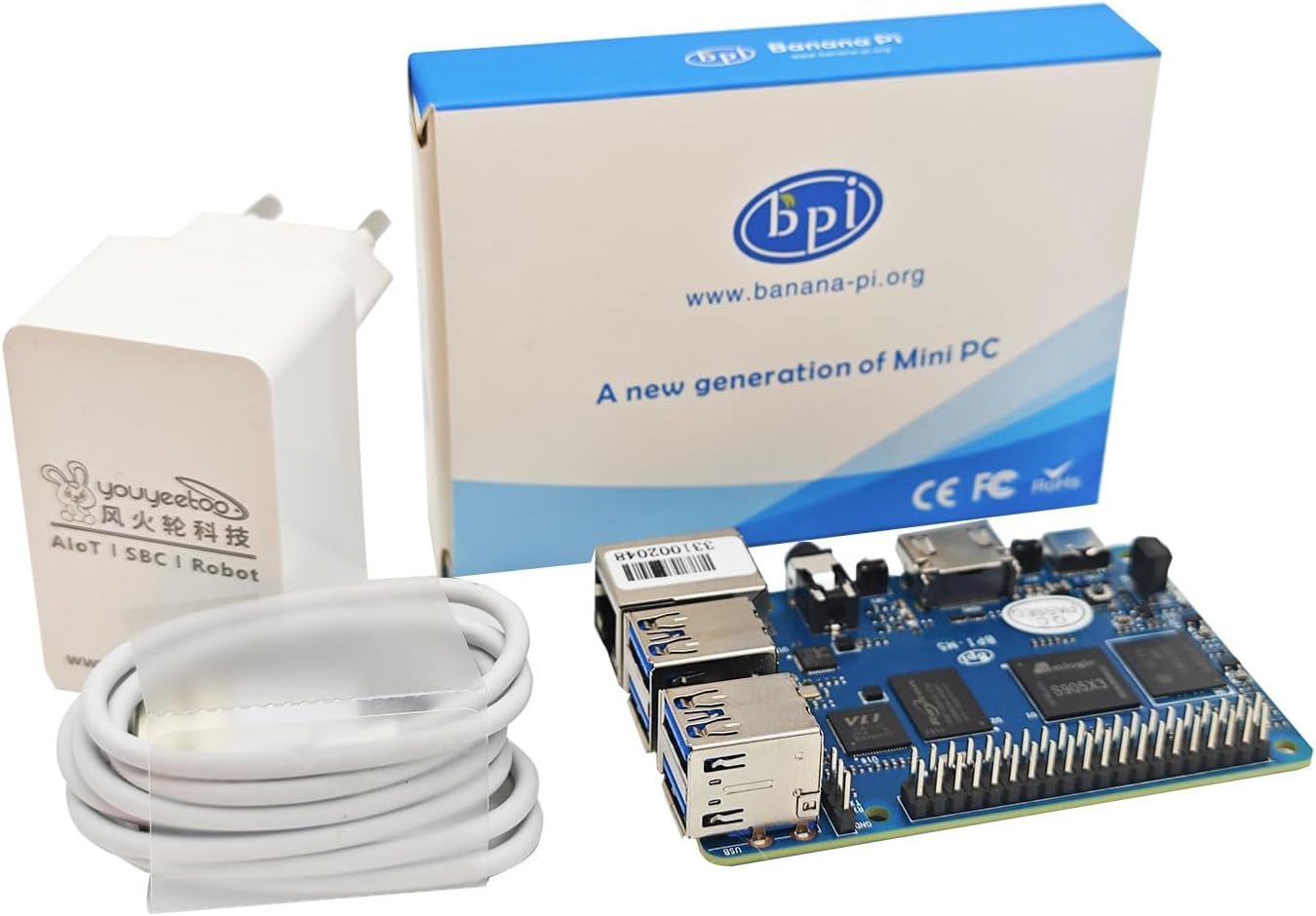
The original BPI-M5 is the board most people mean when they say Banana Pi. It uses the Raspberry Pi 4 board outline and 40-pin header, so most Pi 4 cases and HATs fit, and adds things the Pi 4 never had: 16GB of onboard eMMC and four USB 3.0 ports. Inside is an Amlogic S905X3 with four Cortex-A55 cores and a Mali-G31 MP2 GPU, paired with 4GB LPDDR4. The S905X3 is a TV box chip, which is the clue to its strength: HDMI 2.1 output at 4K@60 with HDR and good hardware video decode make it a fine Kodi, LibreELEC or Android media player, and gigabit Ethernet makes it a solid Home Assistant or Pi-hole host. Because it has been around for years, Armbian and community support are more mature than on newer Banana Pi boards. The youyeetoo kit we link bundles the board with a power supply and heatsinks. Just remember there is no onboard Wi-Fi or Bluetooth, so plan on Ethernet or a USB dongle.
✅ Pros: Pi 4 form factor with 16GB eMMC; four USB 3.0 ports; 4K@60 HDR output with good video decode; mature Armbian and community support; kit includes power supply and heatsinks.
❌ Cons: No onboard Wi-Fi or Bluetooth; Cortex-A55 cores are slower than the Pi 4’s A72 for CPU heavy work; 4GB RAM ceiling; older board, so check image dates on the vendor docs.
🎯 Verdict: A proven, well supported Pi 4 alternative for media centres and home servers. Skip it if you need Wi-Fi onboard or strong CPU performance.
👉 Check Price on Amazon →
🧩 BEST FOR EXPANSION · ⭐ 4.1/55. Banana Pi BPI-W3
Rockchip RK3588 · 4x A76 + 4x A55 · 6 TOPS NPU · 8GB RAM · 32GB eMMC · 2.5GbE · PCIe 3.0 x4 · HDMI input · 148 x 100.5 mm
Buy Here →

The BPI-W3 uses the same RK3588 as the BPI-M7 but spreads it across a much larger 148 x 100.5 mm board designed for expansion rather than portability. The listing we link has 8GB RAM and 32GB eMMC. Where the M7 is about compactness, the W3 is about interfaces: PCIe 3.0 x4 plus PCIe 2.0 x2, an M.2 E key slot for Wi-Fi and Bluetooth, 2.5GbE with PoE support, two HDMI 2.1 outputs, DisplayPort 1.4, MIPI DSI and CSI, an RTC and, unusually, an HDMI 2.0 input that lets the board capture and process video from another device. It accepts either 12V DC or USB-C PD power. This is the board for video capture and streaming boxes, digital signage with multiple outputs, industrial prototypes and anyone who wants to hang PCIe cards off an ARM board. For a general purpose small computer, the M7 is the better and newer buy.
✅ Pros: RK3588 with 6 TOPS NPU; PCIe 3.0 x4 and PCIe 2.0 x2; HDMI input for capture projects; dual HDMI 2.1 outputs plus DP 1.4; PoE and RTC support; accepts 12V DC or USB-C PD.
❌ Cons: Large board that will not fit Pi style cases; only one Ethernet port; Wi-Fi needs an M.2 E key module; no reviews on the listing yet; listed as usually ships in a few days.
🎯 Verdict: Pick the W3 when you need HDMI input or lots of PCIe expansion on RK3588. Otherwise the BPI-M7 is the smarter RK3588 choice.
👉 Check Price on Amazon →
💰 BEST BUDGET BOARD · ⭐ 4.0/56. Banana Pi BPI-M4 Berry
Allwinner H618 · quad-core Cortex-A53 · Mali-G31 · 2GB LPDDR4 · 8GB eMMC · GbE · Dual band Wi-Fi + BT 4.2 · 4x USB 2.0 · HDMI 2.0a 4K@60
Buy Here →

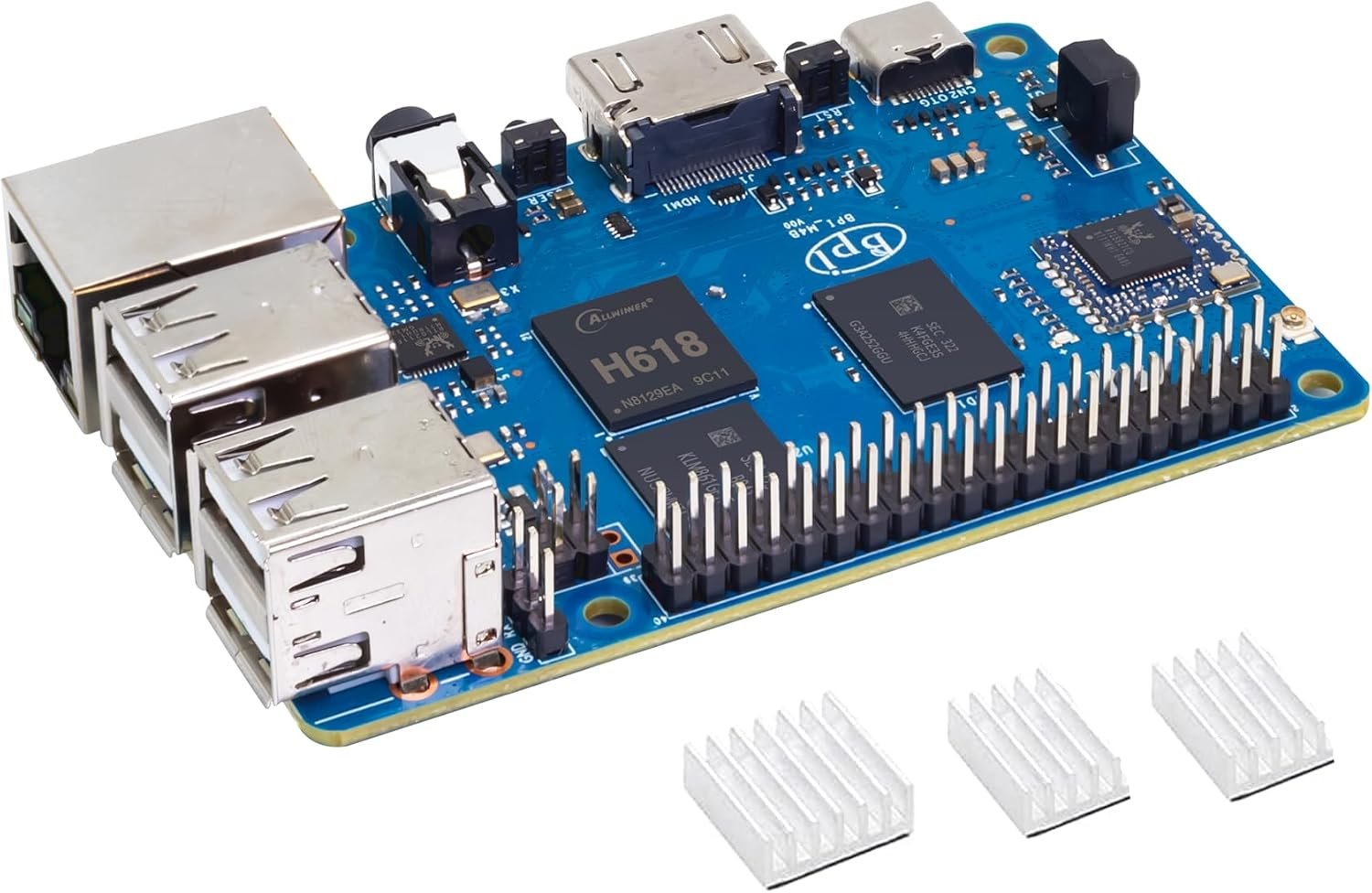
The BPI-M4 Berry is Banana Pi’s low cost answer to the Raspberry Pi 4 layout. It runs an Allwinner H618 with four Cortex-A53 cores and a Mali-G31 GPU, with 2GB LPDDR4 and 8GB eMMC on this listing. Unlike the BPI-M5, it includes dual band Wi-Fi and Bluetooth 4.2 onboard, along with gigabit Ethernet that supports PoE through an add-on HAT, four USB 2.0 ports, a full size HDMI 2.0a output up to 4K@60, an IR receiver and a 40-pin header. It is powered by a standard 5V 3A USB-C supply. The H618 is not fast, so treat this as a board for lightweight servers, IoT gateways, retro gaming front ends, kiosks, classroom Linux or a Klipper host rather than a desktop replacement. The Allwinner H618 also has decent community support thanks to its use in many TV boxes and other SBCs.
✅ Pros: Raspberry Pi 4B style layout and 40-pin header; onboard Wi-Fi and Bluetooth; 8GB eMMC plus microSD; gigabit Ethernet with optional PoE; simple 5V USB-C power.
❌ Cons: Only 2GB RAM on this listing; USB ports are USB 2.0 only; Cortex-A53 performance is modest; Bluetooth 4.2 rather than 5.x.
🎯 Verdict: The cheapest sensible way into Banana Pi for light Linux and IoT projects. Step up to the BPI-M5 Pro if performance matters.
👉 Check Price on Amazon →
🔌 BEST COMPACT DUAL GBE · ⭐ 3.9/57. Banana Pi BPI-M2S (A311D)
Amlogic A311D · 4x A73 + 2x A53 · Mali-G52 MP4 · 5 TOPS NPU · 4GB LPDDR4 · 16GB eMMC · 2x GbE · 65 x 65 mm · metal case
Buy Here →

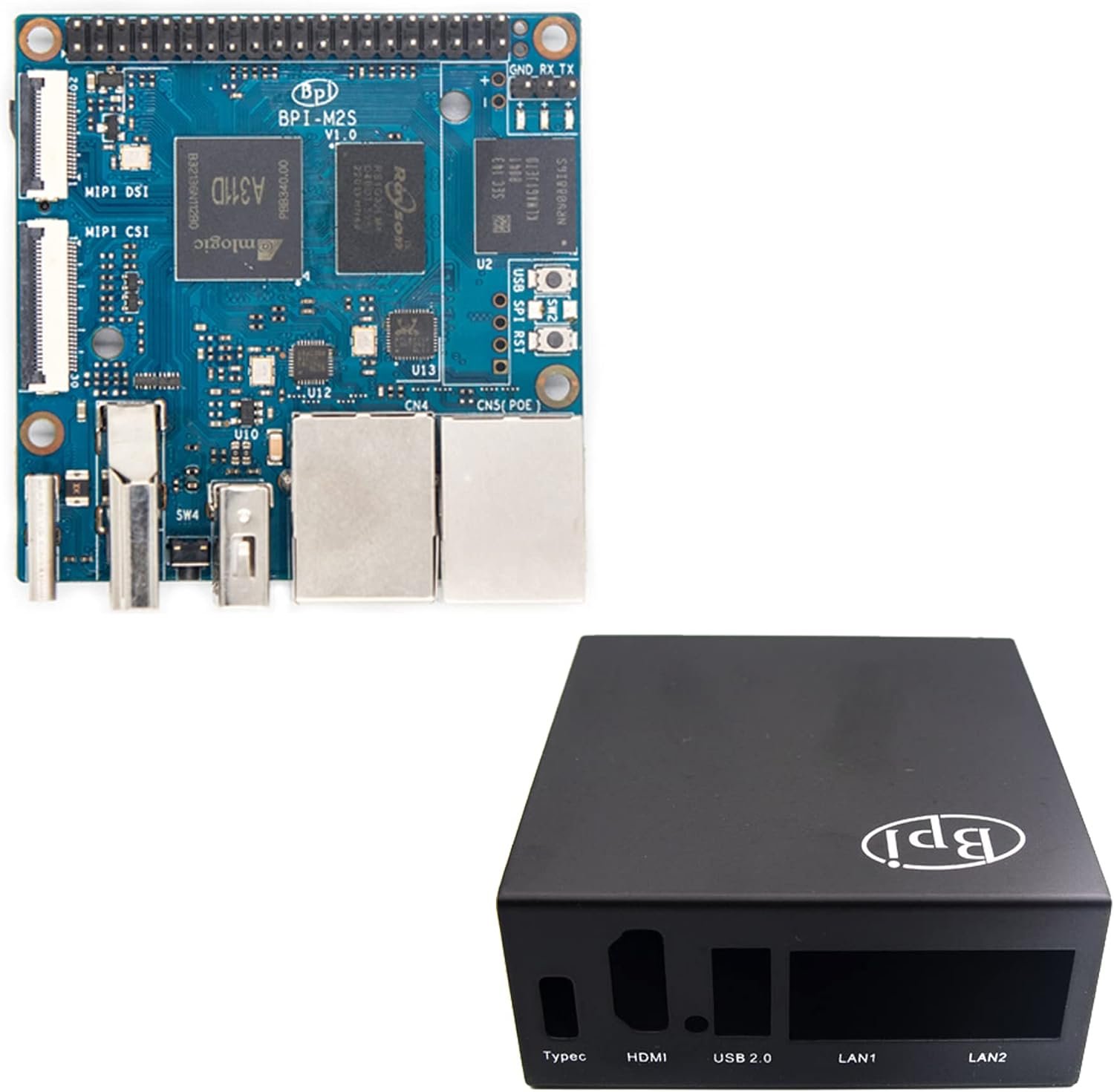
The BPI-M2S packs two gigabit Ethernet ports onto a small 65 x 65 mm board, which makes it one of the easiest ways to build a compact two port firewall, VPN box or network monitor. The listing we link is the Amlogic A311D version with a metal case. The A311D is a hexa-core chip with four Cortex-A73 cores, two Cortex-A53 cores, a Mali-G52 MP4 GPU and a 5 TOPS NPU, paired with 4GB LPDDR4 and 16GB eMMC. It also has HDMI 2.1 output up to 4K@60, MIPI DSI and CSI connectors, a 40-pin header and optional PoE. Be careful when shopping, because the board is also sold with the cheaper S922X chip, which has 2GB RAM, no NPU and no MIPI display or camera support. Make sure the listing variant says A311D before you buy.
✅ Pros: Two gigabit Ethernet ports on a 65 mm square board; A311D with Cortex-A73 cores and 5 TOPS NPU; 16GB eMMC; metal case on this listing; optional PoE support.
❌ Cons: Only one USB 2.0 Type-A port; older SoC with limited new software releases; the S922X variant lacks the NPU and MIPI; no reviews on the listing yet.
🎯 Verdict: A tidy dual GbE board for network appliances. Double check that you are ordering the A311D variant.
👉 Check Price on Amazon →
🤏 SMALLEST BOARD · ⭐ 3.9/58. Banana Pi BPI-M4 Zero
Allwinner H618 · quad-core Cortex-A53 · Mali-G31 · 2GB RAM + 8GB eMMC basic kit · Wi-Fi · mini HDMI 4K@60 · 2x USB-C · 65 x 30 mm
Buy Here →

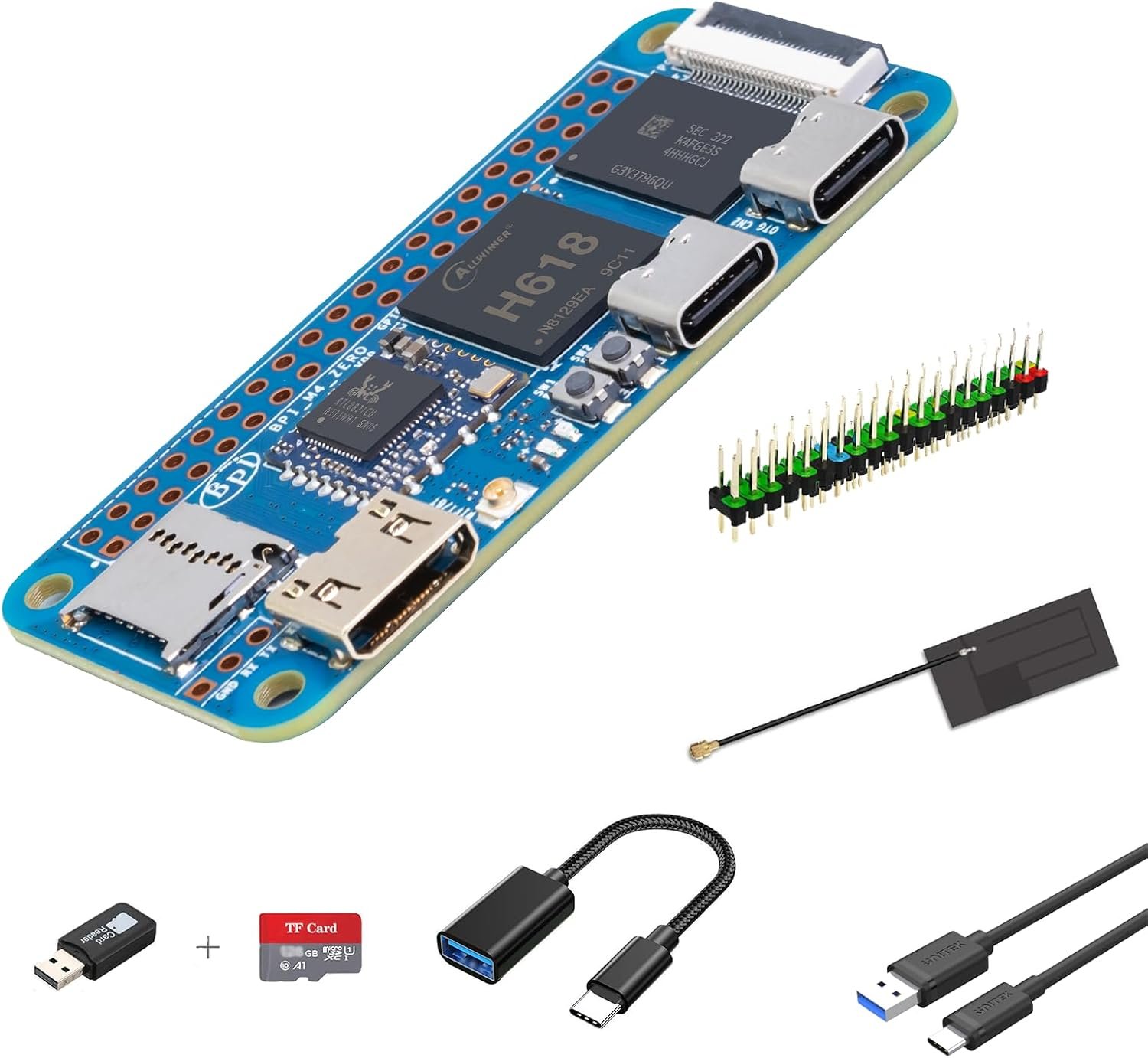
The BPI-M4 Zero matches the Raspberry Pi Zero W footprint at 65 x 30 mm and is compatible with most Zero W accessories, but it swaps in a much faster Allwinner H618 quad-core Cortex-A53 chip and adds onboard eMMC. The basic kit we link has 2GB RAM and 8GB eMMC, and the listing labels its wireless module as Wi-Fi 4, so expect 2.4GHz rather than dual band on this variant; the board is also offered with up to 4GB RAM, 32GB eMMC and a dual band module. You get a mini HDMI 2.0a output up to 4K@60, two USB-C ports (one host, one OTG and power), a 40-pin header and a 24-pin FPC connector that breaks out USB, 100Mbps Ethernet and audio through an add-on board. The kit includes accessories such as an antenna, GPIO header and cables. It is ideal for compact embedded builds, camera free kiosks, portable projects and anything that currently uses a Pi Zero but needs more headroom.
✅ Pros: Pi Zero W size and accessory compatibility; far faster quad-core H618; onboard eMMC plus microSD; 4K@60 mini HDMI; kit includes antenna, header and cables.
❌ Cons: Basic kit Wi-Fi module is listed as Wi-Fi 4 only; Ethernet needs an FPC expansion board; only two USB-C ports; runs warm in tight enclosures without a heatsink.
🎯 Verdict: The best Banana Pi for tiny builds. Pick a higher variant if you need 4GB RAM or dual band Wi-Fi.
👉 Check Price on Amazon →
🛒 How to Choose the Right Banana Pi Board
🖥️
Want the fastest all rounder?
The BPI-M7 gives you RK3588 performance, dual 2.5GbE, Wi-Fi 6 and PCIe 3.0 x4 NVMe in a Pi sized board, which suits desktops, home servers and AI work.
🤖
Building an AI camera project?
The BPI-M5 Pro offers a 6 TOPS NPU and two 4-lane MIPI CSI inputs at a much friendlier cost than RK3588 boards.
📶
Building a router or firewall?
The BPI-R4 has two 10GbE SFP cages, four GbE ports, Wi-Fi 7 NIC slots and OpenWrt support. For a simpler two port box, the BPI-M2S is smaller.
🎬
Replacing a Raspberry Pi 4?
The BPI-M5 fits most Pi 4 cases, adds eMMC and four USB 3.0 ports, and has the most mature community support of any board here.
🧩
Need HDMI input or PCIe cards?
The BPI-W3 is the only board here with an HDMI input, and it adds PCIe 3.0 x4 plus PCIe 2.0 x2 for expansion.
💰
On a tight budget or tiny build?
The BPI-M4 Berry is the lowest cost Pi 4 style board with Wi-Fi onboard, and the BPI-M4 Zero fits where a Pi Zero would.
⚙️ Key Specs Compared: Side by Side
| Spec | BPI-M7 | BPI-M5 Pro | BPI-R4 | BPI-M5 | BPI-W3 | BPI-M4 Berry |
|---|
| CPU class | 4x A76 + 4x A55 ⭐ | 4x A72 + 4x A53 | 4x A73 (network SoC) | 4x A55 | 4x A76 + 4x A55 ⭐ | 4x A53 |
| NPU | 6 TOPS ⭐ | 6 TOPS ⭐ | None | None | 6 TOPS ⭐ | None |
| RAM on linked listing | 16GB ⭐ | 8GB | 4GB | 4GB | 8GB | 2GB |
| Onboard eMMC | Yes (64GB or 128GB options) | Yes (32GB to 128GB options) | 8GB + 128MB NAND | 16GB | 32GB | 8GB |
| Ethernet | 2x 2.5GbE | 2x GbE | 2x 10GbE SFP + 4x GbE ⭐ | 1x GbE | 1x 2.5GbE | 1x GbE |
| Wireless | Wi-Fi 6 + BT 5 ⭐ | Wi-Fi 6 + BT 5 ⭐ | Wi-Fi 7 via add-on card | None onboard | Via M.2 E key module | Dual band Wi-Fi + BT 4.2 |
| NVMe / PCIe | M.2 PCIe 3.0 x4 ⭐ | M.2 PCIe 2.0 x1 | M.2 PCIe 3.0 x1 | None | PCIe 3.0 x4 + 2.0 x2 ⭐ | None |
| Video out | HDMI 2.1 8K@60, DP 1.4, DSI ⭐ | HDMI 2.1 4K@120, DP 1.4, DSI | None | HDMI 2.1 4K@60 | 2x HDMI 2.1, DP 1.4, HDMI in ⭐ | HDMI 2.0a 4K@60 |
| Power input | USB-C PD 9 to 15V | USB-C PD 9 to 15V | 12V or 19V DC | 5V 3A USB-C ⭐ | 12V DC or USB-C PD | 5V 3A USB-C ⭐ |
| Size | 92 x 62 mm ⭐ | 92 x 62 mm ⭐ | 148 x 100.5 mm | 85 x 56 mm ⭐ | 148 x 100.5 mm | 88 x 58 mm |
⭐ marks the strongest option in each row. Specs are from the official Banana Pi documentation and the linked Amazon listings; RAM and eMMC reflect the specific variant we link where noted. The BPI-M2S and BPI-M4 Zero are covered in the reviews above.
❓ Frequently Asked Questions
Is Banana Pi better than Raspberry Pi?
On hardware, often yes. Boards like the BPI-M7 and BPI-M5 Pro offer NPUs, eMMC, dual Ethernet and faster PCIe than a Raspberry Pi in the same size. On software, no. Raspberry Pi OS, its documentation and its camera and display stack are far more polished and supported for longer. Choose Banana Pi when you need a specific hardware feature, and Raspberry Pi when you want everything to just work.
Is Banana Pi the same as Orange Pi?
No. Banana Pi and Orange Pi are separate brands made by different Chinese companies, although they often use the same chips. Both sell RK3588 and Allwinner H618 boards, for example. The practical differences come down to specific board layouts, port choices and how well each vendor maintains its Linux images, so compare the exact models and check Armbian support for both before deciding.
Which operating systems run on Banana Pi boards?
Banana Pi publishes images for most boards on docs.banana-pi.org, typically Debian, Ubuntu, Android and Buildroot, and the BPI-R series is built around OpenWrt. Many boards, including the BPI-M5, BPI-M4 Berry and RK3588 models, are also supported by Armbian, which is often the best maintained option. Always check the date of the latest image for your exact board.
Do Raspberry Pi HATs and cases fit Banana Pi boards?
Many do. Most boards here use a Raspberry Pi compatible 40-pin header, the BPI-M5 and BPI-M4 Berry follow the Pi 4 outline, and the BPI-M4 Zero follows the Pi Zero W outline. However, the port positions are not always identical, and HATs that depend on Raspberry Pi specific drivers, such as some displays and camera boards, may not work without extra software.
Which Banana Pi board is best for AI and computer vision?
For the most performance, the BPI-M7 with its RK3588 and 6 TOPS NPU. For better value, the BPI-M5 Pro with the RK3576, also rated at 6 TOPS and with two MIPI CSI camera inputs. Both use Rockchip’s RKNN toolkit, so plan to convert models to RKNN format. The BPI-M2S A311D variant has a 5 TOPS NPU, but its software ecosystem is older.
🏁 Final Verdict: Best Banana Pi Board for Every Need
The right Banana Pi for every project, from a Pi Zero sized H618 board to a 10GbE router and an RK3588 powerhouse:
🥇 Best Overall · Banana Pi BPI-M7: RK3588, 6 TOPS NPU, dual 2.5GbE, Wi-Fi 6 and PCIe 3.0 x4 NVMe in a Pi sized board
Buy Here →🏅 Best Value AI Board · Banana Pi BPI-M5 Pro: RK3576 with 6 TOPS NPU, dual GbE, Wi-Fi 6 and two MIPI CSI camera inputs
Buy Here →📶 Best Router Board · Banana Pi BPI-R4: MT7988A with two 10GbE SFP cages, four GbE ports and Wi-Fi 7 NIC slots for OpenWrt
Buy Here →🎬 Best Pi 4 Alternative · Banana Pi BPI-M5: Pi 4 layout, 16GB eMMC, four USB 3.0 ports and mature community support
Buy Here →🧩 Best for Expansion · Banana Pi BPI-W3: RK3588 with HDMI input, PCIe 3.0 x4 and dual HDMI 2.1 outputs
Buy Here →💰 Best Budget Board · Banana Pi BPI-M4 Berry: H618 with Wi-Fi, Bluetooth, gigabit Ethernet and eMMC in a Pi 4 style layout
Buy Here →🔌 Best Compact Dual GbE · Banana Pi BPI-M2S: A311D with two gigabit ports and a 5 TOPS NPU on a 65 mm square board
Buy Here →🤏 Smallest Board · Banana Pi BPI-M4 Zero: quad-core H618 and onboard eMMC in the Raspberry Pi Zero W footprint
Buy Here →There is no single best Banana Pi board, only the one that matches your project. For most people the BPI-M7 is the right buy, because it combines RK3588 performance, fast networking and real NVMe storage in a compact, Pi style package. Take the BPI-M5 Pro if you want an NPU and cameras for less, the BPI-R4 if you are building a multi-gigabit router, the BPI-M5 if you want a well supported Raspberry Pi 4 alternative, the BPI-W3 if you need HDMI input or PCIe expansion, the BPI-M4 Berry for low cost projects, the BPI-M2S for a compact dual GbE appliance and the BPI-M4 Zero for tiny builds. Whichever you choose, check the current OS images first, budget for a proper power supply and cooling, then pair the board with our Raspberry Pi, ESP32, STM32 and Arduino tutorials to get your first project running.
💬 Not sure which Banana Pi fits your project? Tell us what you are building, whether that is a home server, a media centre, an AI camera, an OpenWrt router or a tiny embedded device, in the comments below, and we will point you to the right board.
All Amazon links above use our affiliate tag (microlab05-20). Purchasing through them supports microcontrollerslab.com at no extra cost to you. Prices, RAM and eMMC variants, bundle contents and availability change frequently, so always confirm the current listing and variant on Amazon before buying.
| Raspberry Pi Components | Amazon Links |
|---|
| Raspberry Pi 5 Starter Kit PRO - Turbine Black (128GB Edition) (8GB RAM) | Buy Now |
| Raspberry Pi 5 Starter Kit MAX - Turbine White (256 GB Edition) (16GB RAM) | Buy Now |
| Raspberry Pi 5 8GB | Buy Now |
| Raspberry Pi 5 4GB | Buy Now |
| Raspberry Pi 5 (16GB) | Buy Now |
| CM5 Pi Compute Module 5 Kit | Buy Now |