⚠️ Affiliate Disclosure: This post contains Amazon affiliate links. If you purchase through our links, we may earn a small commission at no extra cost to you. We only recommend products we have thoroughly researched and verified.
Ultimate Buying Guide 2026
🤖 Best Robot Car Kits for Learning Robotics & Embedded Systems
8 robot car kits ranked for Arduino, Raspberry Pi and ESP32 — from a $30 DIY chassis to an AI-vision Pi rover — with real specs, honest verdicts, and direct Amazon links.
✅ 8 Kits Reviewed
✅ Verified Amazon ASINs
✅ Updated June 2026
✅ Honest Pros & Cons
A robot car kit is the fastest, most satisfying way to learn robotics and embedded systems. Instead of blinking an LED on a breadboard, you wire up motors, read an ultrasonic sensor, tune a line-follower, and watch your code physically move something across the floor. That tight feedback loop — write code, see the robot react — is what makes concepts like PWM motor control, sensor fusion, PID tuning and real-time control finally click.
The challenge is choosing the right platform. An Arduino kit teaches you C/C++ and bare-metal hardware; a Raspberry Pi kit opens the door to Python, computer vision and machine learning; an ESP32-based kit adds Wi-Fi and IoT. This guide ranks 8 robot car kits across every budget and skill level — beginner to advanced — with the specs that actually matter so you can match the kit to how you want to learn.
💡 Reality check before you buy: Most “smart car” kits ship as a bag of loose parts — expect 1–4 hours of assembly, and on Raspberry Pi kits the board and batteries are usually NOT included, which adds real cost. Cheaper kits use plastic gearbox (TT) motors with no encoders, so precise distance control is limited. The kit’s value is in its documentation and code as much as its hardware: a great tutorial beats an extra sensor. Match the platform to the language you want to learn, and budget for the Pi/batteries before you assume a kit is “cheap.”
🤖 Quick Comparison — All 8 Robot Car Kits
| Robot Car Kit | Platform | Programming | Best For | Price* | Buy |
|---|
| 🥇 ELEGOO Smart Car V4.0 | Arduino UNO | C/C++ · App | Best Overall | ~$75 | View → |
| 🏅 SunFounder PiCar-X | Raspberry Pi | Python · Scratch | Best for AI / Vision | ~$100 +Pi | View → |
| 💵 Freenove 4WD Smart Car | Raspberry Pi | Python | Best Pi Value | ~$70 +Pi | View → |
| 🎓 Makeblock mBot2 | ESP32 (CyberPi) | Scratch · Python | Best for Classrooms | ~$140 | View → |
| 🤸 ELEGOO Tumbller | Arduino | C/C++ · App | Best Self-Balancing | ~$85 | View → |
| 🧭 OSOYOO Mecanum Car | Arduino Mega | C/C++ · App | Best Omni-Directional | ~$106 | View → |
| 🦾 Adeept Mars Rover PiCar-B | Raspberry Pi | Python · OpenCV | Best Camera Rover | ~$95 +Pi | View → |
| 🔧 XiaoR Geek 4WD Chassis | Any board | Your choice | Best Budget DIY | ~$30 | View → |
*Approximate Amazon prices at time of writing. “+Pi” means a Raspberry Pi board is required but not included. Always confirm the current price on Amazon.
🔍 What to Look for in a Robot Car Kit
🧠
Platform / Brain
Arduino teaches C/C++ and real hardware; Raspberry Pi unlocks Python, Linux and vision; ESP32 adds Wi-Fi/IoT. Pick the language you want to learn.
📷
Sensors & Camera
Ultrasonic + line-tracking are the basics. A camera (Pi kits) enables face/line tracking, object detection and OpenCV computer-vision projects.
⚙️
Motors & Encoders
Plain TT motors are fine for play; encoder motors give closed-loop speed/distance control for serious robotics and odometry.
📚
Tutorials & Code
The single biggest differentiator. Step-by-step PDFs, sample sketches and a GitHub repo turn frustration into learning. ELEGOO, Freenove and SunFounder lead here.
🧩
Expandability
Spare GPIO, standard mounting holes and an open chassis let you bolt on extra sensors, a robot arm, or a LiDAR later as your skills grow.
🏆 Detailed Reviews — All 8 Robot Car Kits
🥇 BEST OVERALL
ELEGOO Smart Robot Car Kit V4.0
⭐⭐⭐⭐⭐ 4.7/5 · Editor’s Choice
Buy on Amazon →

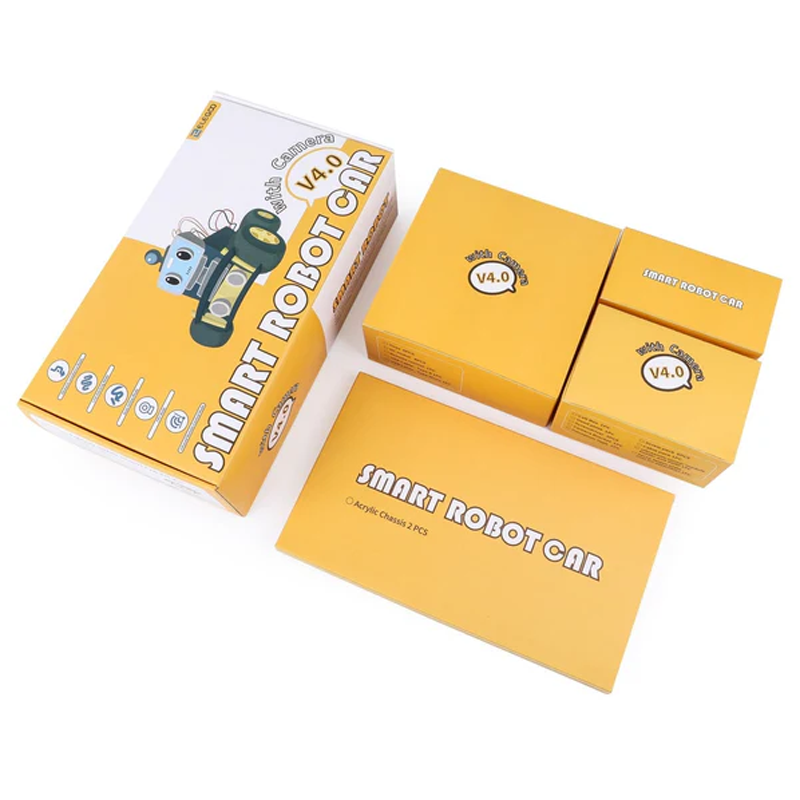
The ELEGOO Smart Robot Car Kit V4.0 is the kit we recommend to almost everyone starting out. Built around a genuine Arduino UNO R3, it teaches real C/C++ and hardware wiring while staying beginner-friendly thanks to XH2.54 keyed connectors that make miswiring almost impossible. Out of the box it does ultrasonic obstacle avoidance, 3-channel line tracking, IR remote and Bluetooth app control — and ELEGOO’s documentation and sample code are the best in the business, which is exactly what a first-time builder needs.
✅ Pros- Genuine Arduino UNO — learn real C/C++
- Foolproof keyed connectors
- Best-in-class tutorials & code
- Huge community & spare parts
❌ Cons- TT motors have no encoders
- No camera on base kit
- Needs 2× 18650 batteries (not included)
🎯 Verdict: The best all-round learning robot. It nails the fundamentals of embedded robotics with unbeatable docs — the kit to buy if you’re new to Arduino.
👉 Check Price on Amazon: amazon.com/dp/B07KPZ8RSZ 🏅 BEST FOR AI & VISION
SunFounder PiCar-X
⭐⭐⭐⭐⭐ 4.7/5 · The Smart One
Buy on Amazon →

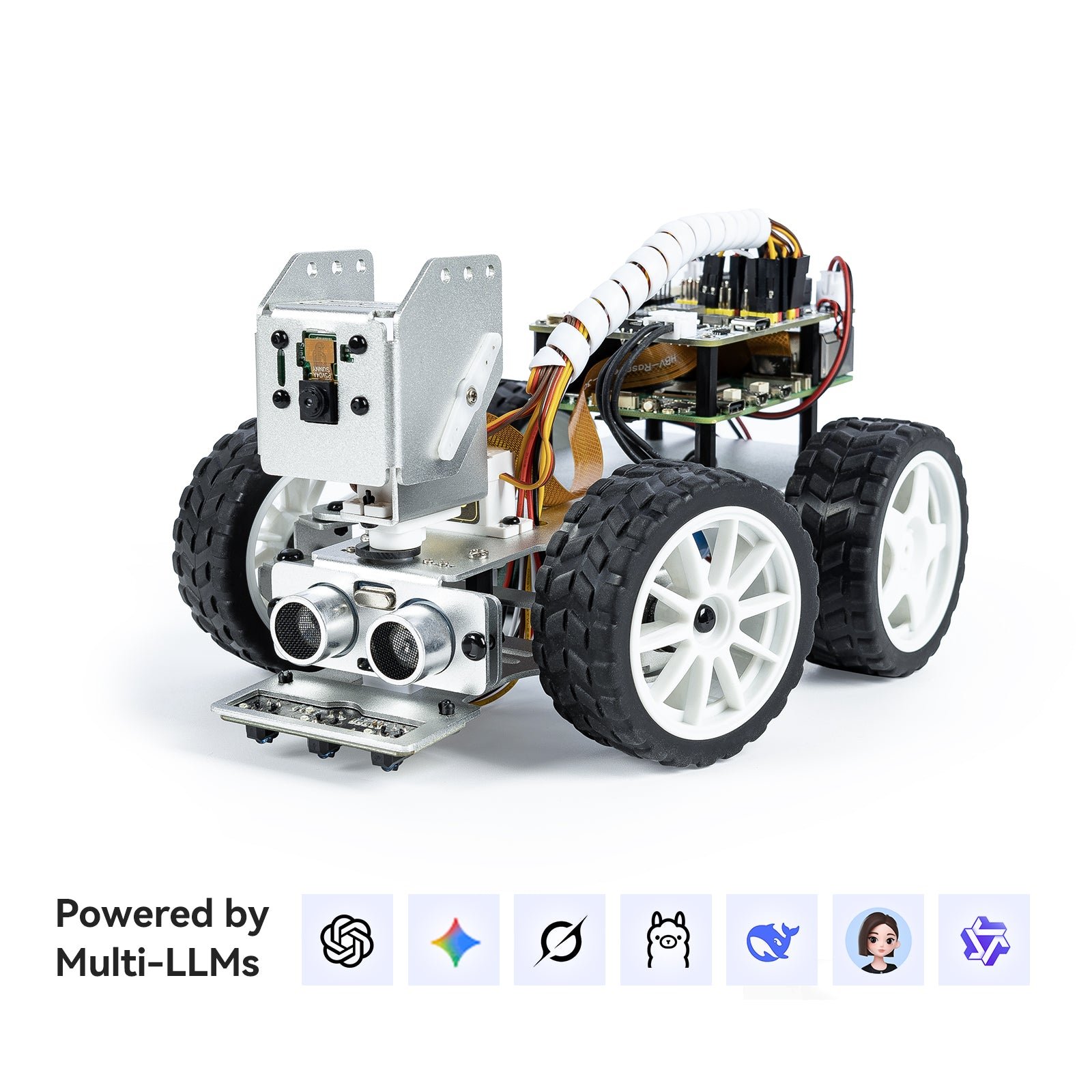
When you’re ready to go beyond “drive and avoid” into real computer vision and AI, the SunFounder PiCar-X is the kit to get. A pan-tilt camera, ultrasonic module and line sensor sit on an Ackermann-style steering chassis, all driven by a Raspberry Pi. You program it in Python (or block-based Scratch to start), and SunFounder’s libraries cover color/face/object detection, line following and even LLM voice/vision demos. It’s a genuine on-ramp to OpenCV, robotics and machine learning — just remember the Pi and batteries are extra.
✅ Pros- Pan-tilt camera for real CV/AI
- Python + Scratch + great docs
- OpenCV & LLM example projects
- Polished, well-engineered chassis
❌ Cons- Raspberry Pi NOT included (adds cost)
- Steeper learning curve than Arduino
- Camera ribbon is delicate
🎯 Verdict: The best kit for stepping into AI and vision. If you already have (or want) a Raspberry Pi and Python, the PiCar-X is the most future-proof learning platform here.
👉 Check Price on Amazon: amazon.com/dp/B0CGLPF29H 💵 BEST PI VALUE · ⭐ 4.6/53. Freenove 4WD Smart Car Kit
Raspberry Pi · camera · face & line tracking · Python · ~$70 (+Pi)
Buy →

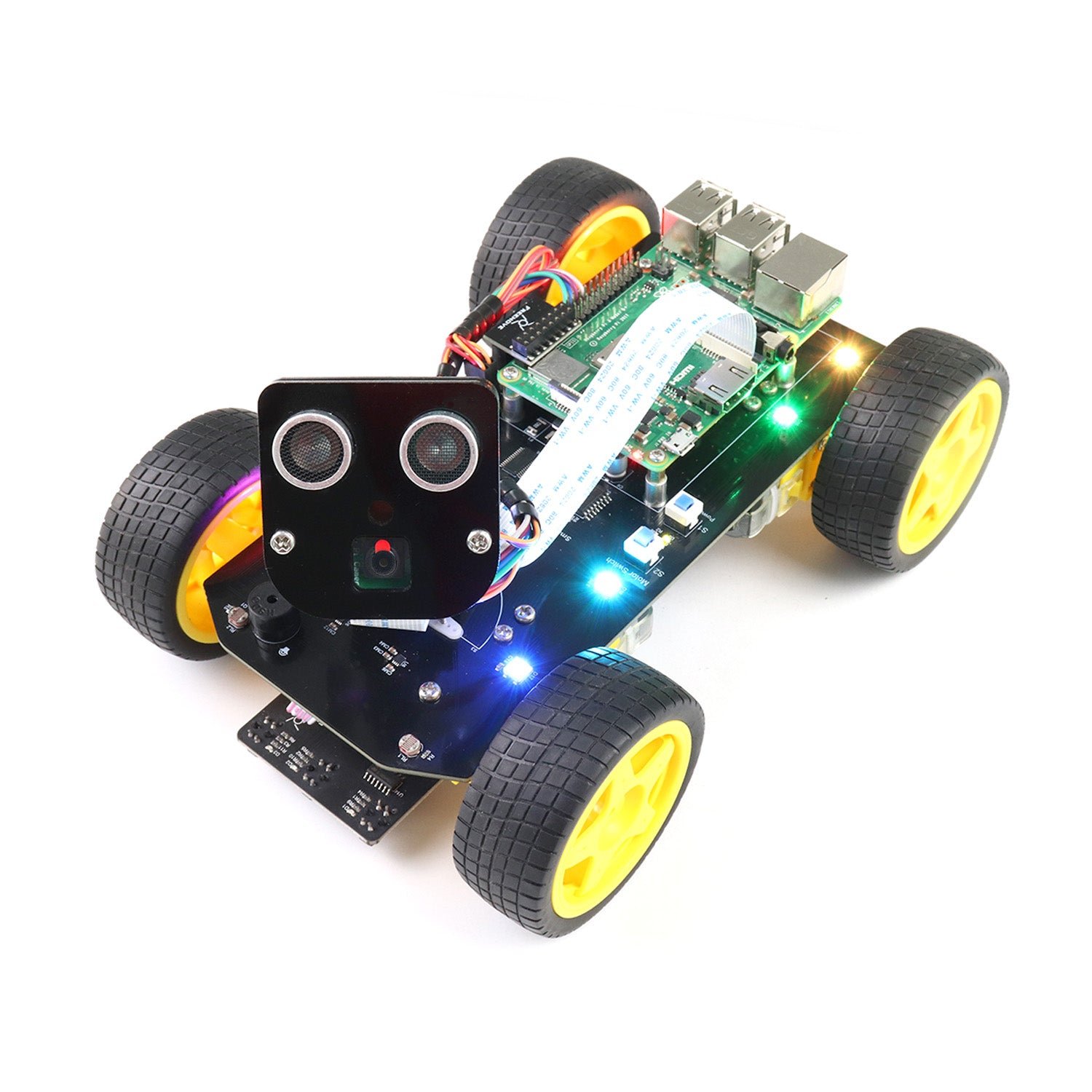
The Freenove 4WD Smart Car delivers most of the PiCar-X’s capability for less money. You get a rotatable head with a camera and ultrasonic sensor, four-wheel drive, RGB LEDs and a dot-matrix “face,” all controlled from a Raspberry Pi via well-documented Python code and a free phone app. It handles face tracking, line tracking, light tracing and obstacle avoidance, and Freenove’s downloadable tutorial is thorough and free — making it the best-value entry into Raspberry Pi robotics.
✅ Pros: Camera + 4WD at a low price; face/line/light tracking; excellent free Python tutorial; app control.
❌ Cons: Pi & 18650 batteries not included; assembly takes patience; no encoders.
🎯 Verdict: The best bang-for-buck Pi robot. If you want camera-based projects without the PiCar-X premium, start here.
🎓 BEST FOR CLASSROOMS · ⭐ 4.6/54. Makeblock mBot2 (mBot Neo)
ESP32 CyberPi · Scratch & Python · Wi-Fi/IoT · ~$140
Buy →

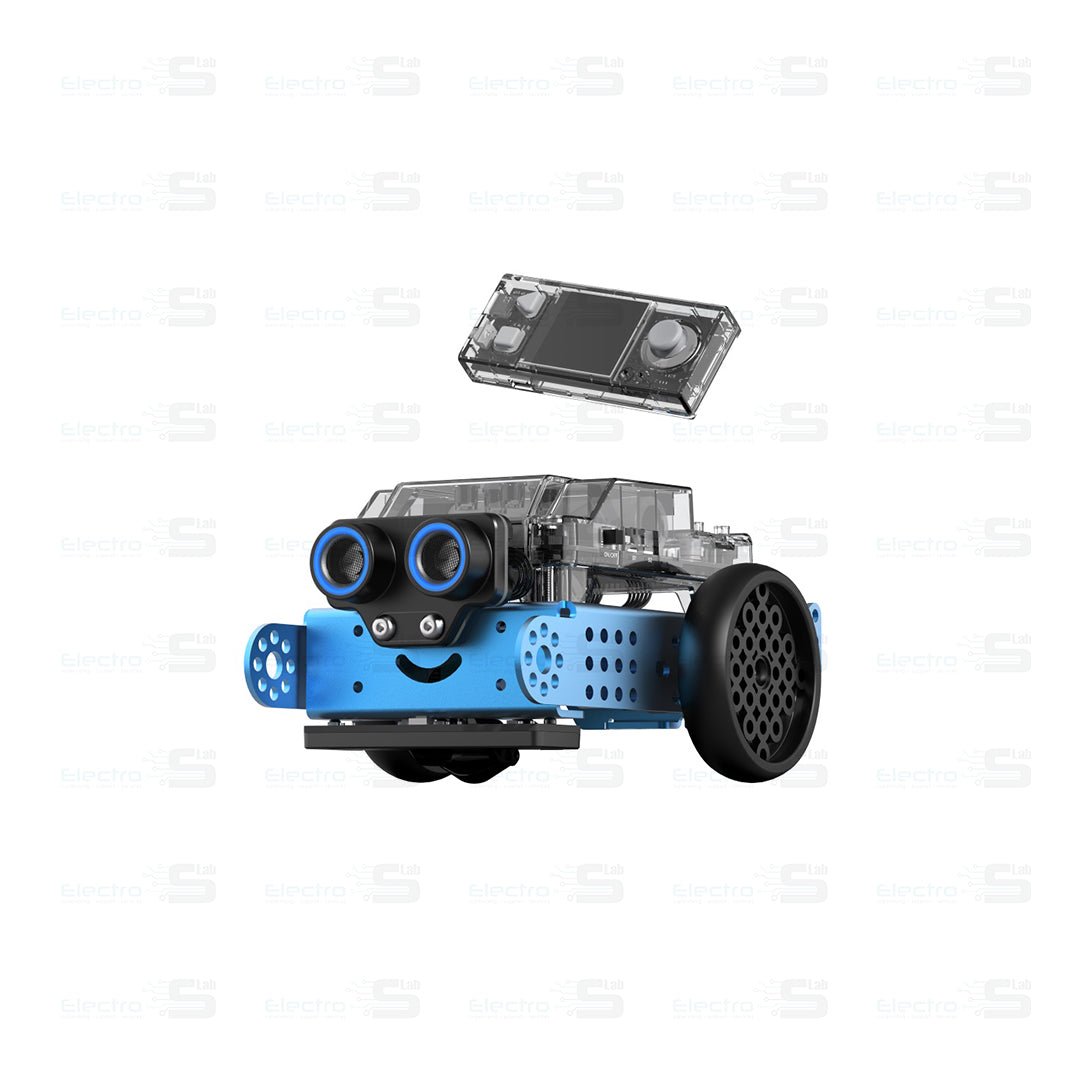
The Makeblock mBot2 is the most polished, kid- and teacher-friendly kit here. It’s powered by the ESP32-based CyberPi controller with a built-in screen, buttons, Wi-Fi and sensors, and assembles in minutes with a single screwdriver. Students start with block-based mBlock coding and graduate to Python in the same app, exploring AI, IoT and data science. It’s pricier and more closed than a bare Arduino kit, but for a classroom or a younger learner the smooth experience and lesson plans are worth it.
✅ Pros: Fast tool-light assembly; Scratch→Python path; Wi-Fi/IoT & CyberPi screen; strong lesson plans.
❌ Cons: Pricier than DIY kits; more closed ecosystem; less “bare-metal” learning.
🎯 Verdict: The best classroom and younger-learner robot. Frictionless to build and code, with a real path from blocks to Python.
🤸 BEST SELF-BALANCING · ⭐ 4.5/55. ELEGOO Tumbller
Arduino · MPU6050 IMU · encoder motors · control theory · ~$85
Buy →
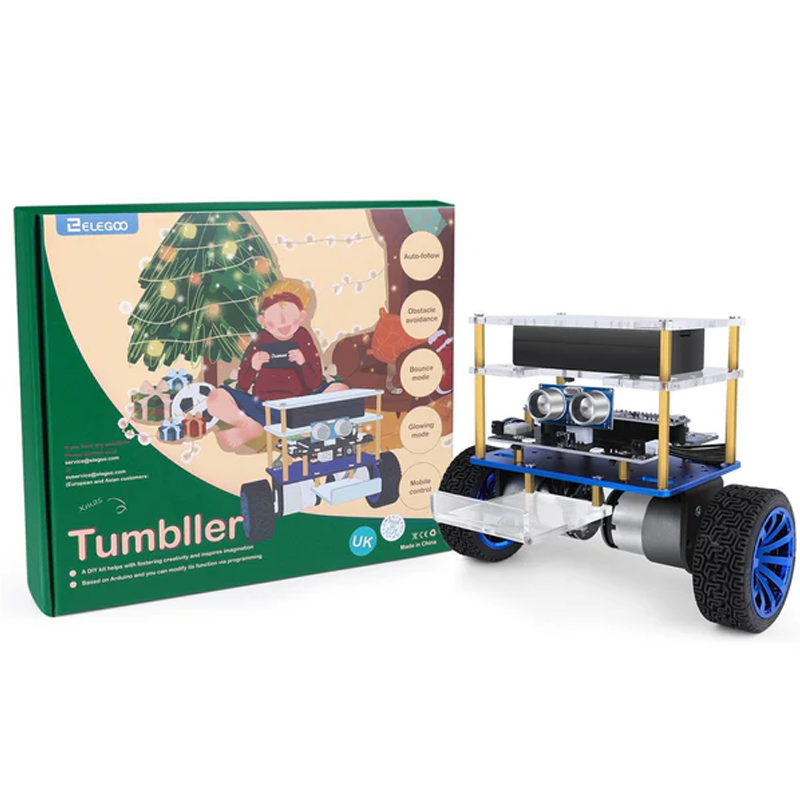
The ELEGOO Tumbller is a two-wheel self-balancing robot, and it’s the best kit here for actually understanding control theory. To keep it upright you work with an MPU6050 IMU, encoder motors and a PID loop — the same concepts behind drones, Segways and balancing robots. It also does obstacle avoidance, object following, IR and app control with RGB lighting. It’s aimed at ages 12+ and assumes a little Arduino comfort, but nothing else on this list teaches feedback control so vividly.
✅ Pros: Teaches PID & IMU control hands-on; encoder motors; fun balancing demos; open Arduino code.
❌ Cons: Not a true beginner kit; no camera; tuning can be fiddly.
🎯 Verdict: The best kit for learning balance and control theory. A brilliant second robot once you’ve mastered a basic 4WD car.
🧭 BEST OMNI-DIRECTIONAL · ⭐ 4.4/56. OSOYOO Mecanum Wheel Car
Arduino Mega2560 · metal chassis · encoder motors · Wi-Fi · ~$106
Buy →

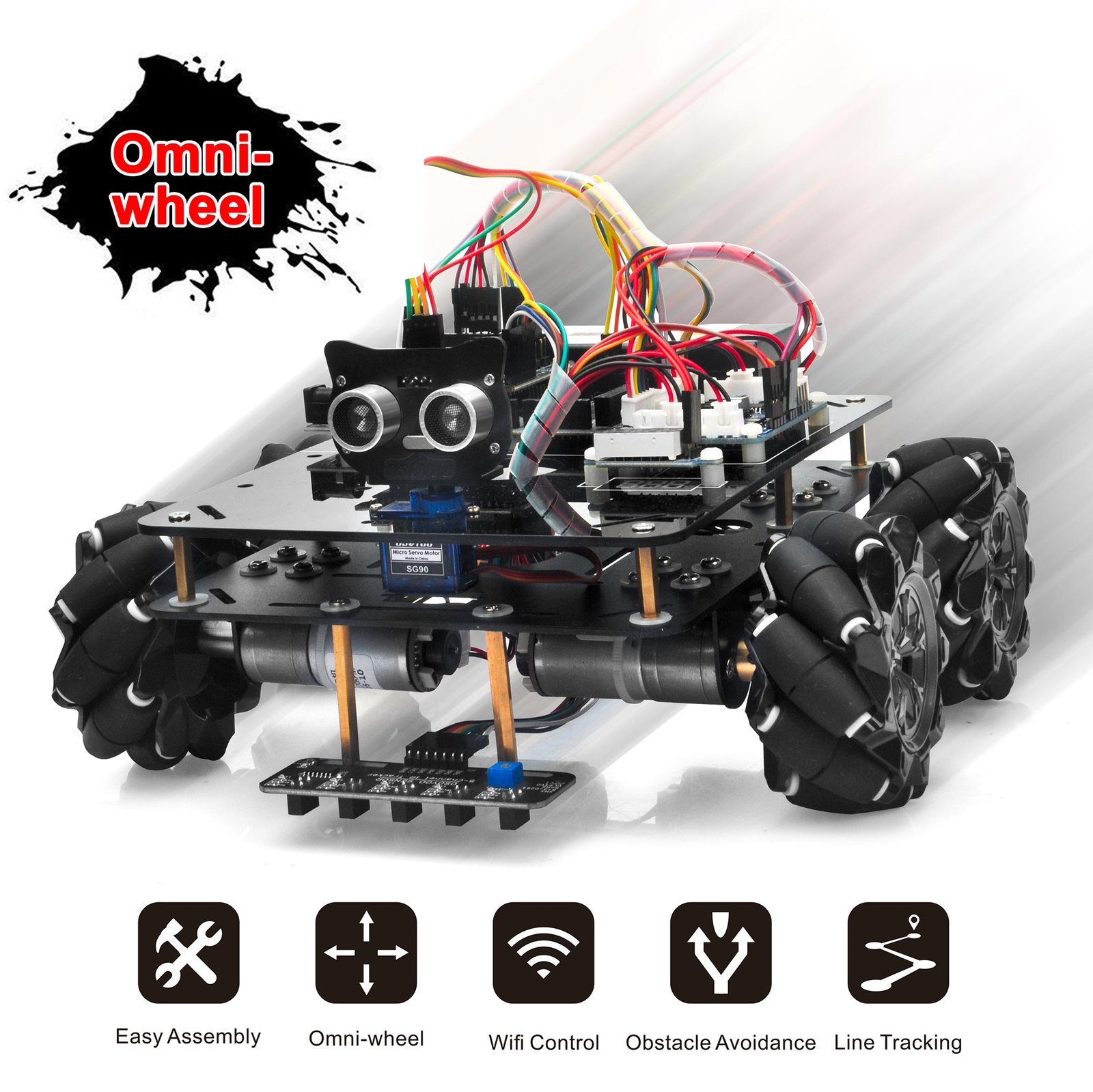
If you want your robot to slide sideways and strafe diagonally, the OSOYOO Mecanum Wheel Car is the kit. Its four mecanum wheels give true omni-directional movement — forward, sideways, diagonal and rotate-in-place — on a sturdy metal chassis driven by encoder motors and an Arduino Mega2560 with a Wi-Fi shield. It teaches the kinematics behind warehouse robots and competition bots, supports line tracking and obstacle avoidance, and ships complete with board, batteries and charger. Expect more advanced assembly and coding.
✅ Pros: True omni-directional mecanum drive; rugged metal chassis; encoder motors; board + batteries included.
❌ Cons: More complex build; no camera; documentation is functional, not polished.
🎯 Verdict: The best kit for omni-directional movement and mechanical kinematics — a favorite for robotics-club and competition builders.
🦾 BEST CAMERA ROVER · ⭐ 4.5/57. Adeept Mars Rover PiCar-B
Raspberry Pi · pan-tilt camera · OpenCV · speech · ~$95 (+Pi)
Buy →
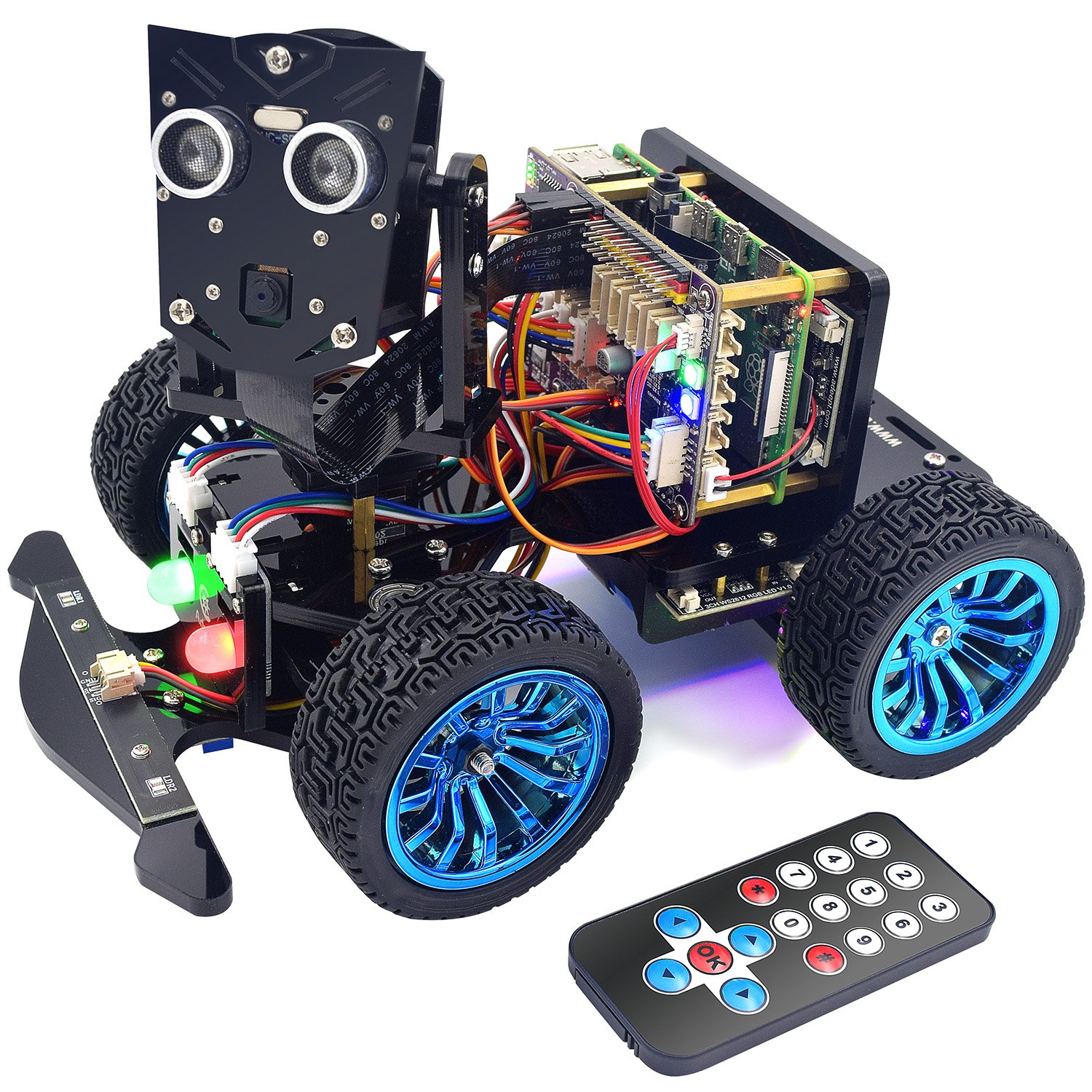
The Adeept Mars Rover PiCar-B is a striking rocker-bogie-style Raspberry Pi rover with a pan-tilt camera and a feature list that reads like a robotics syllabus: OpenCV target tracking, real-time video, line and light tracing, speech recognition and WS2812 RGB lighting. With 27 lessons of Python tutorials it’s a deep, project-rich platform for intermediate makers who already know their way around a Pi. The trade-off is a longer, fiddlier build and — as always with Pi kits — the board isn’t included.
✅ Pros: Pan-tilt camera + OpenCV; speech recognition; 27 Python lessons; USB-C battery charging; eye-catching design.
❌ Cons: Long, intricate assembly; best for those comfortable with Raspberry Pi OS; Pi not included.
🎯 Verdict: The best feature-packed camera rover. Pick it if you want maximum project variety on a Pi and don’t mind a challenging build.
🔧 BEST BUDGET DIY · ⭐ 4.4/58. XiaoR Geek 4WD Robot Chassis
Bare chassis + 4 TT motors · any board · ~$30
Buy →

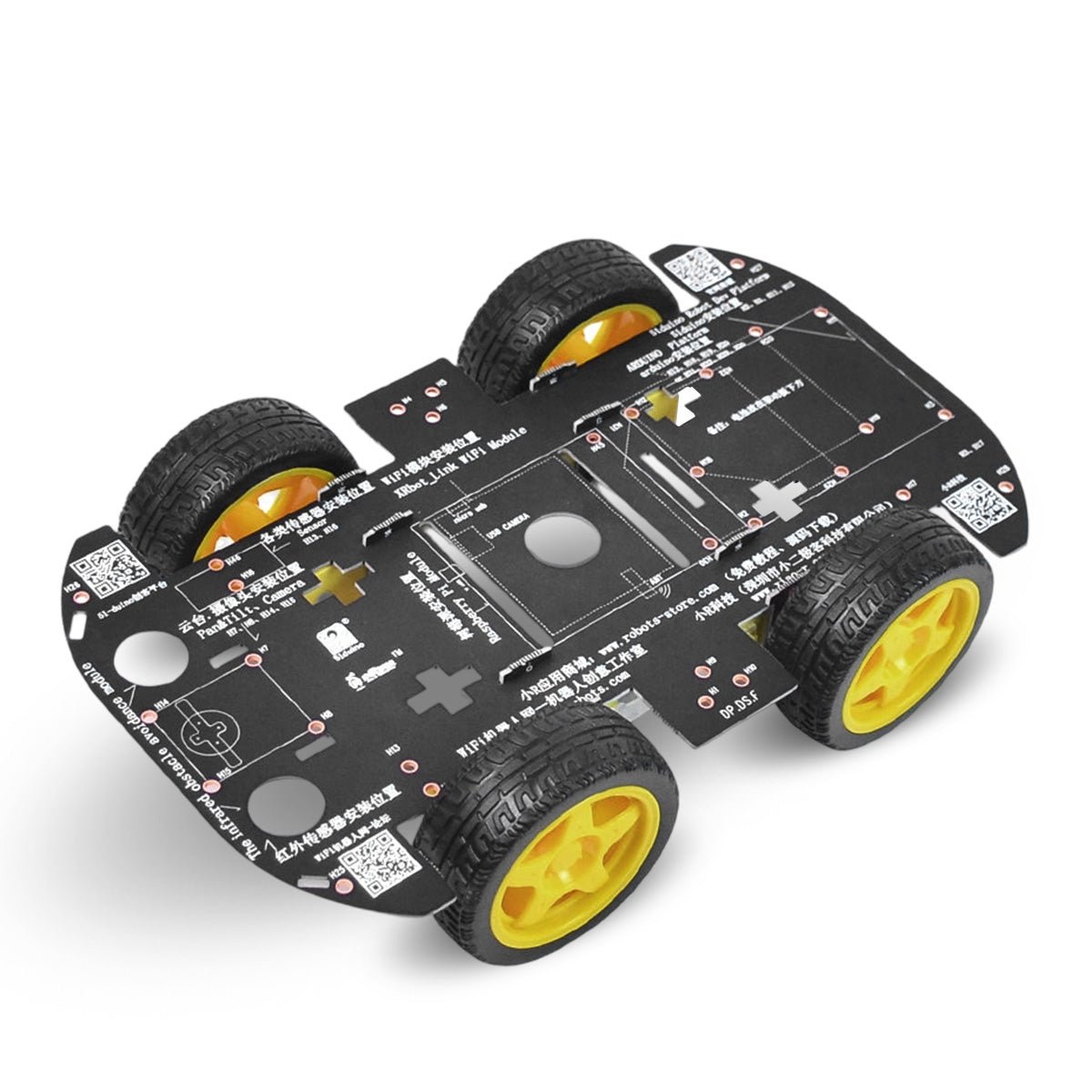
For the maker who wants to build from scratch, the XiaoR Geek 4WD chassis is the cheapest way in. For around $30 you get a sturdy platform, four TT gear motors and four rubber wheels with pre-drilled mounting holes for any controller — Arduino, Raspberry Pi, ESP32 or Jetson Nano. There are no electronics, sensors or board included, which is exactly the point: you choose the brain, wire your own motor driver, and learn far more than you would from a pre-engineered kit. It’s the ultimate sandbox.
✅ Pros: Dirt cheap (~$30); works with any board; total design freedom; great for understanding wiring from the ground up.
❌ Cons: No board, sensors or tutorial — you source everything; not for absolute beginners.
🎯 Verdict: The best budget DIY foundation. Pair it with an Arduino or Pi you already own and build the exact robot you want.
🛒 How to Choose the Right Robot Car Kit
🏆
New to Robotics?
Get the ELEGOO Smart Car V4.0. Genuine Arduino, foolproof connectors and the best tutorials — the ideal first robot at ~$75.
🧠
Want AI & Vision?
The SunFounder PiCar-X (or budget Freenove 4WD) puts a camera on a Raspberry Pi for OpenCV and machine-learning projects in Python.
🎓
Teaching Kids / a Class?
The Makeblock mBot2 assembles in minutes and takes students from Scratch blocks to real Python with ready-made lessons.
📐
Into Control Theory?
The ELEGOO Tumbller self-balancer teaches PID and IMU sensor fusion hands-on — the best “second robot” to deepen your skills.
🧭
Want Omni Movement?
The OSOYOO Mecanum Car strafes and rotates in place — ideal for learning wheel kinematics and competition-style driving.
🔧
Like to Build From Scratch?
The XiaoR Geek 4WD chassis (~$30) is a blank canvas — add the board and sensors you want and wire it yourself.
⚙️ Key Specs Compared — Side by Side
| Spec | ELEGOO V4 | PiCar-X | Freenove 4WD | mBot2 | Tumbller | OSOYOO |
|---|
| Brain | Arduino UNO | Raspberry Pi | Raspberry Pi | ESP32 CyberPi | Arduino | Arduino Mega |
| Language | C/C++ | Python ⭐ | Python | Scratch+Py | C/C++ | C/C++ |
| Camera | Optional | Pan-tilt ⭐ | Yes | Add-on | No | No |
| Drive | 4WD | RWD+steer | 4WD | 2WD | Balancing | Mecanum ⭐ |
| Encoders | No | No | No | Yes ⭐ | Yes ⭐ | Yes ⭐ |
| Assembly | Easy ⭐ | Medium | Medium | Easy ⭐ | Medium | Hard |
| Price | ~$75 | ~$100+Pi | ~$70+Pi ⭐ | ~$140 | ~$85 | ~$106 |
❓ Frequently Asked Questions
Should I start with an Arduino or a Raspberry Pi robot car?
If you’re new, start with Arduino (e.g. the ELEGOO V4). It teaches real hardware and C/C++ with a gentle learning curve, no operating system to manage, and instant power-on behavior. Move to a Raspberry Pi kit (PiCar-X, Freenove, Adeept) when you want Python, Linux, a camera and computer vision. Many people own both eventually — they teach complementary skills.
Do these kits include the Raspberry Pi and batteries?
Raspberry Pi kits (PiCar-X, Freenove, Adeept) almost never include the Pi board, and most kits don’t include the 18650 batteries or charger. Budget roughly $35–$80 extra for a Pi plus $15–$25 for batteries and a charger. Arduino kits like the ELEGOO V4 and Tumbller include their controller but usually still need batteries. The OSOYOO Mecanum car is a rare kit that bundles the board, batteries and charger.
What age is appropriate for a robot car kit?
Pre-built, screwdriver-only kits like the Makeblock mBot2 suit ages 8+ with adult help. DIY Arduino kits (ELEGOO V4) are great for motivated 12+ learners and adults. Raspberry Pi camera kits and the Tumbller self-balancer assume more patience and are best for teens and adults. For a young child, prioritize a kit with block-based coding and minimal wiring.
Can I program these in Python, or only block coding?
It depends on the brain. Raspberry Pi kits (PiCar-X, Freenove, Adeept) are programmed in Python natively. The Makeblock mBot2 starts with Scratch-style blocks and transitions to Python in the same app. Arduino kits use C/C++ in the Arduino IDE — not Python — though that C/C++ experience is invaluable for embedded work. If Python is your goal, choose a Pi-based kit or the mBot2.
Which kit is best for computer vision and machine learning?
The SunFounder PiCar-X and Adeept Mars Rover are the strongest for vision because they pair a pan-tilt camera with a Raspberry Pi and ship OpenCV-based example code for color, face and object detection. The Freenove 4WD is a more affordable camera option. For heavier ML you can run TensorFlow Lite on a Pi 4/5, or graduate to a Jetson-based platform — which is exactly why a flexible chassis like the XiaoR Geek is handy.
🏁 Final Verdict — Our Top Picks
The right robot car kit for every learner and budget:
🥇 Best Overall — ELEGOO Smart Car V4.0: real Arduino, foolproof build, unbeatable tutorials (~$75)
Buy →🏅 Best for AI / Vision — SunFounder PiCar-X: pan-tilt camera + Python + OpenCV on a Pi
Buy →💵 Best Pi Value — Freenove 4WD: camera-based Pi robotics for ~$70 (+Pi)
Buy →🎓 Best for Classrooms — Makeblock mBot2: Scratch→Python, tool-light build (~$140)
Buy →🤸 Best Self-Balancing — ELEGOO Tumbller: learn PID & IMU control hands-on (~$85)
Buy →🔧 Best Budget DIY — XiaoR Geek 4WD chassis: build your own robot from ~$30
Buy →No single kit is perfect for everyone, but every pick on this list will turn abstract robotics theory into something you can watch roll across your desk. For most learners the ELEGOO Smart Robot Car Kit V4.0 is the one to buy — it teaches genuine embedded fundamentals with the best documentation in the category. If your goal is AI and computer vision, step up to the SunFounder PiCar-X; if you’re outfitting a classroom, the Makeblock mBot2 is hard to beat; and if you love building from scratch, grab the XiaoR Geek chassis and a board you already own. Pair your new robot with our Arduino, ESP32 and Raspberry Pi tutorials and start coding it today.
💬 Not sure which robot car kit fits your goals? Tell us what you want to learn — Arduino, Python, vision, or control theory — in the comments below, and we’ll point you to the right pick.
All Amazon links above use our affiliate tag. Purchasing through them supports microcontrollerslab.com at no extra cost to you. Prices and availability change frequently — always confirm the current price on Amazon before buying.