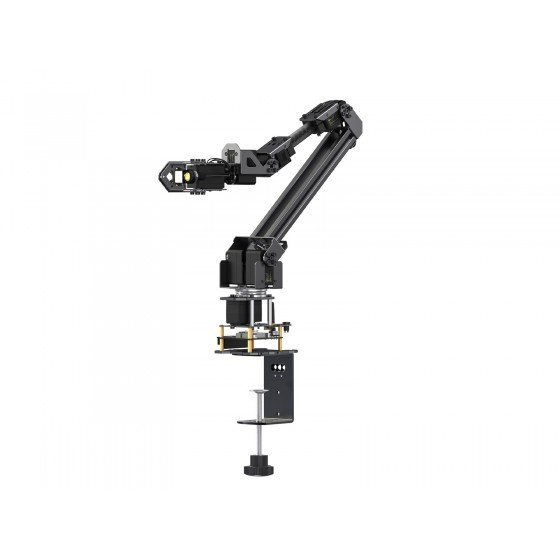
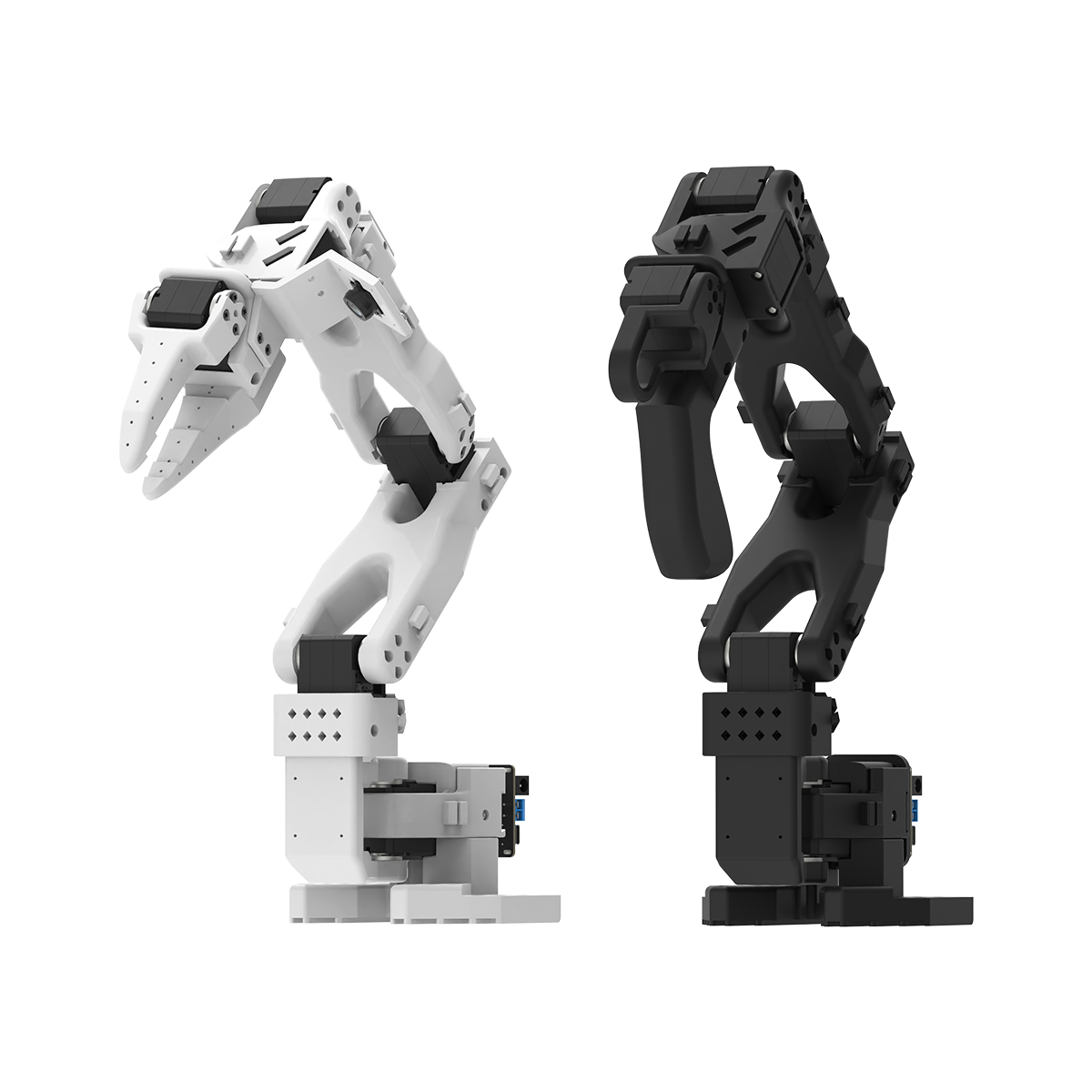
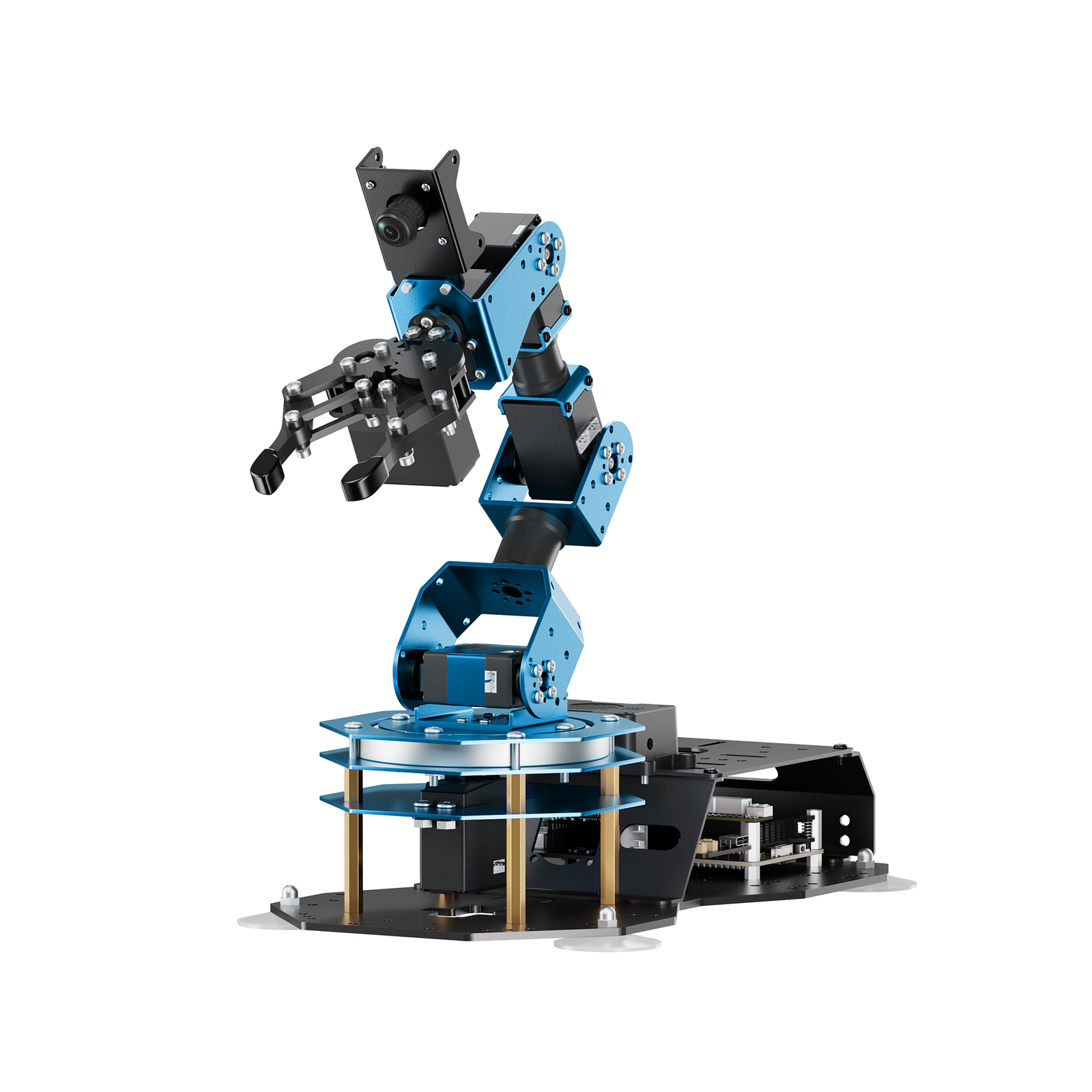
⚠️ Affiliate Disclosure: This post contains Amazon affiliate links. If you purchase through our links, we may earn a small commission at no extra cost to you. We only recommend kits we have researched and whose listings we verified live on Amazon. Prices change constantly, so we deliberately don’t list them here — tap through and check the current price yourself before buying.
Ultimate Buying Guide 2026
🦾 Best 6-DOF Robot Arm Kits for Robotics, AI & Embedded Projects
7 desktop robot arm kits ranked for makers, students and engineers — from a $50 no-solder OWI-535 to serial-bus Hiwonder and Yahboom arms with AI vision, ROS 2 and LeRobot imitation learning — with real specs, honest verdicts and direct Amazon links.
✅ 7 Robot Arms Reviewed
✅ ASINs Verified Live
✅ Updated September 2026
✅ Honest Pros & Cons
A 6-DOF robot arm is the single best project you can put on a desk if you want to actually understand robotics. Six degrees of freedom is the magic number in industrial robotics — it is the minimum needed to place a gripper at any position and any orientation inside a workspace. On a hobby arm that usually means a rotating base, shoulder, elbow, wrist pitch, wrist roll and a gripper, all driven by servos you command from an Arduino, ESP32, Raspberry Pi or Jetson board.
The kits below cover the whole range. Some are pure mechanical trainers you drive with a wired switch box. Some use serial bus servos that report their real position, voltage and temperature back to you — the foundation of closed-loop control. And a few are full ROS 2 / LeRobot platforms with cameras on the gripper, capable of running modern imitation-learning and vision-language-action models. Picking the right one comes down to which brain you want to program against, how much payload you need, and whether you want a toy, a teaching tool or a research platform.
💡 Reality check before you buy: Almost every “6 DOF” hobby arm on Amazon is really 5 joints plus a gripper — a true industrial 6-axis arm has an extra forearm roll between the elbow and wrist. That is not a scam, it is just how the category is marketed, but know it before you build a kinematics model. Expect a long build: these kits ship as 100+ screws and unlabelled aluminium brackets, and manufacturer documentation is consistently the weakest part of the package (assembly videos are usually better than the PDFs). Payload is modest — 100–500 g is realistic, not the kilograms people imagine. Finally, every one of these arms needs a dedicated power supply (typically 7.5 V at 5–6 A); powering six servos from a Pi or Arduino regulator will brown out your board instantly.
🦾 Quick Comparison — All 7 Robot Arm Kits
| Robot Arm Kit | DOF | Servo Type | Brain / Control | Best For | Buy |
|---|
| 🥇 Hiwonder xArm 1S | 6 (5 + gripper) | Serial bus, feedback | Own controller · PC/App/PS2 · Arduino | Best Overall | Buy Here → |
| 🧠 Yahboom DOFBOT | 6 (5 + gripper) | Serial bus, feedback | Jetson Nano / Pi 5 · ROS 2 · Python | Best AI Vision Arm | Buy Here → |
| 💵 Hiwonder LeArm Open Source | 6 (5 + gripper) | Smart PWM digital | ESP32 · Arduino IDE · App/PC | Best Value | Buy Here → |
| 🔰 OWI-535 Robotic Arm Edge | 5 axes of motion | DC gearmotors (no encoders) | Wired switch box · USB kit optional | Best First Build | Buy Here → |
| 🌐 Waveshare RoArm-M3-S | 5 + 1 (2-DOF wrist) | ST3235 metal bus servos | ESP32 · Wi-Fi web app · ROS 2 | Best Wireless Control | Buy Here → |
| 🤖 Hiwonder SO-ARM101 (LeRobot) | 6-axis leader + follower | Metal serial bus servos | LeRobot · Python · dual camera | Best for AI / Imitation Learning | Buy Here → |
| 🐍 Hiwonder ArmPi FPV | 6 (5 + gripper) | Intelligent bus servos | Raspberry Pi 5 · ROS · OpenCV | Best ROS Developer Kit | Buy Here → |
Prices are intentionally left out because they move week to week — tap any Buy Here button to see the live Amazon price and stock.
🔍 What to Look for in a 6-DOF Robot Arm Kit
🧭
Real DOF vs. Servo Count
Six servos does not mean six degrees of freedom. Count the joints that move the gripper in space — the gripper’s open/close servo is an end-effector, not an axis. Most “6 DOF” kits give you base yaw, shoulder, elbow, wrist pitch, wrist roll and a claw. That is plenty for pick-and-place, but check before writing inverse kinematics.
🔁
PWM vs. Serial Bus Servos
Classic PWM servos are open loop — you command an angle and hope. Serial bus servos (Hiwonder LX/HX, FeeTech STS, Waveshare ST3235) daisy-chain on one data line and report real position, load, voltage and temperature. If you ever want closed-loop control, teach-and-repeat, or imitation learning, buy a bus-servo arm.
🧠
Which Brain You Program
An ESP32/Arduino arm is perfect for learning kinematics and embedded C. A Raspberry Pi or Jetson arm gives you OpenCV, ROS 2 and Python — but a much steeper setup. Choose the platform you actually want to spend evenings in, because the arm is really just the peripheral.
⚖️
Payload, Reach & Rigidity
Desktop arms in this class lift roughly 100–500 g at full extension, and everything gets wobblier the further out you reach. Aluminium brackets with real bearings in the base (xArm 1S, ArmPi) hold calibration far better than plastic or thin acrylic. Heavier servos near the wrist also make the arm less stable.
📚
Software, SDK & Community
This is where most kits fall down. Look for open source code, a documented serial protocol, and — ideally — an ecosystem like ROS 2 or Hugging Face LeRobot behind it. A cheaper arm with a real community beats an expensive one with a PDF and a dead forum every time.
🏆 Detailed Reviews — All 7 Robot Arm Kits
🥇 BEST OVERALL
1. Hiwonder xArm 1S
⭐ 4.0/5 (268 ratings) · The Desktop Standard
6 Bus Servos
POSITION FEEDBACK

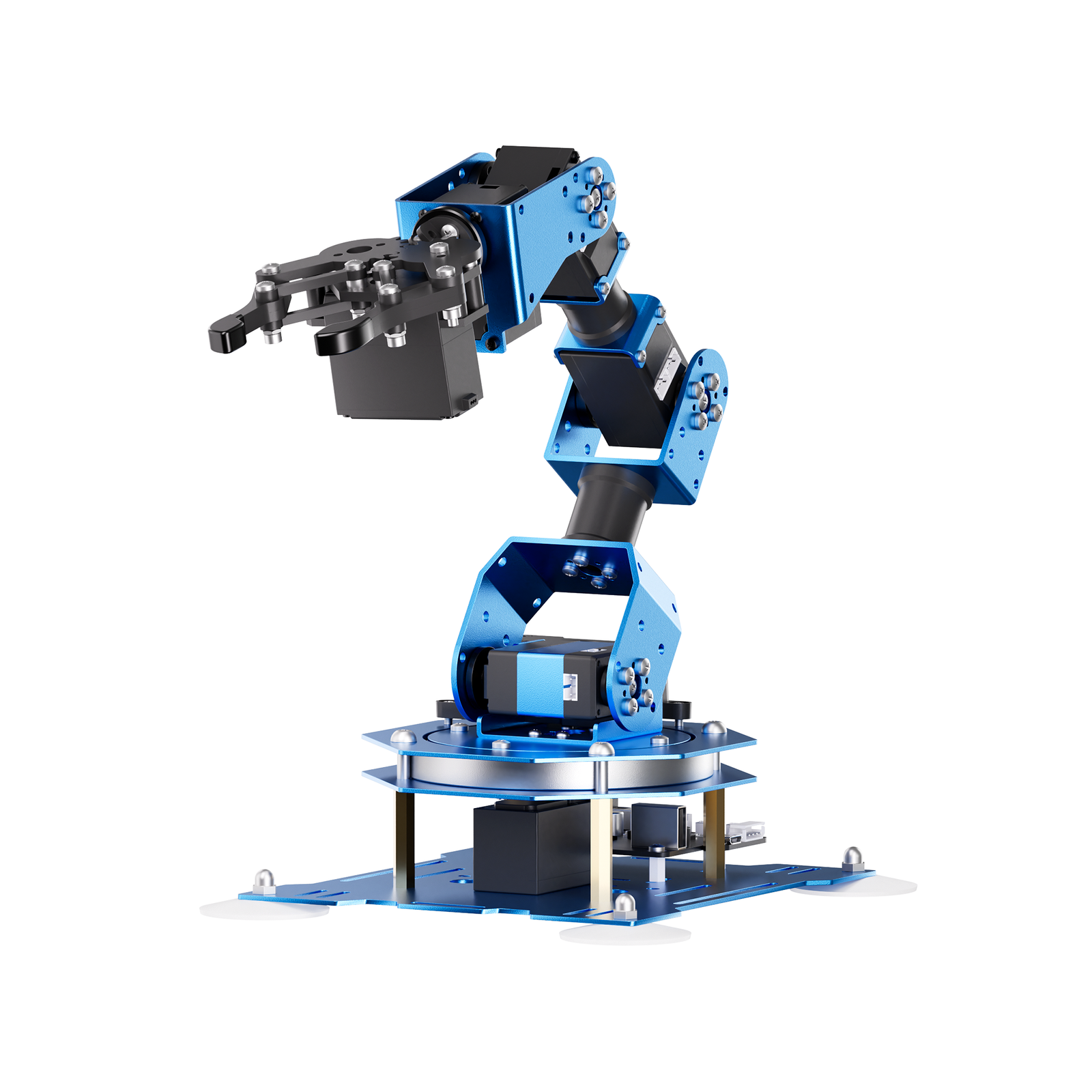
The Hiwonder xArm 1S (sold under the LewanSoul name too) is the arm we recommend to most people, and it has been the desktop benchmark for years. What sets it apart at this price is the servos: six intelligent serial bus servos that stream position, voltage and temperature back to the controller, so you can drag the arm by hand to a pose, read the joint angles, and record it as an action group. That single feature turns it from a toy into a genuine teaching platform.
The frame is anodised aluminium with industrial-grade bearings in the base, it grips up to about 500 g, and you get four ways to drive it out of the box — PC software, an Android/iOS app over the built-in Bluetooth, a wireless game controller, and offline manual teaching using the two buttons on the board. When you outgrow those, the controller exposes a serial interface for Arduino secondary development. Reviewers who have used it for years consistently praise the hardware; the complaint is always documentation.
✅ Pros- Serial bus servos with real feedback
- Solid anodised aluminium build
- PC, app, Bluetooth, handle and mouse control
- Teach-by-hand action groups
- Arduino expansion supported
❌ Cons- Documentation is genuinely poor
- 100+ screws — budget 3–4 hours to build
- API for custom code is thinly documented
- “6 DOF” is 5 joints plus the gripper
🎯 Verdict: The best balance of build quality, feedback servos and price in the whole category. Buy it if you want one arm that will still be useful when your projects get serious — and watch the assembly videos, not the PDF.
Prefer to skip the build? Hiwonder also sells a pre-assembled xArm 1S.
👉 Check Price on Amazon →
🧠 BEST AI VISION ARM
2. Yahboom DOFBOT
⭐ 3.8/5 (20 ratings) · Vision-First Research Arm
Buy on Amazon →

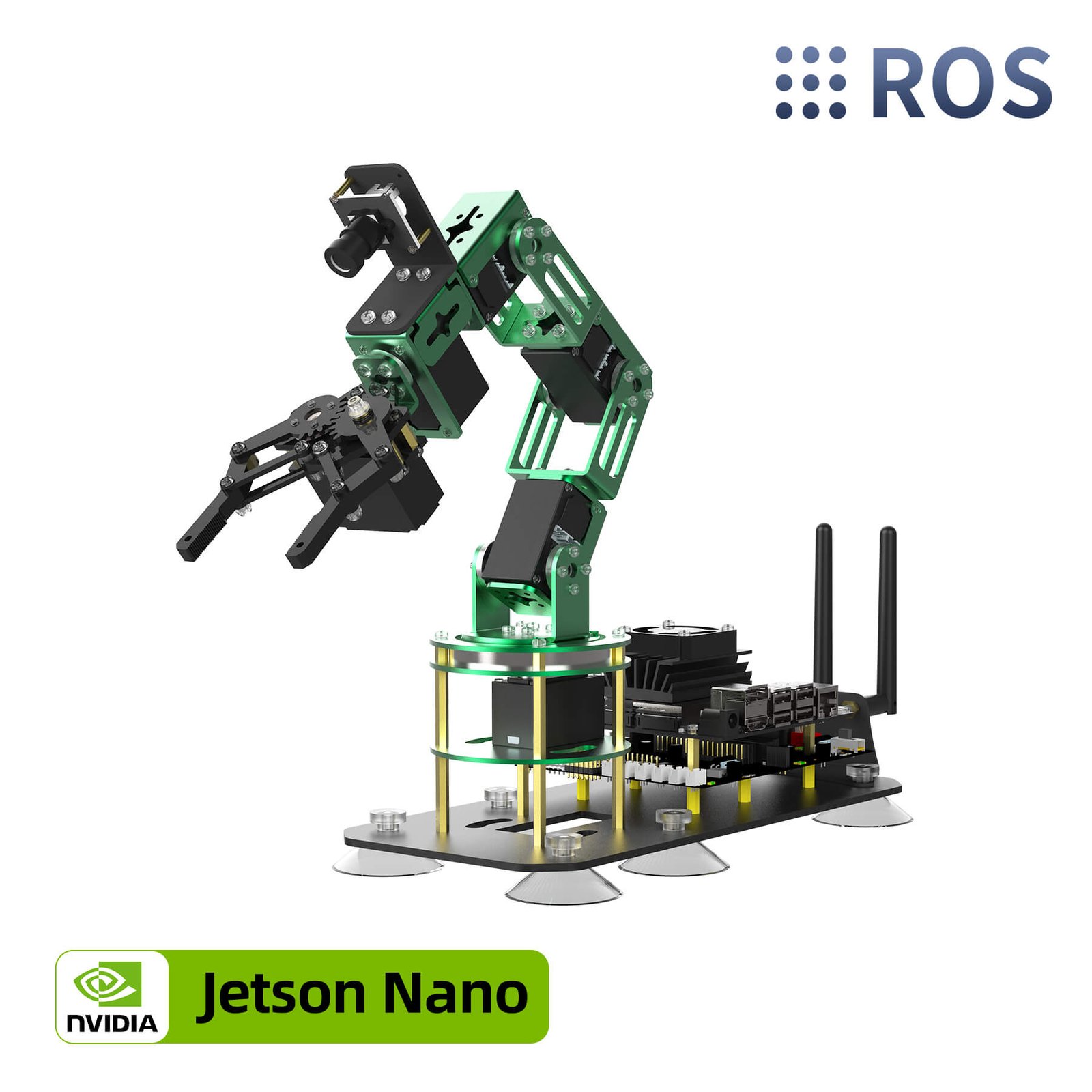
The Yahboom DOFBOT is what you buy when the arm is a means to an end and the real project is computer vision. It ships as a full ROS 2 platform: six bus servos in an aluminium frame, a camera mounted at the gripper, and a Jetson Nano (or Raspberry Pi 5) doing the thinking. Yahboom’s image comes preloaded with the ROS 2 stack, Python examples and Jupyter notebooks for colour sorting, tag following, face tracking, gesture control and 3D spatial recognition.
Recent firmware has pushed it further into AI territory, with multimodal models used for scene description and “grab the red block” style natural-language grasping. You can also drive it from the phone app or the bundled USB game controller while you learn. It is the most capable out-of-the-box vision arm here — but it is also a serious jump in complexity and price over an ESP32 kit, and Amazon variants differ in whether the Jetson/Pi board is included, so read the exact title before ordering.
✅ Pros- ROS 2 image ready to boot
- Camera + AI vision demos included
- Python / OpenCV / Jupyter tutorials
- Jetson Nano and Raspberry Pi 5 versions
❌ Cons- Well above a beginner budget
- Board included or not depends on variant
- Steep Linux/ROS learning curve
- Small number of Amazon ratings so far
🎯 Verdict: The best choice if your goal is vision-guided grasping and ROS 2 rather than servo wiring. Overkill for a first robot, ideal for a final-year project or a lab.
Prefer Raspberry Pi over Jetson? There’s a Raspberry Pi 5 DOFBOT variant.
👉 Check Price on Amazon →
💵 BEST VALUE · ⭐ 3.9/5 (14 ratings)3. Hiwonder LeArm Open Source (ESP32)
6 DOF · smart PWM digital servos · ESP32 · Bluetooth · inverse kinematics · App/PC/handle
Buy Here →
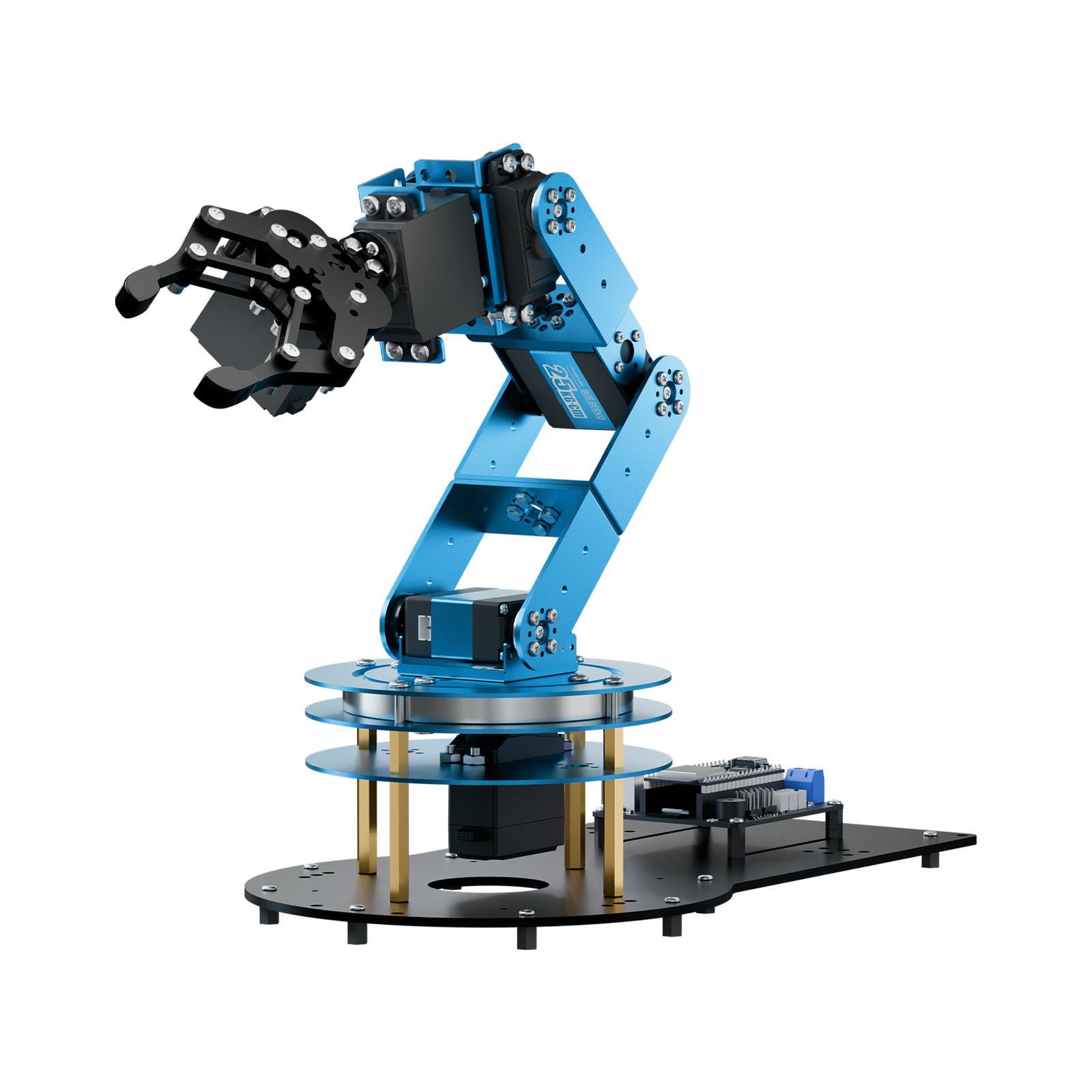
The LeArm Open Source is Hiwonder’s answer to “I want to write my own code, not just click a GUI.” It runs on an ESP32, is programmable straight from the Arduino IDE, and exposes expansion ports so you can bolt on sensors. The six smart digital servos are driven through a built-in inverse-kinematics layer, so you can command a Cartesian target instead of hand-solving joint angles — which is exactly the step most people get stuck on. Bluetooth, a phone app, PC software and a wireless handle are all included for when you just want to play.
It is PWM rather than serial bus, so you don’t get position feedback, and the metal-bracket frame is a step below the xArm’s anodised aluminium. But for the money it is the most approachable route into real robot-arm programming on hardware you already understand.
✅ Pros: ESP32 + Arduino IDE; built-in inverse kinematics; expansion ports; app, PC and handle control included; open source code.
❌ Cons: Open-loop PWM servos (no feedback); lighter frame than the xArm; still a young listing with few reviews.
🎯 Verdict: The sweet spot for anyone who wants to write firmware. If you only want a controllable arm and the lowest possible price, the older
classic LeArm (⭐ 4.2/5, 314 ratings) is still on sale and cheaper.
🔰 BEST FIRST BUILD · ⭐ 4.0/5 (1,299 ratings)4. OWI-535 Robotic Arm Edge
5 axes of motion · wrist 120° · elbow 300° · base 270° · shoulder 180° · no soldering
Buy Here →

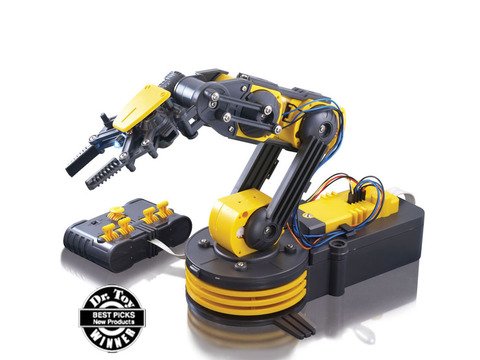
The OWI-535 Robotic Arm Edge has been the world’s default first robot arm for well over a decade, and its 1,299 ratings say why. It is a gearbox-and-linkage kit — no soldering, no code — driven by five DC gearmotors and a wired switch box. You build it, you learn how a shoulder, elbow and wrist actually transmit torque, and it grips, lifts and rotates on the desk. As a mechanical education, it is excellent value and by far the cheapest entry in this guide.
Be honest with yourself about what it is not: despite constantly appearing in “6-DOF arm” lists, the OWI-535 has five axes of motion, uses open-loop DC motors with no encoders or position sensing, and has no microcontroller. You cannot command it to an angle. To drive it from a PC you need OWI’s separate USB interface kit (a distinct product that is frequently out of stock), and even then control is time-based, not positional.
✅ Pros: Cheapest arm here by a wide margin; no soldering; superb mechanical teaching kit; huge review history; great gift for ages 10+.
❌ Cons: Not a true programmable 6-DOF arm; no encoders or feedback; plastic gears; USB control costs extra; slow and noisy.
🎯 Verdict: Buy it as a first build, a classroom kit or a gift — not as a platform for Arduino or ROS work. On mechanics-per-dollar nothing else comes close.
🌐 BEST WIRELESS CONTROL · ⭐ 3.2/5 (2 ratings)5. Waveshare RoArm-M3-S
5 + 1 DOF · 2-DOF wrist · 360° rotation · ST3235 metal bus servos · ESP32 · web app · ROS 2 · LeRobot
Buy Here →

The Waveshare RoArm-M3-S is the most modern-feeling design in this roundup. It uses a direct-drive joint layout — no gear-reduction backlash between the servo and the link — which noticeably improves repeat positioning accuracy and structural stiffness, and Waveshare bumped the shoulder torque so it stays stable at full extension. The 2-DOF wrist gives it far better end-effector orientation than most kits in this price band, and the whole arm sweeps 360°.
The brain is an ESP32 running a built-in web application: connect over Wi-Fi from a browser, drag the arm in a simple Cartesian coordinate mode, and script it via a documented JSON command set. It is also ROS 2 cross-platform compatible and works with the Hugging Face LeRobot ecosystem, so it doubles as an imitation-learning platform. Documentation lives on the Waveshare wiki rather than in the box, which is a mixed blessing.
✅ Pros: Direct-drive joints; genuine 2-DOF wrist; all-metal ST3235 bus servos; browser control over Wi-Fi; ROS 2 and LeRobot compatible.
❌ Cons: Very few Amazon ratings so far; wiki-only documentation; smaller community than Hiwonder; several near-identical variants to sort through.
🎯 Verdict: The pick for wireless, browser-driven control and a wrist that can actually orient the gripper. Choose it if you’re comfortable learning from a wiki. Note that Waveshare lists several close variants of this arm at very different prices — check the title carefully.
🤖 BEST FOR AI & IMITATION LEARNING · OPEN SOURCE6. Hiwonder SO-ARM101 (LeRobot)
6-axis leader + follower pair · metal bus servos · dual camera · LeRobot / ACT / VLA · Python
Buy Here →

If you have been watching robot-learning research and want to actually run it, the SO-ARM101 is the entry point. It is Hiwonder’s build of the open-source SO-ARM101 design, fully integrated with Hugging Face’s LeRobot framework — which means community models, public datasets and simulation environments are available on day one. The kit ships as a leader and follower pair: you physically move the small leader arm, the follower mirrors it, and the system records synchronised joint trajectories alongside HD video from two cameras (one on the gripper, one fixed).
That “vision + action” dataset is exactly what end-to-end policies like ACT and modern VLA (vision-language-action) models train on. Teleoperate a task thirty times, train, then watch the arm do it autonomously. It is the only kit here that puts current robot-learning research on a desk for a hobbyist budget — but you’ll need a reasonably capable PC (ideally with a GPU) to train anything.
✅ Pros: Native LeRobot integration; leader-follower teleoperation; dual-camera dataset capture; fully open source; active research community.
❌ Cons: Among the priciest kits here; needs a decent GPU-equipped PC for training; new listing with limited review history; assumes real Python/ML comfort.
🎯 Verdict: The best hobbyist on-ramp to modern robot learning. If you want to train policies rather than write joint angles, nothing else in this guide competes.
🐍 BEST ROS DEVELOPER KIT · ⭐ 3.4/5 (2 ratings)7. Hiwonder ArmPi FPV (Raspberry Pi 5)
6 DOF · intelligent bus servos · Raspberry Pi 5 4GB · ROS · HD FPV gripper camera · OpenCV · IK
Buy Here →
The ArmPi FPV is Hiwonder’s open-source ROS arm built around a Raspberry Pi 5. The distinguishing feature is the camera position: a wide-angle HD camera sits at the end of the arm, giving true first-person-view transmission as the gripper moves — much more useful for visual servoing than a fixed overhead camera. Process the stream with OpenCV and you get colour sorting, tag recognition, face detection, target tracking and intelligent stacking, all with worked Python examples.
Underneath it runs high-performance intelligent bus servos and a proper inverse kinematics layer, so you command Cartesian coordinates and the arm solves the joints. Because it’s ROS-based and open source, it’s the natural pick for a university project or anyone who wants to publish nodes, record bags and build on top rather than use a vendor app. It is also the most expensive kit in this guide — check the live price and the exact kit tier before you commit.
✅ Pros: Raspberry Pi 5 + ROS out of the box; FPV camera on the gripper; inverse kinematics included; open-source Python examples.
❌ Cons: Highest price here; multiple kit tiers that are easy to confuse; very few ratings; needs real Linux comfort.
🎯 Verdict: The best ROS + Raspberry Pi developer arm for people who want to write nodes, not click buttons. Budget accordingly and confirm the kit tier on the listing.
🛒 How to Choose the Right Robot Arm Kit
🦾
Want one arm that does everything?
Get the Hiwonder xArm 1S — feedback servos, aluminium build, four control methods and Arduino expansion.
🔰
First ever robot build (or a gift)?
The OWI-535 Robotic Arm Edge — no soldering, no code, and the best mechanics lesson per dollar anywhere.
⌨️
Learning Arduino / ESP32 code?
The LeArm Open Source runs on an ESP32 with Arduino IDE support and built-in inverse kinematics.
👁️
Doing computer vision & ROS 2?
The Yahboom DOFBOT boots into ROS 2 with a camera, Python demos and Jupyter notebooks ready to run.
📶
Want Wi-Fi control and a real wrist?
The Waveshare RoArm-M3-S — direct-drive joints, a 2-DOF wrist and a browser-based control app on ESP32.
🧬
Training AI policies?
The Hiwonder SO-ARM101 leader-follower pair plugs straight into Hugging Face LeRobot for ACT and VLA training.
🐍
Building a ROS project on a Pi?
The ArmPi FPV pairs a Raspberry Pi 5 with a gripper-mounted FPV camera and open-source ROS nodes.
⚙️ Key Specs Compared — Side by Side
| Spec | Hiwonder xArm 1S | Yahboom DOFBOT | LeArm Open Source | Waveshare RoArm-M3-S | Hiwonder ArmPi FPV |
|---|
| Degrees of Freedom | 6 (5 + gripper) | 6 (5 + gripper) | 6 (5 + gripper) | 5 + 1, 2-DOF wrist ⭐ | 6 (5 + gripper) |
| Servo Type | Serial bus + feedback ⭐ | Serial bus + feedback ⭐ | Smart PWM digital | ST3235 metal bus ⭐ | Intelligent bus ⭐ |
| Main Controller | Bus servo controller | Jetson Nano / Pi 5 | ESP32 | ESP32 | Raspberry Pi 5 4GB ⭐ |
| Camera / Vision | No (add-on) | 3D AI vision camera ⭐ | No | Optional | HD FPV gripper cam ⭐ |
| Programming | PC/App + Arduino | Python, ROS 2, OpenCV ⭐ | Arduino IDE (C/C++) | JSON API, ROS 2, LeRobot | Python, ROS, OpenCV ⭐ |
| Inverse Kinematics | Via SDK / manual | Yes | Built in ⭐ | Built in (coord mode) ⭐ | Built in ⭐ |
| Frame Material | Anodised aluminium ⭐ | Aluminium alloy | Metal bracket | Metal / composite | Aluminium alloy |
| Wireless Control | Bluetooth + 2.4G handle | App + USB gamepad | Bluetooth + handle | Wi-Fi web app ⭐ | App / network |
| Best Suited To | All-round makers | Vision & ROS 2 projects | Embedded coding | Wireless / LeRobot | ROS development |
Specs are taken from current manufacturer and Amazon listings and vary by kit tier and variant. Always confirm the exact configuration on the live Amazon listing before ordering.
❓ Frequently Asked Questions
Is a “6-DOF” hobby robot arm really six degrees of freedom?
Usually not, in the strict industrial sense. Almost every kit sold as 6 DOF has six servos: base yaw, shoulder pitch, elbow pitch, wrist pitch, wrist roll and a gripper. Because the gripper is an end-effector rather than an axis, that’s five joints positioning the tool. A true 6-axis industrial robot adds a forearm roll between the elbow and wrist, which is what lets it reach the same point from many different orientations. This matters if you’re writing inverse kinematics or comparing to an industrial arm — but for pick-and-place, sorting and camera-guided grasping, five joints plus a gripper is genuinely enough.
PWM servos or serial bus servos — which should I buy?
Serial bus, if the budget allows. A PWM servo takes a pulse and moves; it never tells you whether it got there, whether it stalled, or how hot it is. A serial bus servo (Hiwonder LX/HX, FeeTech STS, Waveshare ST3235) shares one data line with every other servo and reports position, load, voltage and temperature back. That unlocks the things people actually want: dragging the arm by hand to teach a pose, detecting a collision, holding position under load, and recording trajectories for imitation learning. PWM arms like the LeArm are still great for learning kinematics and embedded C — you just can’t close the loop.
Do I need a Raspberry Pi or Jetson, or is an Arduino/ESP32 arm enough?
It depends entirely on whether cameras are involved. Motion control — inverse kinematics, trajectory interpolation, servo timing — runs comfortably on an ESP32 or an Arduino Mega, and an ESP32 also gives you Wi-Fi and Bluetooth for remote control. The moment you want the arm to see — colour sorting, tag following, face tracking, grasp pose estimation — you need OpenCV and a real Linux userland, which means a Raspberry Pi 5 or a Jetson. A good middle path is an ESP32 arm now, adding a Pi over serial later, since the arm is just a peripheral either way.
How much weight can a desktop 6-DOF arm actually lift?
Far less than people expect. Kits in this class handle roughly 100–500 g at moderate extension — the xArm 1S is rated around 500 g at the gripper. Payload also collapses as the arm reaches out, because the shoulder servo’s torque is fixed while the lever arm grows: an arm that lifts 500 g close to the base may struggle with 150 g at full stretch. Plan for light objects (a marker, a small block, a ping-pong ball, a light 3D print) and never leave the arm holding a heavy load at full extension, which cooks the shoulder servo.
Can these arms run ROS 2 or Hugging Face LeRobot for AI training?
Some of them, natively. The Yahboom DOFBOT ships a ROS 2 image, the ArmPi FPV is an open-source ROS platform on a Raspberry Pi 5, and both the Waveshare RoArm-M3-S and the Hiwonder SO-ARM101 are LeRobot-compatible. The SO-ARM101 goes furthest: its leader-follower pair plus dual cameras is designed specifically to record synchronised video-and-trajectory datasets and train end-to-end policies such as ACT or a VLA model. A PWM arm like the LeArm can be bridged into ROS with a custom node, but you’re writing that bridge yourself and you’ll still have no joint feedback to publish.
🏁 Final Verdict — Best Robot Arm Kit for Every Build
The right 6-DOF robot arm for every project and every budget:
🥇 Best Overall — Hiwonder xArm 1S: serial bus feedback servos, aluminium frame, PC/app/handle/Arduino control
Buy Here →🧠 Best AI Vision Arm — Yahboom DOFBOT: ROS 2 image, 3D vision camera, Python and Jupyter demos
Buy Here →💵 Best Value — Hiwonder LeArm Open Source: ESP32, Arduino IDE, built-in inverse kinematics
Buy Here →🔰 Best First Build — OWI-535 Robotic Arm Edge: no soldering, 5 axes of motion, unbeatable on price
Buy Here →🌐 Best Wireless Control — Waveshare RoArm-M3-S: direct-drive joints, 2-DOF wrist, Wi-Fi browser app
Buy Here →🤖 Best for AI / Imitation Learning — Hiwonder SO-ARM101: LeRobot leader-follower pair with dual cameras
Buy Here →🐍 Best ROS Developer Kit — Hiwonder ArmPi FPV: Raspberry Pi 5, FPV gripper camera, open-source ROS nodes
Buy Here →There is no single best 6-DOF robot arm kit — there’s the right one for the software you actually want to write. For most makers the Hiwonder xArm 1S is the one to buy: feedback servos, a rigid aluminium frame and enough control options that it grows with you. If you’re on a budget or buying a gift, the OWI-535 is still the finest mechanical teaching kit under $60. Coders should take the ESP32-based LeArm Open Source; vision and ROS 2 people want the Yahboom DOFBOT; wireless and web control belongs to the Waveshare RoArm-M3-S; and if you’re chasing modern robot learning, the SO-ARM101 and ArmPi FPV put LeRobot and ROS on your desk.
Whichever you pick, the arm is only half the project — the other half is the code. Pair your build with our Arduino, ESP32, STM32 and Raspberry Pi tutorials for servo control, PWM drivers, PID and inverse kinematics, and you’ll have it doing real work in a weekend.
💬 Not sure which arm fits your project? Tell us what you’re building — a sorting demo, a camera-guided gripper, a classroom kit or an AI training rig — in the comments below, and we’ll point you to the right pick.
All Amazon links above use our affiliate tag (microlab05-20). Purchasing through them supports microcontrollerslab.com at no extra cost to you. Prices, kit tiers and availability change frequently — always confirm the current price and exact variant on Amazon before buying.
| Arduino Components | Amazon Links |
|---|
| Arduino Starter Kit | Buy Now |
| Arduino Development Kit | Buy Now |
| Arduino Smart Robot Car Kit V4 | Buy Now |
| Arduino Sensors Kit | Buy Now |