⚠️ Affiliate Disclosure: This post contains Amazon affiliate links. If you purchase through our links, we may earn a small commission at no extra cost to you. We only recommend products we have thoroughly researched and verified.
Ultimate Buying Guide 2026
📟 Best OLED Displays for Microcontroller & Embedded Projects
8 OLED modules ranked for Arduino, ESP32, STM32 and Raspberry Pi Pico — from a $7 0.91" status display to a full-color 1.5" SSD1351 — with real specs, honest verdicts and direct Amazon links.
✅ 8 Displays Reviewed
✅ Verified Amazon ASINs
✅ Updated June 2026
✅ Honest Pros & Cons
An OLED display is one of the most useful add-ons you can drop into a microcontroller project. Because each pixel makes its own light, these little screens have deep blacks, razor-sharp contrast and wide viewing angles — and they sip power, which matters for battery and wearable builds. Whether you want to show sensor readings, build a tiny menu UI, plot a live graph, or print a status line over I2C, a cheap OLED turns an invisible program into something you can actually read at a glance.
The catch is that "0.96" OLED" covers a surprising amount of ground: two different driver chips (SSD1306 vs SH1106), two interfaces (I2C vs SPI), several physical sizes, and both monochrome and full-color panels. Pick the wrong combination and your library won't line up, your text shifts two pixels sideways, or you run out of RAM. This guide ranks 8 OLED displays across every size and budget — with the driver, resolution, interface and library details that actually determine whether the screen will work in your project.
💡 Reality check before you buy: Most cheap OLEDs are monochrome (one color — usually white or blue), not full color — and the "blue/yellow" panels are split-color, not RGB. The popular 128×64 modules need a microcontroller with at least ~1KB of free RAM for the frame buffer, which is fine on ESP32/STM32/Pico but tight on an ATtiny. Watch the driver chip: an SH1106 panel run with an SSD1306 library shows a 2-pixel horizontal offset and edge garbage until you switch libraries. Finally, OLEDs can burn in if you leave a static screen on for hundreds of hours — dim or blank the display when idle. Color OLEDs are gorgeous but slower (SPI), pricier, and use more power.
📟 Quick Comparison — All 8 OLED Displays
| OLED Display | Driver | Size / Res | Interface | Best For | Price* | Buy |
|---|
| 🥇 0.96" SSD1306 I2C | SSD1306 | 0.96" · 128×64 | I2C | Best Overall | ~$9 | View → |
| 🏅 Adafruit 0.96" STEMMA QT | SSD1306 | 0.96" · 128×64 | I2C + SPI | Best Premium / Quality | ~$20 | View → |
| 💵 AZDelivery 0.96" (3-pack) | SSD1306 | 0.96" · 128×64 | I2C | Best Value | ~$13/3 | View → |
| 📏 1.3" SH1106 I2C | SH1106 | 1.3" · 128×64 | I2C | Best Bigger Mono | ~$12 | View → |
| 🔋 0.91" 128×32 I2C | SSD1306 | 0.91" · 128×32 | I2C | Best Compact / Wearable | ~$7 | View → |
| 🔍 2.42" SSD1309 | SSD1309 | 2.42" · 128×64 | I2C + SPI | Best Large Display | ~$18 | View → |
| 🌈 Waveshare 1.5" RGB | SSD1351 | 1.5" · 128×128 | SPI | Best Full-Color | ~$30 | View → |
| 🎨 0.95" SSD1331 Color | SSD1331 | 0.95" · 96×64 | SPI | Best Compact Color | ~$14 | View → |
*Approximate Amazon prices at time of writing (June 2026). Generic modules are often sold in multi-packs, so per-unit cost can be even lower. Prices change frequently — always confirm the current price on Amazon before buying.
🔍 What to Look for in an OLED Display
🧩
Driver Chip
SSD1306 (most common, 128×64/128×32), SH1106 (1.3", +2px offset quirk), SSD1309 (large mono), SSD1331/SSD1351 (color). The driver decides which library you use.
🔌
Interface: I2C vs SPI
I2C uses just 2 wires (SDA/SCL) and is perfect for text and status readouts. SPI needs more pins but is far faster — essential for smooth animation and color graphics.
📐
Size & Resolution
0.91" (128×32) for a slim status line; 0.96"/1.3" (128×64) for menus and icons; 2.42" (128×64) when you need it readable across the room.
🎨
Mono or Color
Monochrome is cheapest and easiest for data. Full-color (SSD1331/SSD1351) enables icons, gauges and game UIs — at higher cost, more pins and a bigger RAM/CPU load.
📚
Voltage & Libraries
Most modules accept 3.3–5V, so they work on both ESP32 and Arduino Uno. Library support (Adafruit GFX, U8g2, MicroPython) is mature for SSD1306/SH1106 — check before buying exotic panels.
🏆 Detailed Reviews — All 8 OLED Displays
🥇 BEST OVERALL
0.96" SSD1306 I2C OLED (128×64)
⭐⭐⭐⭐⭐ 4.7/5 · Editor's Choice
Buy on Amazon →

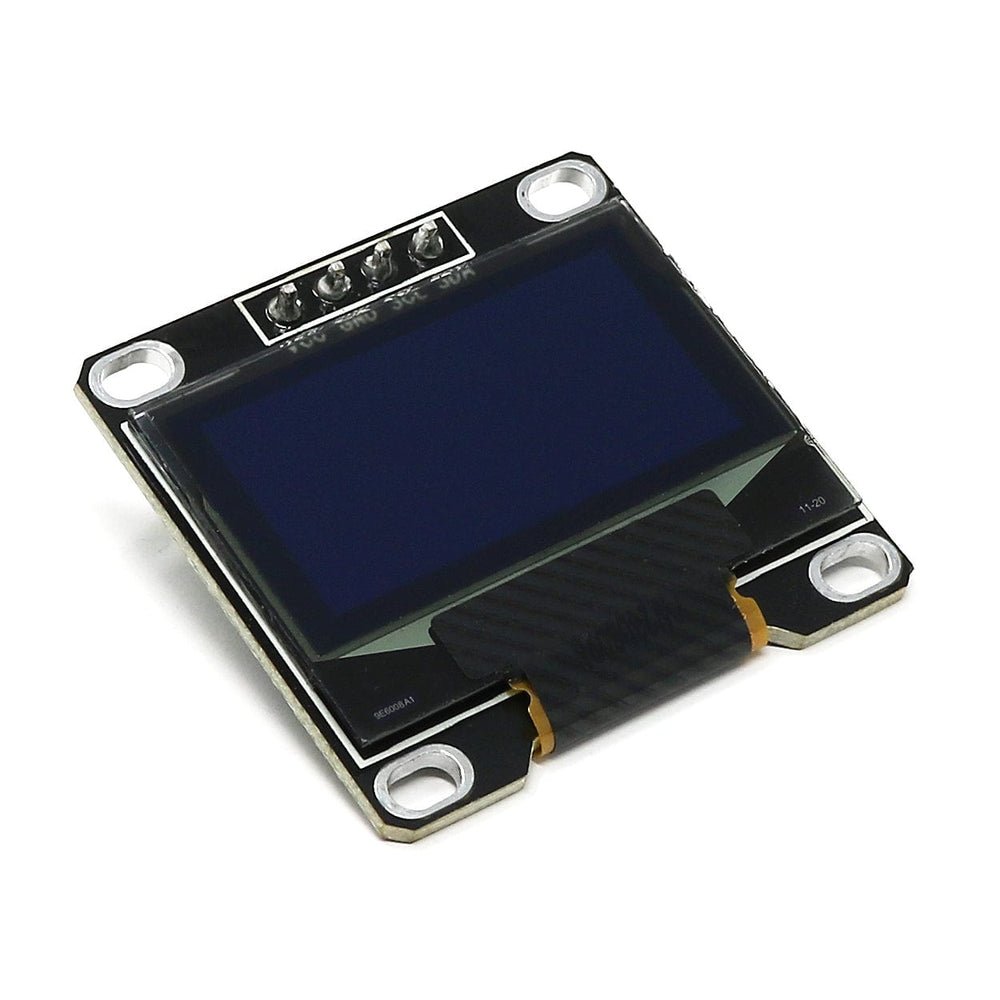
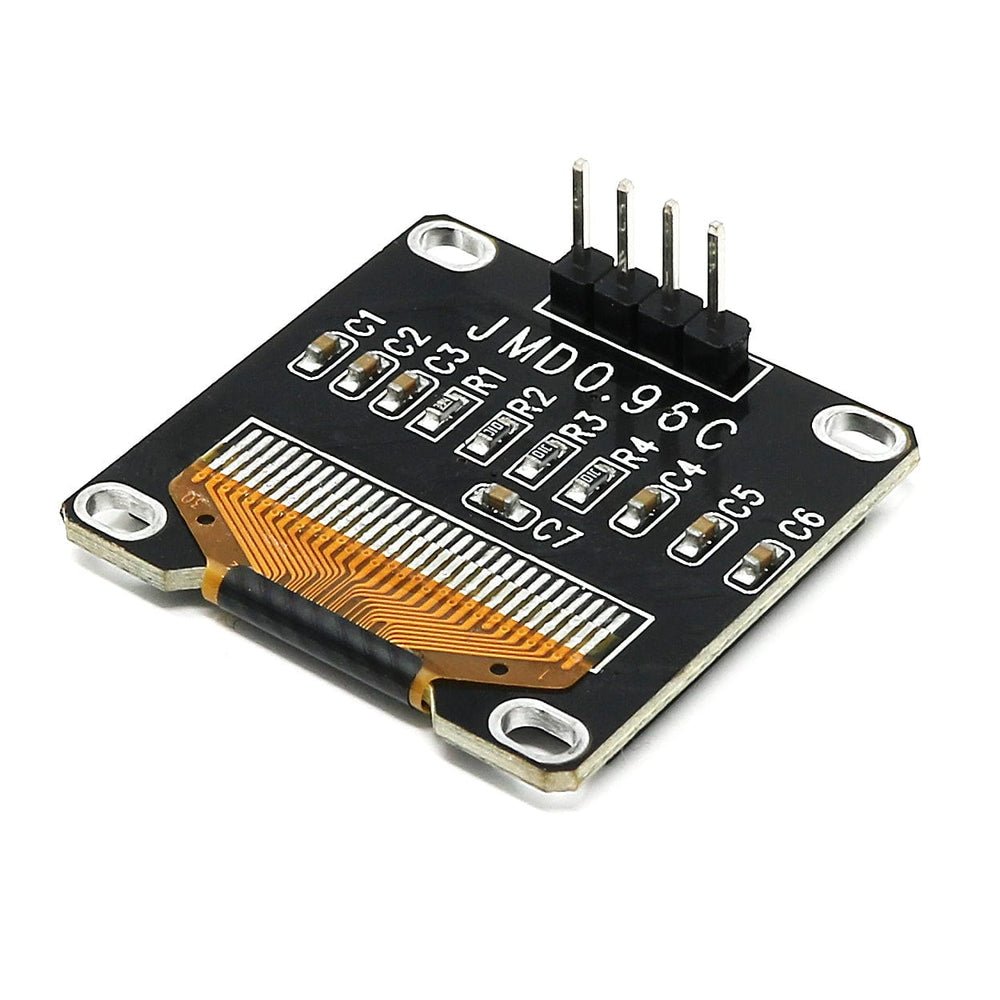
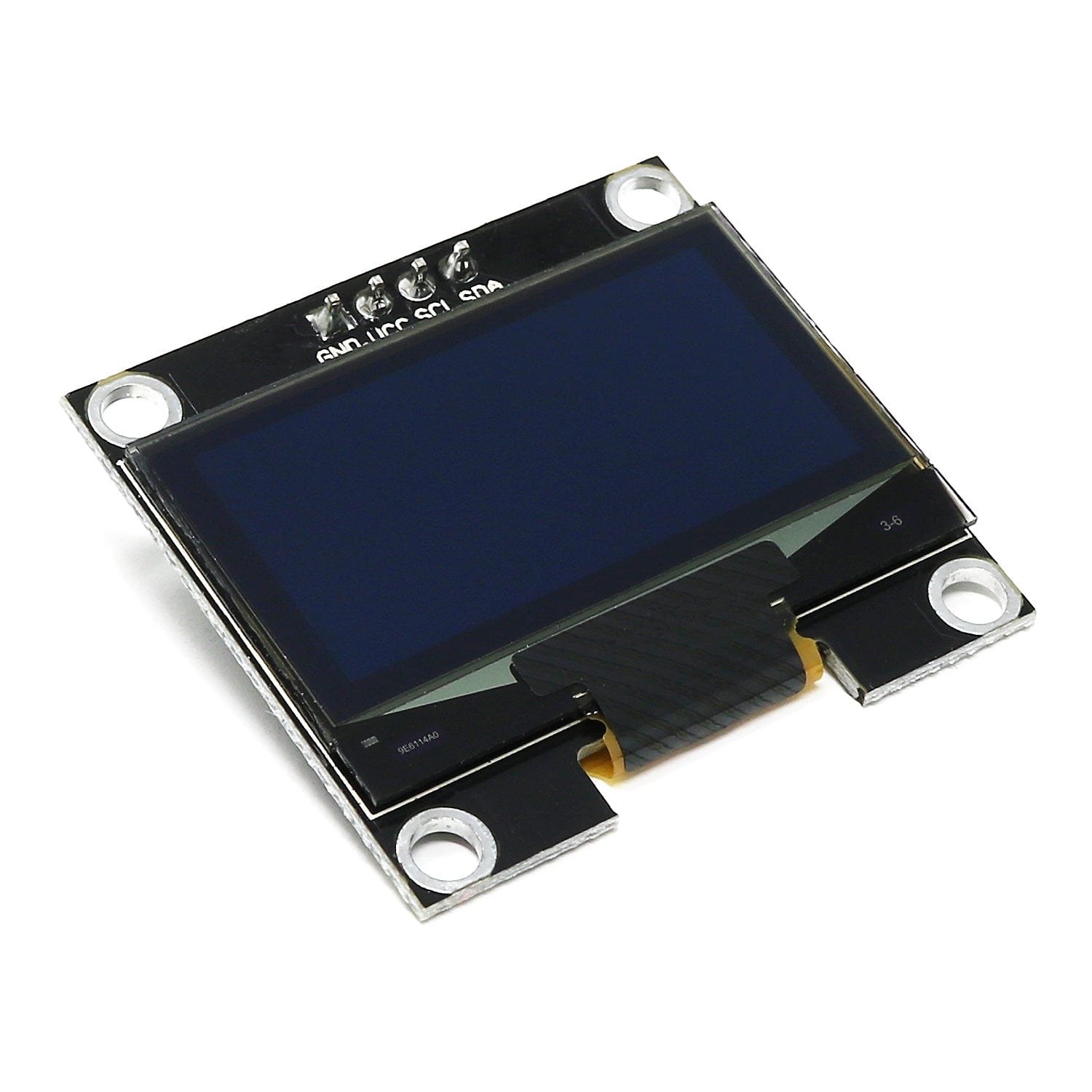
The 0.96" SSD1306 is the OLED almost every tutorial assumes you own — and for good reason. It speaks I2C over just two wires (plus power and ground), runs on 3.3V or 5V so it drops straight onto an Arduino Uno or an ESP32, and is supported by every major library: Adafruit SSD1306 + GFX, U8g2, and MicroPython's ssd1306. At around $9 (cheaper in multi-packs) it's the default choice for sensor readouts, tiny menus and status screens. The crisp 128×64 panel is sharp enough for icons and small graphs, and the default I2C address is usually 0x3C.
✅ Pros- Universal library support
- Only 2 wires (I2C)
- 3.3V & 5V ready
- Dirt cheap, everywhere
❌ Cons- Monochrome only
- Small at 0.96"
- Needs ~1KB RAM buffer
🎯 Verdict: The display to buy first. If you just want reliable text and simple graphics on any microcontroller, this is the safe, universal pick.
👉 Check Price on Amazon: amazon.com/dp/B076DYCWC8 🏅 BEST PREMIUM / QUALITY
Adafruit Monochrome 0.96" STEMMA QT
⭐⭐⭐⭐⭐ 4.8/5 · The Reliable One
Buy on Amazon →

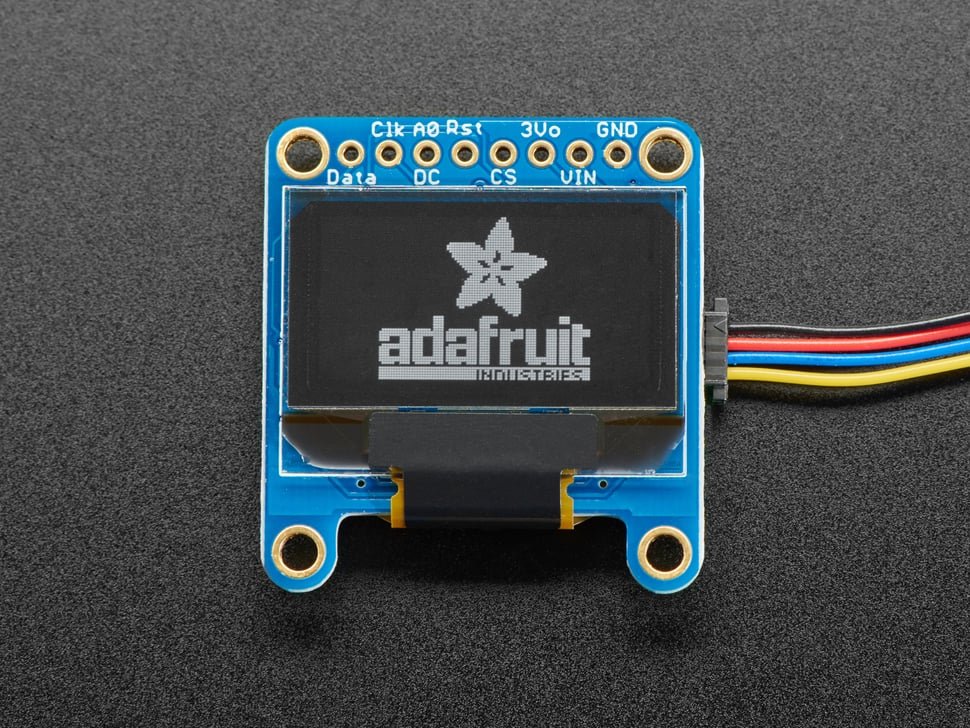
If you're tired of generic boards with surprise pinouts, the Adafruit 0.96" 128×64 OLED is worth the premium. It's the same SSD1306 panel but on a properly engineered breakout: an onboard regulator and level shifting make it genuinely 5V-safe, auto-reset circuitry means you only need two wires, and dual STEMMA QT / Qwiic connectors let you plug it in with no soldering. You also get Adafruit's first-class tutorials and rock-solid GFX library. It costs more than twice a bare clone (about $20 vs ~$9), but for a product build or a class set, the consistency pays off.
✅ Pros- Solder-free STEMMA QT/Qwiic
- True 5V-safe design
- Best-in-class docs & library
- Consistent, known pinout
❌ Cons- ~2× the price of clones
- QT cable sold separately
- Still monochrome 128×64
🎯 Verdict: The pick when reliability matters more than saving $10 — solderless wiring, true 5V tolerance and documentation that just works.
👉 Check Price on Amazon: amazon.com/dp/B00HPLGW4A 💵 BEST VALUE · ⭐ 4.6/53. AZDelivery 0.96" SSD1306 (3-Pack)
SSD1306 · 128×64 · I2C · three boards · ~$13 total
Buy →
When you're building several projects — or you're teaching a room full of students — buying OLEDs in bulk is the obvious move. AZDelivery's 3-pack gives you three identical 0.96" SSD1306 128×64 I2C panels for roughly $4–5 each. They're plain clones, so expect the usual caveats (no STEMMA connectors, check the pin order on each), but the SSD1306 driver means the exact same code works. AZDelivery also publishes free eBooks and example sketches, which is a nice bonus over no-name sellers.
✅ Pros: Three boards at ~$4–5 each; identical SSD1306 code; free eBooks/examples; great for spares.
❌ Cons: Generic build quality; pin order can vary; no solderless connector.
🎯 Verdict: The smart buy for makers and classrooms — stock up on the most useful OLED at the lowest per-unit cost.
📏 BEST BIGGER MONO · ⭐ 4.5/54. 1.3" SH1106 I2C OLED (128×64)
SH1106 · 128×64 · I2C · larger glass · ~$12
Buy →

Same 128×64 resolution, noticeably bigger glass: the 1.3" SH1106 gives you the same amount of information as a 0.96" panel but with larger, easier-to-read pixels — ideal for menus and bench instruments you glance at from a distance. The key gotcha is the SH1106 driver: it has 132 columns internally, so an SSD1306 library shows a 2-pixel offset and edge noise. Use the SH1106 driver in U8g2 (or Adafruit_SH110X) and it's flawless. Wiring and 3.3–5V operation are identical to the 0.96".
✅ Pros: Larger, more readable than 0.96"; same 2-wire I2C; well supported in U8g2/SH110X; cheap.
❌ Cons: Must use SH1106 library (2px offset otherwise); still monochrome; same pixel count as 0.96".
🎯 Verdict: The best monochrome upgrade — pick it when you want the same data laid out on bigger, friendlier pixels.
🔋 BEST COMPACT / WEARABLE · ⭐ 4.5/55. 0.91" 128×32 I2C OLED
SSD1306 · 128×32 · I2C · ultra-slim · ~$7
Buy →
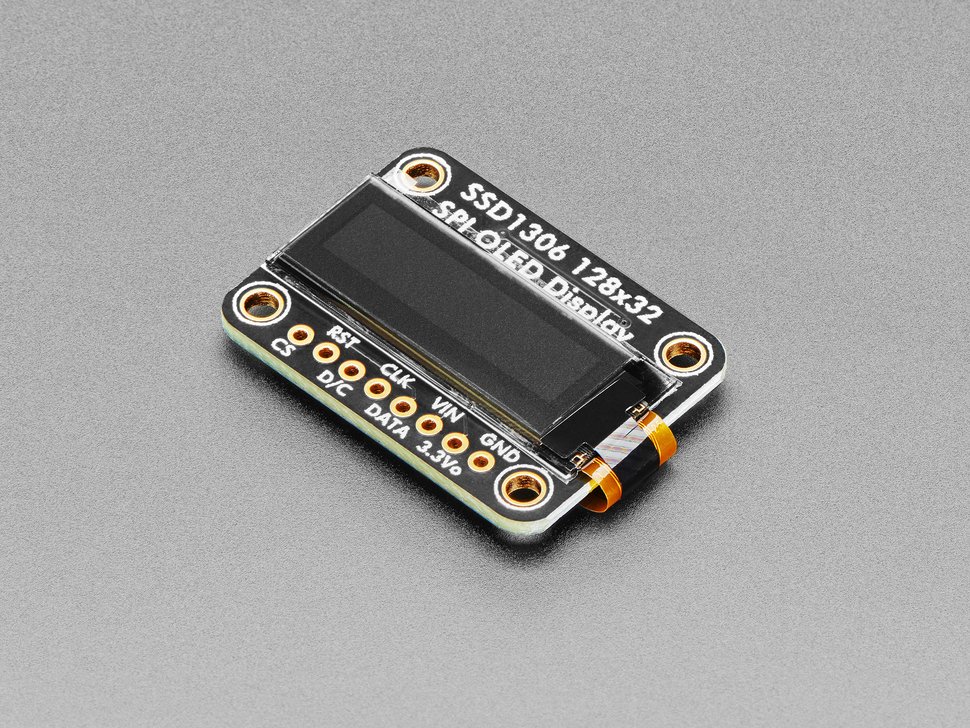
When you only need a line or two of text — a clock, a sensor value, a Wi-Fi status — the long, slim 0.91" 128×32 is perfect. Its skinny form factor tucks neatly onto a wearable, a Pico project or the edge of a PCB, and the smaller 128×32 buffer means it runs comfortably even on RAM-tight chips. It's the same SSD1306 driver and 2-wire I2C as the 0.96", so your code barely changes — just set the height to 32. At about $7 it's the cheapest way to add a readout to anything.
✅ Pros: Slim, space-saving form factor; tiny RAM footprint; same SSD1306 code; very cheap.
❌ Cons: Only 32 px tall (2–3 text lines); too small for graphs; monochrome.
🎯 Verdict: The best status-line display — ideal for wearables, clocks and any project where space is tight and you just need a readout.
🔍 BEST LARGE DISPLAY · ⭐ 4.4/56. 2.42" SSD1309 OLED (128×64)
SSD1309 · 128×64 · I2C or SPI · big & readable · ~$18
Buy →
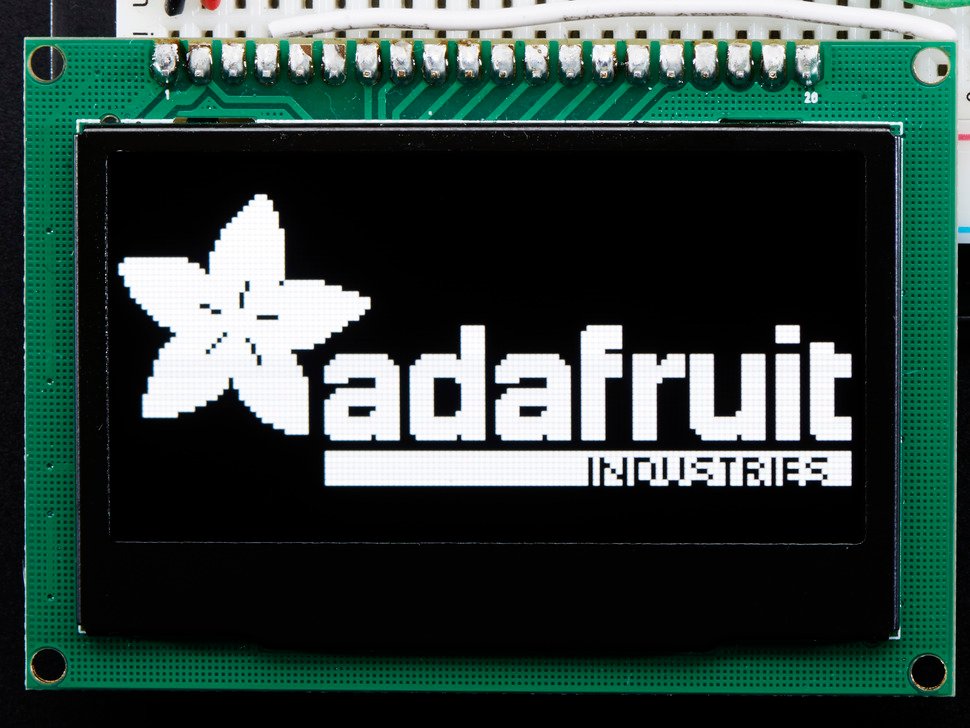
Need an OLED you can read across the workbench? The 2.42" SSD1309 blows up the familiar 128×64 layout onto a big, bright panel that looks great in a finished instrument or enclosure. The SSD1309 driver is SSD1306-compatible, so most existing 128×64 code runs with little or no change, and the module offers both I2C and SPI (jumper-selectable) — use SPI for faster refresh. It costs more than the little boards and needs a touch more current, but nothing else here is as legible.
✅ Pros: Big, highly readable panel; SSD1306-compatible code; I2C or SPI; ideal for finished builds.
❌ Cons: Pricier than mini OLEDs; higher current draw; still only 128×64 pixels (bigger, not sharper).
🎯 Verdict: The best choice for readability — a near drop-in upgrade when a 0.96" is just too small for your project or product.
🌈 BEST FULL-COLOR · ⭐ 4.5/57. Waveshare 1.5" RGB OLED (128×128)
SSD1351 · 128×128 · 65K color · SPI · ~$30
Buy →
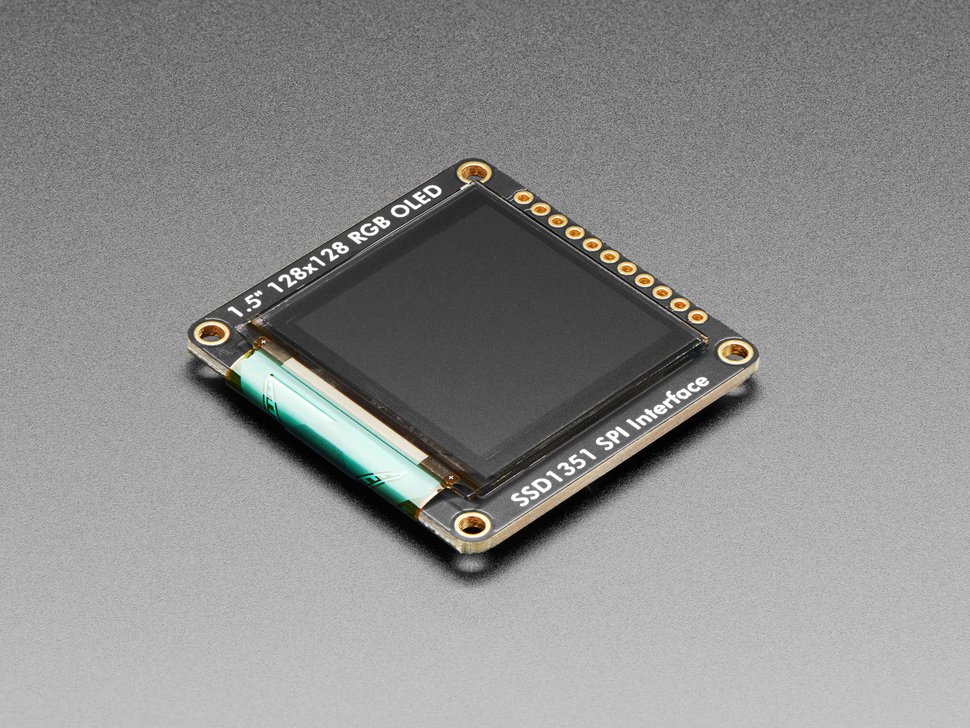
When you want vivid icons, color gauges or a little game UI, the Waveshare 1.5" SSD1351 is the standout. Its 128×128 panel renders 65K colors with the inky blacks only OLED delivers, and Waveshare ships proper documentation plus examples for Arduino, Raspberry Pi, STM32 and Jetson. It's SPI-only (so budget several GPIO pins) and the full-color frame buffer is heavier — pair it with a peppy MCU like an ESP32, STM32 or Pico rather than an Uno. The Adafruit SSD1351 library makes graphics painless.
✅ Pros: Gorgeous 65K-color 128×128; brand docs & multi-platform examples; deep OLED blacks; SSD1351 library support.
❌ Cons: SPI-only (more pins); needs a faster MCU + more RAM; priciest pick; higher power use.
🎯 Verdict: The best full-color OLED — choose it for graphical UIs, dashboards and games on an ESP32, STM32 or Pico.
🎨 BEST COMPACT COLOR · ⭐ 4.3/58. 0.95" SSD1331 Color OLED (96×64)
SSD1331 · 96×64 · 65K color · SPI · ~$14
Buy →
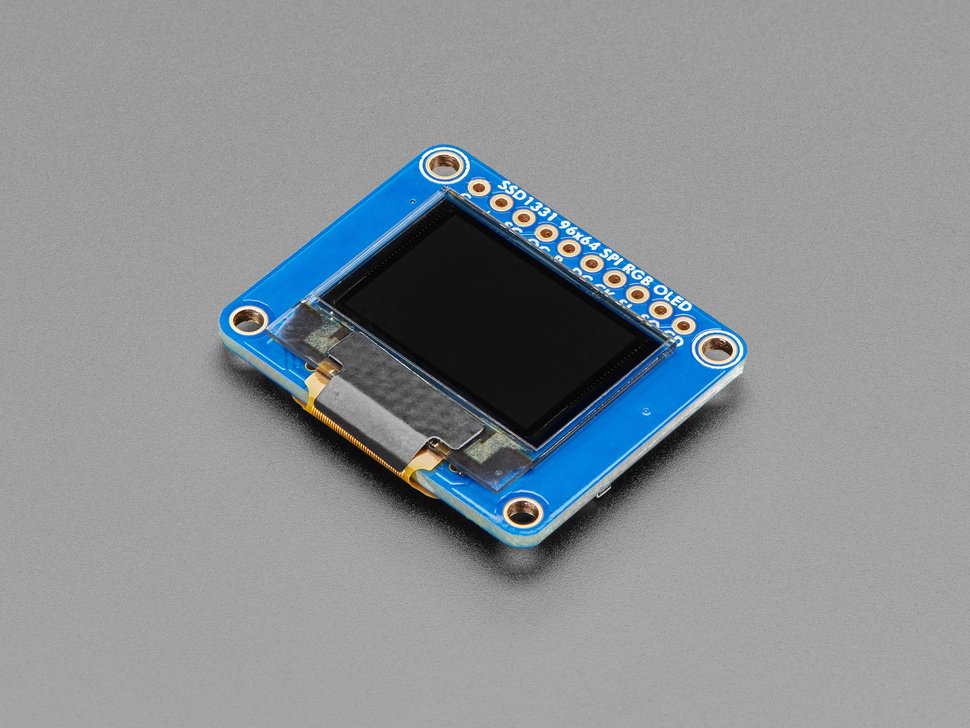
Want color without the size or cost of the 1.5" panel? The tiny 0.95" SSD1331 packs 96×64 full-color pixels into a thumbnail-sized board — perfect for a compact gauge, a status icon, or a wearable splash of color. It uses 4-wire SPI, runs on 3.3–5V logic, and is backed by Adafruit's SSD1331 library with ready examples. Resolution is modest, so it's better for icons and short readouts than dense graphs, but for the price it's the easiest way to add color to a small build.
✅ Pros: Full color in a tiny footprint; affordable for color; SSD1331 library + examples; 3.3–5V SPI.
❌ Cons: Low 96×64 resolution; SPI uses several pins; not ideal for detailed graphs.
🎯 Verdict: The best compact color option — a cheap, cheerful way to add icons and color readouts to small projects.
🛒 How to Choose the Right OLED Display
🏆
Just Need Text & Data?
Get the 0.96" SSD1306 I2C. Two wires, universal libraries and ~$9 make it the default readout for any microcontroller.
🛡️
Want Zero Hassle?
The Adafruit STEMMA QT board wires up without soldering, is truly 5V-safe and has docs that work first time — ideal for products and classes.
💵
Building Several Projects?
The AZDelivery 3-pack gives you three SSD1306 panels at ~$4–5 each — perfect for spares and classrooms.
📏
Need It Readable?
Step up to the 1.3" SH1106 for friendlier pixels, or the 2.42" SSD1309 when it has to be legible across the room.
🔋
Tight on Space?
The slim 0.91" 128×32 is the cheapest, smallest way to add a status line to a wearable, clock or Pico build.
🌈
Want Color Graphics?
Go color: the 1.5" SSD1351 (128×128) for rich UIs, or the budget 0.95" SSD1331 (96×64) for icons — both on an ESP32/STM32/Pico.
⚙️ Key Specs Compared — Side by Side
| Spec | 0.96" SSD1306 | Adafruit 0.96" | 1.3" SH1106 | 0.91" 128×32 | 2.42" SSD1309 | 1.5" Color |
|---|
| Driver | SSD1306 | SSD1306 | SH1106 | SSD1306 | SSD1309 | SSD1351 |
| Resolution | 128×64 | 128×64 | 128×64 | 128×32 | 128×64 | 128×128 ⭐ |
| Size | 0.96" | 0.96" | 1.3" | 0.91" | 2.42" ⭐ | 1.5" |
| Interface | I2C ⭐ | I2C + SPI | I2C | I2C | I2C + SPI | SPI |
| Color | Mono | Mono | Mono | Mono | Mono | 65K ⭐ |
| Library | Universal ⭐ | Universal ⭐ | SH110X | SSD1306 | SSD1306-compat | SSD1351 |
| Price | ~$9 ⭐ | ~$20 | ~$12 | ~$7 ⭐ | ~$18 | ~$30 |
❓ Frequently Asked Questions
What's the difference between SSD1306 and SH1106 OLEDs?
Both drive 128×64 monochrome panels, but the SH1106 has 132 internal columns versus the SSD1306's 128. If you run an SH1106 panel with an SSD1306 library, the image shifts ~2 pixels to the right and shows garbage at the edges. The fix is simply to use the matching driver — Adafruit_SH110X or the SH1106 driver in U8g2. SSD1306 is most common on 0.96"/0.91" boards; SH1106 is typical on 1.3" boards. Always check the listing before you buy.
Should I choose I2C or SPI?
Use I2C for simplicity: it needs only two signal wires (SDA/SCL), can share the bus with other sensors, and is plenty fast for text and status screens. Choose SPI when you need speed — smooth animation, scrolling, or color graphics — because SPI refreshes the panel much faster, at the cost of more GPIO pins (typically clock, data, CS, DC and reset). Color OLEDs (SSD1331/SSD1351) are SPI-only for this reason.
Do OLED displays suffer from burn-in?
Yes. Because each pixel is its own organic LED, leaving a static image on for hundreds to a thousand-plus hours can permanently dim those pixels. For always-on projects, blank or dim the display when idle, periodically shift the content by a pixel or two, or invert/refresh the screen occasionally. For typical hobby use — powering up to check a value — burn-in is rarely an issue.
Which library should I use on Arduino, ESP32 or MicroPython?
On Arduino/ESP32 the two go-to choices are Adafruit SSD1306 + Adafruit GFX (simple, well documented) and U8g2 (huge font library, supports SSD1306, SH1106, SSD1309 and many more). For color use Adafruit's SSD1331/SSD1351 libraries. In MicroPython, the built-in ssd1306 module covers SSD1306 panels, with community drivers for SH1106 and color OLEDs. All of these work on ESP32, ESP8266, STM32 and Raspberry Pi Pico.
Can the same OLED run on a 5V Arduino and a 3.3V ESP32?
Most of these modules accept 3.3–5V on their VCC pin and tolerate both 3.3V and 5V logic, so a generic SSD1306 board typically works on an Arduino Uno (5V) and an ESP32 or Pico (3.3V) without changes. That said, cheap clones vary — if you're driving a 5V board and want guaranteed safety, the Adafruit module has proper onboard regulation and level shifting. For color OLEDs, confirm the listed logic level before wiring to a 5V board.
🏁 Final Verdict — Our Top Picks
The right OLED display for every project and budget:
🥇 Best Overall — 0.96" SSD1306 I2C: 2-wire, universal libraries, ~$9
Buy →🏅 Best Premium — Adafruit 0.96" STEMMA QT: solder-free, 5V-safe, perfect docs (~$20)
Buy →💵 Best Value — AZDelivery 0.96" 3-pack: three SSD1306 panels for ~$13
Buy →📏 Best Bigger Mono — 1.3" SH1106: same data on larger, friendlier pixels (~$12)
Buy →🌈 Best Full-Color — Waveshare 1.5" SSD1351: 65K-color 128×128 over SPI (~$30)
Buy →🔋 Best Compact — 0.91" 128×32: slim status-line display from ~$7
Buy →No single OLED is right for every project, but every pick on this list will turn invisible code into something you can read at a glance. For most builds the 0.96" SSD1306 I2C is the one to buy — two wires, universal library support and a few dollars. Want zero wiring hassle and guaranteed 5V safety? Step up to the Adafruit STEMMA QT board. Need it bigger, go 1.3" SH1106 or 2.42" SSD1309; need color, reach for the 1.5" SSD1351 or budget 0.95" SSD1331. Pair your new display with our Arduino, ESP32 and Raspberry Pi Pico tutorials and start showing data today.
💬 Not sure which OLED fits your project? Tell us your board and what you want to display — text, graphs, or color graphics — in the comments below, and we'll point you to the right pick.
All Amazon links above use our affiliate tag. Purchasing through them supports microcontrollerslab.com at no extra cost to you. Prices and availability change frequently — always confirm the current price on Amazon before buying.