⚠️ Affiliate Disclosure: This post contains Amazon affiliate links. If you purchase through our links, we may earn a small commission at no extra cost to you. We only recommend products we have thoroughly researched and verified.
Ultimate Buying Guide 2026
⚙️ Best RISC-V Development Boards for Makers & Embedded Engineers
8 dedicated RISC-V boards ranked — from the flagship SiFive HiFive Premier P550 and quad-core Linux SBCs to Kendryte AI vision boards and bare-metal MCUs — with real specs, honest verdicts, and direct Amazon links.
✅ 8 Boards Reviewed
✅ Verified Amazon Links
✅ Updated June 2026
✅ Honest Pros & Cons
RISC-V is the open, royalty-free instruction set architecture (ISA) that is rapidly maturing from a research curiosity into a serious development platform. Unlike Arm or x86, anyone can build silicon around RISC-V without licensing fees, and that openness has produced a fast-growing family of boards built specifically for RISC-V development — from quad-core Linux desktops to AI vision modules and bare-metal microcontrollers you can study right down to the registers.
This guide focuses on dedicated RISC-V development boards — boards whose main CPU is RISC-V and that are designed and documented for RISC-V work — rather than mainstream IoT modules that merely happen to contain a RISC-V core. We rank 8 of the best you can buy on Amazon right now, led by the flagship SiFive HiFive Premier P550, and spanning Linux single-board computers, Kendryte AI boards and WCH microcontroller dev kits. For each we list the SoC, cores, memory, NPU and software stack that actually matter, so you can match the board to your project.
💡 Reality check before you buy: RISC-V hardware is exciting but the software stack is younger than Arm’s. On Linux SBCs you’ll typically run vendor builds of Debian, Fedora, Ubuntu or RevyOS, and some desktop apps may need recompiling; GPU acceleration is improving but still patchy. Flagship boards like the HiFive Premier P550 ship in limited batches, so stock and the buy-box can come and go — check the live listing before committing. SBCs generally need a 5V/3A+ USB-C supply and a microSD or eMMC that aren’t always included, and the MCU dev boards (CH32V003/V307) need a RISC-V GCC toolchain (MounRiver Studio or PlatformIO) plus, in some cases, a WCH-Link debugger. Match the board to your goal — Linux, edge AI, or learning the ISA — before chasing raw clock speed.
⚙️ Quick Comparison — All 8 RISC-V Boards
| RISC-V Board | SoC / Cores | Type | Best For | Buy |
|---|
| 🥇 SiFive HiFive Premier P550 | EIC7700X · 4× SiFive P550 @1.8GHz | Linux dev platform | Best Overall / Flagship | View → |
| 🖥️ StarFive VisionFive 2 | JH7110 · 4× U74 RV64 @1.5GHz | Linux SBC | Best Value Computer | View → |
| 🧩 Milk-V Mars | JH7110 · 4× RV64GC @1.5GHz | Pi-form SBC | Best Raspberry-Pi-Style | View → |
| 🧠 Canaan CanMV-K230 | K230 · 2× C908 @1.6GHz · RVV 1.0 | AI vision dev board | Best for Edge AI | View → |
| 🤖 Yahboom K230 | K230 · 2× C908 @1.6GHz · 6 TOPS | All-in-one AI module | Best AI With Screen | View → |
| 👁️ Sipeed Maix Bit (K210) | K210 · 2× RV64 @400MHz · KPU | AI vision MCU | Best Budget AI | View → |
| 🔌 WCH CH32V307 | QingKe V4F RV32 @144MHz · GbE | Connectivity MCU | Best for Ethernet / USB | View → |
| 💲 WCH CH32V003 | QingKe RV32 @48MHz | Bare-metal MCU | Cheapest / ISA Learning | View → |
Prices change frequently, so we leave them out — tap any View → button to see the current live price on Amazon. The HiFive Premier P550 ships in limited batches; if it’s temporarily unavailable, check back or watch the listing.
🔍 What to Look for in a RISC-V Dev Board
🏛️
CPU Class & ISA
Application-class RV64GC cores (SiFive P550/U74, XuanTie C910/C908) run full Linux; RV32 cores (QingKe) are microcontroller-grade. Newer chips add the RISC-V Vector (RVV 1.0) extension for AI/DSP.
🧩
Linux SBC vs MCU
Decide whether you need a full Linux computer (P550, VisionFive 2, Milk-V Mars) or a bare-metal/RTOS microcontroller (CH32V003/V307). It changes everything about the workflow.
🧠
AI / NPU Power
For computer vision, the accelerator matters: the K210 KPU is ~1 TOPS for hobby AI, the K230 jumps to ~6 TOPS, and the P550’s NPU reaches ~20 TOPS for on-device LLMs.
🐧
Software Maturity
Check which OS images exist — Debian, Fedora, Ubuntu, openEuler or RevyOS — and how active the community is. On RISC-V, software support matters more than raw specs.
🔌
I/O & Expansion
Look for what your build needs: PCIe/M.2 and dual Ethernet on the big SBCs, MIPI-CSI camera inputs for vision, a Pi-compatible 40-pin header, or Gigabit Ethernet and CAN on the MCUs.
🏆 Detailed Reviews — All 8 RISC-V Boards
🥇 BEST OVERALL · FLAGSHIP
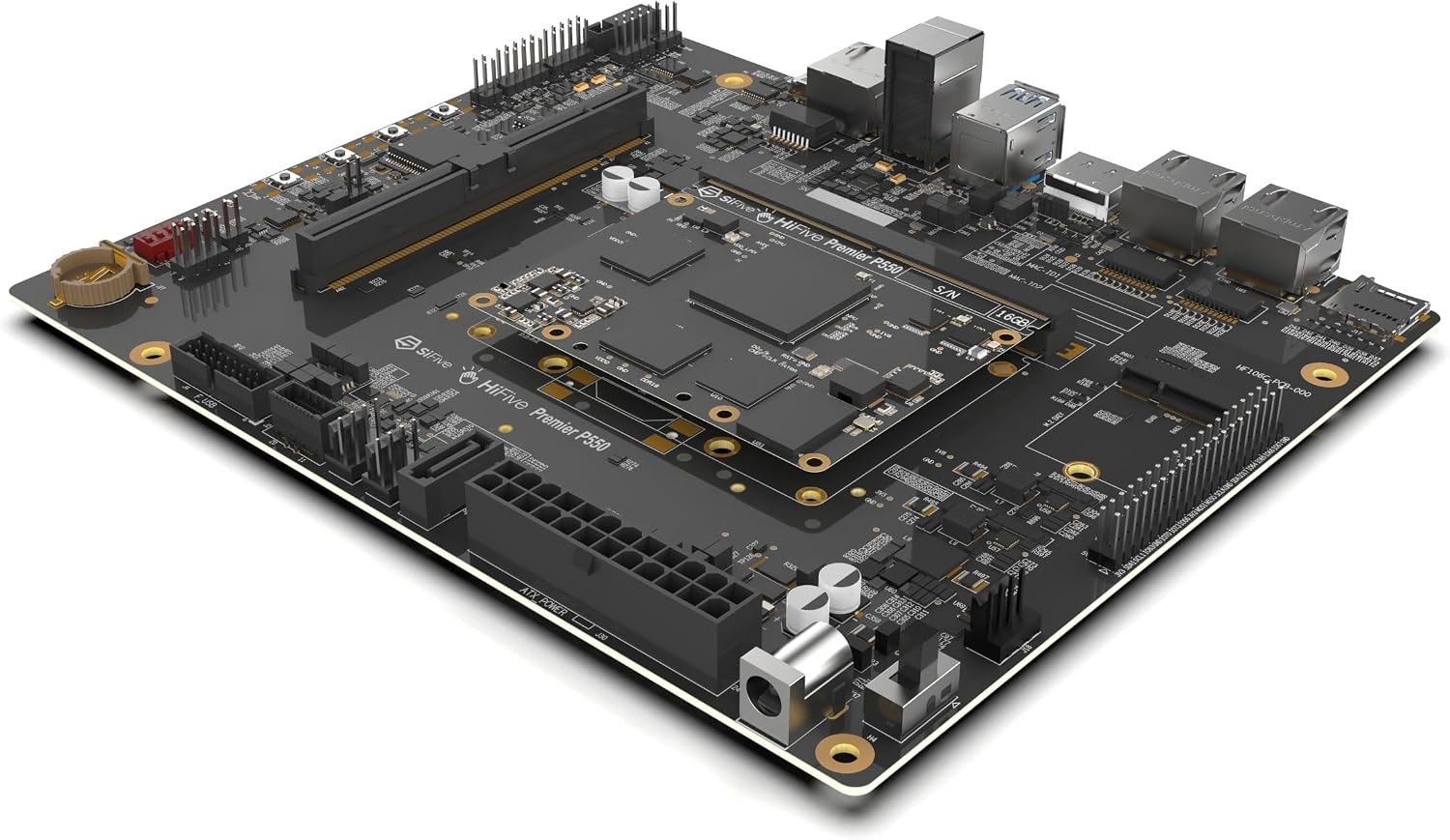
SiFive HiFive Premier P550
⭐⭐⭐⭐½ 4.6/5 · The Real Dev Kit
16/32GB
LPDDR5 · 128GB eMMC

The SiFive HiFive Premier P550 is the board that finally makes RISC-V feel like a true desktop-class development platform. Built on the ESWIN EIC7700X SoC, it pairs a quad-core SiFive P550 64-bit out-of-order CPU at up to 1.8 GHz with a ~19.95 TOPS NPU, 16 GB or 32 GB of LPDDR5, 128 GB eMMC and PCIe Gen3 x4 — in a Mini-DTX form factor with HDMI 2.0, USB 3.2 and Ubuntu 24.04 preinstalled. It’s powerful enough to run real Linux workloads, computer-vision pipelines and even on-device LLMs, which is why it’s the reference board serious RISC-V developers reach for. The catch is price and supply: it ships in limited batches, so availability can be intermittent.
✅ Pros- Fastest mainstream RISC-V CPU here
- ~20 TOPS NPU for AI / LLMs
- 16–32GB LPDDR5, 128GB eMMC, PCIe
- Ubuntu 24.04 preinstalled, OTA updates
❌ Cons- Expensive vs other RISC-V boards
- Limited-batch stock; buy-box comes and goes
- Software ecosystem still maturing
🎯 Verdict: The best high-performance RISC-V dev platform you can buy. If you want desktop-class RISC-V with serious AI headroom, this is the flagship — just watch stock.
👉 Check Price on Amazon: amazon.com/dp/B0FFBJY5R2 🖥️ BEST VALUE LINUX SBC
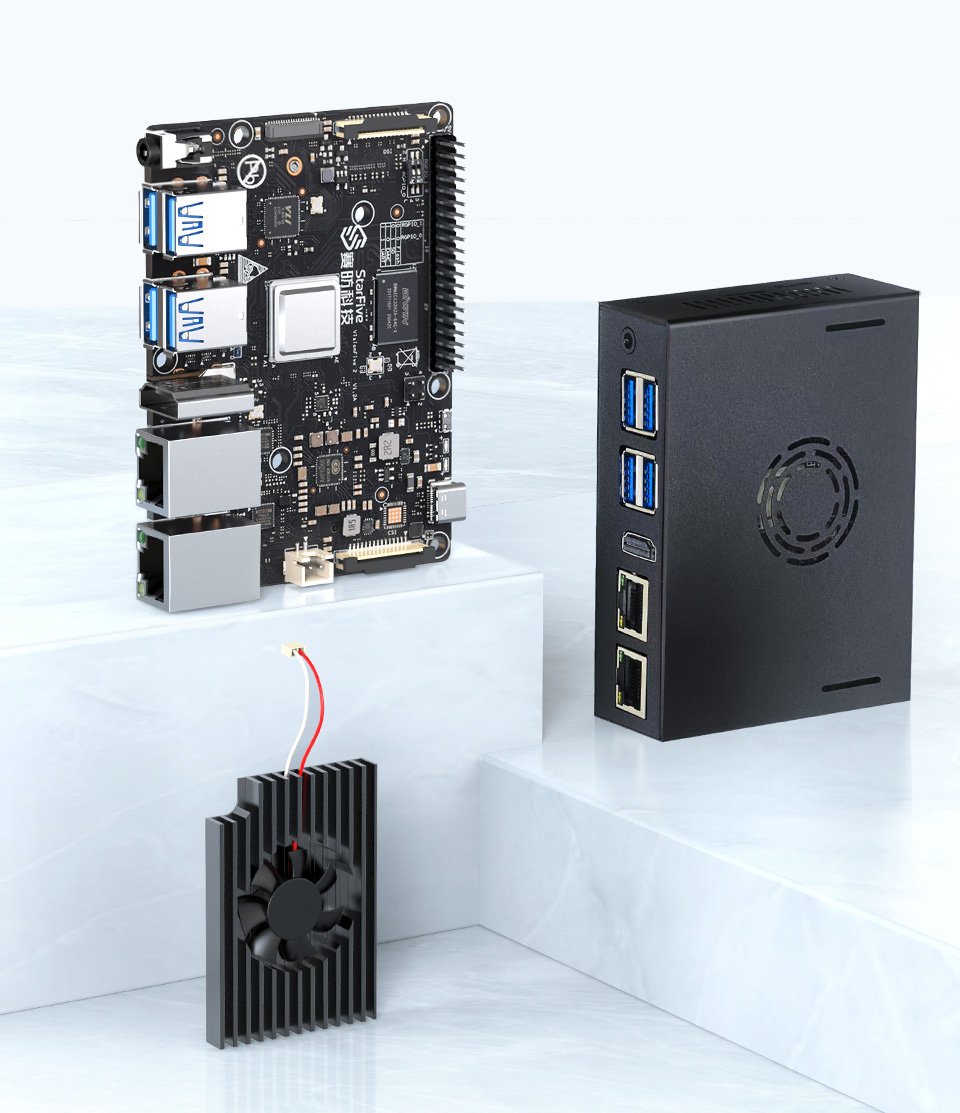
StarFive VisionFive 2
⭐⭐⭐⭐½ 4.6/5 · The Popular One
Buy on Amazon →

If the P550 is the dream machine, the StarFive VisionFive 2 is the RISC-V Linux computer most people should actually start with. Its StarFive JH7110 SoC has a quad-core SiFive U74 (RV64GC) at 1.5 GHz with an integrated IMG BXE GPU, up to 8 GB LPDDR4, dual Gigabit Ethernet, an M.2 slot, USB 3.0 and 4K HDMI. It’s the most widely-documented, community-supported RISC-V SBC out there, with mature Debian, Fedora and Ubuntu images — making it the best-value way to learn RISC-V Linux, run servers or build a desktop-class project around the open ISA.
✅ Pros- Quad-core 1.5GHz + GPU, up to 8GB
- Dual GbE, M.2, USB 3.0, 4K HDMI
- Most mature RISC-V Linux community
- Excellent price-to-performance
❌ Cons- Still rougher than a Raspberry Pi
- Needs PSU + microSD/NVMe
- GPU drivers a work in progress
🎯 Verdict: The best-value RISC-V Linux computer. If you want a real, well-supported open-ISA SBC without the flagship price, start here.
👉 Check Price on Amazon: amazon.com/dp/B0BGM1KQXQ 🧩 BEST RASPBERRY-PI-STYLE · ⭐ 4.5/53. Milk-V Mars
StarFive JH7110 quad RV64 @1.5GHz · up to 8GB · Pi-compatible 40-pin · PoE
Buy →

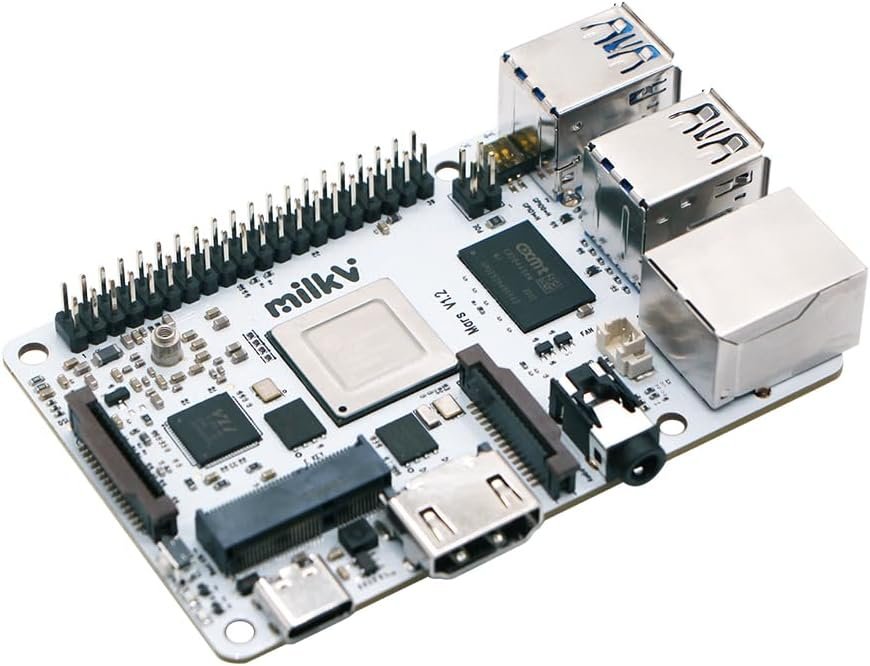
The Milk-V Mars takes the same StarFive JH7110 chip as the VisionFive 2 and pours it into a credit-card, Raspberry-Pi-shaped board with a Pi-compatible 40-pin GPIO header. You get a quad-core RV64GC CPU at 1.5 GHz, up to 8 GB LPDDR4, three USB 3.0 ports plus USB 2.0, HDMI 2.0 (4K), Gigabit Ethernet with PoE support, and eMMC/microSD boot options. If you already own Raspberry Pi HATs and cases, it’s the most familiar way to drop into RISC-V Linux — same footprint, open ISA.
✅ Pros: Pi form factor + 40-pin GPIO; quad-core JH7110, up to 8GB; 3× USB 3.0, GbE + PoE; eMMC/SD boot.
❌ Cons: No onboard Wi-Fi (M.2 E-key needed); same JH7110 software caveats; PSU/storage extra.
🎯 Verdict: The best Raspberry-Pi-style RISC-V SBC. Ideal if you want JH7110 Linux in the familiar Pi form factor with HAT compatibility.
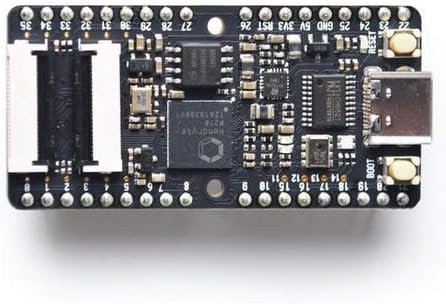
🧠 BEST FOR EDGE AI · ⭐ 4.6/54. Canaan CanMV-K230
Kendryte K230 dual C908 @1.6GHz · RVV 1.0 · KPU · 3× MIPI-CSI · CanMV
Buy →

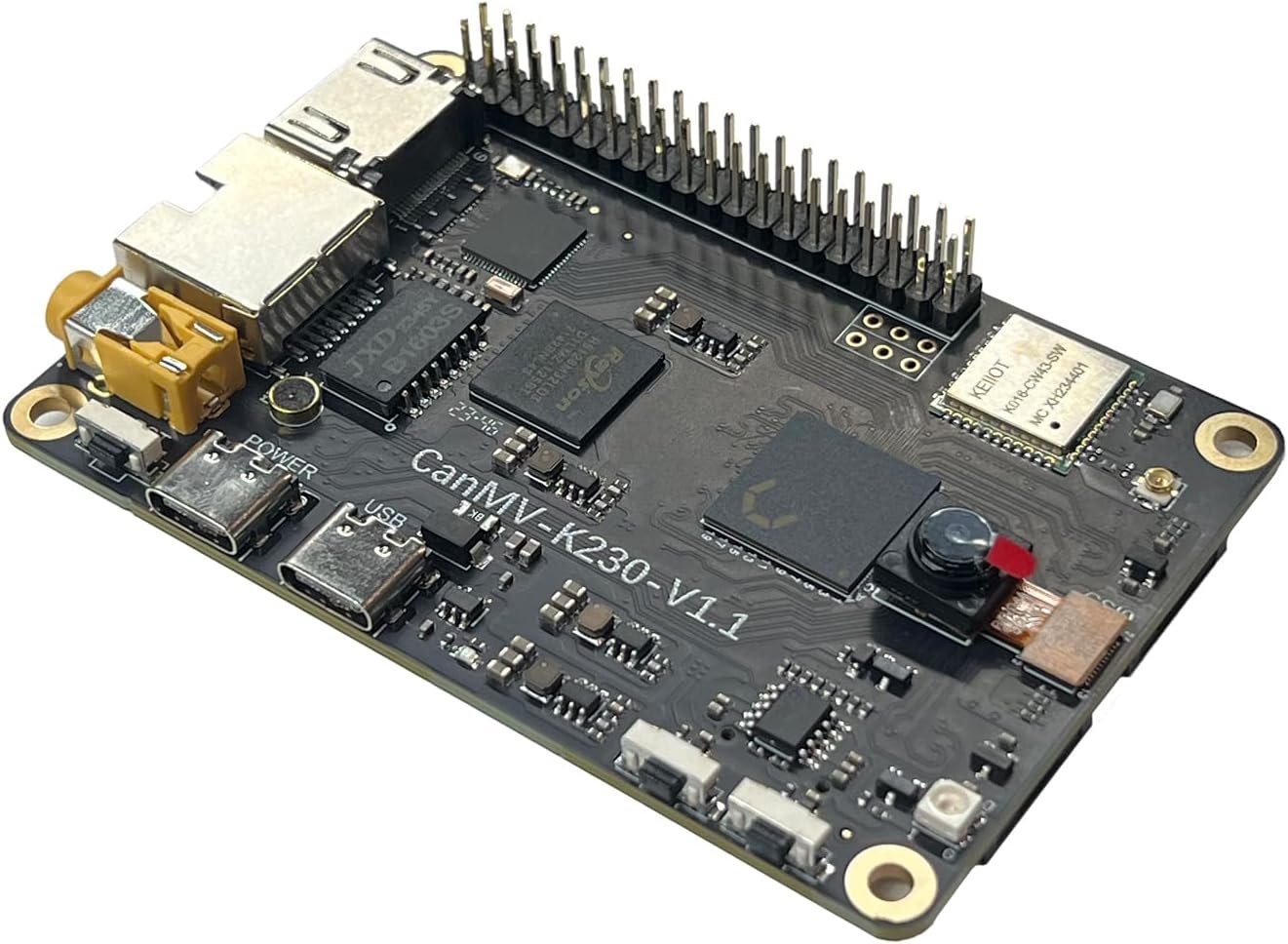
The Canaan CanMV-K230 is the official reference dev board for the Kendryte K230, and it’s the sweet spot for RISC-V edge AI. It runs a dual-core XuanTie C908 RISC-V CPU (a 1.6 GHz big core with RISC-V Vector 1.0 plus an 800 MHz core) alongside a KPU neural accelerator that hits roughly 85 fps on ResNet-50 (INT8). With three 4K MIPI-CSI camera inputs, a 3D depth engine, HDMI, Wi-Fi/BT and full schematics, PCB and SDK, it’s built for vision developers who want real RISC-V silicon and the modern vector extension.
✅ Pros: RVV 1.0 vector core; strong KPU AI; 3× 4K camera + 3D depth; open schematics/SDK; CanMV/MicroPython.
❌ Cons: Only 512MB RAM (not a desktop); not full Linux desktop; slower shipping at times.
🎯 Verdict: The best RISC-V board for edge AI development. Pick it for vector-accelerated vision on genuine, well-documented RISC-V silicon.
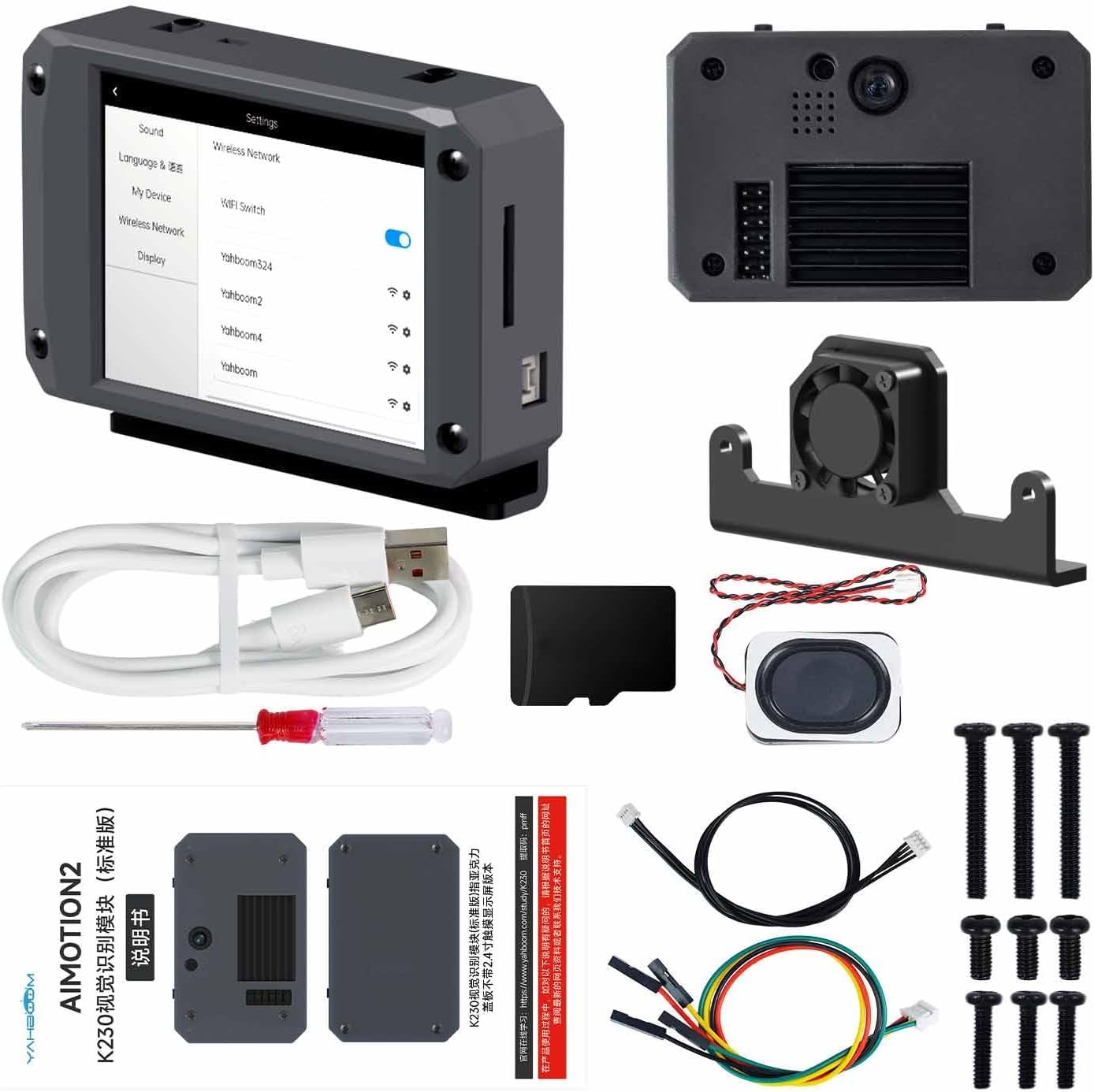
🤖 BEST AI WITH SCREEN · ⭐ 4.6/55. Yahboom K230 Module
Kendryte K230 dual C908 @1.6GHz · ~6 TOPS · 2.4" touch + camera · CanMV
Buy →

If you’d rather skip the breadboard and start building vision projects in minutes, the Yahboom K230 module is the same Kendryte K230 RISC-V AI chip (dual C908 at 1.6 GHz, ~6 TOPS, 1 GB RAM) wrapped in a ready-to-use package with a 2.4-inch capacitive touchscreen and a 2 MP camera. It runs the CanMV (MicroPython) stack with 30+ built-in demos for face, color, QR and object recognition, and a serial port to pipe results to an ESP32, Pi or Arduino. It’s the most beginner-friendly way into serious RISC-V edge AI.
✅ Pros: ~6 TOPS K230; touchscreen + camera included; 30+ ready CanMV demos; pairs with any MCU over serial.
❌ Cons: More appliance than open dev board; limited GPIO; runs warm; custom models have a learning curve.
🎯 Verdict: The best plug-and-play RISC-V AI board. Choose it over the bare CanMV-K230 when you want a screen, camera and demos out of the box.
👁️ BEST BUDGET AI · ⭐ 4.3/56. Sipeed Maix Bit (K210)
Kendryte K210 dual RV64 @400MHz · KPU ~1 TOPS · LCD + camera · MaixPy
Buy →

The Sipeed Maix Bit is the classic, affordable on-ramp to RISC-V edge AI. Its Kendryte K210 is a 64-bit dual-core RISC-V chip at 400 MHz with 8 MB SRAM and a KPU neural accelerator (~1 TOPS), and the kit bundles an LCD and camera. You program it in MaixPy (MicroPython), running face detection, object recognition and small TensorFlow-Lite models entirely on-device. It’s older and less powerful than the K230, but it remains the cheapest realistic way to learn embedded computer vision on a genuine RISC-V core.
✅ Pros: Cheap RISC-V AI; KPU NPU; LCD + camera included; MaixPy/MicroPython; great learning board.
❌ Cons: Aging K210, limited model size; dated toolchain; no vector extension; slower shipping.
🎯 Verdict: The best budget RISC-V AI board. Perfect for learning machine vision cheaply before moving up to the K230.
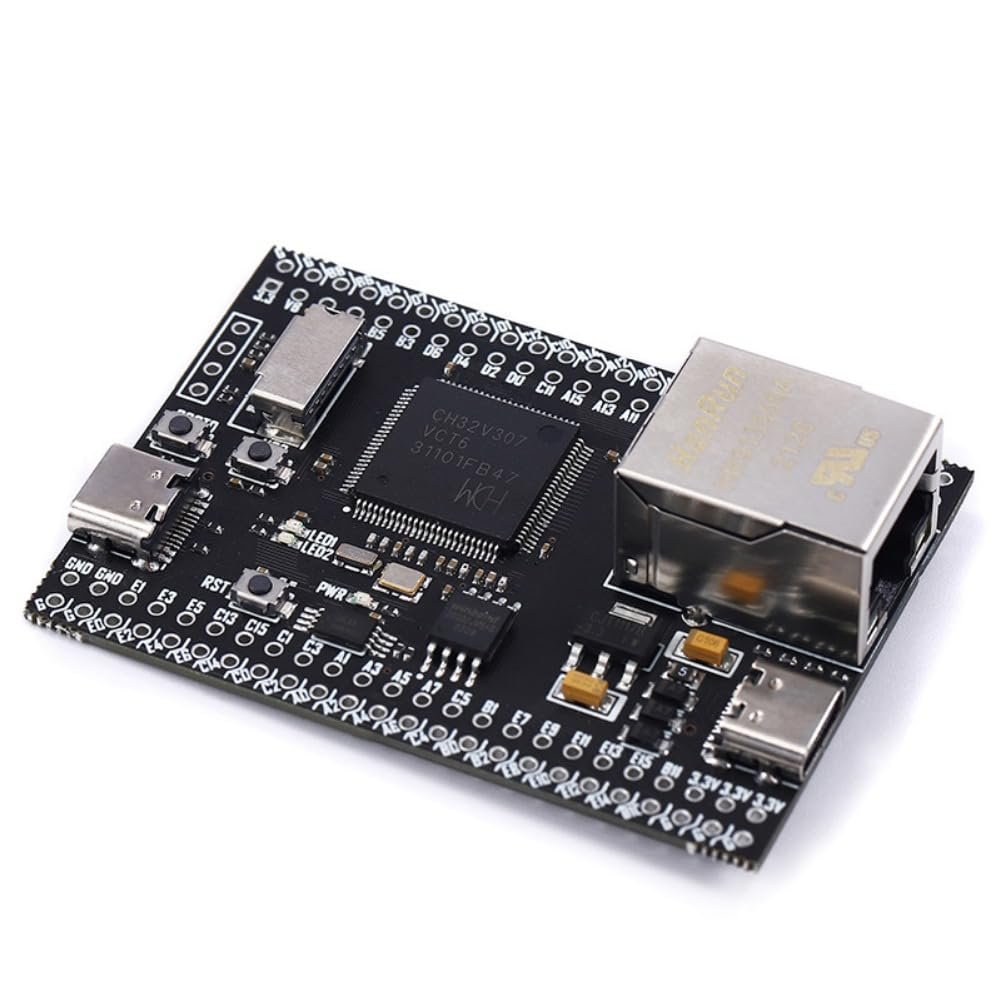
🔌 BEST FOR CONNECTIVITY · ⭐ 4.5/57. WCH CH32V307
QingKe V4F RV32 @144MHz · 64KB SRAM · 256KB flash · Gigabit Ethernet · USB HS · 2× CAN
Buy →

For embedded networking and industrial projects, the WCH CH32V307 is a standout RISC-V microcontroller dev board. Its QingKe V4F RV32 core runs at 144 MHz with a hardware FPU, 64 KB SRAM and 256 KB flash, and the I/O is the draw: an onboard Gigabit Ethernet MAC (10M PHY), USB 2.0 high-speed OTG, two CAN 2.0B interfaces, multiple UARTs, SPI/I²C and ADC/DAC. It works with the free MounRiver Studio toolchain and RT-Thread, making it a great RISC-V platform for gateways, motor control and connected sensors — areas where a tiny MCU isn’t enough.
✅ Pros: Gigabit Ethernet + USB 2.0 HS + 2× CAN; FPU; lots of GPIO; RT-Thread support; very low cost.
❌ Cons: No wireless; smaller community than ESP/STM32; toolchain setup needed; third-party board variants.
🎯 Verdict: The best RISC-V MCU for wired connectivity. Choose it for Ethernet, USB and CAN projects on an open ISA.
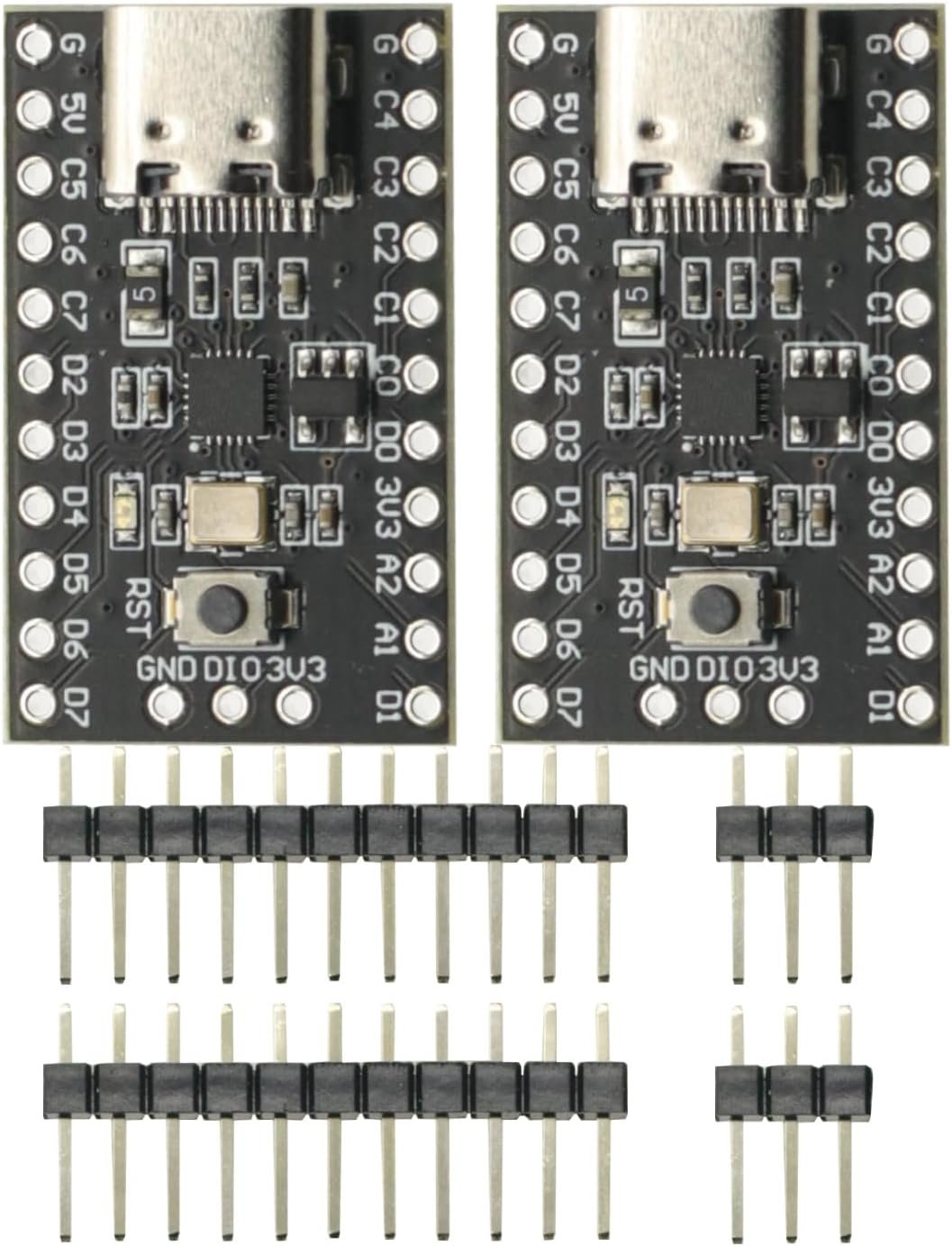
💲 CHEAPEST / ISA LEARNING · ⭐ 4.4/58. WCH CH32V003
QingKe 32-bit RISC-V @48MHz · 2KB SRAM · 16KB flash · USB-C · (2-pack)
Buy →

Famous as the “10-cent RISC-V chip,” the WCH CH32V003 is the purest, cheapest way to learn the bare-metal RISC-V ISA. Its QingKe 32-bit RISC-V core runs at 48 MHz with just 2 KB SRAM and 16 KB flash — deliberately minimal — and these breakout boards add a USB-C connector, reset button and user LED so you can start blinking pins quickly. You program it in C with RISC-V GCC via MounRiver Studio or PlatformIO (a WCH-LinkE debugger is sold separately). There’s no Wi-Fi, no Linux and no hand-holding, which is exactly why it’s the best teacher of how a RISC-V core really works.
✅ Pros: Dirt-cheap (2-pack); true bare-metal RISC-V; USB-C, LED, reset; ideal for ISA/assembly learning.
❌ Cons: Tiny RAM/flash; no wireless; needs a WCH-LinkE programmer (sold separately); not beginner-friendly.
🎯 Verdict: The cheapest way into bare-metal RISC-V. Buy it to truly understand the architecture, registers and toolchain from the ground up.
🛒 How to Choose the Right RISC-V Board
🏆
Want the fastest / a desktop?
The SiFive HiFive Premier P550 is the flagship — quad P550 cores, LPDDR5 and a ~20 TOPS NPU for Linux and on-device AI.
💵
Best value Linux SBC?
The StarFive VisionFive 2 gives you quad-core RISC-V Linux (up to 8GB) with the most mature community and Debian/Fedora images.
🧩
Coming from Raspberry Pi?
The Milk-V Mars uses the Pi form factor and a 40-pin GPIO header, so your HATs and cases carry over to RISC-V.
🧠
Into edge AI & vision?
The CanMV-K230 (bare dev board, RVV 1.0) or the Yahboom K230 (screen + camera) deliver ~6 TOPS; the Maix Bit is the budget option.
🔌
Need Ethernet / CAN?
The CH32V307 adds Gigabit Ethernet, USB 2.0 HS and dual CAN — a RISC-V MCU built for gateways and industrial links.
🔬
Learning the ISA itself?
The CH32V003 is bare-metal RISC-V at its cheapest — perfect for registers, assembly and understanding how the core actually works.
⚙️ Key Specs Compared — Side by Side
| Spec | HiFive P550 | VisionFive 2 | Milk-V Mars | CanMV-K230 | Maix Bit | CH32V307 |
|---|
| SoC | EIC7700X | JH7110 | JH7110 | K230 | K210 | CH32V307 |
| RISC-V cores | 4× P550 ⭐ | 4× U74 | 4× RV64 | 2× C908 | 2× RV64 | 1× RV32 |
| Max clock | 1.8 GHz ⭐ | 1.5 GHz | 1.5 GHz | 1.6 GHz | 400 MHz | 144 MHz |
| Memory | 16–32GB ⭐ | up to 8GB | up to 8GB | 512 MB | 8 MB | 64 KB |
| AI / NPU | ~20 TOPS ⭐ | Light | Light | KPU (6 TOPS) | KPU (~1 TOPS) | No |
| Runs Linux | Ubuntu ⭐ | Debian/Fedora | Debian | RTOS/CanMV | No (RTOS) | No (RTOS) |
| Standout I/O | PCIe Gen3 | M.2 + 2× GbE | Pi 40-pin | 3× MIPI-CSI | LCD+camera | GbE + CAN ⭐ |
❓ Frequently Asked Questions
What counts as a “real” RISC-V development board?
We mean boards whose primary CPU is RISC-V and that are designed, documented and supported specifically for RISC-V development — like the SiFive HiFive Premier P550, StarFive VisionFive 2, Milk-V Mars and the Kendryte K210/K230 boards. That’s different from a mainstream IoT module (such as an ESP32-C3) that contains a RISC-V core but is marketed and tooled as a generic Wi-Fi microcontroller. If your goal is to learn or build on the RISC-V architecture itself, the boards in this guide are the ones to choose.
Which RISC-V board is the most powerful?
Among readily available boards, the SiFive HiFive Premier P550 leads: a quad-core SiFive P550 (out-of-order, up to 1.8 GHz) on the ESWIN EIC7700X, with 16–32 GB LPDDR5, a ~20 TOPS NPU and PCIe Gen3. The Sipeed LicheePi 4A and Milk-V Meles (TH1520, quad C910 at ~2 GHz) are similar-class boards but were out of stock at the time of writing. For a balance of power, price and software maturity, the VisionFive 2 is the practical pick.
Can these boards run Ubuntu, Debian or Fedora?
The Linux SBCs can. The HiFive Premier P550 ships with Ubuntu 24.04 preinstalled; the VisionFive 2 and Milk-V Mars boot Debian, Fedora and other distributions. The experience is improving quickly but is still younger than Arm’s — some packages need recompiling and GPU acceleration is a work in progress. The MCU boards (CH32V003/V307) and the K210/K230 AI boards don’t run desktop Linux; they use bare-metal C, RTOS or the CanMV/MaixPy MicroPython environments.
Which RISC-V board is best for AI and computer vision?
For dedicated edge AI, the Kendryte K230 boards are the sweet spot: the Canaan CanMV-K230 is the open reference dev board (dual C908 with RISC-V Vector 1.0, KPU accelerator, three 4K camera inputs), while the Yahboom K230 wraps the same chip with a touchscreen and camera for plug-and-play use. The older Sipeed Maix Bit (K210) is the cheapest learning option. For heavier models and LLMs, the P550’s ~20 TOPS NPU is in another league.
How do I program the RISC-V microcontroller boards?
For the WCH CH32V003 and CH32V307 you install a RISC-V GCC toolchain — most people use WCH’s free MounRiver Studio or the PlatformIO extension in VS Code — and flash over the 1-wire SDI / WCH-Link debugger (the V307 board has an onboard programmer; the cheap V003 boards usually need a separate WCH-LinkE). Both also support the RT-Thread RTOS. The Linux SBCs, by contrast, use the full native GCC/LLVM toolchains right on the board, just like any Linux PC.
🏁 Final Verdict — Our Top RISC-V Picks
The right dedicated RISC-V board for every project and skill level:
🥇 Best Overall / Flagship — SiFive HiFive Premier P550: quad P550, ~20 TOPS NPU, Ubuntu (limited stock)
Buy →🖥️ Best Value Linux SBC — StarFive VisionFive 2: quad-core, up to 8GB, mature Debian/Fedora
Buy →🧩 Best Pi-Style SBC — Milk-V Mars: JH7110 in the Raspberry Pi form factor with 40-pin GPIO
Buy →🧠 Best for Edge AI — Canaan CanMV-K230: dual C908 with RVV 1.0 + KPU, 4K cameras
Buy →🔌 Best for Connectivity — WCH CH32V307: RISC-V MCU with Gigabit Ethernet, USB HS & CAN
Buy →💲 Cheapest / ISA Learning — WCH CH32V003: bare-metal RISC-V for a couple of dollars
Buy →No single board is right for everyone, but every pick here is a genuine RISC-V development platform you can buy and build with today. If you want the most capable, desktop-class option and don’t mind the price, the SiFive HiFive Premier P550 is the flagship to beat. For most developers the StarFive VisionFive 2 hits the best balance of performance, price and software maturity; the Milk-V Mars is the easiest jump for Raspberry Pi users; the Kendryte K230 boards own edge AI; and the WCH CH32V series covers everything from connected MCUs to bare-metal ISA learning. Pair your new board with our embedded systems, Linux and microcontroller tutorials and start building on RISC-V today.
💬 Not sure which RISC-V board fits your project? Tell us what you’re building — a Linux desktop, an edge-AI camera, an industrial gateway, or just learning the ISA — in the comments below, and we’ll point you to the right pick.
All Amazon links above use our affiliate tag (microlab05-20). Purchasing through them supports microcontrollerslab.com at no extra cost to you. Prices and availability change frequently — and some RISC-V boards ship in limited batches — so always confirm the current price and stock on Amazon before buying.