⚠️ Affiliate Disclosure: This post contains Amazon affiliate links. If you purchase through our links, we may earn a small commission at no extra cost to you. We only recommend products we have researched and verified. We have deliberately left live prices off the comparison tables because display prices change often — always tap “Check Price” and confirm the current cost on Amazon before buying.
Ultimate Buying Guide 2026
🖥️ Best TFT LCD Displays for Microcontrollers
10 color TFT screens ranked for Arduino, ESP32, STM32 and Raspberry Pi Pico — from a tiny 0.96-pin 1.8″ ST7735 to a 4″ ST7796 touch panel and a smart Nextion HMI — compared on size, resolution, driver IC, interface and touch, with real specs, honest verdicts and direct Amazon links.
✅ 10 Displays Reviewed
✅ Verified Amazon ASINs
✅ Updated June 2026
✅ Honest Pros & Cons
A TFT LCD display is the fastest way to turn a microcontroller project from a row of blinking LEDs into something that genuinely looks like a product. With a color screen you can show sensor readings, draw gauges and charts, build menus, run a simple GUI with LVGL or TFT_eSPI, or add a touch interface — all from an Arduino, ESP32, STM32 or Raspberry Pi Pico. Compared to a monochrome OLED, a TFT gives you far more pixels, full color and much larger sizes, usually for a similar price.
The hard part is choosing. TFT modules differ in driver IC (ILI9341, ST7789, ST7735, ST7796, GC9A01…), interface (4-wire SPI, 8/16-bit parallel, or a serial UART “smart” panel), resolution, touch type and — critically — logic voltage. Pick the wrong combination and you’ll fight level-shifting, run out of GPIO pins, or discover your favorite library doesn’t support the controller. This guide ranks 10 of the best TFT displays across every use case — from absolute beginners on an Arduino UNO to ESP32 makers building a polished touch GUI.
💡 Reality check before you buy: Most cheap TFT modules are 3.3 V logic parts — powering them from 5 V is fine, but driving their data pins straight from a 5 V Arduino can shorten their life, so plan for level shifting or a 3.3 V board. “Touch” usually means resistive (needs a firm press / stylus and its own calibration), not the glassy capacitive feel of a phone — only a couple of picks here are capacitive. Big parallel shields (3.5″/2.8″) eat a lot of pins and won’t leave much room for sensors, while SPI modules are pin-thrifty but slower to refresh full frames. And almost none of these include a stylus, cable kit or mounting frame — budget a few dollars extra for accessories.
🖥️ Quick Comparison — All 10 TFT Displays
| Display | Size | Resolution | Interface | Touch | Best For | Buy |
|---|
| 🥇 HiLetgo ILI9341 2.8″ | 2.8″ | 240×320 | SPI | Resistive | Best Overall | View → |
| 🏅 Adafruit 2.8″ Cap Shield | 2.8″ | 240×320 | SPI + I²C | Capacitive | Best Premium | View → |
| 📐 Hosyond 4.0″ ST7796 | 4.0″ | 480×320 | SPI | Resistive | Biggest SPI Screen | View → |
| 🧱 HiLetgo 3.5″ ILI9486 | 3.5″ | 480×320 | 16-bit Parallel | Resistive | Best for Mega2560 | View → |
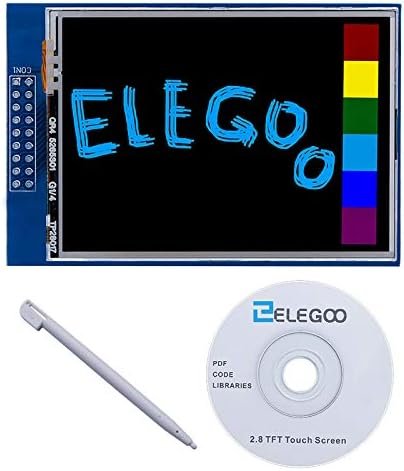
| 🔌 ELEGOO 2.8″ UNO Shield | 2.8″ | 320×240 | 8-bit Parallel | Resistive | Plug-and-Play UNO | View → |
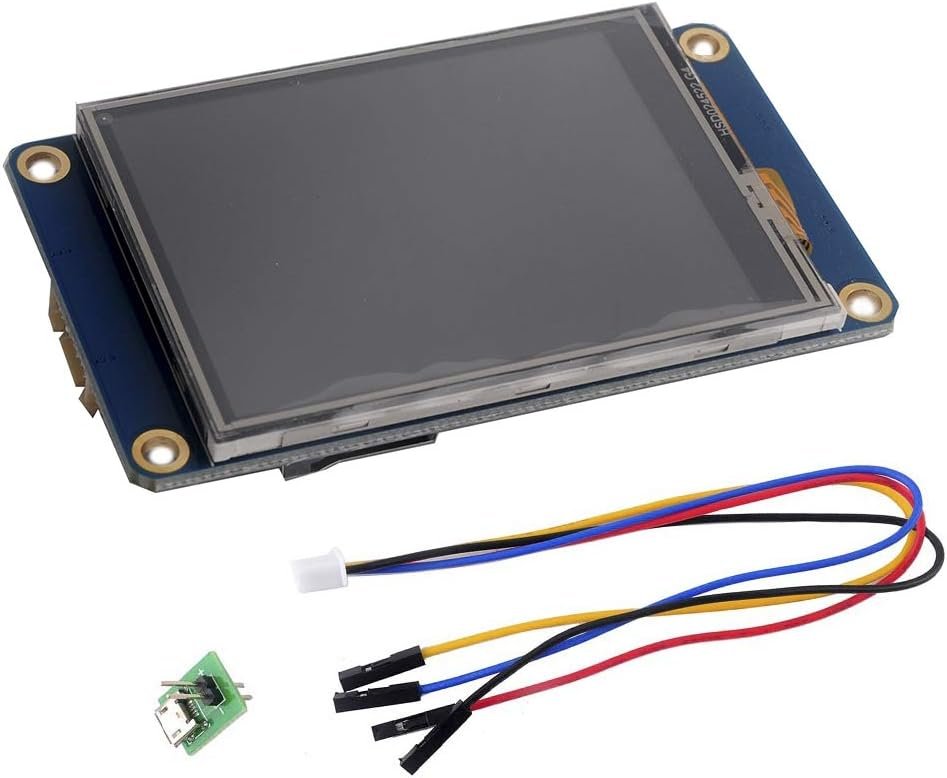
| 🧠 Nextion 2.8″ HMI | 2.8″ | 320×240 | UART (Serial) | Resistive | Standalone HMI | View → |
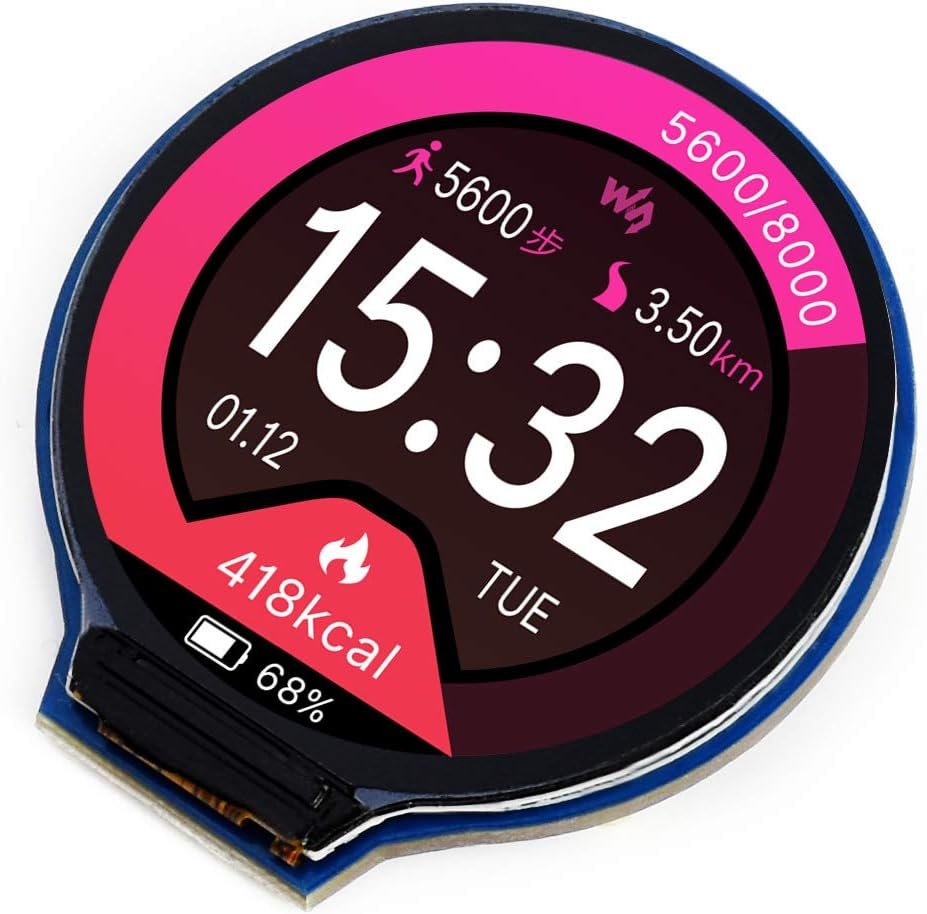
| ⭕ Waveshare 1.28″ Round | 1.28″ | 240×240 | SPI | None | Round / Wearable | View → |
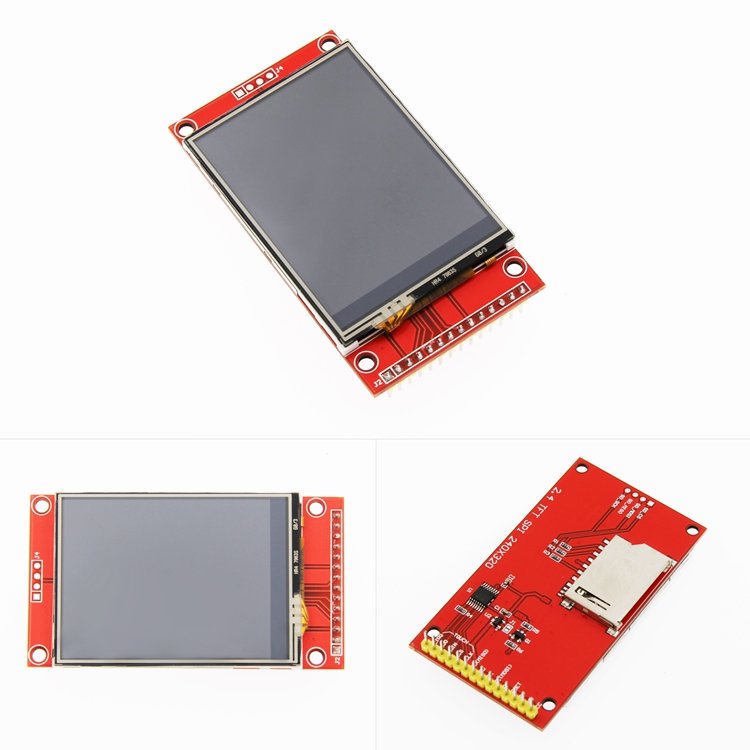
| 💎 HiLetgo 2.4″ ILI9341 | 2.4″ | 240×320 | SPI | Resistive | Compact Value | View → |
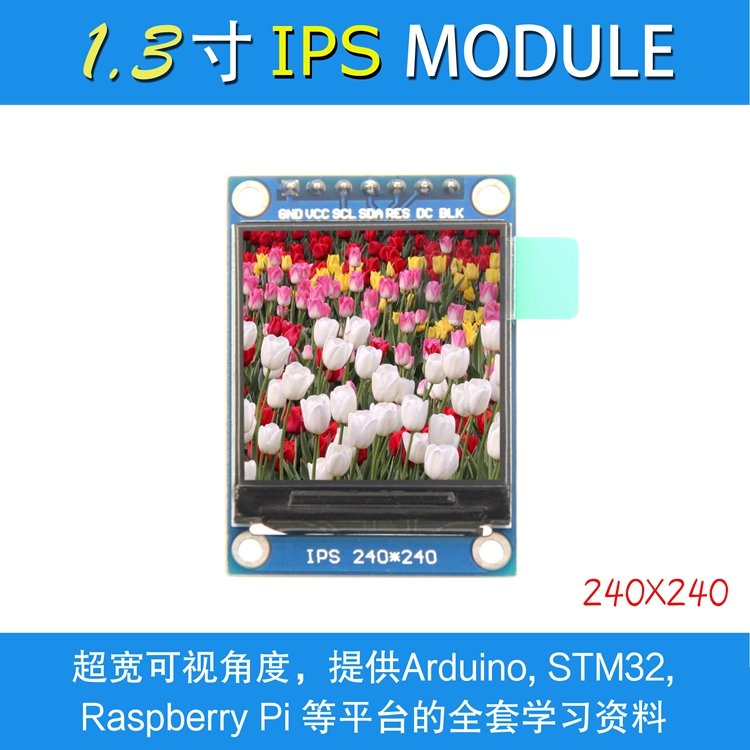
| 🔬 1.3″ IPS ST7789 | 1.3″ | 240×240 | SPI | None | Tiny IPS | View → |
| 🎓 1.8″ ST7735 | 1.8″ | 128×160 | SPI | None | Best for Beginners | View → |
Prices change frequently, so we’ve left them out of the table on purpose — tap any “View →” button to see the current Amazon price. All links use our affiliate tag (microlab05-20).
🔍 What to Look For in a TFT LCD Display
🧩
Driver IC & Library
ILI9341, ST7789, ST7735, ST7796 and GC9A01 are the well-supported controllers. Stick to these and libraries like TFT_eSPI, Adafruit GFX and LVGL will work out of the box.
🔗
Interface (Pin Count)
SPI uses ~5 pins and suits every board. 8/16-bit parallel shields refresh faster but need many pins (UNO/Mega). UART “smart” panels use just TX/RX.
📏
Size & Resolution
More pixels mean smoother text and graphics but more RAM and a slower SPI refresh. 240×320 is the sweet spot; 480×320 is great for dashboards.
👆
Touch Type
Resistive (XPT2046) is cheap but needs a press and calibration. Capacitive feels like a phone but costs more. Plenty of projects need no touch at all.
⚡
Logic Voltage
Most modules are 3.3 V logic. With a 5 V Arduino use level shifting or series resistors; with ESP32/STM32/Pico you can usually wire them up directly.
🏆 Detailed Reviews — All 10 TFT Displays

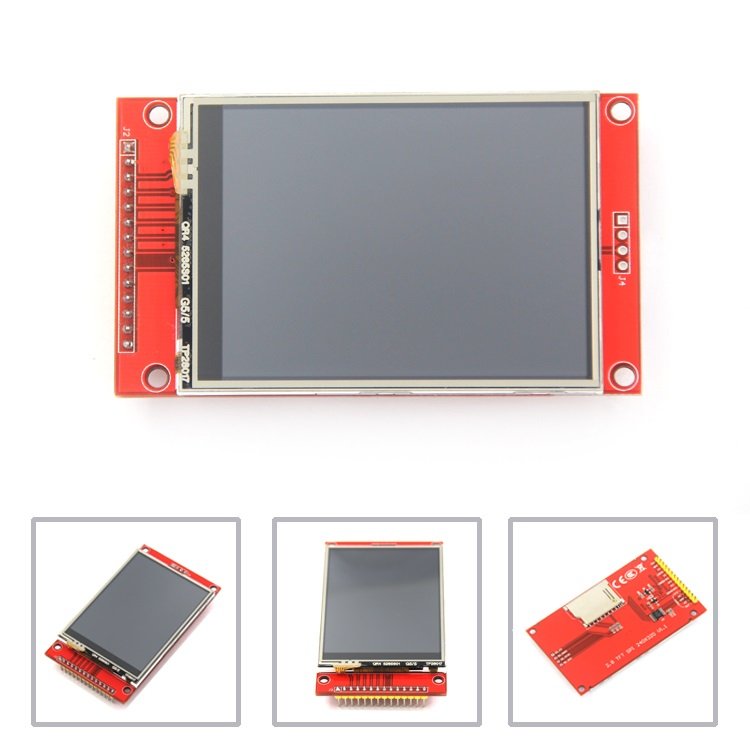
If you want one TFT that “just works” on almost any board, this is it. The ILI9341 2.8″ SPI module has the broadest library support of any color display — TFT_eSPI, Adafruit GFX, LVGL and Lua/MicroPython drivers all treat it as a first-class citizen. You get 240×320 pixels of 65K color, an onboard microSD slot for images, and a resistive touch layer (XPT2046) for menus. It runs from 3.3–5 V and only needs a handful of SPI pins, so it leaves plenty of GPIO free for sensors.
✅ Pros- Unmatched library support
- microSD + resistive touch
- Pin-thrifty 4-wire SPI
- Works on UNO, ESP32, STM32, Pico
❌ Cons- Resistive touch needs calibration
- 3.3 V logic — level-shift on 5 V
- No stylus or cable included
🎯 Verdict: The safest first (and forever) TFT. If you’re unsure which display to buy, buy this one.
👉 Check Price on Amazon →

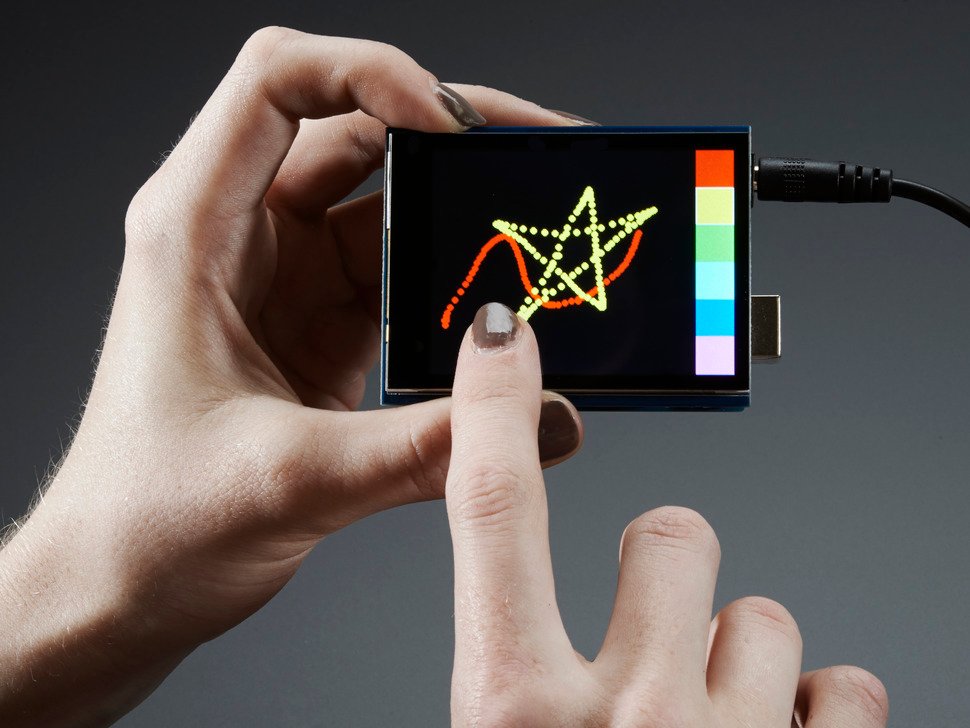
When build quality and a real capacitive touchscreen matter, Adafruit’s assembled shield is the one to beat. It stacks straight onto an UNO, Mega or Leonardo — no wiring, no soldering — and pairs an ILI9341 display with a glass capacitive touch layer that detects finger presses like a phone (no stylus, no calibration). It ships with a polished open-source GFX library, a microSD slot, and Adafruit’s superb documentation and forum support, which is worth a lot when you’re learning.
✅ Pros- True capacitive touch, no calibration
- Assembled shield — plug & play
- Excellent docs & library
- microSD for bitmaps
❌ Cons- Most expensive pick here
- Shield form factor (Arduino headers)
- Single-touch only
🎯 Verdict: The premium choice for a polished, phone-like touch UI on Arduino — pay more, fight less.
👉 Check Price on Amazon → 📐 BIGGEST SPI SCREEN · ⭐ 4.5/53. Hosyond 4.0″ ST7796S Touch
4.0″ · 480×320 · 4-wire SPI · resistive touch · microSD · 3.3–5 V
Buy on Amazon →
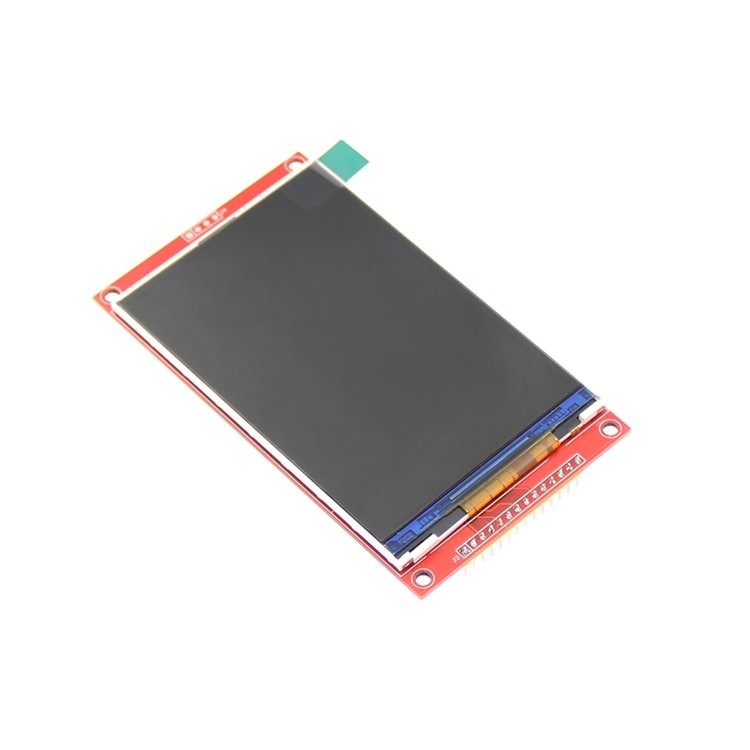
Want the biggest screen you can still drive over plain SPI? The Hosyond 4.0″ ST7796S packs 480×320 pixels into a 4-wire SPI module with an onboard level shifter, resistive touch and a microSD slot — and it’s a favorite for ESP32 LVGL dashboards because TFT_eSPI runs it beautifully. You get a large, bright canvas without the 16-pin parallel ribbon of a Mega shield, leaving most of your GPIO free.
✅ Pros: Big 480×320 over SPI; great ESP32/LVGL support; onboard level shift; microSD + touch.
❌ Cons: Full-frame SPI refresh isn’t instant; resistive touch only; needs decent power.
🎯 Verdict: The best big-screen SPI display — ideal for ESP32 touch GUIs and dashboards.
🧱 BEST FOR ARDUINO MEGA · ⭐ 4.3/54. HiLetgo 3.5″ ILI9486/9488
3.5″ · 480×320 · 16-bit parallel · 36-pin shield · resistive touch
Buy on Amazon →

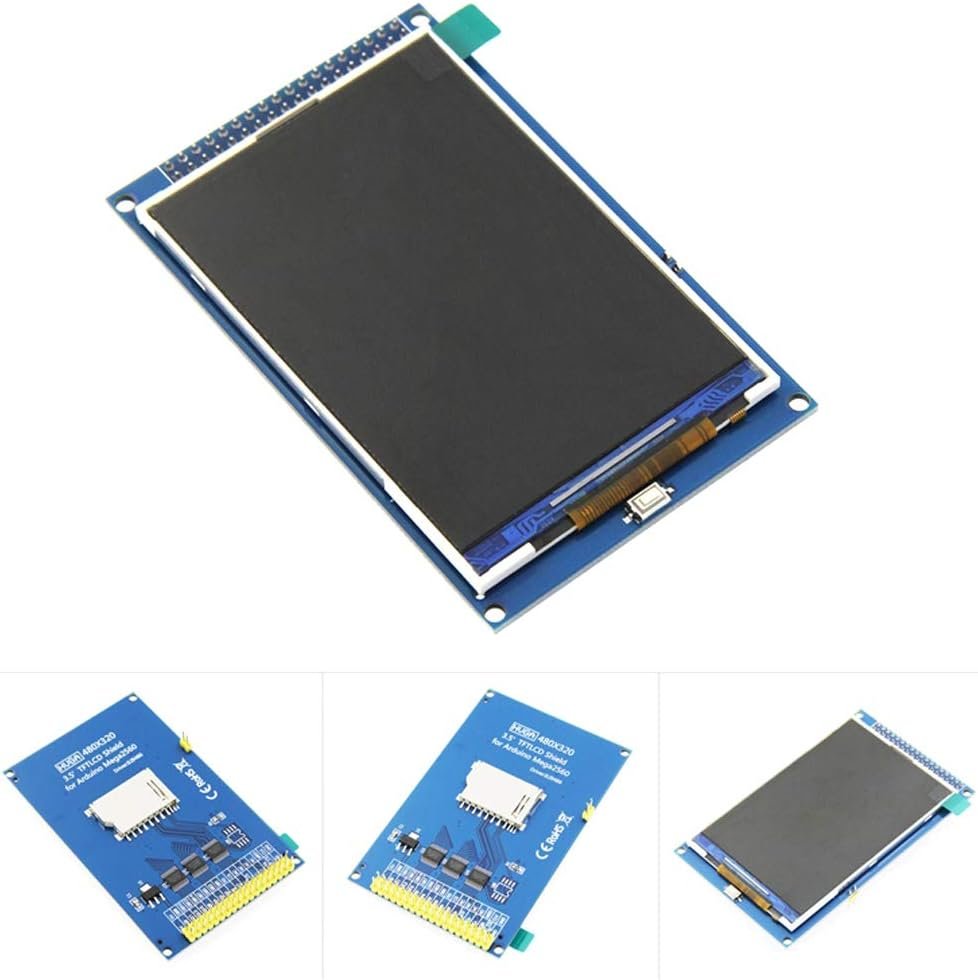
This is the classic “plug it onto a Mega and go” big display. The HiLetgo 3.5″ ILI9486/9488 shield drops straight onto an Arduino Mega2560’s 36-pin headers and uses a fast 16-bit parallel bus, so full-screen redraws are quicker than SPI. It includes an onboard 5 V/3.3 V level converter, a resistive touch panel and an SD slot — perfect for instrument panels and data loggers driven by the MCFRIEND/UTFT family of libraries.
✅ Pros: Fast 16-bit parallel; plugs onto Mega2560; onboard level shifter; big 480×320 + touch.
❌ Cons: Eats most Mega pins; library/driver detection can be fiddly; not ideal for SPI-only boards.
🎯 Verdict: The go-to big screen for Arduino Mega instrument panels and loggers.
🔌 PLUG-AND-PLAY FOR UNO · ⭐ 4.4/55. ELEGOO 2.8″ UNO Touch Shield
2.8″ · 320×240 · 8-bit parallel · resistive touch · microSD
Buy on Amazon →

For a beginner on an Arduino UNO, nothing beats a shield that just clicks into place. The ELEGOO 2.8″ touch screen seats directly on the UNO header — no jumper wires — and ships with sample sketches, libraries and technical data, so you can have graphics and touch running in minutes. It uses an 8-bit parallel bus for a snappy refresh and includes a microSD socket. (On a Mega the SD slot needs a bridge, so it’s happiest on the UNO it was made for.)
✅ Pros: Zero-wiring UNO shield; bundled examples & data; fast parallel refresh; great starter kit match.
❌ Cons: Uses most UNO pins; SD awkward on Mega; resistive touch needs calibration.
🎯 Verdict: The easiest first touchscreen for Arduino UNO beginners and kit builders.
🧠 BEST STANDALONE HMI · ⭐ 4.4/56. Nextion 2.8″ NX3224T028
2.8″ · 320×240 · UART · onboard MCU + 4 MB flash · resistive touch
Buy on Amazon →

The Nextion NX3224T028 takes a completely different approach: it’s a “smart” display with its own ARM controller and 4 MB of flash. You design the interface — buttons, gauges, text, images — visually in the free Nextion Editor, and your Arduino/ESP just sends and receives simple text commands over a single UART. That offloads all the rendering work, frees your microcontroller’s flash and RAM, and is perfect when you want a clean control panel without writing graphics code.
✅ Pros: Drag-and-drop GUI editor; only 2 wires (TX/RX); offloads rendering; onboard flash for assets.
❌ Cons: Pricier than a dumb panel; Editor has a learning curve; power best from adapter, not USB-TTL.
🎯 Verdict: The best pick for a polished control panel with almost no graphics coding.
⭕ BEST ROUND / WEARABLE · ⭐ 4.5/57. Waveshare 1.28″ Round GC9A01
1.28″ round IPS · 240×240 · SPI · GC9A01 · 3.3/5 V
Buy on Amazon →

If you’re building a smartwatch face, a round gauge or a quirky eyeball animation, the Waveshare 1.28″ round IPS is the one everyone reaches for. Its GC9A01 controller is supported by TFT_eSPI and LVGL, the IPS panel looks great from any angle, and the circular 240×240 format is genuinely eye-catching. It runs over SPI from 3.3 or 5 V and comes with a connector cable, making it easy to wire to a Raspberry Pi Pico, ESP32 or Arduino.
✅ Pros: Striking round IPS; wide viewing angle; TFT_eSPI/LVGL support; cable included.
❌ Cons: No touch (a touch variant exists separately); small 240×240 canvas; circular layout takes effort.
🎯 Verdict: The best round display for watch faces, gauges and wearable-style projects.
💎 BEST COMPACT VALUE · ⭐ 4.6/58. HiLetgo 2.4″ ILI9341 SPI
2.4″ · 240×320 · 4-wire SPI · resistive touch · microSD
Buy on Amazon →
Essentially the smaller sibling of our top pick, the HiLetgo 2.4″ ILI9341 delivers the same 240×320 resolution, resistive touch and microSD slot in a more compact, lower-cost footprint. It’s a favorite for Raspberry Pi Pico and ESP32 projects where the 2.8″ is a touch too big, and because it shares the ILI9341 controller, every library and tutorial for the 2.8″ applies directly. A superb value when you want color and touch without much board real estate.
✅ Pros: Same ILI9341 ecosystem; compact & cheaper; touch + microSD; great on Pico/ESP32.
❌ Cons: Smaller working area; 3.3 V logic; resistive touch needs calibration.
🎯 Verdict: The best compact-value touch TFT — top-pick features in a smaller package.
🔬 BEST TINY IPS · ⭐ 4.4/59. 1.3″ IPS ST7789 240×240
1.3″ IPS · 240×240 · SPI · ST7789 · 3.3 V · no touch
Buy on Amazon →
Need a bright little status screen that sips pins and power? The 1.3″ IPS ST7789 punches well above its size: a vivid 240×240 IPS panel with super-wide viewing angles, driven over SPI with as few as four control lines. There’s no touch and no microSD — it’s purely a display — which keeps the board tiny and the wiring trivial. It’s a brilliant readout for ESP32/STM32/Pico gadgets, retro consoles and badge projects.
✅ Pros: Punchy IPS color; very few pins; tiny & light; well supported by ST7789 drivers.
❌ Cons: No touch or SD; small 240×240 area; strictly 3.3 V logic.
🎯 Verdict: The best tiny IPS readout for compact, pin-limited projects.
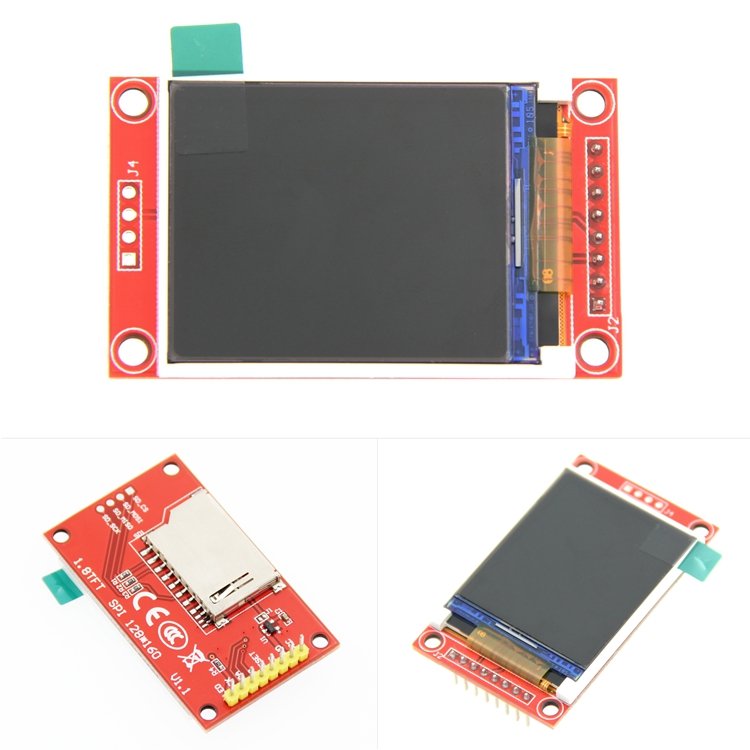
🎓 BEST FOR BEGINNERS · ⭐ 4.4/510. 1.8″ ST7735 128×160
1.8″ · 128×160 · SPI · ST7735 · microSD · ultra-cheap
Buy on Amazon →
The 1.8″ ST7735 is the classic “my first color screen.” It’s one of the cheapest TFTs you can buy, has a small SPI footprint, an SD slot for images, and is supported by the Adafruit ST7735 and TFT_eSPI libraries with countless beginner tutorials. The 128×160 resolution is modest, but for menus, sensor dashboards and learning how SPI displays work, it’s perfect — and cheap enough to keep a couple in the parts bin.
✅ Pros: Rock-bottom price; easy SPI wiring; huge tutorial base; microSD slot.
❌ Cons: Low 128×160 resolution; no touch; some boards are 3.3 V-only (series resistors on 5 V).
🎯 Verdict: The best cheap starter screen for learning color graphics on any microcontroller.
🛒 How to Choose the Right TFT Display
🎓
New to displays?
Start with the 1.8″ ST7735 or, for touch on a UNO, the plug-in ELEGOO 2.8″ shield. Cheap, forgiving and heavily documented.
🧠
ESP32 touch GUI?
Pick the HiLetgo 2.8″ ILI9341 or the big Hosyond 4.0″ ST7796 — both shine with TFT_eSPI and LVGL.
🧱
Arduino Mega dashboard?
The HiLetgo 3.5″ ILI9486 shield plugs straight on and refreshes fast over 16-bit parallel.
⌚
Watch face / round gauge?
The Waveshare 1.28″ round GC9A01 is purpose-built for circular UIs and wearables.
🎛️
No-code control panel?
The Nextion 2.8″ HMI lets you design the UI visually and talk to it over one UART.
🔬
Tiny status readout?
The 1.3″ IPS ST7789 gives bright color in a few pins — ideal for badges and gadgets.
⚙️ Key Specs Compared — Side by Side
| Spec | HiLetgo 2.8″ | Adafruit 2.8″ | Hosyond 4.0″ | Waveshare 1.28″ | 1.8″ ST7735 |
|---|
| Screen Size | 2.8″ | 2.8″ | 4.0″ ⭐ | 1.28″ | 1.8″ |
| Resolution | 240×320 | 240×320 | 480×320 ⭐ | 240×240 | 128×160 |
| Driver IC | ILI9341 | ILI9341 | ST7796S | GC9A01 | ST7735 |
| Interface | SPI | SPI + I²C | SPI | SPI | SPI |
| Panel Type | TFT | TFT | TFT | IPS ⭐ | TFT |
| Touch | Resistive | Capacitive ⭐ | Resistive | None | None |
| microSD | Yes ⭐ | Yes ⭐ | Yes ⭐ | No | Yes ⭐ |
| Best For | All-round | Premium touch | Big SPI GUI | Round/wearable | Beginners |
❓ Frequently Asked Questions
What’s the difference between a TFT and an IPS display?
“TFT” describes the underlying thin-film-transistor LCD technology, while “IPS” is a specific TFT panel type tuned for wide viewing angles and more consistent color. A standard TN-style TFT (like the ILI9341 modules) looks great head-on but shifts color if you tilt it; an IPS panel (like the Waveshare round GC9A01 or the 1.3″ ST7789) stays accurate from almost any angle. For a fixed front-facing screen, a regular TFT is fine; for wearables or anything viewed off-axis, choose IPS.
SPI or parallel — which interface should I pick?
Use SPI for almost everything. It needs only about five pins, works on every board (UNO, Mega, ESP32, STM32, Pico), and is plenty fast for menus, gauges and most GUIs. Parallel (8- or 16-bit) shields like the ELEGOO 2.8″ and HiLetgo 3.5″ refresh full screens faster, which helps with animation, but they consume a dozen or more pins and really only suit Arduino UNO/Mega. If you’re on an ESP32 or Pico and want a big screen, a fast SPI panel such as the Hosyond 4.0″ ST7796 is usually the better trade-off.
Are these displays 5 V tolerant, or do I need level shifting?
Most bare TFT modules use 3.3 V logic. You can almost always power them from 5 V (they have an onboard regulator), but their data pins expect 3.3 V signals. On a 3.3 V board (ESP32, STM32, Raspberry Pi Pico) you can usually wire them directly. On a 5 V Arduino, use a level shifter or series resistors on the signal lines to protect the display. The shield-style boards (ELEGOO, HiLetgo 3.5″, Adafruit) include level conversion, which is part of why they’re so beginner-friendly.
Which library should I use to drive a TFT?
For Arduino and ESP32, TFT_eSPI is the fastest and most popular choice and supports ILI9341, ST7789, ST7735, ST7796 and GC9A01. Adafruit GFX plus the matching driver library (ST7735, ILI9341, etc.) is the most beginner-friendly and best-documented. For full touch GUIs with widgets, animations and themes, layer LVGL on top. The Nextion is the exception — it doesn’t use these libraries at all; you design the UI in the Nextion Editor and send serial commands.
Do I need a touchscreen, and is resistive or capacitive better?
Only add touch if your project actually needs on-screen input — many dashboards just display data and are better served by a cheaper non-touch panel like the 1.3″ ST7789 or Waveshare round. If you do need touch, resistive (XPT2046) is inexpensive and works with a stylus or firm fingertip but needs calibration; capacitive (like the Adafruit shield) feels like a smartphone and needs no calibration, but costs more. For glove use or harsh environments, resistive can actually be the more practical option.
🏁 Final Verdict — Best TFT Display for Every Project
No single screen wins every build — match the display to your board and use case:
🥇 Best Overall — HiLetgo ILI9341 2.8″: widest library support, touch + microSD, works on any board
Buy →🏅 Best Premium — Adafruit 2.8″ Capacitive Shield: phone-like touch, assembled, superb docs
Buy →📐 Biggest SPI Screen — Hosyond 4.0″ ST7796: 480×320 over SPI, ideal for ESP32 + LVGL
Buy →🧠 Best No-Code HMI — Nextion 2.8″: design the UI visually, drive it over one UART
Buy →⭕ Best Round / Wearable — Waveshare 1.28″ GC9A01: striking circular IPS for watch faces
Buy →🎓 Best for Beginners — 1.8″ ST7735: the cheapest, easiest first color screen
Buy →For most makers, the HiLetgo ILI9341 2.8″ is the display to buy first — it works on every board, has the best library support, and covers the vast majority of projects. Step up to the Adafruit 2.8″ capacitive shield when you want a phone-like touch UI with zero wiring, reach for the Hosyond 4.0″ ST7796 or HiLetgo 3.5″ when you need a big dashboard, and grab the Waveshare 1.28″ round or 1.3″ ST7789 for compact and wearable builds. Whichever you choose, pair it with our Arduino, ESP32, STM32 and Raspberry Pi Pico tutorials and start building real interfaces today.
💬 Not sure which screen fits your project? Tell us your board and what you’re building — a sensor dashboard, a touch GUI, a watch face or a smart-home panel — in the comments below, and we’ll point you to the right TFT.
All Amazon links above use our affiliate tag (microlab05-20). Buying through them supports microcontrollerslab.com at no extra cost to you. We left prices off the tables on purpose because they change often — always confirm the current price on Amazon before buying.
| Arduino Components | Amazon Links |
|---|
| Arduino Starter Kit | Buy Now |
| Arduino Development Kit | Buy Now |
| Arduino Smart Robot Car Kit V4 | Buy Now |
| Arduino Sensors Kit | Buy Now |