⚠️ Affiliate Disclosure: This post contains Amazon affiliate links. If you purchase through our links, we may earn a small commission at no extra cost to you. We only recommend products we have thoroughly researched and verified. Prices change frequently, so we don’t list them here. Always tap through and confirm the live price on Amazon before buying.
Ultimate Buying Guide
🔴 Best LED Matrix Modules for Arduino, ESP32 & Raspberry Pi
8 LED matrix modules ranked for makers and students, from a single MAX7219 8×8 and cascaded 32×8 and 64×8 scrolling displays to WS2812B RGB panels and a 64×32 HUB75 board, with real specs, honest verdicts and direct Amazon links.
✅ 8 Modules Reviewed
✅ Verified Amazon ASINs
✅ Live-Checked Listings
✅ Honest Pros & Cons
An LED matrix module is one of the most satisfying displays you can wire to a microcontroller. A grid of LEDs turns your Arduino, ESP32, ESP8266 or Raspberry Pi Pico into a scrolling message board, an internet clock, a stock or crypto ticker, a score counter, a VU meter or a pixel-art animation panel, and it is readable from across the room in a way a tiny OLED never is. Thanks to driver chips like the MAX7219, you can run 64 LEDs (or many hundreds when cascaded) from just three data pins.
The challenge is that “LED matrix” covers very different hardware. Classic MAX7219 8×8 modules are single-color, cheap and easy to chain into 32×8 and 64×8 displays. WS2812B panels give you full RGB control of every pixel on one data wire. HUB75 panels pack thousands of RGB pixels for proper signage but need a faster controller. This guide ranks 8 LED matrix modules across those families on the specs that actually matter: resolution, color, interface, cascading and power.
💡 Reality check before you buy: Most MAX7219 modules on Amazon are generic clones of the same FC-16 design, so build quality, LED brightness matching and solder joints vary from batch to batch, and some 4-in-1 boards arrive with a module rotated 90° in software (an easy fix in the MD_MAX72XX library hardware-type setting). MAX7219 boards are single color; if you want full color you need WS2812B or HUB75. RGB panels are power hungry: a 16×16 WS2812B panel can pull well over 10 A at full white, so plan for a real 5V supply and keep brightness low. Finally, the MAX7219 is a 5V chip and 3.3V logic from an ESP32 or Pico is outside its guaranteed input-high level. It usually works, but a level shifter makes it reliable.
🔴 Quick Comparison: All 8 LED Matrix Modules
| Module | Resolution · Color | Driver · Interface | Key Feature | Best For | Buy |
|---|
| 🥇 HiLetgo MAX7219 4-in-1 | 32×8 · Red | MAX7219 · SPI | Cascadable · 5V | Best Overall | Buy Here → |
| 🌈 BTF-LIGHTING 16×16 | 16×16 · RGB | WS2812B · 1-wire | 256 px · flexible | Best RGB Matrix | Buy Here → |
| 🔰 HiLetgo MAX7219 8×8 (3-pack) | 8×8 · Red | MAX7219 · SPI | Cascadable · 5V | Best for Beginners | Buy Here → |
| 📦 GeeekPi 32×8 (2-pack) | 32×8 · Red | MAX7219 · SPI | Cables + headers | Best Value Multi-Pack | Buy Here → |
| 📜 MAX7219 8-in-1 64×8 | 64×8 · Red | MAX7219 · SPI | 8 chips · 5V | Best Long Scrolling Display | Buy Here → |
| 🟩 BTF-LIGHTING 8×8 | 8×8 · RGB | WS2812B · 1-wire | 64 px · flexible | Best Compact RGB | Buy Here → |
| 🖥️ Waveshare 64×32 P4 | 64×32 · RGB | HUB75 · parallel | 2048 px · 5V/4A | Best High-Res Panel | Buy Here → |
| 🎨 Lonely Binary 3-Color 8×8 | 8×8 · R/G/B | MAX7219 · SPI | 3 modules + cases | Best Multi-Color MAX7219 | Buy Here → |
Prices change often, so we’ve left them out. Tap “Buy Here” to see the current price and pack size on Amazon. Several picks are sold as multi-packs; check the listing before ordering.
🔍 What to Look for in an LED Matrix Module
📐
Resolution & Size
8×8 is enough for icons and single characters. For readable scrolling text you want at least 32×8 (four modules), and 64×8 lets a full word or clock sit on screen without scrolling. Check the physical size too: an 8×8 MAX7219 module is about 3.2 cm square.
🎨
Single Color vs RGB
MAX7219 modules light one color (usually red) and are the cheapest, simplest option for text. WS2812B and HUB75 panels give every pixel full 24-bit color for animations, pixel art and music visualizers, at the cost of much more current.
🔌
Driver & Interface
MAX7219 uses a 3-wire SPI-style bus (DIN, CS, CLK) with mature libraries (MD_Parola, LedControl). WS2812B needs only one data pin (FastLED, Adafruit NeoPixel, WLED). HUB75 needs about 13 GPIOs and a fast controller like an ESP32 or Raspberry Pi.
🔗
Cascading
MAX7219 modules daisy-chain DOUT to DIN, so four or eight modules still use only three pins. WS2812B panels chain the same way on one data line. Pre-assembled 4-in-1 and 8-in-1 boards save you the wiring and keep modules aligned.
⚡
Power Budget
A MAX7219 8×8 draws a few hundred mA at most. RGB is a different story: each WS2812B pixel can draw up to ~60 mA at full white, and a 64×32 HUB75 panel is rated around 4 A. Size your 5V supply to the worst case and share ground with the MCU.
🏆 Detailed Reviews: All 8 LED Matrix Modules
🥇 BEST OVERALL

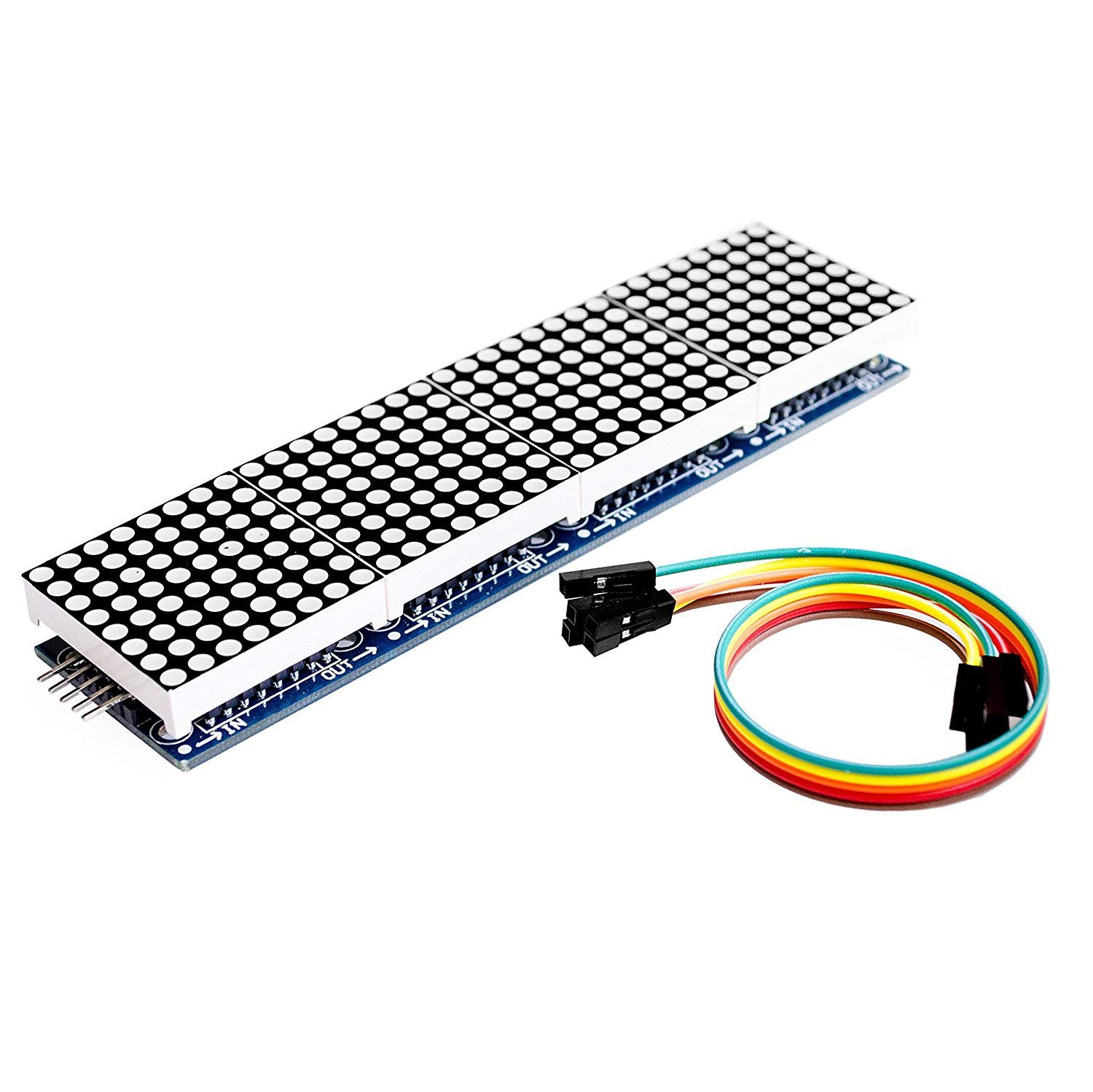
The HiLetgo MAX7219 4-in-1 is the LED matrix most makers should buy first. It puts four 8×8 common-cathode red matrices and four MAX7219 driver chips on one pre-aligned board, giving you a 32×8 display that is wide enough for smooth scrolling text, a clock (HH:MM fits perfectly) or a sensor readout. It ships with a 5-pin cable, has 3 mm mounting holes and an output header so you can chain a second board for 64×8. Because it is the standard FC-16 layout, the MD_Parola and MD_MAX72XX libraries drive it out of the box on Arduino, ESP8266 and ESP32, and every tutorial online matches it.
✅ Pros- Wide 32×8 display, ready to scroll
- Only 3 data pins for 256 LEDs
- FC-16 layout works with MD_Parola
- Chain more boards for 64×8+
❌ Cons- Single color (red) only
- 5V logic; level shift for 3.3V MCUs
- Generic clone quality varies
🎯 Verdict: The best all-round LED matrix module. Cheap, well supported and big enough for real scrolling text projects.
👉 Check Price on Amazon →
🌈 BEST RGB MATRIX

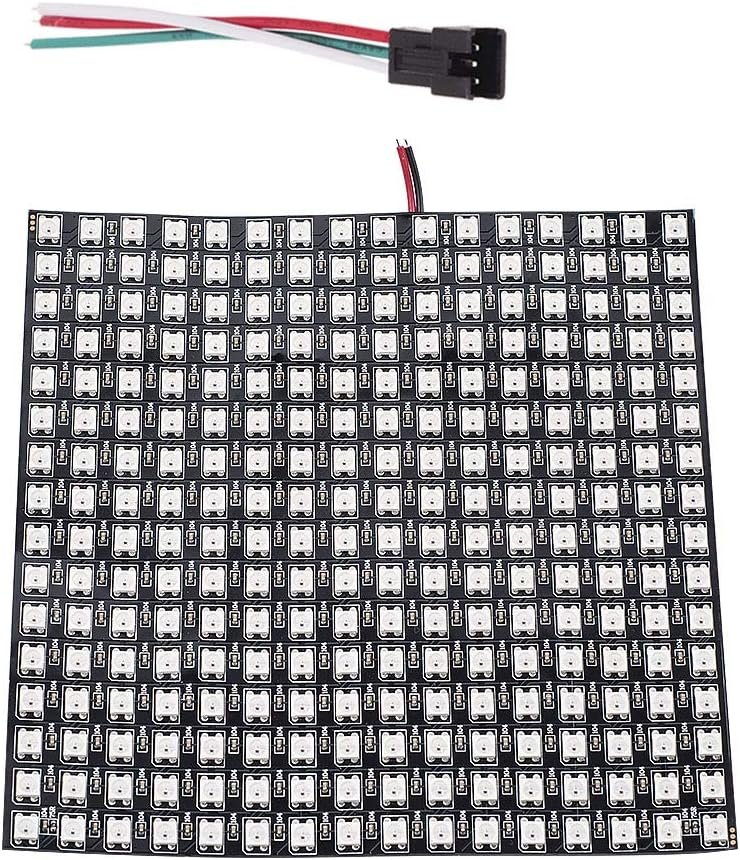
When single-color text isn’t enough, the BTF-LIGHTING 16×16 panel gives you 256 individually addressable WS2812B RGB pixels on a thin, flexible 16 x 16 cm board. Every pixel takes full 24-bit color over a single data wire, so an ESP32 running FastLED, Adafruit NeoPixel or WLED can drive pixel art, game-of-life simulations, audio spectrum visualizers and color scrolling text. BTF-LIGHTING is one of the most established WS2812B brands on Amazon, and this listing shares a large review base with its 8×8 and 8×32 siblings. Note this ECO version uses alloy wires inside the LEDs to cut cost; it performs fine for hobby use.
✅ Pros- 256 full-color RGB pixels
- One data pin, huge library support
- Works with WLED out of the box
- Flexible panel, easy to mount or diffuse
❌ Cons- Can draw 10 A+ at full white
- Needs a real 5V supply and capacitor
- ECO alloy-wire LEDs, not gold-wire
🎯 Verdict: The best RGB LED matrix for makers. Pair it with an ESP32 and WLED for an instant pixel display.
👉 Check Price on Amazon →
🔰 BEST FOR BEGINNERS · ⭐ 4.6/53. HiLetgo MAX7219 8×8 Module (3-Pack)
8×8 red · MAX7219 · 3.2 x 3.2 cm · in/out headers · 5V · 3 modules
Buy Here →

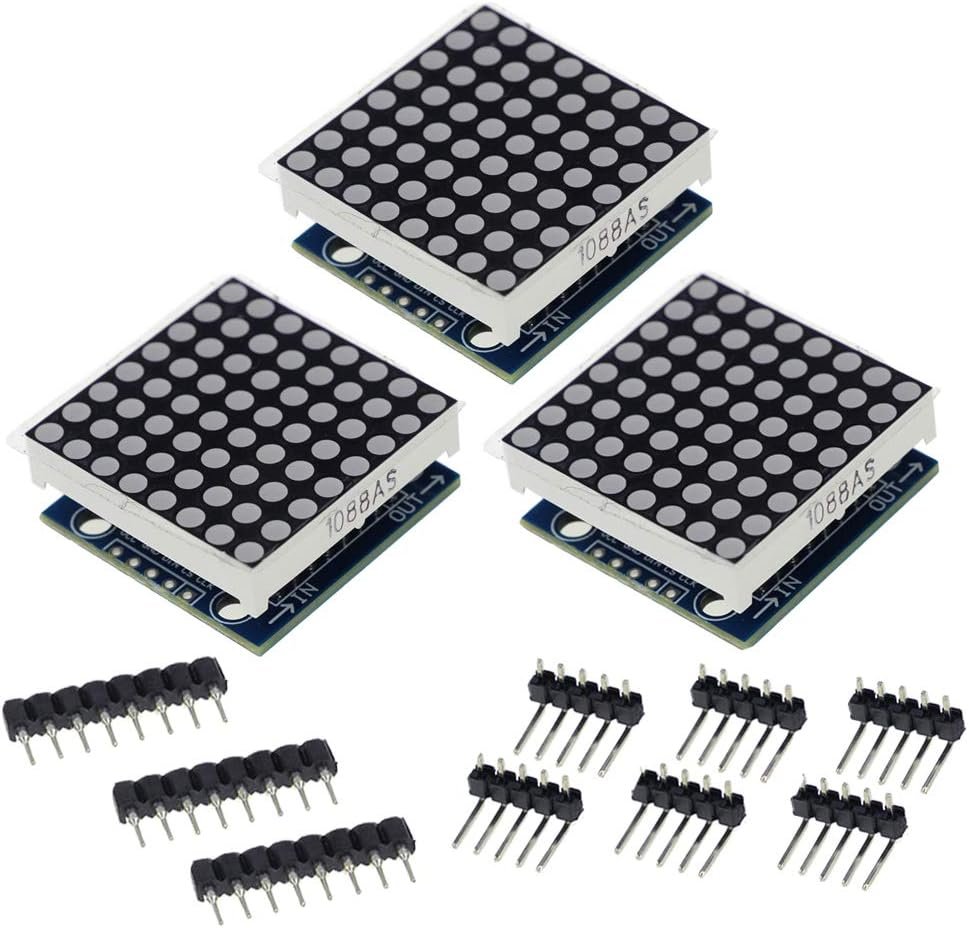
The HiLetgo MAX7219 8×8 3-pack is the classic single-module board: one 8×8 red matrix, one MAX7219 driver, and input and output headers on each end. It is the ideal way to learn how a matrix is addressed row by row with the LedControl library before you move to text scrolling. With three modules in the pack you can build icons, dice, a heart-beat display or a mini emoji face, and then cascade all three into a 24×8 strip when you’re ready. Each 3.2 cm board has four 3 mm screw holes for easy mounting.
✅ Pros: Three modules per pack; perfect for learning; cascadable; standard pinout.
❌ Cons: Single color only; separate boards need careful alignment when chained; 5V logic.
🎯 Verdict: The best starter LED matrix. Learn the basics on one module and chain the rest later.
📦 BEST VALUE MULTI-PACK · ⭐ 4.5/54. GeeekPi MAX7219 32×8 (2-Pack)
2x 32×8 red · 4-in-1 MAX7219 · 5-pin headers + F-F jumpers + Velcro included
Buy Here →

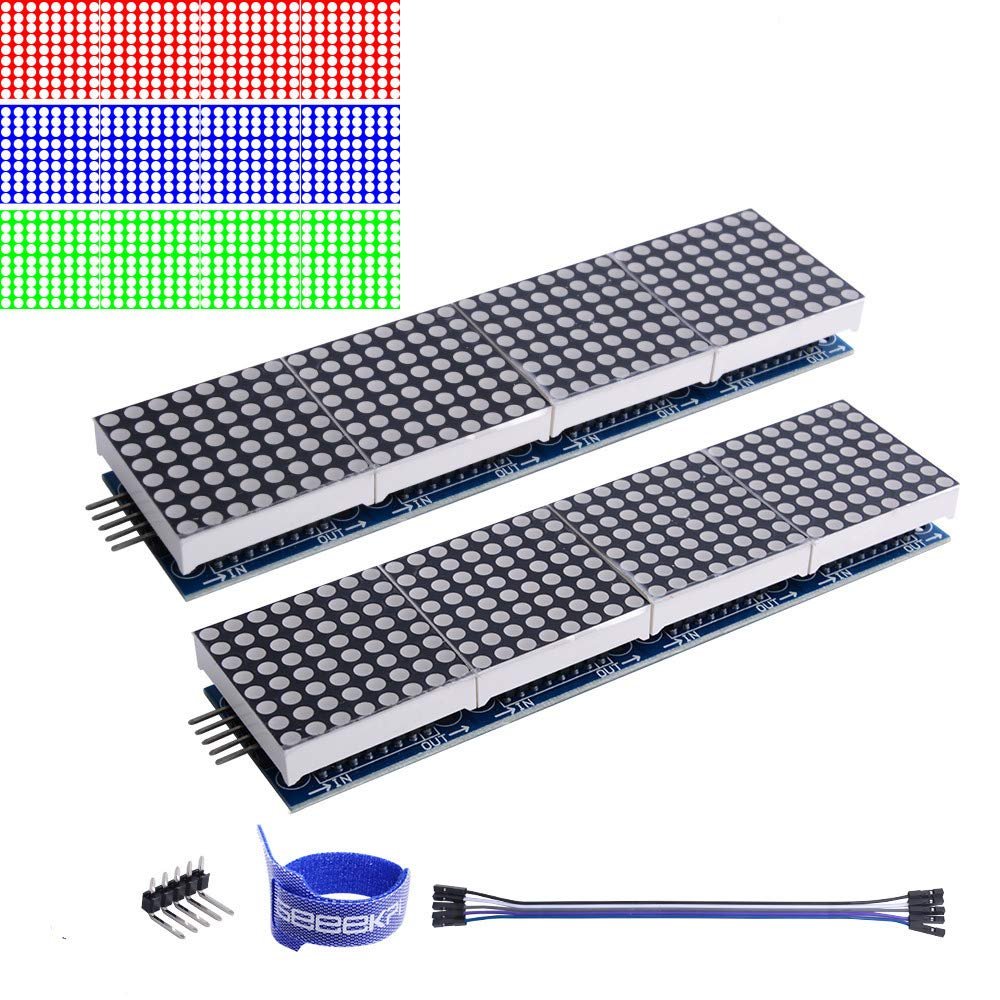
The GeeekPi 2-pack gives you two complete 32×8 MAX7219 boards plus everything needed to wire them: two 5-pin headers, female-to-female jumper wires and Velcro tape for mounting. Chain the pair for a 64×8 scrolling sign, or use them in two separate projects. GeeekPi is a Raspberry Pi accessory brand, and these boards are a natural fit for the luma.led_matrix Python library on a Pi as well as MD_Parola on Arduino and ESP32.
✅ Pros: Two full 32×8 boards; cables and headers included; great for Raspberry Pi; easy 64×8 upgrade.
❌ Cons: Red only; headers may need soldering; 5V logic on 3.3V boards is marginal.
🎯 Verdict: The best value for multiple MAX7219 displays. Two ready-to-wire 32×8 boards in one box.
📜 BEST LONG SCROLLING DISPLAY · ⭐ 4.4/55. MAX7219 8-in-1 Dot Matrix (64×8)
64×8 red · 8x MAX7219 on one board · 32 mounting holes (3 mm) · 5V
Buy Here →

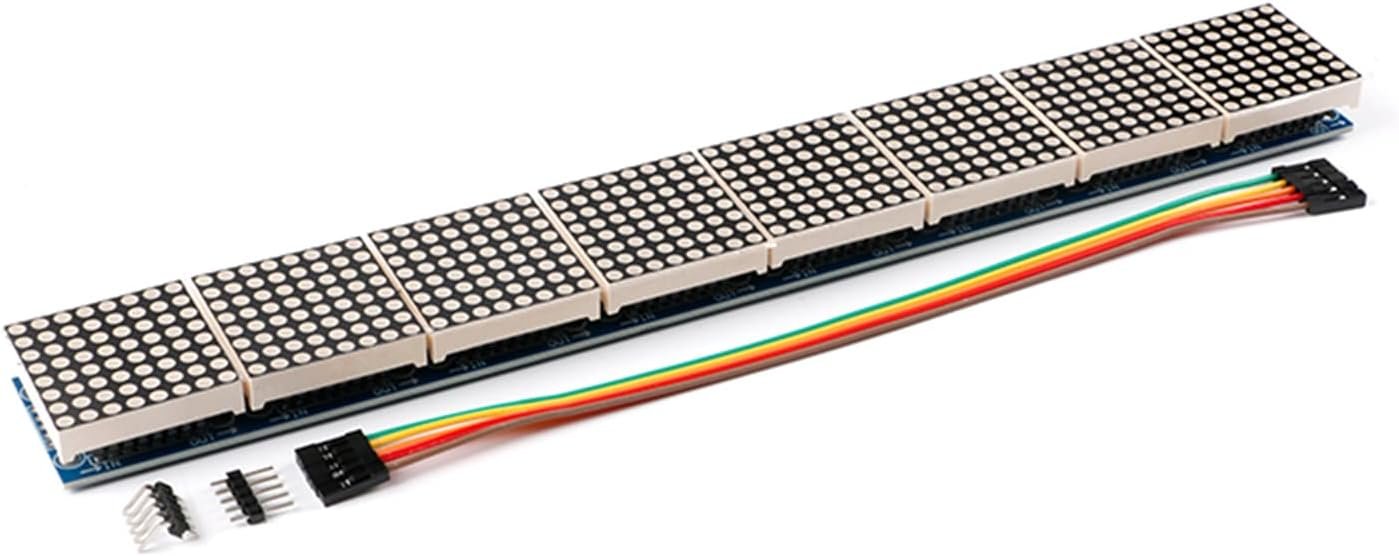
This 8-in-1 MAX7219 board puts eight 8×8 matrices and eight driver chips in a single rigid 64×8 strip, roughly 25 cm long. That is the sweet spot for an internet clock that also shows the date, a news or weather ticker, or a desk notification sign, because whole words stay on screen with room to spare. Since it’s one PCB, you avoid the misaligned seams you get when chaining separate boards, and it still uses only three GPIO pins.
✅ Pros: Long 64×8 strip in one piece; no alignment gaps; still only 3 pins; 32 mounting holes.
❌ Cons: Generic brand; higher current than a 4-in-1; red only; long board is fragile to bend.
🎯 Verdict: The best MAX7219 module for clocks and tickers. Twice the width of a 4-in-1, in one clean board.
🟩 BEST COMPACT RGB · ⭐ 4.5/56. BTF-LIGHTING WS2812B 8×8
64 RGB px · WS2812B 5050 · 8 x 8 cm flexible · single data pin · 5V
Buy Here →

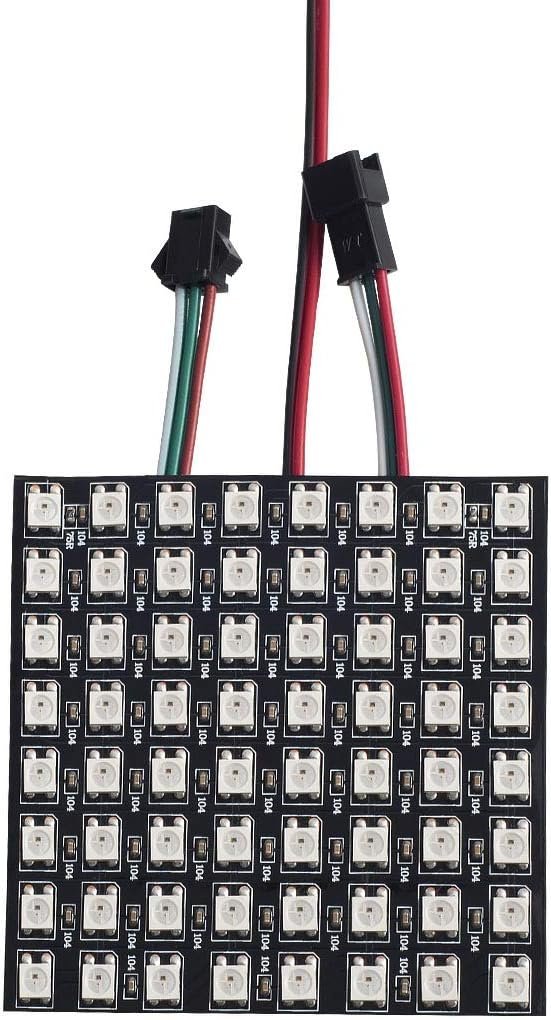
The BTF-LIGHTING 8×8 is the small sibling of our RGB pick: 64 addressable WS2812B pixels on an 8 x 8 cm flexible panel. It is the easiest way to experiment with RGB matrices on an Arduino Uno or Pico without needing a big power supply, and it’s perfect for status indicators, small emoji displays, wearable badges and learning FastLED patterns before scaling up to a 16×16. Several panels can be chained on the same data line.
✅ Pros: Full RGB in a small, low-power size; one data pin; FastLED and WLED ready; chainable.
❌ Cons: Only 64 pixels, so text is cramped; ECO alloy-wire LEDs; needs 5V-level data for reliability.
🎯 Verdict: The best small RGB matrix. Ideal for learning addressable LEDs before going bigger.
🖥️ BEST HIGH-RES PANEL · ⭐ 4.3/57. Waveshare 64×32 RGB Matrix (P4, HUB75)
2048 RGB px · 4 mm pitch · 256 x 128 mm · HUB75 in/out · 1/16 scan · 5V/4A
Buy Here →

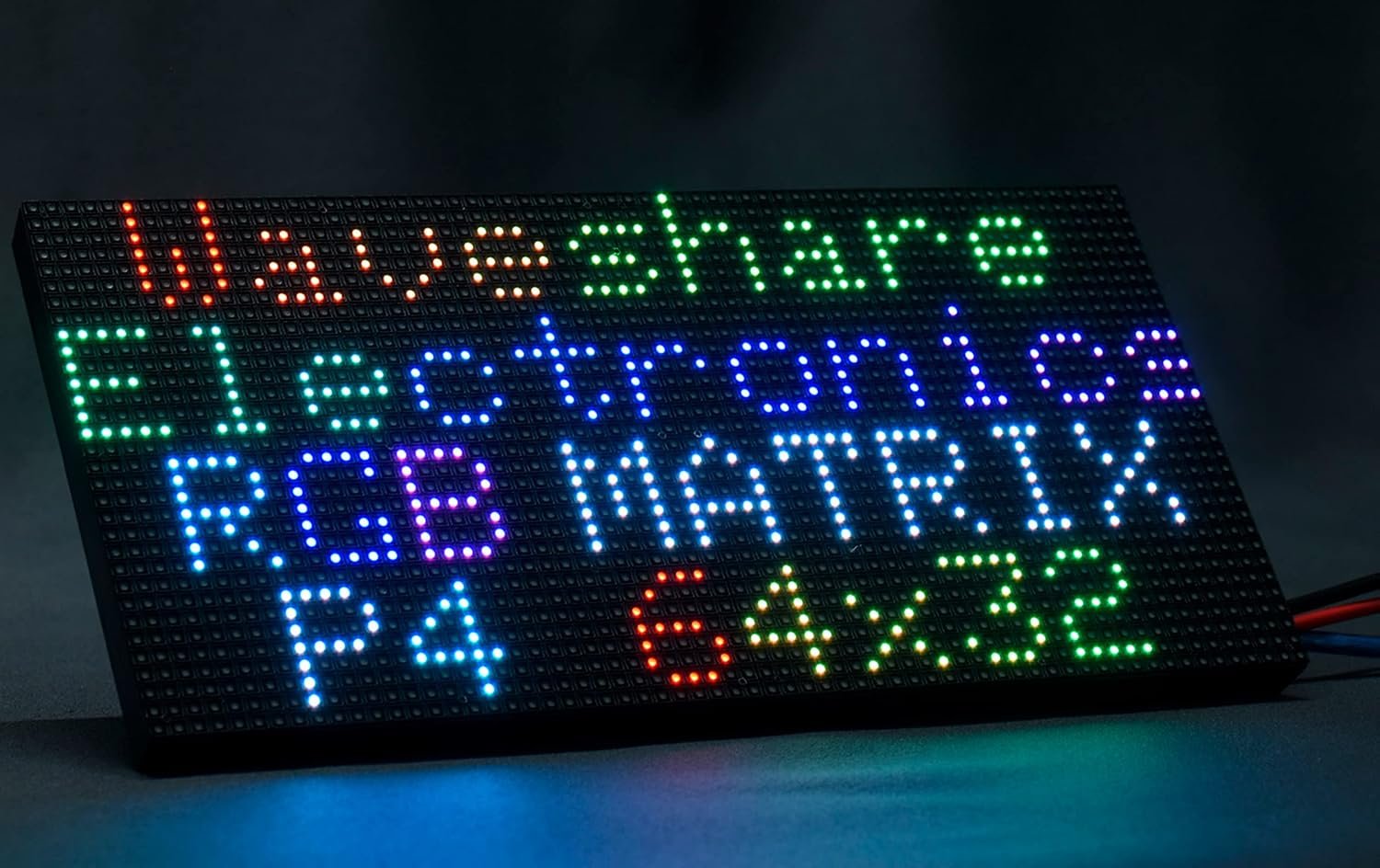
The Waveshare 64×32 P4 is a step up into real signage: 2048 full-color pixels on a 256 x 128 mm panel with a 4 mm pitch, bright enough to show images, animations and multi-line text. It uses the parallel HUB75 interface with input and output headers, so panels chain into larger walls. Waveshare provides documentation and examples, and it works well with an ESP32 using the ESP32-HUB75-MatrixPanel-DMA library or a Raspberry Pi with rpi-rgb-led-matrix. Be aware that an Arduino Uno is too slow for smooth output, and the panel needs its own 5V/4A supply.
✅ Pros: 2048 RGB pixels; chainable HUB75; known brand with docs; great for clocks, dashboards and signs.
❌ Cons: Needs ESP32/Raspberry Pi and ~13 GPIOs; 5V/4A supply required; fewer Amazon reviews than the MAX7219 picks.
🎯 Verdict: The best high-resolution LED matrix. Choose it when you want a true full-color display, not just scrolling text.
🎨 BEST MULTI-COLOR MAX7219 · ⭐ 4.4/58. Lonely Binary MAX7219 8×8 3-Color Pack
3x 8×8 (red, green, blue) · MAX7219 · 3D-printed PLA enclosures included · 5V
Buy Here →

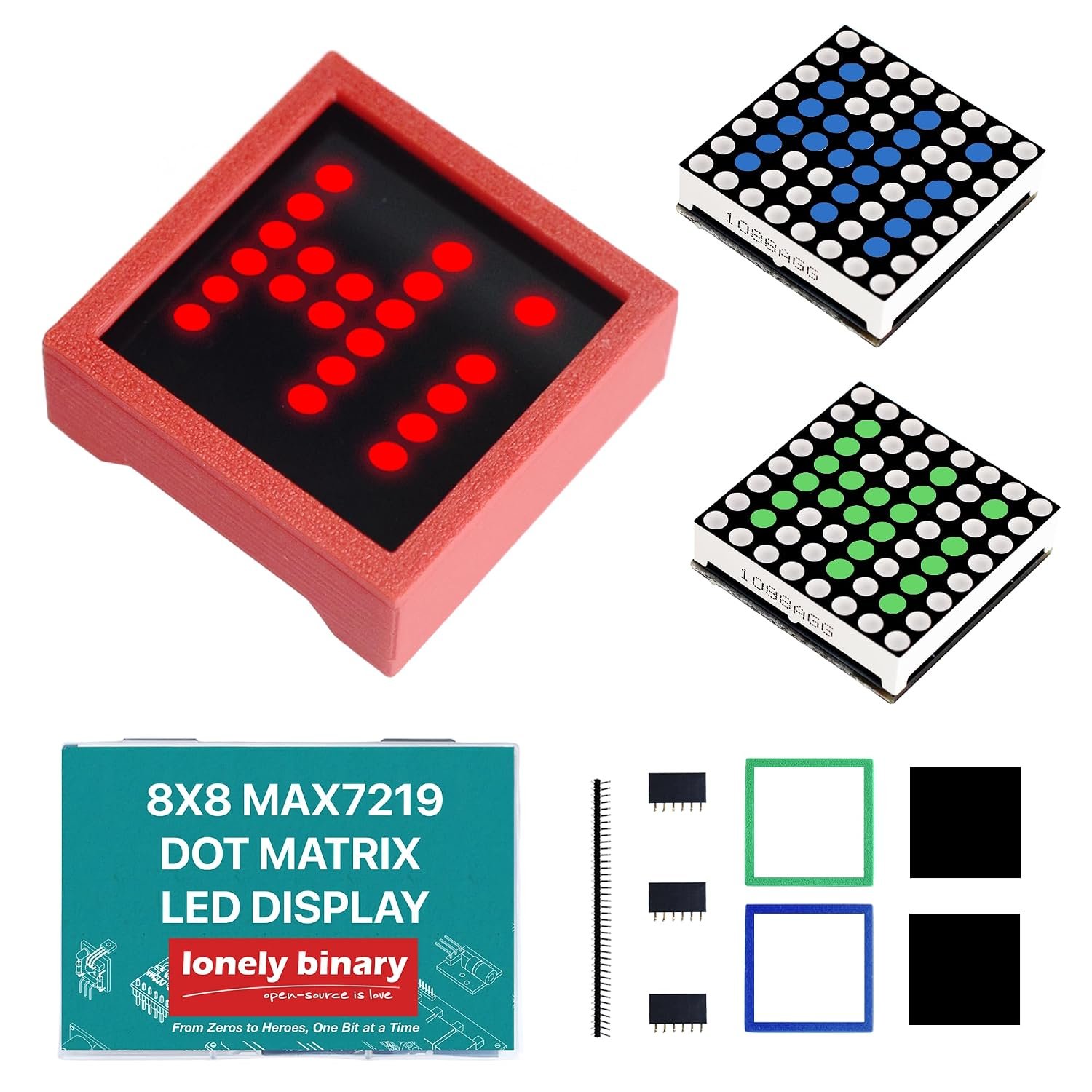
Most MAX7219 modules only come in red. The Lonely Binary 3-pack gives you one red, one green and one blue 8×8 MAX7219 module, each with a matching 3D-printed enclosure, so your project looks finished instead of like a bare PCB. Each module is still single-color (this is not RGB), but mixing colors works well for status panels, traffic-light style indicators or color-coded alerts on an ESP32. The listing is aimed at C++ and ESP32 learners, and the modules use the same MAX7219 libraries as every other pick here.
✅ Pros: Red, green and blue in one pack; enclosures included; standard MAX7219 libraries.
❌ Cons: Each module is one fixed color, not RGB; newer listing with fewer reviews; 8×8 only.
🎯 Verdict: The best way to get non-red MAX7219 matrices, with tidy enclosures included.
🛒 How to Choose the Right LED Matrix
📜
Building a scrolling text display or clock?
Get the HiLetgo MAX7219 4-in-1 (32×8), or the 8-in-1 64×8 if you want whole words on screen.
🌈
Want full-color animations?
The BTF-LIGHTING WS2812B 16×16 with an ESP32 and WLED or FastLED is the easiest full-color route.
🔰
Just learning LED matrices?
Start with the HiLetgo MAX7219 8×8 3-pack and the LedControl library, then cascade the modules.
📦
Need displays for several projects?
The GeeekPi 32×8 2-pack includes cables and headers for two ready-to-wire displays.
🖥️
Making a dashboard or real sign?
Go for the Waveshare 64×32 HUB75 panel driven by an ESP32 or Raspberry Pi.
🎨
Want colors other than red without RGB complexity?
The Lonely Binary 3-color pack gives red, green and blue MAX7219 modules with cases.
⚙️ Key Specs Compared: Side by Side
| Spec | HiLetgo 4-in-1 | MAX7219 8-in-1 | BTF 16×16 | BTF 8×8 | Waveshare 64×32 |
|---|
| Resolution | 32×8 | 64×8 | 16×16 | 8×8 | 64×32 ⭐ |
| Total LEDs | 256 | 512 | 256 | 64 | 2048 ⭐ |
| Color | Red | Red | Full RGB ⭐ | Full RGB ⭐ | Full RGB ⭐ |
| Interface | SPI-style (3 pins) | SPI-style (3 pins) | 1-wire data ⭐ | 1-wire data ⭐ | HUB75 (~13 pins) |
| Arduino Uno Friendly | Yes ⭐ | Yes ⭐ | Yes (low brightness) | Yes ⭐ | No (use ESP32/Pi) |
| Approx. Max Current | <1 A ⭐ | ~1-2 A | 10 A+ full white | ~3.8 A full white | ~4 A |
| Cascadable | Yes | Yes | Yes | Yes | Yes (HUB75 out) |
Current figures are worst-case estimates (all LEDs fully on); real-world draw at moderate brightness is far lower. Specs can vary by seller batch, so always confirm details on the live Amazon listing.
❓ Frequently Asked Questions
What is the difference between a MAX7219 matrix and a WS2812B matrix?
A MAX7219 module uses a dedicated driver chip that multiplexes a single-color 8×8 LED grid; your MCU sends data over a simple 3-wire serial bus and the chip handles refresh and brightness. A WS2812B matrix has a tiny controller inside every RGB LED, so each pixel can be any color, all on one data wire. MAX7219 is cheaper, lower power and ideal for text; WS2812B is the choice for color graphics and animations but needs much more current and careful power wiring.
How many MAX7219 modules can I cascade?
Electrically there’s no hard limit: each module passes data from DOUT to the next DIN, and you still use only three GPIO pins. In practice, 4 to 16 modules is common with libraries like MD_Parola, which let you split a long chain into zones. As the chain grows, power and signal integrity matter more, so feed 5V at both ends of long chains, keep wires short and drop the SPI clock if you see glitches.
Can I use a MAX7219 LED matrix with an ESP32 or Raspberry Pi Pico at 3.3V?
Usually yes, but it isn’t guaranteed. The MAX7219 runs at 5V and its datasheet input-high threshold is about 3.5V, which is above 3.3V logic. Many modules work fine anyway, especially with short wires, but if you see random pixels or freezes, add a 74HCT125 or similar level shifter on DIN, CS and CLK. Power the module from 5V, not from the 3.3V rail, and share ground with the board.
How do I power a WS2812B LED matrix safely?
Budget roughly 60 mA per pixel at full white as a worst case, so a 16×16 panel can theoretically pull over 15 A. Use a dedicated 5V supply, add a 1000 µF capacitor across the power input, put a 300 to 500 Ω resistor in series with the data line, and limit brightness in code (FastLED’s setBrightness or WLED’s current limiter). Never power more than a handful of pixels from a microcontroller’s 5V pin.
Can an Arduino Uno drive a 64×32 HUB75 RGB panel?
Not well. HUB75 panels have no on-board frame memory, so the controller must continuously scan rows at high speed, and a 64×32 panel needs more RAM and speed than an Uno has. An ESP32 (with the ESP32-HUB75-MatrixPanel-DMA library) or a Raspberry Pi (with rpi-rgb-led-matrix) is the right choice. For Uno projects, stick with MAX7219 modules or a small WS2812B panel.
🏁 Final Verdict: Best LED Matrix for Every Build
The right LED matrix module for every project and budget:
🥇 Best Overall: HiLetgo MAX7219 4-in-1: 32×8 scrolling display on 3 pins
Buy Here →🌈 Best RGB Matrix: BTF-LIGHTING WS2812B 16×16: 256 full-color pixels
Buy Here →🔰 Best for Beginners: HiLetgo MAX7219 8×8 3-pack: learn, then cascade
Buy Here →📦 Best Value Multi-Pack: GeeekPi 32×8 2-pack: two boards with cables included
Buy Here →📜 Best Long Scrolling: MAX7219 8-in-1: one-piece 64×8 strip for clocks and tickers
Buy Here →🟩 Best Compact RGB: BTF-LIGHTING WS2812B 8×8: 64 RGB pixels, low power
Buy Here →🖥️ Best High-Res Panel: Waveshare 64×32 P4 HUB75: 2048 RGB pixels for signs
Buy Here →🎨 Best Multi-Color MAX7219: Lonely Binary 3-color pack: red, green and blue with cases
Buy Here →No single LED matrix is right for every build, but every pick here earns its place. For most projects the HiLetgo MAX7219 4-in-1 is the one to buy: a 32×8 scrolling display that runs on three pins and has endless library support. Go longer with the 8-in-1 64×8 for clocks and tickers, start small with the 8×8 3-pack, and move to the BTF-LIGHTING WS2812B panels or the Waveshare 64×32 HUB75 when you want full color. Ready to wire one up? Follow our ESP32 MAX7219 dot matrix tutorial, the ESP8266 NodeMCU version, the Raspberry Pi Pico guide, or build an internet clock with ESP32 and MAX7219. For RGB panels, start with our WS2812B Arduino guide, and browse all our Arduino, ESP32, STM32 and Raspberry Pi tutorials.
💬 Not sure which LED matrix fits your project? Tell us what you’re building (a scrolling sign, a clock, a pixel-art frame or a dashboard) in the comments below, and we’ll point you to the right pick.
All Amazon links above use our affiliate tag (microlab05-20). Purchasing through them supports microcontrollerslab.com at no extra cost to you. Prices and availability change frequently, so always confirm the current price on Amazon before buying.