⚠️ Affiliate Disclosure: This post contains Amazon affiliate links. If you purchase through our links, we may earn a small commission at no extra cost to you. We only recommend kits we have researched and verified against live Amazon listings. Prices change constantly, so we don’t print them here. Always tap through and confirm the current price yourself before buying.
Education Buying Guide 2026
🎓 Best Micro:bit V2 Kits for Education
8 BBC micro:bit V2 kits ranked for teachers, STEM clubs, homeschoolers and self-taught makers, from a single Go bundle to a 45-sensor classroom kit and two programmable robot cars, with verified Amazon listings and honest verdicts.
✅ 8 Kits Reviewed
✅ Verified Amazon ASINs
✅ Updated August 2026
✅ Honest Pros & Cons
The BBC micro:bit V2 has quietly become the most-used teaching board in the world, and the V2 revision is the reason why. It swapped the old Cortex-M0 for a faster nRF52833 Cortex-M4F with 128KB RAM and 512KB flash, and added a built-in MEMS microphone, a speaker and a touch-sensitive logo pin. That means a student can build a sound-reactive project, a noise-level meter or a talking badge on day one, with no wiring at all. Add the 5×5 LED matrix, accelerometer, compass, two buttons, Bluetooth 5.0 and 2.4GHz radio, and a single board covers an entire term of lessons.
The board is only half the story though. What turns a micro:bit into a curriculum is the kit around it: the edge-connector breakout that makes the gold pins usable on a breadboard, the sensor pack that supplies something to actually measure, the printed or online lesson plan that gives a teacher a route through it, and the battery pack that lets the project leave the desk. This guide ranks 8 micro:bit V2 kits by who they actually suit, from a first board for one child to a ten-board class set, a proper electronics lab kit and two robot cars for a coding club.
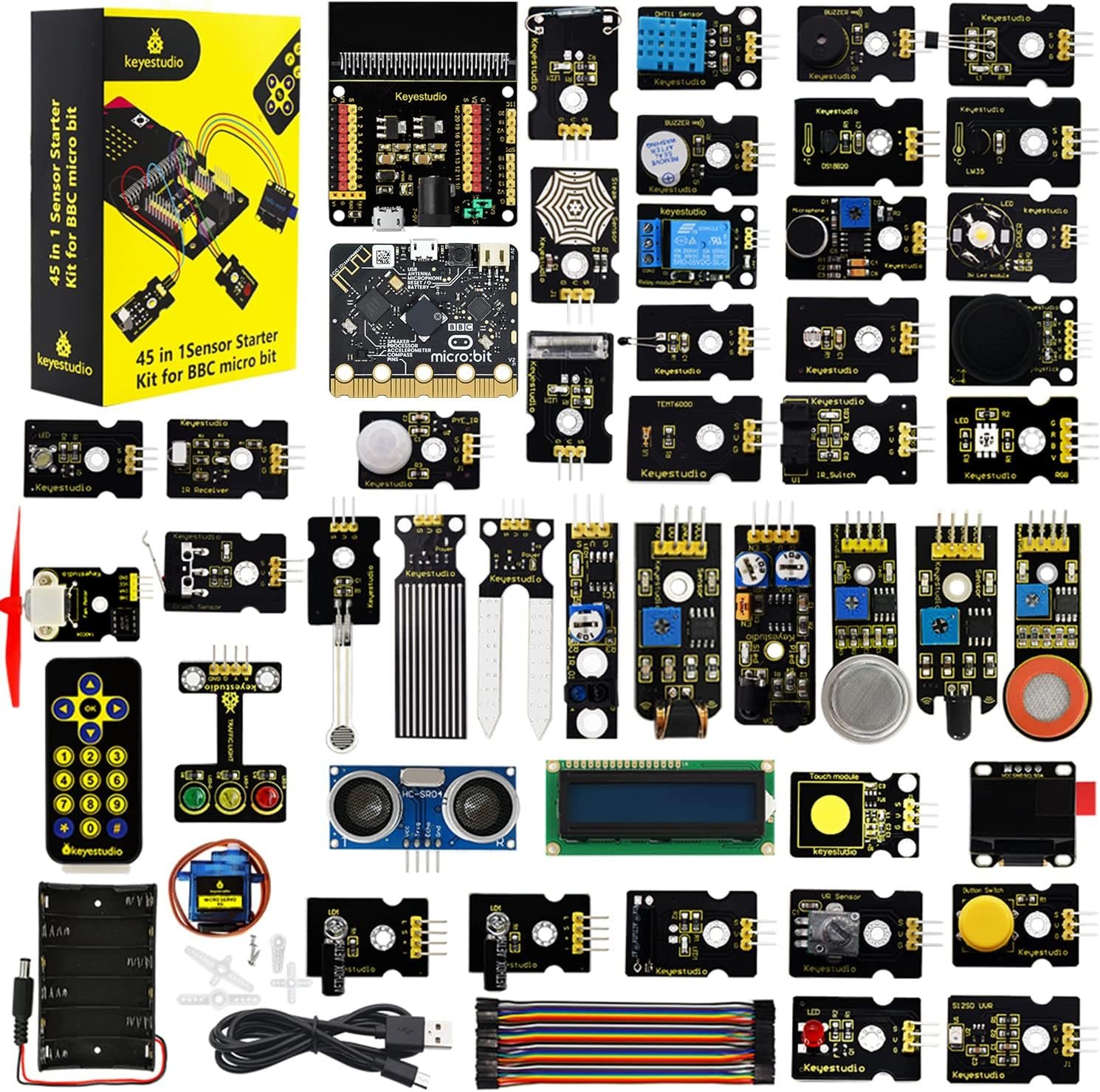
💡 Reality check before you buy: The single biggest gotcha in this category is that many “micro:bit kits” do not include a micro:bit board. Kitronik’s Inventor’s Kit and the KEYESTUDIO Super Starter Kit are add-on kits, and both Cutebot cars ship without a board and without batteries. Read the title carefully or you will hand a child a box they cannot switch on. Second, “V2 compatible” is not the same as “V2 included”: some listings still ship a V1.5 board, and only the V2 has the microphone and speaker that most modern lesson plans rely on. Third, tutorial quality varies far more than parts quality. Kitronik and micro:bit’s own Foundation material is genuinely classroom-ready, while budget kits often supply a PDF or a download link rather than a structured course. Finally, sensor counts are marketing: a “45 sensors” kit counts every LED and resistor pack, so judge a kit by what it lets you teach, not by the number on the box.
Table of Contents
- Quick Comparison: All 8 Micro:bit V2 Kits
- What to Look for in a Micro:bit V2 Kit
- Detailed Reviews: All 8 Micro:bit V2 Kits
- How to Choose the Right Micro:bit V2 Kit
- Key Specs Compared, Side by Side
- Frequently Asked Questions
- Final Verdict: Best Micro:bit V2 Kit for Every Learner
🎓 Quick Comparison: All 8 Micro:bit V2 Kits
| Kit | Board Included? | What’s Inside | Level | Best For | Buy |
|---|
| 🥇 KEYESTUDIO 45 Sensors Kit | ✅ V2.2 included | 45 modules, breakout, I2C LCD, OLED | Beginner → Advanced | Best Overall | View → |
| 🏅 Micro:bit V2.21 Go Bundle | ✅ V2.21 included | Board, battery holder, USB cable | Beginner | Best Starting Point | View → |
| 🏫 Micro:bit V2 Go Club 10-Pack | ✅ 10 × V2 boards | 10 boards, batteries, USB cables | Beginner | Best for Classrooms | View → |
| 🧪 Kitronik Inventor’s Kit | ❌ Board not included | Edge breakout, breadboard, 10 experiments | Beginner → Intermediate | Best for Real Electronics | View → |
| 🤖 ELECFREAKS Smart Cutebot | ❌ Board not included | Robot car, line sensors, RGB, IR | Beginner → Intermediate | Best First Robot | View → |
| 🏎️ ELECFREAKS Cutebot Pro | ❌ Board not included | Encoded motors, 4 line sensors, PID | Intermediate → Advanced | Best Advanced Robotics | View → |
| 💵 KEYESTUDIO Super Starter Kit | ❌ Board not included | T-breakout, breadboard, LCD, 40 lessons | Beginner | Best Budget Add-On | View → |
| 🎒 V2 Starter Kit + Silicone Case | ✅ V2.2 included | Board, protective case, cable | Beginner | Best Grab-and-Go | View → |
We deliberately leave prices out because Amazon pricing on these kits moves week to week and by seller. Tap any button to see the live price.
🔍 What to Look for in a Micro:bit V2 Kit
🧩
Is the Board Included?
The number one buying mistake. Inventor’s kits, sensor packs and both Cutebot cars are add-ons that assume you already own a micro:bit. Check the title for “includes board” or “without micro:bit” before you order for a birthday or a first lesson.
🔌
Edge Connector Breakout
Only P0, P1, P2, 3V and GND are big enough for crocodile clips. To reach the other 14 pins you need a breakout: either an edge-connector board that sits on a breadboard, or a T-shaped adapter. Any kit meant for real circuits must include one.
📘
Lesson Quality, Not Part Count
A printed, tested experiment book beats “45 sensors” with a machine-translated PDF every time. Look for step-by-step wiring diagrams, MakeCode blocks and MicroPython, and a URL that still works. This is where Kitronik earns its premium.
🔋
Power and Portability
A project tethered to a laptop is not much of a project. A 2×AAA battery holder with a JST connector is what lets a wearable, a step counter or a plant monitor leave the desk. Robot cars need AAA or lithium packs that are usually sold separately.
👩🏫
Class Size and Storage
For a group, buy boards in a club pack and share a handful of sensor kits between pairs. Compartment boxes matter more than you expect: a kit of 45 loose parts with no tray will lose half its jumper wires by week three.
🏆 Detailed Reviews: All 8 Micro:bit V2 Kits
🥇 BEST OVERALL FOR EDUCATION
KEYESTUDIO 45 Sensors Starter Kit
⭐ 4.6/5 · Board Included · A Full Term of Projects
Buy on Amazon →

If you want one box that takes a student from blinking an LED to a working data-logger, this is it. The KEYESTUDIO 45 Sensors Starter Kit ships with a genuine micro:bit V2.2 board, a sensor breakout shield, and 45 modules that go well past the usual LED-and-buzzer set: an I2C 1602 LCD, an OLED display, a 5V relay, a water level sensor, a sound sensor, an ultrasonic ranger, a servo and a temperature sensor. Each of the 45 projects comes with a wiring diagram and verified code you can open straight in MakeCode, so a teacher can lift a lesson out of it without writing one from scratch. It is the most complete micro:bit V2 package we have found under one lid.
✅ Pros- Real micro:bit V2.2 board included
- 45 projects with diagrams and code
- Genuinely useful modules (LCD, OLED, relay)
- Breakout shield included, no soldering
❌ Cons- The priciest kit in this guide
- Tutorials are PDF, not a printed book
- Sensor count is inflated by small parts
- Aimed at 14+, a lot for younger children
🎯 Verdict: The best single purchase for a classroom, a STEM club or a serious self-learner. Board plus breakout plus 45 real projects in one box.
👉 Check Price on Amazon →
🏅 BEST STARTING POINT

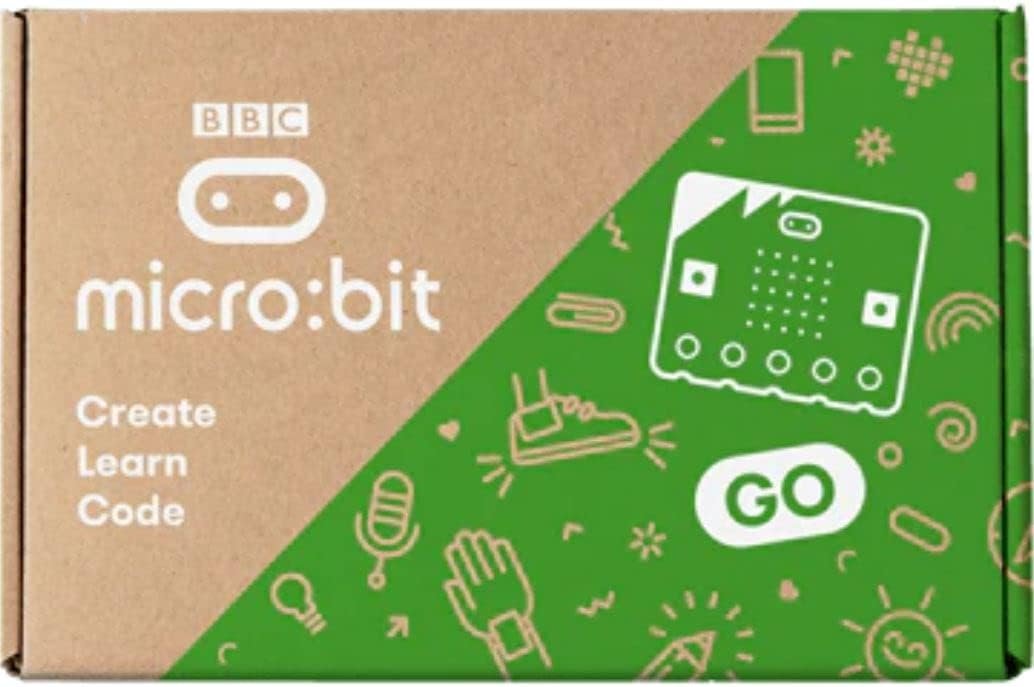
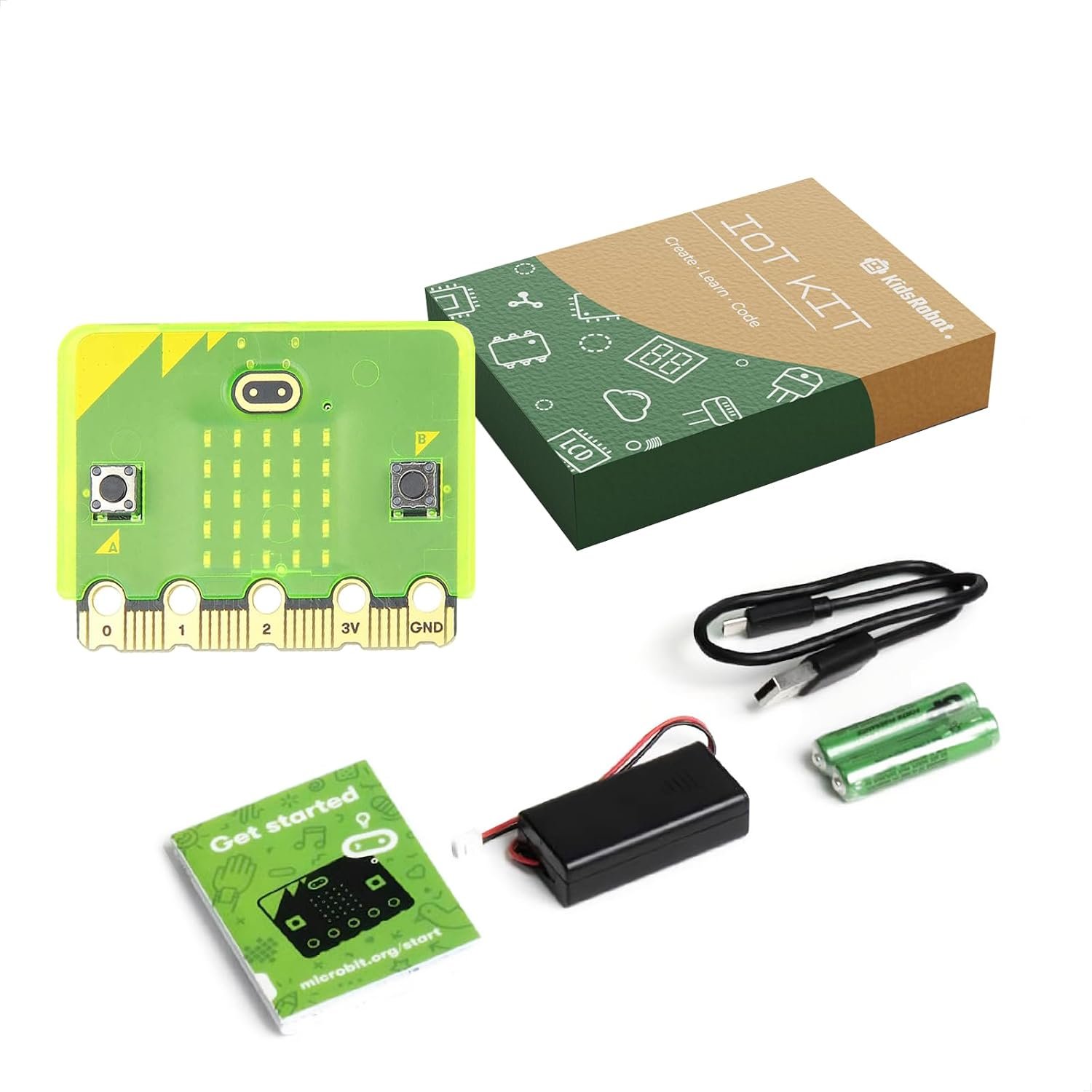
The Go bundle is the official starter package: one micro:bit V2.21 board, a 2×AAA battery holder and a micro USB cable, and nothing else. That sounds thin until you remember how much is already on the board. The 5×5 LED matrix, two buttons, touch logo, microphone, speaker, accelerometer, compass, light and temperature sensing, Bluetooth 5.0 and radio mean a beginner can work through weeks of MakeCode lessons without wiring a single component. Buy this first, find out whether the interest sticks, then add a sensor or robotics kit later. For most families and most first-time teachers, this is the honest recommendation.
✅ Pros- Genuine latest-revision V2.21 board
- Cheapest legitimate way into micro:bit
- Battery holder means instant portability
- Works with every V2 kit and accessory
❌ Cons- No sensors, breadboard or breakout
- No printed lesson material
- You will want an add-on kit fairly soon
🎯 Verdict: The right first purchase for almost everyone. Start here, then decide whether the next step is electronics or robotics.
👉 Check Price on Amazon →
🏫 BEST FOR CLASSROOMS · ⭐ 4.8/53. BBC Micro:bit V2 Go Club 10-Pack
10 × V2 boards · 10 battery holders · 10 USB cables · AAA batteries included
Buy →

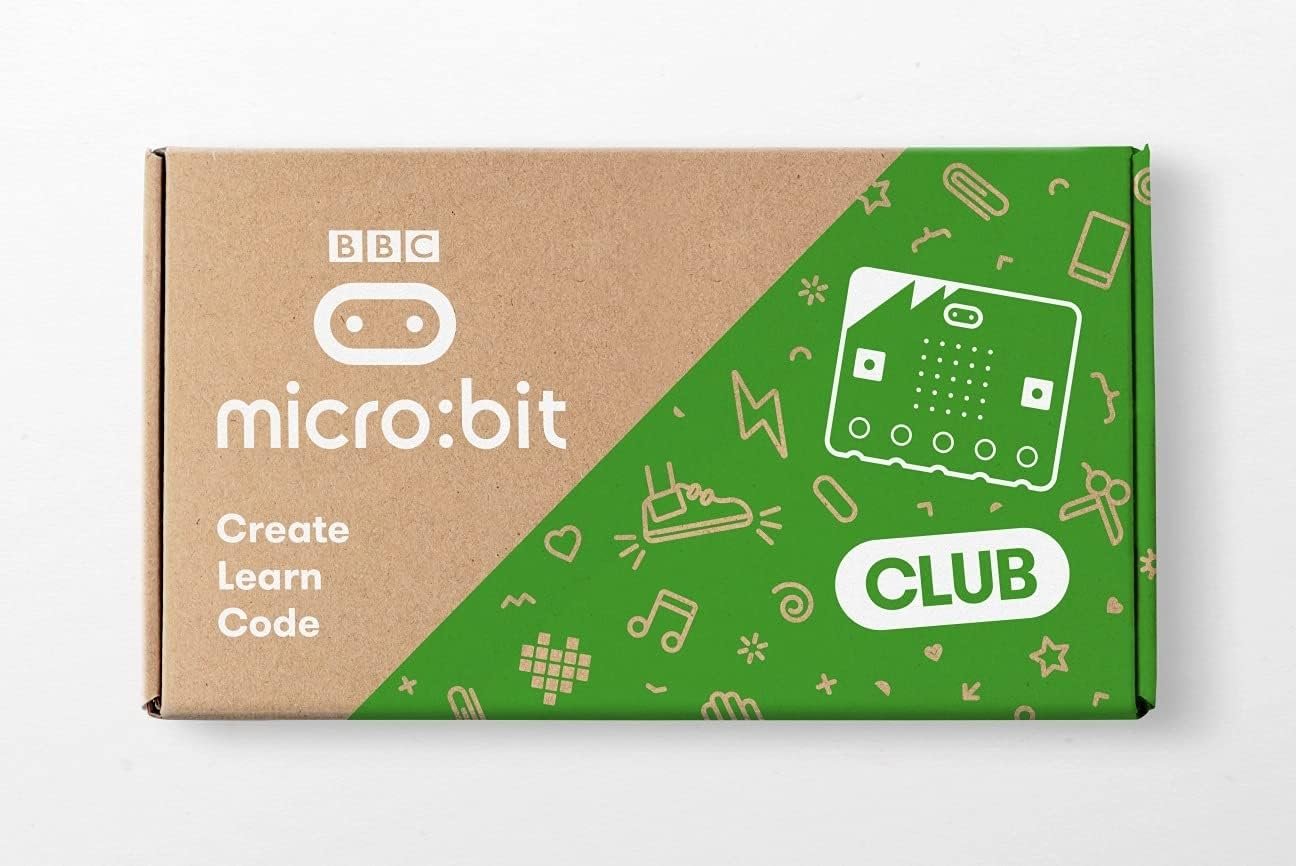
This is the pack schools actually order. The Go Club 10-Pack is ten complete Go bundles in one carton: ten micro:bit V2 boards, ten battery holders, ten USB cables and the AAA batteries to go with them. Per student it works out cheaper than buying singles, and it removes the classroom headache of mismatched hardware, since every child is on the same revision with the same microphone and speaker. Pair one pack with two or three sensor kits shared between pairs and you have a working lab for a class of 20 to 30.
✅ Pros: Lowest cost per student; identical hardware across the class; batteries and cables included; no sourcing headaches.
❌ Cons: No sensors or breakouts at all; large upfront spend; overkill for a single learner.
🎯 Verdict: The cheapest correct way to equip a classroom or a code club. Budget separately for breakouts and sensors.
🧪 BEST FOR REAL ELECTRONICS · ⭐ 4.5/54. Kitronik Inventor’s Kit for BBC Micro:bit
Edge connector breakout · breadboard · 10 printed experiments · board NOT included
Buy →

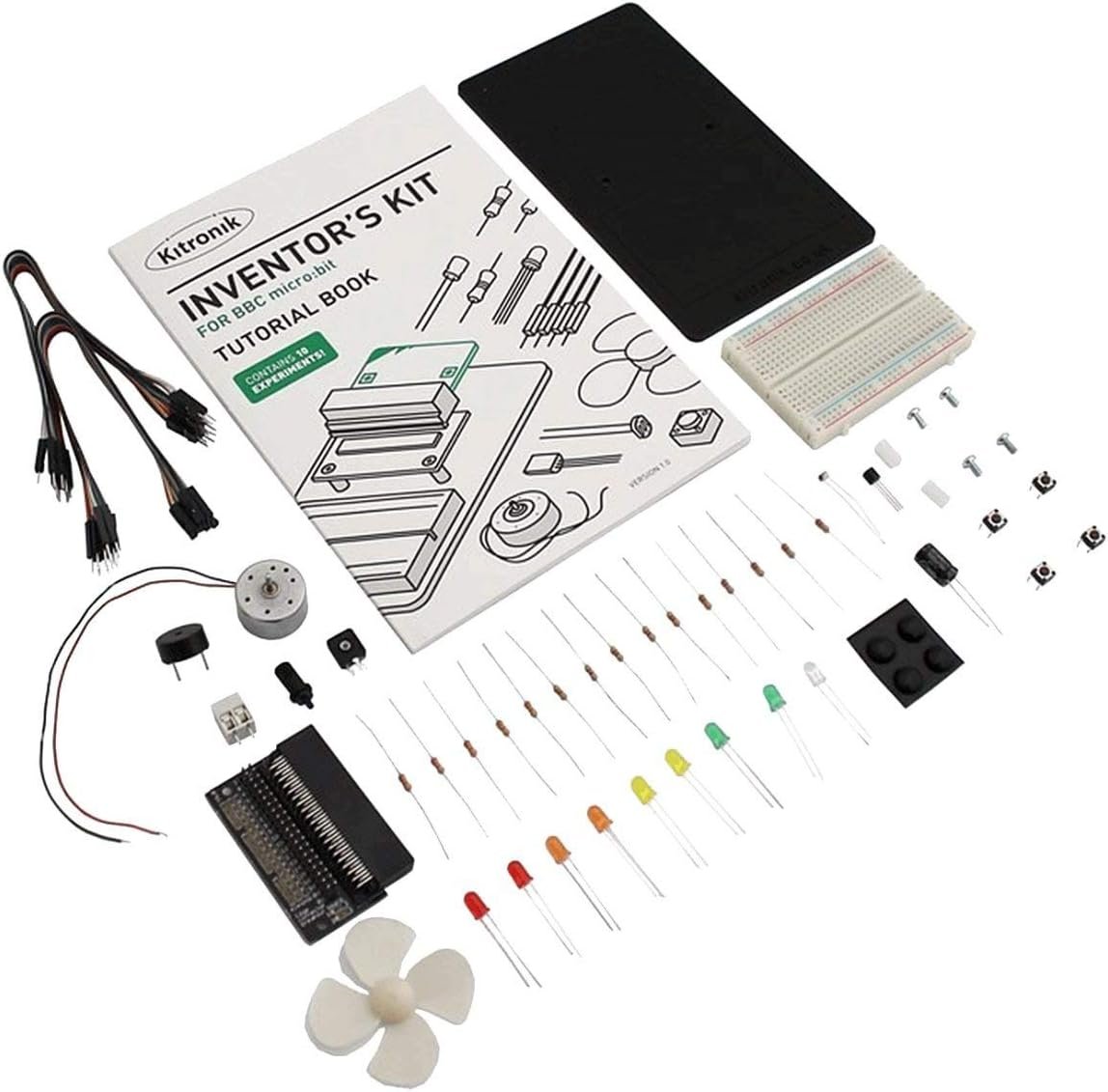
Kitronik is a UK education supplier, and it shows. The Inventor’s Kit is built around their edge-connector breakout board, which plugs the micro:bit’s gold fingers into a solderless breadboard and finally exposes all the pins with clear labels. Around it you get LEDs, resistors, a transistor, a potentiometer, an LDR, a motor, a piezo and a proper printed experiment book covering 10 tested projects, from a night light to a motor speed controller. This is the kit for teaching electronics rather than just coding, because students build actual circuits and reason about current, dividers and transistor switching. The board is not included, so pair it with a Go bundle.
✅ Pros: Best-written tutorials in the category; excellent edge-connector breakout; teaches real circuit theory; classroom-proven.
❌ Cons: No micro:bit board included; only 10 experiments; imported price is higher than budget rivals.
🎯 Verdict: The best teaching kit here if your goal is electronics literacy, not just block coding. Add a Go bundle and it is a complete course.
🤖 BEST FIRST ROBOT · ⭐ 4.2/55. ELECFREAKS Smart Cutebot
Line tracking · ultrasonic mount · RGB headlights · IR remote · board & AAA not included
Buy →

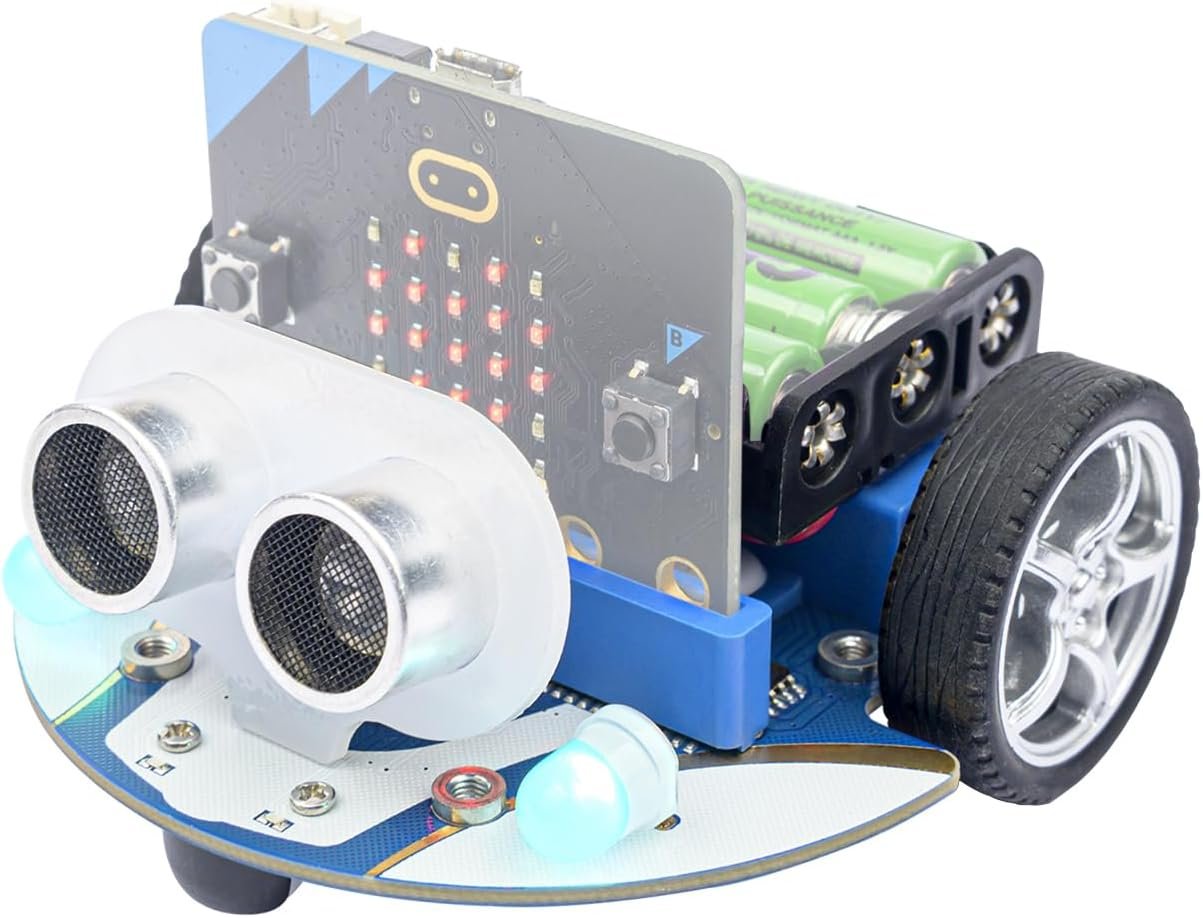
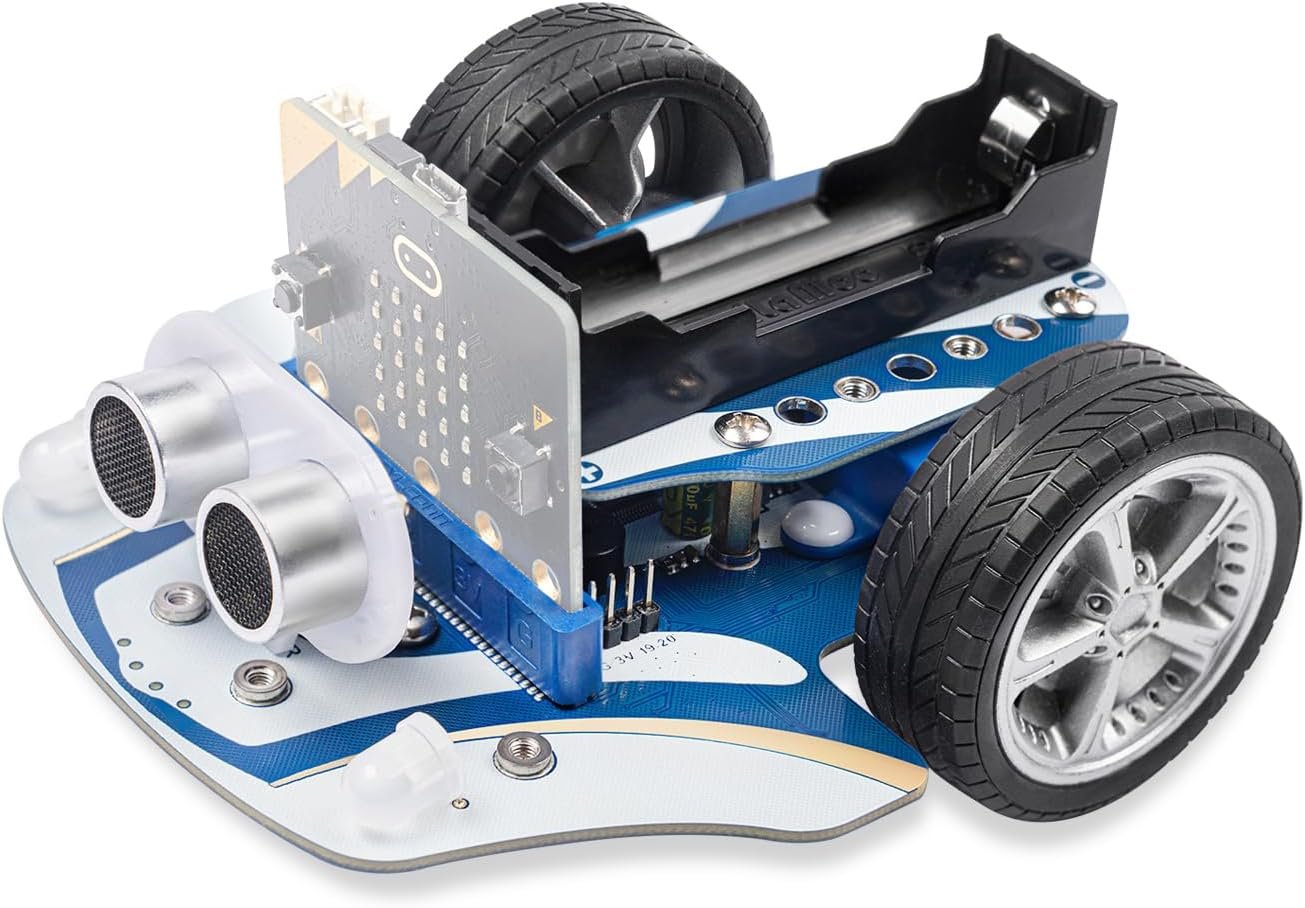
Nothing holds a room’s attention like a car that drives itself. The Smart Cutebot turns a micro:bit into a programmable robot in about thirty seconds: slide the board into the edge slot and you have two geared drive motors, line-tracking sensors, RGB headlights, underglow LEDs, an IR receiver and a mount for an ultrasonic sensor. ELECFREAKS supplies a MakeCode extension, so a nine-year-old can write “follow the line” in blocks while an older student rewrites the same behaviour in MicroPython. It is the cheapest credible route from LED blinking to autonomous navigation. Remember it needs your own micro:bit and three AAA cells.
✅ Pros: Assembles in seconds; excellent MakeCode blocks; line following, obstacle avoidance and remote control out of the box; huge engagement factor.
❌ Cons: Board and batteries sold separately; only two line sensors; ultrasonic module is an extra; plastic build feels light.
🎯 Verdict: The best value robot for a first robotics unit or a coding club. Buy it once the basics are covered.
🏎️ BEST ADVANCED ROBOTICS · ⭐ 4.7/56. ELECFREAKS Cutebot Pro
4 line sensors · closed-loop encoded motors · PID line following · block-brick compatible
Buy →

The Cutebot Pro is the upgrade that makes a robotics course possible rather than just fun. Two changes matter. First, four line-tracking sensors instead of two, whose readings fuse into a single analog value so students can implement genuine PID line following and handle crossroads and T-junctions. Second, closed-loop encoded motors, which means “drive forward 30 centimetres” or “turn exactly 90 degrees” actually happens, and straight lines stay straight. Add 3-pin expansion ports and building-block compatibility and you have a platform that carries a class from block coding into control theory.
✅ Pros: Encoders give repeatable distance and angle; 4-sensor PID line following; expansion ports for extra modules; great for competitions.
❌ Cons: Costs noticeably more than the standard Cutebot; still no micro:bit or battery included; concepts are too advanced for young beginners.
🎯 Verdict: The pick for a robotics club, a line-following competition or any student ready to meet PID control.
💵 BEST BUDGET ADD-ON · ⭐ 4.2/57. KEYESTUDIO Super Starter Kit (40 Lessons)
T-type breakout · breadboard · 1602 LCD · 40 tutorials · board NOT included
Buy →

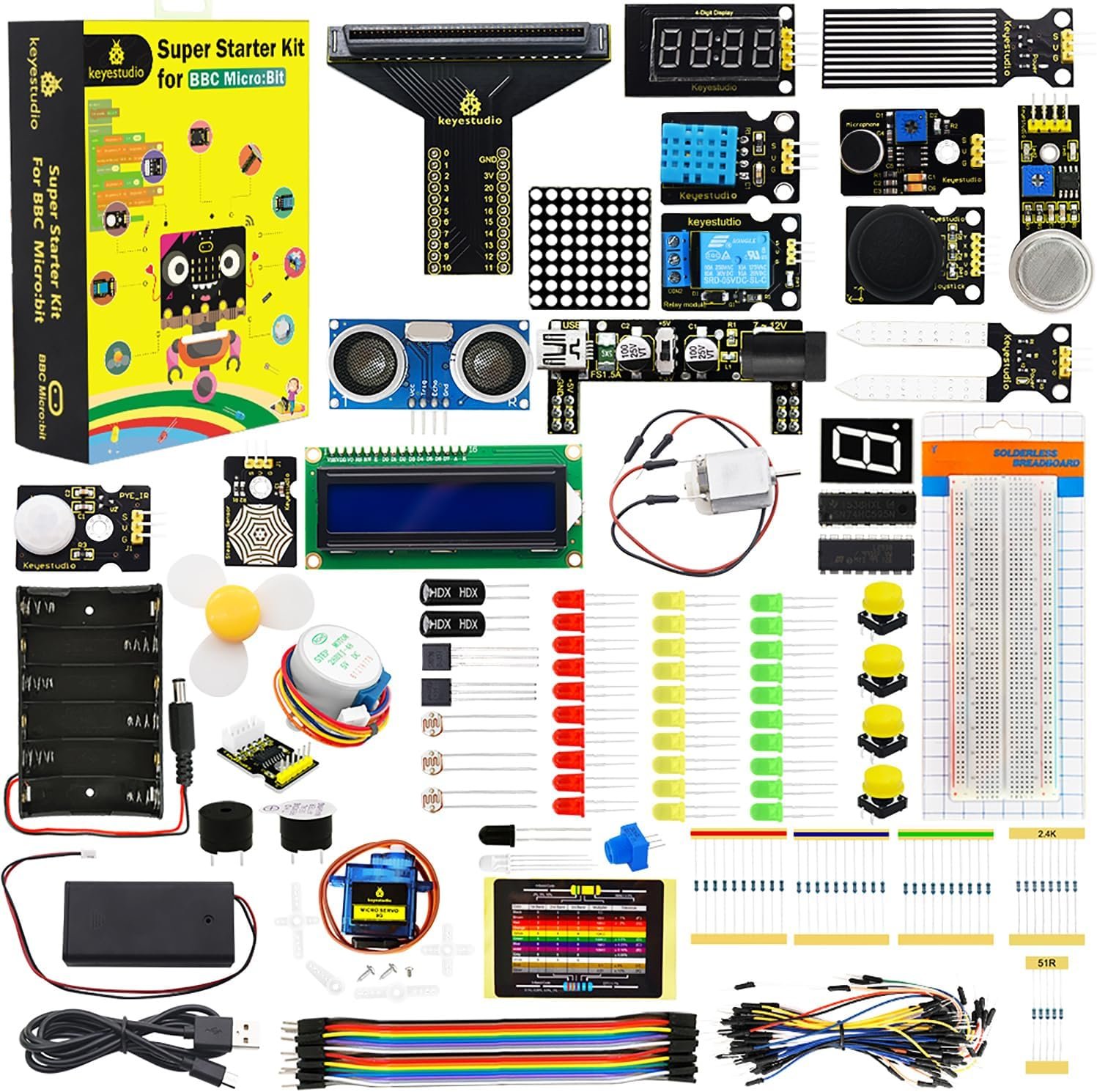
If someone already owns a micro:bit and you want to expand it without spending much, this is the sensible add-on. The Super Starter Kit supplies a T-type breakout board, a breadboard, jumper wires, an I2C 1602 LCD and a spread of discrete components, backed by 40 numbered lessons that cover both MakeCode blocks and MicroPython. It occupies the middle ground between Kitronik’s polished 10 experiments and the 45-sensor flagship: more projects than the former, less depth of explanation than either. Do read the listing carefully, because the micro:bit board itself is explicitly not included.
✅ Pros: 40 lessons for the money; T-breakout and breadboard included; covers blocks and Python; good second purchase after a Go bundle.
❌ Cons: No board included; documentation is translated and occasionally rough; fewer premium modules than the 45-sensor kit.
🎯 Verdict: The best budget way to turn a bare micro:bit into a working electronics kit with a lesson plan attached.
🎒 BEST GRAB-AND-GO · ⭐ 4.5/58. Micro:bit V2 Starter Kit with Silicone Case
Official V2.2 board · silicone protective case · USB cable · built-in speaker & mic
Buy →

A bare micro:bit in a school bag meets keys, crumbs and static. This bundle pairs an official micro:bit V2.2 board with a fitted silicone protective case and a USB cable, which is a small change that meaningfully extends the life of a board a child carries around. Everything the V2 is known for is here: the nRF52833 Cortex-M4F, 128KB RAM, MEMS microphone, speaker, touch logo, motion sensor and Bluetooth 5.0. Think of it as the Go bundle with armour instead of a battery pack, so check which of those two you need before choosing.
✅ Pros: Genuine V2.2 board; case protects against shorts and knocks; ideal gift or take-home kit; case still exposes the edge pins.
❌ Cons: No sensors or breadboard; battery holder is not always included, so check the listing; case can obstruct some tight expansion slots.
🎯 Verdict: The best choice when the board will travel between home and school in a backpack.
🛒 How to Choose the Right Micro:bit V2 Kit
🌱
Buying your first board?
Start with the Micro:bit V2.21 Go Bundle. Board, battery holder and cable, and weeks of lessons using only the onboard sensors.
🎓
Want one box that does everything?
The KEYESTUDIO 45 Sensors Kit includes the V2.2 board, a breakout and 45 projects with wiring diagrams and code.
🏫
Equipping a whole class?
Order the V2 Go Club 10-Pack for the boards, then share two or three sensor kits between pairs of students.
⚡
Teaching electronics, not just code?
The Kitronik Inventor’s Kit and its printed experiment book teach circuits properly. Pair it with a Go bundle.
🤖
Running a coding club?
A Smart Cutebot per pair turns abstract loops and conditionals into a car that follows a taped line across the floor.
🏁
Preparing for a competition?
The Cutebot Pro adds encoders and four line sensors, which is what repeatable runs and PID tuning actually require.
⚙️ Key Specs Compared, Side by Side
| Spec | KEYESTUDIO 45 Sensors | V2.21 Go Bundle | Go Club 10-Pack | Kitronik Inventor’s | Cutebot Pro |
|---|
| Micro:bit Included | Yes, V2.2 ⭐ | Yes, V2.21 | Yes, 10 × V2 | No | No |
| Components / Modules | 45 ⭐ | None | None | ~30 discrete parts | Robot platform |
| Breakout / Breadboard | Shield included | No | No | Edge connector + breadboard ⭐ | Edge slot |
| Guided Lessons | 45 PDF projects ⭐ | Online only | Online only | 10 printed experiments | MakeCode extension |
| Robotics Capable | Servo only | No | No | DC motor | Encoders + PID ⭐ |
| Best Class Size | 1 to 2 students | 1 student | Up to 30 ⭐ | 1 to 2 students | Pairs |
| Amazon Rating | 4.6 / 5 | 4.8 / 5 ⭐ | 4.8 / 5 ⭐ | 4.5 / 5 | 4.7 / 5 |
Ratings and contents were checked against live Amazon listings in August 2026 and can change with seller and revision. Always confirm details on the listing itself.
❓ Frequently Asked Questions
What is actually different about the micro:bit V2 compared with V1?
The V2 moved from a 16MHz Cortex-M0 with 16KB RAM to a 64MHz nRF52833 Cortex-M4F with 128KB RAM and 512KB flash, roughly an eightfold jump in memory. That is what makes MicroPython, machine learning demos and larger programs practical. Physically it added a MEMS microphone, an onboard speaker, a touch-sensitive gold logo, notched edge pins that grip crocodile clips better, and a power-saving sleep mode. Sound input and output are the headline: noise meters, clap switches and speaking projects need no extra hardware on a V2. Almost all V1 code still runs on a V2, but V2-only features obviously do not run backwards.
Does a “micro:bit kit” always include the micro:bit board?
No, and this is the most common complaint in reviews across the whole category. Inventor’s kits, sensor packs and robot chassis are usually designed as add-ons for people who already own a board. In this guide the KEYESTUDIO 45 Sensors Kit, the Go Bundle, the Go Club 10-Pack and the silicone-case kit include a board; the Kitronik Inventor’s Kit, the KEYESTUDIO Super Starter Kit and both Cutebot cars do not. Search the listing title for “included” or “without micro:bit” before ordering, especially if it is a gift.
What age is the micro:bit V2 suitable for?
The board itself was designed for 11 to 14 year olds, and MakeCode’s drag-and-drop blocks work well from about age 8 with adult help. The kit changes the answer more than the board does. A Go bundle or a Cutebot suits primary and lower-secondary students, since neither needs breadboarding. Kits with breadboards, resistors and I2C displays realistically want 12 and up, and KEYESTUDIO rates its 45-sensor kit at 14+. Older students and adults are well served too: MicroPython, C++ and the Bluetooth and radio stacks give plenty of depth.
Can students program it in Python instead of blocks?
Yes, and that progression is the strongest argument for the micro:bit in a classroom. Beginners start in MakeCode with drag-and-drop blocks, then flip the same program to JavaScript with one click to see the text equivalent. When they are ready, the Python Editor runs MicroPython on the board, with a REPL over USB serial for live experimentation. Advanced users can drop to C++ with the micro:bit runtime or use the Arduino core. One board covers the whole journey from blocks to text, which is rare.
How many micro:bits do I need for a class of 30?
Most schools run one board per pair, so a class of 30 needs 15 to 20 boards, which is two Go Club 10-Packs with a couple of spares for failures. Pairing is not just a budget decision: it encourages students to talk through logic before flashing. Sensor kits can be shared more thinly still, roughly one per four students, because wiring exercises take longer than coding ones. Budget for spare USB cables and AAA batteries, since those are what actually go missing over a term.
🏁 Final Verdict: Best Micro:bit V2 Kit for Every Learner
The right kit for every classroom, club and budget:
🥇 Best Overall · KEYESTUDIO 45 Sensors Kit: V2.2 board, breakout shield and 45 guided projects in one box
Buy →🏅 Best Starting Point · Micro:bit V2.21 Go Bundle: board, battery holder and cable, nothing wasted
Buy →🏫 Best for Classrooms · Micro:bit V2 Go Club 10-Pack: ten identical boards, batteries and cables included
Buy →🧪 Best for Real Electronics · Kitronik Inventor’s Kit: edge-connector breakout and a printed experiment book
Buy →🤖 Best First Robot · ELECFREAKS Smart Cutebot: line following and obstacle avoidance in blocks
Buy →🏎️ Best Advanced Robotics · ELECFREAKS Cutebot Pro: encoded motors and 4-sensor PID line following
Buy →💵 Best Budget Add-On · KEYESTUDIO Super Starter Kit: T-breakout, breadboard and 40 lessons
Buy →No single kit suits every learner, but the decision is simpler than the shelf makes it look. If you are buying one thing and want it to last, the KEYESTUDIO 45 Sensors Starter Kit gives you the board, the breakout and a term of projects together. If you are testing the water, the Micro:bit V2.21 Go Bundle is the honest starting point, and the onboard microphone, speaker and motion sensor will keep a beginner busy long before they need a breadboard. Teachers equipping a room should buy boards in a Go Club 10-Pack and share sensor kits between pairs, add the Kitronik Inventor’s Kit when the goal is real circuit understanding, and reach for a Cutebot or Cutebot Pro when a robot on the floor will do more for engagement than another LED on a breadboard. Once your hardware arrives, our Arduino, ESP32, STM32 and Raspberry Pi Pico tutorials are a natural next step for students who outgrow block coding.
💬 Not sure which kit fits your classroom or your child? Tell us the age group, the class size and whether you want electronics or robotics in the comments below, and we will point you to the right pick.
All Amazon links above use our affiliate tag (microlab05-20). Purchasing through them supports microcontrollerslab.com at no extra cost to you. Kit contents, board revisions, prices and availability change frequently, so always confirm the current listing details on Amazon before buying.