⚠️ Affiliate Disclosure: This post contains Amazon affiliate links. If you purchase through our links, we may earn a small commission at no extra cost to you. We only recommend boards we have researched and whose listings we checked live on Amazon. Prices and stock change constantly, so we deliberately don’t print them here. Tap any “Buy Here” button to see the current price on Amazon before buying.
Ultimate Buying Guide
🎛️ Best Servo Motor Driver Boards for Arduino, Raspberry Pi & Robotics
8 servo driver boards ranked, from the classic PCA9685 16-channel PWM breakout to Raspberry Pi HATs, Arduino shields, a USB Maestro controller and a smart serial-bus servo adapter, with real specs, honest verdicts and direct Amazon links.
✅ 8 Boards Reviewed
✅ Verified Amazon ASINs
✅ Listings Checked Live
✅ Honest Pros & Cons
Driving one or two servos straight from an Arduino or ESP32 pin is easy. Driving a 6-DOF robot arm, an 18-servo hexapod or a humanoid is not. Most microcontrollers only have a handful of hardware PWM pins, software servo libraries start to jitter as you add channels, and every servo pulls current spikes that can brown-out your board. A dedicated servo motor driver board solves all three problems: it generates rock-steady pulses for many servos at once, frees your MCU to do real work, and gives the servos their own power rail.
The most popular option by far is the PCA9685 16-channel 12-bit PWM driver, which talks over just two I2C wires and can be chained into hundreds of channels. But it isn’t the only choice. Raspberry Pi users have plug-on HATs, Arduino users have stackable shields, the Pololu Maestro runs servo sequences on its own over USB, and smart serial-bus servos like the STS3215 need a completely different adapter. This guide ranks 8 servo driver boards by the things that actually matter in embedded and robotics work.
💡 Reality check before you buy: A servo driver board does not power your servos for you. The PCA9685 chip only generates the control signal; the servos run from whatever supply you connect to the V+ terminal, and that supply must handle the combined stall current (an MG996R can pull 2A or more on its own). Thin traces and small screw terminals on budget boards also limit how much current you can push through them, so heavy builds often need a separate power distribution board. Cheap PCA9685 clones work well but vary in header soldering and capacitor quality. And a PWM driver can’t talk to smart serial-bus servos at all; those need a bus adapter.
🎛️ Quick Comparison: All 8 Servo Driver Boards
| Board | Type | Servo Channels | Works With | Best For | Buy |
|---|
| 🥇 Adafruit PCA9685 | I2C breakout | 16 | Any I2C MCU | Best Overall | Buy Here → |
| 🏅 HiLetgo PCA9685 | I2C breakout | 16 per board | Any I2C MCU | Best Value | Buy Here → |
| 🍓 Waveshare Pi HAT | Raspberry Pi HAT | 16 | Raspberry Pi / Jetson Nano | Best for Raspberry Pi | Buy Here → |
| 🧩 KEYESTUDIO Shield | Arduino UNO shield | 16 | Arduino UNO R3 | Best Arduino Shield | Buy Here → |
| 🟢 Waveshare Pico Driver | Pico carrier board | 16 | Raspberry Pi Pico | Best for Raspberry Pi Pico | Buy Here → |
| 🎛️ Pololu Mini Maestro 12 | USB servo controller | 12 | USB / TTL serial / scripts | Best Standalone USB Controller | Buy Here → |
| 🧠 Waveshare Bus Servo Board | Serial bus adapter | Up to 253 IDs | UART / USB host | Best for Smart Bus Servos | Buy Here → |
| ⚙️ HiLetgo TB6612 Shield | Motor + servo shield | 2 servo + 4 DC | Arduino UNO / Mega | Best Servo + DC Motor Combo | Buy Here → |
We don’t list prices because they change daily. Some picks ship as multi-packs, so check the listing. Tap “Buy Here” to see the current price and stock on Amazon.
🔍 What to Look for in a Servo Driver Board
🔢
Channel Count & Expandability
Count every servo in your design, then add spares. A PCA9685 gives 16 channels and up to 62 boards can share one I2C bus via address jumpers, so a hexapod or humanoid is just two or three boards.
📐
PWM Resolution & Stability
12-bit (4096 steps) resolution is plenty for hobby servos. What matters more is a free-running hardware clock, so pulses stay jitter-free even when your code is busy with sensors, Wi-Fi or ROS.
🔌
Interface & Form Factor
I2C breakouts fit any MCU; HATs and shields plug straight onto a Raspberry Pi or Arduino UNO; USB controllers like the Maestro run from a PC with no MCU at all. Pick the one that fits your controller.
🔋
Servo Power Input
Look for a dedicated V+ terminal block with reverse-polarity protection, separate from logic power. Onboard regulators (common on HATs) are convenient but capped around 3A, which is only a few big servos.
🧠
PWM vs Serial Bus
Classic PWM boards drive SG90, MG996R and DS3218 servos. Smart serial-bus servos (FeeTech STS/SCS) need a UART bus adapter instead, but reward you with real position, load and temperature feedback.
🏆 Detailed Reviews: All 8 Servo Driver Boards
🥇 BEST OVERALL
Adafruit 16-Channel PCA9685
⭐ 4.8/5 · The Reference PCA9685 Board
Up to 62
BOARDS PER I2C BUS

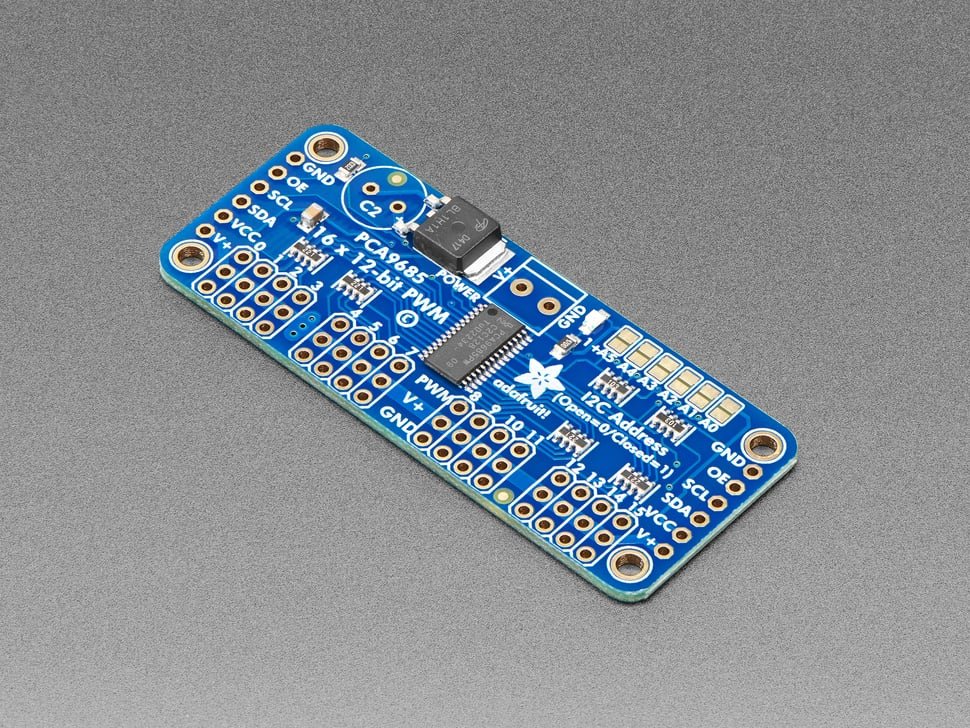
The Adafruit 16-Channel 12-bit PWM/Servo Driver is the original PCA9685 breakout that every clone copies, and it’s still the one we’d put in a product or a classroom. An onboard clock makes it free-running: send one I2C command and it keeps all 16 servo pulses going without touching your MCU again. Adafruit adds the details clones skip: reverse-polarity protection on the V+ terminal block, 220 Ω series resistors on every output, 3.3V/5V-tolerant logic, and six address jumpers so up to 62 boards (992 outputs) can share one bus. The Adafruit PWM Servo Driver library and CircuitPython ServoKit make it a five-minute job on Arduino, ESP32, Pico or Raspberry Pi.
✅ Pros- Genuine, consistent build quality
- Reverse-polarity protected V+ input
- Best libraries and documentation
- Chain up to 62 boards on I2C
❌ Cons- Headers/terminal may need soldering
- Costs more than generic clones
- V+ terminal limits very high current
🎯 Verdict: The best servo driver board for most people. If you want a PCA9685 that just works, with the best docs and support behind it, this is the one.
👉 Check Price on Amazon →
🏅 BEST VALUE
HiLetgo PCA9685 (2-Pack)
⭐ 4.6/5 · Two Boards, Thirty-Two Channels
Buy on Amazon →

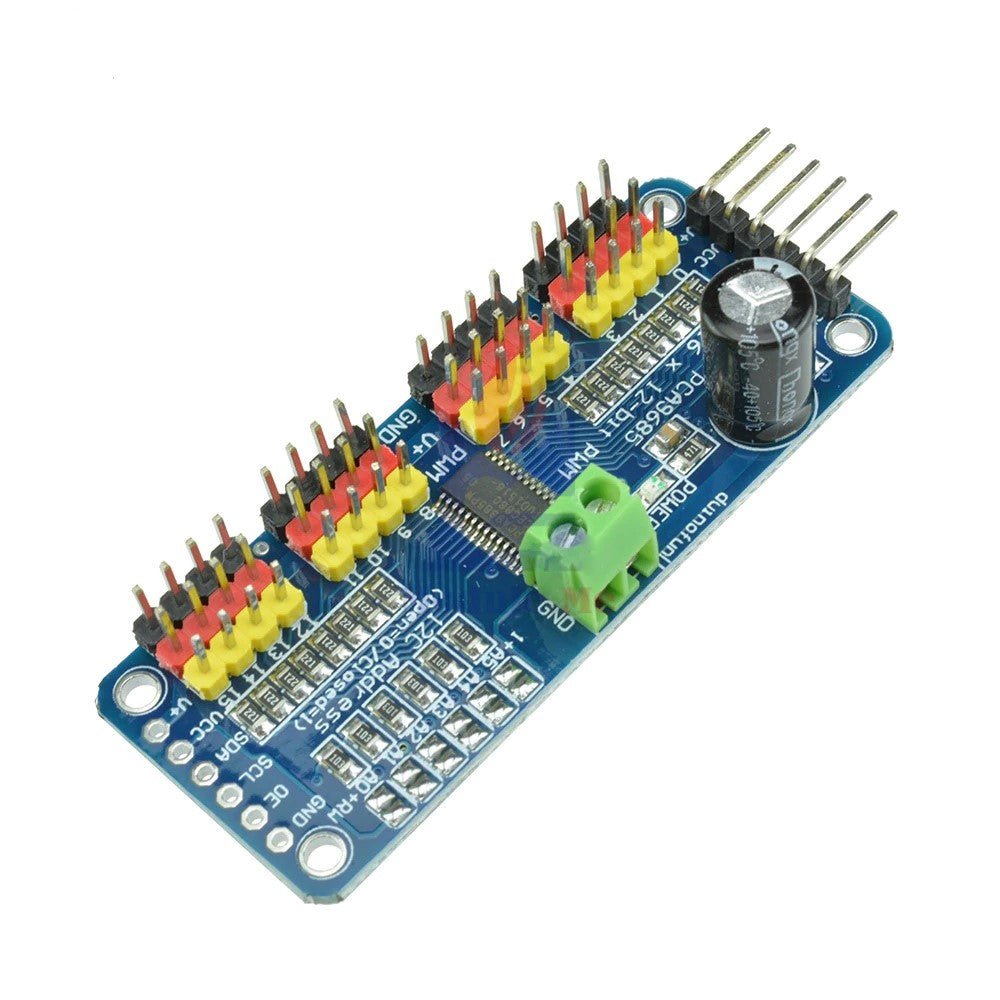
The HiLetgo PCA9685 two-pack is the budget way into multi-servo builds. Each board is a faithful copy of the Adafruit layout: the same PCA9685 chip, 16 three-pin servo headers in groups of four, 220 Ω output resistors, a bulk capacitor footprint and solder-jumper addressing. You get two boards for roughly the price of one name-brand unit, which means 32 channels out of the box for a hexapod, a two-arm robot, or a spare for the parts bin. It runs the exact same Adafruit libraries, so every PCA9685 tutorial applies unchanged.
✅ Pros- Two boards for 32 channels
- Same Adafruit libraries and pinout
- Arrives with headers fitted
- Great for multi-board robots
❌ Cons- No reverse-polarity protection
- Clone QC varies board to board
- Listed 10V max exceeds most servos’ rating
🎯 Verdict: The best value servo driver. Buy the two-pack, keep one spare, and use the money you saved on a proper servo power supply.
👉 Check Price on Amazon →
🍓 BEST FOR RASPBERRY PI · ⭐ 4.5/53. Waveshare Servo Driver HAT
PCA9685 · 16 ch · 12-bit · I2C · onboard 5V regulator up to 3A · VIN battery input
Buy Here →

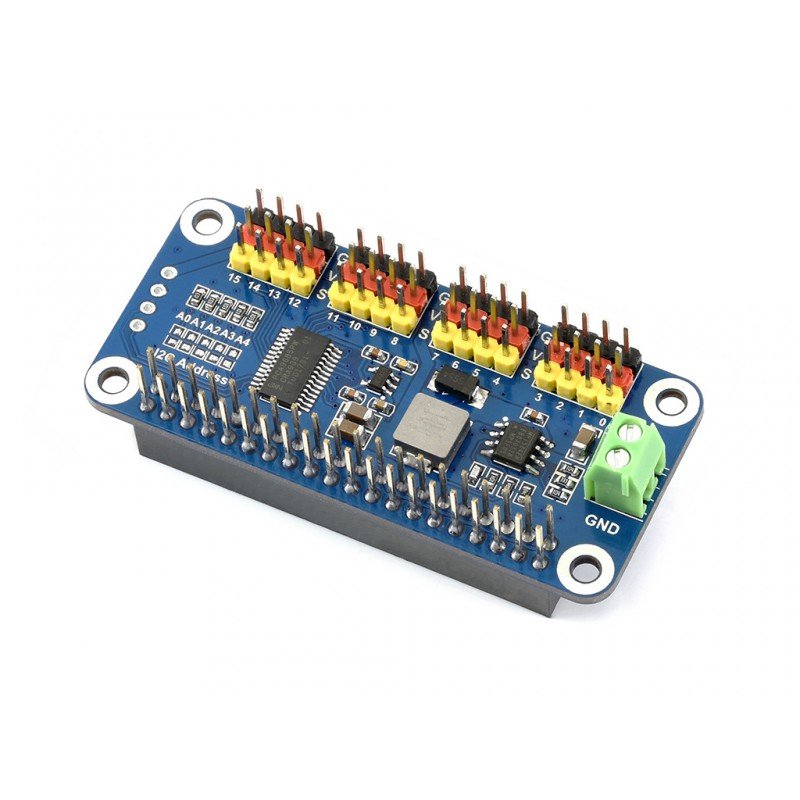
The Waveshare Servo Driver HAT puts a PCA9685 on a Pi-Zero-sized board that plugs straight onto the 40-pin header, so there’s no breadboard or jumper wiring at all. Its big advantage over a bare breakout is the integrated 5V regulator (up to 3A): feed a battery into the VIN terminal and it powers both the servos and the Pi. Control uses only the two I2C pins, leaving the rest free, and the listing confirms support for Pi Zero, 2B, 3B/3B+ and Jetson Nano. Waveshare provides Python examples, and the Adafruit ServoKit library works too.
✅ Pros: Plugs directly onto the Pi; onboard 3A regulator; uses only 2 GPIO pins; good Waveshare wiki.
❌ Cons: 3A shared across all servos limits big servos; listing doesn’t name Pi 4/5; stock is often low.
🎯 Verdict: The best servo driver for Raspberry Pi projects. Ideal for pan-tilt rigs and small arms built around a Pi or Jetson Nano.
👉 Check Price on Amazon →
🧩 BEST ARDUINO SHIELD · ⭐ 4.4/54. KEYESTUDIO 16-Channel Servo Shield (2-Pack)
PCA9685 · 16 ch · 12-bit · I2C (A4/A5) · servo V+ up to 6V · 40–1000 Hz · 2 shields in pack
Buy Here →
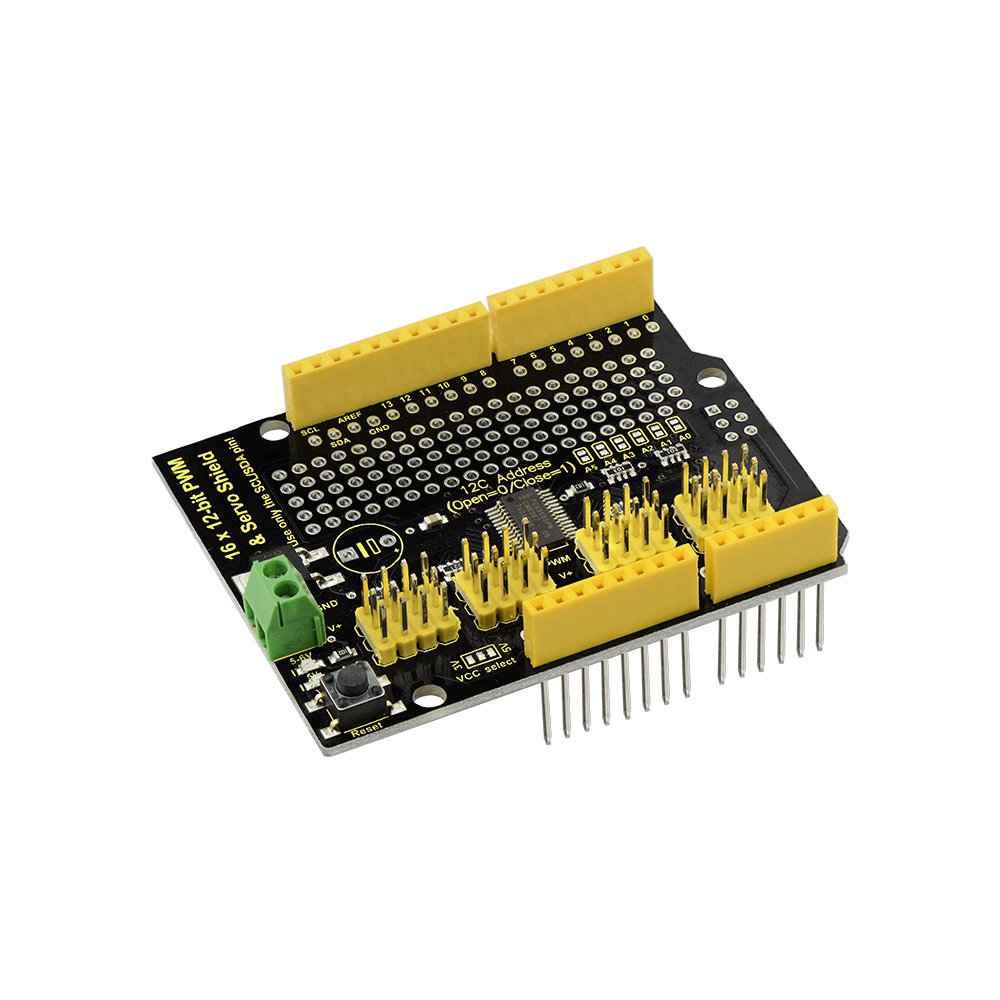
The KEYESTUDIO 16-Channel Servo Shield is the tidiest way to give an Arduino UNO 16 servo outputs: it stacks directly on top of the board and talks over I2C, so the UNO keeps all its digital pins for sensors and buttons. Servo power comes in through a separate V+ input (up to 6V), keeping motor noise off the logic rail, and there’s a double-sided prototyping area for adding your own circuitry. The pack includes two shields, and it runs the standard PCA9685 libraries.
✅ Pros: Stacks on UNO, no wiring; frees all digital pins; proto area; two shields per pack.
❌ Cons: UNO form factor only; 6V servo max; fewer reviews than the big brands.
🎯 Verdict: The best servo shield for Arduino UNO. Plug it on, wire a 5–6V supply, and drive a full robot arm with zero breadboard spaghetti.
👉 Check Price on Amazon →
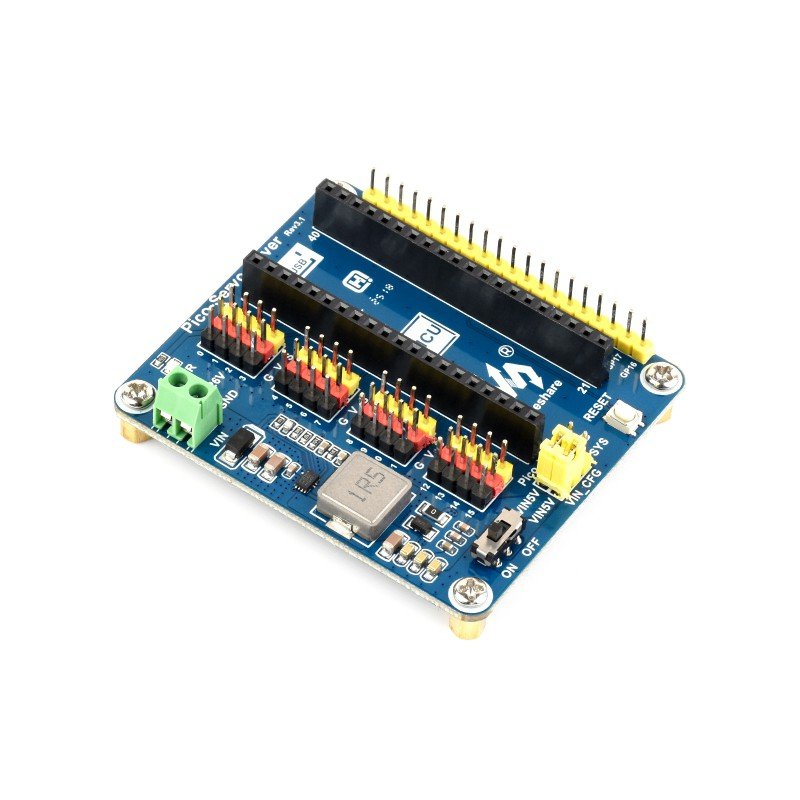
🟢 BEST FOR RASPBERRY PI PICO · ⭐ 4.4/55. Waveshare Pico Servo Driver
16 ch · 16-bit resolution · Pico header · onboard 5V regulator · VIN battery input · C/C++ & MicroPython demos
Buy Here →
The Waveshare Pico Servo Driver is a carrier board for the Raspberry Pi Pico family. Instead of an external PCA9685, it routes 16 standard servo headers to the Pico’s own PWM hardware, giving 16-bit resolution per channel with no I2C traffic at all. An integrated 5V regulator lets you power both Pico and servos from a battery through the VIN terminal, and unused Pico pins are broken out for sensors. Waveshare supplies C/C++ and MicroPython examples, which makes it perfect for hexapod walkers and robot arms on RP2040.
✅ Pros: Pico plugs straight in; 16-bit resolution; no extra driver IC; MicroPython demos included.
❌ Cons: Pico-only form factor; uses many Pico GPIOs; stock is often low.
🎯 Verdict: The best servo driver for Raspberry Pi Pico. If your robot runs on an RP2040, this is the cleanest all-in-one carrier.
👉 Check Price on Amazon →
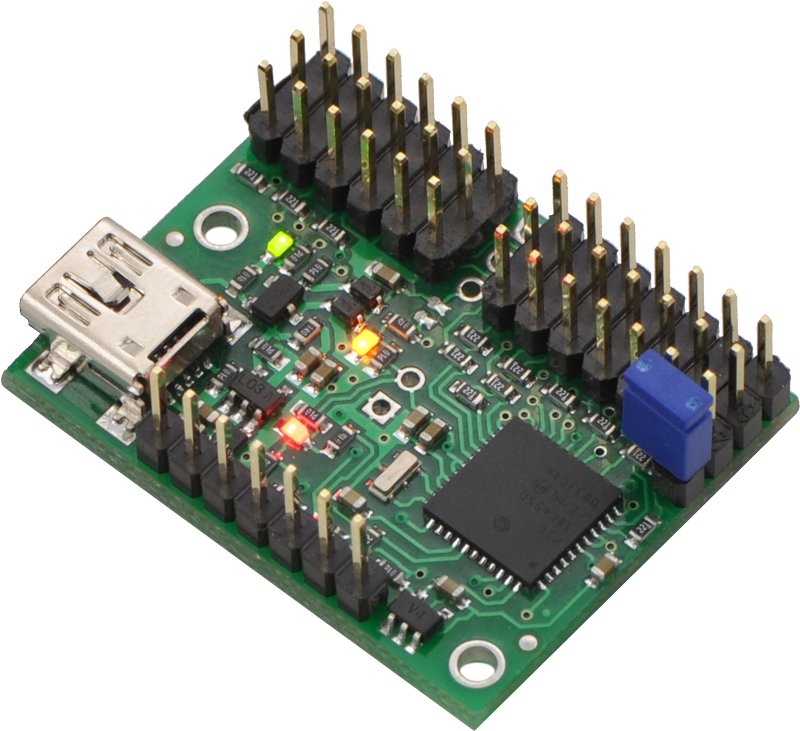
🎛️ BEST STANDALONE USB CONTROLLER · ⭐ 4.7/56. Pololu Mini Maestro 12-Channel
12 ch · USB, TTL serial & internal scripting · 0.25 µs resolution · 64–4080 µs pulse range · speed/accel control
Buy Here →

The Pololu Mini Maestro 12 is a different kind of servo driver: a complete controller with its own processor. Plug it into a PC over USB and use Pololu’s Maestro Control Center to set positions, speed and acceleration limits per channel, record sequences, and then let its internal scripting play them back with no computer or microcontroller attached. It also accepts TTL serial from any MCU, and spare channels can act as digital outputs or analog inputs. Animatronics, props and Halloween builders love it for exactly that reason.
✅ Pros: Runs sequences with no MCU; per-channel speed and acceleration; superb software; real US-made quality.
❌ Cons: Much pricier than a PCA9685; 12 channels; Amazon price is often higher than buying direct.
🎯 Verdict: The best standalone servo controller. Perfect when you want to choreograph motion from a PC and have it run on its own.
👉 Check Price on Amazon →
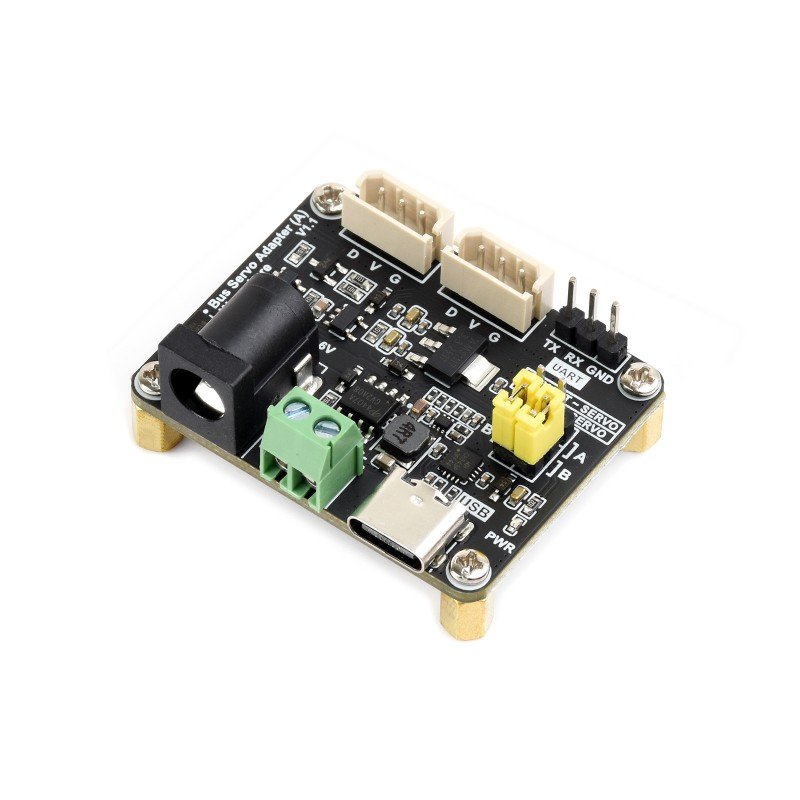
🧠 BEST FOR SMART BUS SERVOS · ⭐ 4.5/57. Waveshare Serial Bus Servo Driver Board
ST/SC serial bus servos · up to 253 IDs · UART · 9–12.6V input · integrated servo power + control circuit
Buy Here →
Smart servos like the FeeTech STS3215 used in LeRobot SO-ARM100/101 arms don’t take PWM at all; they share a half-duplex serial bus. The Waveshare Serial Bus Servo Driver Board is the bridge: it combines the bus interface and servo power input on one tiny board, lets a PC, Raspberry Pi, ESP32 or Arduino address each servo by ID, and supports up to 253 servos on one chain. In return you get real position, load, voltage and temperature feedback from every joint. Just match the 9–12.6V input to your servos’ rated voltage.
✅ Pros: Unlocks feedback from smart servos; daisy-chain up to 253; tiny; works with PC or MCU.
❌ Cons: Only for ST/SC bus servos; input voltage must match the servos; needs a beefy supply.
🎯 Verdict: The best driver for smart serial-bus servos. If you’re building an SO-ARM style robot arm, this is the board you need.
👉 Check Price on Amazon →
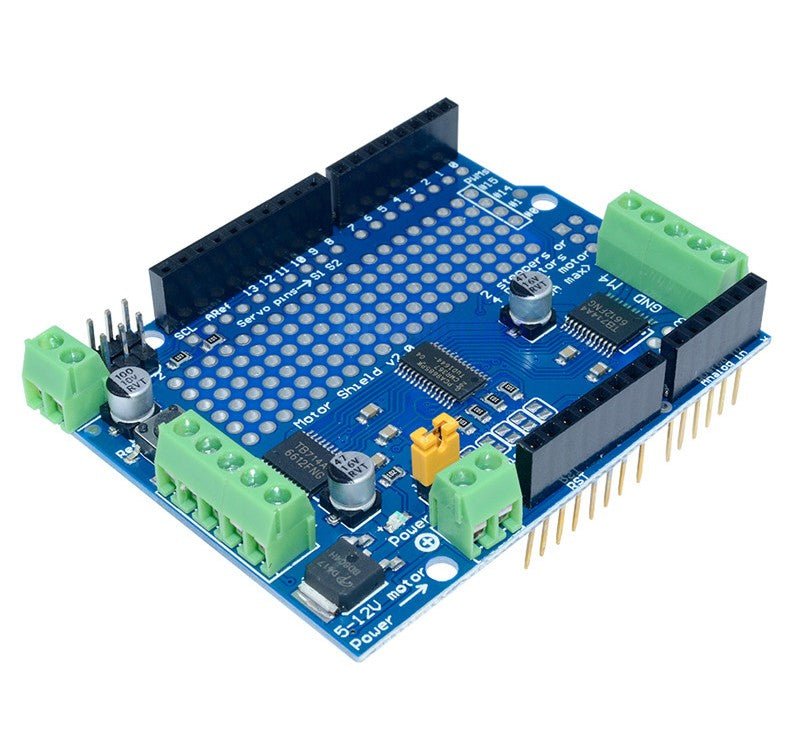
⚙️ BEST SERVO + DC MOTOR COMBO · ⭐ 4.3/58. HiLetgo TB6612 Motor Shield V2
PCA9685 + 2× TB6612FNG · 4 DC motors or 2 steppers · 2 servo headers · 1.2A/ch (3A peak) · stackable to 32
Buy Here →

The HiLetgo TB6612 Motor Shield V2 is a compatible version of the Adafruit Motor Shield V2 design. A PCA9685 drives two TB6612FNG H-bridges over I2C, giving you four DC motors or two steppers at 1.2A per channel (3A peak), plus two hobby-servo headers. That makes it ideal for rovers that need drive motors and a steering or pan-tilt servo on one board. Five address pins let you stack up to 32 shields, and the Adafruit Motor Shield V2 library runs it.
✅ Pros: Motors and servos on one shield; Adafruit library compatible; stackable; replaces old L293D shields.
❌ Cons: Only 2 servo outputs; 1.2A per channel limits bigger motors; documentation is thin.
🎯 Verdict: The best combo board for small robot cars. Drive the wheels and a steering servo from one stackable shield.
👉 Check Price on Amazon →
🛒 How to Choose the Right Servo Driver
🦾
Building a robot arm or hexapod?
Get the Adafruit PCA9685: 16 rock-steady channels per board, chainable to 62 boards.
💵
Prototyping on a budget?
The HiLetgo PCA9685 two-pack gives you 32 channels for about the price of one name-brand board.
🍓
Using a Raspberry Pi?
The Waveshare Servo Driver HAT plugs straight on and includes a 3A regulator.
🧩
Using an Arduino UNO?
Stack the KEYESTUDIO 16-Channel Servo Shield on top and keep every digital pin free.
🎛️
No microcontroller at all?
The Pololu Mini Maestro records and replays servo sequences from its own memory.
🧠
Using STS3215 smart servos?
You need the Waveshare Serial Bus Servo Driver Board. PWM boards can’t talk to them.
⚙️ Key Specs Compared: Side by Side
| Spec | Adafruit PCA9685 | HiLetgo PCA9685 | Waveshare Pi HAT | Pololu Mini Maestro 12 | Waveshare Bus Servo Board |
|---|
| Channels | 16 | 16 ×2 boards ⭐ | 16 | 12 | 253 IDs (bus) ⭐ |
| Resolution | 12-bit | 12-bit | 12-bit | 0.25 µs ⭐ | Servo encoder |
| Interface | I2C | I2C | I2C (Pi header) | USB / TTL / scripts ⭐ | UART bus |
| Expandability | 62 boards / bus ⭐ | 62 boards / bus ⭐ | Address jumpers | Daisy-chain serial | 253 servos ⭐ |
| Servo Power | V+ terminal, polarity protected ⭐ | V+ terminal | 5V reg. up to 3A + VIN | Separate servo supply | 9–12.6V input |
| Standalone Operation | No | No | No | Yes (scripts) ⭐ | No |
| Position Feedback | No | No | No | No | Yes ⭐ |
Specs are taken from the manufacturer pages and live Amazon listings and can vary by revision. Always confirm details on the listing before buying.
❓ Frequently Asked Questions
What does a PCA9685 servo driver actually do?
The PCA9685 is a 16-channel, 12-bit PWM generator with its own internal oscillator. Your microcontroller sends it target pulse widths over I2C, and the chip then keeps generating all 16 servo signals by itself, at a steady 50 Hz, with no further CPU time. That removes servo jitter caused by interrupts, frees your MCU’s PWM pins, and lets you control dozens of servos from just the SDA and SCL lines.
How many servos can I control with PCA9685 boards?
Each board drives 16 servos. Six address-select jumpers give 62 usable I2C addresses, so in theory you can chain 62 boards for 992 servos on one bus. In practice the limit is power, not addresses: each servo needs its share of supply current. Two boards (32 channels) cover almost any hexapod, humanoid or dual-arm robot.
How should I power servos on a driver board?
Connect a separate 5–6V supply (or 7.4V if your servos are rated for it) to the board’s V+ terminal and leave logic power (VCC) on your MCU’s 3.3V or 5V. Size the supply for the total stall current: roughly 0.7A per SG90-class servo and 2–2.5A per MG996R or DS3218. A 1000 µF capacitor across V+ helps with spikes. Never run multiple big servos from a Raspberry Pi or Arduino 5V pin.
Does the PCA9685 work with ESP32, Raspberry Pi Pico and 3.3V boards?
Yes. The PCA9685’s logic accepts 3.3V or 5V, and the servo signal level it outputs follows VCC, which standard servos accept. Use the Adafruit PWM Servo Driver library on Arduino and ESP32, the Adafruit ServoKit or PCA9685 MicroPython drivers on Raspberry Pi and Pico, and set the PWM frequency to about 50 Hz for analog servos.
Can a PCA9685 board drive smart servos like the STS3215?
No. Smart serial-bus servos don’t use PWM at all; they receive addressed commands over a half-duplex UART bus and report position, load and temperature back. They need a bus adapter such as the Waveshare Serial Bus Servo Driver Board. Conversely, a bus adapter can’t drive ordinary PWM servos like the SG90 or MG996R, so choose the driver that matches your servo type.
🏁 Final Verdict: Best Servo Driver for Every Build
The right servo driver board for every controller and budget:
🥇 Best Overall: Adafruit PCA9685, a genuine 16-channel I2C driver with polarity protection and the best libraries
Buy Here →🏅 Best Value: HiLetgo PCA9685 two-pack, 32 channels for the price of one name-brand board
Buy Here →🍓 Best for Raspberry Pi: Waveshare Servo Driver HAT, a plug-on PCA9685 with a 3A regulator
Buy Here →🧩 Best Arduino Shield: KEYESTUDIO 16-Channel Servo Shield, stacks on UNO, two per pack
Buy Here →🟢 Best for Pico: Waveshare Pico Servo Driver, 16 channels at 16-bit for RP2040 robots
Buy Here →🎛️ Best Standalone: Pololu Mini Maestro 12, USB control and onboard scripting with no MCU needed
Buy Here →🧠 Best for Smart Servos: Waveshare Serial Bus Servo Driver Board, for STS3215 and SO-ARM builds
Buy Here →⚙️ Best Motor + Servo Combo: HiLetgo TB6612 Motor Shield V2, 4 DC motors plus 2 servos
Buy Here →For most multi-servo projects the Adafruit PCA9685 is the board to buy: rock-steady pulses, real protection and the best documentation. On a budget, the HiLetgo two-pack does the same job for less. Raspberry Pi builders should grab the Waveshare HAT, Arduino UNO users the KEYESTUDIO shield, Pico fans the Waveshare Pico Servo Driver, and anyone choreographing motion without code will love the Pololu Maestro. If you’re running smart STS3215 servos, the Waveshare bus board is the only option here that speaks their language. Still choosing servos? See our best servo motors buying guide, learn the basics in Servo Motor with Raspberry Pi Pico using MicroPython, and power your rig properly with our programmable DC power supply picks. Then dive into our Arduino, ESP32, STM32 and Raspberry Pi tutorials and start building.
💬 Not sure which driver fits your build? Tell us your controller and how many servos you’re running, whether it’s a robot arm, a hexapod, a rover or an animatronic, in the comments below, and we’ll point you to the right board.
All Amazon links above use our affiliate tag (microlab05-20). Purchasing through them supports microcontrollerslab.com at no extra cost to you. Prices and availability change frequently, so always confirm the current price on Amazon before buying.