⚠️ Affiliate Disclosure: This post contains Amazon affiliate links. If you purchase through our links, we may earn a small commission at no extra cost to you. We only recommend products we have researched and verified. Prices change frequently, so we don’t list them here. Always tap through and confirm the live price on Amazon before buying.
Ultimate Buying Guide
🧠 Best STM32F4 Discovery Boards
5 official STMicroelectronics STM32F4 Discovery kits ranked for students, makers and firmware engineers: from the classic STM32F407G-DISC1 to the F429 and F469 touchscreen kits, with real ST specs, honest verdicts and direct Amazon links.
✅ 5 Discovery Kits Reviewed
✅ Verified Amazon Listings
✅ Official ST Specs
✅ Honest Pros & Cons
STM32F4 Discovery kits are STMicroelectronics’ own low-cost evaluation boards for the STM32F4 family. Every one pairs an Arm Cortex-M4F microcontroller (hardware FPU and DSP instructions, 100 MHz to 180 MHz) with an on-board ST-LINK debugger and a set of real peripherals, such as MEMS sensors, microphones, audio DACs or a touchscreen, so you can start writing and debugging firmware the moment you plug in the USB cable. ST backs them with board support packages and example projects in STM32CubeF4, which is why they are the standard boards for university courses, embedded training and our own STM32F4 Discovery tutorials.
The kits are not interchangeable, though. The STM32F407G-DISC1 is a general-purpose learning board, the STM32F411E-DISCO focuses on motion sensing, and the STM32F412G, STM32F429I and STM32F469I kits add displays of increasing size for GUI work. This guide ranks the 5 STM32F4 Discovery kits you can currently buy on Amazon on MCU performance, memory, on-board peripherals, debugger and display.
💡 Reality check before you buy: Most STM32F4 Discovery kits on Amazon are sold by third-party resellers rather than ST directly, so stock comes and goes and the display kits (F412G and F469I) are often priced well above ST’s own list price. Two other F4 Discovery kits, the STM32F413H-DISCO and STM32F401C-DISCO, had no live Amazon listing when we checked, so they are not ranked here. Discovery boards are not breadboard friendly, and only the F412G and F469I kits have Arduino Uno headers. ST also revises boards every few years (for example MB997 C to D to E), and on-board sensor part numbers can change between revisions, so check the revision printed on the PCB against your tutorial.
🧠 Quick Comparison: All 5 STM32F4 Discovery Kits
| Discovery Kit | MCU | Speed · Flash | Display | Best For | Buy |
|---|
| 🥇 STM32F407G-DISC1 | STM32F407VGT6 | 168 MHz · 1 MB | None | Best Overall | Buy Here → |
| 🏅 STM32F429I-DISC1 | STM32F429ZIT6 | 180 MHz · 2 MB | 2.4in QVGA touch | Best for GUI Learning | Buy Here → |
| 📱 STM32F469I-DISCO | STM32F469NIH6 | 180 MHz · 2 MB | 4in 800×480 DSI touch | Best Large HMI | Buy Here → |
| 🧭 STM32F411E-DISCO | STM32F411VET6 | 100 MHz · 512 KB | None | Best for Sensor Fusion | Buy Here → |
| 🎧 STM32F412G-DISCO | STM32F412ZGT6 | 100 MHz · 1 MB | 1.54in 240×240 touch | Best Compact Display + Audio | Buy Here → |
Every kit includes an on-board ST-LINK debugger. Specs are from ST’s official product pages and user manuals. Prices change often, so tap “Buy Here” to check the current price and availability on Amazon.
🔍 What to Look for in an STM32F4 Discovery Kit
⚙️
MCU Line & Speed
F411 and F412 are the efficient 100 MHz lines; F407 runs at 168 MHz with Ethernet, CAN and camera support; F429 and F469 hit 180 MHz and add LCD-TFT controllers and Chrom-ART graphics acceleration.
💾
Flash, RAM & External Memory
Bare-metal code fits in 512 KB, but GUIs and audio need more. The F429I and F469I kits add external SDRAM for frame buffers, and the F412G and F469I add Quad-SPI flash for images and fonts.
🖥️
Display or No Display
Headless kits (F407G, F411E) are cheaper and ideal for learning peripherals. Pick F412G for a small 240×240 screen, F429I for a 2.4-inch QVGA GUI, or F469I for a 4-inch 800×480 HMI.
🎙️
On-board Peripherals
Look at what is soldered on: accelerometers and gyros for motion, MEMS microphones and audio DACs for sound, microSD for logging. Using on-board parts saves hours of wiring and debugging.
🐞
Debugger & Connectors
All Discovery kits have an ST-LINK, but newer V2-1/V2-A/V2-B versions add a virtual COM port and drag-and-drop flashing. Check for Arduino Uno headers (F412G, F469I) if you want to use shields.
🏆 Detailed Reviews: All 5 STM32F4 Discovery Kits
🥇 BEST OVERALL
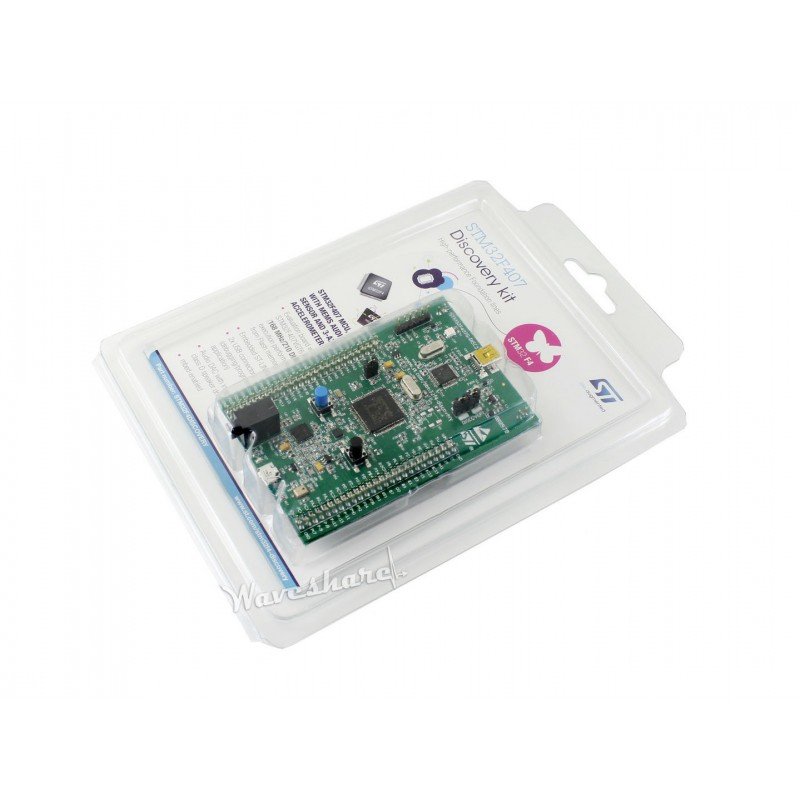
STM32F4DISCOVERY (STM32F407G-DISC1)
⭐ 4.8/5 · The Classic F4 Learning Kit
ST-LINK/V2-A
ON-BOARD DEBUG
Audio + MEMS
ON-BOARD EXTRAS

The STM32F4DISCOVERY is the board most engineers picture when they hear “STM32F4 Discovery”, and it is still the best all-rounder in the family. It pairs the STM32F407VGT6 (Cortex-M4F at 168 MHz, 1 MB flash, 192 KB RAM) with an on-board ST-LINK/V2-A debugger, so you get one-click flashing and full breakpoint debugging in STM32CubeIDE, Keil or PlatformIO out of the box. ST adds a 3-axis MEMS accelerometer, a digital MEMS microphone, a CS43L22 audio DAC with class-D speaker driver, four user LEDs and a USB OTG FS micro-AB port, and every pin of the LQFP100 package is broken out on double-row headers. The F407 also brings an Ethernet MAC, two CAN buses, FSMC and a DCMI camera interface, so the same chip scales from blinky to real products. This Waveshare listing ships the genuine ST kit (the PCB may be green or blue).
✅ Pros- Genuine STM32F407 with 1 MB flash
- On-board ST-LINK/V2-A with virtual COM
- Audio DAC, MEMS mic and accelerometer
- All 100 pins on headers, huge tutorial base
❌ Cons- No display
- No Arduino headers, not breadboard friendly
- Ethernet MAC present but no PHY or jack
🎯 Verdict: The best STM32F4 Discovery board to learn on and prototype with. Debugger, sensors, audio and full pin access in one kit.
👉 Check Price on Amazon →
🏅 BEST FOR GUI & DISPLAYS
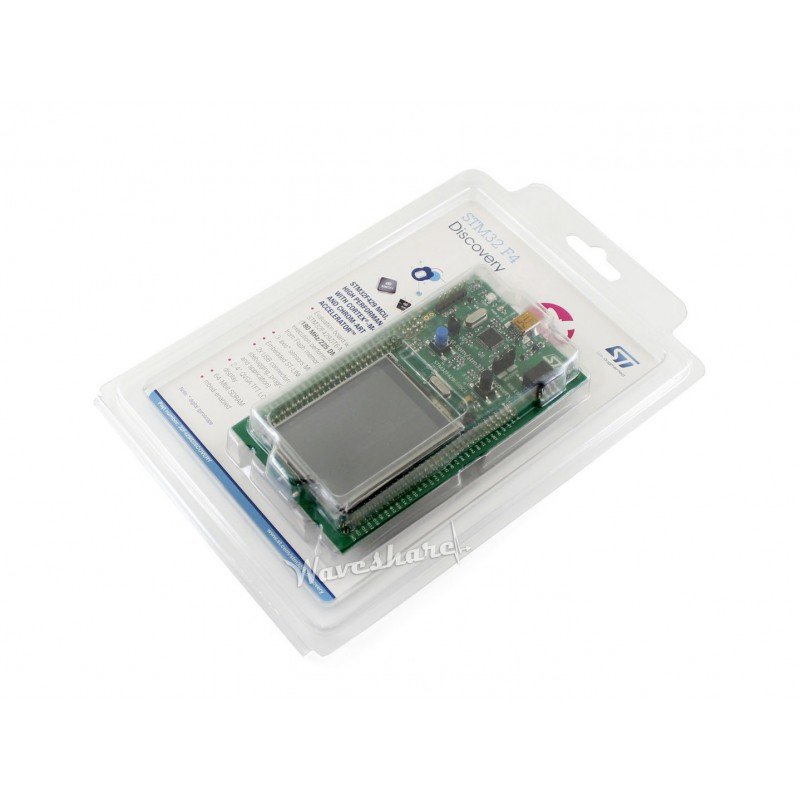
STM32F429I-DISC1 (32F429IDISCOVERY)
⭐ 4.7/5 · Graphics Starter Kit
Buy on Amazon →
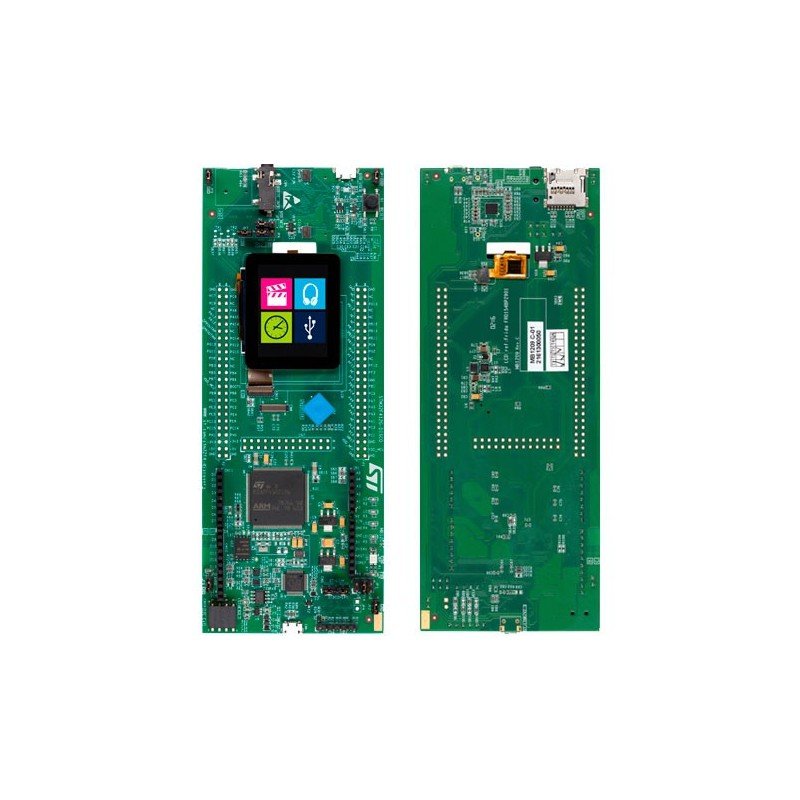
The STM32F429I-DISC1 is the Discovery kit to buy if you want to learn embedded graphics. Its STM32F429ZIT6 (180 MHz, 2 MB flash, 256 KB RAM) drives an on-board 2.4-inch QVGA TFT with touch through the LCD-TFT controller (LTDC) and the Chrom-ART (DMA2D) graphics accelerator, backed by 8 MB of external SDRAM for frame buffers. You also get a 3-axis digital gyroscope, a USB OTG port with micro-AB connector, two user LEDs and an ST-LINK/V2-B debugger with virtual COM port and mass-storage flashing. It is the classic starter kit for TouchGFX, LVGL and emWin, and ST ships ready-to-run GUI demos for it. This listing is from a third-party seller with few reviews, so check the photos show the MB1075 board before ordering.
✅ Pros- Touch TFT + 8 MB SDRAM on board
- LTDC and Chrom-ART for smooth GUIs
- 2 MB flash for images and fonts
- ST-LINK/V2-B with virtual COM
❌ Cons- Small 320×240 display
- No audio or microphone
- Third-party seller with few reviews
🎯 Verdict: The best STM32F4 Discovery kit for learning TouchGFX and LVGL on a budget-friendly screen.
👉 Check Price on Amazon →
📱 BEST LARGE TOUCHSCREEN HMI · ⭐ 4.6/53. STM32F469I-DISCO (32F469IDISCOVERY)
STM32F469NIH6 · 180 MHz · 2 MB flash · 324 KB RAM + 16 MB SDRAM · ST-LINK/V2-1
Buy →
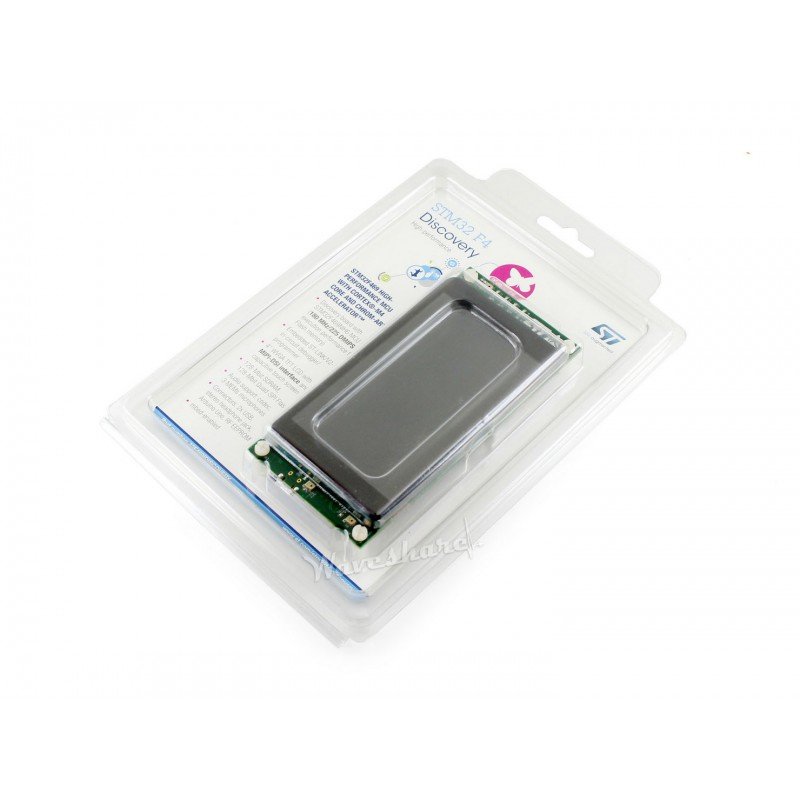
The STM32F469I-DISCO is the flagship of the F4 Discovery line and the closest thing to a real product HMI. The STM32F469NIH6 (180 MHz, 2 MB flash, 324 KB RAM) drives a 4-inch 800×480 capacitive touch display over MIPI DSI, with 16 MB of SDRAM and a 128-Mbit Quad-SPI NOR flash for graphics assets. It adds an SAI audio DAC with headphone jack, three MEMS microphones, a microSD slot, USB OTG FS, Arduino Uno V3 connectors and an ST-LINK/V2-1 debugger. This is the board to prototype smart-home panels, industrial HMIs and voice-enabled GUIs. Third-party Amazon listings for it are usually priced well above ST’s own list price, so compare before buying.
✅ Pros: Big 800×480 DSI touch display; 16 MB SDRAM + 128-Mbit QSPI; 3 mics and audio DAC; Arduino headers; ST-LINK/V2-1.
❌ Cons: Most expensive kit here, and Amazon resellers charge a premium; BGA MCU so no easy chip rework; overkill for simple projects.
🎯 Verdict: The best STM32F4 Discovery kit for serious touchscreen HMI and audio-plus-GUI prototypes.
👉 Check Price on Amazon →
🧭 BEST FOR MOTION SENSING & LOW POWER · ⭐ 4.5/54. STM32F411E-DISCO (32F411EDISCOVERY)
STM32F411VET6 · 100 MHz · 512 KB flash · 128 KB RAM · ST-LINK/V2
Buy →
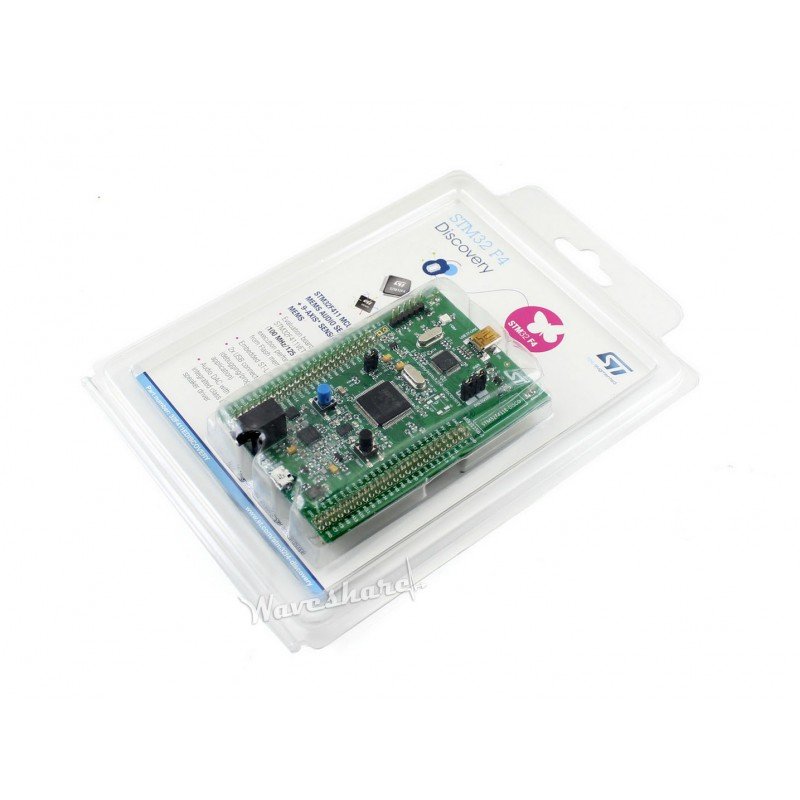
The STM32F411E-DISCO keeps the familiar F4DISCOVERY layout but swaps in the power-efficient STM32F411VET6 (100 MHz, 512 KB flash, 128 KB RAM) and a richer sensor set: a 3-axis gyroscope, a 3D accelerometer plus magnetometer (e-compass), a digital MEMS microphone and an audio DAC with class-D speaker driver. That makes it ideal for learning sensor fusion, tilt-compensated compass and IMU filters, plus low-power firmware using the F411’s efficient run and stop modes. It has an on-board ST-LINK/V2, USB OTG FS micro-AB, four user LEDs and extension headers for every I/O. The listing is from a third-party seller, so confirm availability and seller rating.
✅ Pros: Gyro + accelerometer + magnetometer on board; mic and audio DAC; efficient F411 core; same form factor as F4DISCOVERY.
❌ Cons: Only 100 MHz and 512 KB flash; older ST-LINK/V2 (Mini-B USB); third-party seller with few reviews.
🎯 Verdict: The best STM32F4 Discovery kit for IMU, e-compass and low-power sensor projects.
👉 Check Price on Amazon →
🎧 BEST COMPACT DISPLAY + AUDIO · ⭐ 4.4/55. STM32F412G-DISCO (32F412GDISCOVERY)
STM32F412ZGT6 · 100 MHz · 1 MB flash · 256 KB RAM · ST-LINK/V2-1
Buy →
The STM32F412G-DISCO packs a lot into a slim board: an STM32F412ZGT6 (100 MHz, 1 MB flash, 256 KB RAM), a 1.54-inch 240×240 TFT with capacitive touch, a 128-Mbit Quad-SPI NOR flash, an I2S audio codec with stereo headset jack, stereo digital MEMS microphones, a microSD slot, a joystick and four user LEDs. It also has Arduino Uno V3 expansion connectors and an ST-LINK/V2-1 debugger. The F412’s DFSDM peripheral is handy for PDM microphone and audio projects, and the small screen suits wearables, remotes and data loggers. Expect to pay a reseller premium on Amazon compared with ST’s list price.
✅ Pros: Touch LCD, audio codec, stereo mics and microSD on one board; QSPI flash; Arduino Uno V3 headers; ST-LINK/V2-1.
❌ Cons: Small 240×240 display; only 100 MHz; Amazon listing priced well above ST list price and has no reviews yet.
🎯 Verdict: The best compact STM32F4 Discovery kit for audio, data logging and small-screen UIs.
👉 Check Price on Amazon →
🛒 How to Choose the Right STM32F4 Discovery Kit
🎓
Learning STM32 and HAL properly?
Get the STM32F407G-DISC1: 168 MHz, 1 MB flash, audio, accelerometer and all 100 pins exposed. Buy Here →
🖥️
Starting with TouchGFX or LVGL?
The STM32F429I-DISC1 gives you a 2.4-inch touch TFT, 8 MB SDRAM and Chrom-ART acceleration. Buy Here →
📱
Prototyping a real product HMI?
The STM32F469I-DISCO has a 4-inch 800×480 DSI touchscreen, 16 MB SDRAM and three microphones. Buy Here →
🧭
Working with IMUs or e-compass?
The STM32F411E-DISCO packs a gyroscope, accelerometer and magnetometer next to an efficient F411. Buy Here →
🎧
Building audio, logging or a wearable UI?
The STM32F412G-DISCO combines a 1.54-inch touch LCD, audio codec, stereo mics and microSD. Buy Here →
🧩
Want Arduino shield compatibility?
Choose the STM32F412G-DISCO or STM32F469I-DISCO, the only F4 Discovery kits here with Arduino Uno V3 headers. Buy Here →
⚙️ Key Specs Compared: Side by Side
| Spec | STM32F407G-DISC1 | STM32F429I-DISC1 | STM32F469I-DISCO | STM32F411E-DISCO | STM32F412G-DISCO |
|---|
| MCU | STM32F407VGT6 | STM32F429ZIT6 | STM32F469NIH6 | STM32F411VET6 | STM32F412ZGT6 |
| Max Clock | 168 MHz | 180 MHz ⭐ | 180 MHz ⭐ | 100 MHz | 100 MHz |
| Flash | 1 MB | 2 MB | 2 MB + 128-Mbit QSPI ⭐ | 512 KB | 1 MB + 128-Mbit QSPI |
| RAM | 192 KB | 256 KB + 8 MB SDRAM | 324 KB + 16 MB SDRAM ⭐ | 128 KB | 256 KB |
| Display | None | 2.4in 320×240 touch | 4in 800×480 DSI touch ⭐ | None | 1.54in 240×240 touch |
| Motion Sensors | Accelerometer | Gyroscope | None | Gyro + accel + magnetometer ⭐ | None |
| Audio | DAC + class-D, 1 mic | None | SAI DAC, 3 mics ⭐ | DAC + class-D, 1 mic | Codec, stereo mics |
| ST-LINK | V2-A | V2-B | V2-1 | V2 | V2-1 |
| Arduino Headers / microSD | No / No | No / No | Yes / Yes ⭐ | No / No | Yes / Yes ⭐ |
Specs are from ST product pages and user manuals. Sensor part numbers vary by board revision, so always confirm details on the live Amazon listing and the PCB revision.
❓ Frequently Asked Questions
What is the difference between STM32F4DISCOVERY and STM32F407G-DISC1?
They are the same kit. STM32F4DISCOVERY is the product family name, and STM32F407G-DISC1 is the current order code. The DISC1 version (board revision MB997D and later) upgraded the on-board debugger to ST-LINK/V2-A, which adds a virtual COM port and drag-and-drop mass-storage flashing. Code written for the older STM32F407G-DISC board runs unchanged on DISC1.
Do STM32F4 Discovery boards need a separate programmer?
No. Every Discovery kit has an ST-LINK debugger built in, so a single USB cable powers the board, flashes firmware and gives you full breakpoint debugging in STM32CubeIDE, Keil MDK or IAR. You can also use the ST-LINK section to program and debug an external STM32 board through the SWD header by removing the two ST-LINK jumpers.
Which STM32F4 Discovery kit is best for beginners?
The STM32F407G-DISC1. It has the most tutorials, courses and example projects of any F4 Discovery kit, it is inexpensive, and its on-board LEDs, button, accelerometer and audio DAC let you practice GPIO, interrupts, timers, ADC, DAC, I2S and SPI without extra hardware. Once you are comfortable, move to the F429I or F469I kit for GUI development.
Which STM32F4 Discovery board should I use for TouchGFX or LVGL?
Start with the STM32F429I-DISC1 for a low-cost 2.4-inch QVGA screen with LTDC, Chrom-ART and 8 MB of SDRAM. If you are prototyping a real product panel, the STM32F469I-DISCO is the better choice: its 4-inch 800×480 MIPI DSI touchscreen, 16 MB SDRAM and Quad-SPI flash let you build full-resolution HMIs. TouchGFX Designer includes ready-made application templates for both kits.
Can I use Arduino IDE or MicroPython with STM32F4 Discovery boards?
Yes. The official STM32duino core supports several of these kits, including the STM32F407G-DISC1, STM32F411E-DISCO, STM32F412G-DISCO and STM32F429I-DISC1, so you can program them from the Arduino IDE. MicroPython publishes firmware for the STM32F4DISC, STM32F411DISC and STM32F429DISC boards. For professional work, most engineers use STM32CubeIDE with HAL/LL drivers, or Zephyr RTOS, which supports all five kits.
🏁 Final Verdict: Best STM32F4 Discovery Kit for Every Need
The right STM32F4 Discovery board for every project:
🥇 Best Overall: STM32F407G-DISC1: 168 MHz F407, ST-LINK, audio and accelerometer
Buy →🏅 Best for GUI Learning: STM32F429I-DISC1: 2.4-inch touch TFT, 8 MB SDRAM, Chrom-ART
Buy →📱 Best Large Touchscreen HMI: STM32F469I-DISCO: 4-inch 800×480 DSI touch, 16 MB SDRAM, 3 mics
Buy →🧭 Best for Motion Sensing: STM32F411E-DISCO: gyro, accelerometer and magnetometer on board
Buy →🎧 Best Compact Display + Audio: STM32F412G-DISCO: 1.54-inch touch LCD, codec, mics, microSD
Buy →Every STM32F4 Discovery kit gives you a genuine ST board with a built-in debugger, but each one is tuned for a different job. For most engineers and students the STM32F407G-DISC1 is still the one to buy: a fast F407, 1 MB of flash and real peripherals to learn on. If graphics are your goal, start on the STM32F429I-DISC1 and step up to the STM32F469I-DISCO for product-grade HMIs, while the STM32F411E-DISCO is the pick for motion sensing and the STM32F412G-DISCO for compact audio and logging projects. Once your board arrives, follow our STM32, ESP32, Arduino and Raspberry Pi tutorials, starting with UART on the STM32F4 Discovery board, ADC with the HAL driver and DAC waveform generation. Comparing other STM32 families? See our best STM32 development boards guide.
💬 Not sure which STM32F4 Discovery kit fits your project? Tell us what you’re building (a motor controller, an audio project, a touchscreen HMI or an IMU tracker) in the comments below, and we’ll point you to the right pick.
All Amazon links above use our affiliate tag (microlab05-20). Purchasing through them supports microcontrollerslab.com at no extra cost to you. Prices and availability change frequently, so always confirm the current price on Amazon before buying.