⚠️ Affiliate Disclosure: This post contains Amazon affiliate links. If you purchase through our links, we may earn a small commission at no extra cost to you. Every product below was checked against its live Amazon listing before publishing. Prices change often, so we don’t list them here. Tap any Buy Here button to see the current price on Amazon.
Ultimate Buying Guide
🚀 Best Raspberry Pi 5 NVMe HATs and SSD Cases
13 top and bottom M.2 HATs, dual NVMe boards, PoE+ NVMe HATs and all-in-one NVMe cases that let your Pi 5 boot and run from a fast SSD instead of a microSD card.
✅ 13 Picks Reviewed✅ Geekworm, Official HAT+, Freenove✅ Pironman and Argon Cases✅ Honest Pros and Cons
The Raspberry Pi 5 is the first Pi with an exposed PCIe connector, a small 16-pin FPC port on the edge of the board. Add an M.2 HAT and a cheap NVMe SSD and the Pi boots and loads apps many times faster than from microSD, with far better endurance for databases, Home Assistant, Docker containers, NAS shares and camera recordings. The connector is a single PCIe lane, officially PCIe 2.0 (about 500 MB/s), so even a budget SSD saturates it.
If you are still choosing a board and power supply, start with our Raspberry Pi 5 starter kits guide, and if you plan to stay on cards for now, our microSD cards for Raspberry Pi roundup covers the fastest ones. This guide covers everything that turns the PCIe port into an SSD slot.
💡 Reality check before you buy: These boards work only with the Raspberry Pi 5 and its exposed PCIe FPC connector, not a Pi 4 or earlier. None of them include an SSD unless stated. The Pi 5 PCIe lane is officially Gen 2; Gen 3 can be enabled in config but is not officially certified and some drive and cable combinations become unstable. A few SSD controllers are known to have trouble with the Pi 5, so check the HAT maker’s compatibility list before buying a drive. Only M.2 M-key NVMe drives work: M.2 SATA SSDs do not. Booting from NVMe needs an up-to-date bootloader, and a fast SSD can draw more current, so use the official 27W USB-C supply. Finally, check physical fit: top HATs may clash with some coolers and cases.
Table of Contents
- Quick Comparison: All 13 Pi 5 NVMe Picks
- How to Choose a Pi 5 NVMe Board
- Detailed Reviews: All 13 Picks
- Which One for Which Job
- Top HAT vs Bottom Board vs Dual Board vs NVMe Case
- Frequently Asked Questions
- Final Verdict: Best Raspberry Pi 5 NVMe HATs and Cases
🚀 Quick Comparison: All 13 Pi 5 NVMe Picks
| Product | Type | SSD Sizes (per listing) | Extras | Rating | Best For | Buy |
|---|
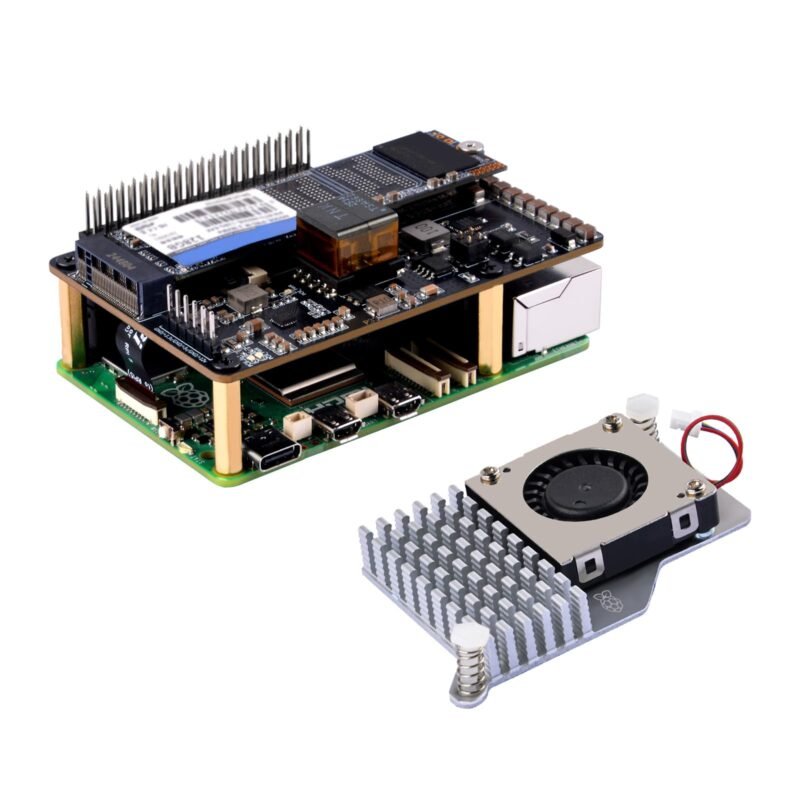
| 🥇 Geekworm X1001 | Top HAT, single | 2230, 2242, 2260, 2280 | Copper standoffs for all lengths | ⭐ 4.6 (558) | Best Overall | Buy Here → |
| 🍓 Raspberry Pi M.2 HAT+ | Official top HAT | 2230, 2242 | Up to 3A to the drive, LEDs | ⭐ 4.7 (133) | Best Official | Buy Here → |
| 🗄️ SunFounder Pironman 5-MAX | Case, dual NVMe | 2230 to 2280 (x2) | RAID 0/1, OLED, tower cooler | ⭐ 4.5 (651) | Best NAS Case | Buy Here → |
| 🖥️ SunFounder Pironman 5 | Case, single NVMe | 2230, 2242, 2260, 2280 | OLED, tower cooler, RGB fans | ⭐ 4.5 (991) | Best Mini PC Case | Buy Here → |
| 🧊 Argon ONE V3 M.2 NVMe | Aluminum case | Up to 2280 | SSD heatsink, FPC cable | ⭐ 4.4 (207) | Best Desktop Case | Buy Here → |
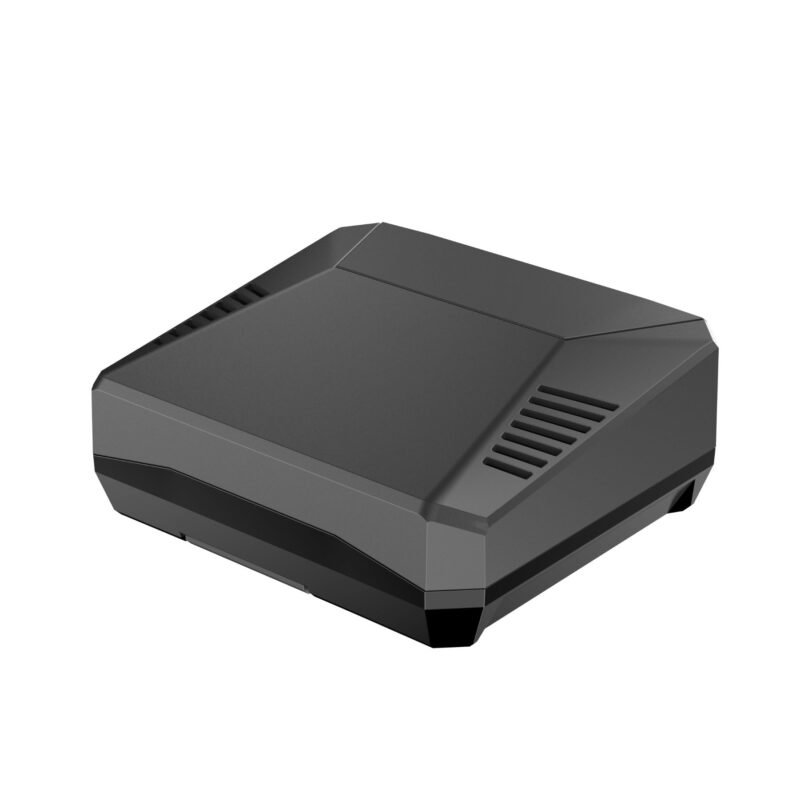
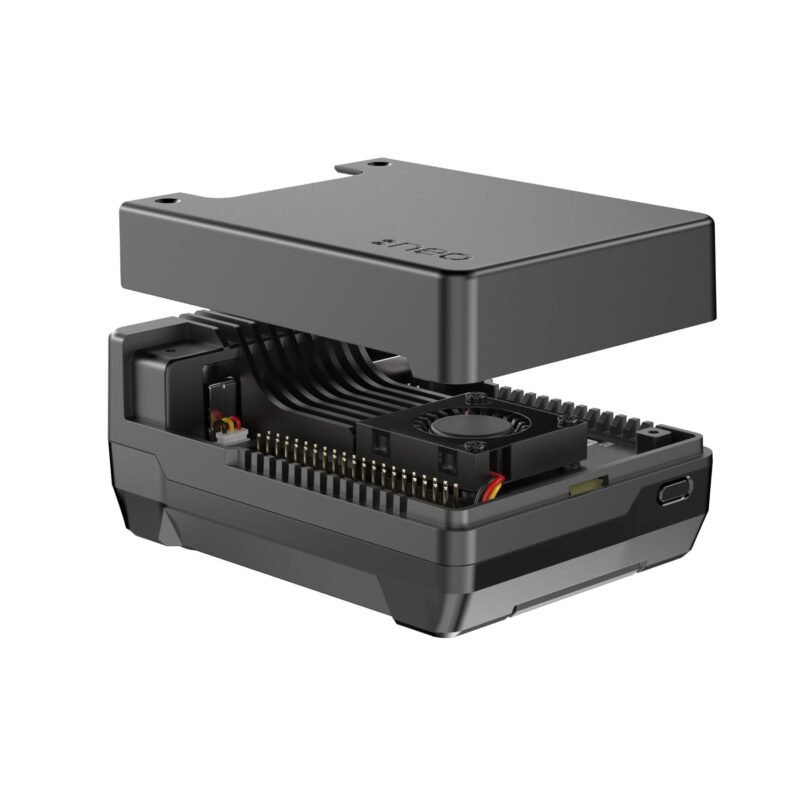
| 📦 Argon NEO 5 M.2 NVMe | Compact aluminum case | Up to 2280 | SSD heatsink, active cooling | ⭐ 4.3 (272) | Best Compact Case | Buy Here → |
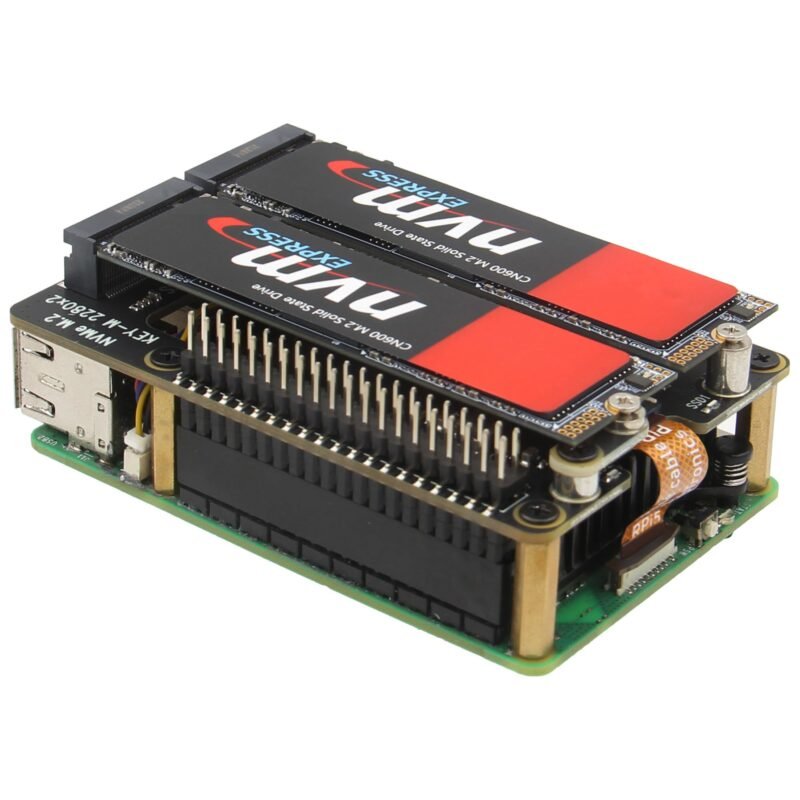
| 💽 Geekworm X1004 | Top HAT, dual | 2280, or 2230/2242 (x2) | Two independent DC/DC supplies | ⭐ 4.3 (88) | Best Dual SSD HAT | Buy Here → |
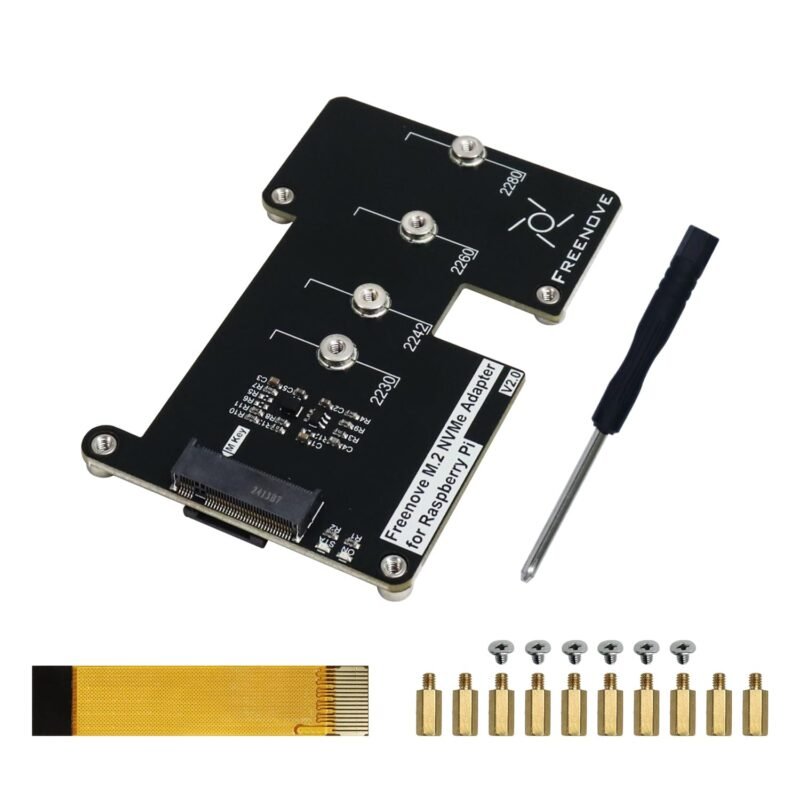
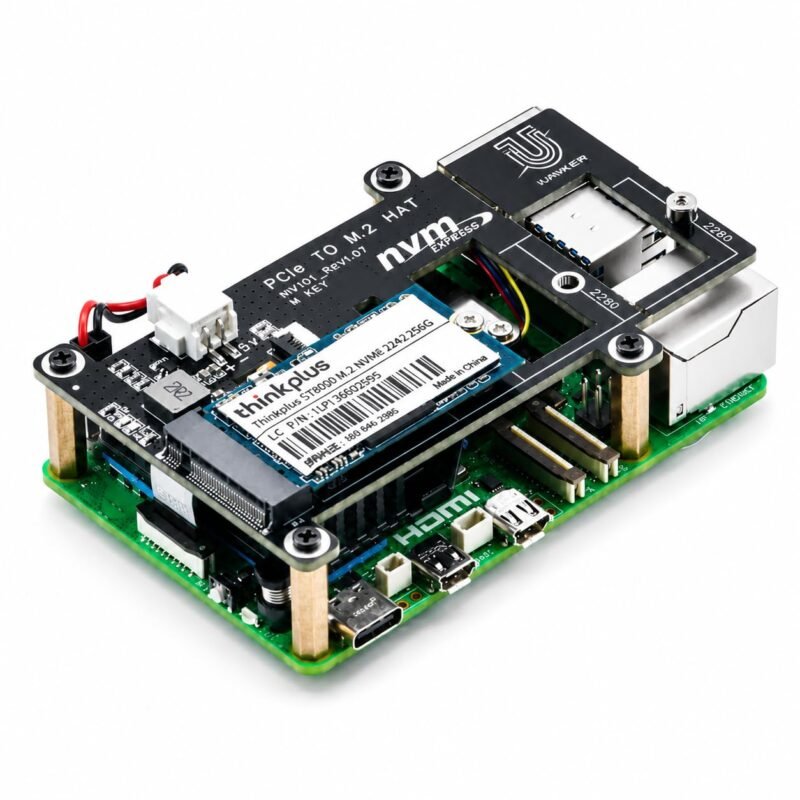
| 🔄 Freenove M.2 NVMe Adapter V2 | Top or bottom board | 2230, 2242, 2260, 2280 | Tutorial, top or bottom mount | ⭐ 4.3 (127) | Most Flexible Mount | Buy Here → |
| 🔌 GeeekPi P33 NVMe PoE+ HAT | NVMe + PoE+ HAT | 2230, 2242, 2260, 2280 | 5.1V/4.5A PoE+, active cooler | ⭐ 4.3 (184) | Best PoE+ Combo | Buy Here → |
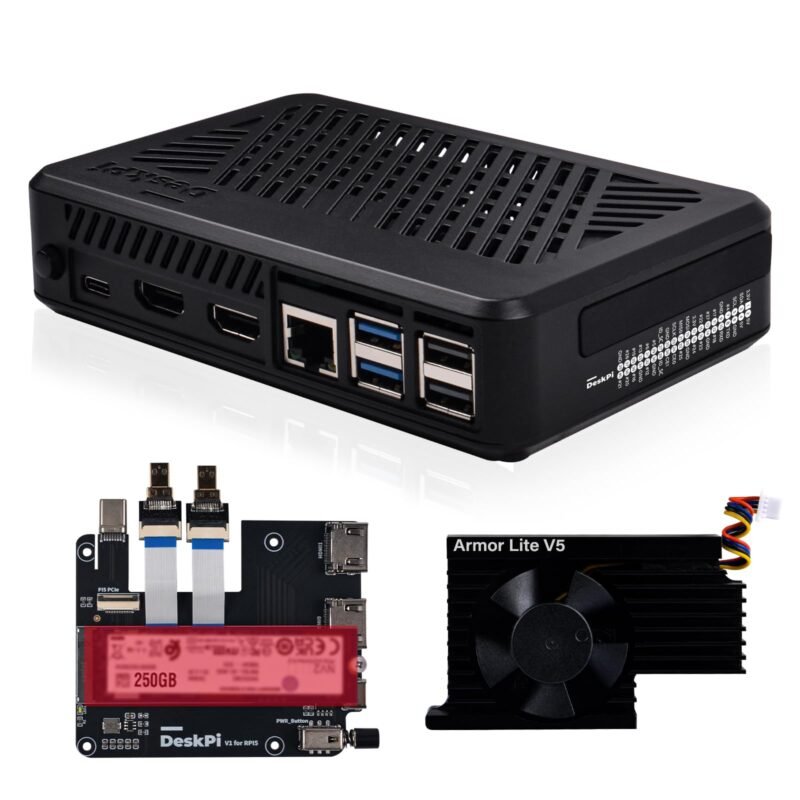
| 🎛️ GeeekPi DeskPi Lite Pi5 Case | Case + M.2 HAT | 2230, 2242, 2260, 2280 | Power button, active cooler | ⭐ 4.2 (223) | Best Value Case | Buy Here → |
| 🧷 iUniker Pi 5 NVMe HAT V2 | Top HAT, single | 2230, 2242, 2260, 2280 | Extra power cable support | ⭐ 4.2 (201) | Budget Full-Length HAT | Buy Here → |
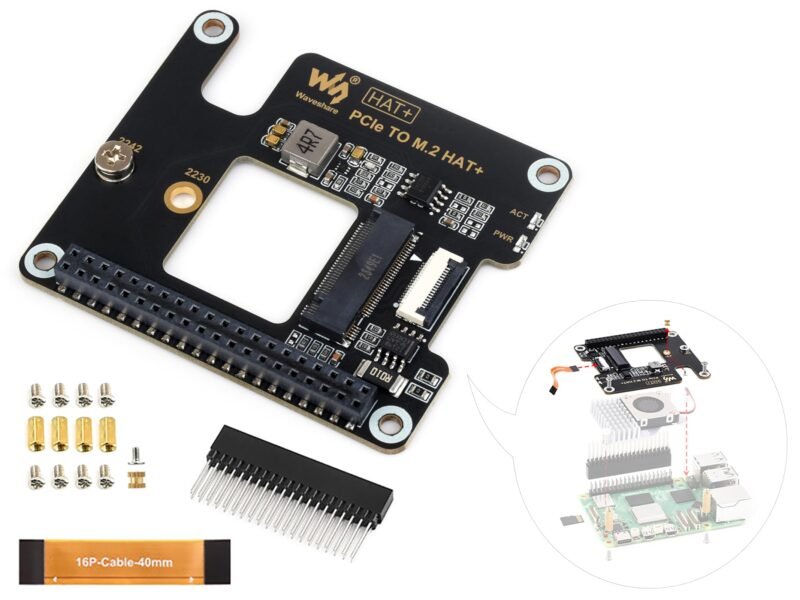
| 📐 Waveshare PCIe to M.2 HAT+ | Compact top HAT | 2230, 2242 | HAT+ standard, Gen2 and Gen3 | ⭐ 4.4 (34) | Best Small-Drive HAT | Buy Here → |
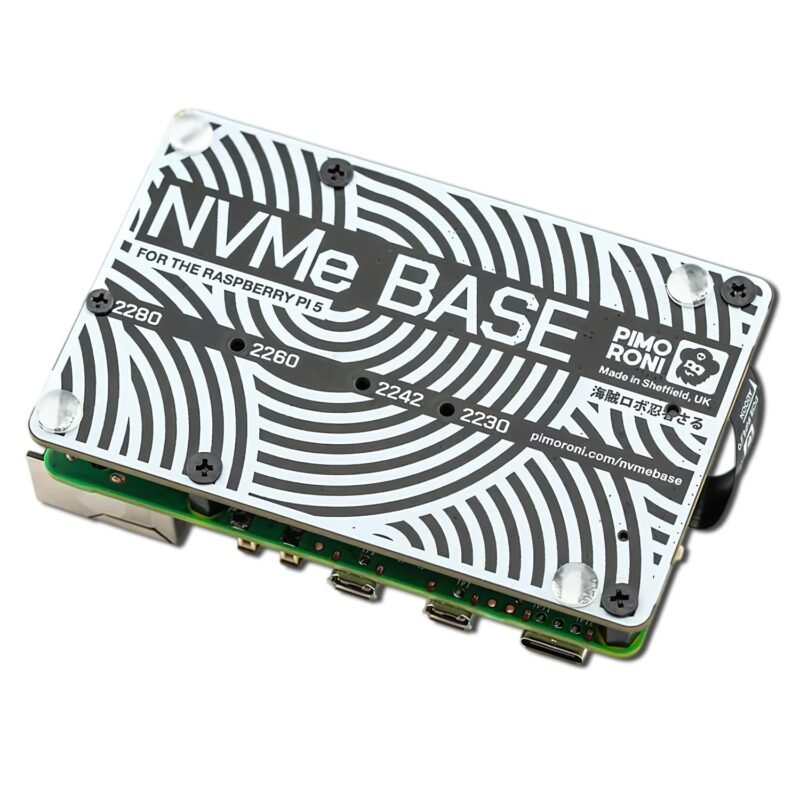
| ⬇️ AAAwave NVMe Base | Bottom board | 2230 to 2280 | Flat flex cable, rubber feet | ⭐ 4.5 (48) | Best Bottom Mount | Buy Here → |
Ratings, supported SSD sizes and bundled parts are taken from each Amazon listing at the time of writing. No SSD is included unless the listing says so. Tap Buy Here to see the live price.
🔍 How to Choose a Pi 5 NVMe Board
📏
SSD Length
Full-size 2280 drives are the cheapest and easiest to find. The official HAT+ and Waveshare board take only short 2230 and 2242 drives, so match the board to the SSD you plan to buy.
⬆️
Top or Bottom Mount
Top HATs sit above the Pi and leave the GPIO usable through standoffs but can clash with tall coolers. Bottom boards keep the top free for other HATs and cooling.
🏠
Bare Board or Case
Cases like Pironman and Argon bundle the NVMe board, cooling and a power button into one tidy box, ideal for a desktop or home server. Bare boards suit custom builds and enclosures.
💽
One Drive or Two
Dual boards like the X1004 and Pironman 5-MAX use a PCIe switch to share the single lane between two SSDs, or an SSD and an AI accelerator. Great for NAS builds, but bandwidth is shared.
⚡
Power and PoE
Use the official 27W supply with a fast SSD. For rack or ceiling installs, a combined NVMe and PoE+ HAT like the GeeekPi P33 removes the USB-C power brick.
🏆 Detailed Reviews: All 13 Picks
🥇 BEST OVERALL
Geekworm X1001 PCIe to M.2 NVMe HAT for Raspberry Pi 5
⭐ 4.6/5 · 558 ratings · Top-mount M.2 Key-M HAT
Buy on Amazon →

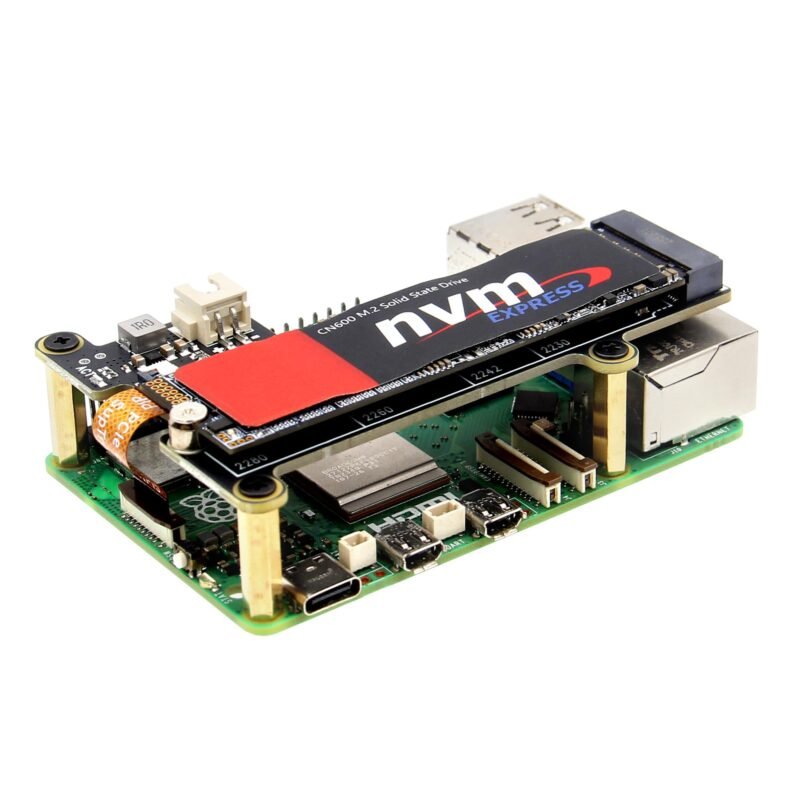
With 558 ratings the Geekworm X1001 is the most-reviewed bare NVMe HAT we found and a safe default. Per the listing it mounts on top of the Raspberry Pi 5 (2GB, 4GB, 8GB and 16GB models), takes any M.2 Key-M NVMe SSD in 2230, 2242, 2260 or 2280 length, and includes copper standoffs for each size. Geekworm keeps a wiki with a manual and a step-by-step FAQ for boot and detection problems. The listing is upfront that it is a basic PCIe expansion board, so cooling and enclosure are up to you. It averages 4.6 stars.
✅ Pros- Takes cheap full-size 2280 drives
- Huge user base and good wiki
- Simple, no software needed
❌ Cons- Top mount can block some coolers and HATs
- No case or SSD included
🎯 Verdict: The best all-round way to add a full-size NVMe SSD to a Pi 5 without buying a whole case.
👉 Check Price on Amazon →
🍓 BEST OFFICIAL HAT
Raspberry Pi M.2 HAT+
⭐ 4.7/5 · 133 ratings · Sold by the Raspberry Pi store
Buy on Amazon →

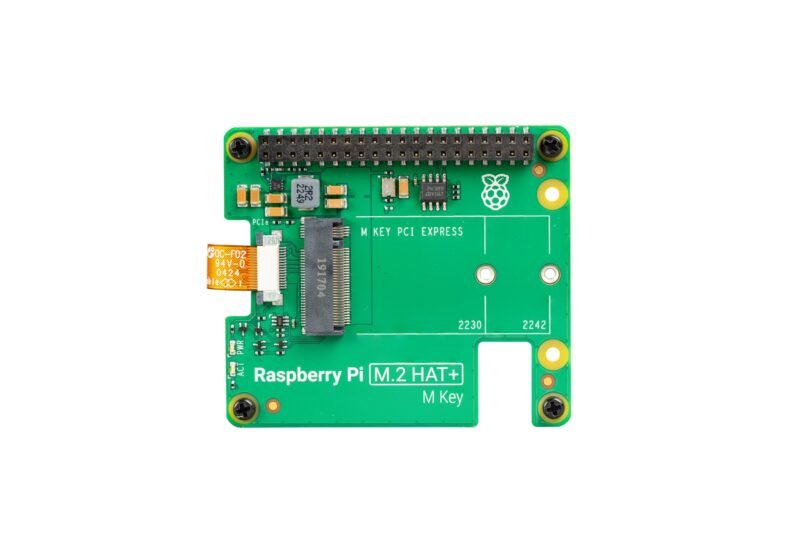
The official Raspberry Pi M.2 HAT+ is the reference design and the one with the best long-term software support. Per the listing it uses the single-lane PCIe 2.0 interface with a 500 MB/s peak transfer rate, supports M.2 M-key devices in 2230 and 2242 form factors, can supply up to 3A to the connected device and has power and activity LEDs. Because it follows the HAT+ standard, the Pi detects it automatically. It also works with M.2 accelerators such as the Hailo AI modules. It averages 4.7 stars from 133 ratings, the highest here.
✅ Pros- Official design, highest rating
- Up to 3A for the drive
- Fits the official active cooler
❌ Cons- Short 2230 and 2242 drives only
- Small drives cost more per GB
🎯 Verdict: The safest pick if you want the reference hardware and a compact 2230 or 2242 SSD.
👉 Check Price on Amazon →
🗄️ BEST NAS CASE · ⭐ 4.5/53. SunFounder Pironman 5-MAX Dual NVMe Case
Two M.2 slots, PCIe Gen2 switch, RAID 0/1 · 651 ratings
Buy Here →
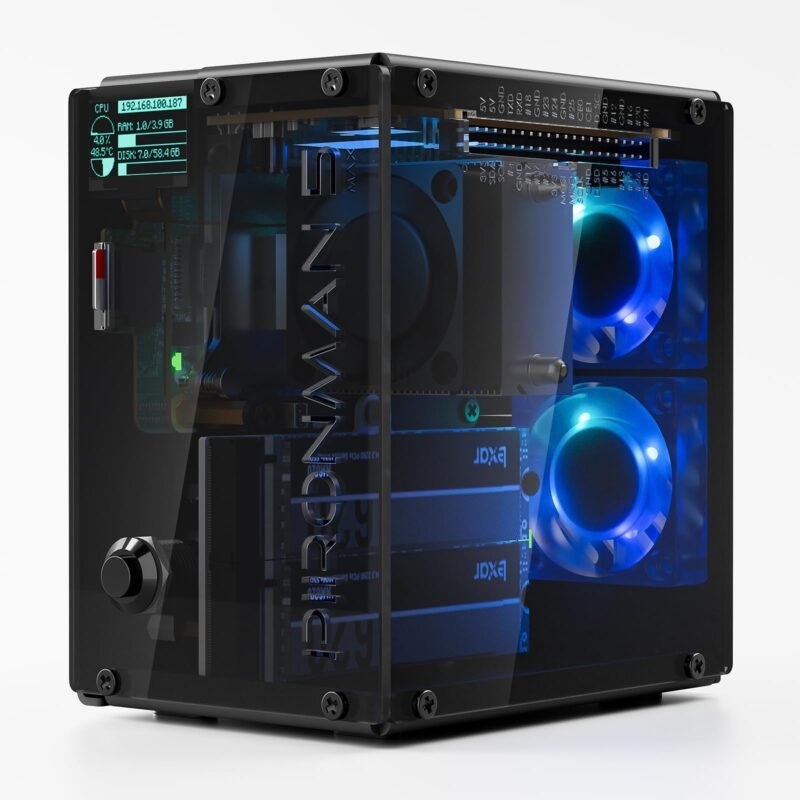
The Pironman 5-MAX turns a Pi 5 into a small NAS or mini PC. Per the listing it has two NVMe M.2 slots (2230 to 2280) behind a built-in PCIe Gen2 switch with RAID 0/1 support, and either slot can hold an SSD or a Hailo-8L AI accelerator. Cooling is a tower cooler plus dual RGB fans, and a 0.96 inch OLED shows live system stats with vibration wake-up. It averages 4.5 stars from 651 ratings.
✅ Pros: Two full-size SSDs in one finished case.
❌ Cons: Two drives share one PCIe lane.
🎯 Verdict: The pick for a mirrored Pi 5 file server or an SSD plus AI accelerator build.
🖥️ BEST MINI PC CASE · ⭐ 4.5/54. SunFounder Pironman 5 NVMe Mini PC Case
Aluminum, one M.2 slot, OLED, tower cooler · 991 ratings
Buy Here →
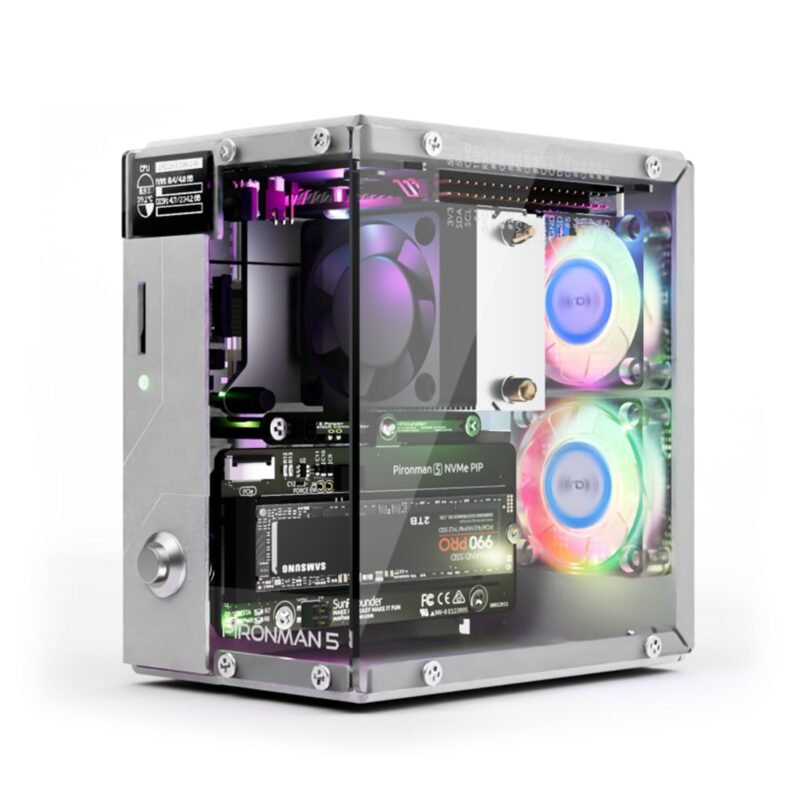
The original Pironman 5 is the most-reviewed product in this guide at 991 ratings. Per the listing it is a durable aluminum mini PC case with an easy-to-install NVMe M.2 slot for 2230, 2242, 2260 and 2280 drives (or a Hailo-8L accelerator), a tower cooler with dual RGB fans and a 0.96 inch OLED status screen. It averages 4.5 stars.
✅ Pros: Polished desktop look with strong cooling.
❌ Cons: Larger than a bare HAT setup.
🎯 Verdict: The best-loved way to turn a Pi 5 into a tidy SSD desktop.
🧊 BEST DESKTOP ALUMINUM CASE · ⭐ 4.4/55. Argon ONE V3 M.2 NVMe PCIe Case
NVMe base, SSD heatsink, up to 2280 · 207 ratings
Buy Here →
Argon40’s ONE V3 M.2 NVMe case includes an NVMe base that connects to the Pi 5 PCIe port. Per the listing it uses an impedance-controlled FPC cable for reliable transfers, accepts any M.2 M-key NVMe drive up to 2280, and adds an aluminum heatsink specific to the M.2 drive. It averages 4.4 stars from 207 ratings.
✅ Pros: Full-size SSD support with a drive heatsink.
❌ Cons: Enclosed design limits GPIO and HAT use.
🎯 Verdict: A sleek desktop case for a Pi 5 media or office machine.
📦 BEST COMPACT CASE · ⭐ 4.3/56. Argon NEO 5 M.2 NVMe Case
Aluminum, active cooling, SSD heatsink · 272 ratings
Buy Here →
The Argon NEO 5 M.2 NVMe is a slimmer aluminum case with active cooling. Per the listing it lets the Pi 5 boot from an M.2 NVMe drive, includes a built-in heatsink for the SSD, uses an impedance-controlled FPC cable and supports M-key NVMe drives up to 2280. It averages 4.3 stars from 272 ratings.
✅ Pros: Compact with drive and CPU cooling.
❌ Cons: Fewer extras than Pironman cases.
🎯 Verdict: Pick it for a small, quiet SSD Pi that lives behind a TV or on a shelf.
💽 BEST DUAL SSD HAT · ⭐ 4.3/57. Geekworm X1004 PCIe to Dual M.2 NVMe HAT
Two M.2 Key-M slots, NVMe boot · 88 ratings
Buy Here →
The X1004 is Geekworm’s dual-drive HAT. Per the listing it supports two M.2 Key-M NVMe SSDs in 2280 length (or 2230 and 2242), can boot from NVMe, and uses two independent high-efficiency DC/DC converters so each drive gets its own 3.3V supply. It fits Pi 5 boards from 2GB to 16GB. It averages 4.3 stars from 88 ratings.
✅ Pros: Two full-size SSDs on a bare HAT.
❌ Cons: Shared bandwidth; no case included.
🎯 Verdict: For DIY NAS builders who want two SSDs in their own enclosure.
🔄 MOST FLEXIBLE MOUNTING · ⭐ 4.3/58. Freenove M.2 NVMe Adapter V2 for Raspberry Pi 5
Top or bottom install, PCIe 2.0/3.0 · 127 ratings
Buy Here →
Freenove’s V2 adapter can be installed on top or bottom of the Pi 5 with just screws and the ribbon cable. Per the listing it supports PCIe 2.0 or 3.0 NVMe SSDs in 2230, 2242, 2260 and 2280 sizes (not M.2 SATA), works as a system disk or regular drive, and comes with a detailed tutorial. It averages 4.3 stars from 127 ratings.
✅ Pros: Mount it above or below the Pi.
❌ Cons: Bare board, no cooling or case.
🎯 Verdict: Great for beginners who want clear instructions and layout flexibility.
🔌 BEST NVME PLUS POE+ COMBO · ⭐ 4.3/59. GeeekPi P33 M.2 NVMe PoE+ HAT with Active Cooler
PoE+, 5.1V/4.5A output, 2230 to 2280 · 184 ratings
Buy Here →
The GeeekPi P33 combines an M.2 NVMe slot with PoE+ power, so one Ethernet cable both powers the Pi 5 and carries data. Per the listing it supports 2230, 2242, 2260 and 2280 SSDs, delivers 5.1V at 4.5A to the Pi and peripherals, and includes the official Pi 5 Active Cooler. You need a PoE+ switch or injector; see our PoE splitters and injectors guide. It averages 4.3 stars from 184 ratings.
✅ Pros: SSD, power and cooling in one stack.
❌ Cons: Needs PoE+ capable network gear.
🎯 Verdict: Ideal for rack, ceiling or cabinet installs with a PoE+ switch.
🎛️ BEST VALUE NVME CASE · ⭐ 4.2/510. GeeekPi DeskPi Lite Pi5 Case with M.2 HAT
Power button, Armor Lite V5 cooler · 223 ratings
Buy Here →
The DeskPi Lite is a lower-cost route to an all-in-one NVMe Pi. Per the listing the case includes a PCIe to M.2 HAT for M-key NVMe SSDs from 2230 to 2280, an Armor Lite V5 active cooler, a power button and a PCB daughter board that brings ports to convenient positions. It averages 4.2 stars from 223 ratings.
✅ Pros: Case, M.2 HAT, cooler and button together.
❌ Cons: Less premium build than Argon or Pironman.
🎯 Verdict: A sensible budget all-in-one NVMe desktop case.
🧷 BUDGET FULL-LENGTH HAT · ⭐ 4.2/511. iUniker Raspberry Pi 5 NVMe HAT V2
2230 to 2280, custom FPC, extra power input · 201 ratings
Buy Here →
The iUniker NVMe HAT V2 is another full-length option. Per the listing it supports 2280, 2260, 2242 and 2230 M.2 SSDs, ships with a custom impedance FPC cable for the Pi 5 PCIe port, and supports an extra power cable for more setup flexibility. It averages 4.2 stars from 201 ratings.
✅ Pros: All four SSD lengths supported.
❌ Cons: Less documentation than Geekworm.
🎯 Verdict: A reasonable alternative if the X1001 is out of stock.
📐 BEST SMALL-DRIVE HAT · ⭐ 4.4/512. Waveshare PCIe to M.2 Adapter (HAT+ Standard)
2230/2242, Gen2 and Gen3 mode · 34 ratings
Buy Here →

Waveshare’s compact PCIe to M.2 adapter follows the HAT+ standard. Per the listing it connects through the Pi 5’s 16-pin PCIe cable, supports NVMe drives in 2230 and 2242 sizes, and works in Gen2 and Gen3 modes. It has only 34 ratings (4.4 stars), so it is less proven than the bigger names.
✅ Pros: Compact footprint, HAT+ detection.
❌ Cons: Short drives only; few reviews.
🎯 Verdict: A compact official-style alternative for 2230 and 2242 SSDs.
⬇️ BEST BOTTOM MOUNT · ⭐ 4.5/513. AAAwave NVMe Base for Raspberry Pi 5
M-key slot, flat flex cable, rubber feet · 48 ratings
Buy Here →
The NVMe Base sits underneath the Pi 5, leaving the top free for the active cooler or another HAT. Per the listing it is an NVMe base PCB with an M.2 M-key slot for 2230 to 2280 drives, a PCIe flat flex cable and four rubber feet. The listing is thin on detail, but it averages 4.5 stars from 48 ratings.
✅ Pros: Keeps the GPIO and cooler area clear.
❌ Cons: Sparse listing details and documentation.
🎯 Verdict: Pick it when you need the top of the Pi for another HAT.
🧭 Which One for Which Job
🗄️
Mirrored NAS or file server
Pironman 5-MAX for RAID 1 in a case, or the Geekworm X1004 for a DIY enclosure.
🖥️
Pi 5 desktop or media PC
Pironman 5 or Argon ONE V3, or the DeskPi Lite on a tighter budget.
🔌
Network cabinet or ceiling install
GeeekPi P33 NVMe PoE+ HAT, powered from a PoE+ switch.
🤖
Edge AI with an accelerator
Official M.2 HAT+ for a single M.2 AI module, or Pironman 5-MAX for an SSD plus an accelerator.
🧩
Stacking other HATs on top
AAAwave NVMe Base or the Freenove V2 mounted underneath the Pi.
⚙️ Top HAT vs Bottom Board vs Dual Board vs NVMe Case
| Feature | Top HAT | Bottom Board | Dual NVMe Board | NVMe Case |
|---|
| Examples | X1001, M.2 HAT+, iUniker | NVMe Base, Freenove V2 | X1004 | Pironman, Argon, DeskPi |
| Number of SSDs | 1 | 1 | 2 | 1 (2 on 5-MAX) |
| Bandwidth per SSD | Full lane | Full lane | Shared lane | Full lane (shared on 5-MAX) |
| Top of Pi free for HATs | No | Yes | No | Limited |
| Cooling included | No (P33 adds cooler) | No | No | Yes |
| Finished enclosure | No | No | No | Yes |
| Best for | Simple SSD boot | HAT stacking | DIY NAS | Desktop and servers |
Green cells mark the strongest option in each row. The Pi 5 has a single PCIe lane, so dual boards use a switch and share bandwidth between devices.
❓ Frequently Asked Questions
Can the Raspberry Pi 5 boot from an NVMe SSD?
Yes. With a recent bootloader the Pi 5 can boot directly from NVMe. The usual route is to boot once from a microSD card, update the bootloader, copy the OS to the SSD with the Imager or SD Card Copier, then set NVMe as the boot device.
How fast is NVMe on a Pi 5?
The official spec is a single PCIe 2.0 lane with about 500 MB/s peak, several times faster than the best microSD cards. Enabling Gen 3 in the config can roughly double sequential speed, but it is not officially supported and some setups become unstable.
Do these HATs work with a Raspberry Pi 4?
No. The Pi 4 has no external PCIe connector, so these boards are Pi 5 only. On a Pi 4, use a USB 3.0 SSD enclosure or a powered hub from our USB hubs for Raspberry Pi guide.
Which SSD should I use?
Any M.2 M-key NVMe drive in a size your board supports. A modest PCIe 3.0 drive is plenty because the Pi cannot use more bandwidth. Avoid M.2 SATA drives, and check your HAT maker’s list of known compatible and incompatible SSDs before buying.
Can I use an NVMe HAT and a PoE HAT together?
Often not with separate boards, since both want the top of the Pi. A combined board like the GeeekPi P33 solves it, or you can pair a bottom NVMe board with a top PoE HAT. Our PoE splitters and injectors guide covers the network side.
🏁 Final Verdict: Best Raspberry Pi 5 NVMe HATs and Cases
Our picks for the most common setups:
🥇 Best Overall: Geekworm X1001 NVMe HAT
Buy Here →🗄️ Best NAS Case: SunFounder Pironman 5-MAX
Buy Here →🖥️ Best Mini PC Case: SunFounder Pironman 5
Buy Here →🔌 Best PoE+ Combo: GeeekPi P33 NVMe PoE+ HAT
Buy Here →For most Pi 5 owners the Geekworm X1001 and a cheap 2280 SSD is the easiest upgrade, while the official M.2 HAT+ is the safest choice for short drives and AI modules. If you want a finished box, the Pironman 5, Pironman 5-MAX and Argon cases add cooling and style, and the GeeekPi P33 handles PoE+ installs. For more Raspberry Pi upgrades, see our guides to Raspberry Pi 5 starter kits, microSD cards for Raspberry Pi, PoE splitters and injectors, industrial Raspberry Pi accessories, Home Assistant hardware and USB hubs for Raspberry Pi.
💬 Which NVMe HAT or case is running your Pi 5, and did you try Gen 3 mode? Share your setup and SSD model in the comments below.
All Amazon links above use our affiliate tag (microlab05-20). Purchasing through them supports microcontrollerslab.com at no extra cost to you. Prices and availability change frequently, so always confirm the current price on Amazon before buying.