⚠️ Affiliate Disclosure: This post contains Amazon affiliate links. If you purchase through our links, we may earn a small commission at no extra cost to you. We only recommend products we have thoroughly researched and verified. Prices change frequently — always confirm the live price on Amazon before buying.
Ultimate Buying Guide 2026
📷 Best Cameras for Raspberry Pi
8 camera modules ranked for every Raspberry Pi project — from a ~$12 budget cam to a 64MP autofocus monster and Sony’s on-sensor AI camera — with real specs, honest verdicts, and direct Amazon links.
✅ 8 Cameras Reviewed
✅ Verified Amazon ASINs
✅ Updated July 2026
✅ Honest Pros & Cons
A camera is the single accessory that unlocks more Raspberry Pi projects than any other. Plug one into the CSI camera connector and your Pi becomes a time-lapse rig, a wildlife trap, a security camera, a 3D-printer monitor, a barcode scanner, a telescope imager or the eyes of a robot. Because CSI cameras talk directly to the Pi’s image signal processor, they deliver better latency, lower CPU load and far deeper software control (via libcamera/rpicam and Picamera2) than any USB webcam.
The hard part is choosing: the official range alone now spans the autofocus Camera Module 3, the interchangeable-lens HQ Camera, a Global Shutter camera and the new AI Camera with a neural accelerator built into the sensor itself — and Arducam and Freenove fill every gap in between. This guide ranks 8 Raspberry Pi cameras across every budget and use case on the specs that actually matter: sensor size, resolution, autofocus, shutter type and software support.
💡 Reality check before you buy: Megapixels are not the whole story — a 64MP sensor behind a tiny lens will not out-shoot the 12MP HQ Camera with good glass. Check your cable: Raspberry Pi 5 and Zero use a smaller 22-pin FFC connector, while older full-size Pis use the 15-pin type, so make sure the right cable is in the box (official Camera Module 3 ships with the standard 15-pin cable only). Autofocus modules can hunt in low light, ultra-high-resolution stills need a Pi 4/5 with plenty of RAM, and NoIR “night vision” cameras see nothing in the dark without a separate IR illuminator. Finally, some official modules sell above their list price on Amazon when stock runs thin — always sanity-check the live price.
📷 Quick Comparison — All 8 Raspberry Pi Cameras
| Camera | Sensor | Resolution | Focus | Best For | Buy |
|---|
| 🥇 RPi Camera Module 3 | Sony IMX708 | 12MP · HDR | Autofocus (PDAF) | Best Overall | View → |
| 🤖 RPi AI Camera | Sony IMX500 | 12.3MP + NPU | Manual (adjustable) | Best for AI Projects | View → |
| 🔭 Arducam HQ (IMX477) | Sony IMX477 | 12.3MP · 1/2.3″ | C/CS-mount lenses | Best Image Quality | View → |
| 💵 Arducam 16MP IMX519 | Sony IMX519 | 16MP | Autofocus (PDAF+CDAF) | Best Value Upgrade | View → |
| 🌙 RPi Camera Module 3 NoIR | Sony IMX708 | 12MP · No IR filter | Autofocus (PDAF) | Best Night Vision | View → |
| ⚡ Arducam Global Shutter | Sony IMX296 | 1.58MP · 60fps | M12 lens (manual) | Best for Machine Vision | View → |
| 🏔️ Arducam 64MP Hawkeye | 64MP sensor | 9152×6944 stills | Autofocus (PDAF+CDAF) | Highest Resolution | View → |
| 💲 Freenove 5MP (OV5647) | OV5647 | 5MP · 1080p30 | Fixed focus | Best Budget | View → |
Prices change frequently and some official modules trade above list price when stock is thin — click through to see the current live price on Amazon.
🔍 What to Look for in a Raspberry Pi Camera
🔬
Sensor Size > Megapixels
A larger sensor with bigger pixels (like the HQ Camera’s 1/2.3″ IMX477) gathers more light and beats higher-megapixel sensors in low light. Chase sensor quality first, resolution second.
🎯
Autofocus vs Fixed vs Lenses
Autofocus (Camera Module 3, IMX519) handles varying distances automatically. Fixed-focus is fine for a camera that never moves. C/CS or M12 lens mounts give you full manual control — telephoto, macro, wide.
⚡
Rolling vs Global Shutter
Rolling-shutter sensors distort fast-moving objects (propellers turn into bananas). For robotics, drones and machine vision, a global shutter camera captures the whole frame at once.
🔌
Cable & Board Compatibility
Full-size Pi 4/3 boards use a 15-pin CSI connector; Pi 5 and Zero use a smaller 22-pin one. Check which FFC cables ship in the box before ordering — an adapter cable costs a few dollars but stalls your weekend project.
🧠
Special Abilities
No IR filter (NoIR) enables infrared night vision with an IR light. HDR mode tames harsh scenes. The AI Camera runs neural networks on the sensor itself, leaving your Pi’s CPU free.
🏆 Detailed Reviews — All 8 Raspberry Pi Cameras
🥇 BEST OVERALL
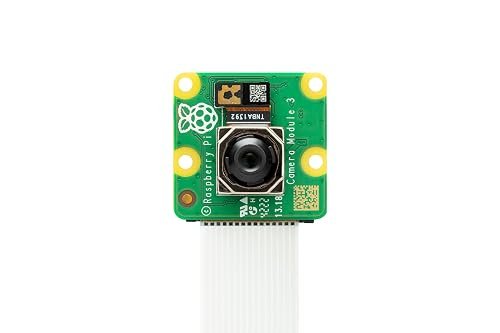
Raspberry Pi Camera Module 3
⭐ 4.8/5 · The Official All-Rounder
Buy on Amazon →

The Camera Module 3 is the camera to buy unless you have a specific reason not to. Its 12MP Sony IMX708 sensor delivers sharp stills and 2304×1296p56 HDR video, and the phase-detect autofocus locks on in a fraction of a second — no more blurry close-ups that plagued the fixed-focus V1/V2 modules. Because it’s the official module, support in libcamera/Picamera2 is flawless and every tutorial just works. It ships with a standard 15-pin cable; grab a 22-pin mini cable separately for a Pi 5 or Zero. List price is $25, though Amazon stock sometimes trades above it (~$43 at the time of writing) — check the live price.
✅ Pros- Fast, reliable PDAF autofocus
- Excellent low-light + HDR mode
- First-class official software support
- Wide, NoIR and Wide-NoIR variants
❌ Cons- Pi 5/Zero cable not included
- Fixed lens — no optical zoom
- Amazon price often above $25 list
🎯 Verdict: The best camera for 90% of Raspberry Pi projects. Autofocus, HDR and bulletproof software support make it the default choice.
👉 Check Price on Amazon →
🤖 BEST FOR AI & COMPUTER VISION
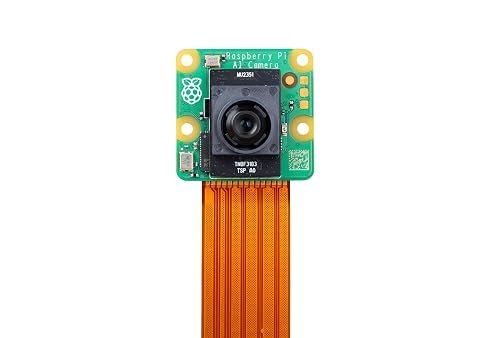
Raspberry Pi AI Camera
⭐ 4.6/5 · Neural Network Inside the Sensor
Buy on Amazon →

The Raspberry Pi AI Camera is unlike anything else here: its Sony IMX500 sensor has a neural accelerator on the chip, so object detection, classification and pose estimation run inside the camera and stream results as metadata alongside the video. Your Pi’s CPU stays free for your application — you can even run real-time detection on a Pi Zero 2 W. It works with all CSI-equipped Pi models, integrates with Picamera2, and Sony’s model zoo (MobileNet SSD, PoseNet, and more) gets you running in minutes. Official price is $70; the Amazon listing was ~$99 with thin stock at the time of writing, so compare before you click.
✅ Pros- AI inference with zero Pi CPU load
- Works on any Pi — even Zero 2 W
- Ready-made model zoo + Picamera2
- 12.3MP stills when you need them
❌ Cons- Custom models must be converted for IMX500
- Manual focus only
- Amazon price above the $70 official price
🎯 Verdict: The smartest way to add real-time computer vision to any Pi. If your project is “detect X and react”, this saves you a Coral, an AI HAT and a lot of CPU.
👉 Check Price on Amazon →
🔭 BEST IMAGE QUALITY · ⭐ 4.7/53. Arducam HQ Camera (IMX477)
12.3MP · 1/2.3″ sensor · C/CS-mount lenses · tripod mount · ~$53
Buy →

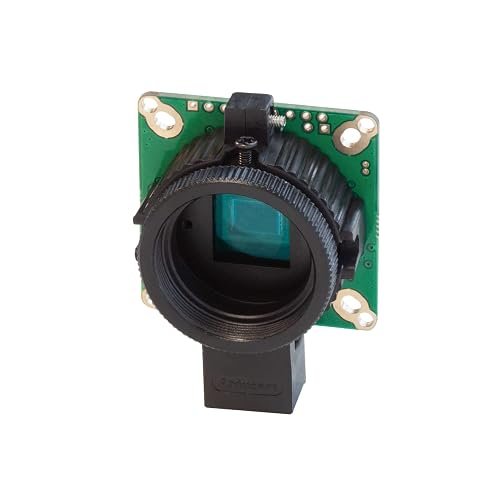
For real photography on a Pi, nothing touches the HQ Camera platform. The 12.3MP Sony IMX477 sits behind a proper C/CS lens mount, so you can bolt on anything from a 6mm CCTV lens to a telephoto, a microscope adapter or a telescope — with a back-focus ring and tripod mount built in. Arducam’s version uses the same IMX477 sensor and libcamera tuning as the official HQ module and includes the C-CS adapter, at around $53. Remember: lenses are sold separately, so budget another $15–50 for glass.
✅ Pros: Biggest sensor here — superb low light; interchangeable C/CS lenses; back-focus ring + tripod mount; raw DNG capture.
❌ Cons: No lens included; manual focus only; bulkier than board cameras.
🎯 Verdict: The best image quality you can attach to a Raspberry Pi. Ideal for astro, macro, microscopy and serious photography projects.
💵 BEST VALUE UPGRADE · ⭐ 4.5/54. Arducam 16MP IMX519 Autofocus
16MP · PDAF+CDAF autofocus · case & cables included · ~$30
Buy →
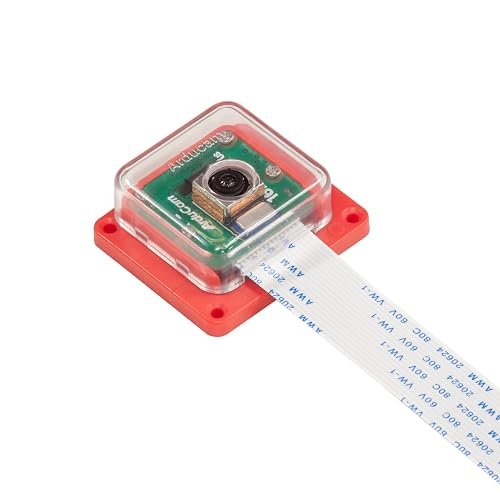
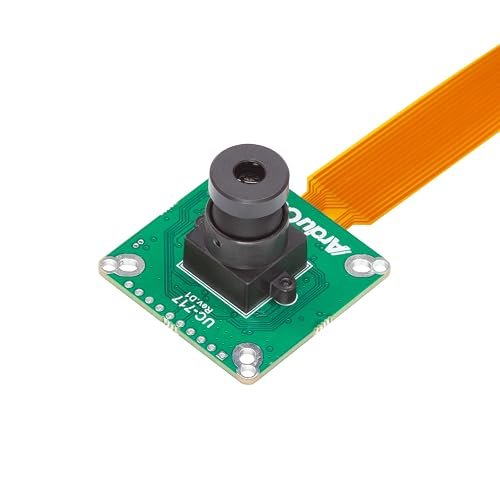
The Arducam 16MP IMX519 gives you more resolution than the official Camera Module 3 for less money — 4656×3496 stills, fast PDAF+CDAF autofocus, and native libcamera/Picamera2 support using the same tuning framework as official modules. This kit even includes an ABS case and cables. Video tops out at 1080p30, so it’s a stills-first choice, but for document scanning, product photography and detailed inspection shots it’s the best value on this list at about $30.
✅ Pros: 16MP for ~$30; quick dual autofocus; case + cable included; solid libcamera support.
❌ Cons: Video limited to 1080p30; smaller pixels than IMX708 — weaker in low light; no HDR mode.
🎯 Verdict: The resolution-per-dollar champion. A great Camera Module 3 alternative when stills matter more than video.
🌙 BEST NIGHT VISION · ⭐ 4.4/55. RPi Camera Module 3 NoIR
12MP IMX708 · no IR filter · PDAF autofocus · pair with IR illuminator
Buy →

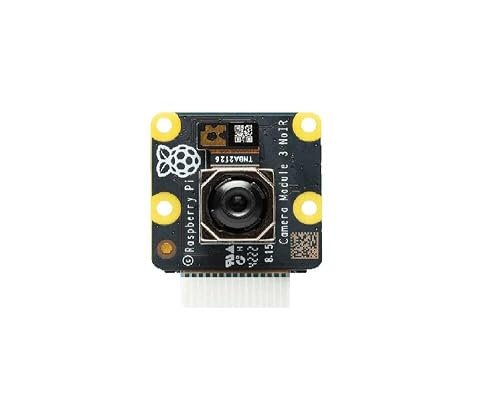
The Camera Module 3 NoIR is the same excellent 12MP autofocus module as our top pick, minus the infrared filter. Flood a scene with 850nm IR light and it sees clearly in total darkness — perfect for wildlife boxes, baby monitors, security cams and plant-growth (NDVI) experiments. Daytime colors shift toward pink/washed-out without the filter, so treat it as a dedicated night/IR camera rather than a general-purpose one. This listing had no single Buy Box price when we checked — compare seller offers on the listing before ordering.
✅ Pros: True IR night vision with an illuminator; same 12MP autofocus sensor as CM3; official support.
❌ Cons: IR illuminator not included; unnatural daytime colors; Amazon offers fluctuate — verify seller/price.
🎯 Verdict: The best night-vision camera for Raspberry Pi — just remember to buy an IR light with it.
⚡ BEST FOR MACHINE VISION · ⭐ 4.4/56. Arducam Global Shutter (IMX296)
1.58MP · 1456×1088 @ 60fps · global shutter · M12 lens · ~$65
Buy →
Rolling shutters smear anything that moves fast. The IMX296 global shutter sensor in this Arducam module exposes every pixel simultaneously, freezing propellers, conveyor parts and barcodes mid-flight at up to 60fps. The 1.58MP resolution is a feature, not a bug — machine-vision pipelines want small, fast frames they can process in real time. An M12 lens is included and swappable, and the sensor matches the one in the official Raspberry Pi Global Shutter Camera, so standard libcamera workflows apply.
✅ Pros: Zero motion distortion; 60fps; swappable M12 lens; ideal for OpenCV/robotics.
❌ Cons: Only 1.58MP — not for photography; manual focus; pricier per pixel than any other pick.
🎯 Verdict: The pick for robotics, drones and industrial vision — anywhere motion blur would break your algorithm.
🏔️ HIGHEST RESOLUTION · ⭐ 4.3/57. Arducam 64MP Hawkeye
64MP · 9152×6944 stills · PDAF+CDAF autofocus · ~$60
Buy →
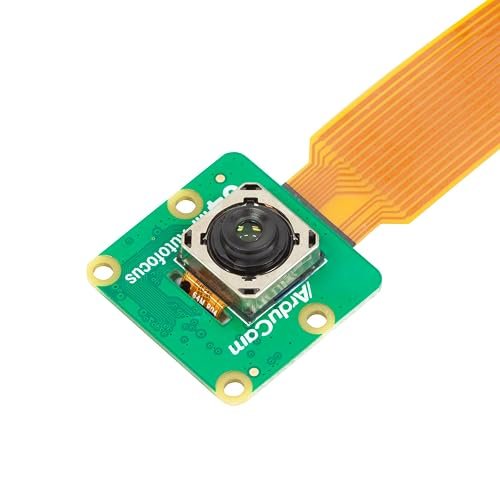
The 64MP Hawkeye captures 9152×6944 stills — flagship-phone territory — with autofocus and up to 10× lossless digital crop. It’s spectacular for document archiving, PCB inspection and any project where you zoom into detail after the fact. The trade-offs are real: full-res captures take seconds and want a Pi 4/5 with plenty of RAM, video is limited far below the headline resolution, and the tiny pixels need good light. Power users only — but nothing else this cheap resolves this much detail.
✅ Pros: Unmatched 64MP detail; autofocus; 10× digital crop; great for inspection/archiving.
❌ Cons: Slow full-res capture; needs Pi 4/5 + RAM; weak in low light; video far below 64MP.
🎯 Verdict: The highest-resolution Pi camera you can buy. Choose it for detail-critical stills, not for video or dim scenes.
💲 BEST BUDGET · ⭐ 4.3/58. Freenove 5MP Camera (OV5647)
5MP · 1080p30 · holder + both cables included · ~$12
Buy →
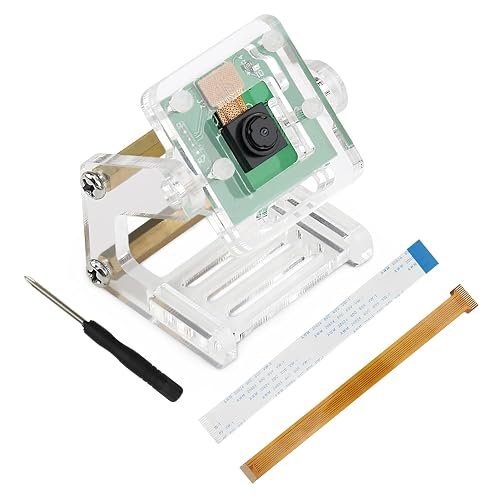
For about $12, the Freenove 5MP gets a camera onto your Pi with zero friction: the classic OV5647 sensor (same family as the original official Camera V1), an adjustable desk holder, a screwdriver, and — crucially — both 15-pin and 22-pin cables in the box, so it works with a Pi 5 or Zero 2 W out of the bag. Image quality is dated and focus is fixed, but for learning Picamera2, classroom sets, 3D-printer monitoring and simple time-lapses, it’s all you need.
✅ Pros: Cheapest way in; Pi 5/Zero cable included; handy adjustable holder; fine docs.
❌ Cons: Dated 5MP sensor; fixed focus; mediocre low-light performance.
🎯 Verdict: The best first camera. Cheap, complete and compatible with every Pi — upgrade later when a project demands it.
🛒 How to Choose the Right Pi Camera
🏆
General projects & video?
Get the Camera Module 3 — autofocus, HDR and flawless official support cover 90% of projects.
🤖
Object detection / edge AI?
The AI Camera runs neural networks on the sensor itself — real-time vision even on a Pi Zero 2 W.
🔭
Astro, macro or microscopy?
The HQ Camera (IMX477) with a C/CS lens of your choice delivers the best raw image quality here.
🌙
Wildlife or night security?
The Camera Module 3 NoIR plus an 850nm IR illuminator sees clearly in total darkness.
⚡
Robots, drones, fast motion?
The Global Shutter (IMX296) camera freezes motion without distortion — built for machine vision.
🎓
Learning or classroom sets?
The Freenove 5MP is ~$12 with both cables and a holder included — perfect to start with.
⚙️ Key Specs Compared — Side by Side
| Spec | Camera Module 3 | AI Camera | HQ (IMX477) | 16MP IMX519 | 64MP Hawkeye |
|---|
| Sensor | Sony IMX708 | Sony IMX500 + NPU ⭐ | Sony IMX477 1/2.3″ ⭐ | Sony IMX519 | 64MP Quad-Bayer |
| Still Resolution | 12MP | 12.3MP | 12.3MP | 16MP | 64MP ⭐ |
| Autofocus | PDAF ⭐ | Manual (adjustable) | Manual (lens) | PDAF+CDAF ⭐ | PDAF+CDAF ⭐ |
| Lens | Fixed (75°) | Fixed (78.3°) | C/CS interchangeable ⭐ | Fixed | Fixed |
| Best Video | 2304×1296p56 HDR ⭐ | 2028×1520p30 | 1080p50 | 1080p30 | 1080p (limited) |
| Special Feature | HDR mode | On-sensor AI inference ⭐ | Back-focus ring, tripod mount | Case included | 10× digital crop |
| Ideal Use | Everything general | Edge AI / detection | Photography / optics | High-res stills on a budget | Inspection / archiving |
Always verify the live price and included cables on the Amazon listing before purchasing.
❓ Frequently Asked Questions
Which camera works with the Raspberry Pi 5?
All eight cameras here work with the Pi 5 — the catch is the cable. The Pi 5 (and Zero/Zero 2 W) uses a smaller 22-pin FFC connector, while older full-size Pis use the 15-pin type. Official Camera Module 3 boxes include only the 15-pin cable, so order a 22-pin “mini” camera cable alongside it. Freenove includes both cables, and most Arducam kits include a 15–22-pin cable — check the “what’s in the box” section of each listing.
Camera Module 3 vs HQ Camera — which should I buy?
Camera Module 3 for convenience, HQ for quality. The CM3 is smaller, cheaper, autofocuses itself and shoots better video (2304×1296p56 with HDR). The HQ Camera’s larger 1/2.3″ sensor plus real C/CS lenses produces clearly better stills — especially in low light or at unusual focal lengths — but you must buy a lens and focus manually. If you’re not sure you need interchangeable lenses, you don’t: buy the CM3.
Can a NoIR camera see in the dark by itself?
No. “NoIR” only means the infrared-blocking filter has been removed — the sensor still needs light, it just accepts infrared light your eyes can’t see. For night vision you must add an IR source (an 850nm LED illuminator board or IR floodlight). With one, the NoIR Camera Module 3 produces bright, detailed monochrome-looking images in total darkness; without one, it sees nothing at night.
Is a CSI camera better than a USB webcam for the Pi?
For almost every Pi project, yes. CSI cameras connect straight to the Pi’s image signal processor, giving lower latency, lower CPU usage, raw sensor access and full control from Picamera2/rpicam — things USB webcams can’t match. A webcam only wins if you need a long cable run (CSI ribbons are short) or plug-and-play use across different computers.
Do I need the AI Camera, or can I run AI with a normal camera?
You can run models like MobileNet or YOLO on any camera using the Pi’s CPU — but on a Pi 4 that often means single-digit frame rates and a hot CPU with nothing left for your application. The AI Camera’s IMX500 runs the network inside the sensor and streams results as metadata, so detection runs in real time even on a Pi Zero 2 W. If AI is the point of your project, it pays for itself; if you just want occasional snapshots analyzed, a normal camera is fine.
🏁 Final Verdict — Best Pick for Every Budget
The right Raspberry Pi camera for every project and wallet:
🥇 Best Overall — Raspberry Pi Camera Module 3: 12MP, autofocus, HDR, official support
Buy →🤖 Best for AI — Raspberry Pi AI Camera: on-sensor inference, works on any Pi
Buy →🔭 Best Image Quality — Arducam HQ (IMX477): big sensor, C/CS interchangeable lenses
Buy →💵 Best Value Upgrade — Arducam 16MP IMX519: 16MP autofocus with case for ~$30
Buy →🌙 Best Night Vision — Camera Module 3 NoIR: 12MP autofocus IR camera (add an IR light)
Buy →💲 Best Budget — Freenove 5MP: ~$12 with holder and both cables included
Buy →No single camera fits every project, but every pick here is a verified, well-supported module that will get your Pi seeing the world today. For most makers the Camera Module 3 is the one to buy — autofocus, HDR and official support you won’t outgrow. Building computer-vision projects? The AI Camera changes what a $70-class camera can do. Photographers should step up to the HQ (IMX477) platform, and everyone else can start for ~$12 with the Freenove 5MP. Pair your new camera with our Raspberry Pi, ESP32 and Arduino tutorials and start building.
💬 Not sure which camera fits your project? Tell us what you’re building — security cam, robot, telescope, AI detector — in the comments below, and we’ll point you to the right pick.
All Amazon links above use our affiliate tag (microlab05-20). Purchasing through them supports microcontrollerslab.com at no extra cost to you. Prices and availability change frequently — always confirm the current price on Amazon before buying.
| Raspberry Pi Components | Amazon Links |
|---|
| Raspberry Pi 5 Starter Kit PRO - Turbine Black (128GB Edition) (8GB RAM) | Buy Now |
| Raspberry Pi 5 Starter Kit MAX - Turbine White (256 GB Edition) (16GB RAM) | Buy Now |
| Raspberry Pi 5 8GB | Buy Now |
| Raspberry Pi 5 4GB | Buy Now |
| Raspberry Pi 5 (16GB) | Buy Now |
| CM5 Pi Compute Module 5 Kit | Buy Now |