⚠️ Affiliate Disclosure: This post contains Amazon affiliate links. If you buy through them we may earn a small commission at no extra cost to you. We only recommend boards we have researched and verified. Prices and availability change often — always confirm the current price on Amazon before buying.
Ultimate Buying Guide 2026
🔌 Best FPGA Development Boards for Beginners
10 beginner-friendly FPGA boards ranked across Xilinx, Intel, Gowin and Lattice — from a tiny USB stick to a full ECE trainer — with real specs, honest verdicts and direct Amazon links.
✅ 10 Boards Reviewed
✅ Verified Amazon ASINs
✅ Updated June 2026
✅ Honest Pros & Cons
An FPGA (Field-Programmable Gate Array) is the most powerful way to truly understand digital hardware. Instead of running instructions one at a time like a microcontroller, you describe actual circuits in Verilog or VHDL and the chip becomes that hardware — counters, state machines, UARTs, video controllers, even whole soft-core CPUs, all running in real parallel. For anyone coming from Arduino, ESP32 or STM32, an FPGA is the natural next leap into how computers work at the gate level.
The hard part is choosing your first board. The chip vendor decides your toolchain (Xilinx/AMD → Vivado, Intel → Quartus, Gowin → Gowin EDA, Lattice iCE40 → a fully open-source flow), and that toolchain shapes your entire learning experience. This guide ranks 10 beginner FPGA boards by what actually matters for learning — logic capacity, on-board I/O, documentation and toolchain friendliness — so you can match the board to how you want to learn.
💡 Reality check before you buy: FPGA learning lives or dies by the toolchain, not the price tag. Xilinx Vivado and Intel Quartus are free but are multi-gigabyte installs that run only on Windows/Linux, and Vivado isn’t downloadable in some countries — check before you buy. Cheap Gowin boards (Tang Nano) use a much lighter IDE, and Lattice iCE40 boards run a 100% open-source flow that even works on a Raspberry Pi. Bigger logic-cell numbers look impressive but beginners rarely fill even the smallest chip here — on-board switches, LEDs, displays and clear tutorials will teach you far more than raw gate count. Budget a little extra for a USB cable; many boards don’t include one.
🔌 Quick Comparison — All 10 FPGA Boards
| FPGA Board | FPGA / Logic | Toolchain | Best For | Buy |
|---|
| 🥇 Digilent Basys 3 | Artix-7 · 33K cells | Vivado | Best Overall | View → |
| 💵 Sipeed Tang Nano 9K | Gowin · 8.6K LUT4 | Gowin EDA / open | Best Budget | View → |
| 🎮 Terasic DE10-Nano | Cyclone V SoC · 110K LE | Quartus | Best SoC / Retro (MiSTer) | View → |
| 🧠 Digilent Arty A7-100T | Artix-7 · 101K cells | Vivado | Best for Soft-Core CPUs | View → |
| 🕹️ Sipeed Tang Nano 20K | Gowin · 20.7K LUT4 | Gowin EDA / open | Best for RISC-V & Gaming | View → |
| 🧩 Alchitry Au | Artix-7 · 33K cells | Alchitry Labs / Vivado | Best for Project Builders | View → |
| 🧪 Lattice iCEstick | iCE40 HX1K · 1.3K LUT | Open-source (Yosys) | Best Open-Source Flow | View → |
| 🔬 Digilent Cmod A7-35T | Artix-7 · 33K cells | Vivado | Best Breadboard-Friendly | View → |
| 🎓 Terasic DE10-Lite | MAX 10 · 50K LE | Quartus | Best for Classrooms | View → |
| 🚀 Digilent Nexys A7-100T | Artix-7 · 101K cells | Vivado | Best to Grow Into | View → |
Prices change frequently, so we’ve left them out — tap any View → button to see the current Amazon price and availability for that exact board.
🔍 What to Look for in a Beginner FPGA Board
🏭
Vendor & Toolchain
Xilinx/AMD uses Vivado, Intel uses Quartus, Gowin has a light IDE, and Lattice iCE40 runs a fully open-source flow. The vendor decides your software experience — pick one you can actually install.
🧮
Logic Capacity
Measured in logic cells / LUTs. A few thousand is plenty for blinky, counters and state machines; 30K+ lets you build soft CPUs and video. Beginners rarely run out on any board here.
🎛️
On-Board I/O
Switches, buttons, LEDs, seven-segment displays and VGA/HDMI let you see your logic work without extra parts. Rich on-board I/O is the single best feature for a first board.
🔗
Expansion & Programmer
Look for an on-board USB-JTAG programmer (no extra cable to buy) plus Pmod, Arduino or 0.1″ headers so you can add sensors, screens and Pmods as you grow.
📚
Docs & Community
Tutorials, reference manuals and an active forum turn a frustrating week into a fun weekend. Digilent, Sipeed and the MiSTer/Project IceStorm communities lead here.
🏆 Detailed Reviews — All 10 FPGA Boards
🥇 Best Overall for Beginners

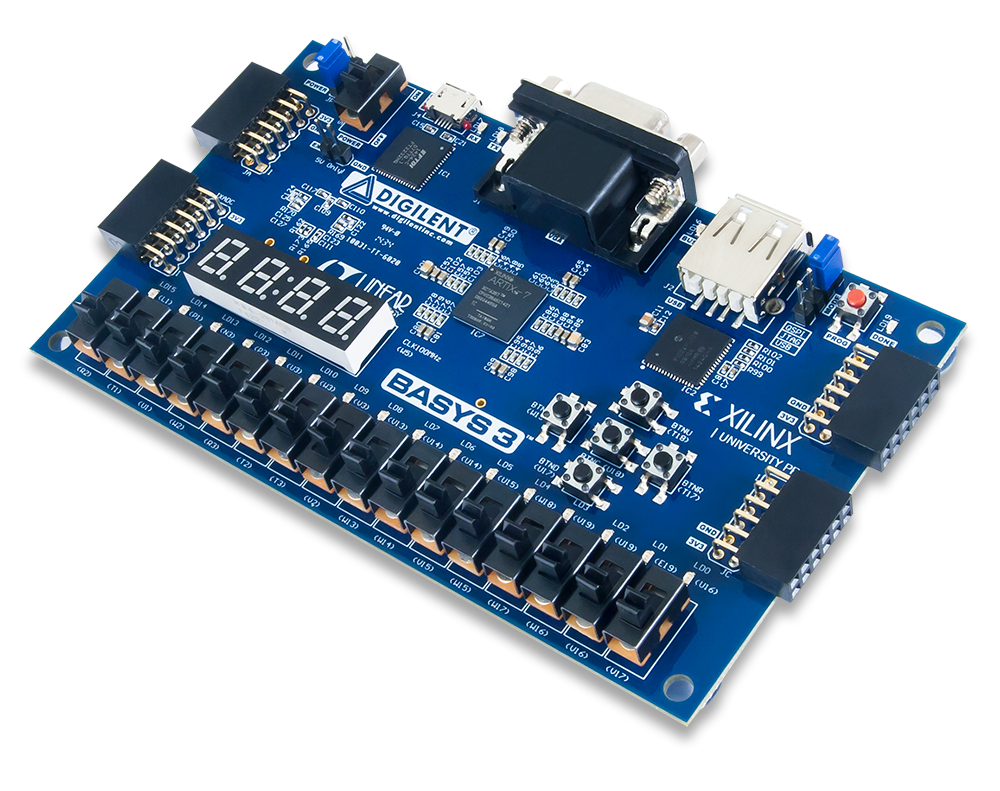
The Basys 3 is the board we hand to almost every newcomer. Built on a Xilinx Artix-7, it’s a complete, ready-to-use trainer: 16 slide switches, 16 LEDs, five buttons, a four-digit seven-segment display and a 12-bit VGA output mean you can see your logic working the moment you flash a bitstream — no breadboard or extra parts needed. Programming is over a single USB cable, and Digilent’s documentation, project library and forum are the best in the FPGA world. It runs the free edition of Vivado, the same industry tool used in professional ASIC/FPGA design.
✅ Pros- Loaded with on-board switches, LEDs, 7-seg & VGA
- Best-in-class docs, tutorials & community
- On-board USB-JTAG — no programmer to buy
- Industry-standard Vivado experience
❌ Cons- Vivado is a large, slow install
- No DDR memory or Ethernet
- Micro-USB cable not included
🎯 Verdict: The best all-round first FPGA. Unbeatable on-board I/O and documentation make it the board to buy if you’re learning Verilog or VHDL from scratch.
👉 Check Price on Amazon: amazon.com/dp/B00NUE1WOG 💵 Best Budget · Cheapest Way Into FPGAs

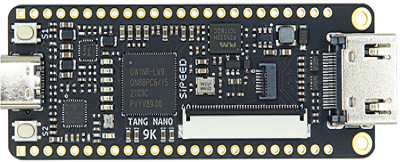
The Tang Nano 9K is the cheapest sensible way to start, and it punches far above its price. Its Gowin GW1NR-9 packs 8,640 LUT4 logic units plus 468 Kbit of block RAM, an HDMI port, a microSD slot, six LEDs and two buttons on a board barely bigger than a USB stick. The on-board BL702 handles USB-JTAG and USB-UART, so you only need a USB-C cable. Gowin’s IDE is a tiny, fast download compared with Vivado, and the chip is supported by the open-source Apicula/Yosys flow too. There’s even enough room to run a RISC-V PicoRV soft core.
✅ Pros- Extremely affordable HDMI-capable board
- Light, fast Gowin IDE (and open-source flow)
- Enough logic for RISC-V soft cores
- microSD, HDMI & LCD headers built in
❌ Cons- Few on-board switches — you’ll add your own
- Docs are good but less polished than Digilent
- Headers often need soldering
🎯 Verdict: The best value on this list. If you want to try FPGAs without a big spend or a giant toolchain install, start here — it’s astonishing how much board you get.
👉 Check Price on Amazon: amazon.com/dp/B0BCXW3357 🎮 3. Terasic DE10-Nano
Cyclone V SE SoC · dual-core ARM + FPGA · HDMI · the MiSTer board · ⭐ 4.7/5
Buy →

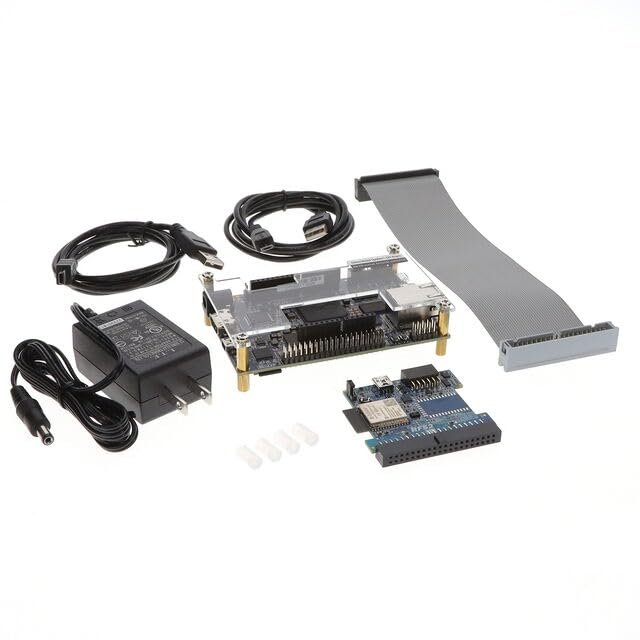
The DE10-Nano is special because it pairs a 110K-LE Intel Cyclone V FPGA with a hard dual-core ARM Cortex-A9 on the same chip, so you can run Linux and accelerate it with custom logic. It’s also the heart of the wildly popular MiSTer project, which recreates classic consoles and arcade machines in FPGA hardware — meaning you can learn serious SoC design or build a retro-gaming rig with the very same board. Arduino-compatible headers and twin GPIO banks make expansion easy, and this kit ships with cables and a power supply.
✅ Pros: Real FPGA + ARM SoC learning; HDMI; runs the MiSTer retro platform; Arduino headers; complete kit with PSU.
❌ Cons: SoC concepts are advanced for a first project; Quartus has a learning curve; few simple on-board switches/LEDs.
🎯 Verdict: The best SoC and retro-gaming board here. Buy it if you want FPGA-plus-ARM power or dream of building a MiSTer.
🧠 4. Digilent Arty A7-100T
Artix-7 · 101K cells · 256MB DDR3 · Ethernet · MicroBlaze soft CPU · ⭐ 4.6/5
Buy →

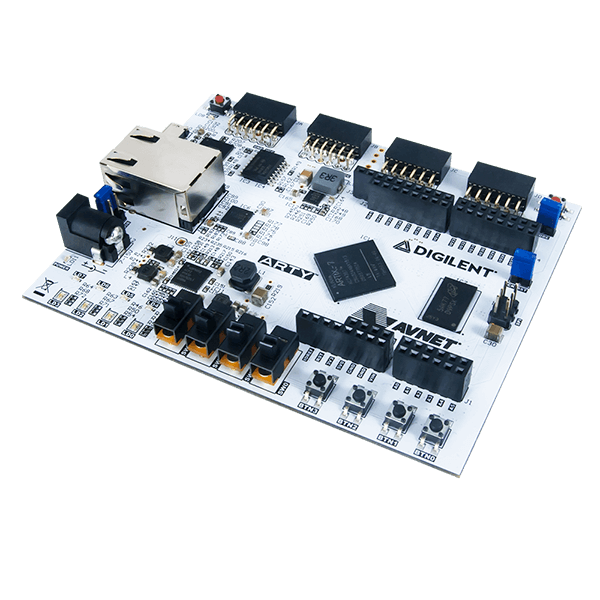
The Arty A7-100T is the board to grow a soft-core CPU on. Its larger Artix-7 (101,440 logic cells) plus 256MB of DDR3 and 10/100 Ethernet are exactly what you need to instantiate AMD’s MicroBlaze processor — or a RISC-V core — and run real embedded software in fabric you designed yourself. Arduino shield headers and four Pmod ports make it the most adaptable board in the Arty family, so the sensors and shields you already own snap right on.
✅ Pros: Big logic capacity for soft CPUs; DDR3 + Ethernet; Arduino & Pmod expansion; great MicroBlaze/RISC-V tutorials.
❌ Cons: Pricier than a basic trainer; fewer on-board switches/LEDs than Basys 3; overkill for first blinky projects.
🎯 Verdict: The best board for building a CPU on an FPGA. Choose it once you’re past blinky and want soft processors, DDR and networking.
🕹️ 5. Sipeed Tang Nano 20K
Gowin GW2AR-18 · 20.7K LUT4 · 64Mbit SDRAM · HDMI · RISC-V Linux · ⭐ 4.6/5
Buy →

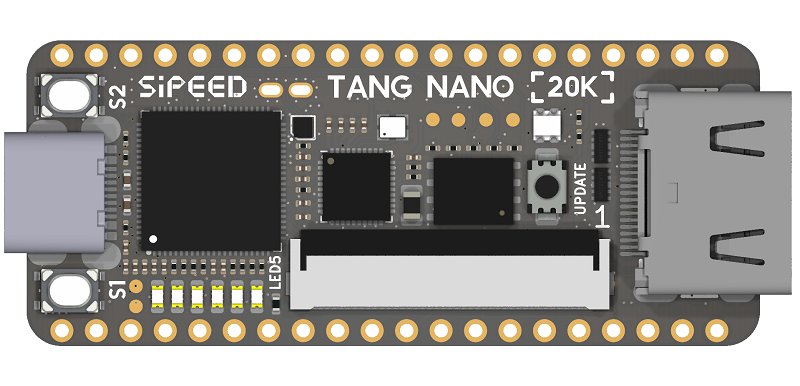
The Tang Nano 20K is the affordable sweet spot for RISC-V and retro projects. Its Gowin GW2AR-18 brings 20,736 LUT4 cells and 64 Mbit of on-package SDRAM — enough headroom to run RISC-V soft cores under Linux or to emulate NES/arcade hardware. You also get HDMI, a microSD slot, a WS2812 RGB LED, an audio amplifier and an on-board BL616 debugger. It’s a genuinely fun board that bridges "learn HDL" and "build something cool," and the lightweight Gowin/open-source toolchain keeps the barrier low.
✅ Pros: SDRAM + HDMI + audio for real projects; runs RISC-V Linux; great for retro emulation; light toolchain.
❌ Cons: Minimal on-board switches/LEDs; some variants ship unsoldered; community smaller than Xilinx’s.
🎯 Verdict: The best board for RISC-V experiments and retro gaming on a budget — a brilliant second step up from the Tang Nano 9K.
🧩 6. Alchitry Au
Artix-7 · 33K cells · 256MB DDR3 · 102 I/O · stackable elements · ⭐ 4.5/5
Buy →

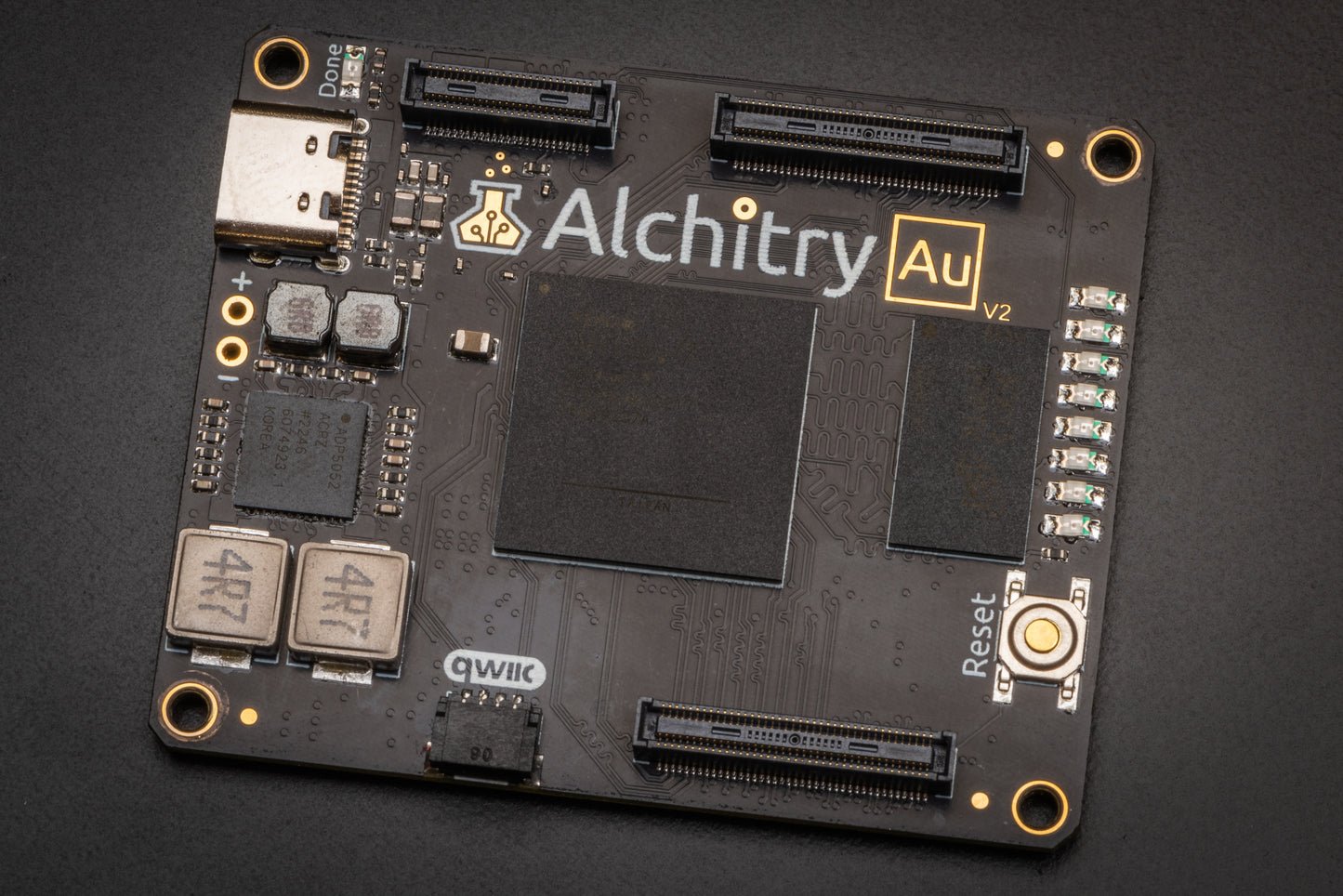
The Alchitry Au is built for makers who want to build things. It exposes a huge 102 I/O pins across two headers, adds 256MB of DDR3, a Qwiic connector and eight LEDs, and clicks together with Alchitry’s stackable Br (prototyping), Io (buttons/LEDs/displays) and Cu element boards. Alchitry Labs gives you a friendlier on-ramp than raw Vivado, with excellent beginner tutorials — though it still uses Vivado underneath. If your goal is custom hardware projects rather than canned classroom labs, this is your platform.
✅ Pros: Massive I/O for projects; DDR3 + Qwiic; stackable element ecosystem; beginner-friendly Alchitry Labs & tutorials.
❌ Cons: Few peripherals without add-on elements; still needs Vivado; element boards add to the cost.
🎯 Verdict: The best board for hands-on project builders. Pick it if you want lots of I/O and a modular, hardware-first ecosystem.
🧪 7. Lattice iCEstick
iCE40 HX1K · USB-stick form factor · 100% open-source flow · ⭐ 4.4/5
Buy →

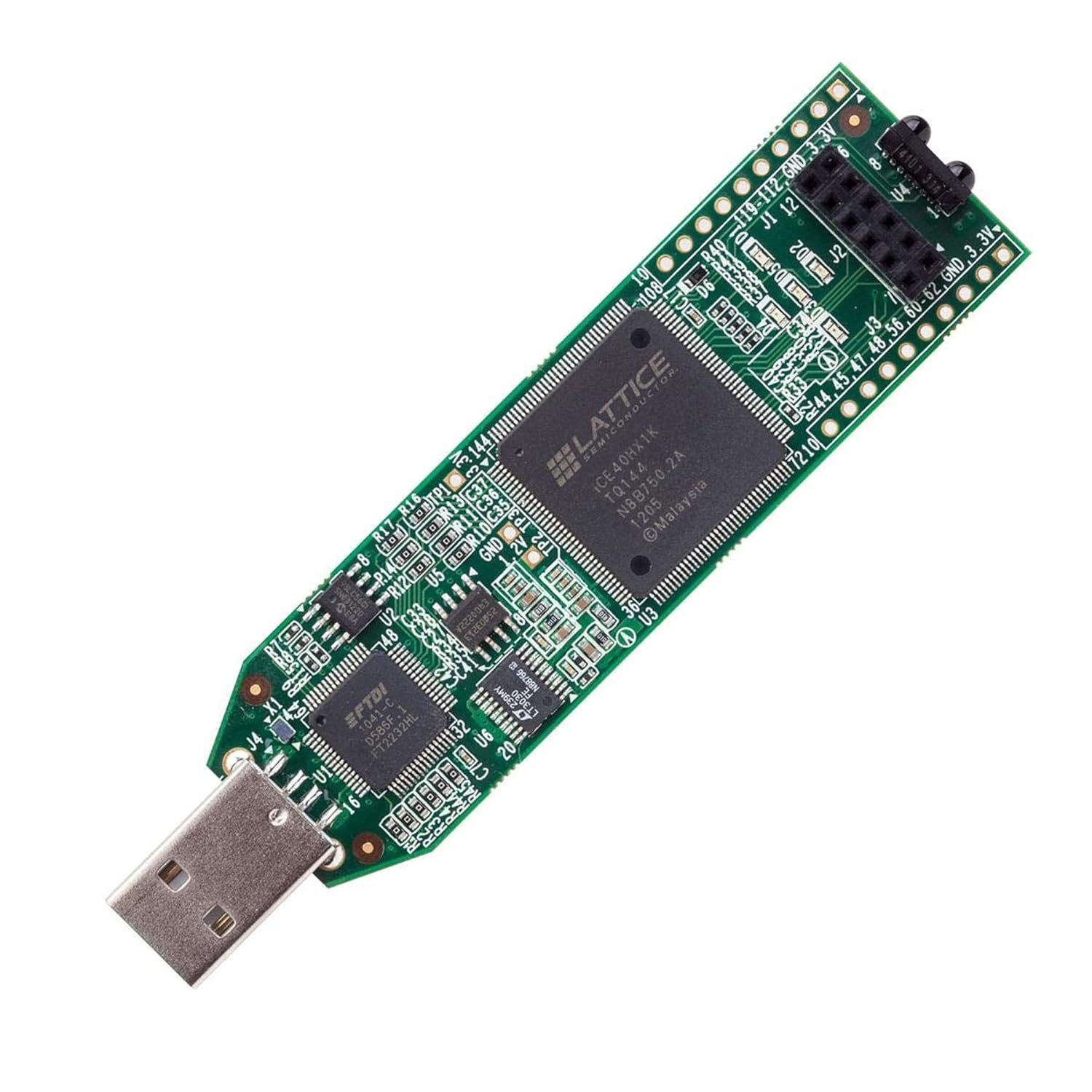
The iCEstick plugs straight into a USB port and is the gateway to the fully open-source FPGA toolchain — Yosys, nextpnr and Project IceStorm. Its Lattice iCE40HX1K is small (about 1,280 LUTs), but that’s the point: the chip is fully documented and the open flow is tiny, fast and even runs on a Raspberry Pi, with no licences, no registration and no multi-gigabyte installer. With five LEDs, an IrDA transceiver, a Pmod header and FTDI-based programming, it’s the purist’s way to learn how synthesis and place-and-route actually work.
✅ Pros: 100% open-source toolchain; plug-in USB form factor; tiny fast builds; runs on low-end PCs and the Pi.
❌ Cons: Very small logic capacity; minimal on-board I/O; command-line flow can feel bare to absolute beginners.
🎯 Verdict: The best board for learning the open-source flow. Ideal for tinkerers and Linux users who want to see exactly how the tools turn HDL into a bitstream.
🔬 8. Digilent Cmod A7-35T
Artix-7 · 48-pin DIP · breadboardable · 512KB SRAM · ⭐ 4.6/5
Buy →
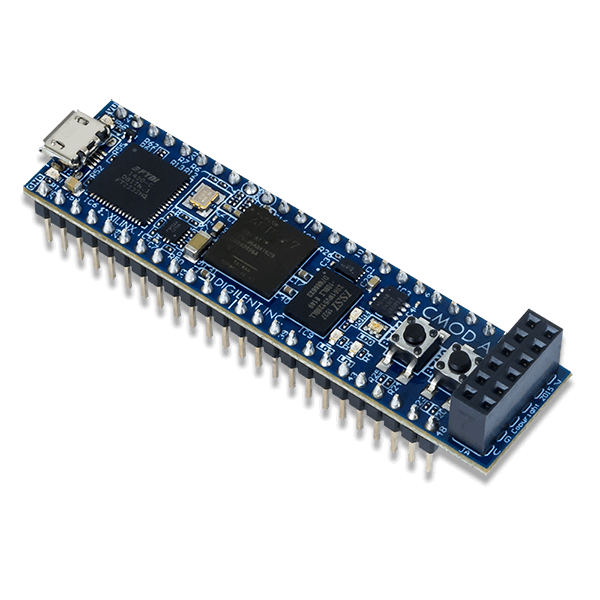
The Cmod A7 drops a full Artix-7 into a 48-pin DIP package that plugs straight into a solderless breadboard. If you come from the Arduino/microcontroller world, this is the most familiar way to meet an FPGA: 44 FPGA I/O on 0.1″ pins, plus 512KB SRAM, 4MB QSPI flash, two LEDs, an RGB LED and a Pmod port, all programmed over USB. It’s the same powerful Vivado-supported chip as the Basys 3, just in a tiny, embeddable, wire-it-yourself form factor that’s perfect for mixing FPGA logic with breadboard circuits.
✅ Pros: Plugs into a breadboard; same Artix-7 as the Basys 3; on-board USB-JTAG; SRAM + QSPI flash; tiny and embeddable.
❌ Cons: Few built-in peripherals (you wire your own); only one Pmod; still needs the heavy Vivado install.
🎯 Verdict: The best breadboard-friendly FPGA. Perfect if you want to drop FPGA power into your existing breadboard and microcontroller projects.
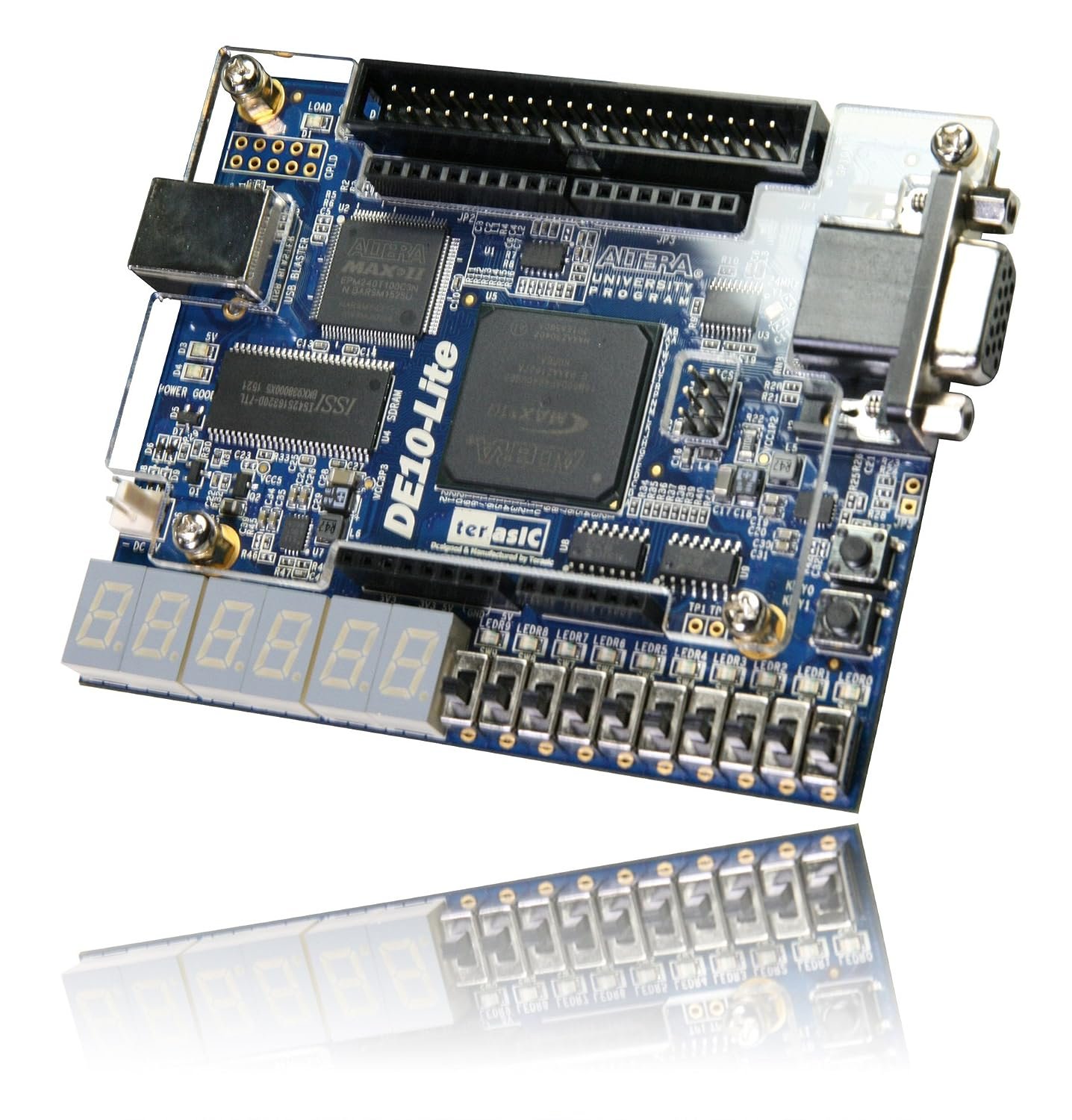
🎓 9. Terasic DE10-Lite
Intel MAX 10 · 50K LE · accelerometer · ADC · VGA · ⭐ 4.5/5
Buy →

The DE10-Lite is a classroom staple, and the go-to board if your university course teaches on Intel/Altera tools. Its MAX 10 FPGA (about 50K logic elements) comes with a genuinely rich set of on-board peripherals: slide switches, push buttons, LEDs, six seven-segment displays, VGA output, a 3-axis accelerometer and an analog-to-digital converter, plus Arduino-style headers. It runs the free Quartus Prime Lite edition, and Terasic ships a thick CD/manual of labs — exactly what a structured Verilog or digital-logic course wants.
✅ Pros: Loads of on-board peripherals (accelerometer, ADC, VGA, 6× 7-seg); great for structured courses; Quartus Lite is free.
❌ Cons: No DDR or HDMI; MAX 10 is modest for big designs; Quartus, like Vivado, is a large install.
🎯 Verdict: The best board for classrooms and Intel/Altera courses. If your syllabus uses Quartus, the peripheral-rich DE10-Lite is the natural pick.
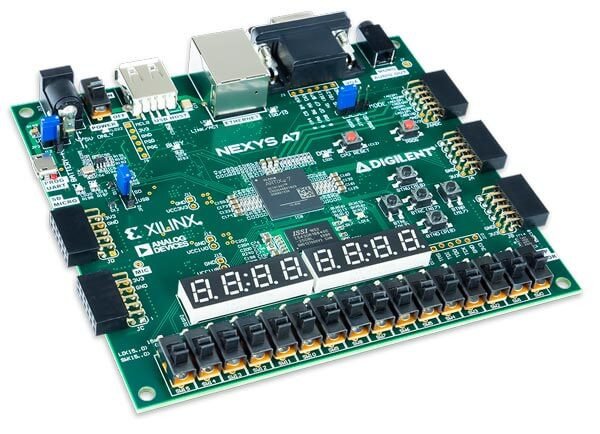
🚀 10. Digilent Nexys A7-100T
Artix-7 · 101K cells · 128MB DDR2 · loaded with sensors · ⭐ 4.7/5
Buy →

The Nexys A7-100T (formerly the Nexys 4 DDR) is the board you buy when you want one trainer that will last you for years. The big Artix-7 is surrounded by an enormous peripheral set: 16 switches, 16 LEDs, two four-digit seven-segment displays, 128MB DDR2, 10/100 Ethernet, a microSD slot, USB-HID host, VGA, a microphone, an accelerometer and a temperature sensor, plus five Pmod ports. You can start with simple combinational logic and grow all the way to embedded processors and real-time projects without ever buying add-ons.
✅ Pros: Huge on-board peripheral set; DDR2 + Ethernet + sensors; grows from blinky to soft CPUs; superb documentation.
❌ Cons: The most expensive board here; more than a first-timer needs on day one; large Vivado install.
🎯 Verdict: The best board to grow into. If you’d rather buy once and never outgrow it, the feature-packed Nexys A7 is the long-term champion.
🛒 How to Choose the Right FPGA Board
🏆
Brand-New to FPGAs?
Get the Digilent Basys 3. Tons of on-board switches, LEDs and displays plus the best tutorials make Verilog/VHDL click fast.
💸
Tightest Budget?
The Sipeed Tang Nano 9K gives you HDMI and a real FPGA for pocket change, with a light toolchain that installs in minutes.
🎮
Retro Gaming / SoC?
The Terasic DE10-Nano runs the MiSTer platform and teaches FPGA-plus-ARM SoC design on one chip.
🧠
Want a Soft CPU?
The Arty A7-100T has the logic, DDR3 and Ethernet to host MicroBlaze or RISC-V cores you build yourself.
🐧
Love Open Source?
The Lattice iCEstick runs the 100% open Yosys/IceStorm flow — no licences, tiny installs, even on a Raspberry Pi.
🎓
Taking a Course?
Match your class: DE10-Lite for Intel/Quartus syllabi, or the Nexys A7 for Xilinx/Vivado ECE labs.
⚙️ Key Specs Compared — Side by Side
| Spec | Basys 3 | Tang Nano 9K | DE10-Nano | Arty A7-100T | iCEstick | Nexys A7 |
|---|
| Vendor | Xilinx | Gowin | Intel | Xilinx | Lattice | Xilinx |
| FPGA family | Artix-7 | GW1NR-9 | Cyclone V SoC | Artix-7 | iCE40 HX1K | Artix-7 |
| Logic (cells/LUT) | 33,280 | 8,640 | 110,000 ⭐ | 101,440 | 1,280 | 101,440 |
| On-board memory | Block RAM | SPI flash | 1GB DDR3 | 256MB DDR3 | SPI flash | 128MB DDR2 ⭐ |
| Toolchain | Vivado | Light/Open ⭐ | Quartus | Vivado | Open ⭐ | Vivado |
| On-board I/O | Rich ⭐ | Minimal | Moderate | Moderate | Minimal | Loaded ⭐ |
| Best for | First board | Budget | SoC / retro | Soft CPUs | Open flow | Growing in |
❓ Frequently Asked Questions
Should a beginner start with an FPGA or a microcontroller?
If you’ve never written code for hardware, start with a microcontroller (Arduino, ESP32 or STM32) to learn the basics, then move to an FPGA to understand how the hardware itself is built. FPGAs teach parallel, gate-level thinking with Verilog or VHDL rather than sequential C. Many engineers use both — a microcontroller for simple control and an FPGA for high-speed, parallel or custom-logic tasks. If you already know microcontrollers, a board like the Basys 3 or Tang Nano 9K is a perfect next step.
Do I need to learn Verilog or VHDL first?
You learn the language and the board together. Both Verilog and VHDL describe hardware; Verilog has lighter, C-like syntax and is the more common starting point, while VHDL is stricter and popular in Europe and aerospace. Pick one, grab a board with on-board LEDs and switches (so you get instant visual feedback), and work through your vendor’s “blink an LED” tutorial. Digilent, Sipeed and the open-source community all provide beginner walk-throughs that teach the language as you go.
Is the FPGA software free, and will it run on my computer?
The big vendor tools are free but heavy: Xilinx Vivado and Intel Quartus Prime Lite are multi-gigabyte downloads that run on Windows and Linux (not natively on macOS), and Vivado isn’t downloadable in some countries. Gowin’s IDE (for Tang Nano boards) is far smaller, and Lattice iCE40 boards use the fully open-source Yosys/nextpnr/IceStorm flow that runs even on a Raspberry Pi. Check your computer’s OS and disk space before buying — the toolchain is often the real “cost” of getting started.
How many logic cells do I actually need?
Far fewer than you’d think. Blinky, counters, debouncers, UARTs and basic state machines fit in a couple of thousand logic cells, so even the tiny iCEstick or Tang Nano 9K is plenty for months of learning. You only need 30,000+ cells once you start building soft-core CPUs, video pipelines or large signal-processing designs — that’s where the Arty A7, Nexys A7 or DE10-Nano shine. For a first board, prioritize on-board I/O and good documentation over raw gate count.
Do these boards need an external programmer or extra hardware?
Almost every board here has an on-board USB-JTAG programmer, so you just need a USB cable — no separate programmer to buy. Watch the cable type, though: many Digilent boards use micro-USB and don’t include the cable, while the Tang Nano boards use USB-C. The breadboardable Cmod A7 and the bare Alchitry Au expect you to supply your own switches, LEDs or sensors, whereas the Basys 3, DE10-Lite and Nexys A7 already include rich on-board I/O so you can start with nothing but the board and a cable.
🏁 Final Verdict — Our Top Picks
The right FPGA board for every beginner, goal and budget:
🥇 Best Overall — Digilent Basys 3: rich on-board I/O and unbeatable docs make it the ideal first board.
Buy →💵 Best Budget — Sipeed Tang Nano 9K: HDMI and a real FPGA for pocket change, with a light toolchain.
Buy →🎮 Best SoC / Retro — Terasic DE10-Nano: FPGA + ARM SoC, and the home of the MiSTer project.
Buy →🧠 Best for Soft CPUs — Arty A7-100T: logic, DDR3 and Ethernet for MicroBlaze/RISC-V cores.
Buy →🚀 Best to Grow Into — Nexys A7-100T: buy once, never outgrow it — sensors, DDR2 and Ethernet included.
Buy →No single FPGA board is perfect for everyone, but every pick on this list will turn abstract digital-logic theory into something you can watch light up on your desk. For most beginners the Digilent Basys 3 is the one to buy — its rich on-board I/O and best-in-class documentation make learning Verilog or VHDL genuinely enjoyable. If you’re on a tight budget, the Sipeed Tang Nano 9K is astonishing value; if you dream of retro gaming or SoC design, grab the Terasic DE10-Nano; and if you love open-source tooling, the tiny Lattice iCEstick is a joy. Pair your new board with our FPGA, microcontroller and embedded systems tutorials and start describing hardware today.
💬 Not sure which FPGA board fits your goals? Tell us what you want to learn — Verilog, VHDL, soft-core CPUs, retro gaming or the open-source flow — in the comments below, and we’ll point you to the right pick.
All Amazon links above use our affiliate tag (microlab05-20). Purchasing through them supports microcontrollerslab.com at no extra cost to you. Prices and availability change frequently — always confirm the current price on Amazon before buying.