⚠️ Affiliate Disclosure: This post contains Amazon affiliate links. If you purchase through our links, we may earn a small commission at no extra cost to you. We only recommend products we have thoroughly researched and verified.
Ultimate Buying Guide 2026
🔬 Best Logic Analyzers
5 top-rated analyzers reviewed — from $10 budget clones to $500 professional units — with real specs, honest verdicts, and direct Amazon links.
✅ 5 Analyzers Reviewed
✅ All Links Verified
✅ Updated June 2026
✅ Every Budget Covered
A logic analyzer is one of the most essential instruments in an embedded engineer’s toolkit. Whether you’re decoding a stubborn SPI protocol, tracing UART frames gone rogue, or debugging I²C address conflicts at 3 a.m., a good logic analyzer turns invisible bit-streams into readable waveforms — and saves hours of guesswork.
The question is not whether to buy a logic analyzer — it is which one to buy. We’ve ranked the best options across every price tier, from a $10 USB dongle to a $500 professional-grade analyzer, all tested against real embedded workflows. Every Amazon link is verified and uses our affiliate tag.
⚡ Quick Comparison Table — All 5 Analyzers
| Analyzer | Channels | Sample Rate | Software | Best For | Price | Buy |
|---|
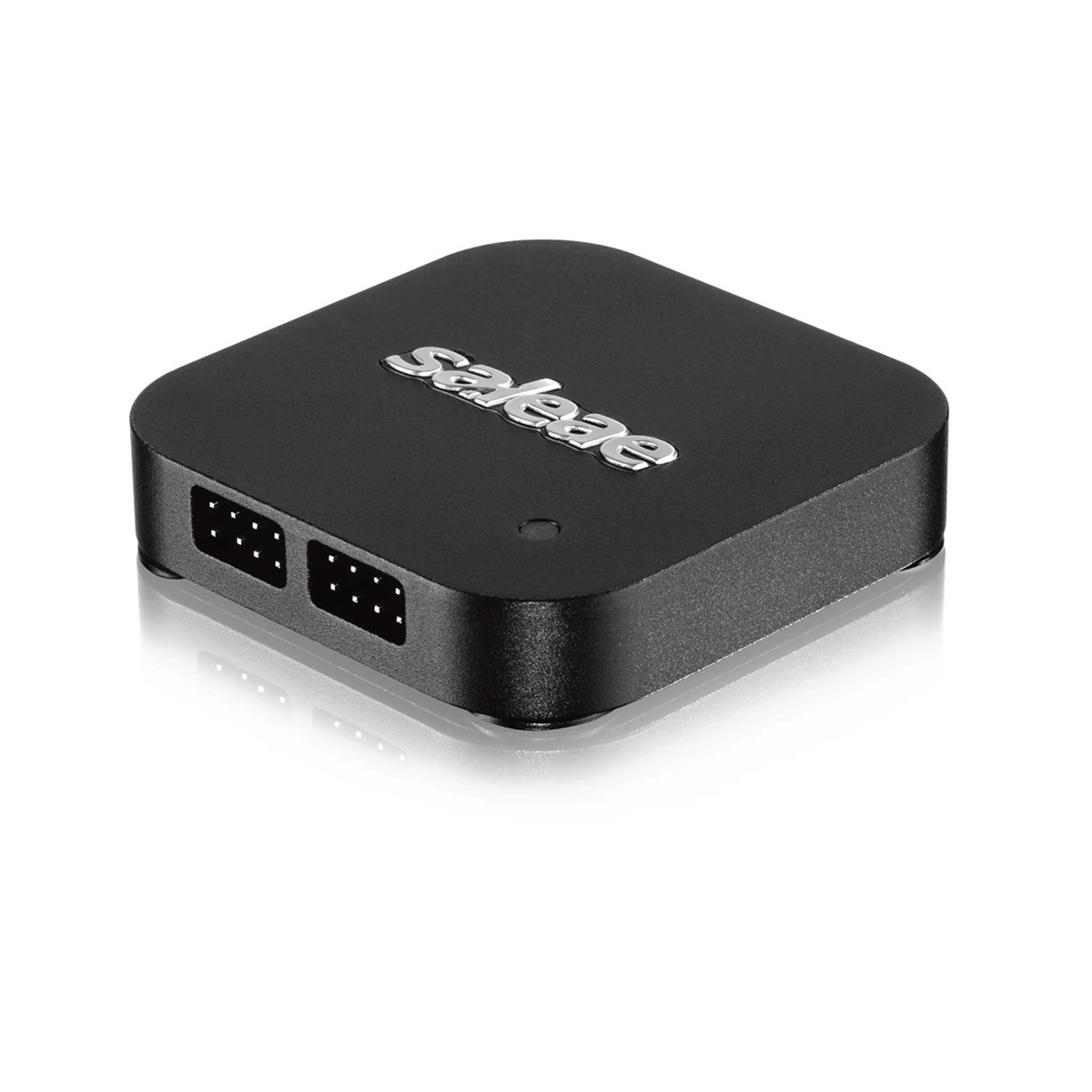
| 🥇 Saleae Logic Pro 8 | 8+4 analog | 500 MS/s | Logic 2 ✅ | Pro daily driver | ~$480 | View → |
| 🆓 DSLogic Plus | 16 | 400 MHz | DSView ✅ | Open-source | ~$149 | View → |
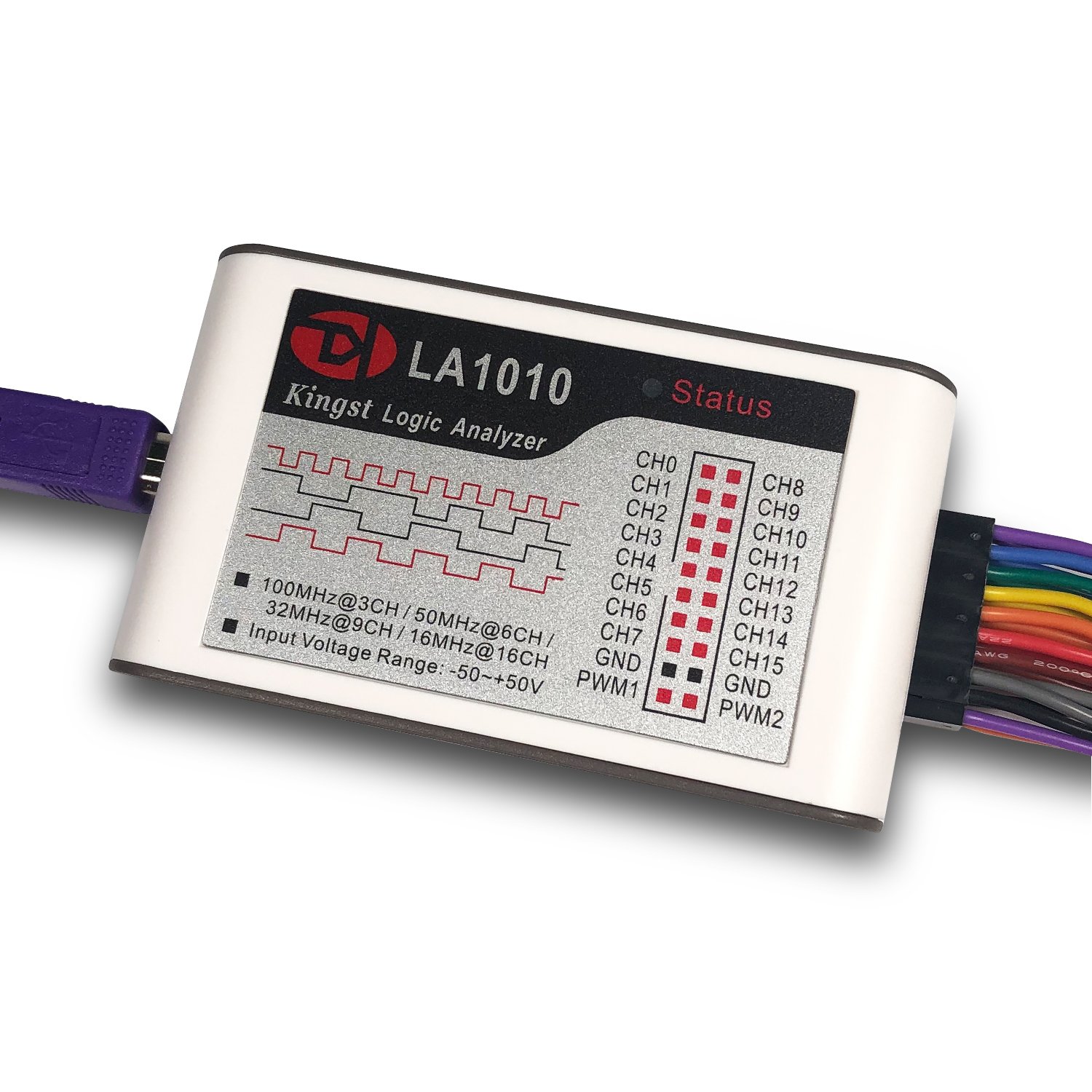
| 💰 Kingst LA1010 | 16 | 100 MHz | KingstVIS ✅ | Team bench | ~$59 | View → |
| ⚡ Innomaker LA2016 | 16 | 200 MHz | Sigrok ✅ | Best value mid | ~$79 | View → |
| 🎓 HiLetgo 24MHz 8CH | 8 | 24 MHz | PulseView ✅ | Budget / learning | ~$10 | View → |
🔍 What to Look for in a Logic Analyzer
📊
Sample Rate
Sample at 4–10× signal
frequency for accuracy
🔌
Channel Count
8ch for UART/SPI/I²C
16ch for parallel bus
💻
Software Quality
Protocol decoders, triggers
and export formats matter
⚡
Voltage Range
1.8V support essential
for modern MCU targets
🗄️
Capture Memory
Deep buffer = longer
captures without gaps
🏆 Detailed Reviews — All 5 Analyzers
1. Saleae Logic Pro 8 — Best Professional Logic Analyzer
⭐⭐⭐⭐⭐ Rating: 4.9/5 | 🏅 Editor’s Choice — Best Professional Logic Analyzer 2026
The Saleae Logic Pro 8 is the gold standard for professional embedded developers. With 8 digital channels at up to 500 MS/s and 4 simultaneous analog channels at 50 MS/s, it captures everything from slow I²C to high-speed SDIO — without swapping probes.
What truly sets Saleae apart is Logic 2 software — 100+ built-in protocol decoders, a powerful measurement panel, and a Python API for custom decoders. The UI is polished and crash-resistant.
✅ Pros
- Best-in-class Logic 2 software
- 100+ built-in protocol decoders
- Simultaneous digital + analog
- Rock-solid USB 3.0 streaming
- 1.2 V – 5 V input range
❌ Cons
- Premium price (~$480)
- Only 8 digital channels
- Overkill for casual use
🎯 Verdict: The undisputed king for professional embedded work. Logic 2 software alone justifies the price for anyone doing this full-time.
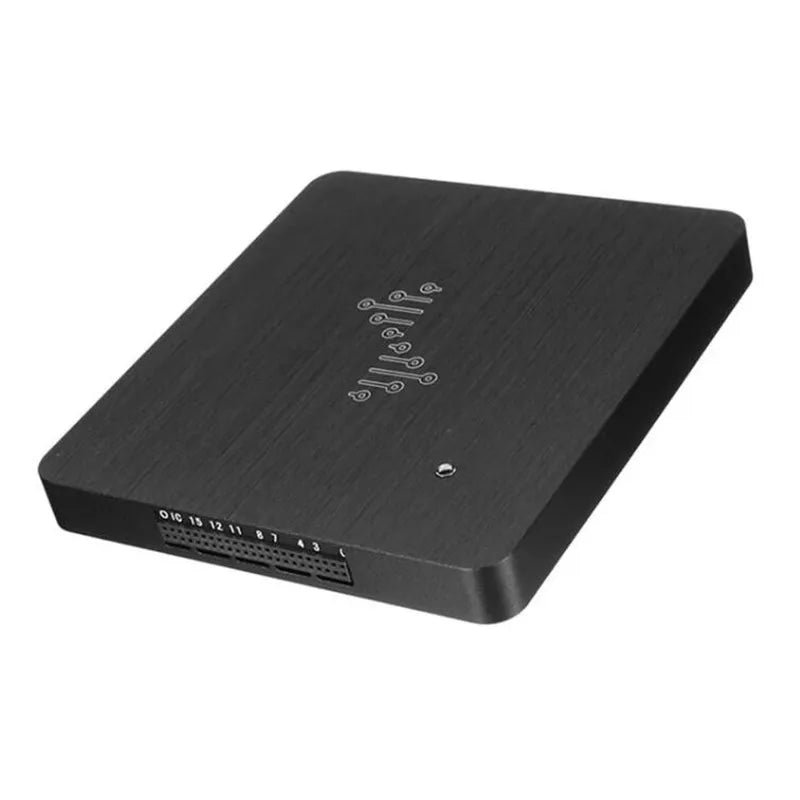
2. DreamSourceLab DSLogic Plus — Best Open-Source Logic Analyzer
⭐⭐⭐⭐⭐ Rating: 4.7/5 | 🆓 Best Open-Source — Full Sigrok Compatibility
The DSLogic Plus is the top pick for embedded developers who love open-source tools and want professional performance without the Saleae price tag. With 16 channels at 400 MHz stream / 1 GHz buffer mode, it handles everything from slow UART to fast SDIO signals.
The bundled DSView software is polished and free. The hardware is also fully compatible with Sigrok/PulseView — giving access to the entire open-source decoder library.
✅ Pros
- 16 channels at 400 MHz
- Full Sigrok compatibility
- Open-source DSView software
- 1.2 V – 5 V input range
- Only ~$149 vs $480 Saleae
❌ Cons
- No analog channels
- DSView less polished than Logic 2
- Sigrok setup can be tricky
🎯 Verdict: Best open-source analyzer. 16 channels, 400 MHz, and full Sigrok support for one-third of the Saleae price.
3. Kingst LA1010 — Best Mid-Range Logic Analyzer
KINGST · MID-RANGE PICK
LA1010 Logic Analyzer
16 Channels · 100 MHz · KingstVIS + Sigrok · 1.8V Support
16CH
Channels
100MHz
Sample Rate
Buy →

The Kingst LA1010 is the most popular 16-channel analyzer in the $50–$70 range. At 100 MHz max sample rate it covers SPI, I²C, UART, 1-Wire, CAN, and most embedded protocols. The KingstVIS software is clean and functional, and the hardware is also Sigrok-compatible.
✅ Pros: 16 channels at ~$59, 1.8 V logic support, KingstVIS software included, Sigrok compatible.
❌ Cons: 100 MHz limits high-speed captures, software less polished than DSView or Logic 2.
🎯 Verdict: Best team bench tool — 16 channels with 1.8 V support at a fraction of Saleae’s cost.
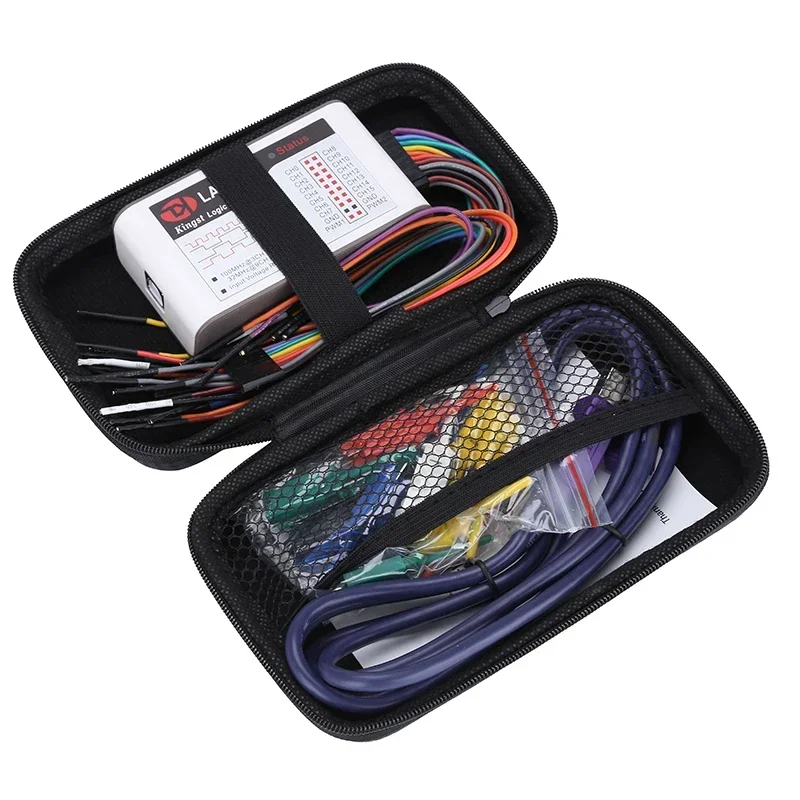
4. Innomaker LA2016 — Best Value Mid-Range (200 MHz)
INNOMAKER · BEST VALUE MID-RANGE
LA2016 Logic Analyzer
16 Channels · 200 MHz · Sigrok/PulseView · Onboard Buffer
16CH
Channels
200MHz
Sample Rate
Buy →

The Innomaker LA2016 hits a sweet spot the LA1010 misses: 16 channels at 200 MHz. That double jump in sample rate opens up QSPI, high-speed SPI displays, and fast parallel bus captures. Fully supported by Sigrok/PulseView, plus it has onboard capture memory to avoid PC bottlenecks.
✅ Pros: 200 MHz for QSPI/fast SPI, onboard 256 Mbit buffer, full Sigrok/PulseView support, great ~$79 price.
❌ Cons: Sigrok setup can intimidate beginners, no dedicated polished manufacturer software.
🎯 Verdict: Best mid-range value. Double the speed of LA1010 at only $20 more — the smart upgrade for any bench.
5. HiLetgo 24 MHz 8-Channel — Best Budget Logic Analyzer
HILETGO · BUDGET PICK
24MHz 8-Channel USB Analyzer
8 Channels · 24 MHz · Sigrok/PulseView · ~$10
8CH
Channels
~$10
Price
Buy →

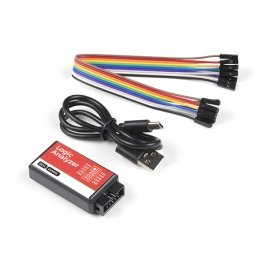
The HiLetgo 24 MHz 8-Channel USB Logic Analyzer is a Cypress FX2-based clone at around $10 — the cheapest entry into logic analysis. It works with Sigrok/PulseView out of the box: UART, SPI, I²C, 1-Wire, and more. The 24 MHz rate handles UART at 115200 baud and I²C at 400 kHz perfectly.
⚠️ Important: Input is 5 V only — do NOT connect to 1.8 V or 3.3 V targets without a level-shifter or it may damage your MCU.
✅ Pros: Incredibly affordable (~$10), Sigrok/PulseView support, great for students and hobbyists learning protocols.
❌ Cons: 5V only (can damage 1.8V/3.3V targets), no 1.8V support, inconsistent clone quality, limited to 24 MHz.
🎯 Verdict: Best budget pick. Start here and upgrade when you outgrow 24 MHz or need 1.8 V support.
🛒 How to Choose the Right Logic Analyzer
💼
Professional / Daily Driver?
Get the Saleae Logic Pro 8. Logic 2 software with 100+ decoders, analog+digital, and USB 3.0 streaming justify the price for full-time embedded work.
🆓
Open-Source Enthusiast?
Choose the DSLogic Plus. 16 channels, 400 MHz, and full Sigrok support for a third of the Saleae price.
⚡
Best Value Mid-Range?
Innomaker LA2016 at 200 MHz gives you QSPI and high-speed SPI headroom for only ~$79 — the smart upgrade over the LA1010.
🏫
Team or Classroom?
Kingst LA1010 — 16 channels, 1.8 V support, and a clean software bundle at ~$59. Great for group buys.
🎓
Learning / First Analyzer?
HiLetgo 24 MHz — at $10 it’s risk-free. Start here and upgrade when you need more speed or 1.8 V support.
🔬
High-Speed Signals?
For QSPI, SDIO, or DDR-adjacent signals, go LA2016 (200 MHz) or straight to the Saleae Logic Pro 8 (500 MS/s).
⚡ Key Specs Compared — Side by Side
| Spec | Saleae Pro 8 | DSLogic Plus | Kingst LA1010 | LA2016 | HiLetgo 24M |
|---|
| Channels | 8+4 analog ⭐ | 16 | 16 | 16 | 8 |
| Max Sample Rate | 500 MS/s ⭐ | 400 MHz | 100 MHz | 200 MHz | 24 MHz |
| 1.8V Support | ✅ Yes | ✅ Yes | ✅ Yes | ✅ Yes | ❌ No |
| Analog Capture | ✅ 50 MS/s ⭐ | ❌ No | ❌ No | ❌ No | ❌ No |
| Software | Logic 2 ⭐ | DSView | KingstVIS | Sigrok | PulseView |
| Price | ~$480 | ~$149 | ~$59 | ~$79 | ~$10 ⭐ |
❓ Frequently Asked Questions
Can I use a logic analyzer with my oscilloscope?
Yes — they complement each other perfectly. An oscilloscope shows analog waveform shape and signal integrity; a logic analyzer decodes protocol content and timing across many channels simultaneously. For serious embedded work, you want both.
Is Sigrok free?
Yes. Sigrok and its PulseView GUI are 100% free, open-source, and cross-platform. The DSLogic Plus, LA2016, and HiLetgo all support it natively, giving you a massive library of protocol decoders at no cost.
What sample rate do I need for UART debug?
Even the 24 MHz budget analyzer is overkill for UART. At 115200 baud the bit period is ~8.7 µs; 24 MS/s gives you 209 samples per bit — more than enough for reliable decoding. You only need 200+ MHz for QSPI, SDIO, or fast SPI displays.
Can a logic analyzer damage my MCU?
Only if you connect a 5 V-only analyzer to a 1.8 V or 3.3 V IO pin. The Saleae Logic Pro 8, DSLogic Plus, Kingst LA1010, and LA2016 all safely support 1.8 V targets. The HiLetgo clone is 5 V only — always use a level-shifter with low-voltage targets.
Which protocols do these analyzers support?
All five support the common embedded protocols: UART/RS-232, SPI, I²C, 1-Wire, CAN, I²S, and JTAG. The Saleae Logic Pro 8 tops the list with 100+ built-in decoders. Any analyzer running Sigrok/PulseView inherits the full open-source decoder library, covering 200+ protocols.
🏁 Final Verdict — Our Top Picks
🎯 Best Pick for Every Budget
🥇 Best ProfessionalSaleae Logic Pro 8 — 500 MS/s, 100+ decoders, Logic 2 software, analog+digital
Buy →🆓 Best Open-SourceDSLogic Plus — 16 channels, 400 MHz, Sigrok compatible, only ~$149
Buy →⚡ Best Value Mid-RangeInnomaker LA2016 — 200 MHz, onboard buffer, Sigrok support, only ~$79
Buy →🏫 Best Team ToolKingst LA1010 — 16 channels, 100 MHz, 1.8V support, only ~$59
Buy →🎓 Best BudgetHiLetgo 24MHz — $10, Sigrok/PulseView, perfect learning tool for beginners
Buy →Whatever you pick, getting a logic analyzer on your bench is one of the highest-leverage investments you can make as an embedded developer. Check our embedded tutorials to see exactly what you’ll be able to debug and decode with your new tool.
💬 Have a question about which logic analyzer is right for your project? Drop it in the comments below — we read and reply to every question.
All Amazon links above use our affiliate tag (microlab05-20). Purchasing through them supports microcontrollerslab.com at no extra cost to you.