⚠️ Affiliate Disclosure: This post contains Amazon affiliate links. If you purchase through our links, we may earn a small commission at no extra cost to you. Every product below was checked against its live Amazon listing before publishing. Prices change often, so we don’t list them here. Tap any Buy Here button to see the current price on Amazon.
Ultimate Buying Guide
🔋 Best Raspberry Pi UPS HATs
13 battery backup boards for the Raspberry Pi 5, Pi 4 and Pi Zero that keep your Pi running through power cuts and shut it down safely before the battery runs flat.
✅ 13 UPS Boards Reviewed✅ Pi 5, Pi 4 and Pi Zero✅ 18650, 21700 and LiPo✅ Honest Pros and Cons
A Raspberry Pi UPS HAT sits between your power supply and the Pi and switches to lithium cells the instant mains power drops. For a Home Assistant hub, a NAS, a camera recorder or a remote sensor node, that means no corrupted SD cards or SSDs after a blackout, and most boards also tell the Pi over I2C or a GPIO pin when power is lost so a script can shut it down cleanly before the battery is empty. Smaller pogo pin boards turn a Pi Zero into a portable, battery powered gadget.
If you are building a Pi 5 server, pair a UPS with one of the boards in our Raspberry Pi 5 NVMe HATs guide, and see our 18650 batteries and holders guide for the cells most of these boards need. This guide compares the UPS boards worth buying for each Pi model.
💡 Reality check before you buy: UPS boards are model specific: a Pi 5 board will not fit a Pi 4 and many Pi Zero boards fit only certain Zero versions, so match the listing exactly. Almost all of them ship without batteries. Check the cell size and length limit (Geekworm lists a 65.3 mm maximum for its 18650 holders, and the X728 listing warns against cells with a built-in protection circuit), buy genuine cells from a reputable brand, never mix old and new cells, and keep the board ventilated rather than sealed in a hot box. A Pi 5 under load wants a 5V 5A supply, so feed the UPS with the input it lists and do not also power the Pi through its own USB-C port when the HAT is powering it. Runtime depends on your cells and load, so treat any hours you see online as rough. Safe shutdown usually needs the maker’s script or service installed, and lithium batteries may have shipping limits in some regions.
Table of Contents
- Quick Comparison: All 13 Raspberry Pi UPS Boards
- How to Choose a Raspberry Pi UPS
- Detailed Reviews: All 13 Picks
- Which One for Which Job
- Multi-Cell HAT vs LiPo Connector vs Pogo Pin vs Cabled Module
- Frequently Asked Questions
- Final Verdict: Best Raspberry Pi UPS HATs
🔋 Quick Comparison: All 13 Raspberry Pi UPS Boards
| Product | Pi Models (per listing) | Battery | Output / Input | Rating | Best For | Buy |
|---|
| 🥇 Geekworm X1202 | Pi 5 | 4x 18650 (not included) | 5.1V 5A / USB-C or 6-18V DC | ⭐ 4.4 (51) | Best Overall | Buy Here → |
| 📊 SunFounder PiPower 5 | Pi 5, 4, 3B+, Zero 2 W | See listing | 5V 5A / USB-C PD up to 45W | ⭐ 4.0 (93) | Best Monitoring | Buy Here → |
| ⚡ Waveshare UPS HAT (E) | Pi 5, 4B, 3B+ | 4x 21700 (not included) | 5V 6A / USB-C PD3.0 up to 40W | ⭐ 3.8 (74) | Best High Capacity | Buy Here → |
| 📏 Geekworm X1200 | Pi 5 | 2x 18650 (not included) | 5.1V 5A / USB-C 5V 5A | ⭐ 4.3 (28) | Best Compact Pi 5 | Buy Here → |
| 🔌 Geekworm X1203 | Pi 5 only | 3.7V lithium via 2x XH2.54 | 5.1V 5A / USB-C or 6-18V DC | ⭐ 4.7 (23) | Best for LiPo Packs | Buy Here → |
| 🍓 Geekworm X728 | Pi 4 | 18650 cells (not included) | 5.1V 5A / USB-C 3A or 5V 4A DC | ⭐ 4.2 (92) | Best for Pi 4 | Buy Here → |
| 🤖 Waveshare UPS Module 3S | Pi, Jetson Nano (cabled) | 3S cells (not included) | 5V 5A | ⭐ 4.2 (74) | Best for Robots | Buy Here → |
| 📌 UPS HAT (D) | Pi 4B, 3B+, 3B | 21700 (not included) | 5V via pogo pins | ⭐ 4.4 (33) | Best Pogo Pin Pi 4 | Buy Here → |
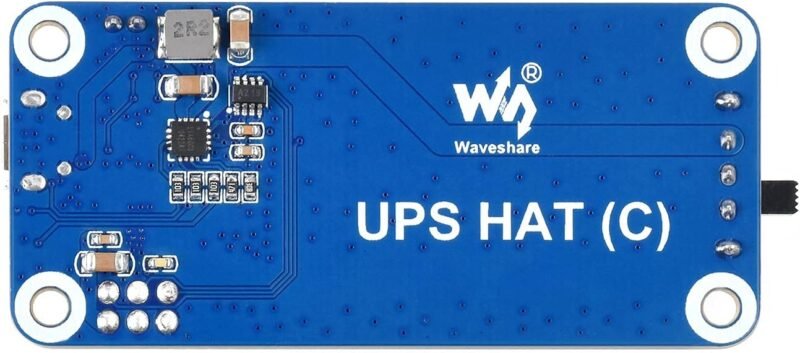
| 🟢 Waveshare UPS HAT (C) | Pi Zero series | Li-po | Regulated 5V via pogo pins | ⭐ 4.2 (34) | Best Pi Zero HAT | Buy Here → |
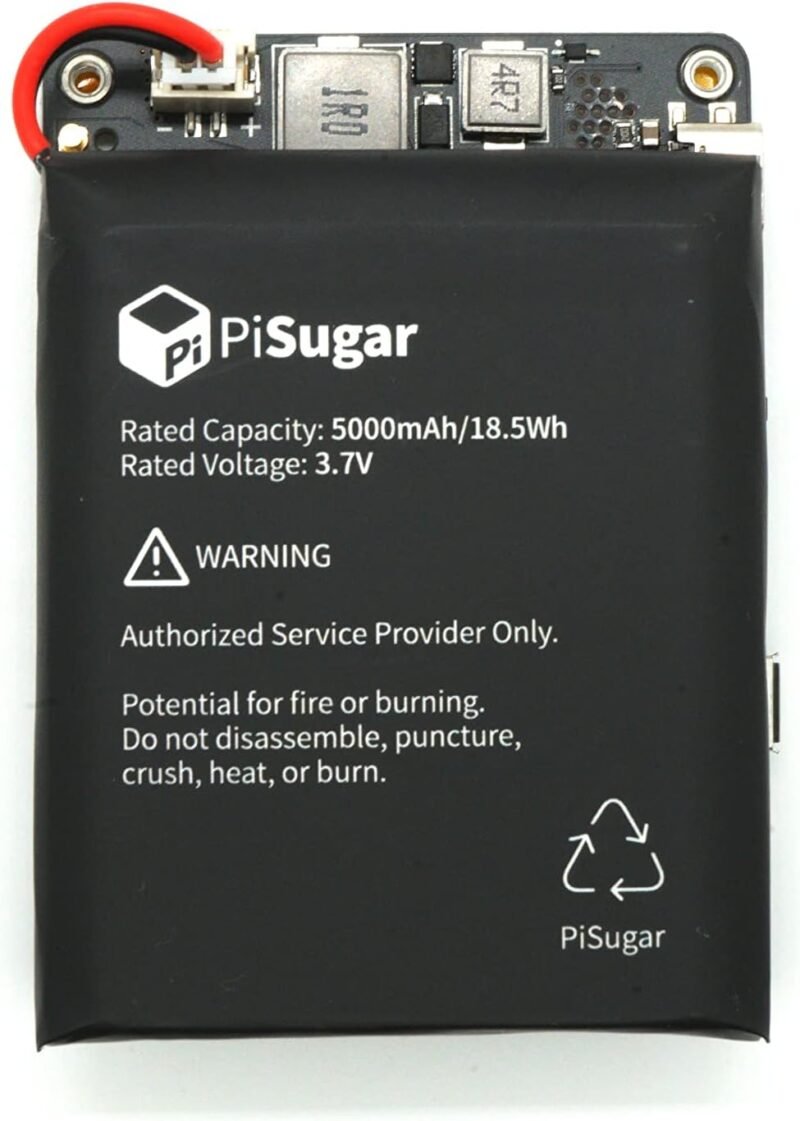
| 🐶 PiSugar 3 Plus | Pi 3B, 3B+, 4B | Battery module (see listing) | Pogo pins, I2C | ⭐ 4.2 (23) | Best Watchdog | Buy Here → |
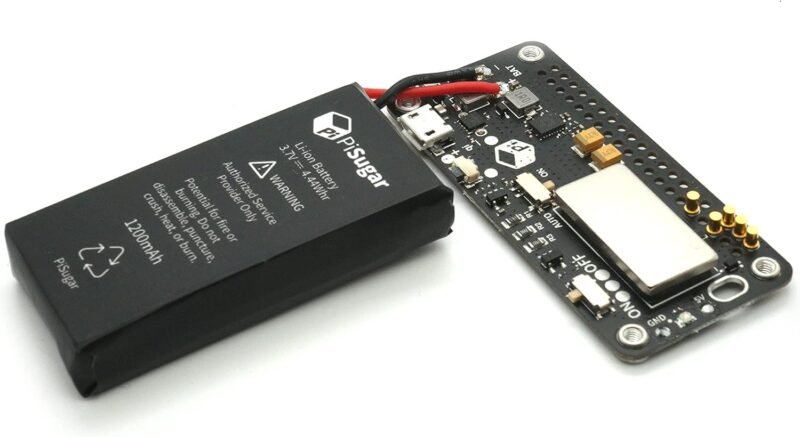
| 🍬 PiSugar S | Pi Zero W / WH | 1200 mAh lithium | 5V 2A out / 5V 2A in | ⭐ 4.3 (159) | Best Simple Zero UPS | Buy Here → |
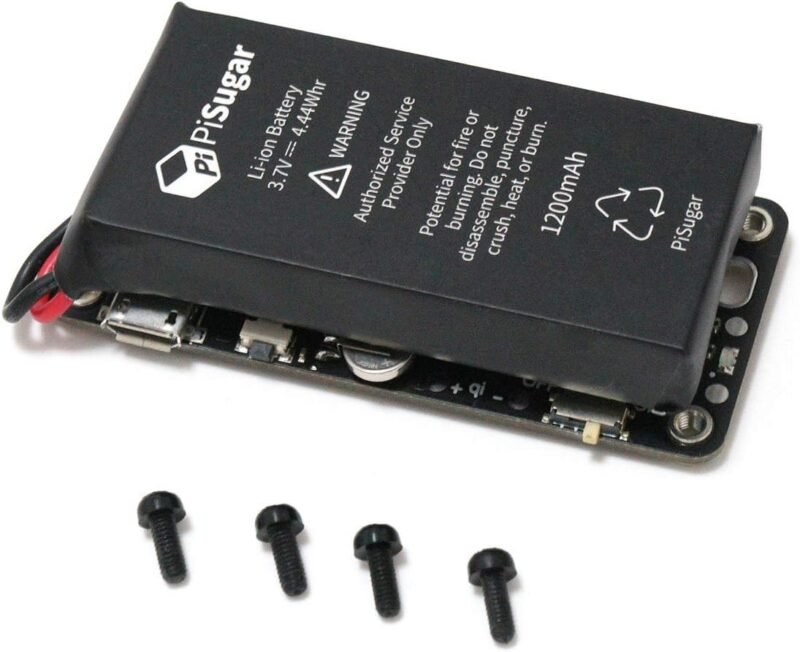
| ⏰ PiSugar2 | Pi Zero W / WH | Battery module (see listing) | Test pad connection, RTC | ⭐ 4.3 (453) | Most Reviewed | Buy Here → |
| 🪫 Geekworm X306 V1.5 | Pi Zero 2 W only | One cell (not included) | 5V UPS | ⭐ 4.5 (68) | Best Zero 2 W | Buy Here → |
Specs, ratings and review counts are taken from the live Amazon listings at the time of writing and can change. Always confirm details on the product page.
🔍 How to Choose a Raspberry Pi UPS
🍓
Exact Pi Model
Pi 5 boards (X1200, X1202, X1203) differ from Pi 4 boards (X728, UPS HAT D) and Zero boards (PiSugar, X306, UPS HAT C). The X306 even supports the Zero 2 W only.
🔋
Cell Type and Count
More cells means longer runtime. Four 18650 or 21700 cells suit servers, two cells keep things compact, and LiPo connectors let you fit a flat pack inside a case.
⚡
Output Current and Input
A loaded Pi 5 with an SSD needs around 5A. Look for 5V 5A or more output and an input that suits you: USB-C PD, plain 5V 5A, or a wide 6-18V DC jack for solar and vehicle installs.
🧠
Monitoring and Safe Shutdown
I2C fuel gauges, power loss detection and auto power on let the Pi shut down before the cells are flat and restart when power returns. PiPower 5 adds a web dashboard and alerts.
📌
GPIO and Mounting
Pogo pin boards mount underneath and leave the 40 pin header free for other HATs. Bottom boards like the Geekworm X120x also leave room on top for coolers and NVMe HATs.
🏆 Detailed Reviews: All 13 Picks
🥇 BEST OVERALL
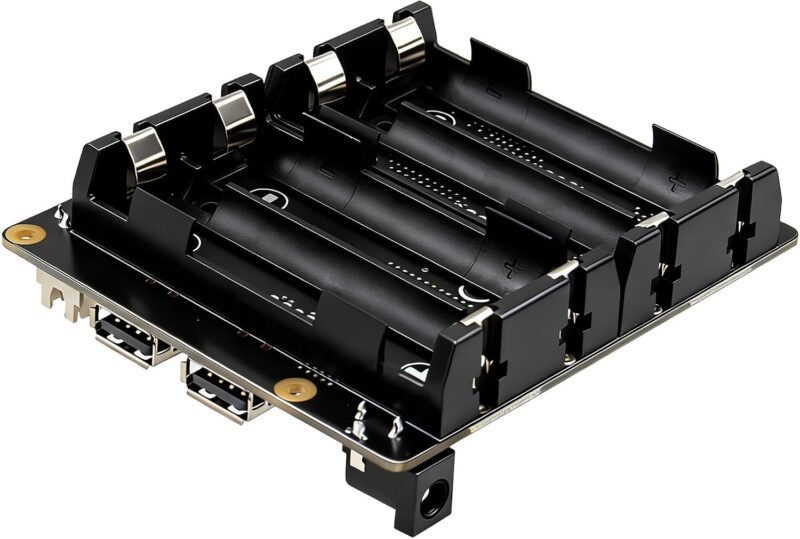
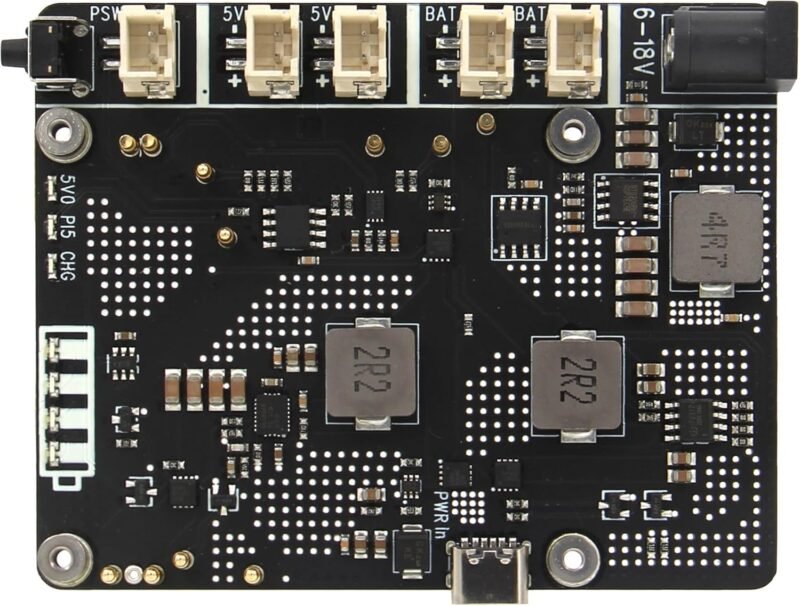
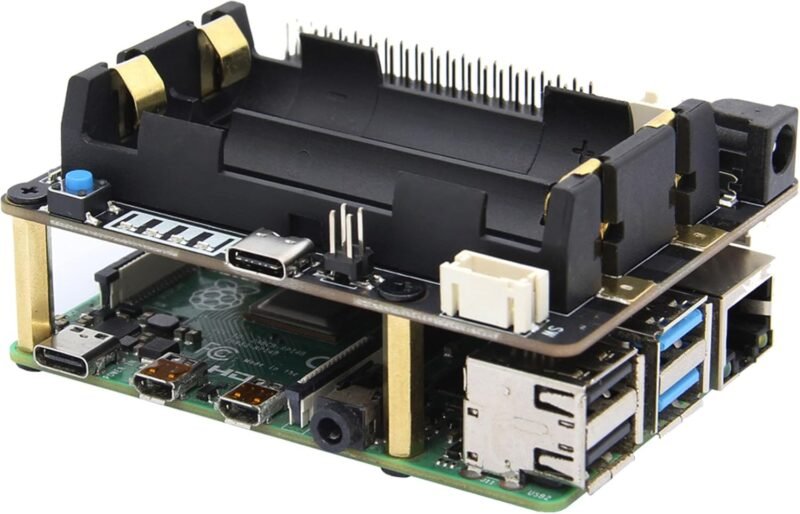
Geekworm X1202 5V UPS Expansion Board for Raspberry Pi 5
⭐ 4.4/5 · 51 ratings · Four 18650 cells, wide 6-18V input
Buy on Amazon →

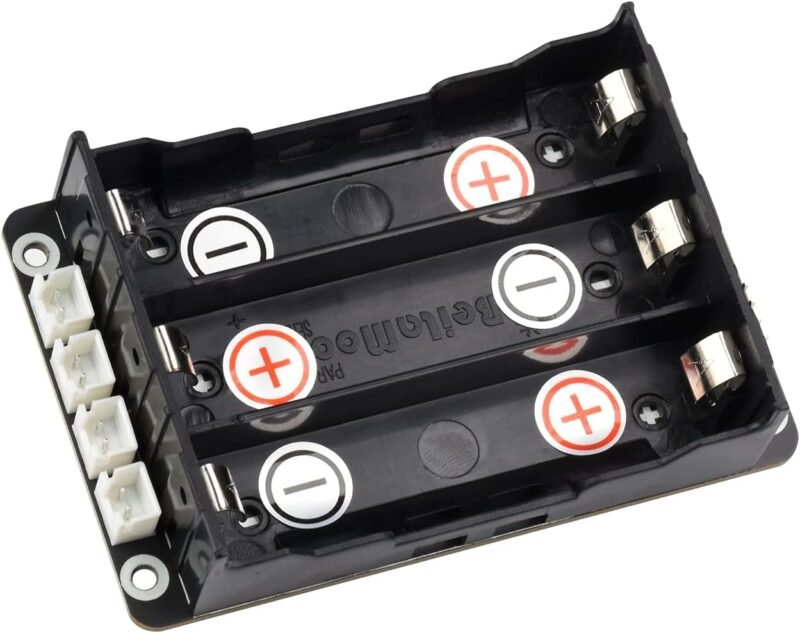
The X1202 is the Pi 5 UPS we would buy for a home server. Per the listing it delivers up to 5.1V 5000mA backup power, holds four 18650 cells (up to 65.3 mm long, not included), and handles auto power on, safe shutdown, full power off from software, and power loss and adapter failure detection. Power it from USB-C at 5V 5A or from a 6-18V DC jack at 3A or more, which is handy for solar or 12V systems. It adds hardware protection against overcurrent, overvoltage and reverse cells, and Geekworm sells a matching X1202-C1 case. It averages 4.4 stars from 51 ratings.
✅ Pros- Four cells for long runtime
- Wide 6-18V DC input as well as USB-C
- Power loss detection and safe shutdown
❌ Cons- Batteries and case sold separately
- Pi 5 only
🎯 Verdict: The best all-round UPS for a Pi 5 running Home Assistant, a NAS or a camera recorder.
👉 Check Price on Amazon →
📊 BEST SMART MONITORING
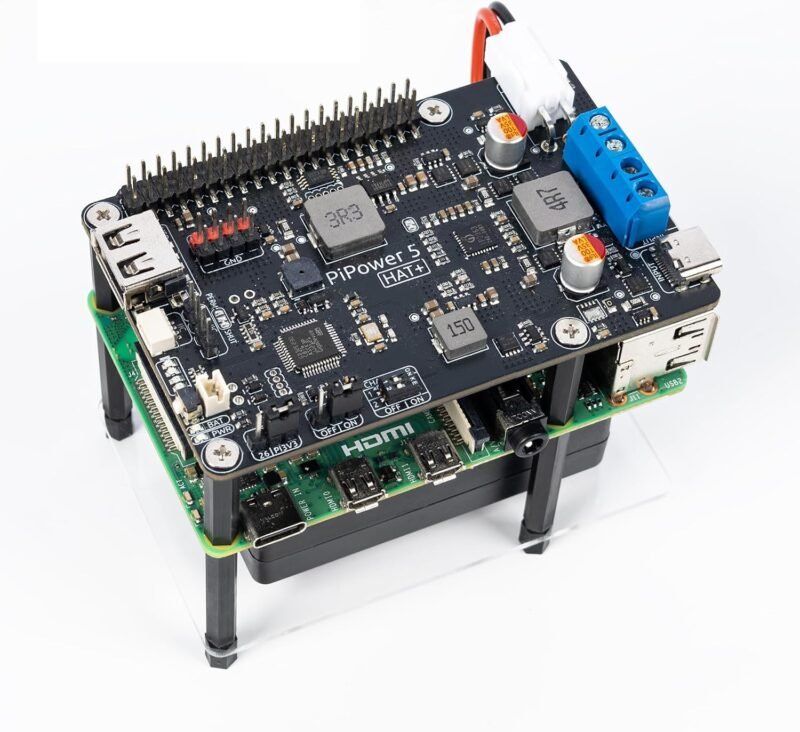
SunFounder PiPower 5 UPS HAT
⭐ 4.0/5 · 93 ratings · Officially Powered by Raspberry Pi
Buy on Amazon →

With 93 ratings, the PiPower 5 is the most-reviewed full-size Pi UPS we found, and it is officially authorized as Powered by Raspberry Pi. Per the listing it supports the Pi 5, 4, 3B+ and Zero 2 W with a stable 5V 5A output, accepts USB-C PD input from 5 to 15V up to 45W, and protects against over-charge, over-discharge and overheating. A 32-bit ARM Cortex-M23 MCU reports voltage, current and charging status over I2C or a web dashboard, with buzzer, dashboard and optional email alerts, plus safe shutdown and auto restart. Its 4.0 star average is lower than the Geekworm boards, so read recent reviews.
✅ Pros- Works across Pi 5, 4, 3B+ and Zero 2 W
- USB-C PD input up to 45W
- Web dashboard and email alerts
❌ Cons- 4.0 star average, mixed feedback
- Battery details need checking on the listing
🎯 Verdict: The pick if you want alerts and a dashboard rather than scripts, or one UPS that moves between Pi models.
👉 Check Price on Amazon →
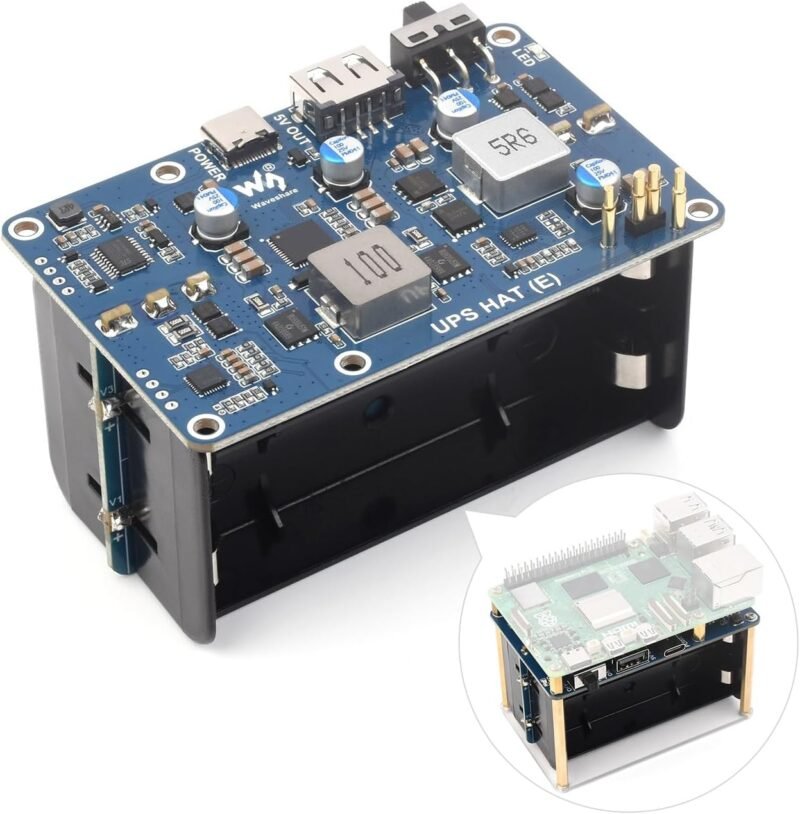
⚡ BEST HIGH CAPACITY · ⭐ 3.8/53. Waveshare UPS HAT (E) for Raspberry Pi 5
4x 21700, 5V 6A, PD fast charging · 74 ratings
Buy Here →

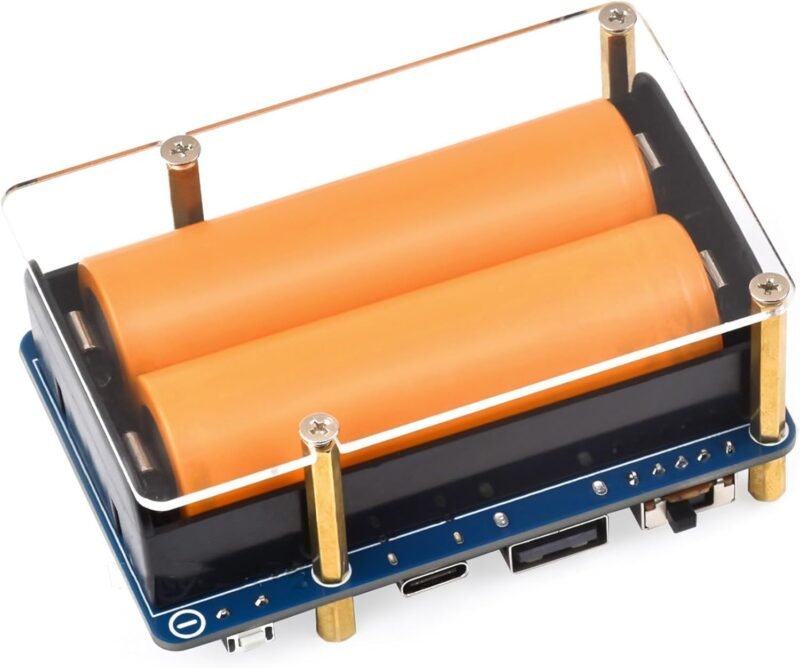
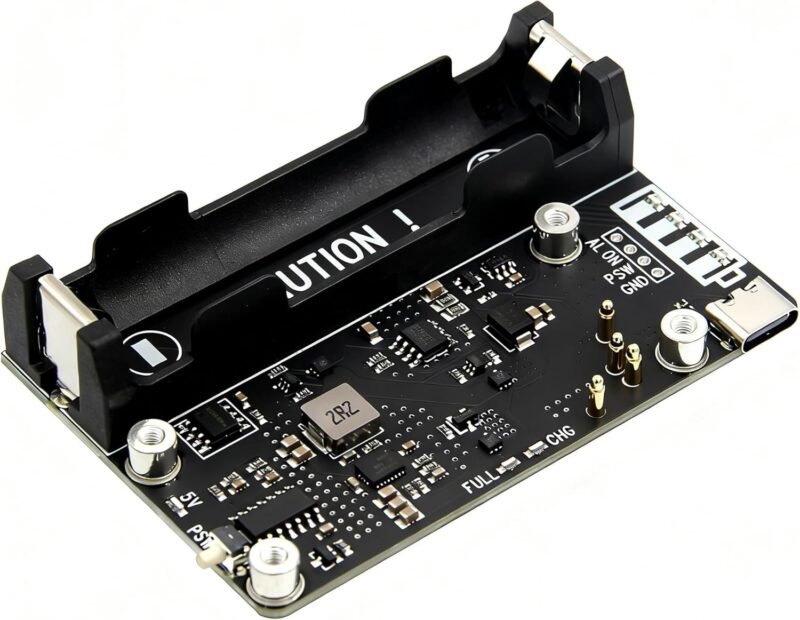
The UPS HAT (E) is the high capacity option. Per the listing it connects with pogo pins to the Pi 5, 4B or 3B+, holds four 21700 cells (not included), outputs a stable 5V 6A from a high-power buck chip, and has a USB-C port with bi-directional PD3.0 fast charging up to 40W. An onboard fuel gauge reports battery data over I2C and the battery level can be shown in the OS. Its 3.8 star average is the lowest of the Pi 5 boards here.
✅ Pros: Biggest cells and the most output current here
❌ Cons: Lower rating than rivals, bulky with four 21700s
🎯 Verdict: For the longest runtime on a Pi 5 with an SSD and USB peripherals.
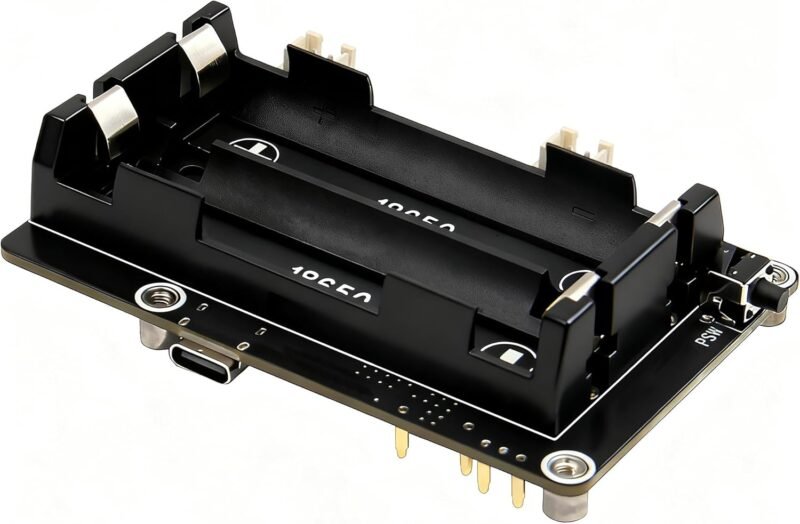
📏 BEST COMPACT PI 5 UPS · ⭐ 4.3/54. Geekworm X1200 5V UPS HAT for Raspberry Pi 5
Two 18650 cells, USB-C 5V 5A · 28 ratings
Buy Here →

The X1200 is the smaller sibling of the X1202. Per the listing it gives the Pi 5 up to 5.1V 5000mA backup with auto power on, safe shutdown and power loss and adapter failure detection, but takes two 18650 cells (not included) and is powered from USB-C at 5V 5A only. The listing warns not to power the Pi 5 through its own USB-C socket while using the board. A matching X1200-C1 case is available. It averages 4.3 stars from 28 ratings.
✅ Pros: Smaller footprint with the same management features
❌ Cons: Half the cells of the X1202, no DC jack
🎯 Verdict: Ideal when you need ride-through for short outages rather than hours of runtime.
🔌 BEST FOR LIPO PACKS · ⭐ 4.7/55. Geekworm X1203 5V UPS Expansion Board for Raspberry Pi 5
Two XH2.54 battery connectors, 6-18V input · 23 ratings
Buy Here →

Instead of cell holders, the X1203 has two XH2.54 2 pin connectors for 3.7V lithium batteries (not included), so you can use a flat pack that fits inside a slim enclosure. Per the listing it is for the Pi 5 only, supplies up to 5.1V 5000mA, offers the same auto power on, safe shutdown, software power off and power loss detection as the X1202, and takes power from a 6-18V DC jack or USB-C at 5V 5A. It has the best average here at 4.7 stars, but from only 23 ratings.
✅ Pros: Use any suitable 3.7V pack, keeps builds slim
❌ Cons: Few reviews so far; check pack polarity carefully
🎯 Verdict: The choice for custom cases, kiosks and dashboards where 18650 holders will not fit.
🍓 BEST FOR PI 4 · ⭐ 4.2/56. Geekworm X728 UPS and Power Management Board for Raspberry Pi 4
5.1V 5A, battery capacity reading, stackable · 92 ratings
Buy Here →

Still running a Pi 4? The X728 is the most-reviewed Pi 4 UPS here. Per the listing it provides up to 5.1V 5000mA backup with safe shutdown, auto power on, full power off from software and battery capacity reading. It is powered from USB-C at 5V 3A or a DC jack at 5V 4A, reserves the 40 pin header for stacking other boards, and works with Geekworm’s X825, X828 and X829 2.5 inch drive boards. The listing warns not to use cells with built-in protection circuits. It averages 4.2 stars from 92 ratings.
✅ Pros: Mature Pi 4 board with a matching metal case
❌ Cons: Not for the Pi 5
🎯 Verdict: The safe pick for keeping an existing Pi 4 server or NAS online.
🤖 BEST FOR ROBOTS AND JETSON · ⭐ 4.2/57. Waveshare Uninterruptible Power Supply (UPS) Module 3S
Cabled module, 5V 5A, I2C monitoring · 74 ratings
Buy Here →

Not every project wants a HAT. This 3S UPS module connects with cables, which the listing says makes it easy to integrate into mobile robots or industrial control equipment. Per the listing it charges and powers the load at the same time, switches to batteries automatically, monitors battery voltage, current and power over I2C, includes over-charge, over-discharge, over-current, short-circuit and reverse protection with equalizing charge, and outputs up to 5V 5A for a Raspberry Pi or Jetson Nano. Batteries are not included. It averages 4.2 stars from 74 ratings.
✅ Pros: Works with Pi and Jetson, flexible mounting
❌ Cons: More wiring than a plug-on HAT
🎯 Verdict: Best for robots and enclosures where the battery cannot sit on the board.
📌 BEST POGO PIN PI 4 UPS · ⭐ 4.4/58. UPS HAT (D) for Raspberry Pi (21700)
Pogo pins, no GPIO used, I2C fuel data · 33 ratings
Buy Here →

This UPS HAT (D) powers the Pi through pogo pins without using any GPIO. Per the listing it supports the Pi 4B, 3B+ and 3B, takes a 21700 cell (not included), charges and supplies power at the same time with dynamic path management, includes over-charge, over-discharge, over-current and short-circuit protection, and reports battery voltage, current, power and remaining capacity over I2C so you can save files and shut down when the voltage dips. The listing title carries no brand name. It averages 4.4 stars from 33 ratings.
✅ Pros: Leaves all GPIO pins free
❌ Cons: Unbranded listing, no Pi 5 support listed
🎯 Verdict: A tidy Pi 4 UPS when you still need every header pin for another HAT.
🟢 BEST PI ZERO HAT · ⭐ 4.2/59. Waveshare UPS HAT (C) for Raspberry Pi Zero
Pogo pins, Li-po, I2C monitoring · 34 ratings
Buy Here →

Waveshare’s UPS HAT (C) powers a Pi Zero series board from mains or its backup battery. Per the listing it connects with onboard spring pogo pins, uses a Li-po recharge chip with dynamic path management and a boost chip for a regulated 5V output, monitors battery voltage, current, power and remaining capacity over I2C, and adds over-charge, over-discharge, over-current and short-circuit protection with a charging indicator. It averages 4.2 stars from 34 ratings.
✅ Pros: Real I2C battery data on a Zero
❌ Cons: Small capacity compared with full-size HATs
🎯 Verdict: A solid Zero UPS for sensor nodes and small displays that must log battery state.
🐶 BEST WITH WATCHDOG · ⭐ 4.2/510. PiSugar 3 Plus Power Management for Raspberry Pi 3B, 3B+ and 4B
Software watchdog, pogo pins, I2C · 23 ratings
Buy Here →

The PiSugar 3 Plus brings PiSugar’s portable design to the full-size Pi 3B, 3B+ and 4B. Per the listing it has a built-in software watchdog that reboots the Pi when it hangs, overvoltage, overcurrent and undervoltage protection, an optional charging limit to extend battery life, a pogo pin connection from the back that keeps every GPIO pin free, full UPS behaviour with multiple wake-up options, and I2C with a configurable address. It averages 4.2 stars from 23 ratings.
✅ Pros: Watchdog auto reboot for unattended installs
❌ Cons: No Pi 5 support listed, few reviews
🎯 Verdict: Great for remote Pi 4 kiosks and signage that must recover on their own.
🍬 BEST SIMPLE ZERO UPS · ⭐ 4.3/511. PiSugar S 1200 mAh UPS Battery for Raspberry Pi Zero
5V 2A in and out, GPIO button · 159 ratings
Buy Here →

The PiSugar S is a simple 1200 mAh battery that bolts under a Pi Zero W or WH. Per the listing it keeps supplying power when external power is disconnected, offers 5V 2A input and output, has a GPIO button that can power the device on or act as a custom button, mounts from the bottom in about a minute without blocking GPIO, and can be expanded with wireless or solar charging. It averages 4.3 stars from 159 ratings.
✅ Pros: Battery included, minute-long install
❌ Cons: No battery monitoring mentioned in the listing
🎯 Verdict: The easiest way to make a Pi Zero portable or ride through brief outages.
⏰ MOST REVIEWED ZERO BATTERY · ⭐ 4.3/512. PiSugar2 Portable Battery Module for Raspberry Pi Zero
On-board RTC, custom button, web UI · 453 ratings
Buy Here →

With 453 ratings, the PiSugar2 is the most-reviewed product in this guide and a favourite for Pwnagotchi and other Pi Zero handhelds. Per the listing it installs in about 10 seconds with no soldering, connecting via test pads so all GPIO pins stay free, matches the Pi Zero footprint for open-source 3D printed cases, adds an on-board RTC for real time and timed start-up, and has a custom button with separate single, double and long press actions plus a visual management interface. It averages 4.3 stars.
✅ Pros: RTC and scheduled wake-up built in
❌ Cons: Older model, Zero W and WH focused
🎯 Verdict: The proven choice for portable Zero gadgets and timed data loggers.
🪫 BEST FOR PI ZERO 2 W · ⭐ 4.5/513. Geekworm X306 V1.5 5V UPS Expansion Board for Raspberry Pi Zero 2 W
One cell UPS, upgraded battery holder · 68 ratings
Buy Here →

Geekworm’s X306 V1.5 is a one cell UPS for the Pi Zero 2 W. Per the listing the V1.5 revision (October 2025) upgrades the battery holder for smoother installation and removal, and it is compatible with the Zero 2 W only, not the original Zero or Zero W. The cell is not included, so check Geekworm’s wiki for the supported size. It averages 4.5 stars from 68 ratings.
✅ Pros: Replaceable cell, well rated
❌ Cons: Zero 2 W only, cell sold separately
🎯 Verdict: A good Zero 2 W UPS when you want to swap cells instead of replacing a pack.
🧭 Which One for Which Job
🗄️
Pi 5 NAS with an SSD
Waveshare UPS HAT (E) for 5V 6A, or the X1202. Pair with a board from our NVMe HATs guide.
🍓
Existing Pi 4 server
Geekworm X728, or UPS HAT (D) if you need every GPIO pin.
🎒
Portable Pi Zero gadget
PiSugar2 or PiSugar S for the Zero W, Geekworm X306 for the Zero 2 W.
🤖
Robots and Jetson boards
Waveshare UPS Module 3S, wired into the chassis.
⚙️ Multi-Cell HAT vs LiPo Connector vs Pogo Pin vs Cabled Module
| Feature | Multi-Cell HAT | LiPo Connector Board | Pogo Pin Battery Board | Cabled UPS Module |
|---|
| Examples | X1202, X1200, X728, UPS HAT (E) | X1203 | PiSugar, UPS HAT (C) and (D) | Waveshare UPS Module 3S |
| Runtime potential | Highest | Depends on pack | Lowest | High |
| Swappable cells | Yes | Swap whole pack | Varies | Yes |
| GPIO left free | Mostly (bottom mount) | Mostly (bottom mount) | Yes | Yes |
| Size | Largest | Slim | Smallest | Separate box |
| Works with Pi 5 here | Yes (X120x, UPS HAT E) | Yes | No (Zero and Pi 4 boards) | Check output and cabling |
| Best for | Servers, NAS, Home Assistant | Custom cases and kiosks | Portable Zero projects | Robots and Jetson |
Type comparisons are general guidance. Features of each pick are taken from its Amazon listing.
❓ Frequently Asked Questions
Do Raspberry Pi UPS HATs come with batteries?
Most do not. The Geekworm, Waveshare and UPS HAT (D) listings all state that cells are not included, while battery modules like the PiSugar S list a built-in 1200 mAh battery. For choosing cells, see our 18650 batteries and holders guide.
How long will a UPS keep my Pi running?
It depends on total cell capacity, the Pi model and what is plugged in. Roughly, divide the usable battery energy by the Pi’s power draw and allow for conversion losses. A four cell board on an idle Pi lasts far longer than a small Zero battery on a busy Pi 5, so measure your own load with a USB power meter.
Will the Pi shut down safely on its own?
Only if you install the maker’s software. Boards with power loss detection or I2C fuel gauges expose that information, and a script or service watches it and runs a clean shutdown at a low battery threshold. Auto power on then restarts the Pi when mains returns.
Can I use a USB power bank instead?
Some power banks offer pass-through charging, but many briefly cut output when the input is connected or removed, which reboots the Pi. They also cannot tell the Pi that power was lost. A proper UPS HAT switches without interruption and supports safe shutdown.
Can a UPS HAT work with PoE?
Usually not stacked directly, because both want to supply the Pi’s 5V rail. A common approach is a PoE splitter feeding the UPS input, such as a 12V splitter into the X1202 DC jack. See our PoE splitters and injectors guide and check each maker’s wiki before combining them.
🏁 Final Verdict: Best Raspberry Pi UPS HATs
Our picks for the most common setups:
📊 Best Monitoring: SunFounder PiPower 5
Buy Here →⚡ Best High Capacity: Waveshare UPS HAT (E)
Buy Here →🪫 Best for Pi Zero 2 W: Geekworm X306 V1.5
Buy Here →For a Pi 5 the Geekworm X1202 is the UPS to buy, with the X1200 and X1203 as compact alternatives, the Waveshare UPS HAT (E) for maximum capacity and the SunFounder PiPower 5 if you want dashboards and alerts. Pi 4 owners should look at the X728, and Pi Zero builders at the PiSugar boards and the X306. For more Raspberry Pi power and hardware upgrades, see our guides to Raspberry Pi 5 NVMe HATs, Raspberry Pi 5 starter kits, industrial Raspberry Pi accessories, PoE splitters and injectors, LiFePO4 batteries for IoT and solar and LiPo charger modules.
💬 Which UPS keeps your Raspberry Pi alive through power cuts, and how long does it last on your cells? Share your setup in the comments below.
All Amazon links above use our affiliate tag (microlab05-20). Purchasing through them supports microcontrollerslab.com at no extra cost to you. Prices and availability change frequently, so always confirm the current price on Amazon before buying.