⚠️ Affiliate Disclosure: This post contains Amazon affiliate links. If you purchase through our links, we may earn a small commission at no extra cost to you. Every product below was checked against its live Amazon listing before publishing. Prices change often, so we don’t list them here. Tap any Buy Here button to see the current price on Amazon.
Ultimate Buying Guide
🖥️ Best IP KVM over IP Devices
11 network KVMs that let you see the screen, type in the BIOS and reinstall the OS of a headless server, homelab node or remote PC from anywhere.
✅ 11 Picks Reviewed✅ PoE and Wi-Fi Options✅ Open Source Firmware✅ Honest Pros and Cons
An IP KVM (keyboard, video and mouse over IP) sits between a computer’s HDMI and USB ports and your network. It captures the video output, emulates a USB keyboard and mouse, and serves both to a web browser. Unlike remote desktop software, it works below the operating system: you can enter the BIOS, pick a boot device, watch a kernel panic, or reinstall Linux on a machine that will not boot. That makes it the hobbyist version of the IPMI or iDRAC controllers found on enterprise servers.
For makers this matters when you run a Home Assistant mini PC, a Proxmox node or a Raspberry Pi cluster in a closet. Pair one of these with a small PoE switch for one-cable installs, and see our Home Assistant hardware guide for the machines worth controlling. We compared 11 IP KVMs from GL.iNet, JetKVM, PiKVM, Sipeed, ArkKVM and AweSun.
💡 Reality check before you buy: An IP KVM is a powerful backdoor into a machine, so never expose its web interface directly to the internet. Use the built-in Tailscale or ZeroTier options, a VPN, or keep it on your LAN, and change the default password on day one. Power control (pressing the power button remotely) usually needs an extra ATX board wired to the motherboard header, which is not included with most units. Video capture is typically 1080p or 4K at 30Hz, fine for BIOS and terminals but not for gaming. Some cloud features need a vendor account, while open-source units like PiKVM, JetKVM, NanoKVM and ArkKVM work fully locally.
Table of Contents
- Quick Comparison: All 11 IP KVMs
- How to Choose an IP KVM
- Detailed Reviews: All 11 Picks
- Which One for Which Job
- IP KVM vs Remote Desktop vs IPMI
- Frequently Asked Questions
- Final Verdict: Best IP KVM over IP Devices
🖥️ Quick Comparison: All 11 IP KVMs
| Product | Network and Power | Video | Key Feature | Best For | Rating | Buy |
|---|
| 🥇 GL.iNet Comet PoE (GL-RM1PE) | PoE + USB-C | 4K@30Hz H.264 | Tailscale, 32GB eMMC | Best Overall | ⭐ 4.6 (439) | Buy Here → |
| 📶 GL.iNet Comet Pro (GL-RM10) | Wi-Fi 6 dual band | 4K@30FPS passthrough | 2.22in touchscreen | Best Wi-Fi KVM | ⭐ 4.5 (464) | Buy Here → |
| 🚀 JetKVM | Ethernet, 4 power options | 1080p60, 30 to 60ms | Open source (Golang) | Lowest Latency | ⭐ 4.5 (100) | Buy Here → |
| 🍓 PiKVM V4 Plus | Ethernet, Wi-Fi, more | 1920×1200@60Hz | Raspberry Pi CM4 | Best for Power Users | ⭐ 4.2 (55) | Buy Here → |
| 🔇 PiKVM V4 Mini | Ethernet | UEFI/BIOS access | Fanless, locator LED | Best Fanless KVM | ⭐ 4.4 (42) | Buy Here → |
| 🗄️ GL.iNet Comet X (GL-RM4PE) | PoE + USB-C backup | 4 HDMI inputs, 4K30 loop-out | 64GB eMMC, 3.69in TFT | Best Multi-Server | ⭐ 4.3 (52) | Buy Here → |
| 👜 GL.iNet Comet Q (GL-RMQ1) | Wi-Fi, single USB-C cable | Video over USB-C | Tailscale and ZeroTier | Best Pocket KVM | ⭐ 4.2 (89) | Buy Here → |
| 🧊 Sipeed NanoKVM Cube | 10/100 Ethernet | HDMI capture | RISC-V Linux, virtual USB drive | Best Budget | ⭐ 3.8 (42) | Buy Here → |
| 🔩 Sipeed NanoKVM Lite | Ethernet | HDMI capture | LicheeRV Nano, open source | Best DIY KVM | ⭐ 4.0 (28) | Buy Here → |
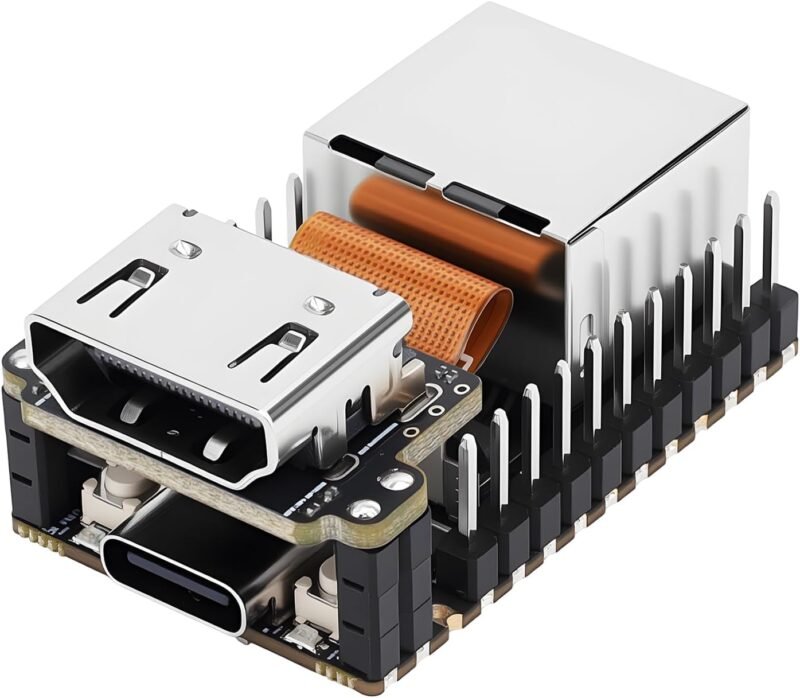
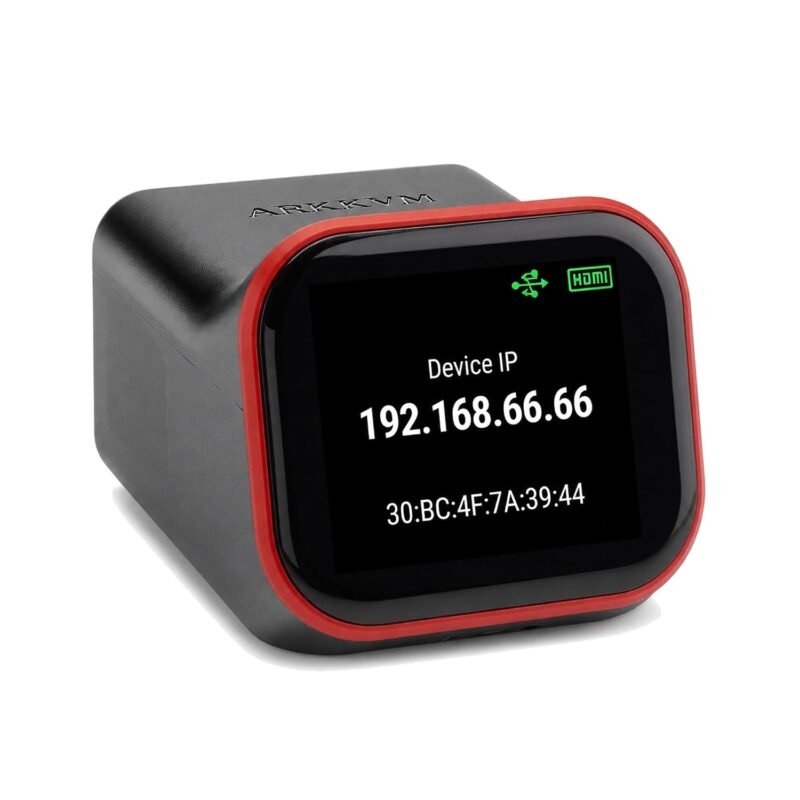
| 🛡️ ArkKVM Open-Source PoE KVM | PoE built in | Full-size HDMI | Rust firmware, 32GB eMMC | Best Open Firmware | ⭐ 4.5 (24) | Buy Here → |
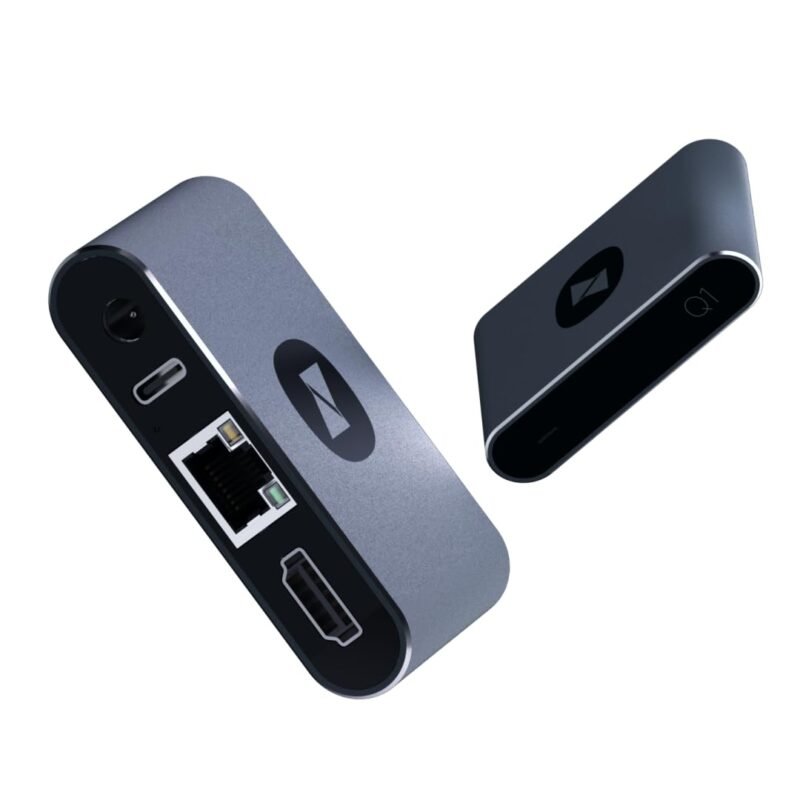
| 💳 AweSun Q1 Remote KVM | Network | 4K 60Hz per title | Watchdog, plug and play | Smallest KVM | ⭐ 4.0 (12) | Buy Here → |
Specs and ratings are taken from each Amazon listing at the time of writing and may change. Tap Buy Here to see the live price.
🔍 How to Choose an IP KVM
🌐
Wired, PoE or Wi-Fi
PoE models (Comet PoE, Comet X, ArkKVM) run from one Ethernet cable. Wi-Fi (Comet Pro, Comet Q) is handy at a desk. Wired Ethernet gives the lowest latency.
📺
Video resolution and latency
1080p60 is plenty for BIOS screens and terminals. 4K@30 helps with high-resolution desktops. JetKVM lists 30 to 60ms latency.
💾
Virtual media
eMMC storage or USB drive emulation lets you mount an ISO and reinstall an OS remotely. Comet PoE has 32GB, Comet X has 64GB.
🔐
Remote access and privacy
Built-in Tailscale or ZeroTier avoids port forwarding. Open-source firmware (PiKVM, JetKVM, NanoKVM, ArkKVM) can run without any cloud account.
🔌
Power control and ports
Check for ATX power control support, and match the connection: most use HDMI plus USB, while Comet Q uses a single USB-C video cable.
🏆 Detailed Reviews: All 11 Picks
🥇 BEST OVERALL
GL.iNet Comet PoE (GL-RM1PE)
⭐ 4.6/5 · PoE Remote KVM with Tailscale
Buy on Amazon →

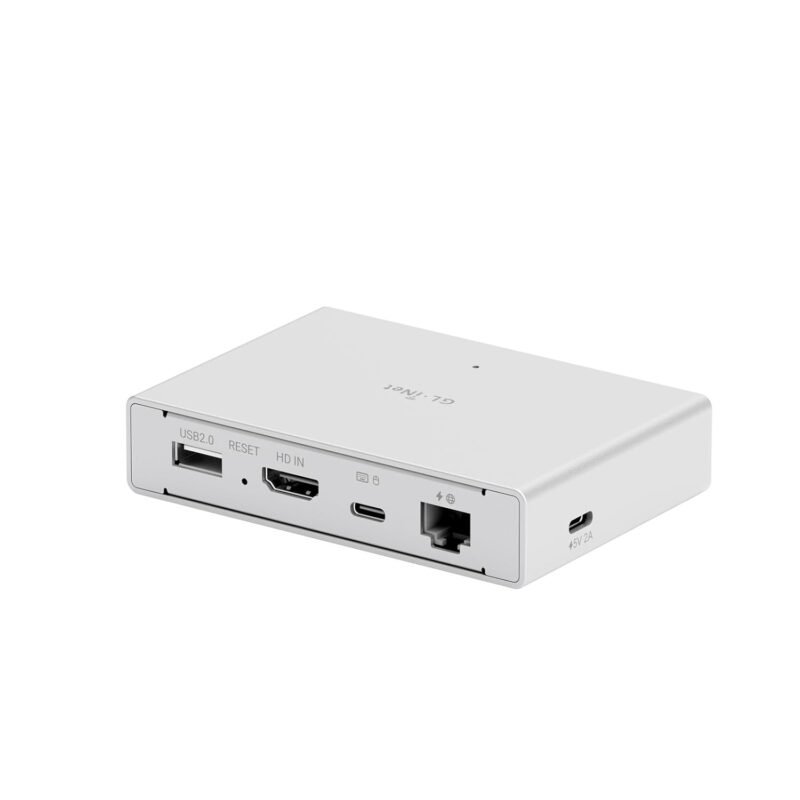
The Comet PoE is the easiest way to get BIOS-level remote control of a homelab box or headless mini PC. Per the listing it takes power over Ethernet from a PoE switch, with a 5V USB-C input as a second option (both can be used at once for extra stability). It streams 4K@30Hz video with H.264 hardware encoding and two-way audio, ships with Tailscale built in for WireGuard-encrypted remote access without opening ports, and has 32GB of eMMC to hold OS images you can mount for remote reinstalls. With 4.6 stars from 439 ratings, it is the best-reviewed IP KVM we found.
✅ Pros- One-cable PoE install
- Tailscale built in
- eMMC for ISO images
❌ Cons- Needs a PoE switch or injector for PoE
- 4K is 30Hz, not 60Hz
🎯 Verdict: The default pick for most homelabs and remote PCs.
👉 Check Price on Amazon →
📶 BEST WI-FI KVM
GL.iNet Comet Pro (GL-RM10)
⭐ 4.5/5 · Wi-Fi 6 KVM with Touchscreen
Buy on Amazon →
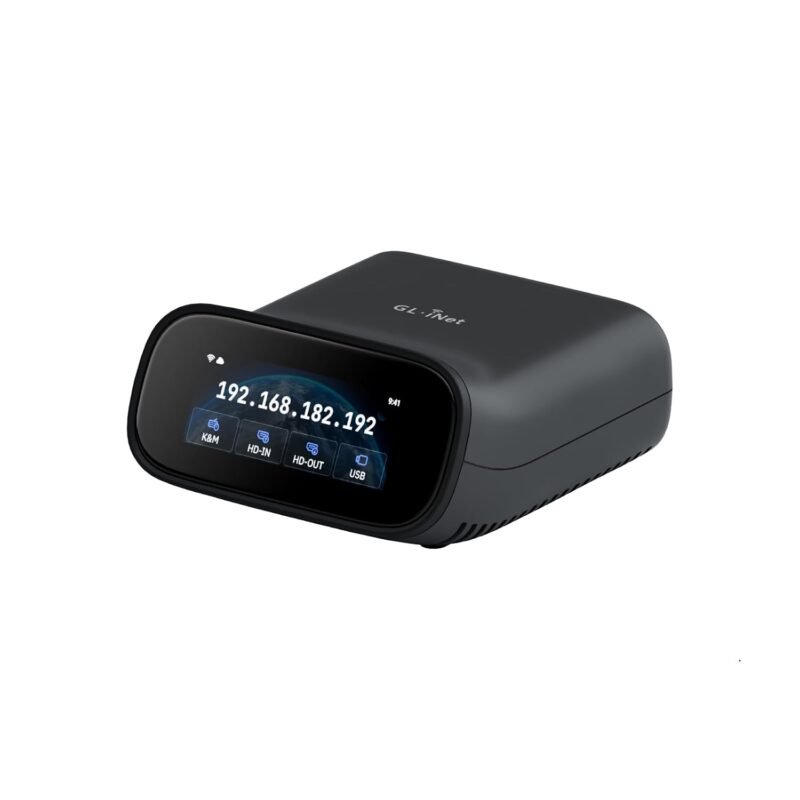
When there is no Ethernet near the machine, the Comet Pro is the pick. The listing highlights dual-band Wi-Fi 6 for fewer cables, 4K@30FPS video passthrough so a local monitor still works, two-way audio and a 2.22-inch touchscreen for setup without a laptop. Like the Comet PoE it has Tailscale built in, plus web-based cloud control that works from Windows, macOS and Linux. It has the most ratings of any KVM here: 4.5 stars from 464.
✅ Pros- Works over Wi-Fi
- Local monitor passthrough
- On-device touchscreen
❌ Cons- Wi-Fi adds latency versus wired
- Larger than the Comet PoE
🎯 Verdict: The best choice for a desk PC or a rack without spare Ethernet.
👉 Check Price on Amazon →
🚀 LOWEST LATENCY · ⭐ 4.5/53. JetKVM IP KVM
1080p@60FPS, H.264, open source · 100 ratings
Buy Here →

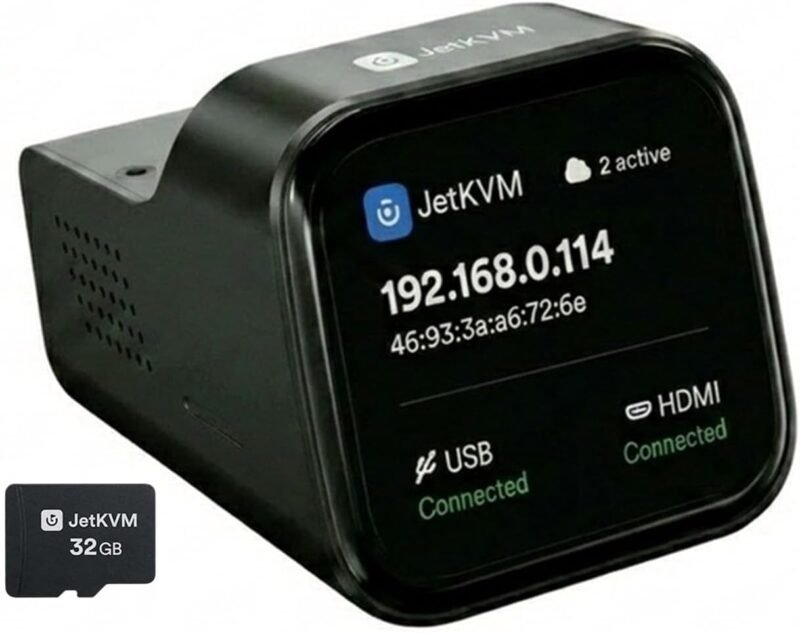
JetKVM connects to the target over HDMI and USB-C and streams 1080p at 60FPS with 30 to 60ms latency using H.264, per the listing, which makes BIOS menus and OS installs feel responsive. You can reach it from a local browser by IP address or through its remote options, and the listing describes four ways to power it. The firmware is open source and written in Golang, which appeals to tinkerers. It holds 4.5 stars from 100 ratings.
✅ Pros: Very low latency; open-source firmware; tiny size.
❌ Cons: 1080p only; no PoE in this listing.
🎯 Verdict: The snappiest small KVM for a single server.
🍓 BEST FOR POWER USERS · ⭐ 4.2/54. PiKVM V4 Plus
Raspberry Pi CM4, 1920×1200@60Hz, turnkey kit · 55 ratings
Buy Here →
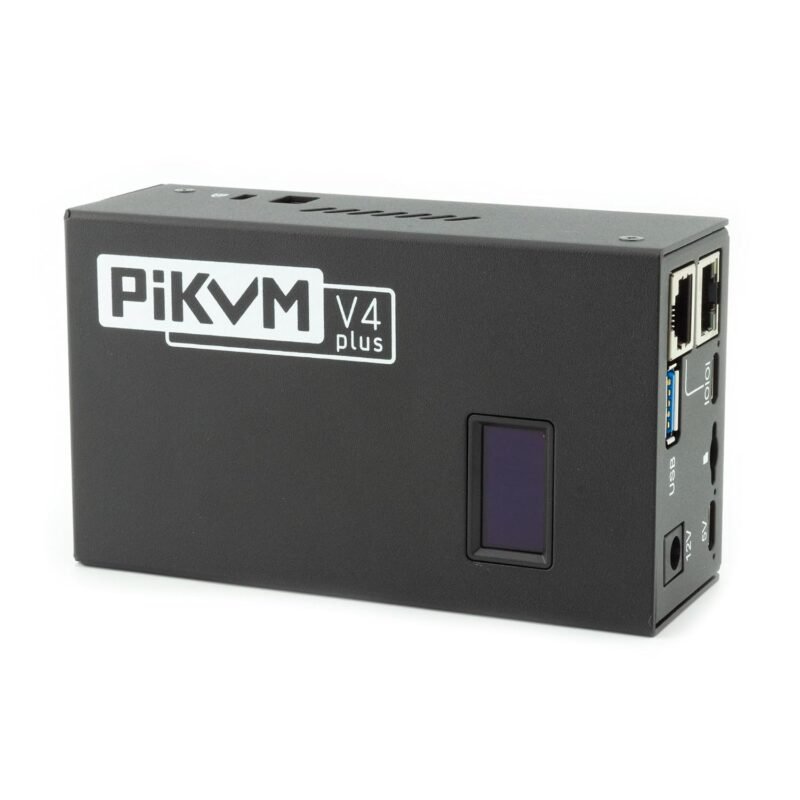
The original open-source KVM project in a finished product. The V4 Plus is built on the Raspberry Pi CM4, comes as a turnkey kit with power supply, USB and Ethernet cables, and carries CE certification per the listing. It supports 1920×1080@60Hz and 1920×1200@60Hz for better UEFI and BIOS compatibility, and offers three connectivity channels including Wi-Fi and Ethernet. The PiKVM OS is mature, scriptable and well documented. Rated 4.2 stars from 55 ratings.
✅ Pros: Mature PiKVM software; everything in the box.
❌ Cons: Fewer ratings; no 4K.
🎯 Verdict: For admins who want the most configurable open-source KVM.
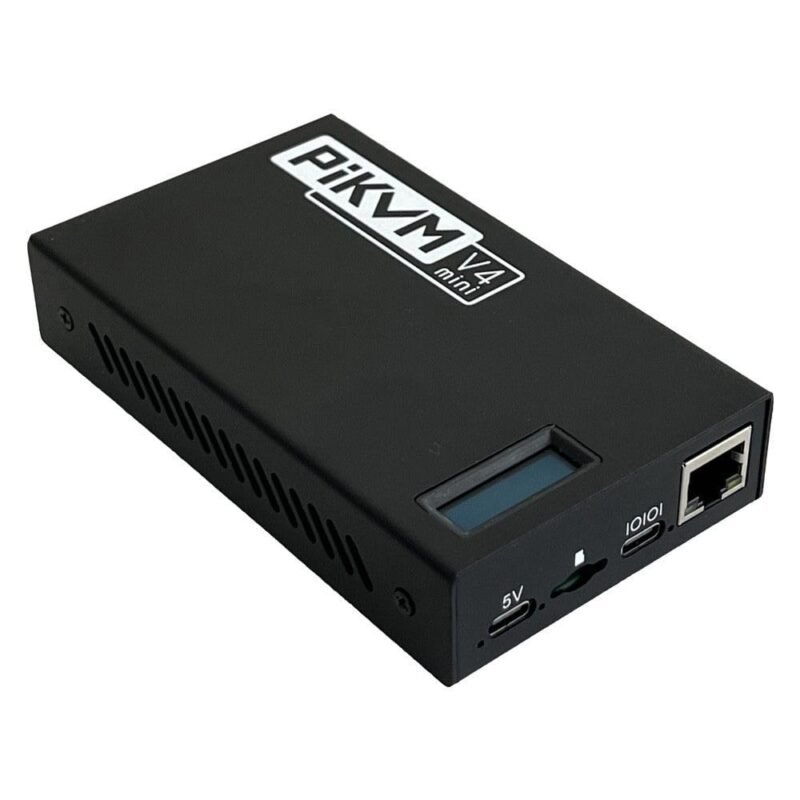
🔇 BEST FANLESS · ⭐ 4.4/55. PiKVM V4 Mini
Raspberry Pi based, passive heatsink · 42 ratings
Buy Here →
The smaller sibling of the V4 Plus keeps the same PiKVM software and Raspberry Pi foundation in a fanless case with a passive heatsink, so it is silent in a living-room rack. Per the listing it passes keyboard and mouse to the remote PC and gives full access to UEFI and BIOS settings, and a locator LED helps you find the right unit in a stack. It has 4.4 stars from 42 ratings.
✅ Pros: Silent; same PiKVM OS as the Plus.
❌ Cons: Fewer extras than the V4 Plus.
🎯 Verdict: Quiet PiKVM for home servers.
🗄️ BEST FOR 4 SERVERS · ⭐ 4.3/56. GL.iNet Comet X (GL-RM4PE)
4 hosts, PoE, rack-ready chassis · 52 ratings
Buy Here →

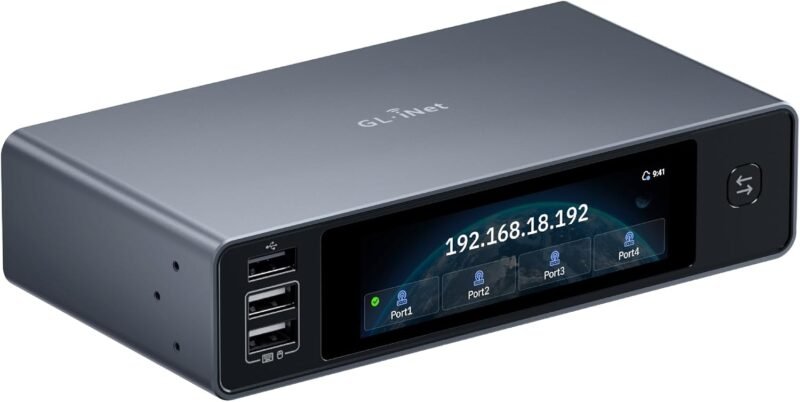
One KVM for a small rack. The Comet X connects up to four host systems through four HDMI inputs, per the listing, and takes power over Ethernet with a 5V USB-C backup. A 4K 30Hz HDMI loop-out lets you plug in a local monitor, keyboard and mouse, a 3.69-inch TFT touchscreen handles port switching on the device, and 64GB of eMMC stores images and backups. Rated 4.3 stars from 52 ratings.
✅ Pros: Four machines from one IP; rack-ready.
❌ Cons: Overkill for a single PC.
🎯 Verdict: The pick for a multi-node Proxmox or homelab rack.
👜 BEST POCKET KVM · ⭐ 4.2/57. GL.iNet Comet Q (GL-RMQ1)
One USB-C cable, ARM, 512MB LPDDR4 · 89 ratings
Buy Here →
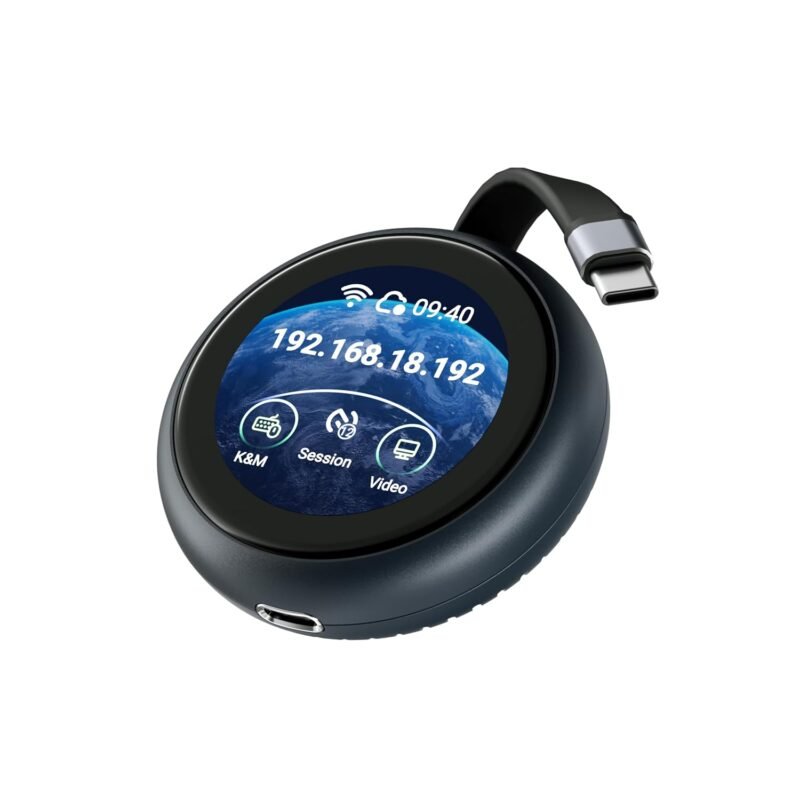
Comet Q is aimed at helping family or supporting laptops. Per the listing, a single foldable USB-C cable carries video, audio, keyboard and mouse, so the target needs a USB-C port with video output rather than HDMI. It runs on a dual-core ARM system with 512MB LPDDR4, supports remote wake-up, and connects through Tailscale and ZeroTier without port forwarding. No remote software is installed on the target. Rated 4.2 stars from 89 ratings.
✅ Pros: Tiny; no HDMI cable needed; private remote access.
❌ Cons: Target must output video over USB-C.
🎯 Verdict: For remote help on laptops and modern USB-C devices.
🧊 BEST BUDGET · ⭐ 3.8/58. Sipeed NanoKVM Cube
RISC-V Linux, 10/100 Ethernet, USB mounting · 42 ratings
Buy Here →

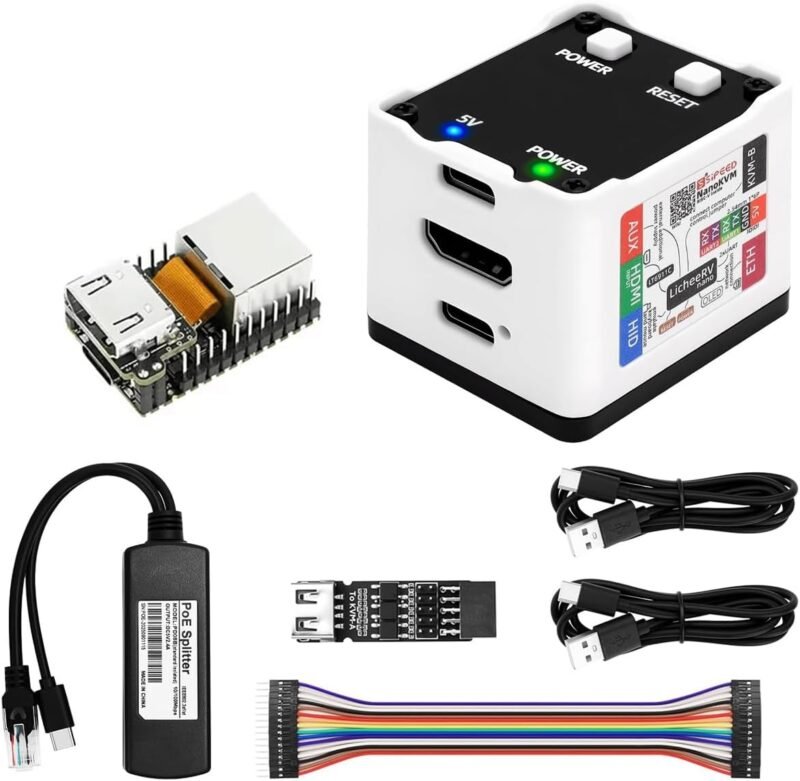
NanoKVM brought IP KVM down to a hobbyist budget. This Cube version runs RISC-V Linux, connects over 10/100 Ethernet, and per the listing can emulate a USB flash drive so you can mount an installer image remotely, plus monitor and manage servers. Its 3.8-star average from 42 ratings is the lowest here, so expect more setup tinkering and firmware updates than with GL.iNet or PiKVM.
✅ Pros: Low cost; virtual USB mounting; hackable.
❌ Cons: Lowest rating in this guide; 100 Mbps Ethernet.
🎯 Verdict: A cheap KVM for tinkerers who will update firmware.
🔩 BEST DIY KVM · ⭐ 4.0/59. Sipeed NanoKVM Lite
LicheeRV Nano RISC-V, open firmware and hardware · 28 ratings
Buy Here →

The Lite is the stripped-down NanoKVM, built on the LicheeRV Nano RISC-V processor. Per the listing it needs no software on the host OS, connects over HDMI, USB and Ethernet, and both firmware and hardware are open source, which makes it a nice learning platform for embedded Linux as well as a KVM. It has 4.0 stars from 28 ratings, so it is a smaller sample than the GL.iNet units.
✅ Pros: Very compact; open hardware; cheap per node.
❌ Cons: Bare-bones; fewer reviews.
🎯 Verdict: For makers who want to hack on the KVM itself.
🛡️ BEST AUDITABLE FIRMWARE · ⭐ 4.5/510. ArkKVM Open-Source PoE KVM
PoE, full HDMI, 32GB eMMC, no subscription · 24 ratings
Buy Here →
ArkKVM pitches itself as an IPMI and BMC alternative for homelabs and Proxmox hosts. Per the listing it gives BIOS and UEFI access to a machine that will not boot, has PoE built in with a full-size HDMI port (no adapters), runs fully open-source Rust firmware under the GPL, includes 32GB of eMMC, and needs no subscription. It supports Wake-on-LAN and optional ATX power control. Rated 4.5 stars, but from only 24 ratings, so it is a newer listing worth double-checking.
✅ Pros: PoE and full HDMI; auditable firmware.
❌ Cons: Newer brand with few reviews.
🎯 Verdict: For security-minded homelabbers who want to read the code.
💳 SMALLEST · ⭐ 4.0/511. AweSun Q1 Remote KVM
Credit-card size, BIOS control, watchdog · 12 ratings
Buy Here →
The Q1 from AweSun (sold by the AWERAY store) is smaller than a credit card, per the listing, and offers BIOS-level control with plug-and-play setup and no software on the target. The title lists 4K 60Hz, and a built-in watchdog recovers the device automatically if it hangs. It is the newest and least-reviewed pick here at 4.0 stars from 12 ratings, so treat it as a promising budget option rather than a proven one.
✅ Pros: Tiny; watchdog recovery; 4K listed.
❌ Cons: Only 12 ratings; sparse listing details.
🎯 Verdict: A compact option if you already use the AweSun ecosystem.
🛒 Which One for Which Job
🏠
Home Assistant mini PC
Comet PoE or JetKVM on the HA box, so a failed update never means carrying a monitor to the closet.
🗄️
Proxmox or homelab rack
Comet X for up to four nodes, or one ArkKVM per server with PoE from the rack switch.
👪
Remote family IT support
Comet Q on a USB-C laptop, reachable over Tailscale without touching the router.
🖥️
Desk PC over Wi-Fi
Comet Pro with HDMI passthrough, so the local monitor still works when you are home.
🧑💻
Embedded Linux learning
PiKVM V4 Plus or NanoKVM Lite: both are open platforms you can script, patch and extend.
⚙️ IP KVM vs Remote Desktop vs IPMI
| Aspect | IP KVM | Remote Desktop (RDP, VNC) | Server IPMI / BMC |
|---|
| Works when OS is down | Yes, BIOS level ⭐ | No | Yes ⭐ |
| Software on target | None ⭐ | Required | None ⭐ |
| Remote OS reinstall | Yes, via virtual media ⭐ | No | Yes ⭐ |
| Works with any PC or mini PC | Yes, HDMI plus USB ⭐ | Yes ⭐ | Only server boards |
| Video quality | 1080p60 to 4K30 | Native resolution ⭐ | Often low resolution |
| Extra hardware cost | One small device | None ⭐ | Built into server boards |
⭐ marks the strongest option in each row. IPMI is great if your board has it; an IP KVM adds the same out-of-band access to any computer.
❓ Frequently Asked Questions
What is the difference between an IP KVM and a normal KVM switch?
A normal KVM switch shares one keyboard, monitor and mouse between several local computers. An IP KVM captures one computer’s video and emulates its keyboard and mouse over the network, so you control it from a browser anywhere.
Can an IP KVM turn a computer on remotely?
Partly. Many support Wake-on-LAN or waking from sleep, but pressing the physical power or reset button needs an ATX control board wired to the motherboard front-panel header. ArkKVM lists optional ATX expansion; check each listing for what is included.
Is it safe to access an IP KVM from the internet?
Only through a secure tunnel. Use the built-in Tailscale or ZeroTier, your own WireGuard VPN, or keep it on the LAN. Never port-forward the web interface, and change the default credentials.
Does an IP KVM work with a Raspberry Pi?
Yes. Any device with HDMI output and a USB port for keyboard input works, including a Raspberry Pi 5 running Home Assistant. Our Raspberry Pi 5 starter kits guide covers the board itself.
Do I need PoE for an IP KVM?
No. PoE simply removes a power brick, and most models here also run from a separate USB-C or bundled supply (check each listing). If your switch lacks PoE, a PoE injector adds it to a single port.
🏁 Final Verdict: Best IP KVM over IP Devices
Our picks by job:
🥇 Best Overall: GL.iNet Comet PoE (GL-RM1PE)
Buy Here →📶 Best Wi-Fi KVM: GL.iNet Comet Pro (GL-RM10)
Buy Here →🗄️ Best for 4 Servers: GL.iNet Comet X (GL-RM4PE)
Buy Here →For most people the GL.iNet Comet PoE is the one to buy: a single Ethernet cable, Tailscale out of the box and eMMC for remote reinstalls. Choose the Comet Pro for Wi-Fi, JetKVM for the lowest latency, PiKVM for the deepest open-source control, and NanoKVM when budget comes first. Build out the rest of your homelab with our guides to small PoE switches, PoE splitters and injectors, Raspberry Pi UPS HATs, Raspberry Pi 5 NVMe HATs and industrial Raspberry Pi accessories.
💬 Which machine would you put an IP KVM on first? Tell us about your homelab in the comments below.
All Amazon links above use our affiliate tag (microlab05-20). Purchasing through them supports microcontrollerslab.com at no extra cost to you. Prices and availability change frequently, so always confirm the current price on Amazon before buying.